Lead Carrot vs SalesQL: Which Lead Tool Wins in 2026?
Lead Carrot scrapes local business directories. SalesQL mines LinkedIn profiles. They solve different halves of the same problem, and picking the wrong one quietly costs you a quarter of pipeline. Here is the honest breakdown.
TL;DR
- Lead Carrot is a local-business lead machine. You search a niche plus a city, and it returns businesses with contact details plus website-health signals (no site, no SSL, not mobile friendly). It is built for agencies selling web, SEO, and ads to SMBs.
- SalesQL is a LinkedIn contact extractor. It lives in your browser, sits on top of LinkedIn and Sales Navigator, and pulls work emails, personal emails, and phone numbers off profiles and search results.
- They barely overlap. If your ICP is "dentists in Phoenix," Lead Carrot wins. If your ICP is "VP Engineering at 200-person SaaS companies," SalesQL wins.
- Both leave the same gap: neither is a general-purpose, API-first email finder you can run at scale outside its native interface. That is where a tool like Tomba fits.
- Cheapest honest answer: run SalesQL's free tier and Lead Carrot's trial on the same 50 accounts, then measure bounce rate before you commit to either.
What is Lead Carrot and who actually uses it?#
Lead Carrot is a search-driven B2B lead database aimed squarely at digital agencies and local-service sellers. You pick a business category and a geography, run the search, and get back a list of businesses with phone numbers, emails where available, website URLs, and social profiles.
The differentiator is not the contact data. It is the audit layer. Lead Carrot flags businesses whose websites fail basic checks: missing SSL, no mobile responsiveness, no website at all, no Google Business listing. For an agency whose pitch is literally "your site is broken and it is costing you customers," that flag is the pitch. You are not prospecting into a cold list; you are prospecting into a list of documented problems you sell the fix for.
Typical user: a three-person web design shop, a local SEO consultant, a reputation-management reseller. Typical target: plumbers, dentists, law firms, HVAC companies, restaurants. You can see the current product framing on leadcarrot.io.
Where it falls down is enterprise and tech B2B. Lead Carrot indexes businesses, not org charts. You will get info@ and contact@ far more often than firstname.lastname@. If you need to reach a named decision-maker three levels into a mid-market company, this is the wrong instrument.
What is SalesQL and what does it actually extract?#
SalesQL is a Chrome extension that overlays LinkedIn. Open a profile, click the icon, and it attempts to resolve that person's work email, personal email, and phone numbers. It works across regular LinkedIn search, Sales Navigator lists, group member lists, and event attendee lists, and it batches: select a results page, extract the whole page into a list, export to CSV or push to your CRM.
That workflow is the whole value proposition. If your prospecting already happens inside LinkedIn — you build a Sales Navigator filter, you scroll, you qualify visually — SalesQL removes the copy-paste step and nothing else changes. Details are on salesql.com.
Two structural limits are worth naming up front:
- It is LinkedIn-shaped. No LinkedIn presence, no record. Whole categories of buyers — trades, local services, plant managers, a lot of EU mid-market — are thin or absent on LinkedIn.
- It is browser-dependent for the good workflows. There is API access on higher tiers, but the fluent experience is a human driving a browser. That caps throughput and ties your data operation to LinkedIn's rate limits and terms.
How do Lead Carrot and SalesQL differ on data sourcing?#
This is the fork in the road, and it decides the comparison more than price does.
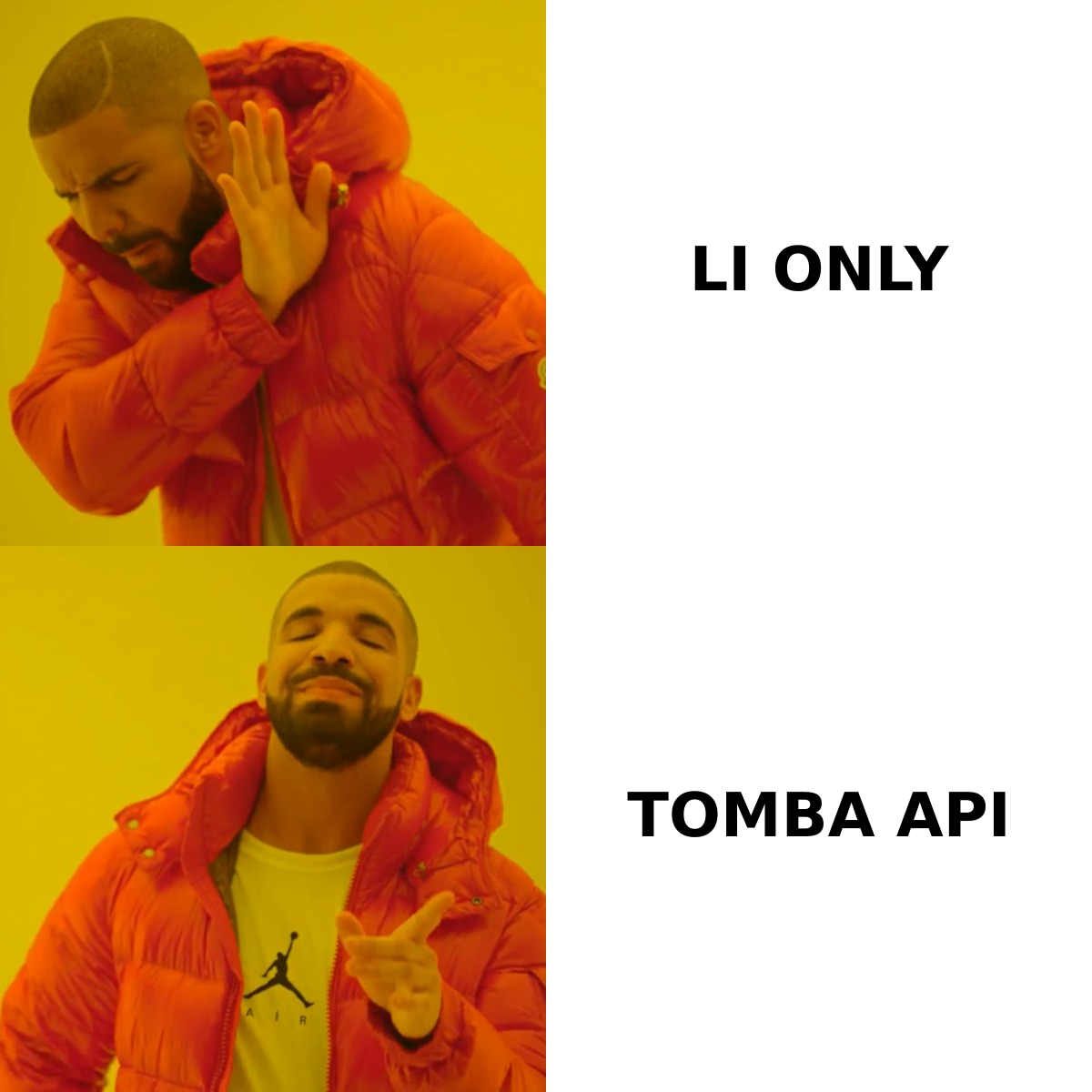
- Origin of the record. Lead Carrot starts from a business entity — a listing, a directory, a map pin. SalesQL starts from a person — a LinkedIn profile you already found and qualified.
- Direction of the search. Lead Carrot is discovery-first: you do not know who exists until the search runs. SalesQL is enrichment-first: you already know who you want, you just need their address.
- Contact granularity. Lead Carrot skews toward generic company inboxes and main-line phone numbers. SalesQL skews toward individual mailboxes, plus personal Gmail-style addresses that Lead Carrot will never surface.
- Intent signal. Lead Carrot ships a built-in reason to reach out (the failed website audit). SalesQL ships none — you supply the relevance from the LinkedIn profile you just read.
- Refresh model. Directory data decays slowly but silently; a dentist's
info@stays live for years even after the practice changes hands. LinkedIn data decays fast and visibly — job changes break work emails within weeks, which is why email verification before send is non-negotiable on SalesQL exports. - Team scalability. Lead Carrot searches are shareable inside the account. SalesQL credits are consumed by whoever is driving the browser, so a five-SDR team needs five seats and five disciplined humans.
Lead Carrot vs SalesQL: how do they compare feature by feature?#

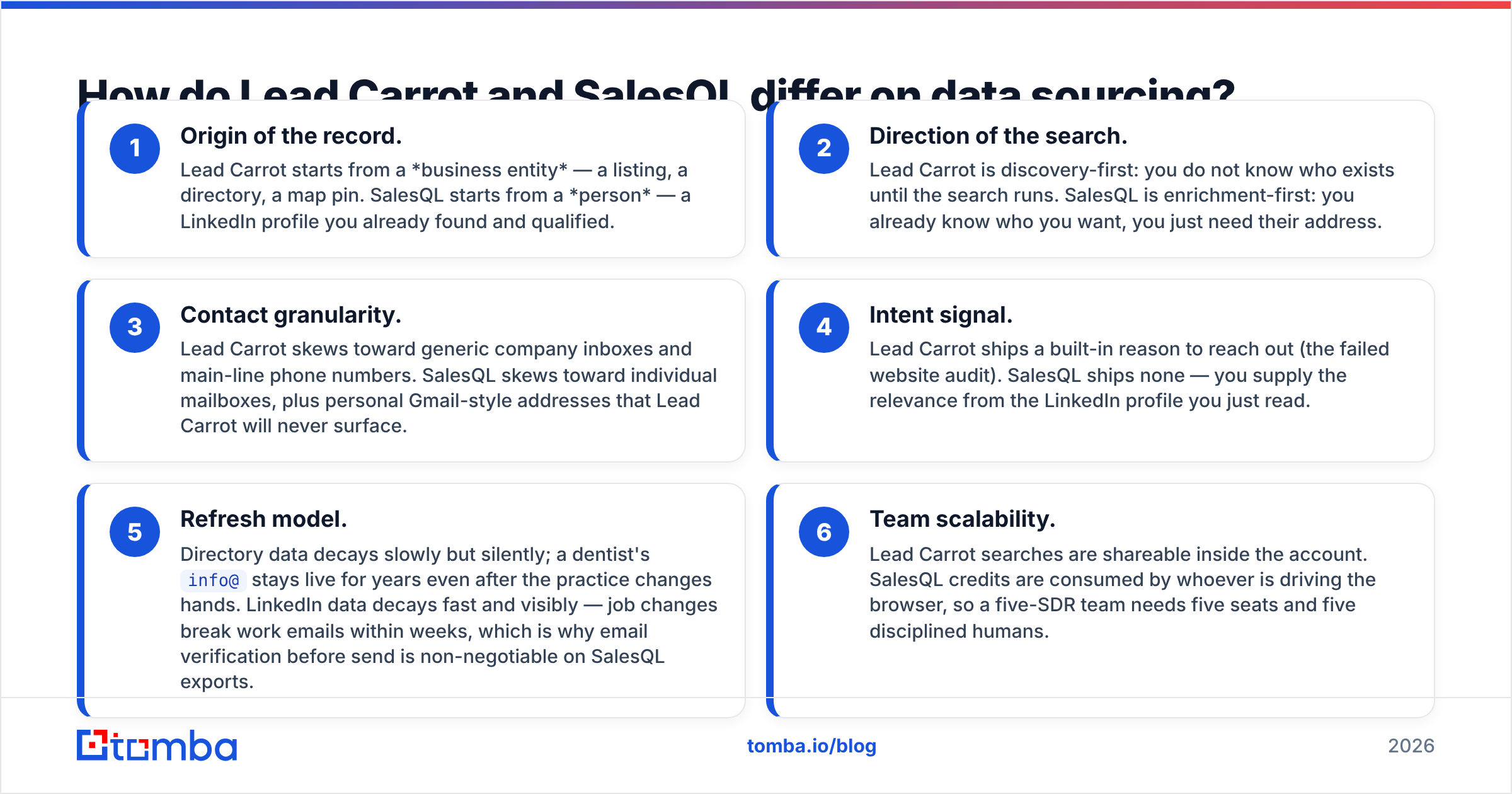
| Dimension | Lead Carrot | SalesQL | Tomba |
|---|---|---|---|
| Primary source | Local business directories and maps data | LinkedIn / Sales Navigator profiles | Web crawl, public sources, pattern inference |
| Best-fit ICP | Local SMBs (dental, legal, home services) | Tech and corporate B2B with LinkedIn presence | Any company with a web domain |
| Discovery vs enrichment | Discovery (search by niche + city) | Enrichment (you bring the profile) | Both — domain search plus name lookup |
| Contact type returned | Mostly role inboxes + main phone | Individual work + personal email, mobile | Individual work email, role email, phone |
| Built-in verification | Limited | Basic validity signal | Dedicated verifier + catch-all handling |
| Works outside the browser | Web app | Extension-led; API on higher tiers | Full REST API, CLI, Sheets, Excel |
| Bulk processing | Export search results | Page-by-page extraction from LinkedIn | Bulk email finder from CSV or domain list |
| Free tier | Trial, not a permanent free plan | Yes — limited monthly credits | Yes — 25 searches/month |
| Standout feature | Website audit flags as a sales hook | One-click LinkedIn extraction incl. personal emails | API-first data layer for any workflow |
The table makes the shape obvious. Lead Carrot and SalesQL are not competitors in any meaningful sense — they are two different answers to two different questions. Buyers only frame it as "Lead Carrot vs SalesQL" because both show up in the same searches for cheap lead-gen tooling.
How accurate is the data from each tool?#
Accuracy claims in this category are mostly theater, so treat every published number — including a vendor's own — as a starting hypothesis you test on your own list.

What the field data consistently shows:
Role inboxes verify well and convert badly. Lead Carrot's info@ and office@ addresses will pass SMTP checks at a high rate, because they are real, monitored, catch-everything mailboxes. Your bounce rate looks great. Your reply rate does not, because a gatekeeper reads it. Do not confuse deliverability with reachability.
Individual emails verify worse and convert far better. SalesQL's named-person results will bounce more often — job changes, aliases, domains behind catch-all configurations. But the ones that land reach an actual decision-maker. A 6% bounce rate on named contacts beats a 1% bounce rate on reception desks every time, provided you stay under the thresholds that damage sender reputation.
Catch-all domains are where both tools go quiet. Neither product gives you a confident verdict on a domain that accepts all mail. If a meaningful slice of your list is catch-all, you need a dedicated catch-all verifier in the pipeline or you are guessing with your domain reputation as collateral.
The practical protocol: pull 100 contacts from each tool, run them through an independent verifier, send to the valid ones only, and compare reply rate per 100 credits spent rather than raw accuracy percentage. That metric is the only one your revenue number cares about. Buyer reviews on G2 are useful for spotting support and billing complaints, but nobody else's accuracy benchmark predicts yours, because nobody else has your ICP.
What does each one cost, and where do the credits go?#
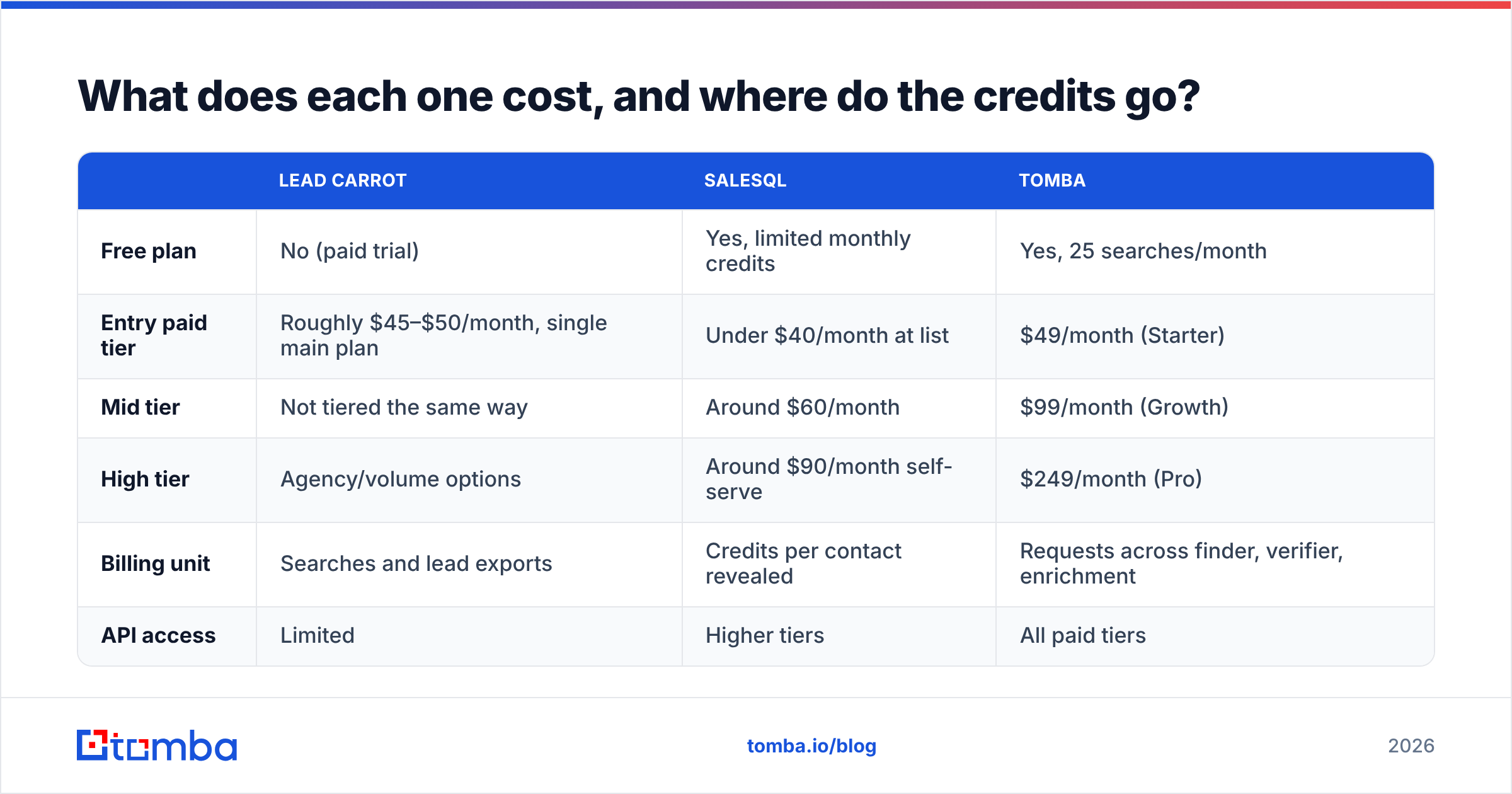
Pricing on both products has moved more than once, so confirm on the vendor pages before you buy. The shape of the pricing, which matters more than the exact figure, looks like this:
| Lead Carrot | SalesQL | Tomba | |
|---|---|---|---|
| Free plan | No (paid trial) | Yes, limited monthly credits | Yes, 25 searches/month |
| Entry paid tier | Roughly $45–$50/month, single main plan | Under $40/month at list | $49/month (Starter) |
| Mid tier | Not tiered the same way | Around $60/month | $99/month (Growth) |
| High tier | Agency/volume options | Around $90/month self-serve | $249/month (Pro) |
| Billing unit | Searches and lead exports | Credits per contact revealed | Requests across finder, verifier, enrichment |
| API access | Limited | Higher tiers | All paid tiers |
Three cost traps worth naming:
- Credits burn on failures in some models. Confirm whether a lookup that returns nothing still costs you. Over a 5,000-contact month, a 30% miss rate that still bills is a real line item.
- Seats multiply on extension tools. A browser-driven workflow needs one seat per human. An API-driven workflow needs one key for the whole team.
- Verification is usually a separate bill. Budget it. Sending unverified exports is the single fastest way to torch a sending domain, and recovery takes months.
Full Tomba pricing is public if you want a like-for-like anchor.
Which one should you actually buy?#
Buy Lead Carrot if you sell services to local businesses and your pitch depends on a visible defect — a broken site, no SSL, no Google listing. The audit flags are genuinely differentiated, and no LinkedIn-based tool replicates them. You are buying a sales angle bundled with a list.
Buy SalesQL if your prospecting already happens inside Sales Navigator, your ICP is corporate, and you want personal emails and mobile numbers that most database vendors will not surface. You are buying a shortcut on a workflow you already run.
Buy neither if you need contact data inside a product, a script, or an automated enrichment flow. Both tools assume a human at a screen. The moment your requirement becomes "given a domain and a name, return an email, 20,000 times, from a cron job," you have outgrown both categories and you need an API.
That third case is common and under-served. It is also the case where the Tomba API exists: domain search to map a company's mailbox patterns, email finder for named lookups, verification in the same call chain, and a LinkedIn finder for the profiles SalesQL users care about — without a browser extension in the loop. Documentation-grade integration guides for the CRM side of this live on vendor sites like HubSpot if you are wiring enrichment into an existing pipeline.
Can you use them together?#
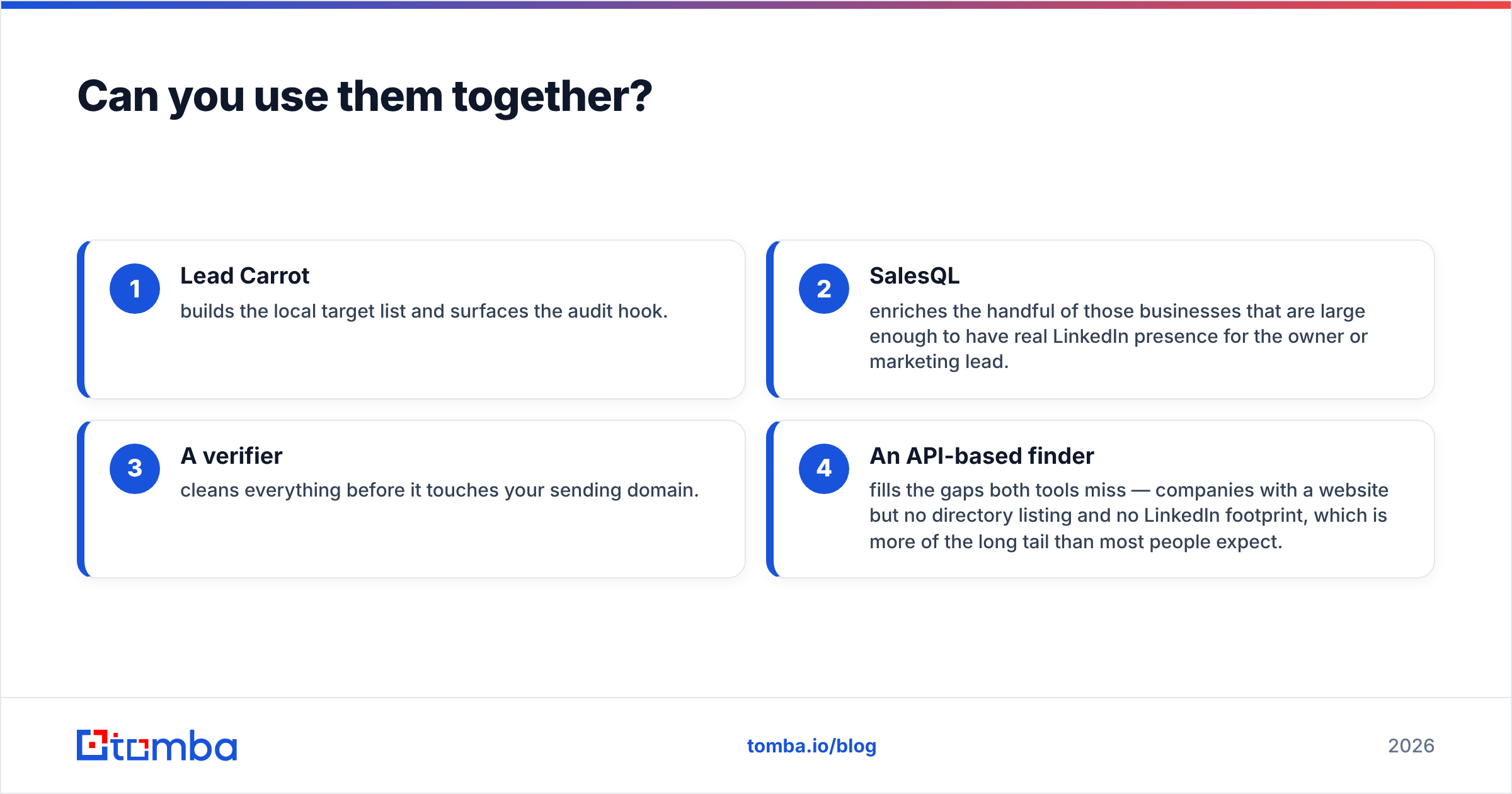
Yes, and for agencies moving upmarket it is the sensible play. A workable stack:
- Lead Carrot builds the local target list and surfaces the audit hook.
- SalesQL enriches the handful of those businesses that are large enough to have real LinkedIn presence for the owner or marketing lead.
- A verifier cleans everything before it touches your sending domain.
- An API-based finder fills the gaps both tools miss — companies with a website but no directory listing and no LinkedIn footprint, which is more of the long tail than most people expect.
The failure mode to avoid is paying for two overlapping seats and using 10% of each. Decide which motion is primary, buy for that, and only add the second tool when you can point at the specific accounts the first one cannot reach.
The verdict#
Lead Carrot wins for local SMB agency prospecting because of the audit layer, not the contact data. SalesQL wins for LinkedIn-native corporate prospecting because of workflow speed and personal-email coverage. Neither wins on general-purpose email discovery, because neither is built for it.
If your real requirement is "find verified work emails for any company with a domain, at volume, inside my own tooling," start with the Tomba Email Finder. The free tier gives you 25 searches a month to test against your own list before you spend anything — run it on the same 50 accounts you test the other two on, compare verified-reply rate, and let the numbers pick the stack.
Related guides#
// get started
Find, verify and enrich your first contacts today
Start on the free plan with 25 searches a month, then scale when your team is ready.
Free plan · No credit card required · GDPR & CCPA
// about the author