Lead Kahuna vs Leadsforge (2026): Which Lead Tool Should You Pick?
Lead Kahuna scrapes local businesses from your desktop. Leadsforge builds B2B lists when you describe your ideal buyer in plain language. We compare data, pricing and fit so you pick the right one.
- Lead Kahuna is a Windows desktop scraper. It pulls local-business listings from search engines, directories and websites, and tags each business with marketing signals (PPC, SEO, reviews, social). It suits agencies that sell to local SMBs.
- Leadsforge is a cloud-based AI search engine for B2B leads. It covers 500M+ contacts, and you describe your ideal customer in plain English. It suits SaaS and B2B teams that sell to named decision-makers.
- Pricing models differ. Leadsforge starts at $49/mo for 2,000 credits, and unused credits roll over. Lead Kahuna has been sold as an annual license and as a monthly subscription, so check the current offer before you buy.
- Neither one replaces verification. Scraped and AI-built lists both need a separate email check before you send.
- Quick verdict: pick Lead Kahuna if you sell to local businesses. Pick Leadsforge if you sell to job titles inside companies.
What are Lead Kahuna and Leadsforge?#
These tools get compared a lot, but they solve different problems. Some teams that trial both find neither matches their buyers, so work out which problem you have first.
Lead Kahuna is built for marketing agencies and freelancers who sell services to local businesses: dentists, roofers, law firms, restaurants. You install it on a Windows machine, enter a niche and a location, and it pulls business listings from public sources. Each lead comes with marketing data points, such as whether the business runs PPC ads, how its SEO looks, what its reviews say, and which social profiles it has. The pitch is simple: find businesses with a visible marketing gap, then pitch them the fix. Some versions also include outreach features, with open and click alerts so you know when to follow up.
Leadsforge comes from the team behind Salesforge, a cold-email platform. It's a cloud app with a chat-style search box. You type something like "Heads of RevOps at Series A–C SaaS companies in the US with 50–200 employees that are hiring SDRs." It turns that into filters, returns a list of contacts, and enriches them on export. It also filters on buying signals, finds lookalikes of your best accounts, and can pull followers of competitors.
In short, Lead Kahuna finds businesses and Leadsforge finds people inside businesses. That difference drives almost every point below.
How do Lead Kahuna and Leadsforge compare at a glance?#
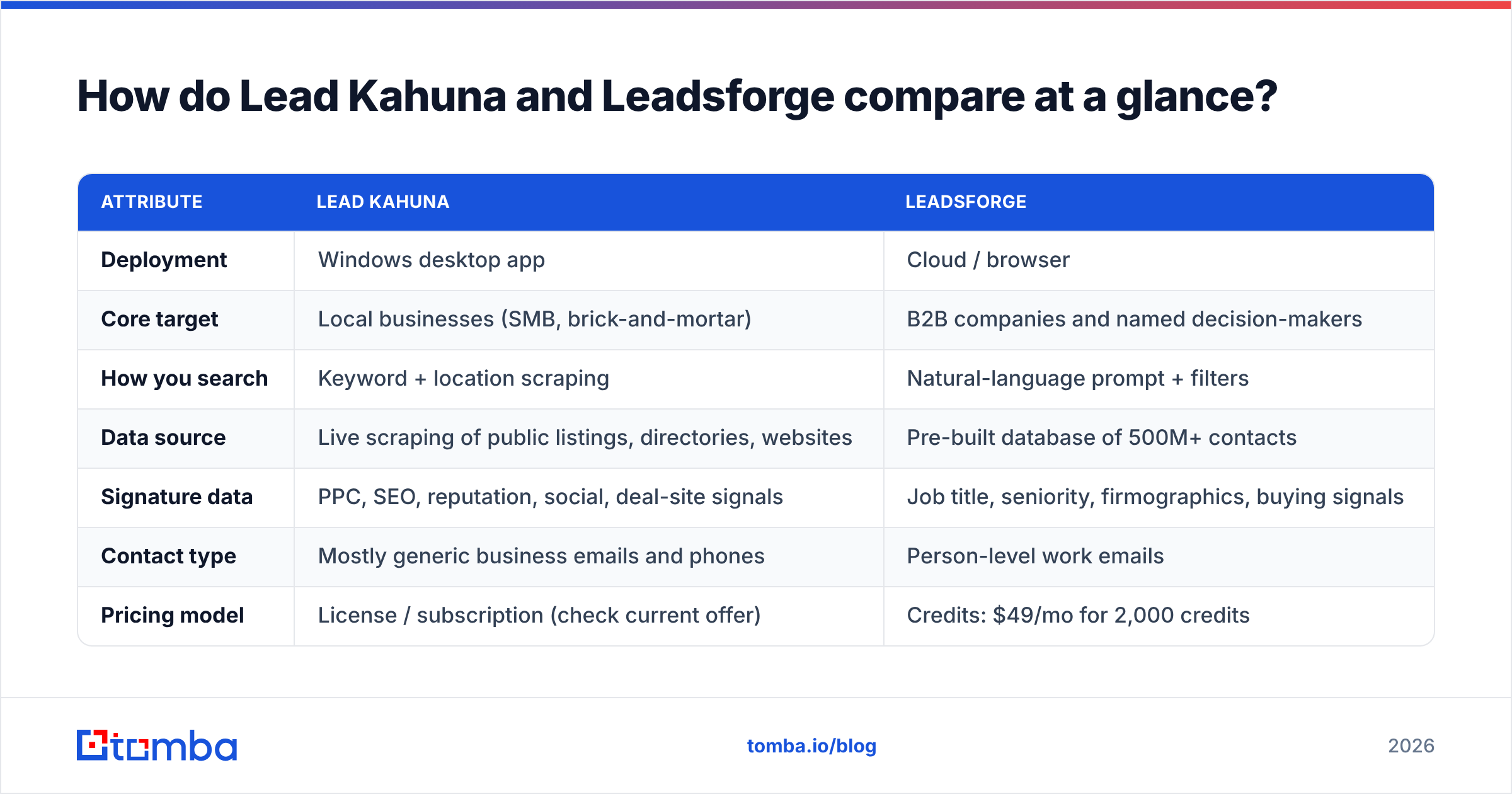
| Attribute | Lead Kahuna | Leadsforge |
|---|---|---|
| Deployment | Windows desktop app | Cloud / browser |
| Core target | Local businesses (SMB, brick-and-mortar) | B2B companies and named decision-makers |
| How you search | Keyword + location scraping | Natural-language prompt + filters |
| Data source | Live scraping of public listings, directories, websites | Pre-built database of 500M+ contacts |
| Signature data | PPC, SEO, reputation, social, deal-site signals | Job title, seniority, firmographics, buying signals |
| Contact type | Mostly generic business emails and phones | Person-level work emails |
| Pricing model | License / subscription (check current offer) | Credits: $49/mo for 2,000 credits |
| Free trial | Varies by offer | 100 free credits on signup |
| Credit rollover | N/A (volume limited by your machine and sources) | Yes, unused credits don't expire |
| Outreach built in | Open/click notifications on some plans | Native handoff to Salesforge |
| Best fit | Local SEO, web design, PPC agencies | SaaS, B2B services, outbound SDR teams |
Where does each tool get its data?#
The data source decides how fresh and how deep your list is. Here's how the two differ:
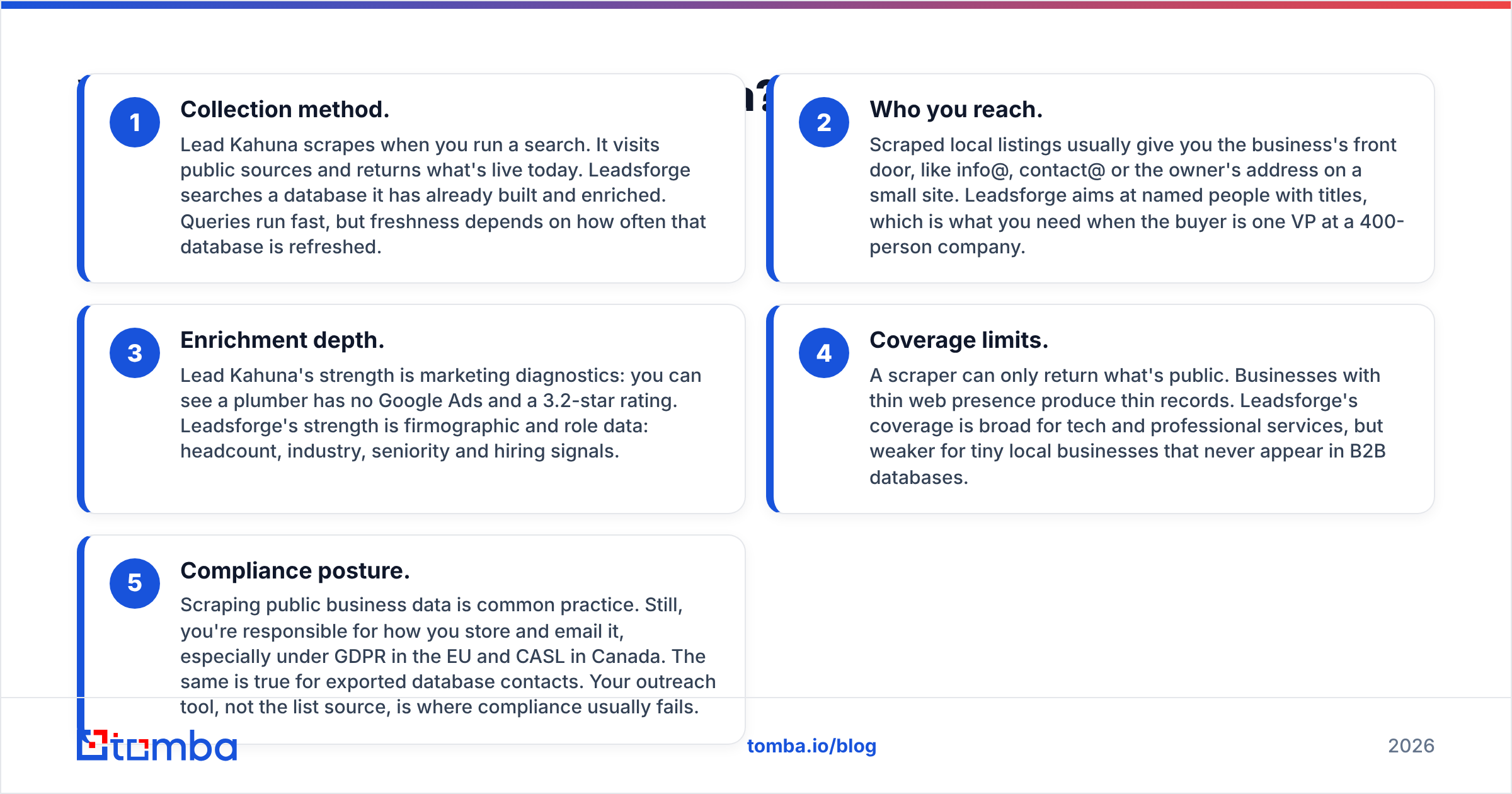
- Collection method. Lead Kahuna scrapes when you run a search. It visits public sources and returns what's live today. Leadsforge searches a database it has already built and enriched. Queries run fast, but freshness depends on how often that database is refreshed.
- Who you reach. Scraped local listings usually give you the business's front door, like info@, contact@ or the owner's address on a small site. Leadsforge aims at named people with titles, which is what you need when the buyer is one VP at a 400-person company.
- Enrichment depth. Lead Kahuna's strength is marketing diagnostics: you can see a plumber has no Google Ads and a 3.2-star rating. Leadsforge's strength is firmographic and role data: headcount, industry, seniority and hiring signals.
- Coverage limits. A scraper can only return what's public. Businesses with thin web presence produce thin records. Leadsforge's coverage is broad for tech and professional services, but weaker for tiny local businesses that never appear in B2B databases.
- Compliance posture. Scraping public business data is common practice. Still, you're responsible for how you store and email it, especially under GDPR in the EU and CASL in Canada. The same is true for exported database contacts. Your outreach tool, not the list source, is where compliance usually fails.

How does pricing compare?#
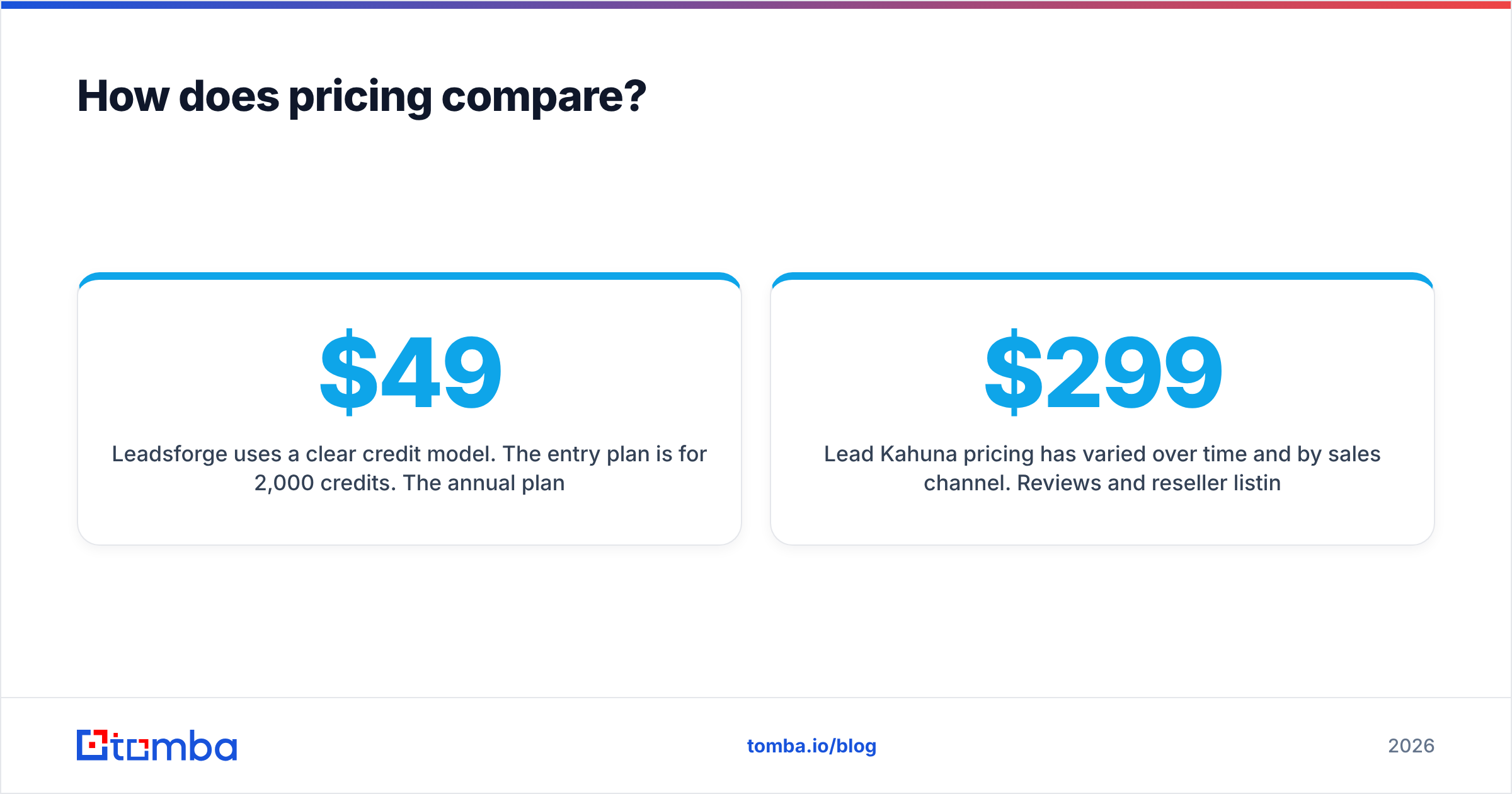
Leadsforge uses a clear credit model. The entry plan is $49/month for 2,000 credits. The annual plan is $588/year, with 28,000 credits granted upfront. There's no per-seat charge, and new accounts get 100 free credits. Before you export, the app shows how many credits the list will cost. The cost depends on list size and how much enrichment you ask for. Unused credits don't expire, which matters if your outbound volume is uneven.
Lead Kahuna pricing has varied over time and by sales channel. Reviews and reseller listings mention a roughly $299/year license and also monthly tiers around $97–$197/month. Treat those as reference points, not quotes, and confirm on the vendor's site. The real cost-per-lead math is different from Leadsforge's anyway. Once you've paid, extra searches don't cost credits. Instead, you're limited by your machine, your proxies and how much the public sources return.
Here's a practical way to compare them:
- If you need fewer than ~2,000 person-level contacts a month, Leadsforge's starter plan is easy to predict. You know what each list costs before you pull it.
- If you need tens of thousands of local-business records across many cities and niches, a scraper license can cost less per record. That only holds if you have time to clean the output.
Neither price includes verification. Budget for it separately, whichever tool you pick.
Which tool gives you better email quality?#
This question matters most, and the honest answer is that it depends on the kind of email you need.
Lead Kahuna returns whatever is published. On a local business site that's often a role address (info@, office@) or a Gmail the owner set up years ago. Role addresses are usually valid, but they reach an inbox several people share. Your reply rates will reflect that. Scraped lists can also hold stale addresses from old directory entries, so bounce rates can climb if you send without checking.
Leadsforge returns person-level work emails for named contacts. This is the right format for B2B outbound, but database emails decay. People change jobs, companies rebrand, and domains switch to catch-all setups. Any B2B database has some decay between the last refresh and your send date.
The workflow for both is the same: verify before you send. Run the export through an email verifier to remove invalid and risky addresses. Treat catch-all domains as their own group. A catch-all verifier tells you which accept-all addresses are likely real, so you don't send blind or throw out good leads. Keeping bounces low protects your sending domain. HubSpot's guidance on email bounce rates explains why a few percent of hard bounces can hurt deliverability for the whole domain.
Who should choose Lead Kahuna?#
Lead Kahuna fits when your buyer is a local business owner and your pitch is marketing work.
Choose Lead Kahuna if you:
- Run a local SEO, web design, reputation or PPC agency
- Want to prospect by "business type + city" rather than job title
- Sell on a visible gap ("You're not running Google Ads and your competitors are")
- Work on Windows and prefer a tool you own and run locally
- Pull large volumes of SMB records and have time to clean them
Skip it if you:
- Sell to departments inside mid-market or enterprise companies
- Need named decision-makers with titles and seniority
- Work on macOS or Linux only, or need a shared cloud workspace for a team
- Want plug-and-play CRM sync without CSV handling
The marketing signals are the real value here. A list of 500 dentists is common. A list of 500 dentists who have no Google Ads, fewer than 20 reviews and a site that isn't mobile-friendly is a ready-made pitch deck. If that's your business model, Leadsforge won't replicate it.
Who should choose Leadsforge?#
Leadsforge fits when your buyer has a title and your motion is outbound email at volume.
Choose Leadsforge if you:
- Sell B2B software or services to defined roles (VP Sales, Head of IT, CFO)
- Want to build ICP lists quickly without setting up dozens of filters by hand
- Use buying signals such as hiring, funding or tech changes to time outreach
- Already use Salesforge, or plan to, and want native list handoff
- Prefer credits you can scale up or down and that roll over
Skip it if you:
- Mostly target single-location local businesses
- Need marketing-diagnostic data such as ad spend, reviews or SEO gaps
- Need phone-first prospecting for businesses with little web presence
The prompt-based search is a real time saver for SDRs. You can describe an ICP in one sentence, refine it in a conversation, and have a list in minutes. That's much faster than working through checkbox filters in a traditional database. For more on ICP definition, Salesforce's overview of the ideal customer profile is a good starting framework.

Is Lead Kahuna better than Leadsforge?#
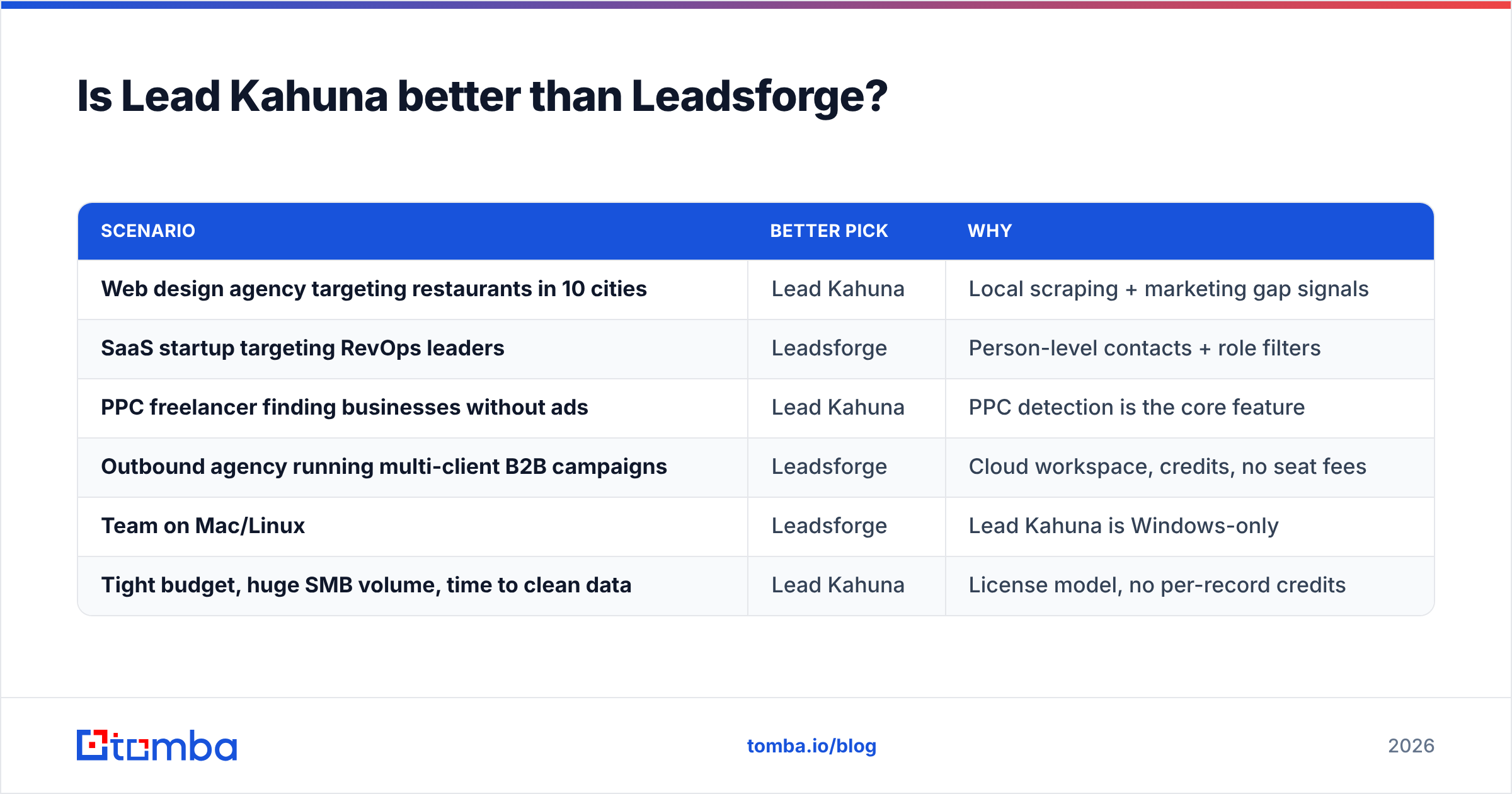
Neither is better overall. Each is better for a specific job:
| Scenario | Better pick | Why |
|---|---|---|
| Web design agency targeting restaurants in 10 cities | Lead Kahuna | Local scraping + marketing gap signals |
| SaaS startup targeting RevOps leaders | Leadsforge | Person-level contacts + role filters |
| PPC freelancer finding businesses without ads | Lead Kahuna | PPC detection is the core feature |
| Outbound agency running multi-client B2B campaigns | Leadsforge | Cloud workspace, credits, no seat fees |
| Team on Mac/Linux | Leadsforge | Lead Kahuna is Windows-only |
| Tight budget, huge SMB volume, time to clean data | Lead Kahuna | License model, no per-record credits |
If you sell to both markets, for example an agency with local clients and a B2B SaaS side, running both tools is reasonable. Keep the lists and sequences separate, because the copy, cadence and deliverability risk are different.
What gap do both tools leave open?#
Both tools create lists, but neither gives you an easy way to find and verify one specific person. That's the case when you already know the company and just need the right email.
It comes up constantly. A prospect replies "talk to our CTO." A lead from Lead Kahuna has only info@ and you want the owner's direct address. A Leadsforge contact bounced because they changed jobs, and you need their replacement. In each case you have a domain and a name, not an ICP.
This is where a dedicated email finder helps. With Tomba you can run a domain search to list the public emails and the email pattern at a company. You can also look up one person by name and domain, then verify the result in the same workflow. It works alongside either list builder, not as a replacement. Plans start with 25 free searches a month, and paid tiers begin at $49/mo. The full breakdown is on the Tomba pricing page.
How should you evaluate them before committing?#
Don't decide from feature pages. Run a short test:
- Define 20 real target accounts you'd actually pitch this quarter.
- Pull the same segment from each tool. For Lead Kahuna, use niche + city. For Leadsforge, use your ICP prompt.
- Verify every email and record valid, invalid, catch-all and unknown rates.
- Check relevance by hand. Are these the right businesses or the right people?
- Send a small test campaign of 50–100 emails per list from a warmed domain and compare reply rates.
- Calculate cost per valid, relevant contact, not cost per record.
That last number is what matters. A cheap list with a 25% bounce rate and generic inboxes can cost more than a pricier list you can use as-is.
FAQ#
Is Lead Kahuna a B2B database? No. It's a desktop scraper that collects public local-business data when you run a search. It doesn't keep a pre-built database of named decision-makers.
Does Leadsforge have a free plan? It doesn't have a permanent free plan, but new accounts get 100 free credits to test searches and exports.
Can I use Lead Kahuna on a Mac? Lead Kahuna is built for Windows. Mac users would need a Windows virtual machine or a different tool.
Do I still need an email verifier with Leadsforge? Yes. Any database decays between refreshes. Verifying right before you send is the most reliable way to keep bounces low.
Which is cheaper, Lead Kahuna or Leadsforge? Per record at high volume, a scraper license can cost less. Per usable, verified decision-maker contact, Leadsforge is often more efficient for B2B. Compare on cost per valid, relevant contact.
Final take#
Lead Kahuna vs Leadsforge isn't really a head-to-head, because the two tools serve different markets. Lead Kahuna is a strong fit for agencies that sell marketing services to local businesses and want marketing-gap data built in. Leadsforge is a strong fit for B2B teams that want AI-assisted ICP lists of named decision-makers, with predictable credit pricing. Pick the one that matches your buyer, test it on real accounts, and verify every address before it goes into a sequence.
When a list gives you the company but not the person, or an address bounces, Tomba Email Finder fills the gap. Enter a name and domain, get the professional email, and verify it in the same step. Then your Lead Kahuna or Leadsforge list is ready to send. Start with the free tier and see how many of your "info@" leads turn into direct contacts.
Related guides#
// get started
Find, verify and enrich your first contacts today
Start on the free plan with 25 searches a month, then scale when your team is ready.
Free plan · No credit card required · GDPR & CCPA
// about the author