Lead Kahuna vs Leadzen.ai (2026): Which Lead Tool Fits You?
Lead Kahuna scrapes local businesses from public directories. Leadzen.ai finds B2B decision-makers using AI-assisted search. This guide covers what each one gets right, what each costs, and which one fits your outbound motion.
Lead Kahuna vs Leadzen.ai is a common question for teams picking a lead tool. The short answer: they do different jobs. Here's how they compare on data, price, and fit.
TL;DR
- Lead Kahuna scrapes local businesses from public directories and map listings. Use it if you sell to SMBs like dentists, roofers, restaurants, or agencies in specific cities.
- Leadzen.ai is an AI-assisted B2B prospecting platform. It searches for decision-makers by company, role, and industry, and it's strongest for teams selling into India and other emerging markets.
- The two tools solve different problems. Lead Kahuna finds businesses, and Leadzen.ai finds people inside businesses.
- Neither tool replaces a dedicated email verification step. Run every exported list through a verifier before you send.
- If what you really need is a verified work email for a named person at a known company, a dedicated email finder is usually cheaper and more accurate than either tool.
What are Lead Kahuna and Leadzen.ai?#
People search "Lead Kahuna vs Leadzen.ai" because both tools promise "leads." The word means something very different in each product, though, and mixing them up is how teams end up paying for the wrong tool.
Lead Kahuna is a lead scraping tool for local businesses. You enter a keyword ("plumbers") and a location ("Austin, TX"). It pulls matching businesses from public sources such as map listings and business directories. Then it crawls each business website for contact details: generic emails, phone numbers, and social profiles. The result is a spreadsheet of businesses you can call, email, or pitch.
Leadzen.ai is an AI-driven B2B lead generation platform built for sales development teams. You search by filters or in natural language, such as job title, industry, company size, and geography. It returns individual contacts with work emails and phone numbers. It also has a Chrome extension that shows contact data and buyer insights while you browse LinkedIn. Its pitch leans hard on SDR productivity for teams in India and other emerging markets. Its company data is tuned for that region.
In short, Lead Kahuna answers "which businesses exist in this niche and city?" Leadzen.ai answers "who is the VP of Sales at this company, and how do I reach them?"
How do Lead Kahuna and Leadzen.ai compare at a glance?#
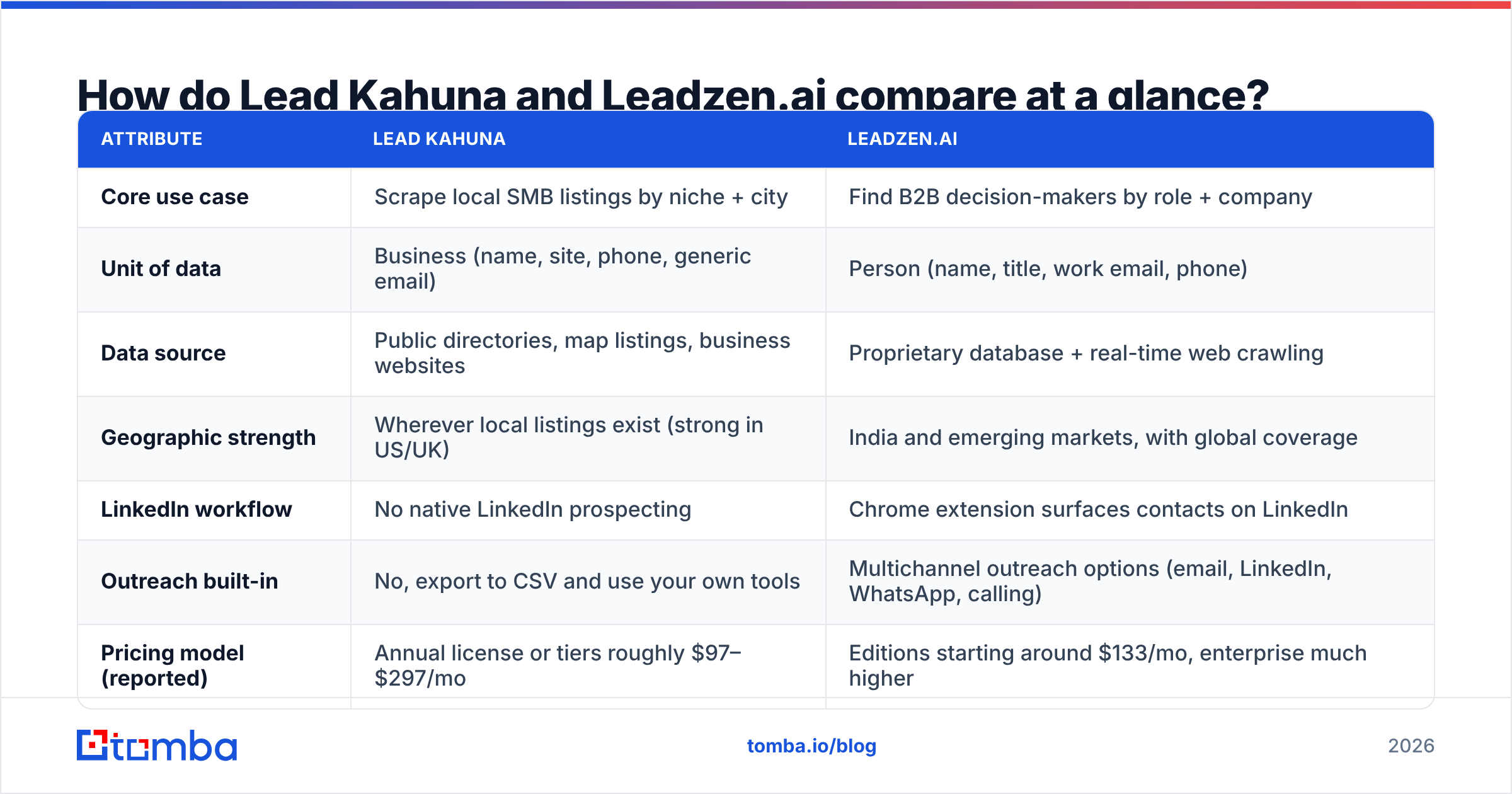
This table is the fastest way to decide. Pricing for both vendors has changed several times, so treat the numbers as ranges from public and third-party listings and confirm on each vendor's site before you buy.
| Attribute | Lead Kahuna | Leadzen.ai |
|---|---|---|
| Core use case | Scrape local SMB listings by niche + city | Find B2B decision-makers by role + company |
| Unit of data | Business (name, site, phone, generic email) | Person (name, title, work email, phone) |
| Data source | Public directories, map listings, business websites | Proprietary database + real-time web crawling |
| Geographic strength | Wherever local listings exist (strong in US/UK) | India and emerging markets, with global coverage |
| LinkedIn workflow | No native LinkedIn prospecting | Chrome extension surfaces contacts on LinkedIn |
| Outreach built-in | No, export to CSV and use your own tools | Multichannel outreach options (email, LinkedIn, WhatsApp, calling) |
| Pricing model (reported) | Annual license or tiers roughly $97–$297/mo | Editions starting around $133/mo, enterprise much higher |
| Scale limits | Third-party reviewers note proxies are needed past ~150 leads/day | Credit-based by plan |
| Email verification | Minimal, scraped emails are unverified | Verified contacts claimed, re-verify before bulk sends |
| Best for | Agencies, local service sellers, SMB outbound | SDR teams doing account-based B2B outbound |
The table already shows the main split. Lead Kahuna is a scraper you run yourself, and Leadzen.ai is a database with a prospecting workflow on top.
How does each tool actually work day to day?#
What does a Lead Kahuna workflow look like?#
A typical Lead Kahuna session looks like this:
- Pick a niche and location. For example, "HVAC contractors" plus a list of 20 metro areas.
- Run the scrape. The tool queries public listings and collects business names, addresses, phone numbers, websites, and review data.
- Crawl websites for contacts. It visits each business site and extracts any emails and social links it finds, usually
info@,contact@, or the owner's address if it's published. - Export to CSV. Then you clean the list, dedupe it, and load it into your cold email or calling tool.
This works well for local-first sellers: web design agencies, SEO consultants, POS vendors, and anyone whose buyer is "the owner of a small business in a specific place." Big contact databases often cover these businesses poorly because they have no LinkedIn presence to speak of.
The weak spots are predictable. Scraped emails are often role-based inboxes. Some are years out of date. Nothing verifies them before export. Past about 150 leads a day, third-party reviews say you need your own proxies. That adds cost and setup.
What does a Leadzen.ai workflow look like?#
Leadzen.ai starts from the buyer, not the business:
- Define your ICP. Filter by industry, company size, geography, and job title, or type a natural-language query.
- Review AI-ranked prospects. The platform surfaces contacts and adds company and buyer context.
- Use the Chrome extension on LinkedIn. Open a profile and pull the email and phone number without leaving the page.
- Enrich or export in bulk. Push contacts into your CRM or start outreach from Leadzen's own channels.
This fits SDR teams running account-based outbound, especially teams selling into Indian companies, where its regional company data is a real differentiator. Leadzen.ai's product pages at leadzen.ai are explicit about that focus.
The weak spots here are pricing clarity and coverage outside its core regions. Several third-party reviews call its public pricing confusing. Figures range from about $133/mo to several thousand per month across editions. If most of your pipeline is in North America or Western Europe, test coverage on 50 of your real target accounts before you commit.
Which tool has better data accuracy?#
Neither tool publishes a rigorous, independent accuracy benchmark. Treat any accuracy claim, from these vendors or anyone else, as a hypothesis you need to test.
What we can say from how the data is collected:
- Lead Kahuna's data is as fresh as the source listing. If a business updated its map listing last month, you get current data. If the website hasn't changed since 2019, you get 2019's email. You also mostly get generic inboxes, which get lower reply rates than a named person's work email.
- Leadzen.ai's data is person-level. That's more valuable per record, but it depends on how recently each contact was refreshed. Job changes quietly break person-level data. B2B contact data decays by an estimated 20–30% a year, so any database that isn't re-crawling constantly drifts.
The practical takeaway is the same for both: verify before you send. A bounce rate above 2–3% will start to damage your sender reputation, whichever tool the list came from. Running exports through an email verifier takes minutes and protects the domain you spent months warming up.
How much do Lead Kahuna and Leadzen.ai cost?#
Here's how the pricing models compare as of 2026, based on public and third-party listings. Always confirm on the vendor site because both have changed packaging over time.
Lead Kahuna
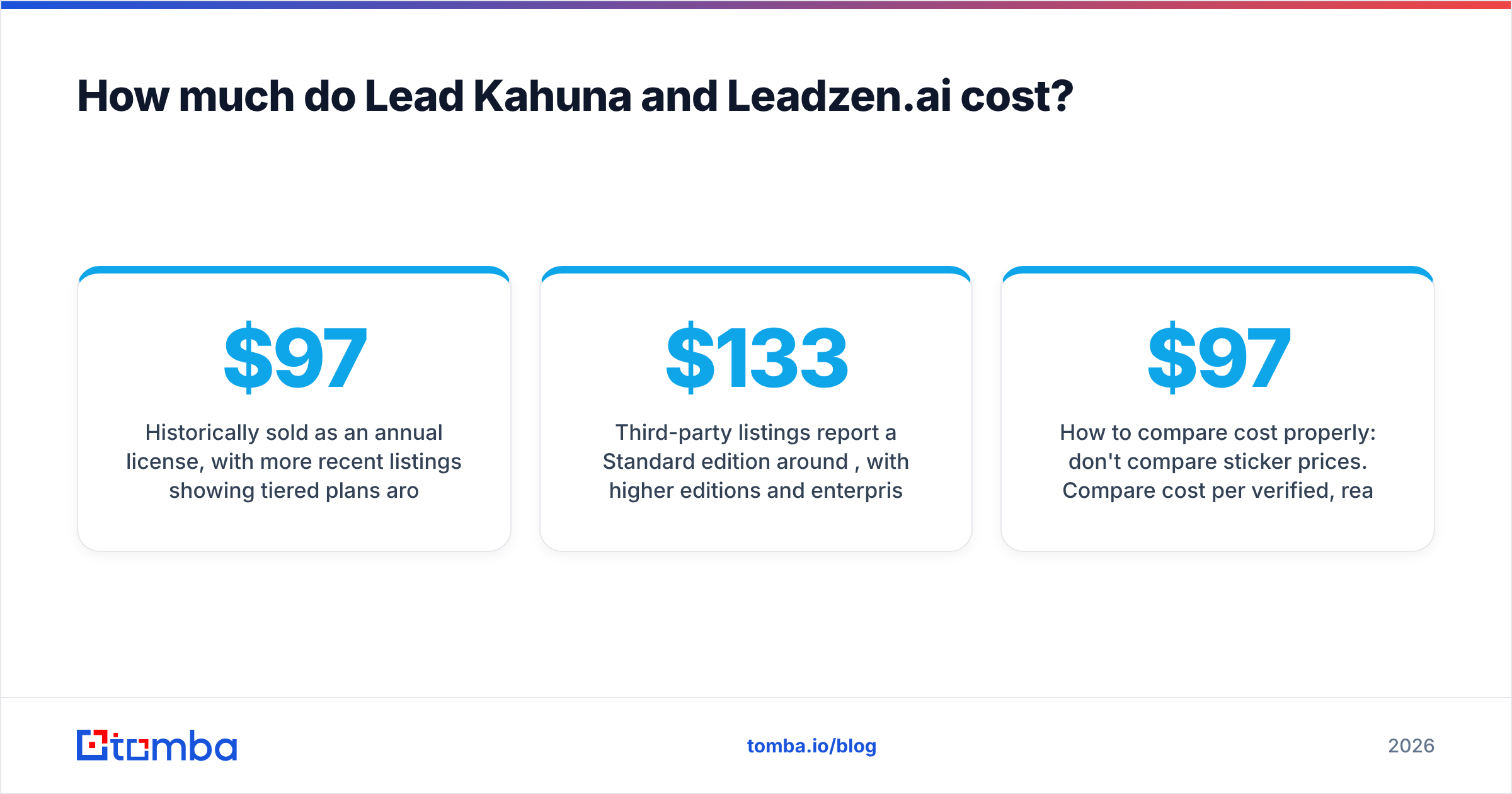
- Historically sold as an annual license, with more recent listings showing tiered plans around $97/mo (Basic), $197/mo (Pro), and $297/mo (Business) on annual billing, and higher prices month to month.
- Hidden cost: proxies if you want to scrape at volume.
- Hidden cost: a separate verification tool, because scraped emails aren't validated.
Leadzen.ai
- Third-party listings report a Standard edition around $133/mo, with higher editions and enterprise contracts running much higher.
- Some listings describe outcome-based pricing (per qualified meeting) for managed-service packages.
- A free trial is available, and you should use it to test your own target accounts.
How to compare cost properly: don't compare sticker prices. Compare cost per verified, reachable decision-maker. A $97 scrape that gives you 3,000 businesses but only 900 deliverable generic inboxes can cost more per useful contact than a $133 plan that returns 500 verified named buyers. Which one works out cheaper depends on whether your buyer is "the business" or "a person at the business."
Is Lead Kahuna better than Leadzen.ai?#
Only for one kind of buyer. Here's a direct breakdown.
Choose Lead Kahuna if:
- You sell to local SMBs. Owners of dental practices, gyms, salons, and contractors are often invisible on LinkedIn but very visible on maps and directories.
- Geography drives your targeting. "Every roofer in Ohio" is a natural Lead Kahuna query and an awkward one for most B2B databases.
- You're an agency reselling lead lists or outreach. Scraping lets you build a niche list quickly and on demand.
- You're comfortable with some technical setup. Proxies, cleaning, and deduping are part of the job.
Choose Leadzen.ai if:
- You sell B2B into defined roles. You need the Head of Procurement, not
info@. - Your SDRs live in LinkedIn. The Chrome extension fits how they already prospect.
- Your territory includes India. Its regional company data and outreach channels (including WhatsApp) are built for that market.
- You want prospecting and outreach in one place. Leadzen offers built-in multichannel options instead of a CSV export.
Choose neither (or add a third tool) if:
- You already know your target companies and just need verified work emails for specific people.
- You need API-first enrichment inside your CRM.
- Your biggest problem is bounces, not lead volume.
What do both tools leave on the table?#
Both tools focus on discovery: surfacing businesses or people you didn't have before. Most outbound teams hit a different bottleneck once they have a target list: turning names and domains into verified, deliverable work emails at scale.
This is where a dedicated email finder earns its keep:
- Named-contact lookup. Give it a first name, last name, and company domain and it returns the most likely address with a confidence score. That beats guessing permutations of
jane.doe@by hand. - Domain-wide discovery. A domain search returns every publicly associated email at a company, which fills the gap between Lead Kahuna's generic inboxes and a real decision-maker.
- Catch-all handling. Many SMB domains accept all mail. A plain verifier marks those "unknown," and a catch-all-aware check tells you whether sending is worth the risk.
- Bulk + API. Upload the CSV from Lead Kahuna or Leadzen, enrich it, verify it, and push it to HubSpot or Salesforce without manual copy-paste.
A common stack in 2026 looks like this: discovery tool (Lead Kahuna for local, Leadzen for B2B) → email finder + verifier → sequencing tool. The discovery tool builds the list, and the finder and verifier make sure the list is sendable.
How should you test Lead Kahuna vs Leadzen.ai before buying?#
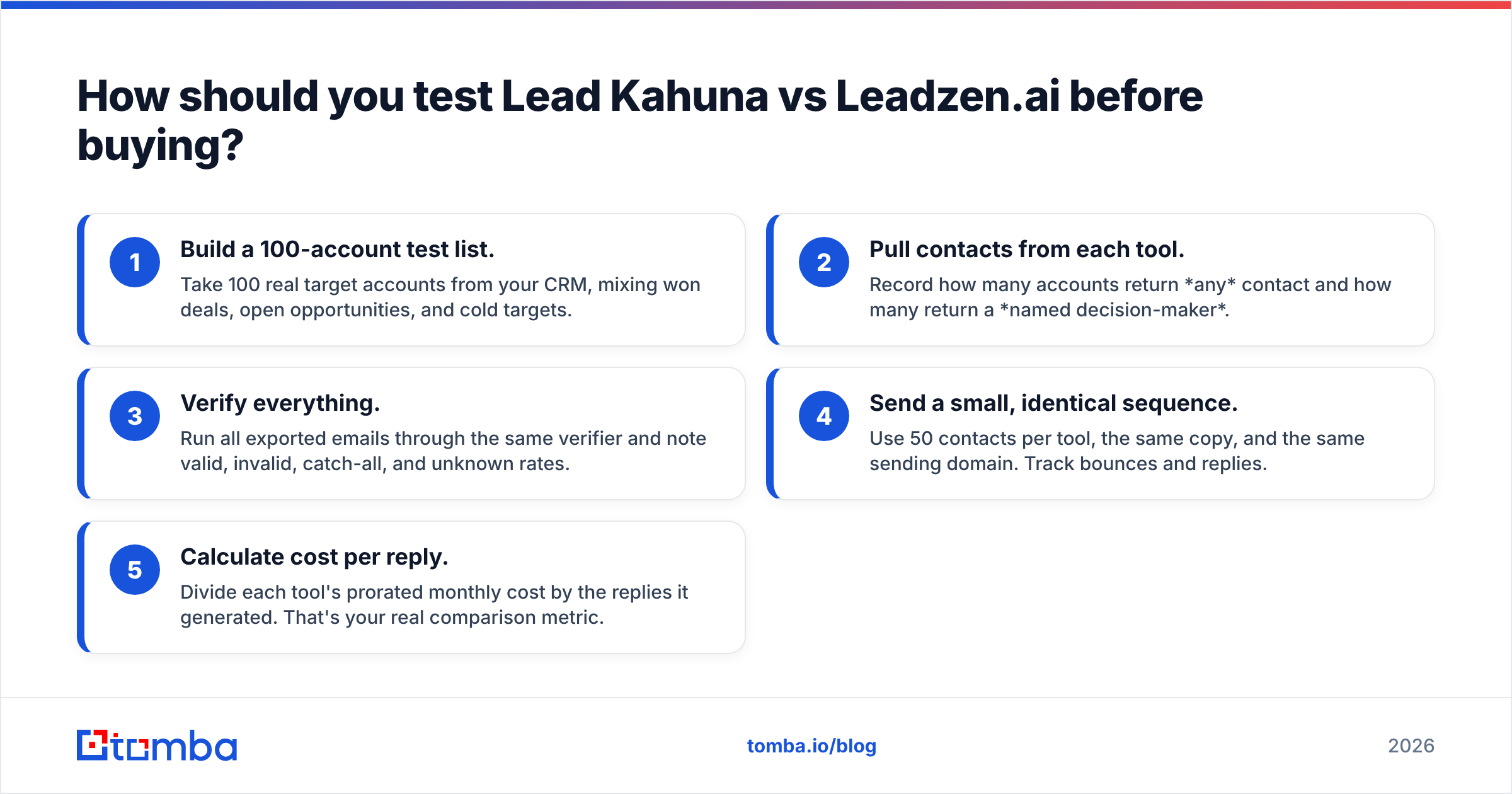
Don't pick based on a demo. Run a 1-week bake-off with your own ICP:
- Build a 100-account test list. Take 100 real target accounts from your CRM, mixing won deals, open opportunities, and cold targets.
- Pull contacts from each tool. Record how many accounts return any contact and how many return a named decision-maker.
- Verify everything. Run all exported emails through the same verifier and note valid, invalid, catch-all, and unknown rates.
- Send a small, identical sequence. Use 50 contacts per tool, the same copy, and the same sending domain. Track bounces and replies.
- Calculate cost per reply. Divide each tool's prorated monthly cost by the replies it generated. That's your real comparison metric.
You can compare results against public review signals too. G2 and similar review sites are useful for spotting recurring complaints (billing, support, data freshness) that won't show up in a one-week test. For background on how lead generation fits into the wider funnel, the Wikipedia entry on lead generation is a solid neutral primer.
Lead Kahuna vs Leadzen.ai: which one should you pick?#
The honest verdict is that these tools aren't really competitors. They point at different buyers.
- If your customer is a local business owner, Lead Kahuna gets you a broader, cheaper list faster, as long as you clean and verify it.
- If your customer is a named role inside a B2B company, and especially if India is part of your territory, Leadzen.ai is the better fit, as long as you test its coverage on your accounts and read the pricing carefully.
- If your customer is a specific person at a company you already know about, neither tool is the most efficient choice. A dedicated email finder is.
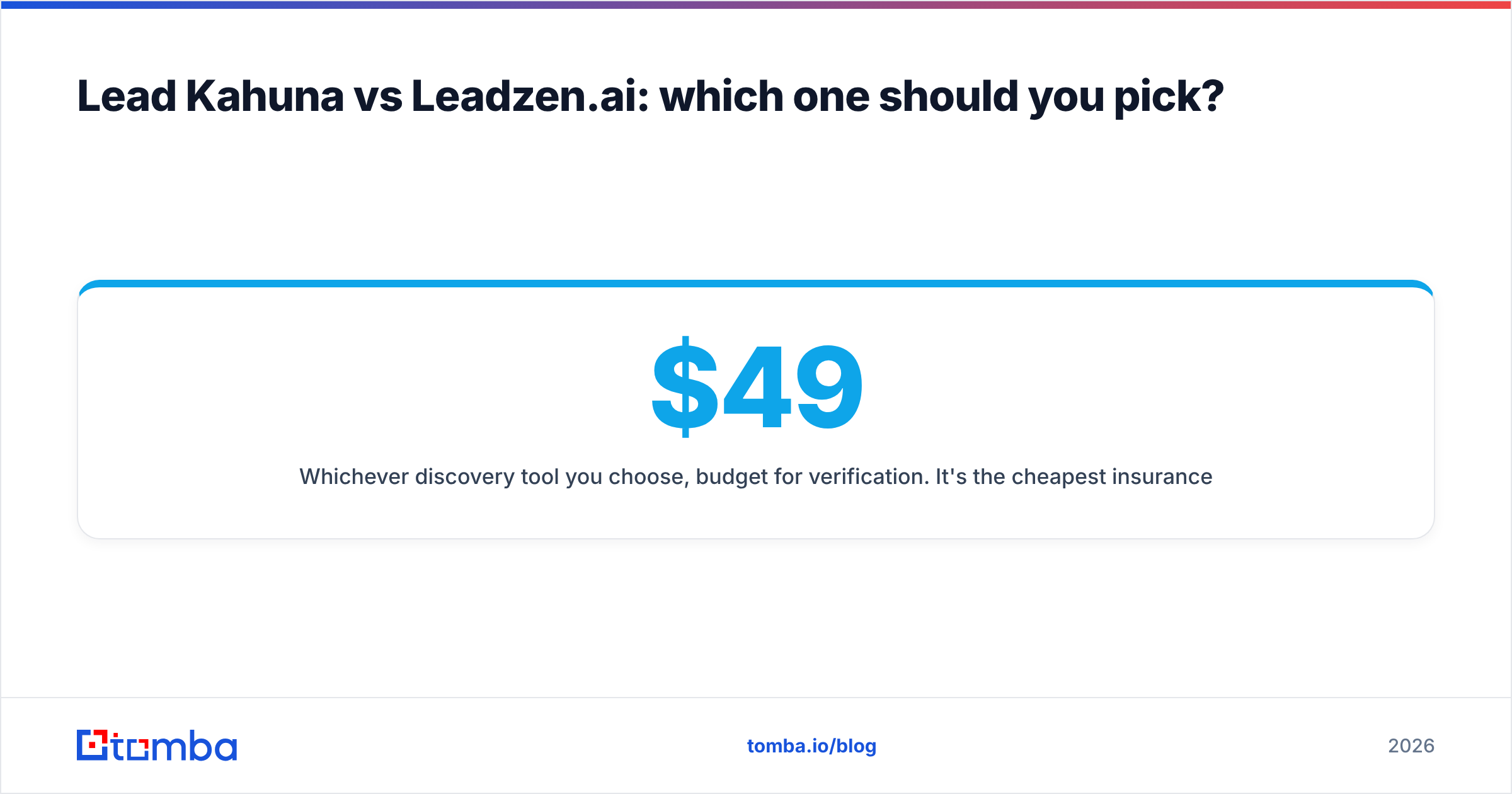
Whichever discovery tool you choose, budget for verification. It's the cheapest insurance your outbound program can buy, and it keeps your domain out of the spam folder while you scale. You can check current Tomba pricing to size that layer: there's a free tier with 25 searches a month, Starter at $49/mo, Growth at $99/mo, and Pro at $249/mo.
Ready to turn your lead list into verified emails?#
Whether your list comes from a Lead Kahuna scrape or a Leadzen.ai export, the last step is the same: get a verified work email for the right person. Tomba Email Finder finds professional addresses from a name and domain, a company, or a full CSV in bulk, and returns confidence scores so you know what's safe to send. Start on the free plan and run your current list through it before your next campaign goes out.
Related guides#
// get started
Find, verify and enrich your first contacts today
Start on the free plan with 25 searches a month, then scale when your team is ready.
Free plan · No credit card required · GDPR & CCPA
// about the author