Lead Kahuna vs Saleshandy: Lead Scraping vs Cold Email Outreach
Lead Kahuna builds local-business lead lists. Saleshandy sends cold email at scale. Here's where each one fits, what each costs, and whether you need both, one, or neither.
TL;DR
- Lead Kahuna and Saleshandy are different kinds of tool. Lead Kahuna scrapes and scores lists of local businesses. Saleshandy is a cold email platform that sends sequences, handles warmup and rotates mailboxes.
- Pick Lead Kahuna if you run an agency selling SEO, PPC, web design or reputation services to local SMBs and need lists with "pain signals" such as bad reviews, no pixel or a slow site.
- Pick Saleshandy if you already know who you're targeting and need to send thousands of personalized emails a month without burning your domains.
- Many teams use both, with a verification step in between. Scraped local-business emails are often generic inboxes like info@, so verify them before you load them into any sequencer.
- Pricing models differ a lot. Lead Kahuna has historically been sold as an annual license. Saleshandy charges a monthly subscription based on active prospects and send volume.
What is the real difference between Lead Kahuna and Saleshandy?#
"Lead Kahuna vs Saleshandy" sounds like a straight matchup, but the two tools sit at different points in the outbound pipeline. Comparing them head-to-head is like comparing a fishing net with a delivery truck. One catches the leads and the other carries your message to them.
Lead Kahuna is a lead-scraping and prospecting tool built mostly for marketing agencies and freelancers who sell to local businesses. You pick a niche and a location, for example "dentists in Austin", and it pulls businesses from directories and maps listings. It then adds what the vendor describes as 80+ data points to each record. These cover PPC activity, SEO signals, online reputation, social presence and deal-site listings. You end up with a list plus a reason to contact each business, like "they have a 3.1-star rating" or "no Facebook pixel on the site."
Saleshandy is a cold email outreach platform. It handles multi-step sequences, unlimited sender accounts, mailbox rotation, built-in warmup (TrulyInbox), a unified inbox and reply tracking. It has also added a B2B Lead Finder database that it says covers 700M+ contacts, so it now does some list-building. Its center of gravity is still sending.
In short, Lead Kahuna answers "who should I contact and why?" for local businesses. Saleshandy answers "how do I contact 5,000 people this month without landing in spam?"
How do Lead Kahuna and Saleshandy compare feature by feature?#
Here's the side-by-side. Pricing for both tools changes often, and Lead Kahuna in particular runs launch promos, so confirm on the vendor sites (leadkahuna.com and Saleshandy's pricing page) before you buy.
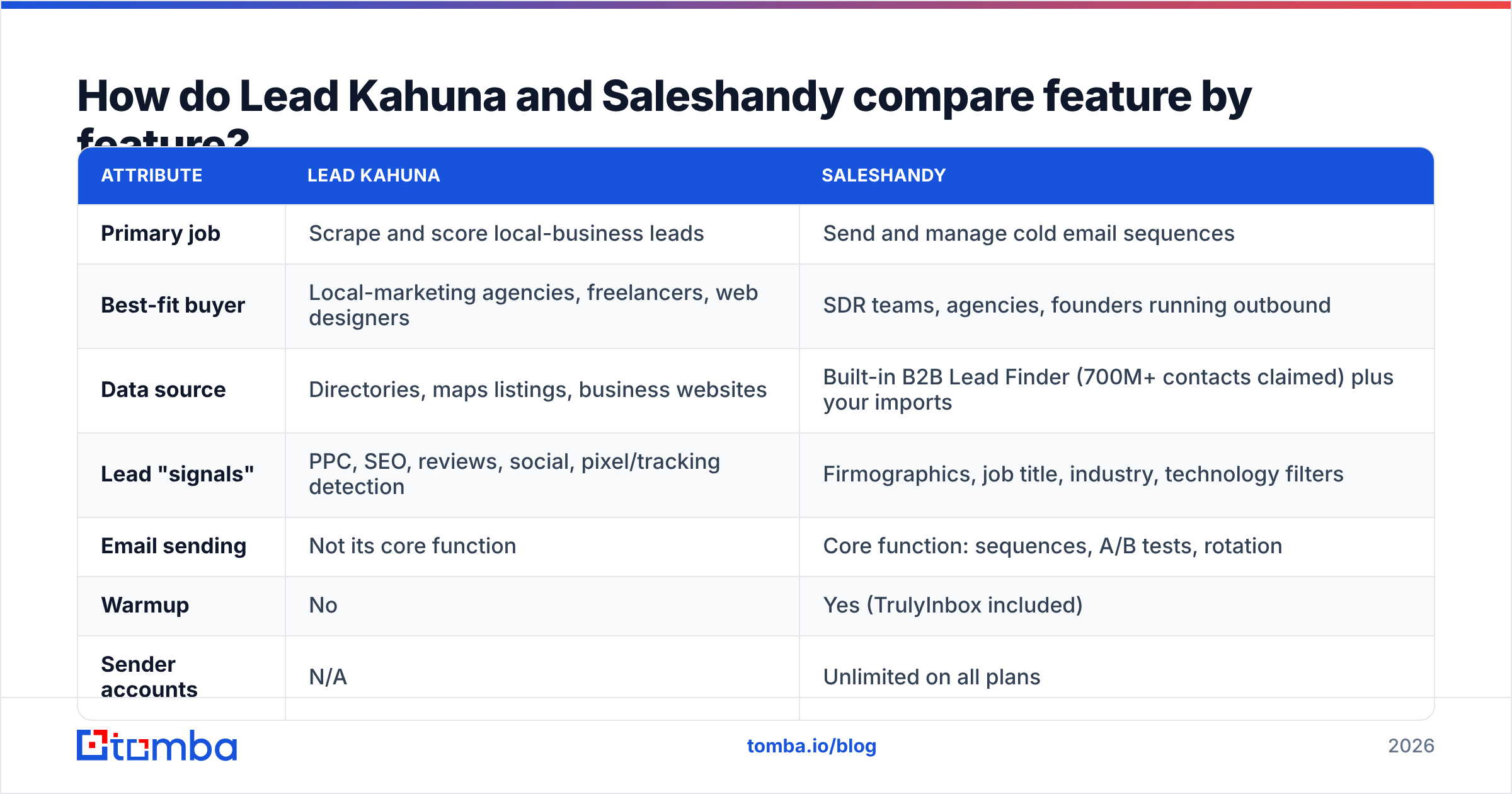
| Attribute | Lead Kahuna | Saleshandy |
|---|---|---|
| Primary job | Scrape and score local-business leads | Send and manage cold email sequences |
| Best-fit buyer | Local-marketing agencies, freelancers, web designers | SDR teams, agencies, founders running outbound |
| Data source | Directories, maps listings, business websites | Built-in B2B Lead Finder (700M+ contacts claimed) plus your imports |
| Lead "signals" | PPC, SEO, reviews, social, pixel/tracking detection | Firmographics, job title, industry, technology filters |
| Email sending | Not its core function | Core function: sequences, A/B tests, rotation |
| Warmup | No | Yes (TrulyInbox included) |
| Sender accounts | N/A | Unlimited on all plans |
| Pricing model | Historically an annual license (promos around $399/yr seen) | Monthly subscription, entry tier from roughly $25–$36/mo |
| Metering | "Unlimited" searches on license | Active prospects + monthly email cap |
| Email verification | Basic validation | Verification on Lead Finder results; bring your own for imports |
| Learning curve | Low: search, filter, export | Moderate: sequences, deliverability settings, inbox rotation |
The table shows little overlap. Lead Kahuna has no sequencer worth the name, and Saleshandy's database skews toward B2B professionals, not the owner of a local roofing company.
Who should use Lead Kahuna?#
Lead Kahuna makes sense if all three of these apply to you:
- You sell to local businesses. Its data model is built around storefronts, practices and service providers, not SaaS companies with 500 employees.
- Your pitch depends on a visible weakness. If you sell reputation management, it helps a lot to know a prospect has 14 one-star reviews. If you sell Google Ads management, it helps to know whether they're already running ads.
- You want volume on a flat cost. A license with no per-credit charges suits agencies that pull thousands of records a month across many niches.
Where Lead Kahuna falls short#
- Email quality varies. Local-business scraping often returns shared inboxes (info@, office@, contact@) instead of the owner's direct address. These inboxes get lower reply rates, and some bounce.
- It doesn't send your emails. You still need an outreach tool, a warmed-up domain and a deliverability plan.
- It's a poor fit for pure B2B SaaS prospecting. If your ICP is "VP of Marketing at Series B fintechs," you'll get more from a B2B contact database or a proper email finder.
Who should use Saleshandy?#
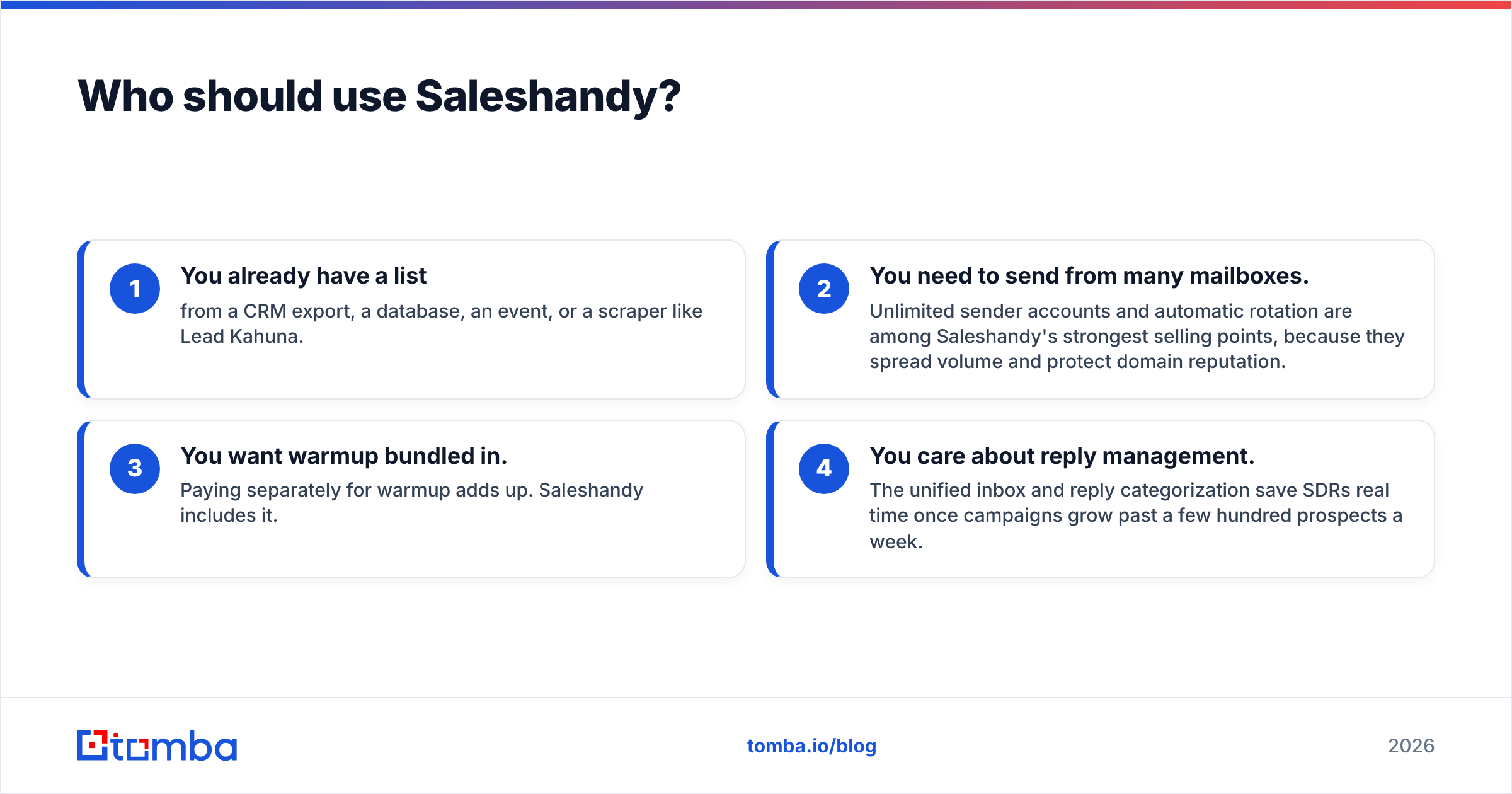
Saleshandy suits you if your problem is execution at scale, not finding leads:
- You already have a list from a CRM export, a database, an event, or a scraper like Lead Kahuna.
- You need to send from many mailboxes. Unlimited sender accounts and automatic rotation are among Saleshandy's strongest selling points, because they spread volume and protect domain reputation.
- You want warmup bundled in. Paying separately for warmup adds up. Saleshandy includes it.
- You care about reply management. The unified inbox and reply categorization save SDRs real time once campaigns grow past a few hundred prospects a week.
Where Saleshandy falls short#
- Prospect caps sneak up on you. Plans are metered on active prospects and a monthly send cap, so a big scraped list can push you into a higher tier quickly.
- Lead Finder costs extra past the included credits. It works for B2B roles, but heavy use means buying more credits.
- Local-business coverage is thin. A B2B professional database won't reliably have the owner of an independent bakery.
G2 has a large set of verified Saleshandy reviews if you want practitioner opinions on deliverability and support. The Saleshandy vs Lemlist comparison on G2 is a useful benchmark. If Saleshandy's metering doesn't suit your volume, see our breakdown of Saleshandy alternatives.
How does pricing actually work for each tool?#
The pricing models reward different behaviors, so this matters more than the sticker price.
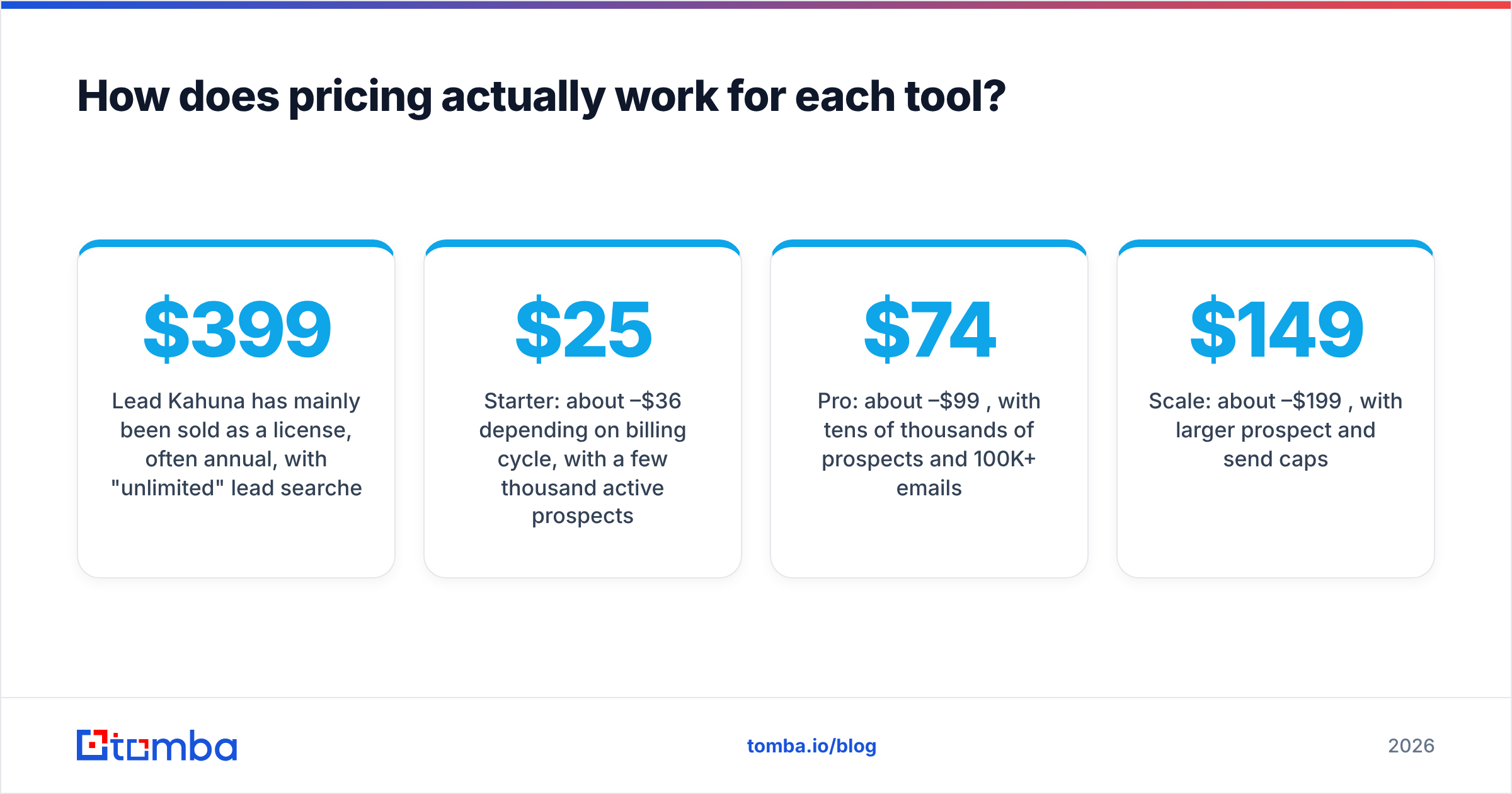
Lead Kahuna has mainly been sold as a license, often annual, with "unlimited" lead searches. Promotional offers around $399/year have circulated, and some resellers list monthly tiers far above that. Since there's no single stable public price, treat any number you see (including ours) as a starting point and check the current offer. The upside of a license is predictable cost. The downside is that you pay whether or not the leads convert.
Saleshandy uses a SaaS subscription. As of 2026, the published tiers run roughly:
- Starter: about $25–$36/mo depending on billing cycle, with a few thousand active prospects
- Pro: about $74–$99/mo, with tens of thousands of prospects and 100K+ emails/mo
- Scale: about $149–$199/mo, with larger prospect and send caps
Saleshandy moved billing to Paddle in 2026, so VAT or sales tax may now appear on invoices depending on where you are. Budget for it.
The hidden cost for both is bad data. Every invalid address you load into Saleshandy uses up prospect capacity and pushes your bounce rate up. Every generic inbox you scrape with Lead Kahuna lowers your reply rate. The cheapest fix is a verification step between the two tools.
Can you use Lead Kahuna and Saleshandy together?#
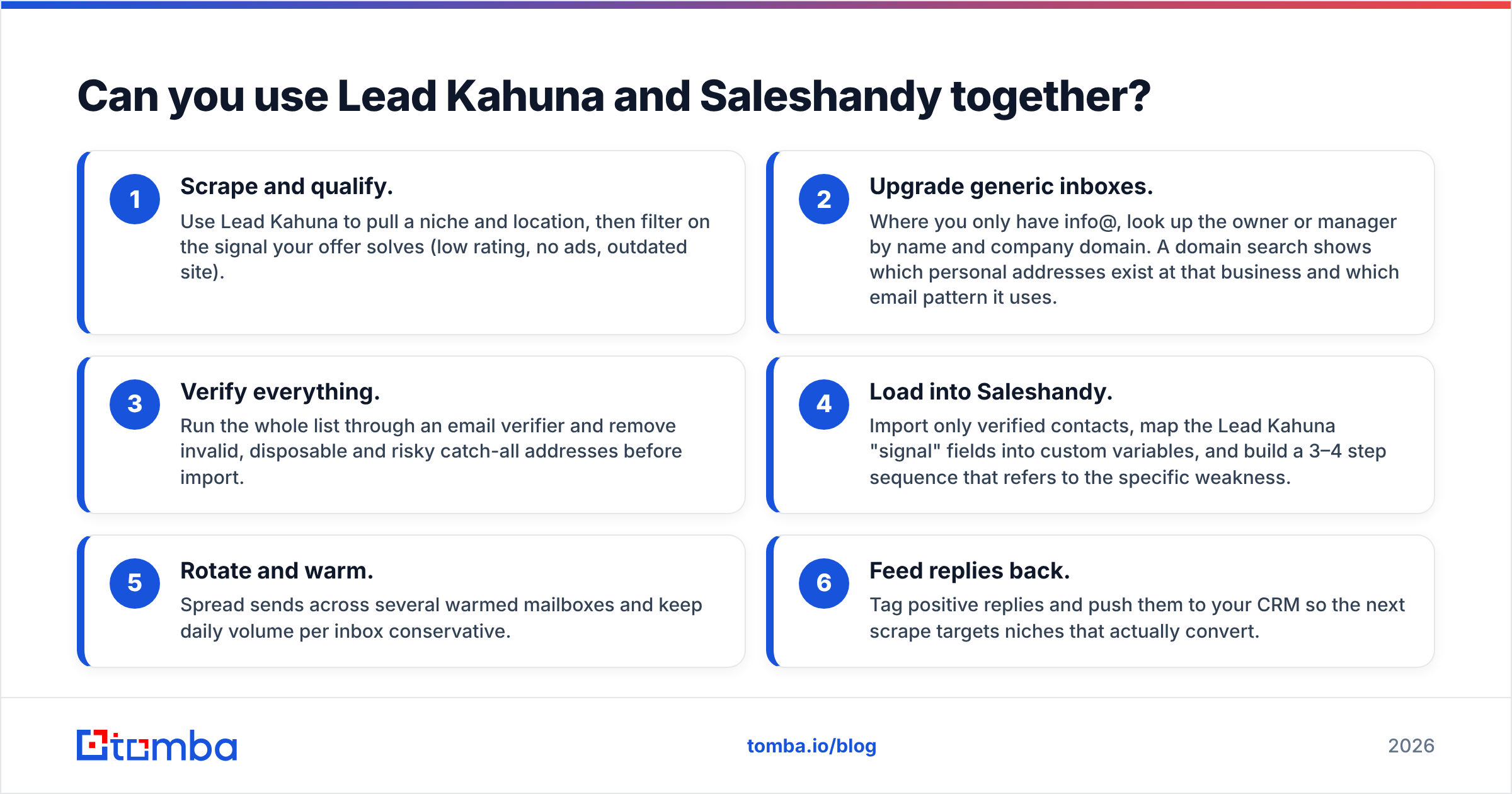
Yes. For agencies selling to local SMBs, this is the most common setup. A clean workflow looks like this:
- Scrape and qualify. Use Lead Kahuna to pull a niche and location, then filter on the signal your offer solves (low rating, no ads, outdated site).
- Upgrade generic inboxes. Where you only have info@, look up the owner or manager by name and company domain. A domain search shows which personal addresses exist at that business and which email pattern it uses.
- Verify everything. Run the whole list through an email verifier and remove invalid, disposable and risky catch-all addresses before import.
- Load into Saleshandy. Import only verified contacts, map the Lead Kahuna "signal" fields into custom variables, and build a 3–4 step sequence that refers to the specific weakness.
- Rotate and warm. Spread sends across several warmed mailboxes and keep daily volume per inbox conservative.
- Feed replies back. Tag positive replies and push them to your CRM so the next scrape targets niches that actually convert.
Steps 2 and 3 are the ones most teams skip, and they're where most bounce-rate problems come from. Scraped local data doesn't hold up well: businesses close, staff change jobs and domains lapse. Sending a list you haven't cleaned is the fastest way to damage the domains Saleshandy is trying to protect. For background on why bounces hurt your reputation, HubSpot's guide to email deliverability covers the fundamentals.

Which one should you choose in 2026?#
Use your situation to decide:
- You're a local-marketing agency starting from zero: Start with Lead Kahuna for lists, then add a sequencer. Saleshandy is a strong choice because the entry tier is cheap and includes warmup.
- You're a B2B SDR team with an ICP of mid-market companies: Skip Lead Kahuna. Use Saleshandy (or a comparable sequencer) and a B2B email finder to get named decision-makers.
- You already have a CRM full of contacts: You need Saleshandy's sending engine more than more scraped leads. Verify the CRM export first.
- You mainly need direct emails for specific people: Neither tool is built for that. A dedicated email finder gives better hit rates on "first name + company" lookups than a local scraper or a sequencer's add-on database.
Our pick: If you have to choose just one, Saleshandy covers more of the outbound workflow for most B2B teams. It sends, warms, rotates and now includes a usable lead database. Lead Kahuna wins clearly in its niche, which is local-business prospecting with built-in pitch angles, and nothing in Saleshandy replaces its reputation and ad-activity signals.
What are the common mistakes when switching between the two?#
- Treating "unlimited leads" as "unlimited good leads." Volume without verification just moves the cost from the scraper to your sender reputation.
- Importing generic inboxes as if they were decision-makers. Personalizing "Hi {{first_name}}" to office@ reads as spam. Segment generic addresses into a separate, shorter sequence or replace them with named contacts.
- Ignoring prospect caps. Upload 20,000 scraped records into a Starter plan and you'll hit the ceiling on day one. Clean the list first and it may shrink by a third.
- Skipping warmup on new domains. Saleshandy includes warmup, but it only helps if you give it two to three weeks before real volume.
- Not checking the email pattern. Guessing jane@ when the company uses j.doe@ gets you a bounce. Find the pattern first.
How do you get verified contacts into either workflow?#
Whichever side of this comparison you land on, contact quality determines results more than the tool you pick. Lead Kahuna finds businesses, Saleshandy sends the email, and the step in between (finding the right person's address and confirming it will deliver) is usually missing.
That's the gap Tomba Email Finder fills. Enter a name and company domain, and Tomba returns the person's professional address with a confidence score, along with the company's email pattern and the public sources it found. You can turn a Lead Kahuna info@ record into the owner's direct address, then verify it before it goes near your Saleshandy prospect cap. The free tier includes 25 searches a month, so you can test it on a real scraped list before paying, and paid plans start at $49/mo (see Tomba pricing). Try it on your next Lead Kahuna export and compare the bounce rate against your last unverified campaign.
Related guides#
// get started
Find, verify and enrich your first contacts today
Start on the free plan with 25 searches a month, then scale when your team is ready.
Free plan · No credit card required · GDPR & CCPA
// about the author