Lead Retrieval Software: How to Choose the Right App in 2026
Badge scans aren't pipeline. Here's how lead retrieval software actually works, which type fits your event program, and how to fix the gaps in your data after the show.
TL;DR
- Lead retrieval software captures attendee details at events (badge scans, QR codes, business cards, or forms) and sends them to your team for follow-up.
- There are four main types: organizer-provided apps, exhibitor-owned platforms, business card scanners, and digital business cards. Which one fits depends on how many events you run each year and how much control you need over your data.
- The capture step is rarely the problem. Most of the lost revenue happens afterward: incomplete records, missing emails, slow CRM sync, and follow-ups that go out a week late.
- Judge vendors on four things: which capture methods they support, how they qualify leads, how deep the CRM integration goes, and what they charge per event versus per year. Feature lists matter less.
- Before any post-event sequence goes out, run your scanned list through enrichment and email verification. Registration data is often incomplete or stale.
What is lead retrieval software?#
Lead retrieval software is the tool exhibitors use at trade shows, conferences, and field events to capture prospect information and turn it into usable leads. Picture the old fishbowl of business cards next to a booth. Now add a phone app that reads the attendee's badge, pulls their registration record, lets your rep tag how interested they are, and sends the whole thing to your CRM before the prospect has walked to the next aisle.
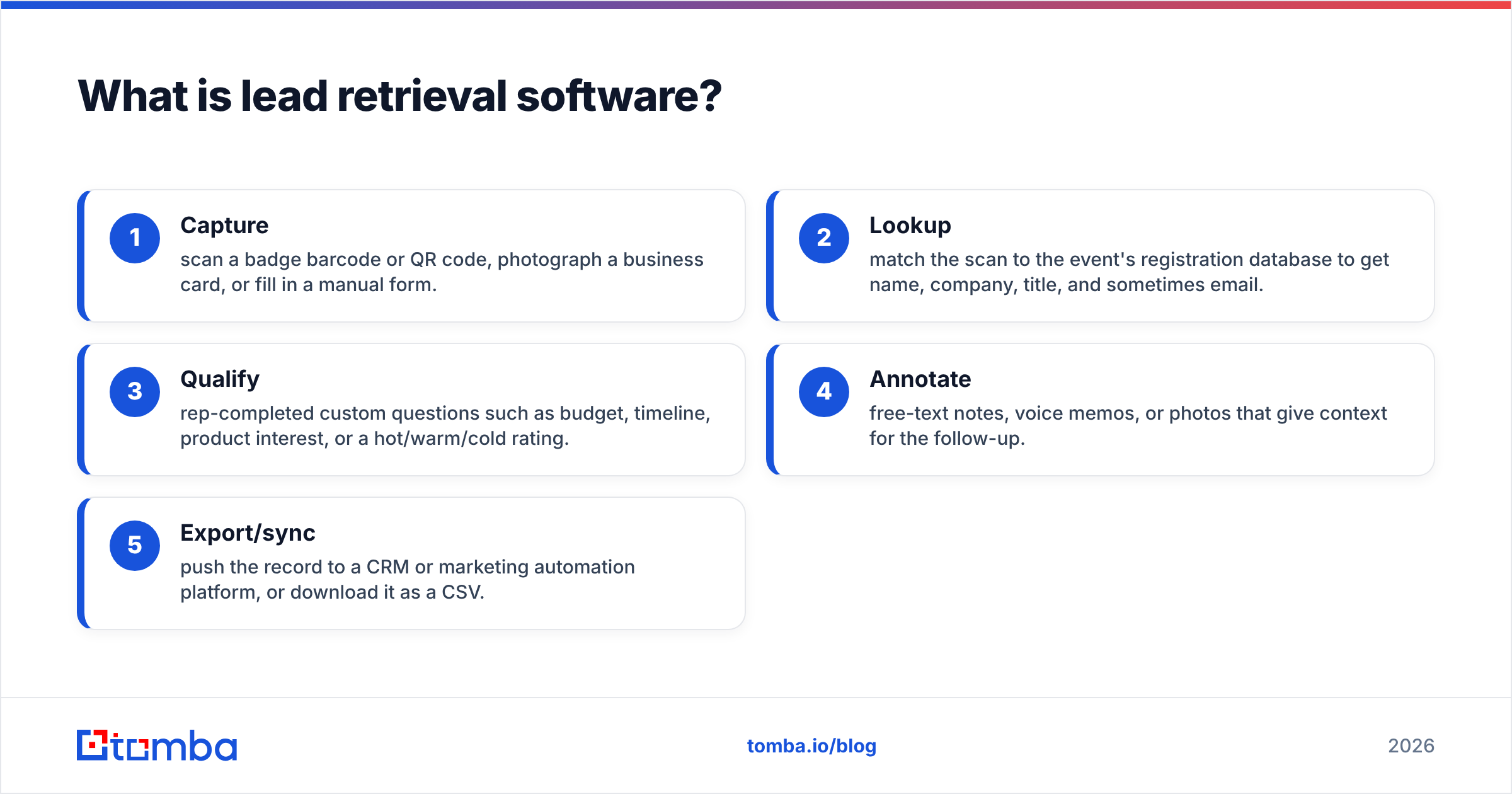
Most platforms do some version of the same five things:
- Capture: scan a badge barcode or QR code, photograph a business card, or fill in a manual form.
- Lookup: match the scan to the event's registration database to get name, company, title, and sometimes email.
- Qualify: rep-completed custom questions such as budget, timeline, product interest, or a hot/warm/cold rating.
- Annotate: free-text notes, voice memos, or photos that give context for the follow-up.
- Export/sync: push the record to a CRM or marketing automation platform, or download it as a CSV.
The category has been around a long time, since organizers rented handheld barcode scanners to exhibitors. Today almost everything runs on the reps' own phones, and exhibitors expect native CRM sync as standard.
Why do exhibitors still lose leads with lead retrieval software?#
Most teams assume the scanner is the hard part. It isn't. The hard part is everything after the scan.
Look at what a badge scan actually gives you. It gives you whatever the attendee typed into a registration form, often weeks before the event, sometimes on a phone, sometimes with a personal Gmail address, and sometimes with a job title that went out of date last quarter. Some organizers also restrict which fields exhibitors can see, so you get a name and a company but no email at all.
The common failure points look like this:
- Missing contact fields. The registration record has no email or phone, or the organizer hides them.
- Personal or role-based emails. A gmail.com address or an info@ inbox won't reach the decision-maker, and it hurts your sender reputation.
- No qualification data. Reps under booth pressure skip the questions, so a 30-second hallway chat looks the same as a 20-minute demo.
- Delayed sync. A CSV sits in someone's downloads folder until Tuesday. The follow-up goes out after competitors have already booked meetings.
- Duplicates. The same person gets scanned at the booth, the session, and the happy hour, and ends up in three sequences.
When you evaluate lead retrieval software, you're really judging how well it keeps these problems out of your pipeline.
What types of lead retrieval software are there?#
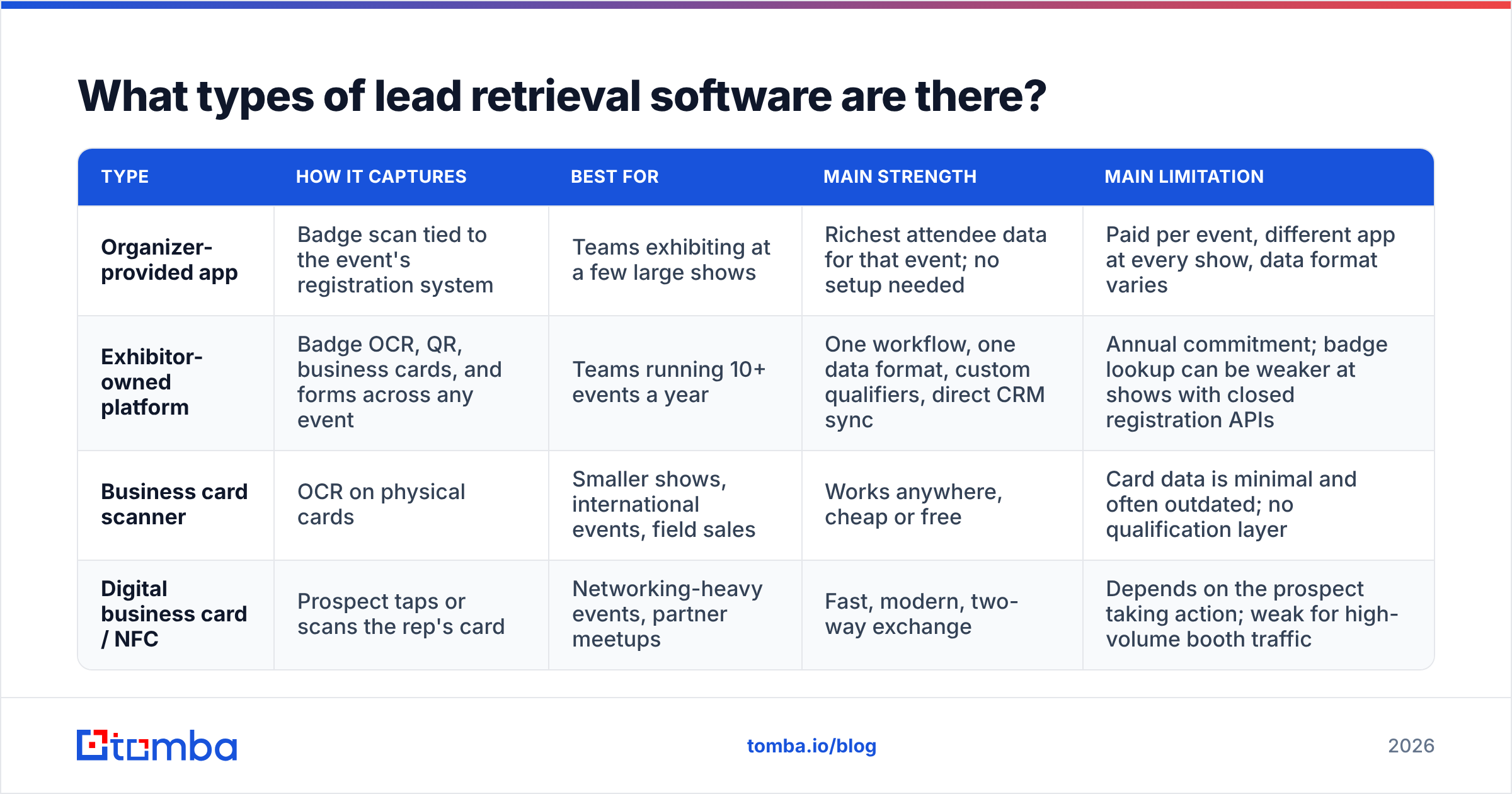
There are four broad categories. Many teams end up combining two of them. For example, they use the organizer's app when the show requires it and their own platform everywhere else.
| Type | How it captures | Best for | Main strength | Main limitation |
|---|---|---|---|---|
| Organizer-provided app | Badge scan tied to the event's registration system | Teams exhibiting at a few large shows | Richest attendee data for that event; no setup needed | Paid per event, different app at every show, data format varies |
| Exhibitor-owned platform | Badge OCR, QR, business cards, and forms across any event | Teams running 10+ events a year | One workflow, one data format, custom qualifiers, direct CRM sync | Annual commitment; badge lookup can be weaker at shows with closed registration APIs |
| Business card scanner | OCR on physical cards | Smaller shows, international events, field sales | Works anywhere, cheap or free | Card data is minimal and often outdated; no qualification layer |
| Digital business card / NFC | Prospect taps or scans the rep's card | Networking-heavy events, partner meetups | Fast, modern, two-way exchange | Depends on the prospect taking action; weak for high-volume booth traffic |
Organizer apps are usually powered by the event's registration vendor. Cvent's LeadCapture is a well-known example at shows running on Cvent. Exhibitor-owned platforms sit on top of any show and normalize the data into your own schema. Several lead-capture vendors that sell to exhibitors directly are reviewed on G2, and the reviews are worth filtering by company size and CRM.
Which features actually matter when comparing lead retrieval software?#
Every vendor demo shows a fast scan and a clean dashboard. The differences that affect revenue are less obvious. Score vendors on these areas:
- Capture flexibility. Can it read badges from shows where the organizer doesn't partner with the vendor? Most exhibitor-owned platforms handle this with OCR on the printed badge, and accuracy varies. Test it on a real badge from last year's show.
- Offline mode. Convention center Wi-Fi is unreliable. Scans must queue locally and sync once the device reconnects, without anyone touching them.
- Custom qualifiers per event. You want different questions for a CISO summit than for a mid-market expo. Look for per-event templates, required fields, and conditional logic.
- Lead scoring at capture. A simple hot/warm/cold field that maps directly to a CRM field and a sequence is worth more than a sophisticated scoring model nobody fills in.
- Native CRM sync. "Integrates with Salesforce" can mean anything from a nightly CSV to real-time object creation with campaign membership and owner assignment. Ask exactly which objects and fields sync, and how quickly.
- Deduplication. Does it match against existing CRM contacts and accounts, or create duplicates?
- Team management. Booth staff logins, per-rep attribution, and the ability to revoke access after the show.
- Data ownership and export. You should be able to export everything, in a clean format, at any time, without a support ticket.
- Compliance. Consent capture for GDPR regions, data retention settings, and clear documentation of where data is stored.
If your CRM is HubSpot, HubSpot's own documentation on lists and workflows helps you work out which fields your lead retrieval tool needs to populate for an automated follow-up to trigger correctly.
How much does lead retrieval software cost?#
Pricing follows two models, and mixing them up is where budgets go wrong.
Per-event pricing is typical of organizer-provided apps. You pay per license or per device for each show, and the price is set by the organizer or their registration vendor. It's easy to approve for one show. Across a full event calendar, the per-show fees add up quickly, and each show's export comes in a slightly different format.
Annual subscription pricing is typical of exhibitor-owned platforms. You pay for seats or events per year and use the tool everywhere. The upfront cost is higher, but the per-lead cost drops quickly once you're past a handful of shows, and every event produces data in the same schema.
Watch for these hidden costs in either model:
- CRM integration sold as a premium add-on
- Per-user fees that penalize large booth teams
- Custom qualifier setup charged as professional services
- Badge-lookup fees charged by the organizer on top of your platform subscription
- Data enrichment credits sold separately
Vendor pricing changes often and is usually quote-based, so ask every shortlisted vendor for a written total cost for your actual event calendar, not a per-seat list price.
Is an organizer-provided app better than an exhibitor-owned platform?#
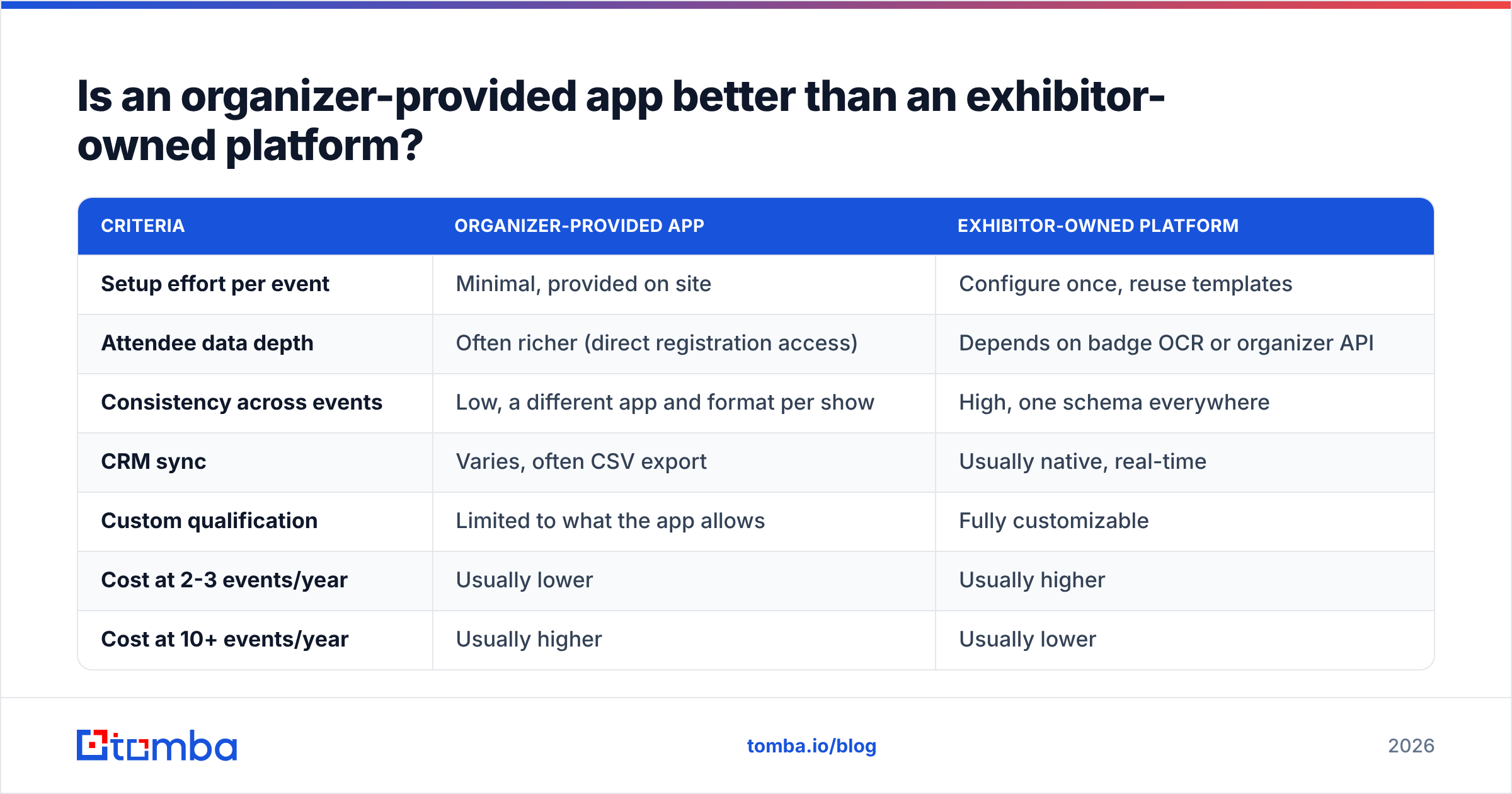
For most B2B teams, the answer depends on event volume.
| Criteria | Organizer-provided app | Exhibitor-owned platform |
|---|---|---|
| Setup effort per event | Minimal, provided on site | Configure once, reuse templates |
| Attendee data depth | Often richer (direct registration access) | Depends on badge OCR or organizer API |
| Consistency across events | Low, a different app and format per show | High, one schema everywhere |
| CRM sync | Varies, often CSV export | Usually native, real-time |
| Custom qualification | Limited to what the app allows | Fully customizable |
| Cost at 2-3 events/year | Usually lower | Usually higher |
| Cost at 10+ events/year | Usually higher | Usually lower |
| Works at non-partner events | No | Yes |
A practical rule: if you exhibit at fewer than five shows a year, use organizer apps and invest the savings in follow-up. If you run a real field marketing program, an exhibitor-owned platform pays for itself in data consistency alone.
What happens to leads after the scan?#
This is where the ROI of any lead retrieval software is decided. A mid-sized booth can generate hundreds of scans across a three-day show. What you do in the 48 hours after closing matters more than which app captured them.
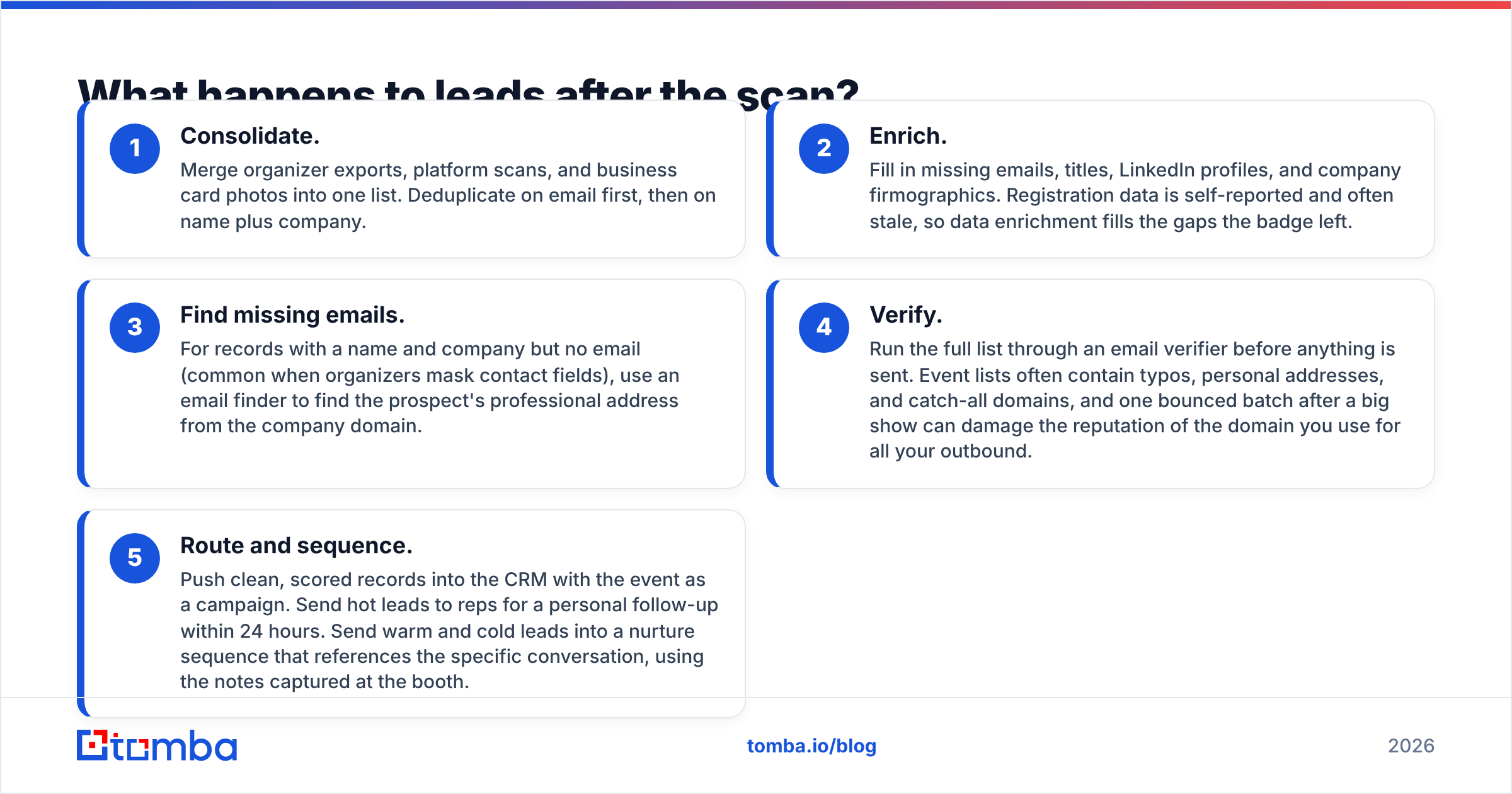
A post-event workflow that works has five steps:
- Consolidate. Merge organizer exports, platform scans, and business card photos into one list. Deduplicate on email first, then on name plus company.
- Enrich. Fill in missing emails, titles, LinkedIn profiles, and company firmographics. Registration data is self-reported and often stale, so data enrichment fills the gaps the badge left.
- Find missing emails. For records with a name and company but no email (common when organizers mask contact fields), use an email finder to find the prospect's professional address from the company domain.
- Verify. Run the full list through an email verifier before anything is sent. Event lists often contain typos, personal addresses, and catch-all domains, and one bounced batch after a big show can damage the reputation of the domain you use for all your outbound.
- Route and sequence. Push clean, scored records into the CRM with the event as a campaign. Send hot leads to reps for a personal follow-up within 24 hours. Send warm and cold leads into a nurture sequence that references the specific conversation, using the notes captured at the booth.

Skipping steps 2 to 4 is the most common mistake. Teams upload the raw scan export, hit send, and watch bounce rates spike. The event looks like it failed, but the real problem was the data handling afterward.
How do you pick the right lead retrieval software for your team?#
Use this shortlist process to keep the decision grounded:
- Audit last year's events. Count shows, booth staff, total scans, and how many of those scans became opportunities. That conversion rate is your baseline.
- Map your data destination. Write down the exact CRM objects and fields a lead needs for routing and sequencing. Any vendor that can't populate them natively goes off the list.
- Pilot at a real event. Run a finalist platform alongside the organizer app at one show. Compare capture speed, data completeness, and sync time.
- Test badge OCR on your actual shows. Bring last year's badges to the demo. Printed badge formats vary widely.
- Price the full calendar. Get a written quote covering every event, every rep, and every add-on.
- Plan the post-event pipeline. Budget for enrichment and verification alongside the retrieval tool. It's part of the same system.
If the pilot shows a lot of incomplete records, that doesn't mean the tool failed. Every event produces a data gap, and you should budget for closing it.
What mistakes should you avoid with lead retrieval software?#
- Treating every scan as a lead. Swag-seekers and competitors get scanned too. Qualification fields exist for a reason, so make at least one of them required.
- Letting reps skip notes. "Interested in API, evaluating Q1, talk to Priya" turns a generic follow-up into a meeting. Voice notes make this easier on a busy booth floor.
- Waiting to follow up. Every day of delay costs you response rate. Real-time sync plus pre-built sequences means hot leads hear from you the same day.
- Sending from your primary domain without verifying first. A bad event list is one of the fastest ways to hurt deliverability for your entire outbound program.
- Ignoring consent. Scanning a badge doesn't automatically mean consent to marketing email in every jurisdiction. Configure consent capture for GDPR-region events.
- Not measuring event-sourced pipeline. If scans don't carry a campaign tag into the CRM, you can't prove the event paid off, and next year's budget suffers.
Which lead retrieval setup fits which team?#
A quick match-up based on how teams actually run events:
- Startups exhibiting at 1-3 shows a year: the organizer app plus a disciplined post-event cleanup workflow. Put your spending into enrichment and verification, not a platform subscription.
- Mid-market teams with a field marketing calendar: an exhibitor-owned platform with native CRM sync, custom qualifiers per event type, and a standard enrichment step before sequencing.
- Enterprise field marketing: an exhibitor-owned platform with SSO, team management, consent controls, and API access, feeding a RevOps-owned enrichment and routing pipeline.
- Field sales and partner events: digital business cards or a card scanner combined with an email finder to fill contact gaps afterward.
No single tool covers every event scenario. What should stay the same is the process: capture, enrich, verify, route, follow up fast.
Close the gap between the badge scan and the inbox#
Lead retrieval software gets you a name and a company. It doesn't guarantee you can reach that person. When a scan comes back without an email, or with a personal address that will never reach the buyer, Tomba Email Finder finds the prospect's professional email from their name and company domain, and it works in bulk for full event exports. Pair it with verification before your post-show sequence goes out, check the Tomba pricing (a free tier with 25 searches a month, paid plans from $49/mo), and start your next event follow-up with contacts you can actually reach.
Related guides#
// get started
Find, verify and enrich your first contacts today
Start on the free plan with 25 searches a month, then scale when your team is ready.
Free plan · No credit card required · GDPR & CCPA
// about the author