Lead Wrench Pricing, Reviews, Pros and Cons (2026 Guide)
Lead Wrench is a ping-tree lead distribution platform, not an email finder. Here is what it really costs, what reviewers say, its pros and cons, and who should buy it or skip it.
TL;DR
- Lead Wrench is a ping-tree lead distribution platform for lead generators, affiliates, and resellers. It is not an email finder or a prospecting database.
- Public pricing is inconsistent. Capterra lists a Basic plan from $147 per user per month, and at least one 2026 roundup quotes a $497/month starting price. Get a written quote before you budget.
- Reviewers mostly praise its uptime, routing logic, and hands-on support. The weak points are pricing you can't see up front and very few recent public reviews.
- It's a good fit if you sell leads to a network of buyers. If you need to find and contact B2B decision-makers, you need a different category of tool, such as an email finder starting at $49/mo.
What is Lead Wrench, exactly?#
Lead Wrench is a web-based lead distribution system, founded in 2011 and based in the United States. It connects to your landing-page forms, validates each incoming lead, then routes that lead to the best-matched buyer (or buyers) in your network. The vendor describes it as "pingtree-style," and that's the term to keep in mind.
That positioning matters because many people who search for "Lead Wrench pricing reviews" expect a B2B contact database or a lead-gen Chrome extension. It isn't one. Lead Wrench doesn't look up anyone's email address. It takes leads you already generated, cleans them, and sells or assigns them according to your rules.
Ping-tree platforms like this are typically used in lead-resale verticals: insurance, mortgage, home services, education, debt settlement, and affiliate marketing networks. If none of those describes your business, the rest of this review will help you check whether you're even in the right software category.
How does the Lead Wrench ping tree work?#
A ping tree is like an auction house that runs thousands of times a day. Each new lead is the lot. Before anything is sold, the auctioneer "pings" every registered buyer with a short description, collects bids, and hands the lead to the highest qualified bidder. Here is how Lead Wrench runs that loop:
- Capture: A visitor submits one of your web forms. Lead Wrench's join forms take in the data directly, and one reviewer credits the custom forms with raising daily signups from 200-300 to 1,100-1,300.
- Validate: The platform checks the email address and phone number and can append extra data fields before the lead goes anywhere. Validation happens before routing, so buyers don't get paid-for junk.
- Filter: Your delivery lists, rules, and filters (geography, product interest, lead age, buyer caps) cut the full buyer list down to the eligible ones.
- Ping: Eligible buyers are notified at the same time, so you don't have to wait on a slow sequential waterfall.
- Deliver and track: The lead goes to the winning buyer or buyers. You can still see what happens to it afterward, and you keep ownership of the data even after you share it with third parties.
If you're a publisher monetizing form traffic, this loop is the product. If you're an SDR trying to book meetings, none of these steps gets you closer to a reply.
How much does Lead Wrench cost in 2026?#
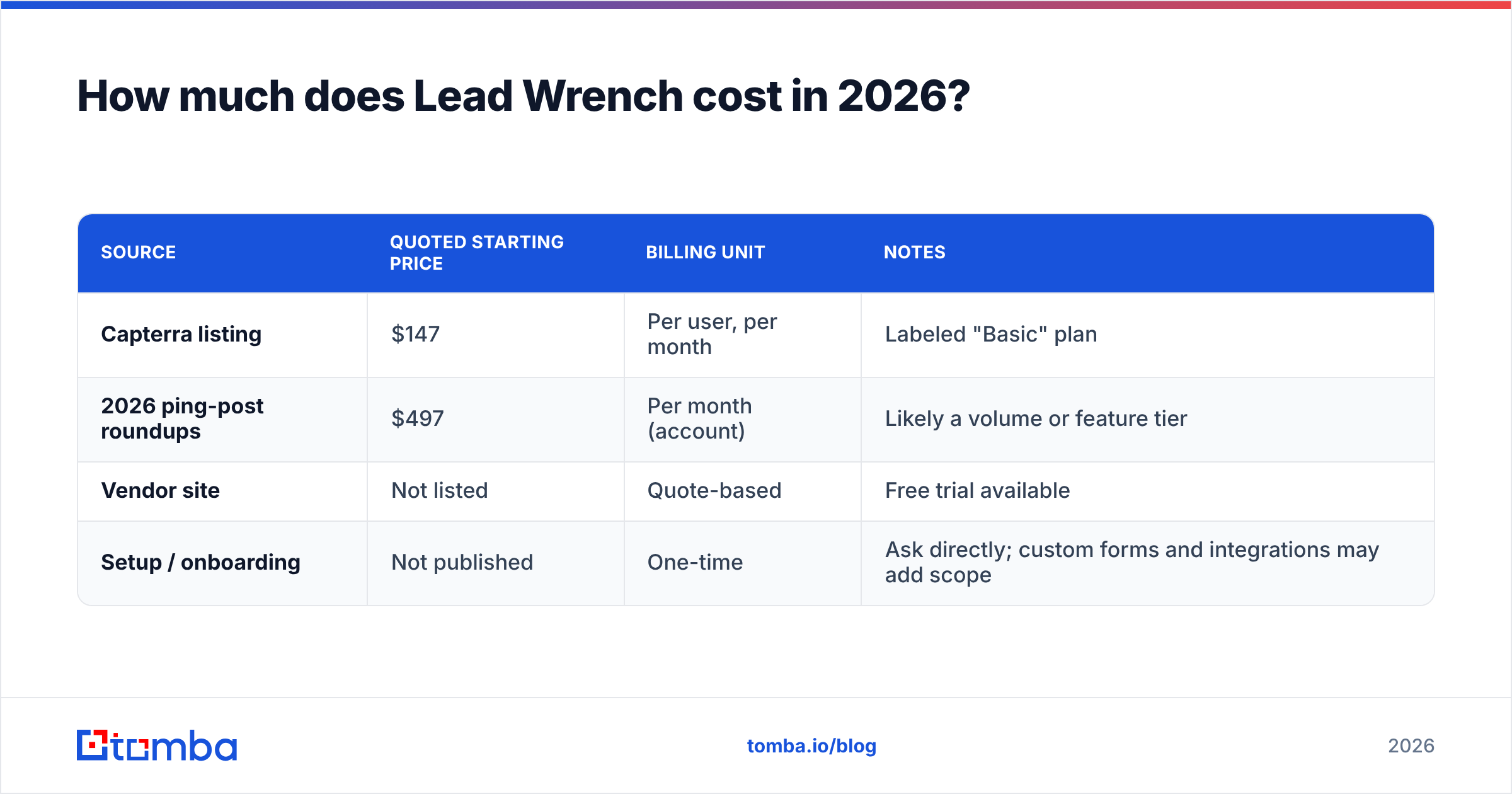
The short answer is that it depends on who you ask, and the vendor doesn't publish a public pricing page with tier-by-tier detail. These are the figures in circulation as of 2026:
| Source | Quoted starting price | Billing unit | Notes |
|---|---|---|---|
| Capterra listing | $147 | Per user, per month | Labeled "Basic" plan |
| 2026 ping-post roundups | $497 | Per month (account) | Likely a volume or feature tier |
| Vendor site | Not listed | Quote-based | Free trial available |
| Setup / onboarding | Not published | One-time | Ask directly; custom forms and integrations may add scope |
How to read those numbers. The $147 figure is per seat. For a five-person operations team, that's about $735/month before any volume-based upgrades, which puts it close to the $497 account-level figure. Treat $150-$750/month as a realistic range for small and mid-size lead sellers, and assume high-volume networks will be quoted on a custom basis.
Hidden cost questions to ask on the sales call:
- Is there a per-lead or per-ping fee on top of the subscription?
- Is email/phone validation and data append included, or billed per record?
- What does a custom join form or buyer API integration cost to set up?
- Is there a minimum contract term, or can you go month-to-month?
In lead distribution, per-transaction fees can end up costing more than the base plan, so get them in writing.
What do Lead Wrench reviews actually say?#
There isn't much public review data. Lead Wrench has a small footprint on G2, Capterra, SourceForge, and Slashdot, and few of the visible reviews are recent. Put more weight on a reference call with a current customer in your vertical than on star ratings.
The recurring themes across the available reviews:
- Uptime and reliability. Users say the platform stays up. That matters more than it sounds, because every minute of ping-tree downtime is revenue that's gone for good.
- Intelligent routing. Reviewers credit the rules engine with getting more revenue out of each lead every day, which is the main job of a ping tree.
- Knowledgeable support. Support is available by phone and online, and reviewers describe the team as knowledgeable.
- Conversion lift from custom forms. The jump from 200-300 to 1,100-1,300 daily signups is the most-cited result. Treat it as one customer's anecdote, not a benchmark.
The weak points come mostly from what's missing or unclear:
- No transparent public pricing.
- Few recent reviews, so it's hard to judge the product in its current state.
- Little public detail on the current UI, reporting, and integrations. You'll have to check them yourself in a demo or trial.
What are the pros and cons of Lead Wrench?#
| Pros | Cons |
|---|---|
| Purpose-built ping-tree routing for multi-buyer networks | Quote-based pricing with conflicting public figures |
| Email validation, phone validation, and data append built in | Per-user billing can add up for larger ops teams |
| You keep data ownership after distributing leads | Thin public review base with few recent reviews |
| Custom join forms that reviewers say lifted conversions | Not useful for outbound prospecting or finding contacts |
| Long track record (operating since 2011) | Integration list and reporting depth need confirming in a demo |
| Free trial and phone support | Setup and per-lead costs aren't published |
How does Lead Wrench compare to alternatives?#
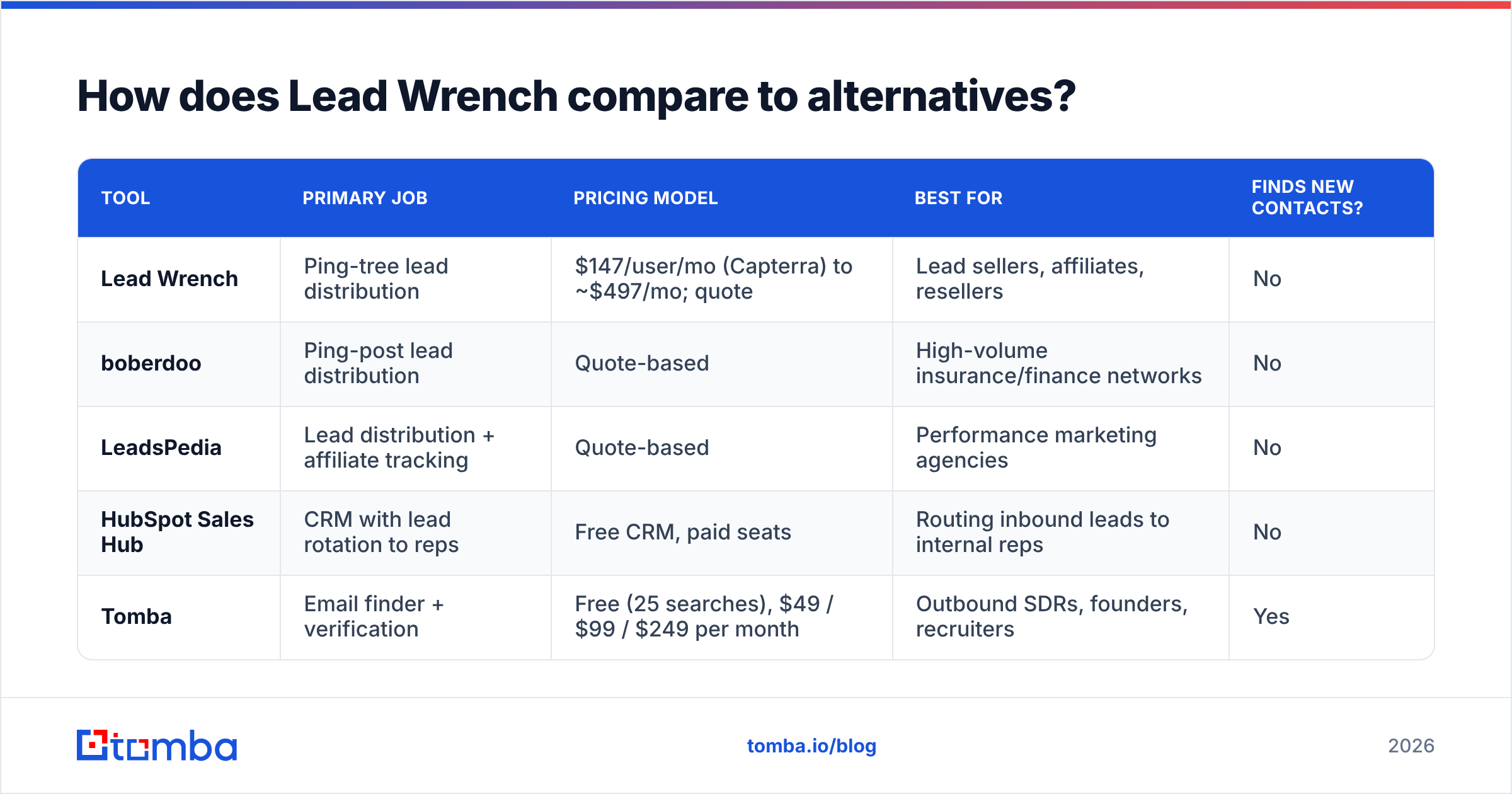
The fair comparison depends on what job you're hiring the software for. Most people land on this page for one of two reasons: they distribute leads, or they want to find leads. The table below covers both groups so you can see which one you belong to.
| Tool | Primary job | Pricing model | Best for | Finds new contacts? |
|---|---|---|---|---|
| Lead Wrench | Ping-tree lead distribution | $147/user/mo (Capterra) to ~$497/mo; quote | Lead sellers, affiliates, resellers | No |
| boberdoo | Ping-post lead distribution | Quote-based | High-volume insurance/finance networks | No |
| LeadsPedia | Lead distribution + affiliate tracking | Quote-based | Performance marketing agencies | No |
| HubSpot Sales Hub | CRM with lead rotation to reps | Free CRM, paid seats | Routing inbound leads to internal reps | No |
| Tomba | Email finder + verification | Free (25 searches), $49 / $99 / $249 per month | Outbound SDRs, founders, recruiters | Yes |
If you're choosing between Lead Wrench, boberdoo, and LeadsPedia, you're choosing a distribution engine. Compare them on ping latency, buyer-side API flexibility, per-lead fees, and compliance tooling (TCPA consent capture matters in US verticals). HubSpot's overview of lead distribution software is a reasonable starting shortlist.
If you're really trying to reach decision-makers at target companies, none of the distribution platforms help. In that case you want an email finder that returns a verified work address from a name and company domain.
Who should buy Lead Wrench, and who should skip it?#
Buy Lead Wrench if:
- You generate consumer or small-business leads through your own forms and sell them to several buyers.
- You need validation and data append at the point of capture, not after the fact.
- You value phone support and a vendor that has been in the ping-tree business for more than a decade.
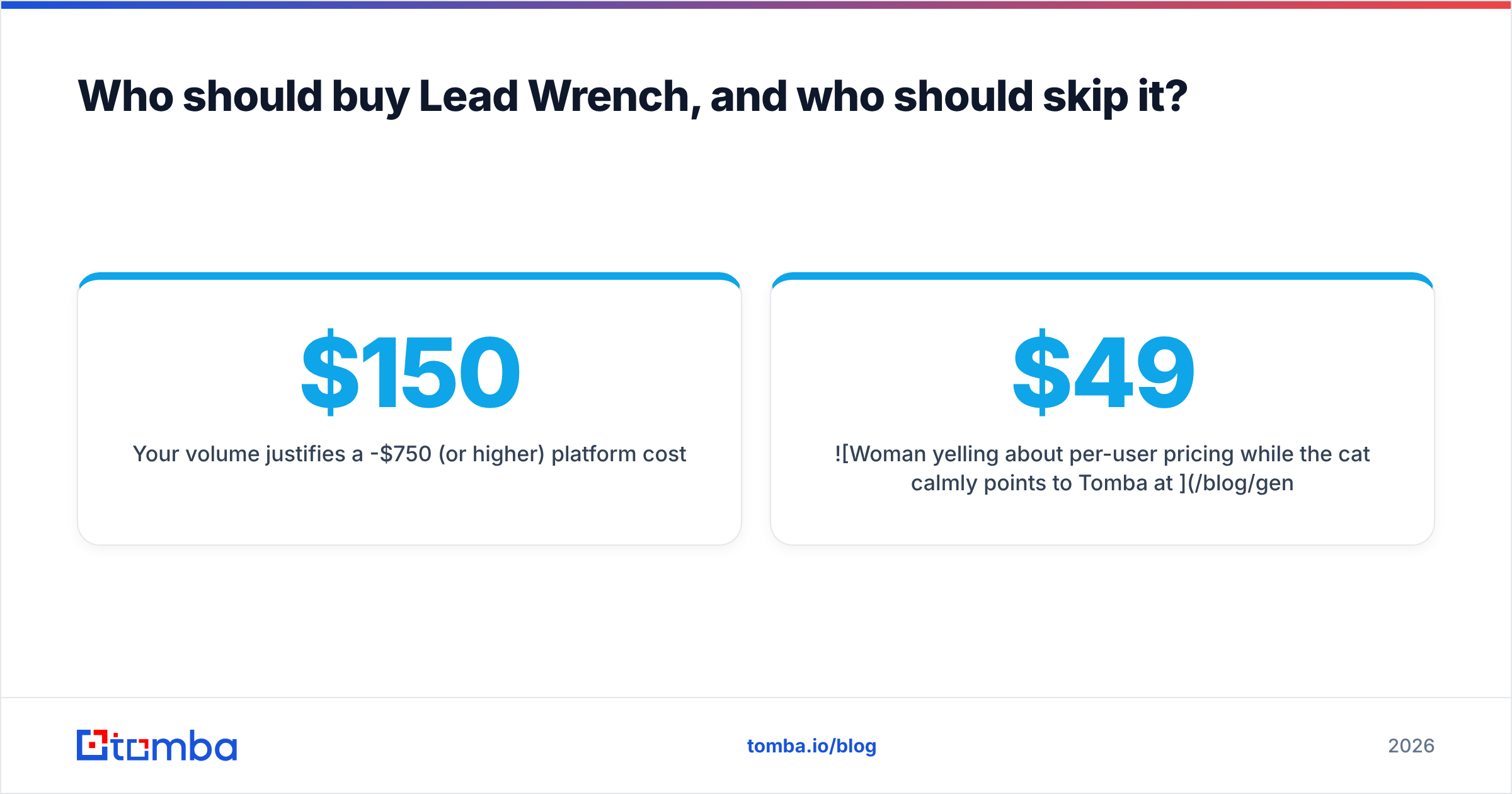
- Your volume justifies a $150-$750/month (or higher) platform cost.
Skip it if:
- You're a B2B sales team that needs contact data. Lead Wrench won't find emails or phone numbers for you.
- You have only one buyer (usually your own sales team). Lead assignment inside your CRM usually covers that.
- You need a large marketplace of native integrations or a self-serve UI you can evaluate without a demo.
- You can't get a clear per-lead fee answer before signing.

Is there a cheaper alternative if you need to find leads, not distribute them?#
Yes, and it costs a fraction of a distribution platform. Outbound teams need three things, and none of them is a ping tree:
- Find the right person's work email from a name and company domain.
- Verify it before sending, so bounces don't damage your sender reputation. A dedicated email verifier does this in bulk.
- Validate phone numbers if you plan to call. A phone validator filters out dead lines before your reps dial.
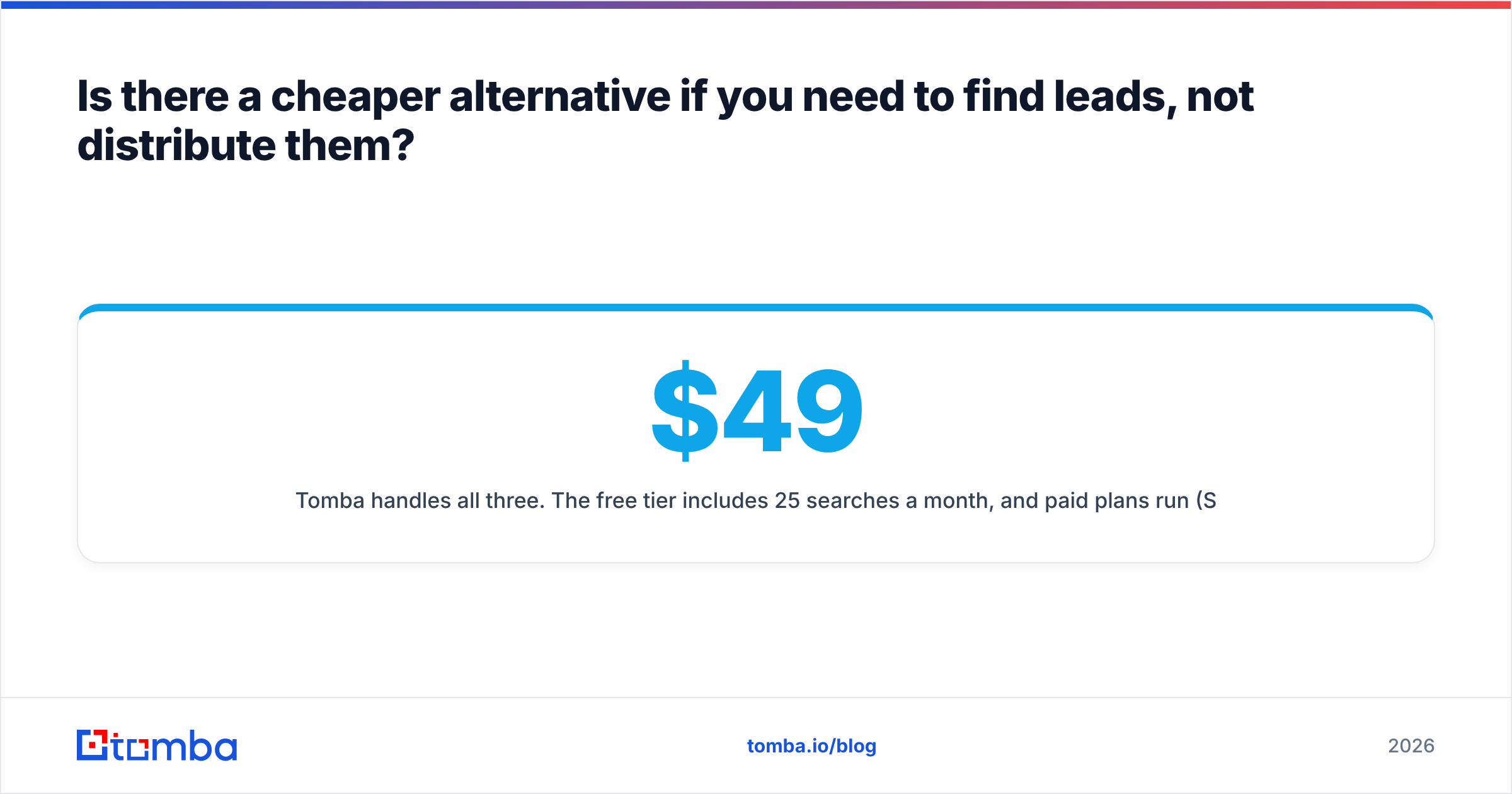
Tomba handles all three. The free tier includes 25 searches a month, and paid plans run $49 (Starter), $99 (Growth), and $249 (Pro), with custom Enterprise pricing above that. Full limits are listed on the Tomba pricing page. For a solo founder or a two-rep SDR team, the $49 plan costs about a third of a single Lead Wrench seat at the Capterra-listed rate, and it does a completely different job.
You can use both. A lead-gen business could use Lead Wrench to monetize inbound form traffic and an email finder to run outbound campaigns to the buyers it wants in its network. Just don't expect either tool to do the other one's work.
What should you do before signing a Lead Wrench contract?#
Use this checklist so the demo turns into a real evaluation:
- Request a written quote covering the base plan, per-seat cost, per-lead or per-ping fees, and validation charges.
- Ask for two references in your vertical who have been customers for 12+ months.
- Run the free trial on real traffic, even a small slice, and measure ping-to-sale latency and buyer acceptance rates.
- Confirm consent and compliance handling for your market (TCPA in the US, GDPR in the EU).
- Check your exit terms. Confirm you can export your full lead and buyer history if you leave.
Final verdict: is Lead Wrench worth the price?#
For its intended buyer, a lead seller routing form traffic to several paying partners, Lead Wrench is a credible, long-running option. It gets good marks for uptime, routing, and support, but pricing is opaque and there are few recent public reviews to check it against. Budget $150-$750 per month for smaller setups, push hard on per-lead fees, and trial it on live traffic before you commit.
For anyone else, particularly B2B sales and marketing teams, it's the wrong category of tool and the price reflects that.
If what you actually need is a verified work email for the person you want to reach, start with Tomba Email Finder. Enter a name and company domain, get a verified address, and run your first 25 searches free each month before you pay anything. It's a faster and much cheaper way to fill your pipeline than a distribution platform built for a different business.
Related guides#
// get started
Find, verify and enrich your first contacts today
Start on the free plan with 25 searches a month, then scale when your team is ready.
Free plan · No credit card required · GDPR & CCPA
// about the author