Lead411 vs UpLead (2026): Pricing, Data Accuracy, Verdict
Lead411 sells unlimited-style seats with intent triggers. UpLead sells verified credits with a bounce guarantee. We break down pricing, accuracy, export limits and which one actually fits your outbound motion in 2026.
Lead411 vs UpLead comes down to one choice: buying signals or clean lists. Lead411 sells seats with intent data. UpLead sells credits with a bounce guarantee. Here is how the two compare on price, data accuracy, and export limits.
TL;DR
- Lead411 sells seat-based plans with generous ("unlimited") email views, plus Bombora intent data and growth triggers. Best for small teams that want buying signals.
- UpLead sells credits with real-time verification and a 95% accuracy guarantee that refunds credits on bounces. Best for predictable list quality and deep filtering.
- Both start around $99/month for a usable single seat. Neither has a real free tier — UpLead gives 5 trial credits, Lead411 runs a 7-day trial.
- The hidden cost in both is export caps, not contact counts. "Unlimited views" is not unlimited downloads.
- Need verified work emails at a domain rather than a full sales-intelligence suite? A dedicated email finder does that job at about half the entry price.
What are Lead411 and UpLead?#
Both sell the same raw material — B2B contact records — but they package it for different buyers.
Lead411 started in 2001. It sells itself as a sales intelligence platform, not a list vendor. Its pitch is signals: company growth triggers (funding rounds, hiring spikes, new locations), Bombora-powered intent topics, and verified direct dials alongside emails. You buy seats, and each seat gets a large allowance of contact views.
UpLead launched in 2017 and took the opposite angle. It is a clean self-serve database with heavy filtering. Its verification step fires at the moment you reveal a contact, not at the moment the record was scraped. The headline claim is a 95% accuracy guarantee: if an email you paid for bounces, you get the credit back. You buy credits, and each revealed contact costs one.
That difference — seats and signals vs credits and guarantees — drives almost every other distinction below.

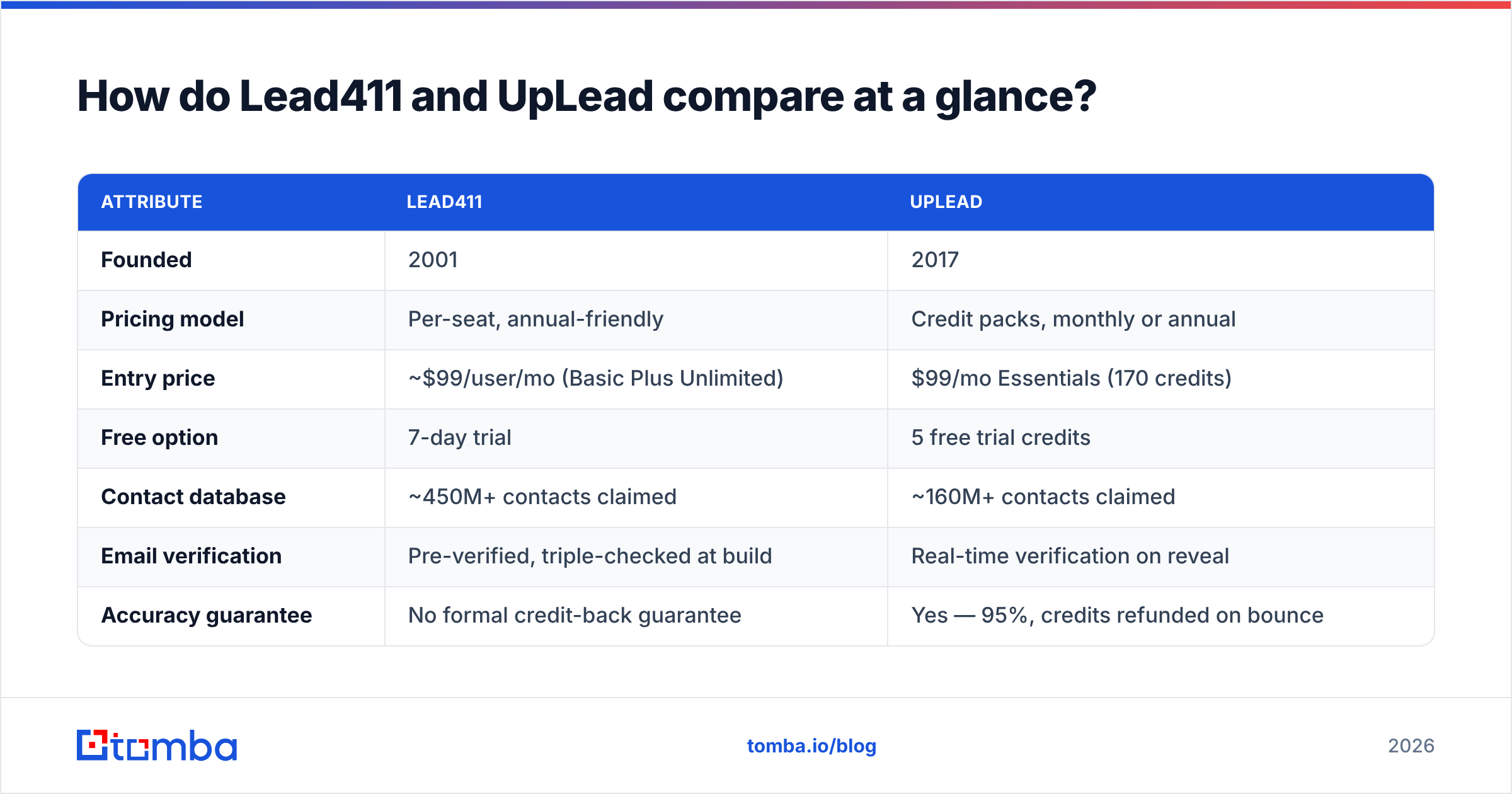
Lead411 vs UpLead: how do they compare at a glance?#
| Attribute | Lead411 | UpLead |
|---|---|---|
| Founded | 2001 | 2017 |
| Pricing model | Per-seat, annual-friendly | Credit packs, monthly or annual |
| Entry price | ~$99/user/mo (Basic Plus Unlimited) | $99/mo Essentials (170 credits) |
| Free option | 7-day trial | 5 free trial credits |
| Contact database | ~450M+ contacts claimed | ~160M+ contacts claimed |
| Email verification | Pre-verified, triple-checked at build | Real-time verification on reveal |
| Accuracy guarantee | No formal credit-back guarantee | Yes — 95%, credits refunded on bounce |
| Intent data | Bombora + growth triggers, included on higher tiers | Available as an add-on / higher tier |
| Direct dials / mobile | Strong — a core selling point | Available, thinner coverage |
| Export caps | Yes — monthly export allowance per seat | Effectively the credit count |
| CRM integrations | Salesforce, HubSpot, Pipedrive, Zoho, Outreach | Salesforce, HubSpot, Pipedrive, Zoho, Copper |
| API access | Available on higher tiers | Available (enrichment API) |
| Best for | Signal-led outbound, phone-heavy teams | Clean, filterable list building |
Pricing on both platforms moves, and both push you toward annual contracts for the advertised rate. Check UpLead's pricing page and Lead411 directly before you budget — what a rep quotes on a call is frequently not what the website shows.
Which one has more accurate data?#
Neither vendor will let you audit the other's list. So the honest answer is: it depends on your segment, and you must test before you commit.
What we can compare is method, and the methods are genuinely different.
UpLead verifies at reveal. When you click to unlock a contact, it runs an SMTP-level check right then. That is why it can offer a credit-back guarantee. It is not promising the record was right when it was scraped. It is promising the record was right seconds ago. The practical effect: UpLead lists tend to bounce less out of the box, and the guarantee makes the vendor share your risk.
Lead411 verifies at build time, then re-verifies on a cycle. Records are triple-verified before they enter the database. That works well for stable enterprise contacts. It works less well in high-churn segments. A startup's head of growth who changed jobs six weeks ago may still look live in any static database.

Three things matter more than either vendor's marketing number:
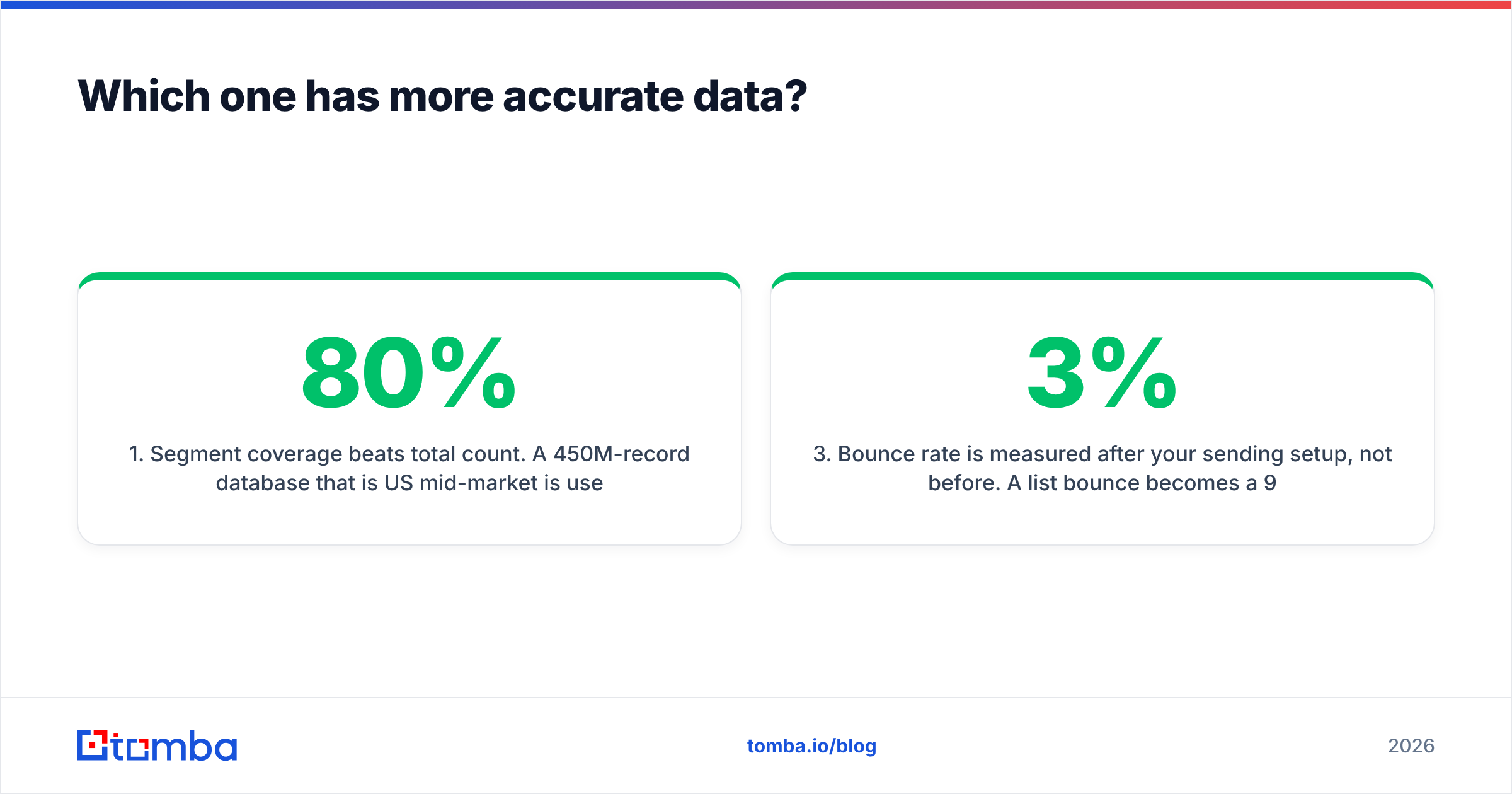
- Segment coverage beats total count. A 450M-record database that is 80% US mid-market is useless if you sell to DACH manufacturers. Run the same 50-company test list through both trials and count real hits, not total rows returned.
- Catch-all domains distort everything. Roughly a fifth of B2B domains accept all mail, so no verifier can confirm a specific mailbox by SMTP alone. Both tools will hand you catch-all addresses and mark them "valid." Run them through a dedicated catch-all verifier before they hit a sequence.
- Bounce rate is measured after your sending setup, not before. A 3% list bounce becomes a 9% delivery problem if your domain authentication is broken. Accuracy claims only mean something once SPF, DKIM and DMARC are clean.
The standard operating procedure either way: export, run through an independent email verifier, then load into your sequencer. Treat vendor-supplied "verified" status as a first pass, never as a final one.
What does each one actually cost?#
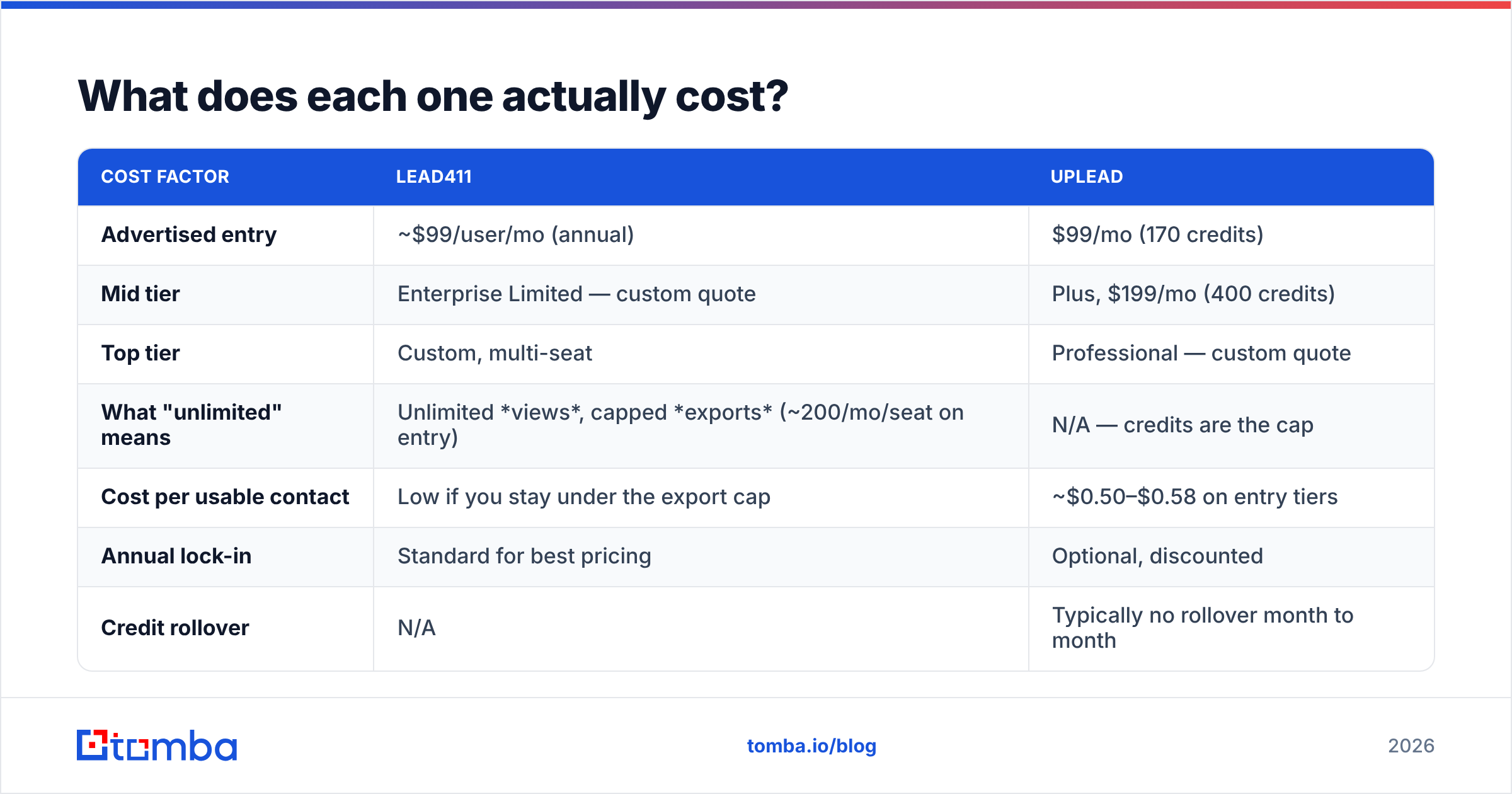
Most comparison posts go soft here. The Lead411 vs UpLead price gap looks small on paper — both start near $99 — so let's be specific about the trap.
| Cost factor | Lead411 | UpLead |
|---|---|---|
| Advertised entry | ~$99/user/mo (annual) | $99/mo (170 credits) |
| Mid tier | Enterprise Limited — custom quote | Plus, $199/mo (400 credits) |
| Top tier | Custom, multi-seat | Professional — custom quote |
| What "unlimited" means | Unlimited views, capped exports (~200/mo/seat on entry) | N/A — credits are the cap |
| Cost per usable contact | Low if you stay under the export cap | ~$0.50–$0.58 on entry tiers |
| Annual lock-in | Standard for best pricing | Optional, discounted |
| Credit rollover | N/A | Typically no rollover month to month |
| Extra seats | Priced per seat — scales linearly | Seats included differently per tier |
Lead411's math favors a small number of heavy users. One rep on one seat, working a defined territory, viewing hundreds of records and exporting the 200 that matter — that is the ideal shape. Add four reps and you are at ~$400+/month before anyone has sent an email.
UpLead's math favors bursty, campaign-shaped usage. If you build one 400-contact list a month and work it hard, credits are clean and predictable. If you build lists daily, 170 credits evaporates in the first week and you are upgrading.
Calculate cost per meeting booked, not cost per contact, before you sign either contract. At a 2% response rate and a 30% meeting conversion, 400 contacts produce roughly two to three meetings. Work backwards from that. Then $199/month looks either cheap or absurd, depending on your average deal size.
Which tool wins on intent data and signals?#
On buying signals, Lead411 vs UpLead is not a close race. Lead411 wins, and this is its strongest differentiator.
Lead411 bundles Bombora intent topics with its own growth-trigger alerts: a company posting 15 engineering roles, closing a Series B, opening a second office. Those triggers arrive as alerts you can route into your CRM, which turns a static list into a queue.
UpLead offers intent as a higher-tier feature and is generally considered lighter here. Its filtering strength is firmographic and technographic — company size, revenue, tech stack, location, SIC/NAIC — which tells you who fits, not who is shopping.
The distinction matters for sequencing. Fit data tells you to email someone. Intent data tells you to email them this week. If your team will act on triggers within 48 hours, Lead411's signal layer is worth the seat price. If triggers pile up unread in a Slack channel, you are paying for a feature you will not use — and UpLead's cleaner filters will serve you better.

Where do these tools actually fit in an outbound stack?#
Lead411 vs UpLead only settles one layer of your stack. Neither is a complete outbound system. Both are the data layer. You still need a sequencer, a warmed sending domain, and a verification step. Here is how the responsibilities split in a typical 2026 stack:
- Targeting layer — define the ICP. This is a spreadsheet and a conversation, not software. Skipping it is why most credit budgets get burned on the wrong accounts.
- Discovery layer — Lead411 or UpLead. Find companies matching the ICP and pull the people inside them. Intent signals (if you have them) prioritize the queue here.
- Gap-fill layer — a dedicated domain search or email finder for the 20–40% of target accounts no database covers well: newer companies, non-US domains, sub-500-employee firms. Every database has holes; the question is only what you do about them.
- Verification layer — independent bounce protection before send, especially for catch-all domains. This is separate from whatever the database claims.
- Enrichment layer — fill in missing phone numbers, LinkedIn profiles, and company attributes on records you already own. Contact enrichment via API is cheaper than re-buying records you partially have.
- Sending layer — your sequencer plus deliverability hygiene. The best data in the world dies at a spam folder.
Teams that treat steps 2 and 3 as competing choices overspend. They are complementary: the database gives you breadth, the finder gives you depth on the accounts the database missed.
When should you pick a dedicated email finder instead?#
Look honestly at your usage. If you only ever use one feature of these platforms — getting a work email for a named person at a named company — you are paying a sales-intelligence price for an email-finder job.
| Use case | Best fit |
|---|---|
| Signal-led outbound with intent alerts | Lead411 |
| Filterable list building with bounce guarantee | UpLead |
| "I have 500 company domains, get me the VP of Sales at each" | Email finder + bulk email finder |
| Enriching an existing CRM via API | Enrichment API (any of the three) |
| Phone-heavy outbound / cold calling | Lead411 |
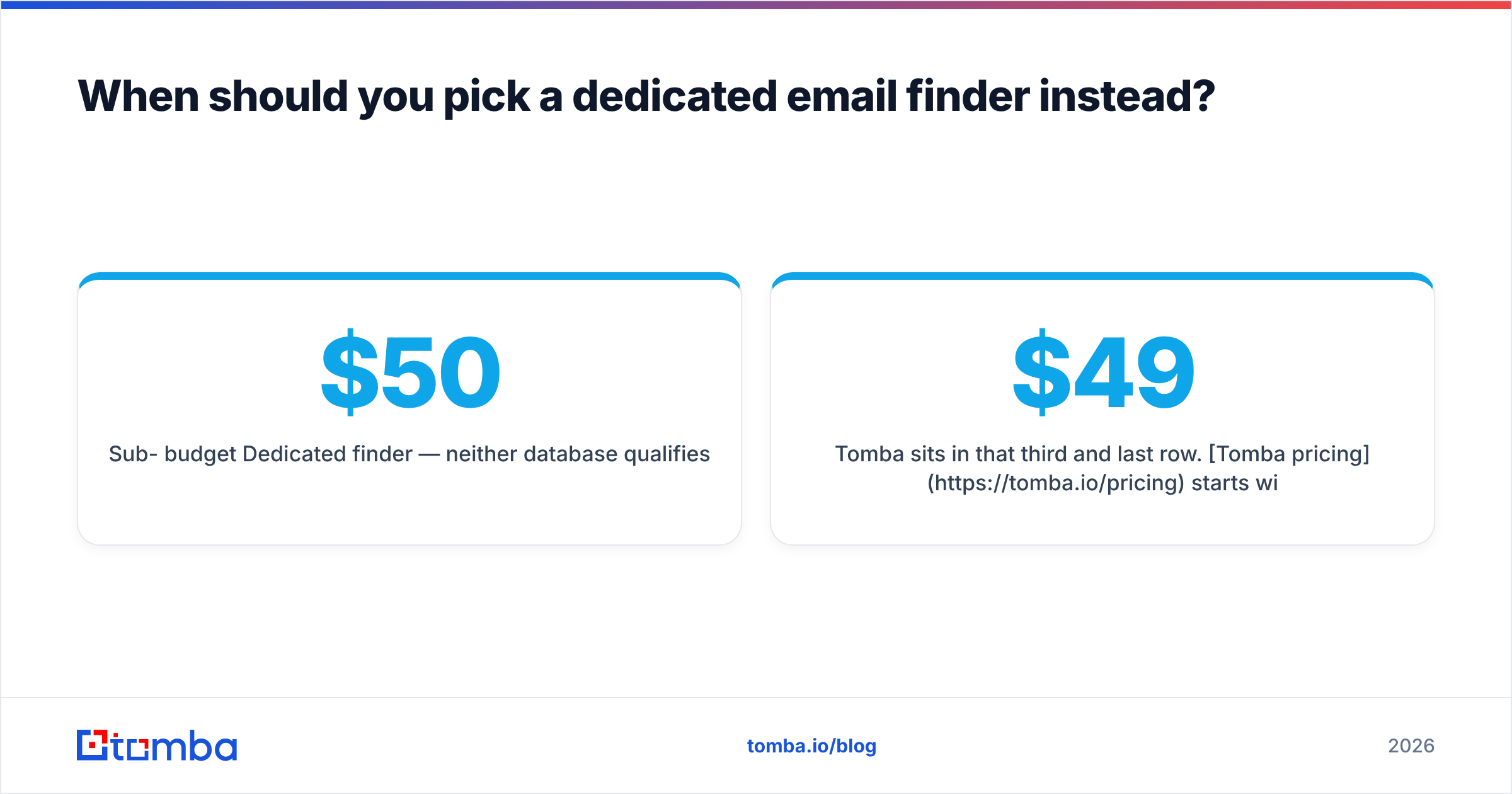
| Sub-$50/month budget | Dedicated finder — neither database qualifies |
| Developer-built internal tooling | API-first vendor with usage pricing |
Tomba sits in that third and last row. Tomba pricing starts with a free tier at 25 searches/month, then Starter at $49/mo, Growth at $99/mo, and Pro at $249/mo. There is no per-seat annual contract to get started.
You get the email finder, email verifier, domain search, catch-all verification, and phone finder in the same account, plus a Tomba API if you want to wire it into your own workflows.
What you don't get from a dedicated finder is intent data, growth triggers, or a browsable 450M-record database you can slice by revenue band. If those are your core requirements, Lead411 or UpLead is the right buy and this is not a close call.

Is Lead411 better than UpLead?#
For most teams, the Lead411 vs UpLead tiebreaker is not data quality. It is billing shape.
Choose Lead411 if: you have one to three dedicated reps, you make phone calls as well as send emails, you will genuinely act on intent triggers, and you are comfortable with an annual commitment.
Choose UpLead if: your usage is campaign-shaped rather than continuous, you want a vendor that refunds bad data, you rely on technographic filtering (targeting by tech stack), or you want to start monthly without a contract.
Choose neither if: your only real need is verified work emails, your budget is under $99/month, or you already have a CRM full of half-complete records that needs enrichment rather than net-new discovery.
Read real reviews before signing either. The sales intelligence category on G2 has enough recent, segment-specific feedback to tell you whether a vendor covers your market rather than the market in its case studies.
How should you run the trial?#
Do not settle Lead411 vs UpLead on a demo. Run this test on both, in the same week, with the same input:
- Pick 50 real target accounts from your actual pipeline — not a generic list of Fortune 500 logos.
- Pull the same three job titles at each.
- Count usable records: correct person, correct company, correct current role.
- Export and run every email through an independent verifier. Record the bounce-risk rate.
- Note how many accounts returned zero usable contacts. That number is your gap, and it is what a supplementary finder is for.
- Send one small batch through your real sequencer and measure actual bounces after 72 hours.
Whichever tool wins that test for your segment is the right answer, regardless of what any comparison post — including this one — concludes.
Start with the gap, not the platform. Before you commit to a seat contract or a credit pack, find out how many of your target domains the big databases actually cover.
Run your account list through Tomba Email Finder — free for the first 25 searches, $49/mo after that. See how many verified work emails come back on the accounts Lead411 and UpLead came up empty on. If the gap is small, buy the database. If it's large, you just found a cheaper path to the same pipeline.
Related guides#
// get started
Find, verify and enrich your first contacts today
Start on the free plan with 25 searches a month, then scale when your team is ready.
Free plan · No credit card required · GDPR & CCPA
// about the author