Leadberry vs Leadfeeder: Which Visitor ID Tool Wins in 2026?
Leadberry is cheap and rides on Google Analytics. Leadfeeder (now Dealfront) is pricier with its own tracker and a European data engine. Here's the honest head-to-head, plus the gap both of them leave open.
TL;DR
- Leadberry is the budget pick. It reads your Google Analytics data, costs little, and lists the companies that visited.
- Leadfeeder (now part of Dealfront) runs its own tracker. It holds far more B2B data and syncs with real CRMs. It costs 3-5x more.
- Match rates are similar. Both map IP addresses to companies. Dealfront's European data gives Leadfeeder an edge on EU and DACH traffic.
- Neither tool gives you a person. Both name the company, not the buyer. That last step is a separate job.
- In the Leadberry vs Leadfeeder call, budget decides. Under $50 a month, pick Leadberry. Funded outbound, pick Leadfeeder.
What do Leadberry and Leadfeeder actually do?#
Both tools answer one question. Which companies came to my site and never filled in a form?
Think of a shop with no till. A hundred people walk in. They browse the price aisle for eleven minutes. Then they leave without a word. Visitor identification is the camera outside. It tells you whose van was parked there. It does not tell you the shopper's name. That is a different problem, and we will get to it.
Leadberry started as a thin layer on Google Analytics. You connect your GA property. Leadberry reads the sessions you already collect. It maps the IP data to company records. Then it shows a filtered list. No new script. No new tracking setup.
Leadfeeder went the other way. It installs its own tracker. It collects session data first-hand. It then matches that data against Dealfront's company graph. Since the 2022 Echobot merger, that graph holds one of the biggest European B2B datasets around. Leadfeeder still runs as its own product inside Dealfront, and most buyers still call it Leadfeeder.
That split drives the whole Leadberry vs Leadfeeder debate: price, data depth, tracking reliability, and what happens when someone blocks analytics.
How does website visitor identification actually work?#
It helps to know what happens under the hood. The failure modes are the same in both tools. Vendors rarely spell them out.
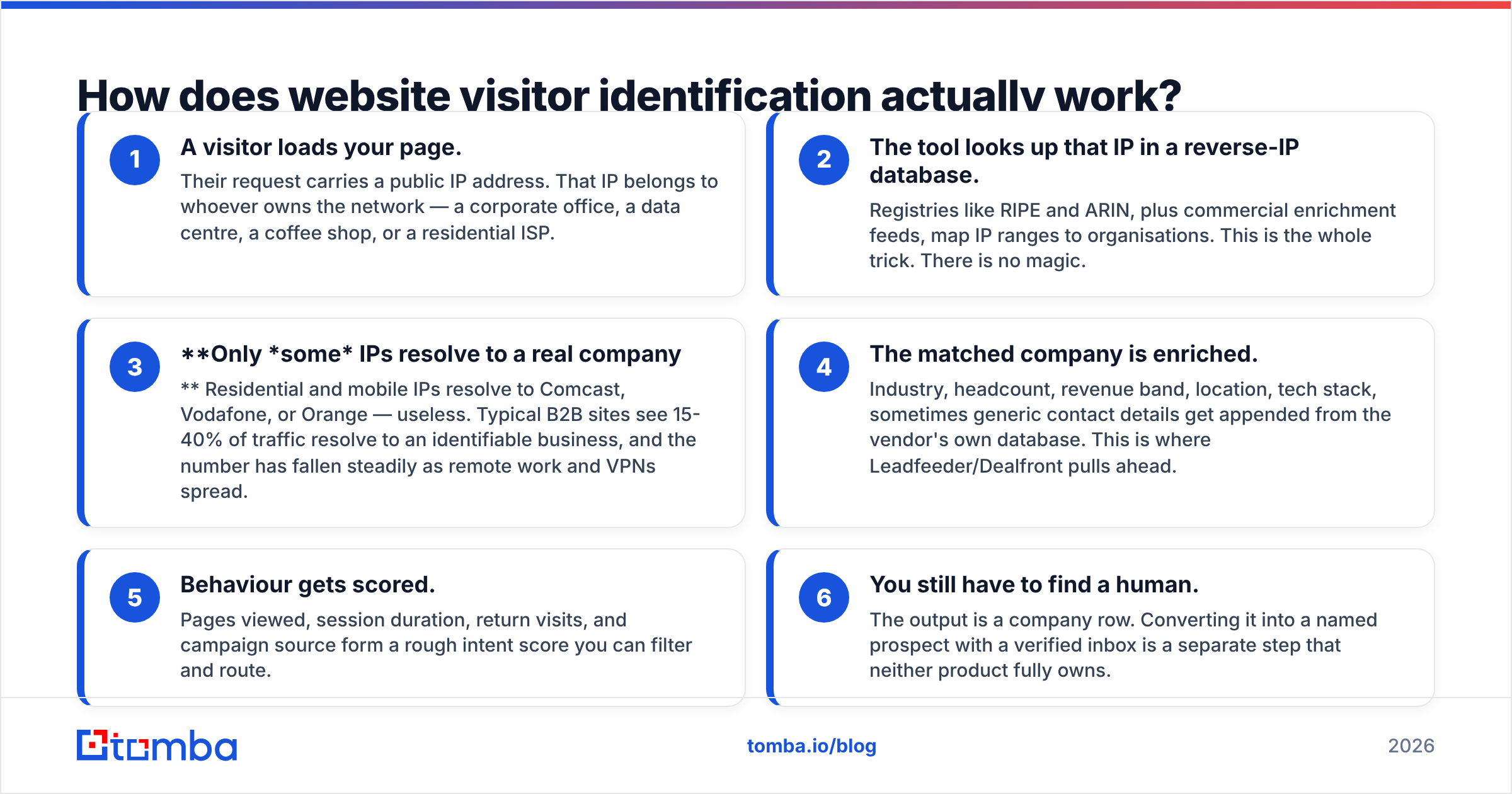
- A visitor loads your page. The request carries a public IP address. That IP belongs to whoever owns the network.
- The tool looks that IP up. Registries like RIPE and ARIN map IP ranges to organisations. That is the whole trick.
- Only some IPs match a real company. Home and mobile IPs resolve to Comcast or Vodafone. Useless. Most B2B sites match 15-40% of traffic.
- The matched company is enriched. Industry, headcount, revenue band, location and tech stack get added. Leadfeeder pulls ahead here.
- Behaviour gets scored. Pages viewed, time on site, return visits and campaign source form a rough intent score.
- You still have to find a human. The output is a company row. Neither tool owns that last step.
Step 6 quietly kills most visitor-ID pilots. Teams buy the tool. They get a clean list of 240 companies. Then they notice there is no reply-to address anywhere in it.

Leadberry vs Leadfeeder: how do they compare head-to-head?#
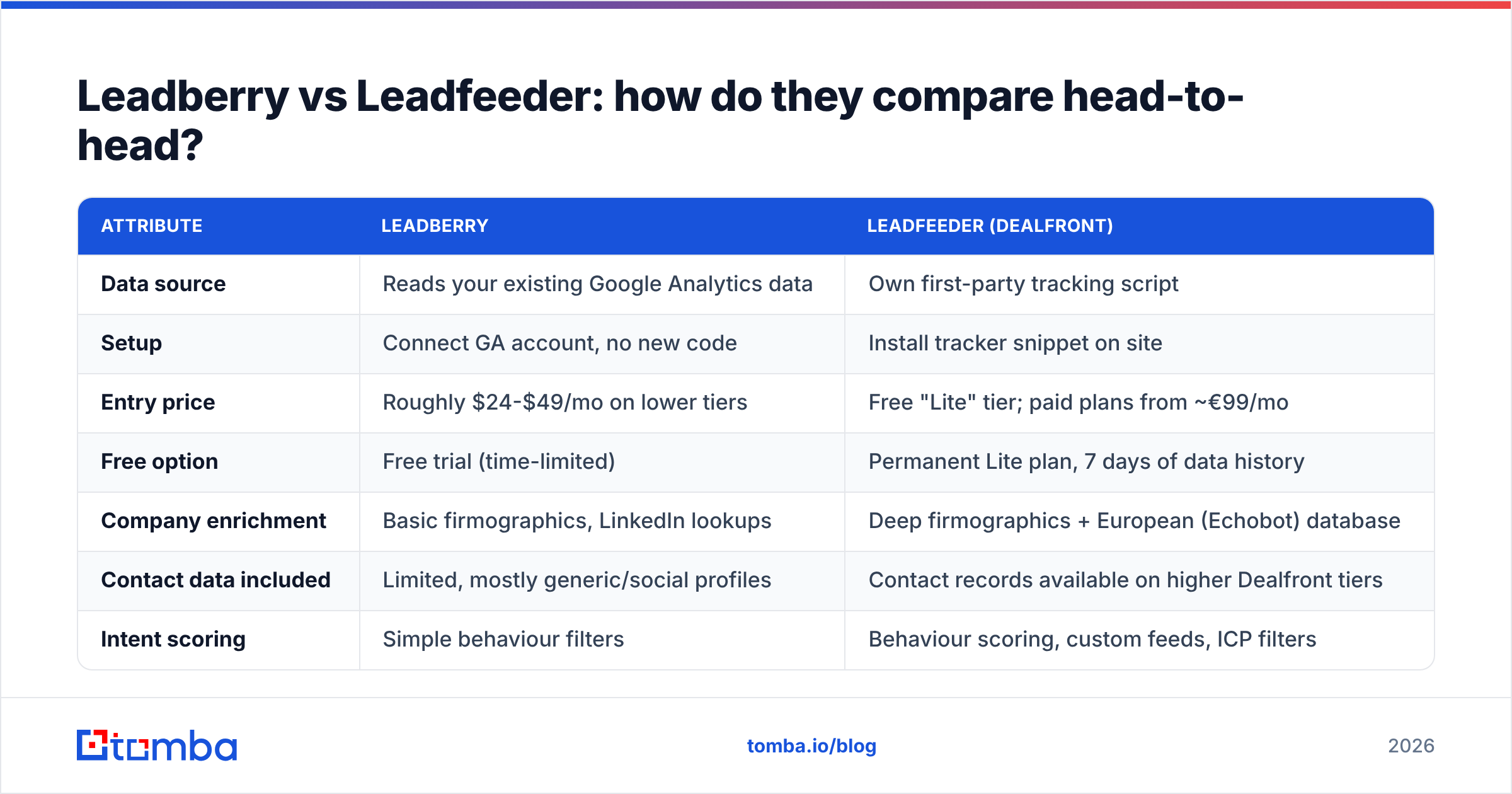
| Attribute | Leadberry | Leadfeeder (Dealfront) |
|---|---|---|
| Data source | Reads your existing Google Analytics data | Own first-party tracking script |
| Setup | Connect GA account, no new code | Install tracker snippet on site |
| Entry price | Roughly $24-$49/mo on lower tiers | Free "Lite" tier; paid plans from ~€99/mo |
| Free option | Free trial (time-limited) | Permanent Lite plan, 7 days of data history |
| Company enrichment | Basic firmographics, LinkedIn lookups | Deep firmographics + European (Echobot) database |
| Contact data included | Limited, mostly generic/social profiles | Contact records available on higher Dealfront tiers |
| Intent scoring | Simple behaviour filters | Behaviour scoring, custom feeds, ICP filters |
| CRM integrations | Pipedrive, HubSpot, Zapier, Slack | HubSpot, Salesforce, Pipedrive, Dynamics, Slack, Zapier, sequencers |
| Best fit | Solo founders, small agencies, <$50/mo budgets | Mid-market outbound teams, EU-heavy pipelines |
| Main weakness | Dependent on GA quality and consent setup | Price jumps fast as identified-company volume grows |
The first row matters most. Leadberry leans on Google Analytics. That is both its best feature and its weak spot.
Why it helps: there is no setup work. If GA already runs, you get lead lists in ten minutes. You keep your goals, channels and campaign labels.
Why it hurts: consent mode, ad blockers and browser privacy settings all trim your GA data first. If GA under-reports by 20%, so does Leadberry. You will never see the gap. Leadfeeder's own tracker is not immune to blockers. But it owns the full pipeline and can cross-check server-side signals.
How accurate is the company data in each tool?#
Accuracy splits into two questions. Reviewers mix them up all the time.
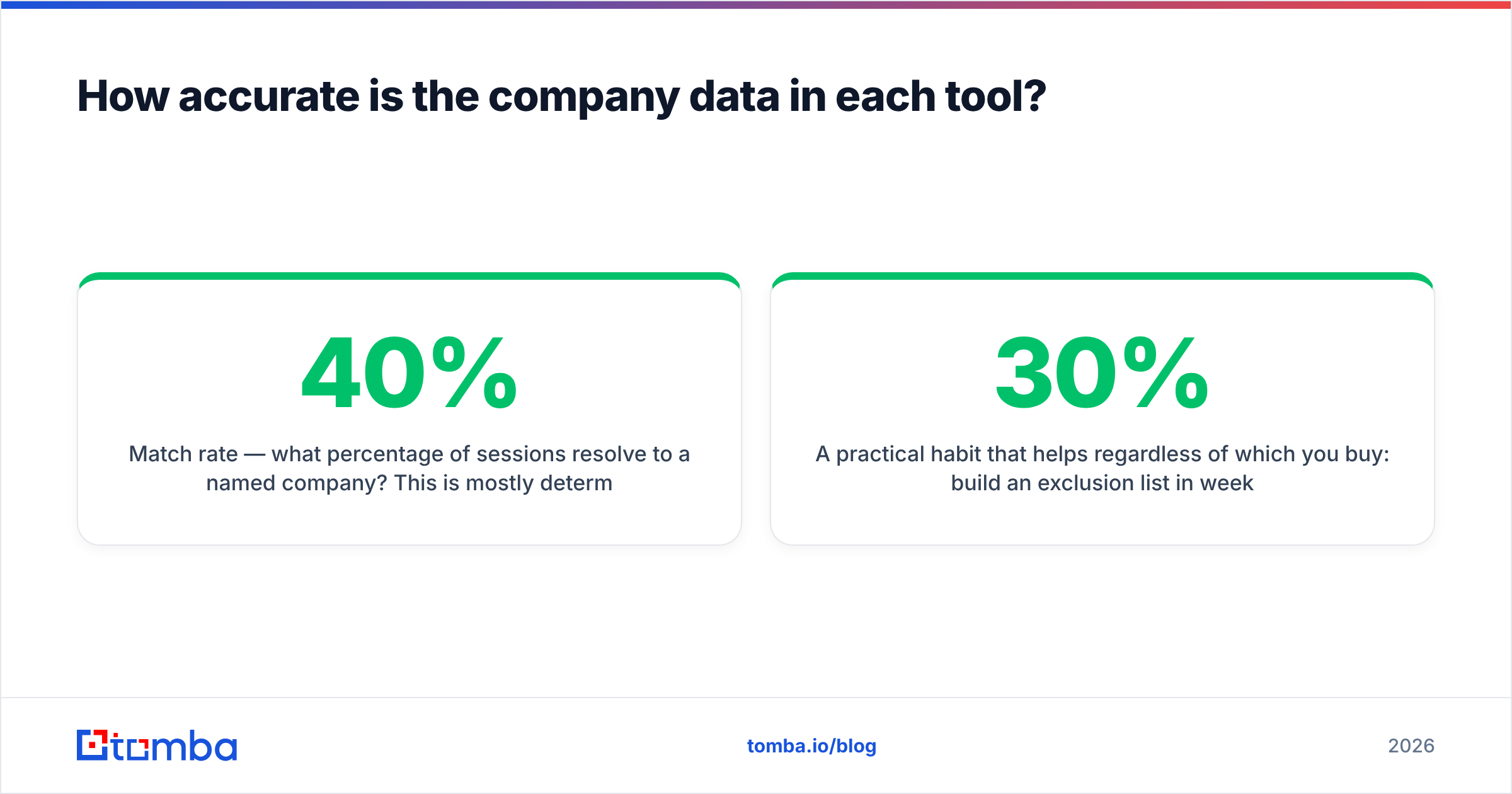
Match rate — how many sessions resolve to a named company? Your traffic mix drives this, not the vendor. Sell to enterprise IT on office networks, and either tool hits 30-40%. Sell to solo founders on home broadband, and both drop under 10%. Never trust a match-rate claim without asking about the traffic behind it.
Enrichment quality — once matched, how good is the record? Here the two tools really differ. Dealfront covers 40+ million European companies with registry-grade detail. That means legal entity, filings, headcount bands and trade-register data. Leadberry's data is thinner. It leans on public web and LinkedIn signals. On US mid-market accounts the gap is small. On German, Nordic or Benelux accounts it is not close.
User reviews on G2 say much the same about Leadberry vs Leadfeeder. Leadberry scores well on setup and value. Leadfeeder scores well on data depth and integrations. Both get the same complaint. Many identified "companies" are ISPs, agencies or junk you must filter by hand.
One habit helps whichever you buy. Build an exclusion list in week one. Add your own office IPs, your agency's, your rivals' known ranges and every consumer ISP in your market. Skip it and the report looks 30% better and 100% less useful.
What does each one cost in 2026?#
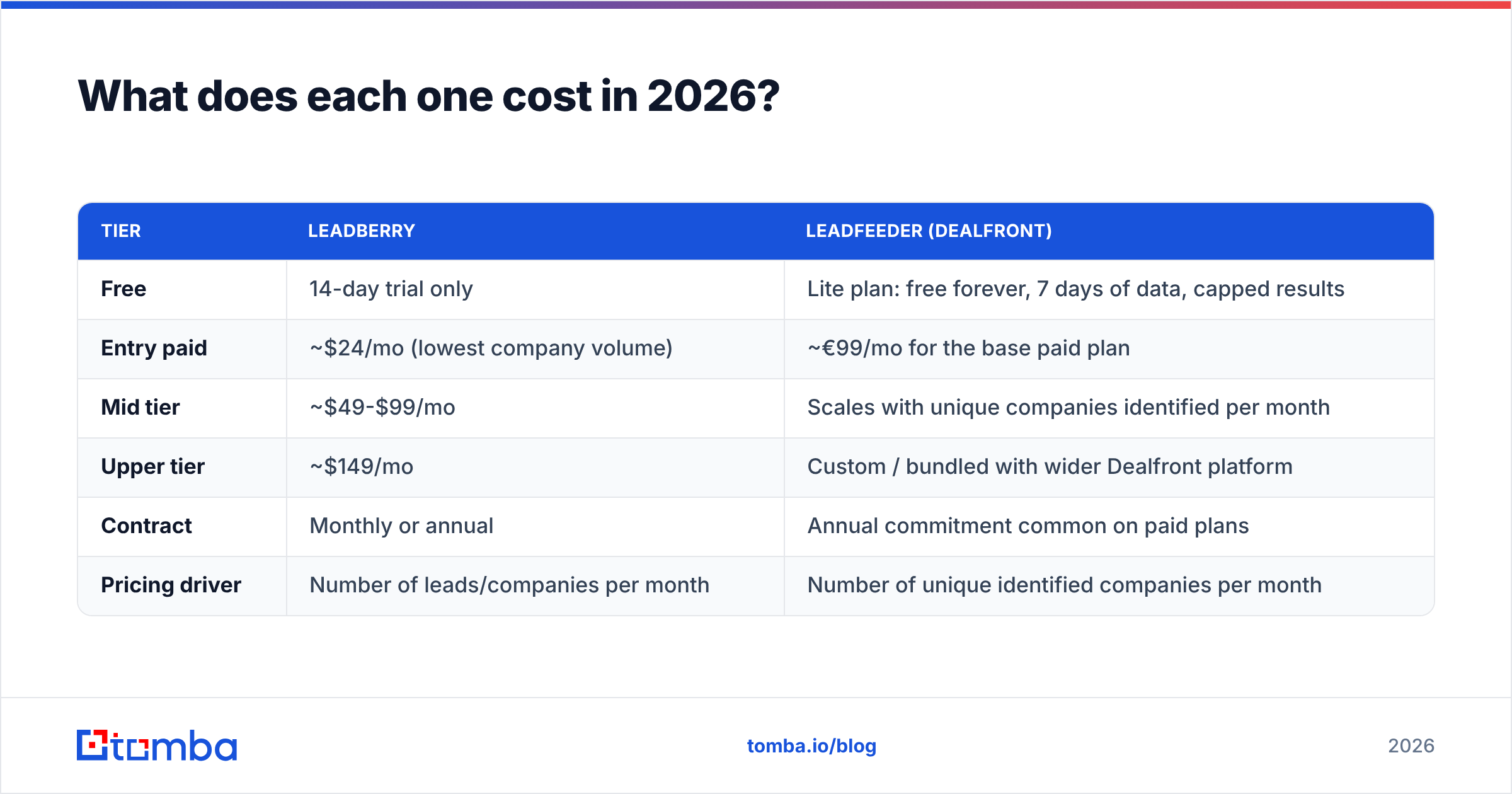
Pricing here is volume-based. Both vendors change their tiers often. Treat the numbers below as the shape of the pricing. Check each vendor's current page before you budget.
| Tier | Leadberry | Leadfeeder (Dealfront) |
|---|---|---|
| Free | 14-day trial only | Lite plan: free forever, 7 days of data, capped results |
| Entry paid | ~$24/mo (lowest company volume) | ~€99/mo for the base paid plan |
| Mid tier | ~$49-$99/mo | Scales with unique companies identified per month |
| Upper tier | ~$149/mo | Custom / bundled with wider Dealfront platform |
| Contract | Monthly or annual | Annual commitment common on paid plans |
| Pricing driver | Number of leads/companies per month | Number of unique identified companies per month |
The honest read on Leadberry vs Leadfeeder pricing: one is a utility, the other is a platform. If visitor ID is a nice-to-have signal for a weekly review, €1,200+ a year is hard to defend. If it triggers live outbound with same-day follow-up, Leadberry's thinner data and weaker routing will waste more rep time than the licence saves.
One cost hides in both plans. That is the enrichment you buy afterwards. Neither price tag covers finding and checking the people you actually email. Budget for that line item from day one.
Which integrations and workflows does each support?#
Leadberry covers the basics well. Pipedrive, HubSpot, Slack alerts, Zapier, CSV export and email digests. If your CRM is Pipedrive and your alerts live in Slack, that is enough.
Leadfeeder goes deeper. Native Salesforce and Microsoft Dynamics sync. HubSpot workflows. Links into sequencing tools. Custom feeds that fire when a visitor matches a saved filter. Rules that push named accounts to the right rep. If you run territories, this matters. If you do not, you still pay for it.
On workflows, Leadberry vs Leadfeeder barely changes the play that earns revenue:
- Trigger — a target-fit company opens a high-intent page, such as pricing or demo.
- Qualify — check it against your ICP filters and exclusion lists first.
- Find the human — pick the right role at that company. Use a domain search to pull the contact patterns, then filter by job title.
- Verify — run the address through an email verifier before it enters a sequence. These leads are cold. A bounce on a cold send hurts deliverability.
- Name the topic, not the visit — "Saw you're looking at X" works. "You spent 7 minutes on our pricing page" does not.

What do both tools leave out — and how do you fix it?#
Both products stop at the company line. That is not a flaw in either one. Reverse-IP lookup cannot return a person. An IP tells you the building, not the desk.
So a row saying "Siemens, 4 sessions, viewed /pricing twice" is a strong signal and a dead lead. You cannot email a company. You email a demand-gen manager named Katrin. Your visitor-ID dashboard has no idea Katrin exists.
Closing that gap in any Leadberry vs Leadfeeder setup takes three steps:
- Pick the role, not the company. Name the two or three job titles that own the problem your pricing page solves.
- Turn the person into an address. An email finder takes a name and a company domain and returns the work address, with a confidence score and sources. No name yet? Domain search lists the mapped contacts at that company.
- Verify before you send. Catch-all domains are common at large firms and accept anything. That is why a catch-all verifier matters more here than on inbound form fills.
Want one pipeline instead of two? Tomba's website visitor reveal handles the identification and the contact lookup together. That kills the CSV shuffle between tools. Already committed to one side of Leadberry vs Leadfeeder? The Tomba API slots in after the export. Company domain in, verified contacts out.
Who should choose Leadberry?#
In the Leadberry vs Leadfeeder choice, pick Leadberry if most of these are true:
- Your total sales-tooling budget is under $100 a month.
- Google Analytics is installed, trusted and fairly clean.
- Your traffic is mostly US, UK or Canadian corporate.
- You want a digest a founder can scan, not a routing engine.
- You are testing whether visitor ID gives any signal at all.
It is a good first buy in this category. Setup costs nothing. The monthly fee is easy to expense without a meeting. If it produces nothing, you are out $24.
Who should choose Leadfeeder?#
Choose Leadfeeder (Dealfront) if most of these are true:
- A big share of your pipeline is European, above all DACH or the Nordics.
- You run Salesforce or Dynamics and need real two-way sync, not a Zap.
- Several reps own territories and leads must route on their own.
- You want firmographic depth: filings, headcount bands and registry data.
- Visitor ID is a funded part of your GTM plan, with a named owner.
The free Lite plan is a fine evaluation tool. Seven days of history makes it useless long-term. Run it for two weeks. Count how many matched companies really fit your ICP. Multiply that by your close rate before you sign an annual deal.
What's the verdict on Leadberry vs Leadfeeder?#
Leadfeeder wins on power. Leadberry wins on price. That is the short answer. It is not a dodge. They do not chase the same buyer.
Geography and CRM usually decide it. A European pipeline plus Salesforce points to Leadfeeder nearly every time. English-speaking SMB traffic plus Pipedrive, or no CRM at all, points to Leadberry.
Most Leadberry vs Leadfeeder write-ups miss the same thing. The tool is only the first third of the job. Identification without contact data gives you a dashboard, not a pipeline. Plan the handoff from company spotted to person emailed before you sign. Skip it and month two brings 300 accounts and four conversations.
Ready to turn identified companies into real conversations? Drop any domain from your visitor-ID export into the Tomba Email Finder. You get the decision-maker's verified work address, with a confidence score and sources on every result. The free tier covers 25 searches a month, so you can test it on your own list first. Paid plans start at $49 a month. See full Tomba pricing for volume tiers.
Related guides#
// get started
Find, verify and enrich your first contacts today
Start on the free plan with 25 searches a month, then scale when your team is ready.
Free plan · No credit card required · GDPR & CCPA
// about the author