LeadCRM Pricing, Reviews, Pros and Cons: A 2026 Breakdown
LeadCRM sells itself as the bridge between LinkedIn and your CRM. Here is what the per-seat pricing really costs, where the credit limits bite, and when a leaner data stack beats it.
TL;DR
- LeadCRM is a LinkedIn-to-CRM bridge: a Chrome extension that pushes profiles, messages, and notes from LinkedIn into HubSpot, Salesforce, Pipedrive, or Zoho without copy-paste.
- Pricing is per user, per month, which means the sticker price is not the real price. A five-rep team pays five times whatever tier you were quoting yourself.
- The strongest reviews come from teams that live in LinkedIn Sales Navigator all day and already own a CRM. The weakest reviews come from teams that bought it expecting a full prospecting database.
- The most common complaints cluster around three things: credit ceilings on enrichment, field-mapping friction during CRM setup, and email accuracy that varies by region and seniority.
- If your actual bottleneck is finding and verifying contact data rather than syncing LinkedIn activity, a dedicated data layer plus your existing CRM is usually cheaper than adding seats.
What is LeadCRM, and who is it actually for?#
LeadCRM is a browser extension and workflow layer that sits between LinkedIn and your CRM. Think of it as a translator standing between two people who refuse to learn each other's language: LinkedIn speaks in profiles and InMail threads, your CRM speaks in contacts, deals, and activity logs. LeadCRM stands in the middle and converts one into the other in real time.
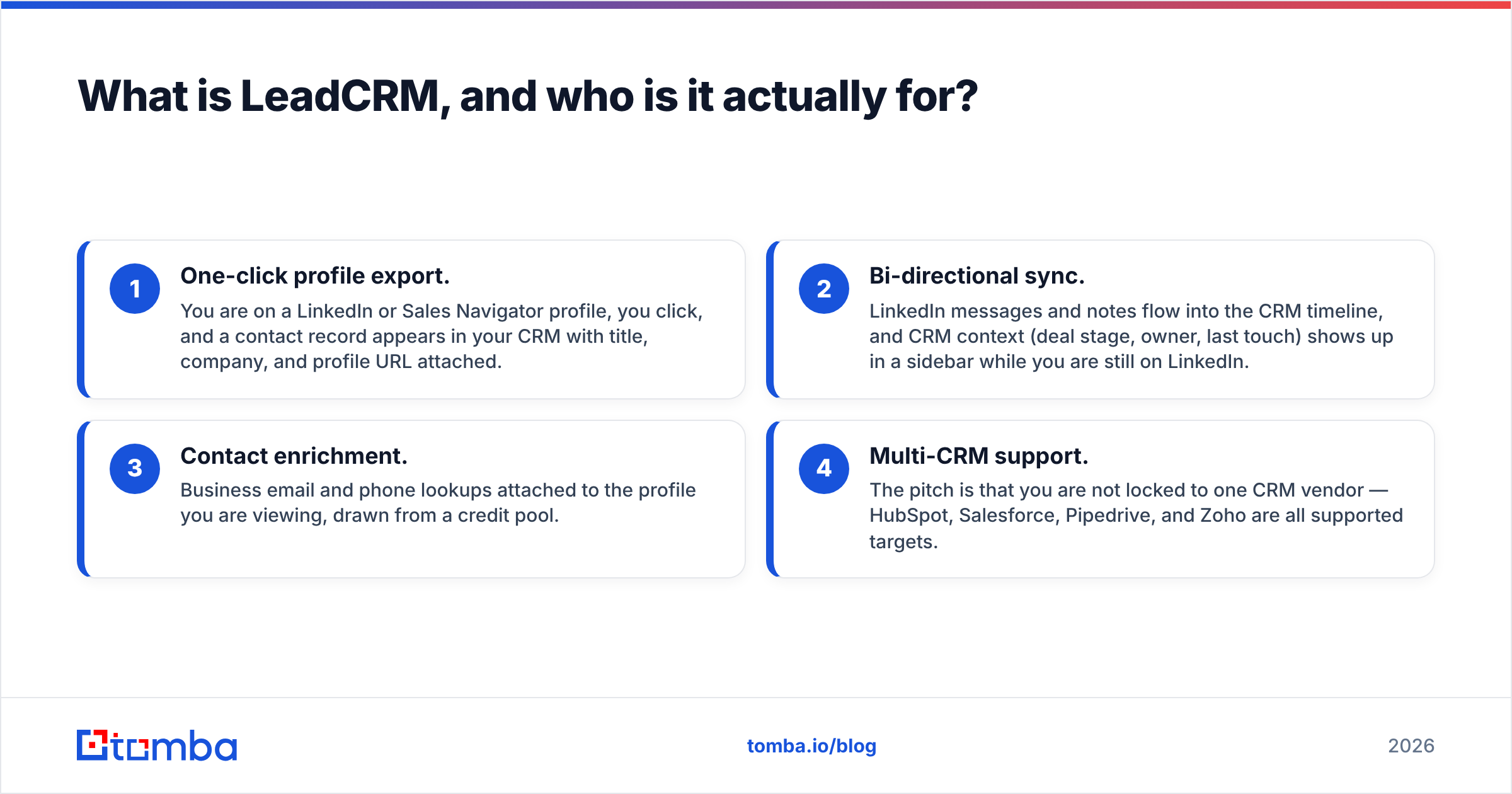
Concretely, the product covers four jobs:
- One-click profile export. You are on a LinkedIn or Sales Navigator profile, you click, and a contact record appears in your CRM with title, company, and profile URL attached.
- Bi-directional sync. LinkedIn messages and notes flow into the CRM timeline, and CRM context (deal stage, owner, last touch) shows up in a sidebar while you are still on LinkedIn.
- Contact enrichment. Business email and phone lookups attached to the profile you are viewing, drawn from a credit pool.
- Multi-CRM support. The pitch is that you are not locked to one CRM vendor — HubSpot, Salesforce, Pipedrive, and Zoho are all supported targets.
The honest positioning: LeadCRM is a workflow tool, not a database. It does not replace a prospecting platform like Apollo, and it does not replace a dedicated email finder. It removes the tab-switching tax for reps whose pipeline genuinely starts on LinkedIn. If your reps source from inbound forms, conference lists, or scraped domains rather than LinkedIn, most of what you are paying for goes unused.

How does LeadCRM pricing work in 2026?#
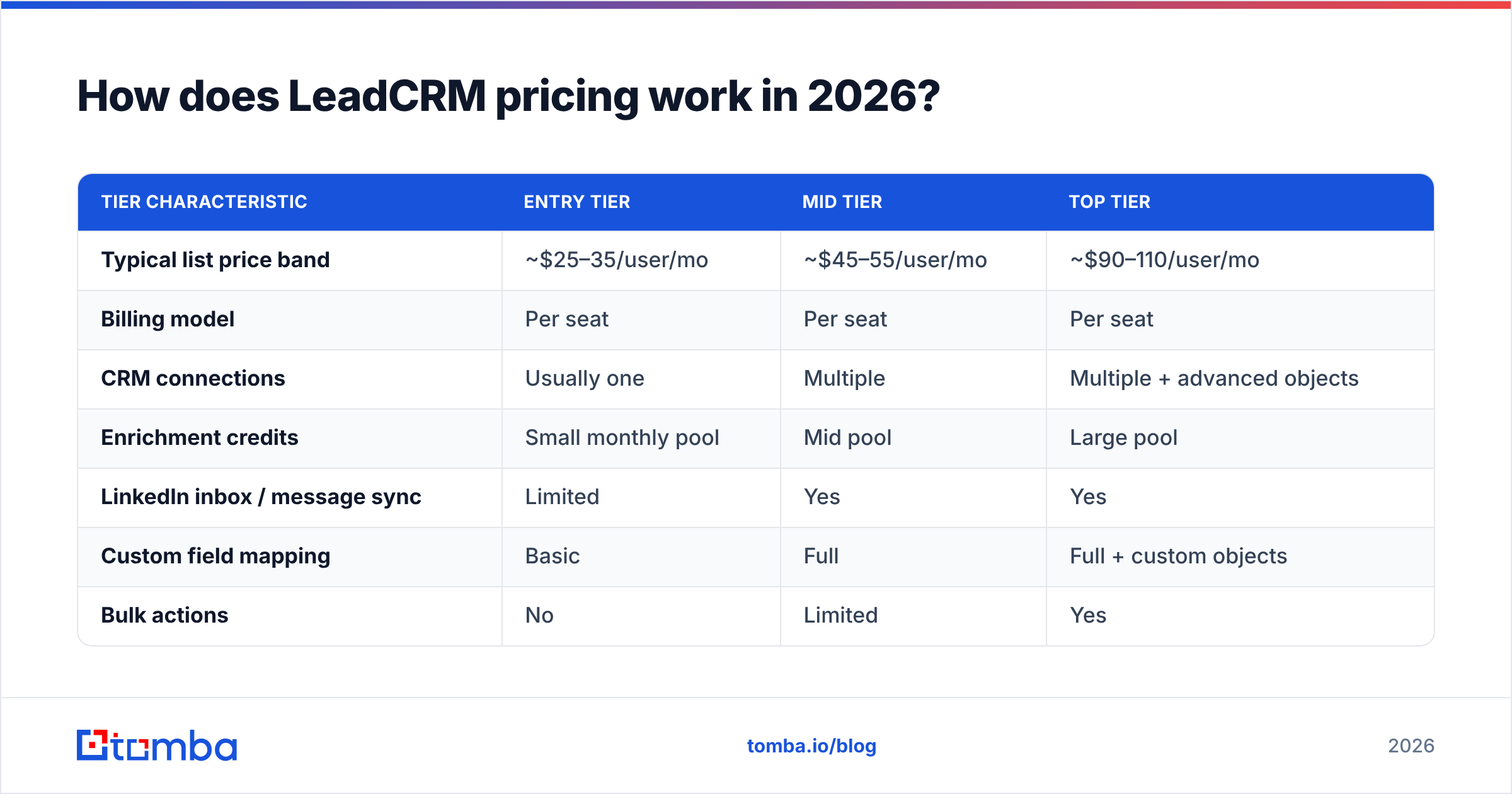
LeadCRM prices per user, per month, with annual billing discounted against monthly. Tiers are separated less by feature count and more by two levers: how many CRMs a seat can connect to, and how many enrichment credits that seat gets.
Before you budget anything, check the live numbers on leadcrm.io — SaaS vendors in this category reprice two or three times a year, and credit allowances move more often than headline prices do. The structure below is what matters for planning; treat the figures as indicative rather than contractual.
| Tier characteristic | Entry tier | Mid tier | Top tier |
|---|---|---|---|
| Typical list price band | ~$25–35/user/mo | ~$45–55/user/mo | ~$90–110/user/mo |
| Billing model | Per seat | Per seat | Per seat |
| CRM connections | Usually one | Multiple | Multiple + advanced objects |
| Enrichment credits | Small monthly pool | Mid pool | Large pool |
| LinkedIn inbox / message sync | Limited | Yes | Yes |
| Custom field mapping | Basic | Full | Full + custom objects |
| Bulk actions | No | Limited | Yes |
| API access | No | No | Typically top tier only |
| Best fit | Solo founder testing | 2–10 rep SDR team | Ops-led RevOps rollout |
The number that surprises people is not the tier price. It is the multiplication. A mid-tier seat at roughly $49 feels reasonable next to a CRM license. Multiply it across six reps and two sales managers who "just want visibility," and you are at roughly $400/month for a tool whose core function is copying data between two systems you already pay for.
Compare that to how flat-rate data tools price. Tomba pricing runs Free (25 searches/mo), Starter $49/mo, Growth $99/mo, Pro $249/mo, and Enterprise custom — priced on volume, not headcount. Adding your sixth rep to a volume-priced tool costs nothing extra until you actually consume more lookups. Adding your sixth rep to a seat-priced tool costs a full seat on day one, whether that rep runs 400 lookups or four.
That distinction is the single biggest driver of whether LeadCRM lands as cheap or expensive for your org. Here is the practical test:
- Seat pricing wins when every user actively works in the tool daily and consumption per user is high.
- Volume pricing wins when usage is lumpy — a few power users, several occasional ones, and seasonal campaign spikes.
- Seat pricing punishes the manager-and-observer problem: people who need read access but generate no lookups.
- Volume pricing punishes nobody until you exceed the tier, and then you upgrade once for the whole team.
- Both get expensive when you bolt on a second tool to cover the first tool's data gaps — which is exactly how most stacks end up with three overlapping subscriptions.
What do the reviews actually say about LeadCRM?#
Public review sentiment on G2 and comparable directories for tools in this category follows a consistent shape, and LeadCRM is no exception. Reviews split cleanly by buyer type rather than by score.
What reviewers consistently praise:
- Setup speed. Most reviewers report getting the extension connected to HubSpot or Pipedrive in well under an hour. That is genuinely fast for a CRM integration.
- Support responsiveness. Small-vendor advantage. Named humans answering tickets within a day shows up repeatedly in positive reviews.
- The sidebar itself. Seeing deal stage and last-touch date without leaving LinkedIn is the feature reviewers say they would miss most.
- Price relative to enterprise alternatives. Against tools that quote four figures a month with annual contracts, a per-seat monthly plan looks friendly.
What reviewers consistently criticize:
- Credit anxiety. Enrichment credits run out mid-month, and the workaround is either rationing or upgrading. Reviewers dislike discovering a ceiling after they have already built a workflow around it.
- Field mapping edge cases. Simple mappings work; custom objects, multi-picklists, and non-standard Salesforce configs generate support tickets.
- Data coverage gaps. Email and phone hit rates drop on non-US regions, on very senior titles, and on companies using catch-all mail servers.
- LinkedIn fragility. Any tool that layers on LinkedIn's DOM inherits LinkedIn's UI changes. Occasional "the extension stopped working after a LinkedIn update" reports are structural to the category, not unique to this vendor.
Read the one-star and three-star reviews before the five-star ones. Five-star reviews tell you the tool works as advertised. Three-star reviews tell you which advertised thing does not survive contact with your specific CRM configuration.
What are the real pros of LeadCRM?#
It kills the copy-paste tax. The measurable win is minutes per prospect. If a rep touches 40 profiles a day and each manual CRM entry costs 90 seconds, that is an hour a day. Reclaim even half and the seat pays for itself on a fully loaded rep cost.
CRM hygiene improves as a side effect. Data that lands automatically is data that lands. Reps who would have logged a LinkedIn conversation "later" (meaning never) now have it in the timeline. Better CRM hygiene makes forecasting less fictional.
Multi-CRM support is real optionality. Many competitors are single-CRM specialists. If you are mid-migration from Pipedrive to HubSpot, or you run different CRMs across business units, that flexibility has genuine value.
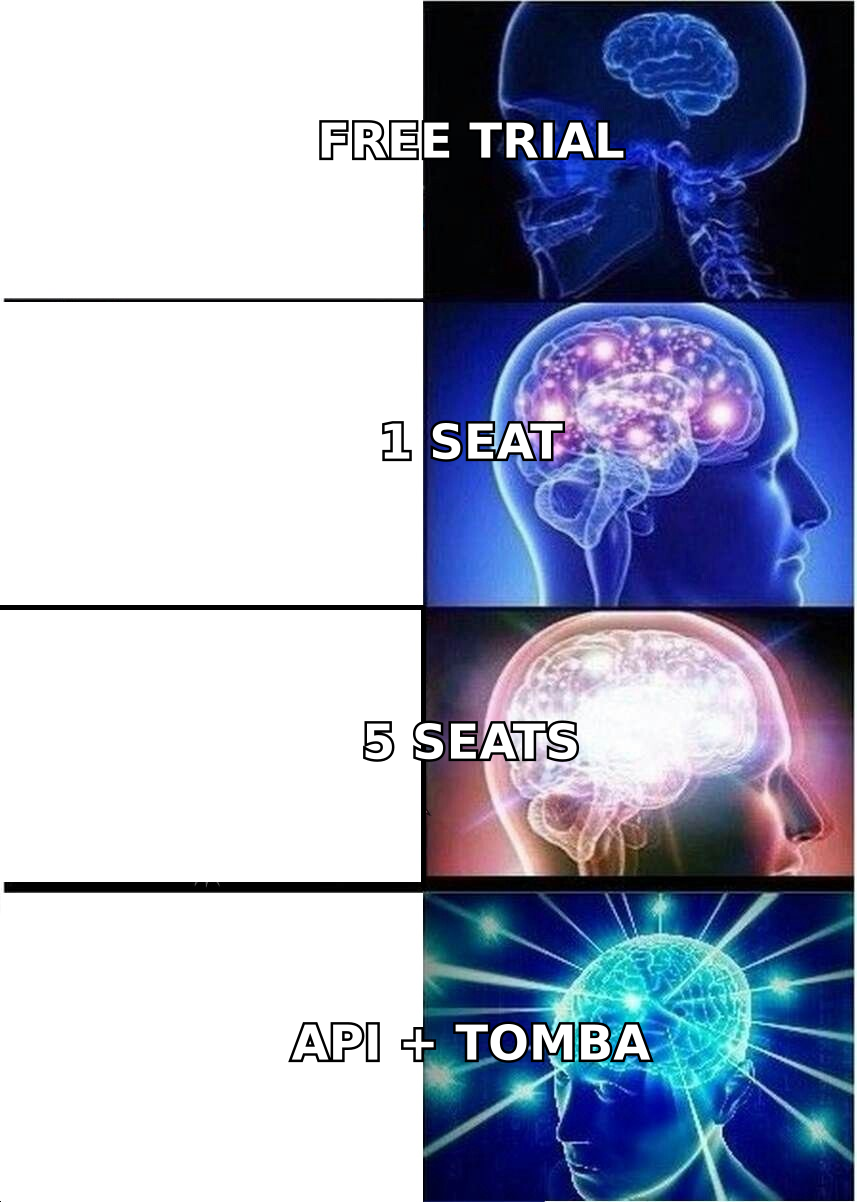
Monthly billing is available. You can run a real 30-day pilot with two reps instead of committing a year of budget on a demo call. Use it.
What are the cons and hidden costs of LeadCRM?#
Per-seat economics scale against you. Already covered, but it bears restating: this is the cost line that grows with hiring, not with usage.
The enrichment layer is a feature, not a specialty. Bundled enrichment inside a workflow tool is convenience data. It is competing for engineering attention against sync reliability, UI, and CRM connectors. Dedicated data vendors do one thing. When a bundled tool returns a plausible-looking address that bounces, the cost shows up in your sender reputation — not on your invoice.
Verification is usually the missing step. Finding an address and confirming it accepts mail are two different operations. If your enrichment source does not run SMTP-level validation and handle catch-all domains explicitly, you are shipping guesses into your sequencer. Running results through a dedicated email verifier before they hit a campaign is cheap insurance; a catch-all verifier covers the specific case that trips most bundled tools.
API access is gated to the top tier. If your RevOps team wants to automate anything outside the browser — nightly enrichment jobs, list hygiene, CRM backfills — you are looking at the most expensive plan, per seat, for a capability that is fundamentally not per-seat work.
LinkedIn account risk is yours. Any extension that automates actions on LinkedIn carries platform risk. LeadCRM is comparatively conservative here versus outright automation tools, but the risk is never zero, and the account that gets restricted is your rep's, not the vendor's.
How does LeadCRM compare to the alternatives?#
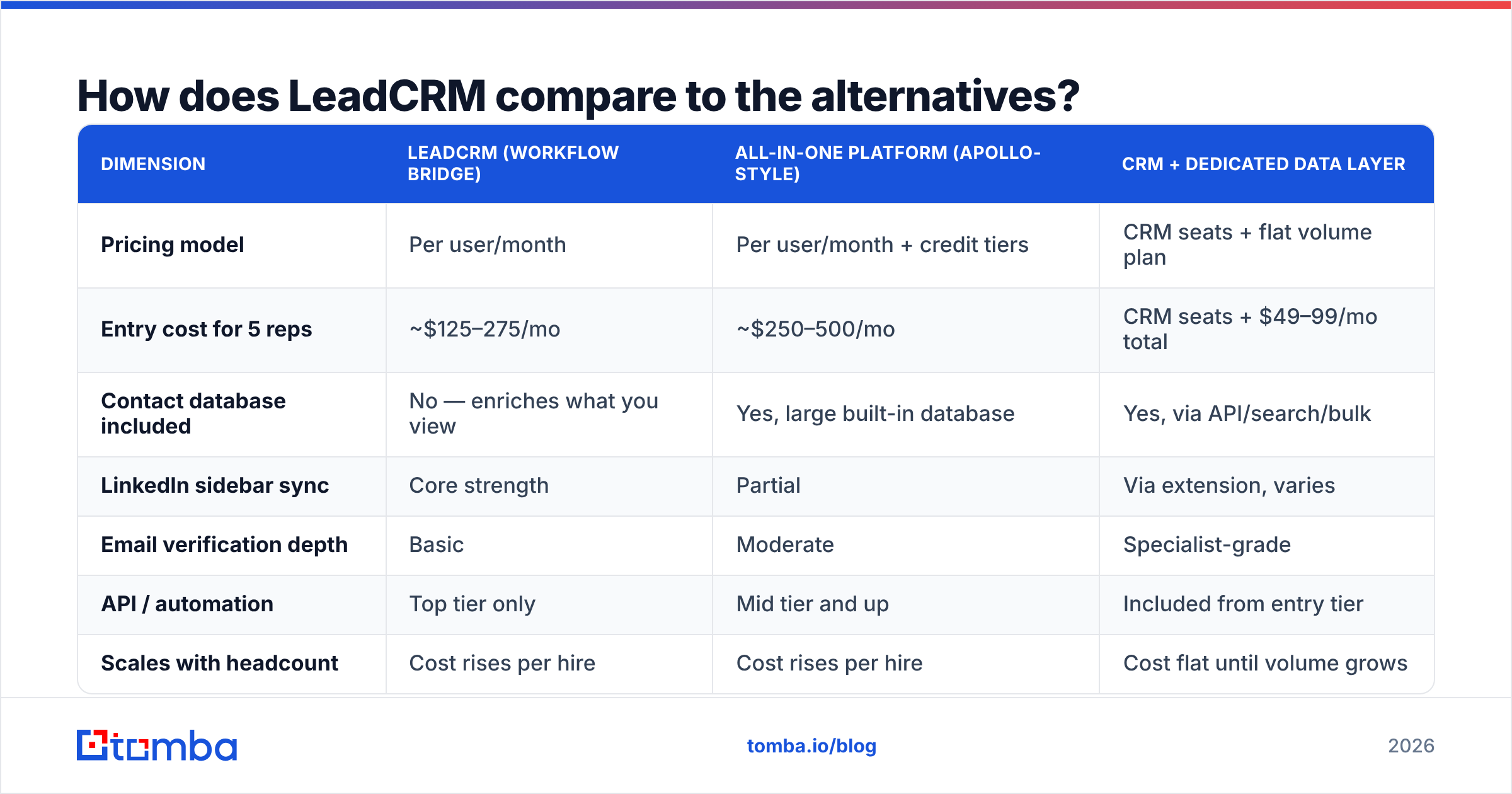
The comparison that matters is not LeadCRM versus another extension. It is LeadCRM versus the stack shape you actually need. Three shapes dominate.
| Dimension | LeadCRM (workflow bridge) | All-in-one platform (Apollo-style) | CRM + dedicated data layer |
|---|---|---|---|
| Pricing model | Per user/month | Per user/month + credit tiers | CRM seats + flat volume plan |
| Entry cost for 5 reps | ~$125–275/mo | ~$250–500/mo | CRM seats + $49–99/mo total |
| Contact database included | No — enriches what you view | Yes, large built-in database | Yes, via API/search/bulk |
| LinkedIn sidebar sync | Core strength | Partial | Via extension, varies |
| Email verification depth | Basic | Moderate | Specialist-grade |
| API / automation | Top tier only | Mid tier and up | Included from entry tier |
| Scales with headcount | Cost rises per hire | Cost rises per hire | Cost flat until volume grows |
| Best for | LinkedIn-first SDR teams | Teams with no CRM discipline | Ops-led teams with a CRM already |
A fourth option worth naming: prebuilt list vendors. If you need a static, filtered list of contacts in a defined segment and you do not need live LinkedIn sync at all, a database provider such as BookYourData solves a different problem entirely — pay-as-you-go lists rather than per-seat workflow software. It is a legitimate peer choice, not a downgrade; it just answers a different question.
For teams whose real need is contact discovery rather than activity sync, the third column is where the money goes furthest. A LinkedIn finder covers the profile-to-email step, domain search covers company-wide sweeps, and the Tomba API covers everything your RevOps team wants to automate — at flat volume pricing, no seat multiplication.
Is LeadCRM worth it for your team?#
Run this decision sequence honestly.
Buy LeadCRM if:
- Three or more reps spend the majority of their prospecting time inside LinkedIn or Sales Navigator.
- You already own and actually use a supported CRM.
- Your complaint is "our CRM data is stale," not "we can't find enough contacts."
- Seat count is stable and small enough that per-user math stays under control.
Skip it if:
- Your pipeline sources are domains, inbound forms, or event lists rather than LinkedIn profiles.
- You need contact data at volume — thousands of records, bulk jobs, API-driven enrichment.
- Headcount is growing fast and you do not want a cost line indexed to hiring.
- Your bounce rate is the problem. A sync tool does not fix deliverability; verification does.
Pilot before committing, either way. Two seats, 30 days, monthly billing, one measured metric: minutes saved per rep per day. If the number does not clear the seat cost with margin, it will not clear it at ten seats either.
What does a leaner alternative stack look like?#
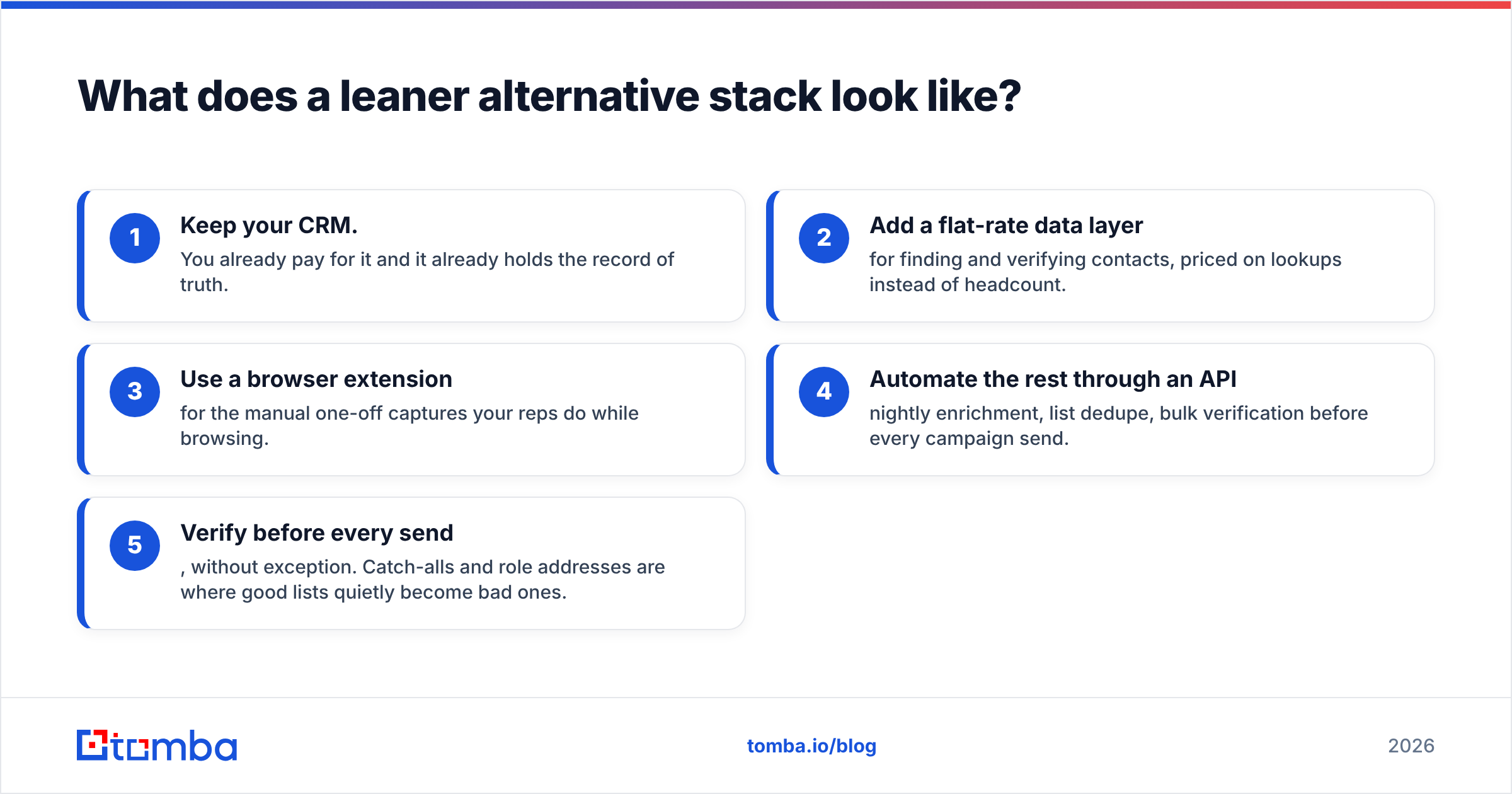
If you conclude that your bottleneck is data rather than workflow, the substitute stack is unglamorous and cheap:
- Keep your CRM. You already pay for it and it already holds the record of truth.
- Add a flat-rate data layer for finding and verifying contacts, priced on lookups instead of headcount.
- Use a browser extension for the manual one-off captures your reps do while browsing.
- Automate the rest through an API — nightly enrichment, list dedupe, bulk verification before every campaign send.
- Verify before every send, without exception. Catch-alls and role addresses are where good lists quietly become bad ones.
That stack costs a fixed amount regardless of whether you have three reps or thirteen. It is also the shape most RevOps teams converge on after their second or third tool consolidation, because it separates the two jobs that vendors keep bundling: moving data between systems and being right about the data.
For context on how CRM vendors themselves frame the integration layer, HubSpot's integration documentation is worth reading before you buy any third-party bridge — some of what you are paying for may already exist natively in your CRM's marketplace tier.
The bottom line#
LeadCRM is a competent, fairly priced workflow tool with a narrow but real job: making LinkedIn and your CRM stop being separate universes. It earns its seat cost for LinkedIn-native SDR teams and struggles to justify it for everyone else. The pricing model — per user, per month — is the variable that decides which camp you land in, so do the multiplication before the demo, not after the invoice.
And separate the two problems before you buy anything. If the thing keeping your pipeline thin is that you cannot find and verify enough good addresses, no amount of sync automation fixes it — you will just be syncing the same insufficient contacts faster.
Start with the data layer. Try the Tomba Email Finder free — 25 searches a month, no card, no seat licence. Run your next 25 target accounts through it, check the hit rate and the bounce rate against whatever you are using now, and let the numbers decide whether you need a per-seat tool on top.
Related guides#
// get started
Find, verify and enrich your first contacts today
Start on the free plan with 25 searches a month, then scale when your team is ready.
Free plan · No credit card required · GDPR & CCPA
// about the author