LeadEngineAI Reviews (2026): Features, Pricing & Verdict
Most LeadEngineAI reviews repeat the marketing page. This one looks at what AI lead engines actually deliver: data freshness, credit math, verification gaps, and when a dedicated email finder beats a bundled AI platform.
TL;DR
- LeadEngineAI belongs to a fast-growing category: AI-first lead engines that bundle prospect discovery, contact data, enrichment, and outreach copy into one subscription. The pitch is consolidation. The risk is that every layer is average.
- The single most important thing to test is not the AI. It is bounce rate on a 500-contact sample. Every other feature is negotiable; bad email data is not.
- Credit math is where buyers get burned. "Unlimited AI" usually sits next to a hard monthly cap on contact reveals, and reveals are the expensive part.
- If you already run a sequencer you like, a bundled engine duplicates spend. A dedicated email finder plus verification is usually cheaper and more accurate per contact.
- Verdict: worth a paid trial if you are a small team with no stack yet. Skip it if your bottleneck is deliverability or data quality rather than volume.
What is LeadEngineAI?#
LeadEngineAI is marketed as an AI lead generation platform — the category where one tool claims to find your ideal customers, surface their contact details, enrich the record, and draft the first-touch email. It sits in the same shelf space as Apollo, Seamless.AI, Clay-style enrichment workflows, and a long tail of newer AI-branded entrants that launched after 2023.
Before going further, one honesty note that most "LeadEngineAI reviews" will not give you: this category churns fast. Pricing pages, credit definitions, and database sizes change quarterly, and several vendors in this space have rebranded or been absorbed. Treat every number you read in any review — including the ranges below — as a prompt to verify on the vendor's own pricing page and on third-party listings like G2's lead intelligence category or Capterra's lead generation software directory before you put a card down.
What does not change is the evaluation framework. AI lead engines all make the same four promises, and they all break in the same four places.
How do AI lead engines like LeadEngineAI actually work?#
Under the branding, the pipeline is nearly identical across every tool in this category:
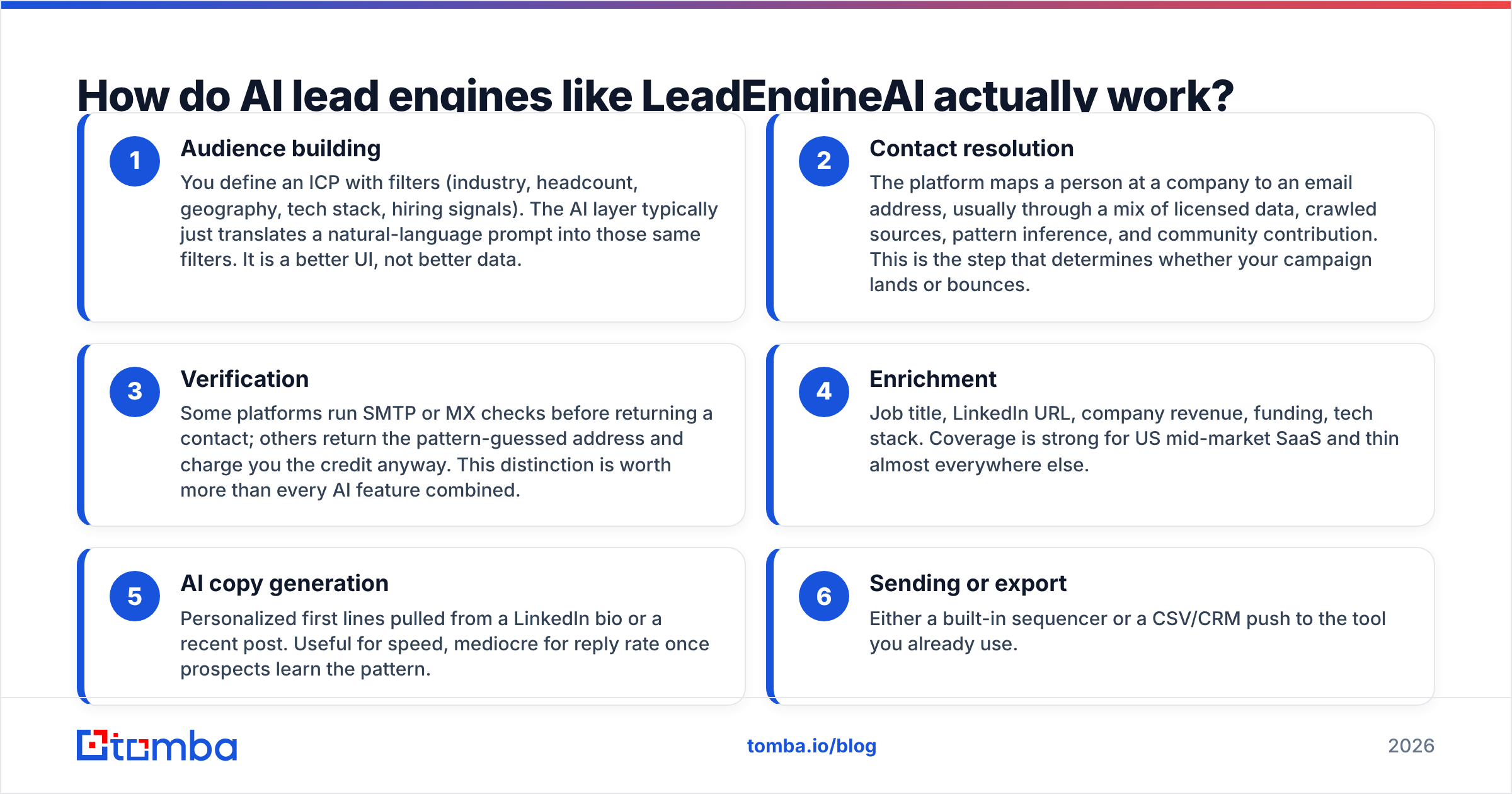
- Audience building — You define an ICP with filters (industry, headcount, geography, tech stack, hiring signals). The AI layer typically just translates a natural-language prompt into those same filters. It is a better UI, not better data.
- Contact resolution — The platform maps a person at a company to an email address, usually through a mix of licensed data, crawled sources, pattern inference, and community contribution. This is the step that determines whether your campaign lands or bounces.
- Verification — Some platforms run SMTP or MX checks before returning a contact; others return the pattern-guessed address and charge you the credit anyway. This distinction is worth more than every AI feature combined.
- Enrichment — Job title, LinkedIn URL, company revenue, funding, tech stack. Coverage is strong for US mid-market SaaS and thin almost everywhere else.
- AI copy generation — Personalized first lines pulled from a LinkedIn bio or a recent post. Useful for speed, mediocre for reply rate once prospects learn the pattern.
- Sending or export — Either a built-in sequencer or a CSV/CRM push to the tool you already use.
Notice that steps 2 and 3 are the only ones that are hard. Steps 1, 4, 5, and 6 are commodity engineering. That is why bundled engines feel impressive in a demo and disappoint in month two: the demo shows you the commodity layers.

What do LeadEngineAI reviews say about data accuracy?#
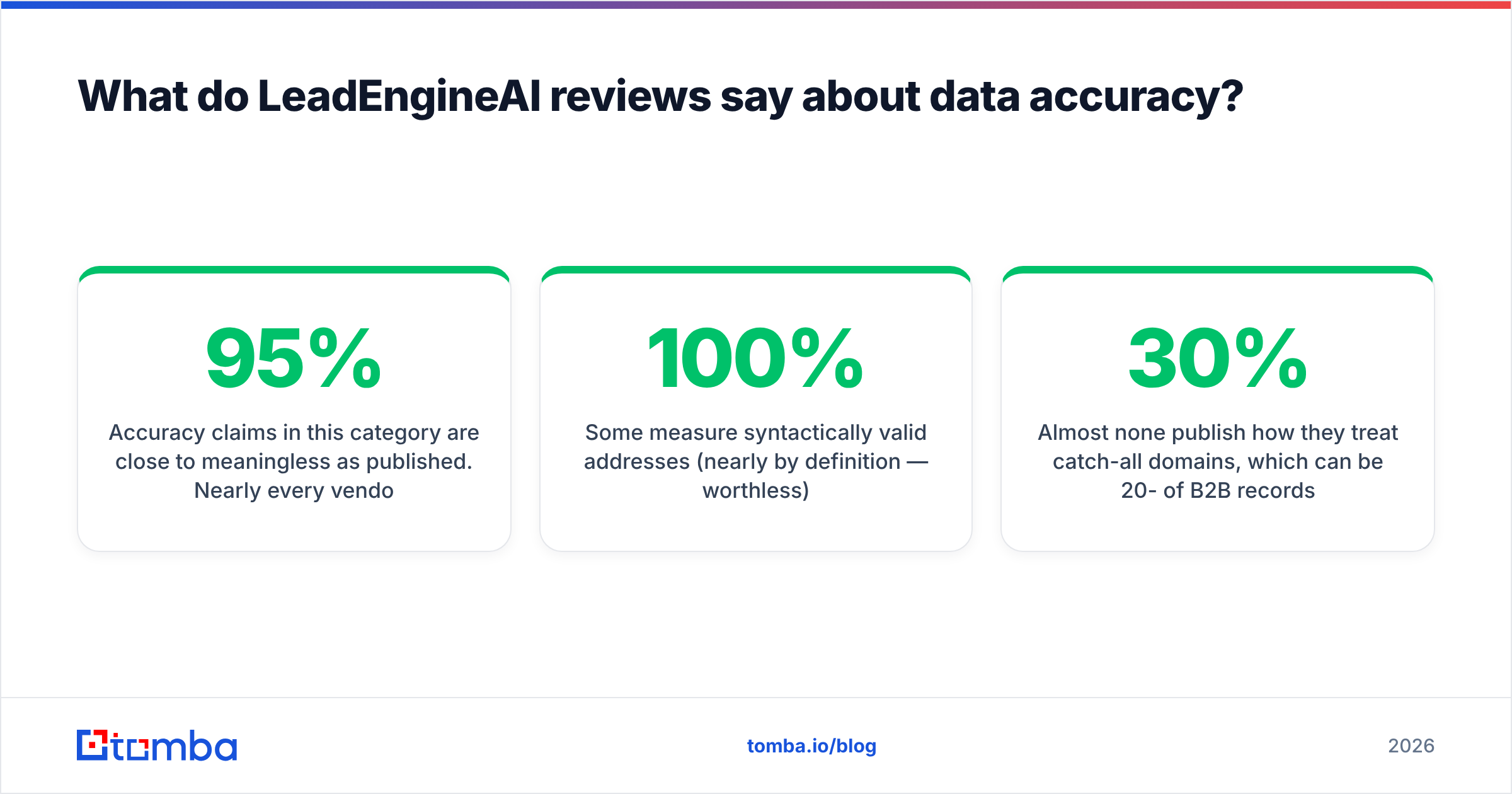
Accuracy claims in this category are close to meaningless as published. Nearly every vendor advertises "95%+ accuracy," but the number is defined differently by each one:
- Some measure syntactically valid addresses (nearly 100% by definition — worthless).
- Some measure deliverable at time of collection, which may be 18 months stale.
- Some measure deliverable at time of export, which is the only number that matters.
- Almost none publish how they treat catch-all domains, which can be 20-30% of B2B records.
That last one is the biggest hidden variable. If a platform counts every catch-all address as "valid," its published accuracy rate inflates dramatically while your real bounce rate climbs. Run a catch-all verifier against a sample before you trust any vendor's headline figure.

The test that settles it. Pull 500 contacts from the trial, across at least three industries and two regions outside the US. Run them through an independent email verifier that you do not buy from the same vendor. Then compare:
- Percentage returned as valid vs. the vendor's claim
- Percentage flagged risky/catch-all
- Percentage the platform charged you for but could not resolve at all
- Coverage gap outside North America
If the platform refuses to let you export enough contacts on trial to run this test, that refusal is itself the review.
How much does LeadEngineAI cost compared to alternatives?#
Two pricing traps dominate this category.
Trap one: the credit definition. A "credit" might mean one contact reveal, one enrichment field, one verification, or one AI generation. Platforms that count each separately can burn three to four credits on a single usable contact. Always ask: how many credits does one verified, exportable email actually cost?
Trap two: seat multiplication. Many AI engines price per user, per month. A four-person SDR team on a $49/user plan is paying $196/month, not $49 — and credits are often per-seat pooled in ways that penalize uneven usage.
Here is how the shapes compare. Tomba's figures are exact; competitor figures are approximate and should be re-checked on each vendor's current page.
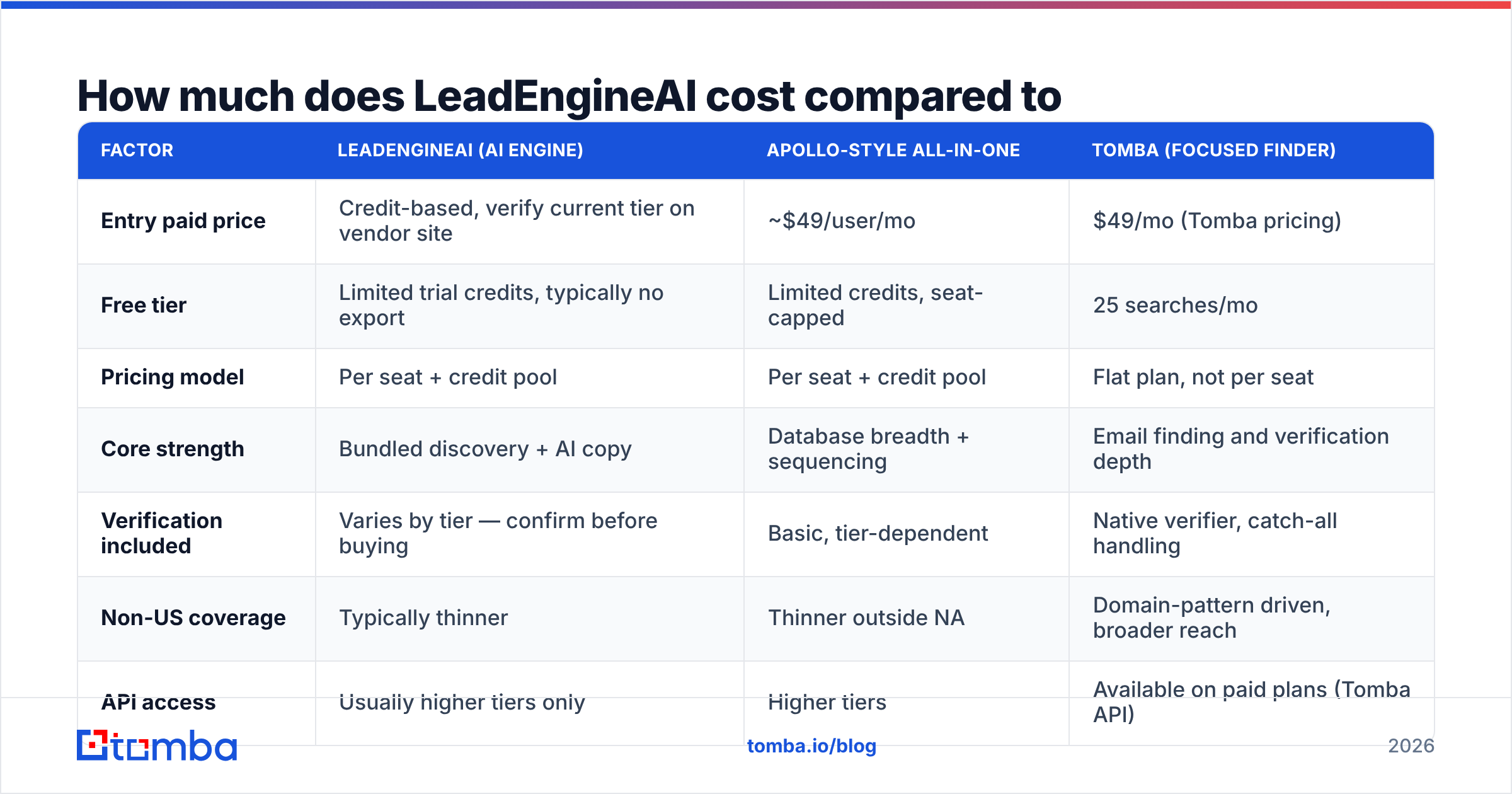
| Factor | LeadEngineAI (AI engine) | Apollo-style all-in-one | Tomba (focused finder) |
|---|---|---|---|
| Entry paid price | Credit-based, verify current tier on vendor site | ~$49/user/mo | $49/mo (Tomba pricing) |
| Free tier | Limited trial credits, typically no export | Limited credits, seat-capped | 25 searches/mo |
| Pricing model | Per seat + credit pool | Per seat + credit pool | Flat plan, not per seat |
| Core strength | Bundled discovery + AI copy | Database breadth + sequencing | Email finding and verification depth |
| Verification included | Varies by tier — confirm before buying | Basic, tier-dependent | Native verifier, catch-all handling |
| Non-US coverage | Typically thinner | Thinner outside NA | Domain-pattern driven, broader reach |
| API access | Usually higher tiers only | Higher tiers | Available on paid plans (Tomba API) |
| Best for | Teams with no stack yet | Full-cycle outbound teams | Data quality and enrichment workflows |

Read that table as a shape, not a scoreboard. A bundled engine genuinely wins when you have no tooling at all and want one invoice. A focused finder wins when your problem is specifically "the emails we send bounce" or "we need clean records flowing into HubSpot."
What are the real complaints in LeadEngineAI reviews?#
Across this category, the recurring complaint patterns in public review sites cluster into five buckets. Check each one against the specific vendor before signing:
- Credits consumed on failed lookups. The most common billing complaint in AI lead tools. Ask explicitly, in writing, whether a failed or unverifiable lookup is refunded.
- Annual-only discounting with monthly-priced trials. The headline price you saw is often the annual-prepay rate. Monthly can be 30-50% higher.
- Cancellation friction. Some vendors in this space require email or ticket-based cancellation rather than a self-serve button. That is a real cost, not a nitpick.
- Stale titles. Job-change velocity in B2B runs roughly 20-30% annually. A database refreshed twice a year is wrong about one contact in four before you even open it.
- Generic AI personalization. First lines drafted from a LinkedIn headline read as automated within a few weeks of category adoption. Reply-rate lift from AI first lines has been fading as recipients learn the pattern — HubSpot's sales research is a reasonable place to sanity-check current benchmark reply rates rather than the vendor's own case studies.
None of these are disqualifying on their own. Together, they explain why buyers often churn off bundled engines in month three and rebuild the stack from components.

Is LeadEngineAI better than a dedicated email finder?#
It depends entirely on where your pipeline actually leaks.
Choose an AI lead engine if:
- You are starting from zero — no sequencer, no data provider, no enrichment.
- You value one vendor and one invoice over best-in-class components.
- Your ICP is squarely US mid-market SaaS, where every provider's coverage is strongest.
- Your team is small enough that per-seat pricing stays cheap.
Choose a focused finder plus your own sequencer if:
- Your bounce rate is above 3% and your domain reputation is at risk.
- You need data enrichment piped into an existing CRM rather than a new UI to log into.
- You prospect outside North America, where all-in-one databases thin out fast.
- You want per-contact cost predictability without seat multiplication.
- You need programmatic access — a finder API is far easier to build against than a platform designed around its own dashboard.
The consolidation argument is real but oversold. One vendor means one point of failure, and in outbound the failure mode is usually data, not workflow.
How should you run a fair trial?#
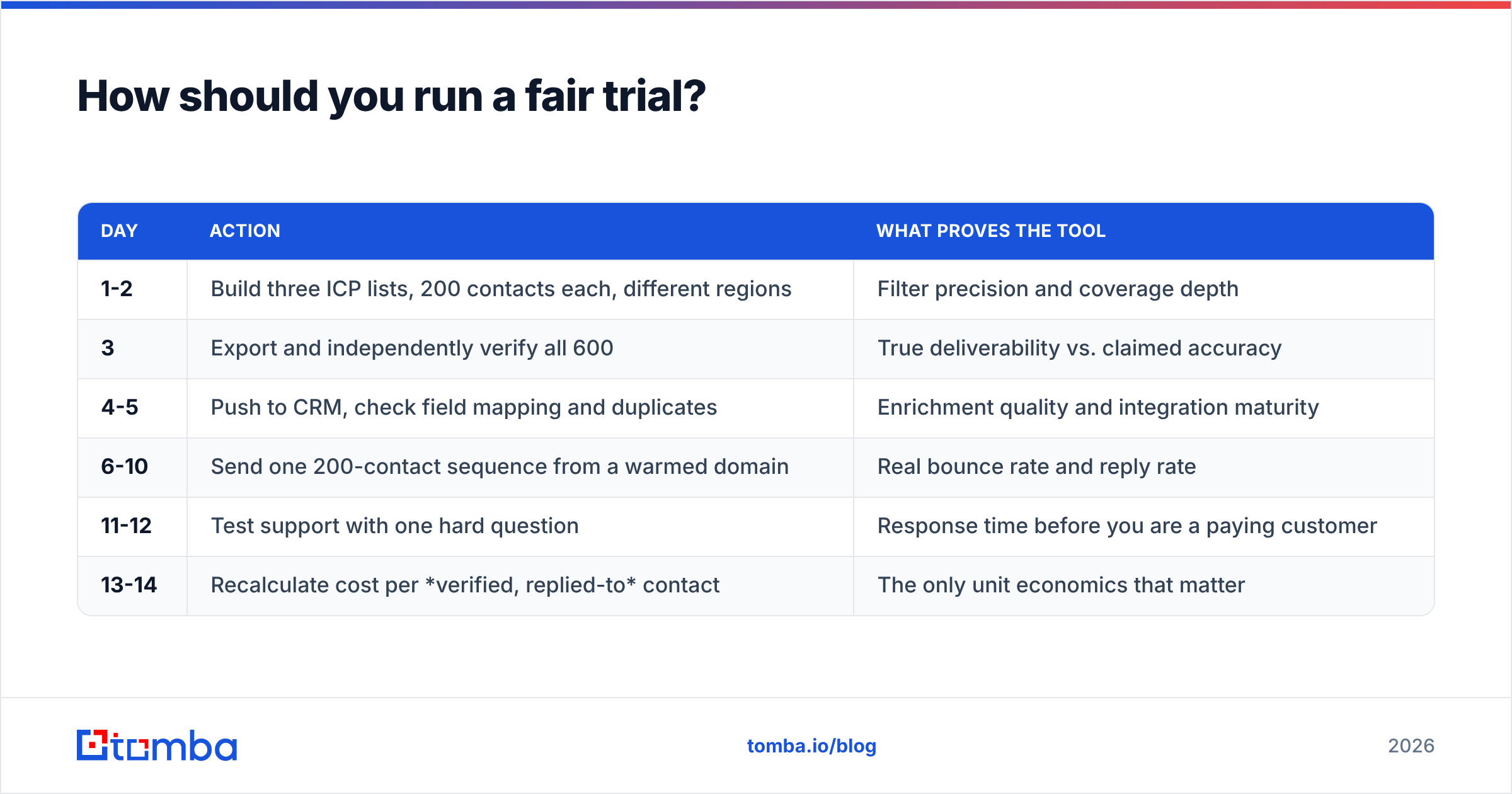
Give any platform in this category a structured 14-day test rather than a click-around:
| Day | Action | What proves the tool |
|---|---|---|
| 1-2 | Build three ICP lists, 200 contacts each, different regions | Filter precision and coverage depth |
| 3 | Export and independently verify all 600 | True deliverability vs. claimed accuracy |
| 4-5 | Push to CRM, check field mapping and duplicates | Enrichment quality and integration maturity |
| 6-10 | Send one 200-contact sequence from a warmed domain | Real bounce rate and reply rate |
| 11-12 | Test support with one hard question | Response time before you are a paying customer |
| 13-14 | Recalculate cost per verified, replied-to contact | The only unit economics that matter |
That last row is the decision. Cost per credit is marketing. Cost per verified contact who actually replies is the number your CFO will ask about.
What is the verdict on LeadEngineAI?#
Worth a paid trial for greenfield teams; skip it if data quality is your actual bottleneck.
AI lead engines solve a real problem — the coordination overhead of stitching four tools together — and they solve it competently for the narrow profile they are built around: small US-focused teams doing straightforward SaaS outbound. For that buyer, one subscription and one login is a legitimate win, and the AI layer removes a genuine hour of setup friction per campaign.
But the AI is not the moat, and no review should imply it is. Prompt-to-filter translation is now table stakes. What separates good outbound from bad outbound in 2026 is the same thing it was in 2016: whether the address you send to exists, belongs to the person you think it does, and accepts mail. Bundled engines are structurally incentivized to be adequate at that step rather than excellent, because excellence in contact resolution is expensive and invisible in a demo.
So the practical advice is boring and correct: buy the engine if you need the workflow, but never let it be the last word on data. Run an independent verification pass before every send, regardless of what your primary vendor claims. The cost of that pass is trivial. The cost of a burned sending domain is not.
Ready to pressure-test your list?#
If you take one thing from this review, make it the 500-contact verification test. Run whatever provider you are evaluating against an independent source and compare the numbers yourself — that single exercise will tell you more than every review page on the internet, including this one.
Start with the Tomba Email Finder. The free tier gives you 25 searches a month with no card, which is enough to spot-check any AI lead engine's export before you commit to an annual contract. Paid plans start at $49/mo with native verification and catch-all handling built in, so the finding and the checking happen in one place instead of two invoices.
Find it, verify it, then send it. In that order.
Related guides#
// get started
Find, verify and enrich your first contacts today
Start on the free plan with 25 searches a month, then scale when your team is ready.
Free plan · No credit card required · GDPR & CCPA
// about the author