LeadEngineAI vs MailMerge365: Which Fits Your Outbound?
LeadEngineAI automates finding and scoring leads. MailMerge365 sends personalized merges from inside Outlook. They solve different halves of the same problem — here's which one your team actually needs in 2026.
TL;DR
- These two tools are not really competitors. LeadEngineAI sits at the top of the funnel (find, enrich, score leads). MailMerge365 sits at the bottom (send personalized email from your own Outlook mailbox).
- Pick MailMerge365 if you already have a clean list, live inside Microsoft 365, and want mail merge that sends as you — with no third-party sending infrastructure and no new inbox to warm.
- Pick an AI lead engine like LeadEngineAI if your bottleneck is list building, not sending — you don't know who to contact, or your CRM is full of stale records.
- The most common real-world stack is three layers, not one tool: a data layer (email finding + verification), an orchestration layer (scoring, sequencing), and a sending layer (Outlook, Gmail, or a dedicated SMTP).
- Whichever you choose, verification is the multiplier. A merge tool sending to a 22% invalid list will burn your domain faster than any feature can save it.
What are LeadEngineAI and MailMerge365, really?#
Start with the honest framing: these products get compared because they both show up in "AI sales tool" roundups, not because they do the same job.
MailMerge365 is a mail merge add-in for Microsoft 365. It lives inside Outlook (desktop and web) and lets you take a spreadsheet or contact list, map merge fields, and send individually addressed emails through your own Exchange Online mailbox. Follow-ups, tracking, and templates are layered on top of that core. The defining architectural choice — and the reason people pick it — is that messages leave from your mailbox over Microsoft's infrastructure, not from a vendor's shared sending pool. You can read the vendor's own description at mailmerge365.com.
LeadEngineAI belongs to the newer category of AI lead engines: tools that take an ideal customer profile, pull matching companies and contacts from data sources, enrich them, and rank them by fit or intent signals. The output is a list — contacts, firmographics, sometimes a suggested opening line — that you then push into a CRM or a sending tool. Category details and packaging in this space move fast, so confirm current capabilities and limits on the vendor's own site before you commit to a plan.
So the real question is not "which is better." It's "which half of my outbound is actually broken."
How do these two tools differ architecturally?#
Think of outbound like a restaurant. One tool decides the menu and sources ingredients; the other cooks and plates. Both matter, neither replaces the other.
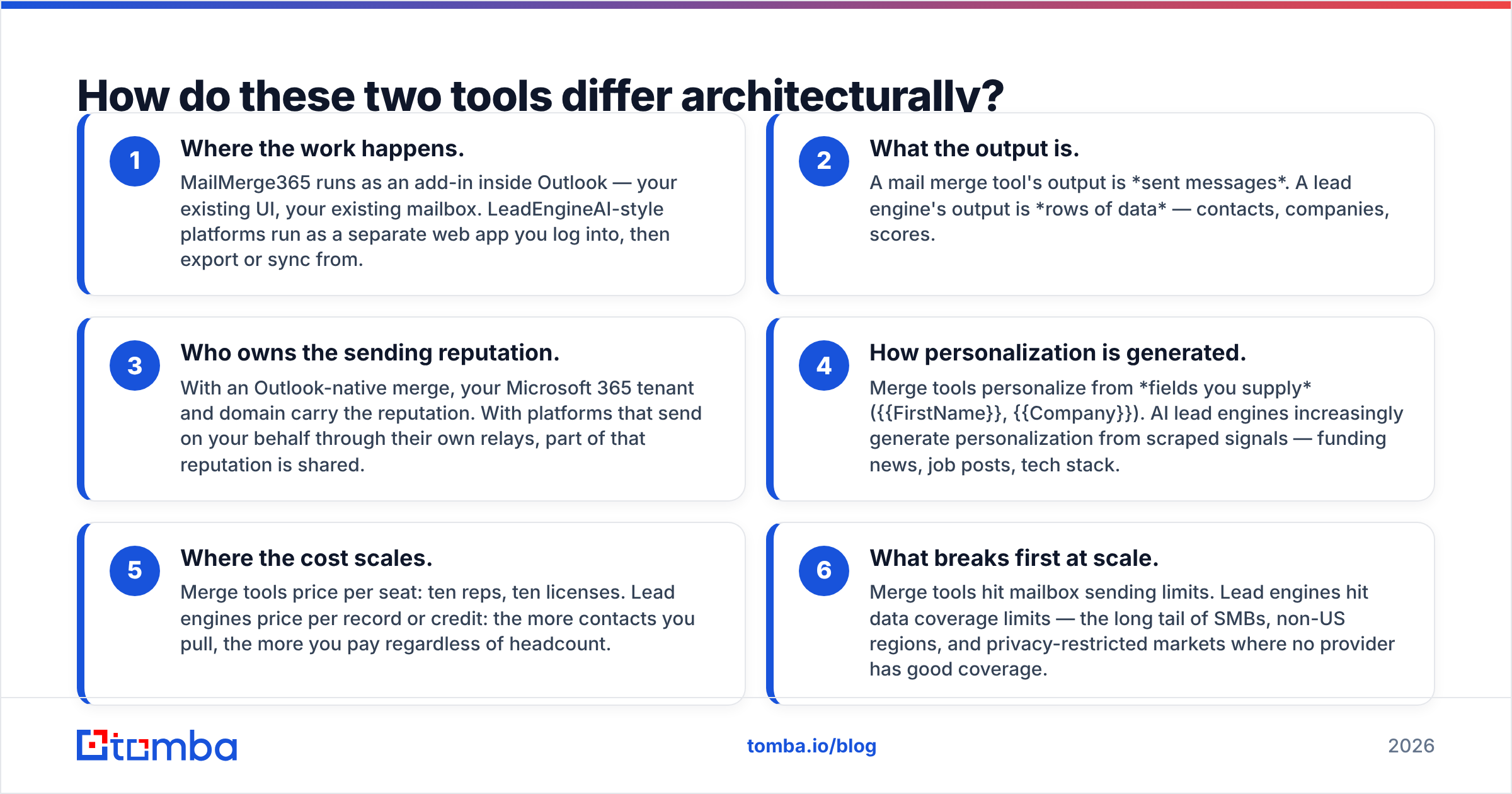
- Where the work happens. MailMerge365 runs as an add-in inside Outlook — your existing UI, your existing mailbox. LeadEngineAI-style platforms run as a separate web app you log into, then export or sync from.
- What the output is. A mail merge tool's output is sent messages. A lead engine's output is rows of data — contacts, companies, scores.
- Who owns the sending reputation. With an Outlook-native merge, your Microsoft 365 tenant and domain carry the reputation. With platforms that send on your behalf through their own relays, part of that reputation is shared.
- How personalization is generated. Merge tools personalize from fields you supply ({{FirstName}}, {{Company}}). AI lead engines increasingly generate personalization from scraped signals — funding news, job posts, tech stack.
- Where the cost scales. Merge tools price per seat: ten reps, ten licenses. Lead engines price per record or credit: the more contacts you pull, the more you pay regardless of headcount.
- What breaks first at scale. Merge tools hit mailbox sending limits. Lead engines hit data coverage limits — the long tail of SMBs, non-US regions, and privacy-restricted markets where no provider has good coverage.

LeadEngineAI vs MailMerge365: how do they compare feature by feature?#
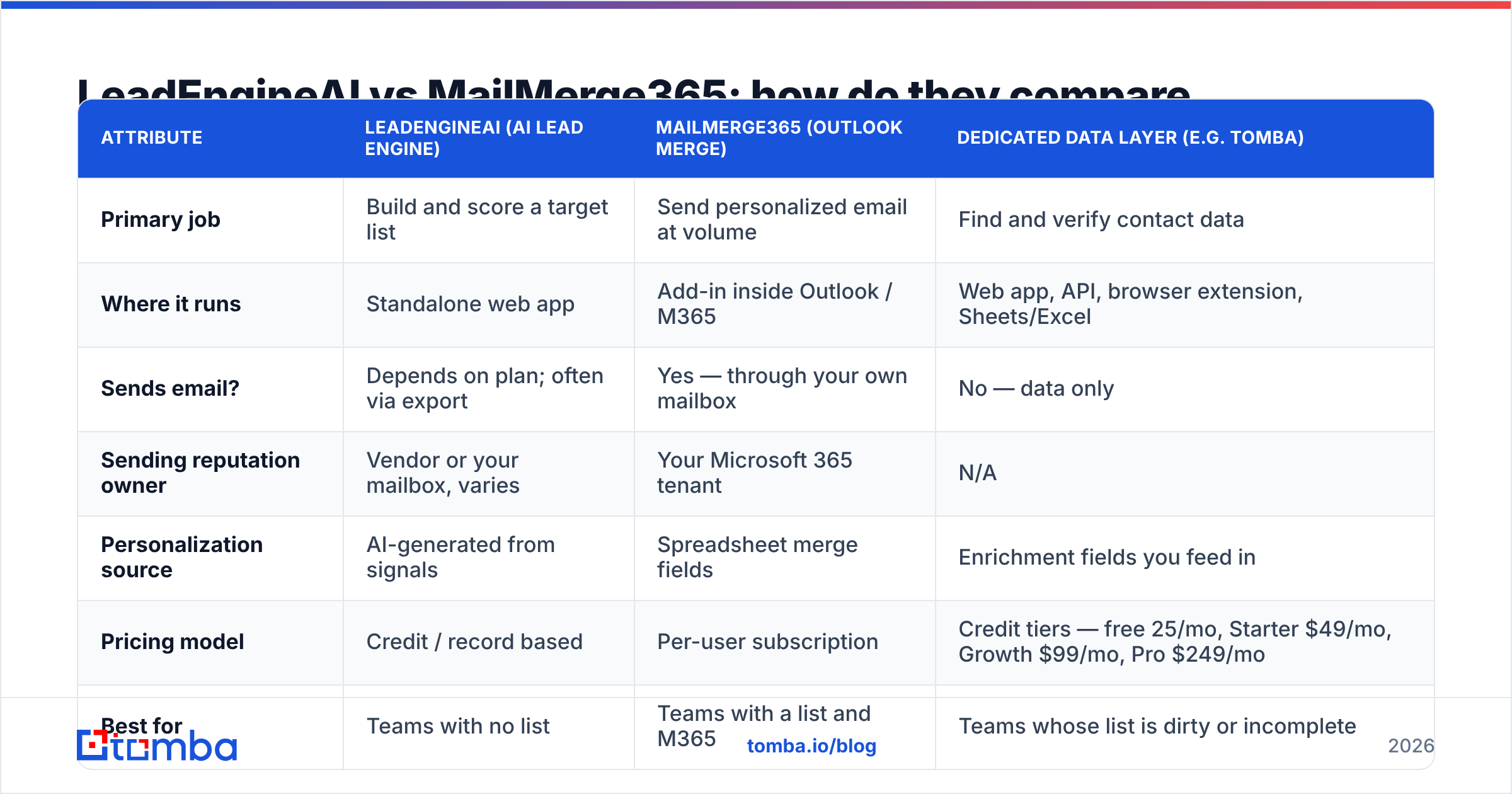
Here's the side-by-side, with a third column showing where a dedicated data layer fits — because in practice most teams end up running two of these three, not one.
| Attribute | LeadEngineAI (AI lead engine) | MailMerge365 (Outlook merge) | Dedicated data layer (e.g. Tomba) |
|---|---|---|---|
| Primary job | Build and score a target list | Send personalized email at volume | Find and verify contact data |
| Where it runs | Standalone web app | Add-in inside Outlook / M365 | Web app, API, browser extension, Sheets/Excel |
| Sends email? | Depends on plan; often via export | Yes — through your own mailbox | No — data only |
| Sending reputation owner | Vendor or your mailbox, varies | Your Microsoft 365 tenant | N/A |
| Personalization source | AI-generated from signals | Spreadsheet merge fields | Enrichment fields you feed in |
| Pricing model | Credit / record based | Per-user subscription | Credit tiers — free 25/mo, Starter $49/mo, Growth $99/mo, Pro $249/mo |
| Best for | Teams with no list | Teams with a list and M365 | Teams whose list is dirty or incomplete |
| Biggest weakness | Data coverage gaps outside core markets | Capped by mailbox sending limits | Doesn't send or sequence for you |
Two caveats before you screenshot that table. First, published pricing on both vendors changes — check each pricing page before you budget. Second, "AI lead engine" plan tiers frequently gate the useful part (verified emails, API access, export volume) behind higher tiers, so compare on usable credits rather than headline price. Third-party review sites like G2 are useful here mostly for reading the one-star reviews, where data coverage complaints actually surface.
Which one should you pick for cold outbound?#
Pick MailMerge365 if: your company is standardized on Microsoft 365, your reps send from their own named mailboxes, your list already comes from a CRM or an existing data provider, and compliance is nervous about contact data leaving the tenant. The add-in model is genuinely lower-risk than routing company mail through a third-party relay — fewer moving parts, fewer DNS changes, no separate domain to warm.
Pick an AI lead engine if: your reps spend more time hunting for contacts than writing to them. If your weekly bottleneck is "who do I even email this week," a merge tool solves nothing — you'll just send an empty spreadsheet faster.
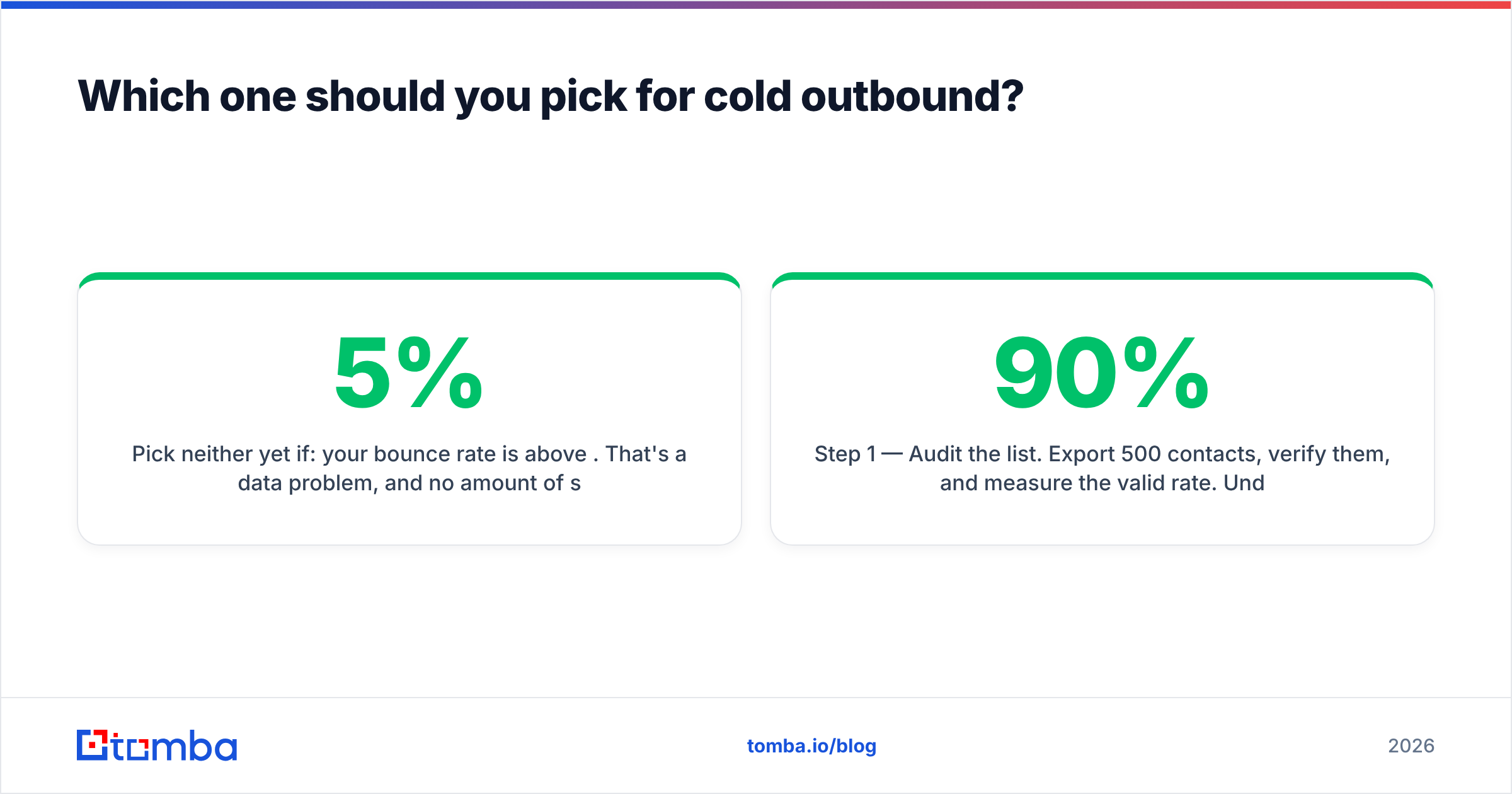
Pick neither yet if: your bounce rate is above 5%. That's a data problem, and no amount of sending sophistication fixes it. Run your existing list through an email verifier first and see how much of your "list problem" is actually a hygiene problem. Teams routinely discover that 20–30% of a two-year-old CRM export is dead, and cleaning it improves reply rate more than switching platforms would.
A practical decision sequence:
- Step 1 — Audit the list. Export 500 contacts, verify them, and measure the valid rate. Under 90%? Fix data first.
- Step 2 — Audit the volume. If each rep sends fewer than 150 emails a day, a mailbox-native merge tool is sufficient. Above that, you need dedicated sending infrastructure and multiple domains.
- Step 3 — Audit the sourcing. If list building takes more than 4 hours a week per rep, buy a data layer or a lead engine. If it takes less, don't.
- Step 4 — Only then compare feature lists. Most teams do this step first, which is why most teams buy the wrong tool.
What about deliverability and sending limits?#
This is where the architectural difference bites hardest, and it's the part vendor comparison pages skip.
If you send through Exchange Online, you inherit Microsoft's limits. The service caps recipients per day and messages per minute per mailbox — Microsoft publishes the current numbers in the Exchange Online limits documentation. Historically that's meant a recipient rate limit in the low five figures per day and a message rate limit around 30 per minute, but treat the doc as the source of truth, not this post. A mail merge add-in cannot exceed those caps — it can only throttle to stay under them.
That's a feature, not a bug, for most teams. Caps force a sane sending pace. But if your plan is 5,000 cold emails a day per rep, an Outlook-native merge tool is the wrong architecture, and honestly so is your plan.
The other half is sender reputation. Sending from your primary corporate domain means cold outreach failures damage the same domain that carries invoices, support replies, and contract signatures. Three practical guardrails:
- Separate the domain. Use a lookalike sending domain for cold volume, keep the primary domain for existing relationships.
- Verify before every send, not once a quarter. B2B contact data decays roughly 2–3% per month through job changes alone.
- Watch complaint rate, not just bounce rate. Bounces are a data problem; complaints are a targeting and copy problem, and they're the ones that get domains blocked.

Where does data quality fit into this stack?#
Neither tool in this comparison is primarily a data company, and that's the gap most teams paper over.
An AI lead engine will hand you contacts, but the quality varies enormously by segment. Coverage tends to be strong for US mid-market SaaS and thin for European SMBs, regulated industries, and anything outside the tech sector. A merge tool assumes the addresses you give it are real — it has no opinion about whether j.smith@acme.com exists.
A dedicated data layer sits between them. In practice that means:
- Pattern-based finding. Given a name and a domain, an email finder resolves the most likely address format and confirms it against known records, rather than guessing
first.last@and hoping. - Domain sweeps. When you know the account but not the person, domain search returns the published addresses at that company with roles and confidence scores.
- Catch-all handling. A large share of B2B domains accept everything at the SMTP layer, so standard verification returns "unknown." Catch-all specific checks are what separate a usable list from a coin flip.
- Bulk hygiene before send. Running the full list through bulk verification the day before a campaign catches the records that died since you built the list.
The cost math is usually favorable. If a verification pass costs a fraction of a cent per record and prevents a 15% bounce rate on a 5,000-contact send, it pays for itself in one campaign — before you count the domain reputation you didn't spend.
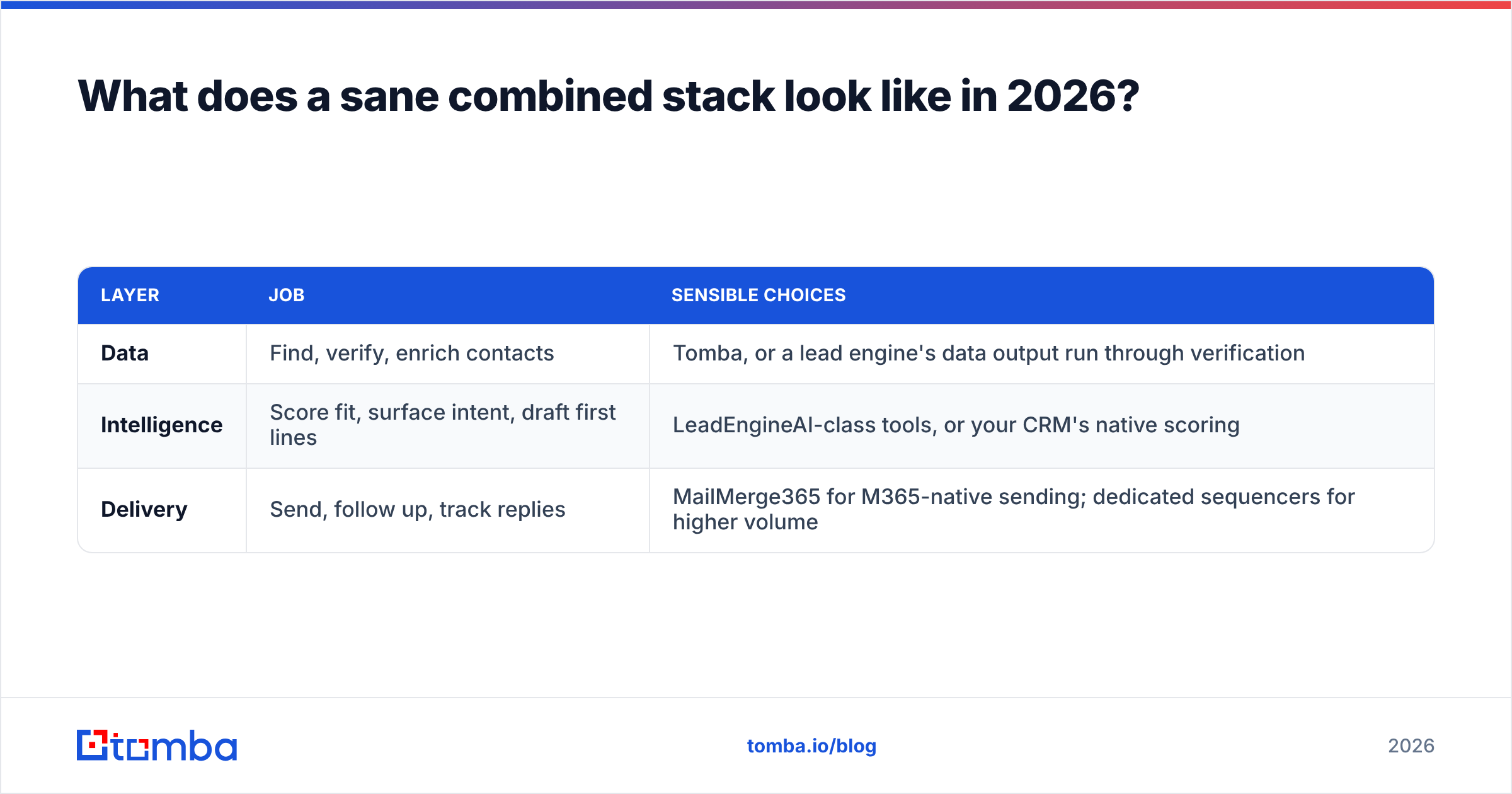
What does a sane combined stack look like in 2026?#
Three layers, chosen independently:
| Layer | Job | Sensible choices |
|---|---|---|
| Data | Find, verify, enrich contacts | Tomba, or a lead engine's data output run through verification |
| Intelligence | Score fit, surface intent, draft first lines | LeadEngineAI-class tools, or your CRM's native scoring |
| Delivery | Send, follow up, track replies | MailMerge365 for M365-native sending; dedicated sequencers for higher volume |
The mistake is buying one product that claims all three layers and discovering it's excellent at one, adequate at another, and quietly terrible at the third. All-in-one platforms are convenient until the weakest layer determines your results — which it always does, because outbound is a chain.
A two-tool stack that works for most 5–20 rep teams: a data layer feeding verified contacts into a CRM, and an Outlook-native merge tool sending from rep mailboxes. Add the intelligence layer when list prioritization — not list existence — becomes the bottleneck. That usually happens somewhere north of 10,000 addressable accounts, not before.
If you're wiring this together, the integration path matters more than the feature list. Check whether your candidates connect to what you already run — HubSpot, Salesforce, Pipedrive, Zapier — before you evaluate anything else. A tool that requires CSV round-trips will quietly stop being used by month three.
What's the verdict on LeadEngineAI vs MailMerge365?#
There is no single winner, because they're answering different questions.
MailMerge365 wins on sending architecture for Microsoft-shops: native, low-risk, no separate infrastructure, priced per seat so costs are predictable. Its ceiling is Microsoft's sending limits, which is fine for targeted outbound and wrong for spray-and-pray volume.
AI lead engines win when list building is the constraint. Their ceiling is data coverage, and coverage claims are the single most oversold metric in this category — always test on 100 contacts in your segment before signing an annual deal.
And the thing neither is built to do — guaranteeing the addresses are real on the day you send — is what most often determines whether the campaign works at all.
Start with the data layer. Before you commit to a sequencer or a lead engine, run your current list through Tomba Email Finder and see how many contacts are actually reachable. The free tier gives you 25 searches a month to test coverage in your own segment, and paid plans start at $49/mo — see Tomba pricing for full tier details. Verified contacts make a mediocre sending tool look good. Unverified ones make a great sending tool look broken.
Related guides#
// get started
Find, verify and enrich your first contacts today
Start on the free plan with 25 searches a month, then scale when your team is ready.
Free plan · No credit card required · GDPR & CCPA
// about the author