LeadEngineAI vs Skyp: Which Lead Data Tool Wins in 2026?
LeadEngineAI and Skyp both promise clean B2B contact data, but they solve different halves of the problem. Here is how they compare on coverage, verification, pricing structure, and the gap both leave open.
TL;DR
- LeadEngineAI and Skyp are not really the same product. LeadEngineAI positions around AI-assisted lead sourcing and scoring; Skyp positions around lean email lookup and verification. Picking between them starts with deciding which job you are actually buying.
- Neither vendor publishes the kind of independent, repeatable accuracy benchmark you would get from a mature data provider, so you have to run your own 200-contact bake-off before committing budget.
- Pricing models differ in kind, not just amount: seat-plus-credit bundles versus pure credit consumption. That difference matters more than the sticker price once a second SDR joins.
- Both leave the same gap open: catch-all domains. If 20-30% of your ICP sits behind a catch-all MX, a tool that returns "unknown" is returning nothing.
- If you want one vendor that covers discovery, verification, catch-all resolution, and bulk/API in a single credit pool, Tomba is the honest third option at $49/mo entry.
What are LeadEngineAI and Skyp?#
Start with the category, because the names blur together in search results but the products do not overlap cleanly.
LeadEngineAI sits in the AI lead-generation bucket: you describe an ideal customer profile, the platform assembles a list, enriches it, and scores or prioritizes the rows. The selling point is that you spend less time building a list and more time working one. The trade-off with every tool in this shape is that you inherit the vendor's opinion of who your buyer is, and you inherit their underlying data sources whether or not they disclose them.
Skyp sits in the email-finder-and-verifier bucket: you bring the target (a name and a domain, a domain, or a list) and the platform returns an address plus a validity signal. The selling point is speed and cost per verified contact. The trade-off is that it does not build the list for you. You still need a source of names.
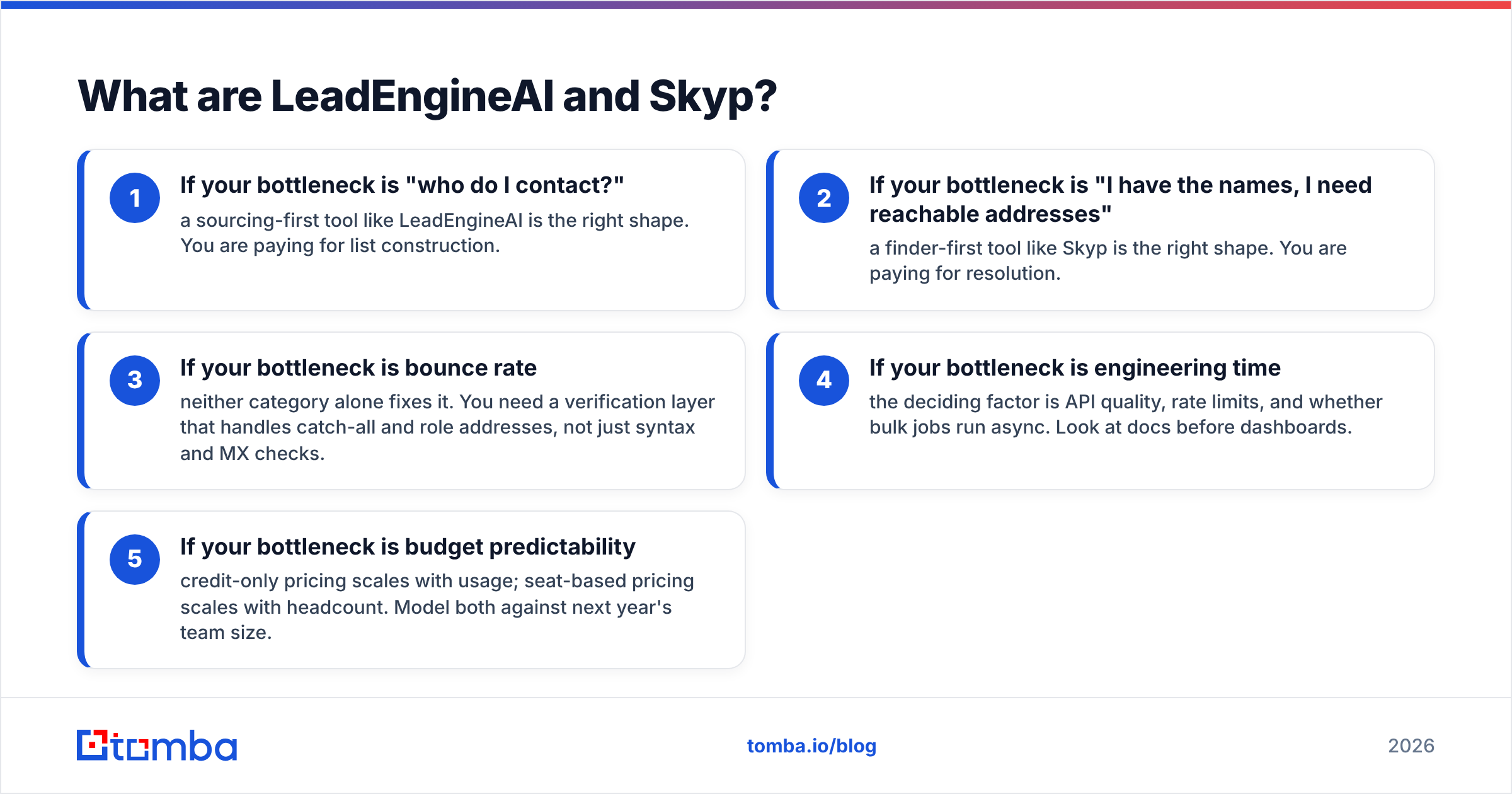
That distinction drives almost every downstream decision:
- If your bottleneck is "who do I contact?" — a sourcing-first tool like LeadEngineAI is the right shape. You are paying for list construction.
- If your bottleneck is "I have the names, I need reachable addresses" — a finder-first tool like Skyp is the right shape. You are paying for resolution.
- If your bottleneck is bounce rate — neither category alone fixes it. You need a verification layer that handles catch-all and role addresses, not just syntax and MX checks.
- If your bottleneck is engineering time — the deciding factor is API quality, rate limits, and whether bulk jobs run async. Look at docs before dashboards.
- If your bottleneck is budget predictability — credit-only pricing scales with usage; seat-based pricing scales with headcount. Model both against next year's team size.
For a broader taxonomy of where these tools sit, G2's lead intelligence category is a reasonable starting map, and the lead generation entry covers the underlying motion.

How do LeadEngineAI and Skyp compare head-to-head?#
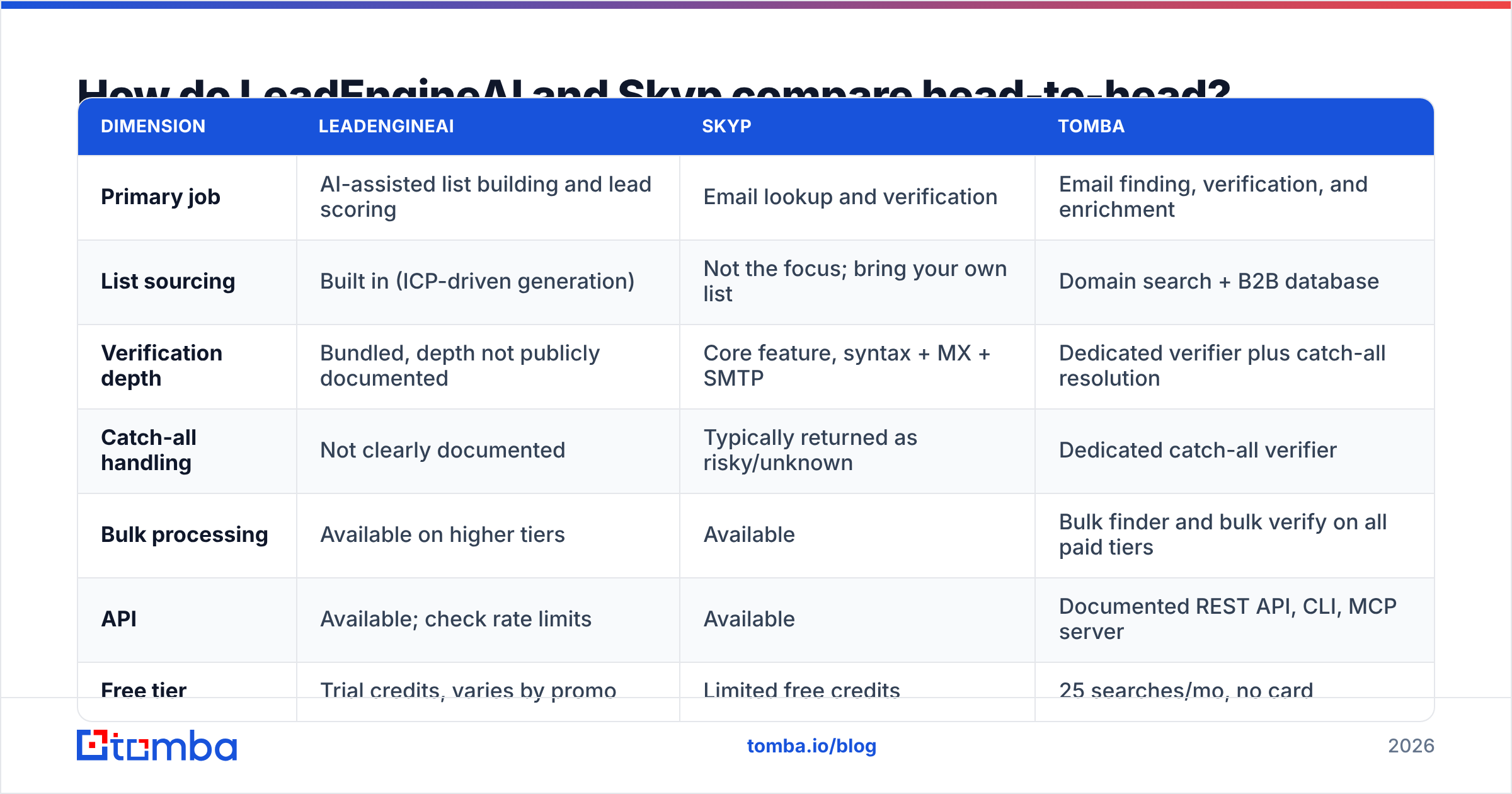
Here is the practical comparison. Where a vendor does not publish a number, this table says so rather than inventing one, because both LeadEngineAI and Skyp change packaging frequently and parts of their pricing are quote-based.
| Dimension | LeadEngineAI | Skyp | Tomba |
|---|---|---|---|
| Primary job | AI-assisted list building and lead scoring | Email lookup and verification | Email finding, verification, and enrichment |
| List sourcing | Built in (ICP-driven generation) | Not the focus; bring your own list | Domain search + B2B database |
| Verification depth | Bundled, depth not publicly documented | Core feature, syntax + MX + SMTP | Dedicated verifier plus catch-all resolution |
| Catch-all handling | Not clearly documented | Typically returned as risky/unknown | Dedicated catch-all verifier |
| Bulk processing | Available on higher tiers | Available | Bulk finder and bulk verify on all paid tiers |
| API | Available; check rate limits | Available | Documented REST API, CLI, MCP server |
| Free tier | Trial credits, varies by promo | Limited free credits | 25 searches/mo, no card |
| Entry paid price | Not consistently published | Not consistently published | $49/mo Starter |
| Best for | Teams with no list and no research time | Teams with names who need addresses | Teams who want discovery and verification in one pool |
Two honest caveats on that table. First, verify current pricing on each vendor's own site before you buy; the two competitor columns move and this post will age. Second, "not clearly documented" is a finding, not a slight. A vendor that does not describe how it treats catch-all domains is a vendor you should test harder, because that is where most bounce rates are made or broken.

The Tomba pricing column is included as a fixed reference point, not as the assumed answer. If your workflow genuinely needs AI-generated lists and you have no name source at all, a sourcing tool earns its keep in a way a finder cannot.
Which one actually finds more valid emails?#
Nobody can answer that for you from a blog post, and any post that gives you a confident percentage for two tools this size is guessing. What you can do is run a bake-off that takes about ninety minutes.

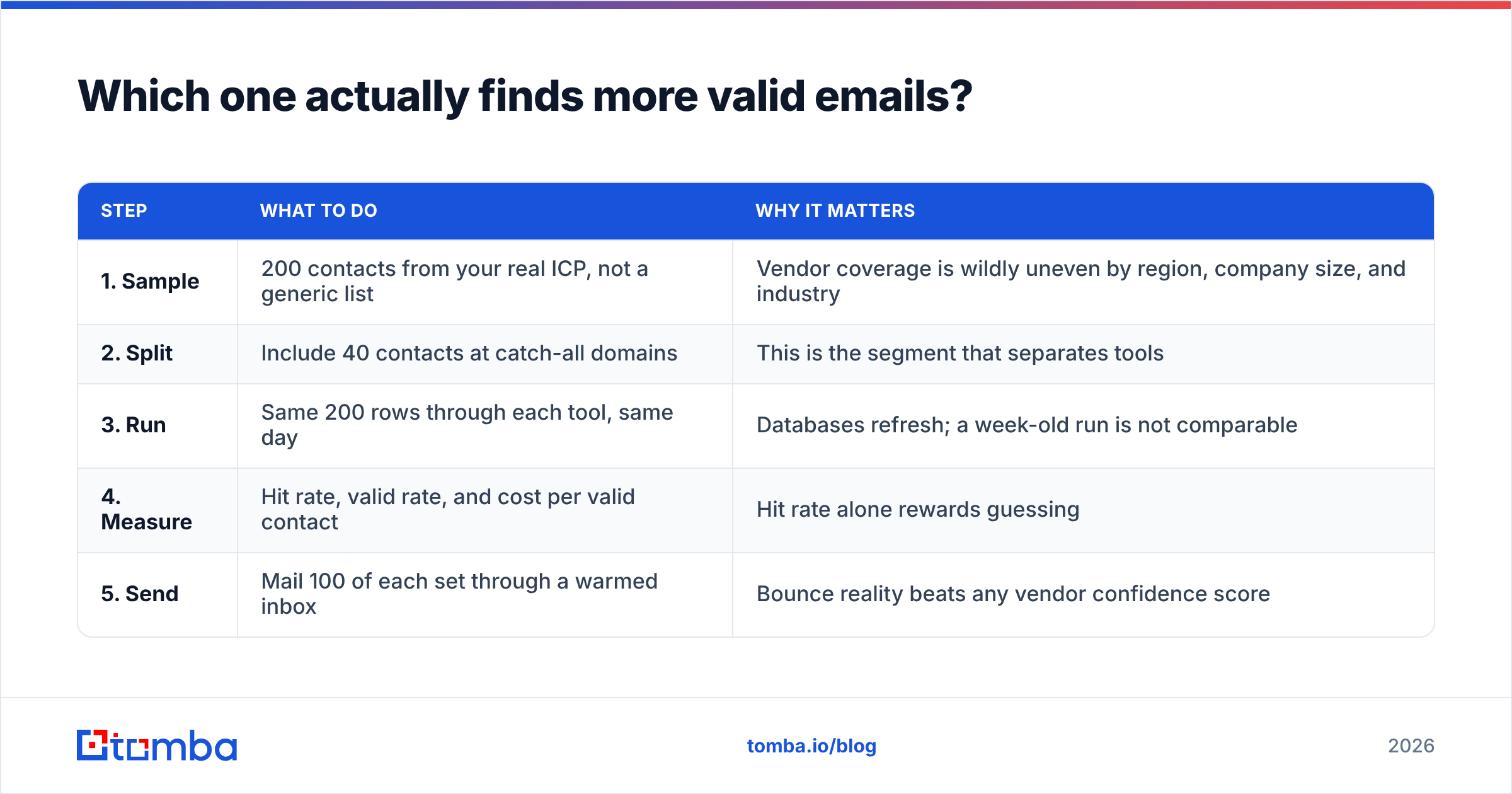
Build the test like this:
| Step | What to do | Why it matters |
|---|---|---|
| 1. Sample | 200 contacts from your real ICP, not a generic list | Vendor coverage is wildly uneven by region, company size, and industry |
| 2. Split | Include 40 contacts at catch-all domains | This is the segment that separates tools |
| 3. Run | Same 200 rows through each tool, same day | Databases refresh; a week-old run is not comparable |
| 4. Measure | Hit rate, valid rate, and cost per valid contact | Hit rate alone rewards guessing |
| 5. Send | Mail 100 of each set through a warmed inbox | Bounce reality beats any vendor confidence score |
The metric that matters is cost per delivered contact, not cost per credit. A tool that returns 80% coverage at a 4% bounce rate is worse than one that returns 62% coverage at a 0.8% bounce rate, because the first one is quietly taxing your sender reputation every send.
Also check the "unknown" bucket carefully. Some tools charge a credit for a result they cannot stand behind. Read the billing policy on unresolved lookups in both products before you load a big list.
How do the pricing models differ?#
The sticker price is the least interesting part. The structure is what determines your bill in month six.
Credit-based pricing charges per lookup. Costs track usage, so a slow quarter costs less. This suits agencies, founders running outbound themselves, and teams with spiky campaign calendars.
Seat-plus-credit pricing charges per user, then meters usage on top. Costs track headcount. This suits funded teams with predictable rep counts and hurts small teams who just want a shared API key.
Skyp's positioning leans toward the credit end of that spectrum. LeadEngineAI, like most AI-sourcing platforms, leans toward the seat-plus-platform-fee end, because you are buying the generation layer, not just the lookup. Confirm both on their current pricing pages, because this is precisely the axis vendors reshuffle between funding rounds.
Three questions to ask a sales rep on either side:
- Do unused credits roll over? If not, annual commitments are worth less than they look.
- Are verification credits separate from finder credits? Two pools means two budgets and two places to run out mid-campaign.
- What happens on overage? Hard stop, auto top-up, or silent throttling? Silent throttling in the middle of a sequence is a real operational risk.
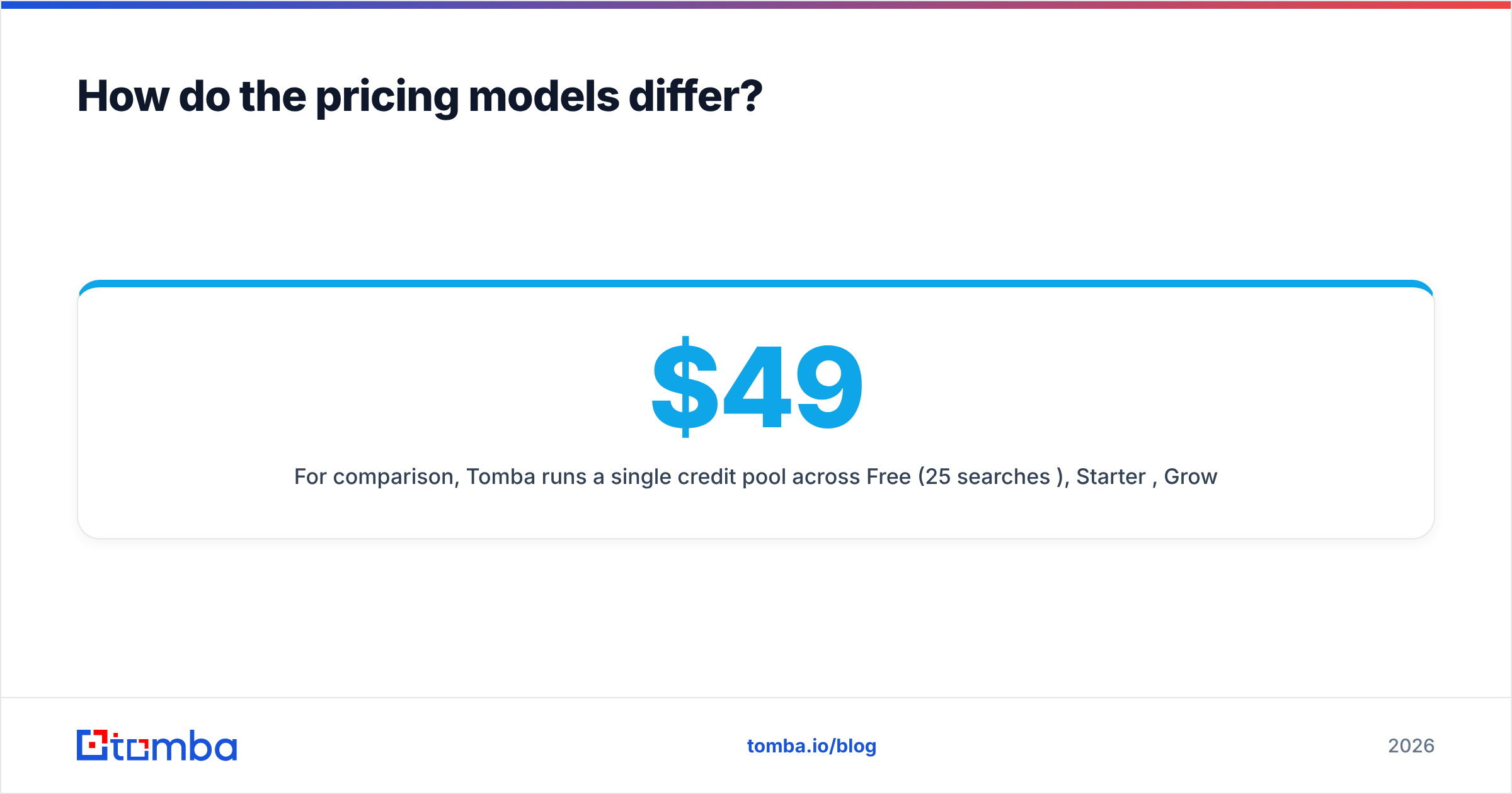
For comparison, Tomba runs a single credit pool across Free (25 searches/mo), Starter $49/mo, Growth $99/mo, Pro $249/mo, and custom Enterprise, with the email finder and email verifier drawing from the same balance. One pool is not automatically better, but it is easier to forecast.
Is verification really the deciding factor?#
Yes, and it is the part most buyers underweight.
Think of email verification like a bouncer at the door. Syntax checks confirm the ID is the right shape. MX checks confirm the venue exists. SMTP checks knock and listen for an answer. Catch-all domains are the venue that says "sure, come in" to every single name, including ones that do not exist. That last case is where most finder tools give up and hand you a shrug labelled "risky."

If a meaningful slice of your target accounts runs catch-all MX records, and in enterprise B2B it is routinely a quarter of them, then a tool that marks them unknown has effectively reduced your addressable list by that same quarter. Options are: skip those accounts, send anyway and eat the bounce risk, or use a catch-all verifier that applies pattern confidence and secondary signals to resolve them.
Neither LeadEngineAI nor Skyp publishes a clear catch-all methodology as of this writing. Test it directly: pull 40 known catch-all domains, run them through both, and see what comes back. Do not accept a marketing page as evidence here.
Deliverability guidance from mailbox providers reinforces the point. HubSpot's deliverability documentation and every major ESP make the same argument: list hygiene upstream is cheaper than reputation repair downstream. Once your domain reputation drops, no amount of clever copy recovers the open rate.
Which tool fits which team?#
Choose LeadEngineAI if: you have no list, no research analyst, and no clear ICP export. You want the platform to propose accounts and contacts, and you are willing to pay a platform fee for that generation layer. You should still verify its output before sending.
Choose Skyp if: you already have names, from LinkedIn exports, conference lists, CRM backfill, or a scraper, and you need addresses cheaply with a validity signal attached. You want a lean tool, not a platform.
Choose neither if: your requirement list includes catch-all resolution, bulk async jobs, a stable documented API, and predictable one-pool billing. That combination is where both tools start to strain, and where a dedicated data provider is the better fit.
Run two tools if: your budget allows it and your list is large. Waterfall enrichment, where a second provider picks up the rows the first one missed, is standard practice in mature revenue teams. Cost per valid contact usually improves even with two subscriptions, because the second provider only ever touches misses.
A quick sanity check before you sign anything: export 500 rows from your CRM, run them through bulk verify, and count how many of your existing contacts each tool can even confirm. A provider that cannot validate contacts you already know are real is not going to do better on cold ones.
What should you do next?#
Run the bake-off. Ninety minutes of testing on 200 real ICP rows will tell you more than a week of comparison pages, including this one. Pay attention to three numbers: coverage rate, bounce rate on an actual send, and cost per delivered contact. Ignore vendor-reported accuracy percentages entirely, since nobody audits them.
Then decide on the shape, not the brand. If your gap is list construction, buy a sourcing platform. If your gap is resolution, buy a finder. If your gap is both, buy the tool that does both from one credit pool so you are not reconciling two invoices and two failure modes.
If that last description fits, start with the Tomba Email Finder. The free tier gives you 25 searches a month with no card, which is enough to run the 200-row test in two batches or upgrade to Starter at $49/mo and run it in one sitting. Same credits cover verification, catch-all checks, domain search, and the API, so you can benchmark honestly against LeadEngineAI and Skyp using your own list instead of someone else's numbers.
Related guides#
// get started
Find, verify and enrich your first contacts today
Start on the free plan with 25 searches a month, then scale when your team is ready.
Free plan · No credit card required · GDPR & CCPA
// about the author