LeadGenius vs LimeLeads: Which B2B Data Tool Wins in 2026?
LeadGenius sells managed, human-verified data to enterprise GTM teams. LimeLeads sells self-serve B2B lists by the credit. Here is how they compare on coverage, accuracy, pricing and speed — and when neither is the right call.
LeadGenius vs LimeLeads is an odd matchup. One sells a managed research team. The other sells B2B lists by the credit. Here is how they differ — and when to skip both.
TL;DR
- LeadGenius is a managed data service. You brief a team. They mix AI and human researchers to build custom data. Annual contracts, sales-led pricing, weeks to start.
- LimeLeads is a self-serve list builder. Filter by industry, title, headcount and place. Preview the count. Export in minutes. Coverage is mostly US.
- They barely compete. LeadGenius wins when your ICP needs data no database sells. LimeLeads wins when you need 2,000 US contacts by Friday.
The short version of LeadGenius vs LimeLeads: pick by the job, not by the price tag.
- Neither fits real-time lookup. If you have a name and a domain, an email finder with an API is cheaper and faster than both.
- Verify before you send. A bought list that bounces at 6% can wreck a warm domain in one send.
What are LeadGenius and LimeLeads?#
Both answer the same question: who matches my ICP, and how do I reach them? They answer it from opposite ends of the market.
LeadGenius started in 2011. It built its name on custom data. You do not buy a seat on a static database. Instead, software plus human researchers go find fields no vendor sells. Does this company run a specific checkout flow? How many forklifts does the warehouse run? Does this hospital bill in-house? You define the fields. They fill them. The data lands in your CRM or warehouse on a set cadence.
LimeLeads takes the opposite path. It is a search box over a B2B contact database, weighted toward US companies. You pick filters. The screen shows a live record count. You buy credits and export a CSV. There is no kickoff call and no minimum term. You walk in and buy what is on the shelf.
Here is how LeadGenius vs LimeLeads plays out in daily use:
- Buying motion — LeadGenius: sales-led, custom scope, annual deal. LimeLeads: credit card, self-serve, cancel anytime.
- Data origin — LeadGenius: built to your spec, checked by people. LimeLeads: a stored database, refreshed on their clock.
- Time to first list — LeadGenius: weeks from kickoff. LimeLeads: under ten minutes from signup.
- Custom fields — LeadGenius: that is the whole product. LimeLeads: standard company and title filters only.
- Coverage — LeadGenius: global, including hard markets like APAC and LATAM. LimeLeads: strong in North America, thin elsewhere.
- Who owns the result — LeadGenius: a service team you can escalate to. LimeLeads: you, plus a support inbox.

LeadGenius vs LimeLeads: how do they compare head-to-head?#
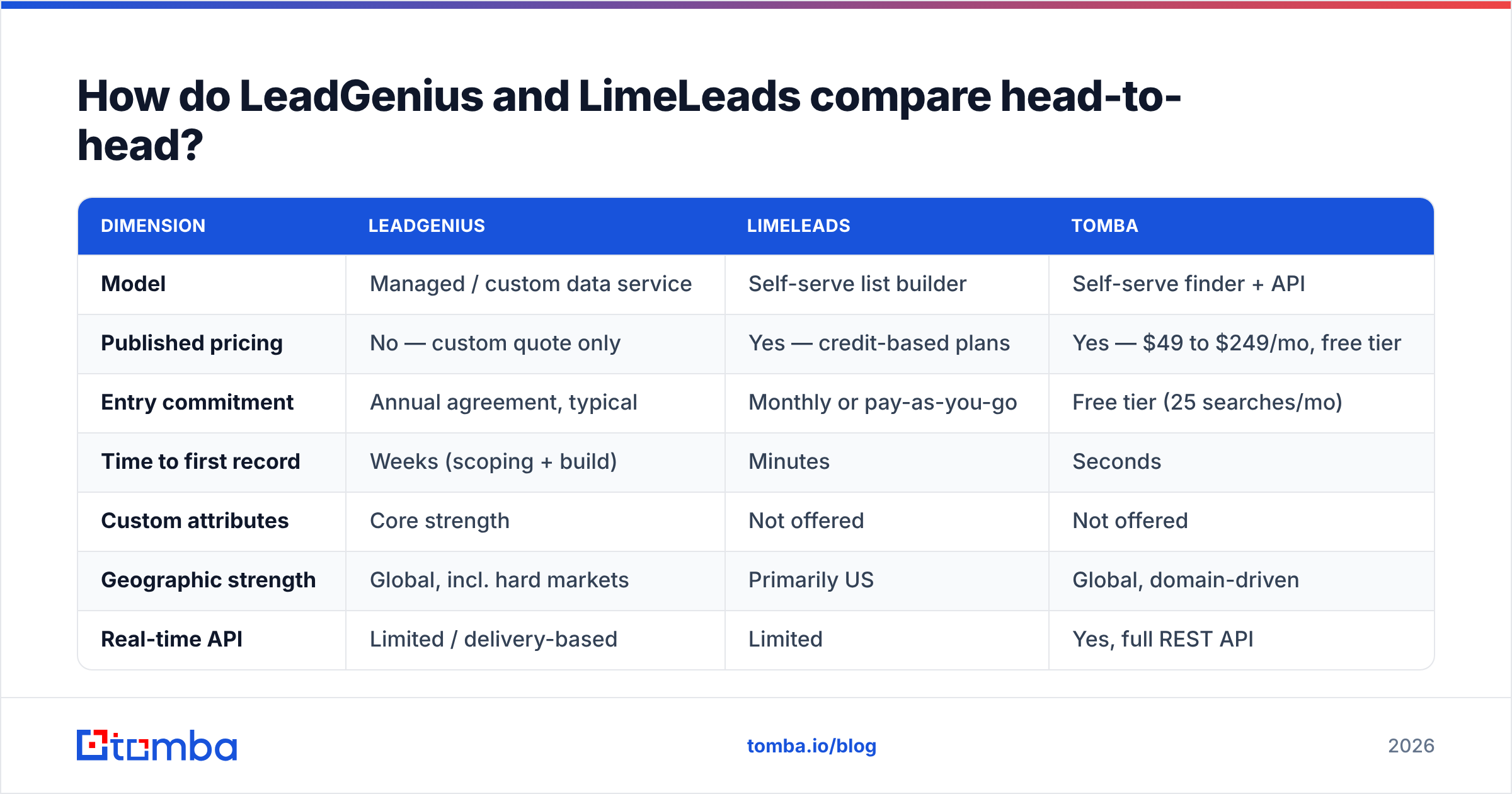
The table below is a fit matrix, not a feature matrix. Prices move, so treat these as directional. Confirm the current numbers on each site before you build a business case.
| Dimension | LeadGenius | LimeLeads | Tomba |
|---|---|---|---|
| Model | Managed / custom data service | Self-serve list builder | Self-serve finder + API |
| Published pricing | No — custom quote only | Yes — credit-based plans | Yes — $49 to $249/mo, free tier |
| Entry commitment | Annual agreement, typical | Monthly or pay-as-you-go | Free tier (25 searches/mo) |
| Time to first record | Weeks (scoping + build) | Minutes | Seconds |
| Custom attributes | Core strength | Not offered | Not offered |
| Geographic strength | Global, incl. hard markets | Primarily US | Global, domain-driven |
| Real-time API | Limited / delivery-based | Limited | Yes, full REST API |
| Built-in verification | Human-in-the-loop QA | Basic validation at export | Dedicated verifier + catch-all |
| Best for | Enterprise GTM with a unique ICP | SMB teams needing US lists fast | Per-contact lookup at scale |
| Worst for | A 500-contact one-off project | Non-US or niche targeting | Bespoke research attributes |

The pattern is clear once you lay it out. These products are not substitutes. Hiring a research team for 1,000 US SaaS marketing managers is like chartering a freight plane to move a suitcase. And a stored database will never return "makers in Vietnam that just added a second production line." That field does not exist in any pre-built list.
Suggested visual: side-by-side screenshot of the LimeLeads filter panel with its live record counter next to a LeadGenius custom-attribute delivery spec.
LeadGenius vs LimeLeads: which one has better data accuracy?#
Accuracy is the wrong single question. Ask instead: accurate about what, measured how?
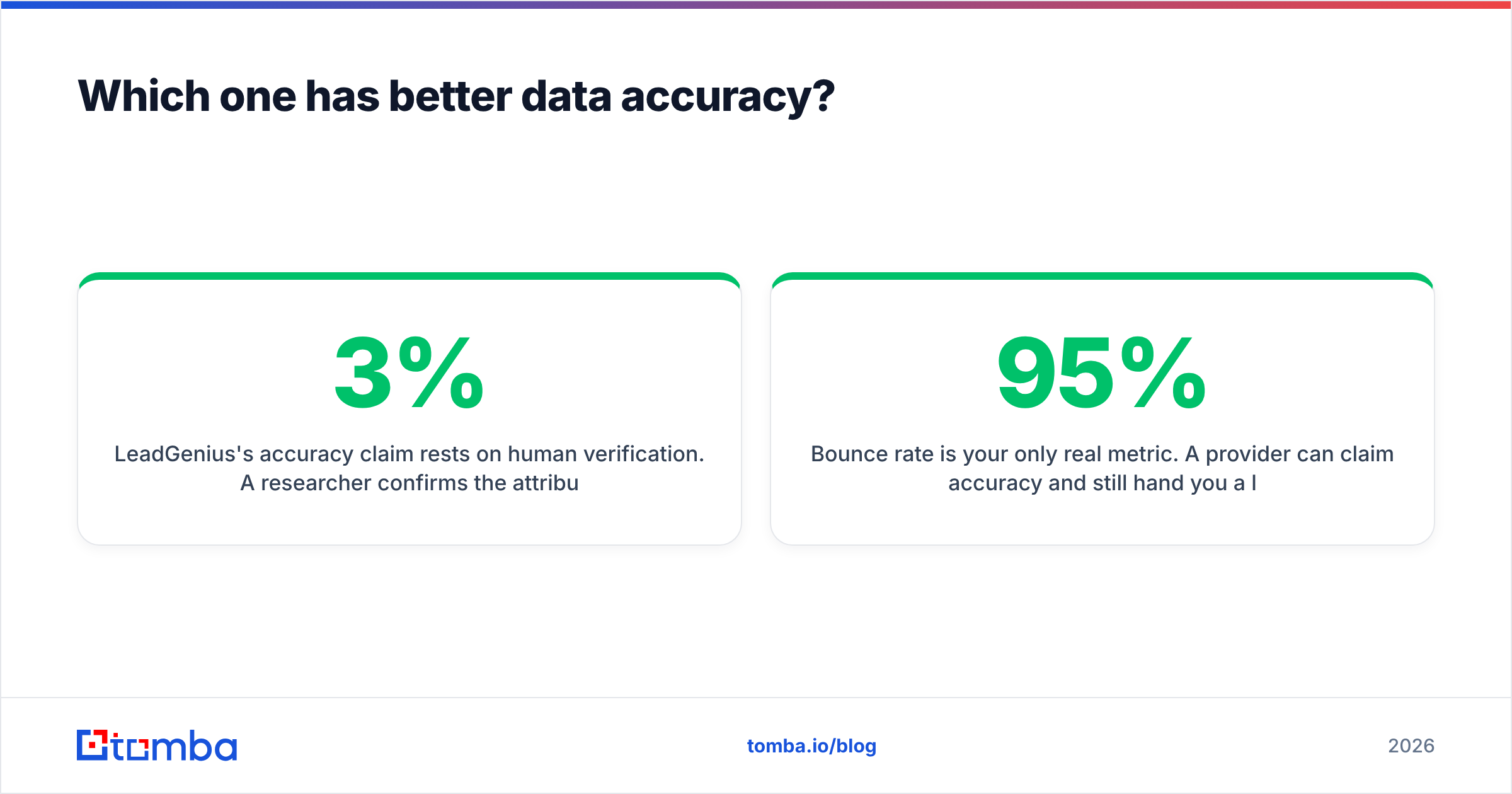
LeadGenius leans on human checks. A researcher confirms the field before it ships. For odd fields — "does this dealer offer financing in-house?" — that is the only method that works. It is also why big teams pay a premium. The catch is decay. A record checked in March is a March fact. B2B contact data goes stale at roughly 2–3% per month as people change jobs.
LimeLeads leans on database hygiene plus a check at export. That is fine for common titles at mid-market US firms. It gets shaky at the edges: small companies, non-US domains, fresh promotions, and firms bought in the last year.

Two things matter more than either headline number:
- Bounce rate is your only real metric. A vendor can claim 95% accuracy and still hand you a list that bounces at 8%. "Accurate" often means "this person works here," not "this mailbox takes mail today." Those are two different claims.
- Catch-all domains hide the truth. Many B2B domains accept all mail at the SMTP layer, so a naive checker marks them deliverable. If catch-alls count as valid, the accuracy number is inflated. That is why a catch-all verifier is a separate step.
Whoever you pick, re-check the list at the moment of send. Do not trust the export date. Running a bought file through an email verifier first is cheap insurance. A deliverability incident can take six weeks to undo.
One more question for both vendors: where does the data come from? Ask about GDPR and CCPA posture. Ask about past security incidents. LimeLeads had a publicly reported database exposure in 2020. The company has operated since then. Still, in a regulated industry, make security review part of the work. Ask LeadGenius the same things. A managed service that touches your CRM earns the same scrutiny.
How does pricing actually work for each?#
LeadGenius does not publish prices. That is a signal, not an oversight. Custom data work is scoped by field difficulty, record volume, refresh rate and market. Expect a discovery call, a scoping doc, and a one-year deal. Most buyers here compare it to hiring a research contractor or an offshore data team. Against that bar, it often prices well.
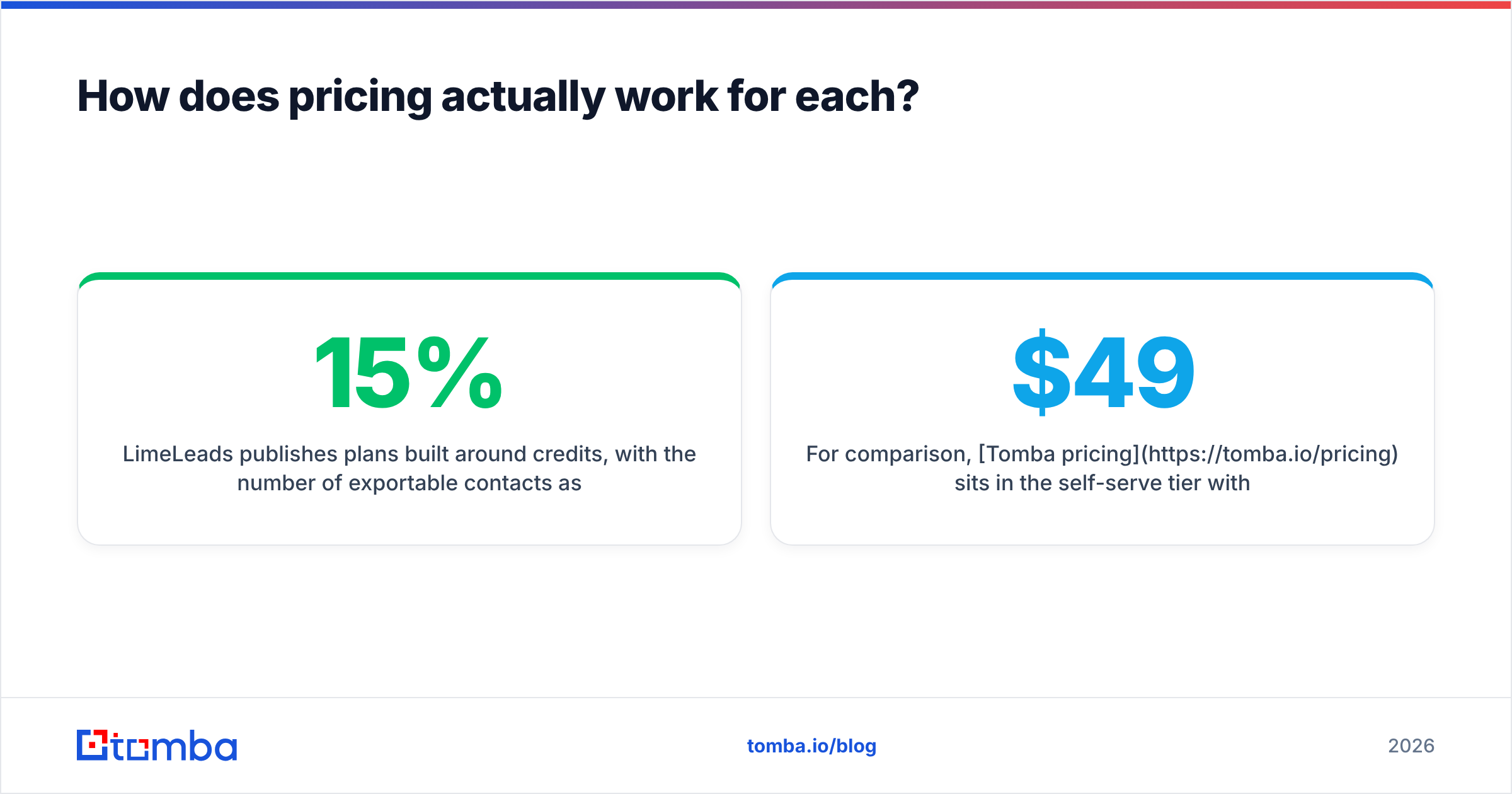
Pricing is where LeadGenius vs LimeLeads stops looking like a fair fight. LimeLeads posts plans built on credits. The meter is how many contacts you export. You can model it on a napkin: cost per exported contact, times the share you can actually use. That last share does the heavy lifting. If 15% of a list is stale, your real cost per usable contact is about 18% above the sticker.
For comparison, Tomba pricing sits in the self-serve tier. The Free plan gives 25 searches a month. Starter is $49/mo, Growth is $99/mo, Pro is $249/mo. The meter is lookups and checks, not bulk exports. That is a different unit of value.
Run this math before you sign anything:
- Cost per usable contact, not per record. Divide total spend by the contacts that got a delivered email.
- Time-to-value cost. Three weeks of scoping costs real money if your reps sit idle.
- Re-verification cost. Budget for it. On bought data it is not optional.
- Lock-in risk. A one-year deal is a real risk if your ICP may shift in Q2.
Who should choose LeadGenius?#
Pick LeadGenius when the data you need is not for sale. In practice:
- Your ICP is defined by how a company operates, not by its size or industry. Think equipment, process maturity, licences, physical footprint.
- You sell into markets with thin public data: parts of APAC, LATAM, or trades with little online presence.
- You have the budget and an ops team that can run a managed vendor.
- You sell by account. Depth on 500 accounts beats breadth on 50,000 contacts.
The honest counter-case: if three filters on any decent database answer your question, you are paying for a research team you do not need.
Who should choose LimeLeads?#
Pick LimeLeads when speed beats depth. In practice:
- You target US small and mid-market firms with standard titles.
- You need volume this week and have no time for a purchase process.
- Your team is small, the budget is a credit card, and you want to cancel without a call.
- You are testing an ICP guess and want a cheap sample first.
The honest counter-case: outside North America, or with unusual titles, expect thin results. Plan to top up from elsewhere. Also read the G2 reviews for both, and watch the dates. Data vendors change a lot year to year.
Is there a middle ground between a managed service and a bulk list?#
Yes. It is where most teams belong: targeted, per-contact lookup.
Buying lists assumes you do not know who you want to reach. Modern prospecting flips that. You already have the account list — from Sales Navigator, a conference roster, your website visitors, an intent tool. What you lack is one email address for one person at one domain.
That is a lookup problem, not a list problem. The economics change with it. Instead of buying 25,000 records to find the 400 that matter, you resolve 400 names against 400 domains. An email finder does this one contact at a time. A domain search returns a company's published contacts plus its dominant email pattern. The pattern is often the useful part, because it lets you work out the rest.
At volume, the API usually decides it. Neither a research engagement nor a CSV export drops cleanly into a workflow that runs on form submit. A Tomba API call inside your signup flow enriches a lead in the moment it matters, at a cost per lookup instead of a yearly floor.
Suggested visual: screenshot of an enrichment workflow — form submission triggering a real-time lookup, with the enriched record landing in a CRM contact view.
How do you run a fair bake-off between them?#
Do not judge on demo data. Run the same test for LeadGenius vs LimeLeads, and add a dedicated finder as a control:
- Build a golden set of 100 real targets. Name plus company domain, pulled from your real pipeline. Not a clean list of Fortune 500 names.
- Ask each vendor for coverage. Measure match rate: how many of the 100 came back with any email.
- Verify independently. Push every address through one neutral checker so the scoring stays consistent. Vendors should not grade their own homework.
- Send a real, small sequence. 100 contacts, warm domain, count hard bounces. This is the number that matters.
- Score cost per delivered contact. Total spend divided by the contacts who got the email. Now it is apples to apples.
- Time the whole thing. Hours from "I want this list" to "first email sent" is a cost, even if no invoice shows it.
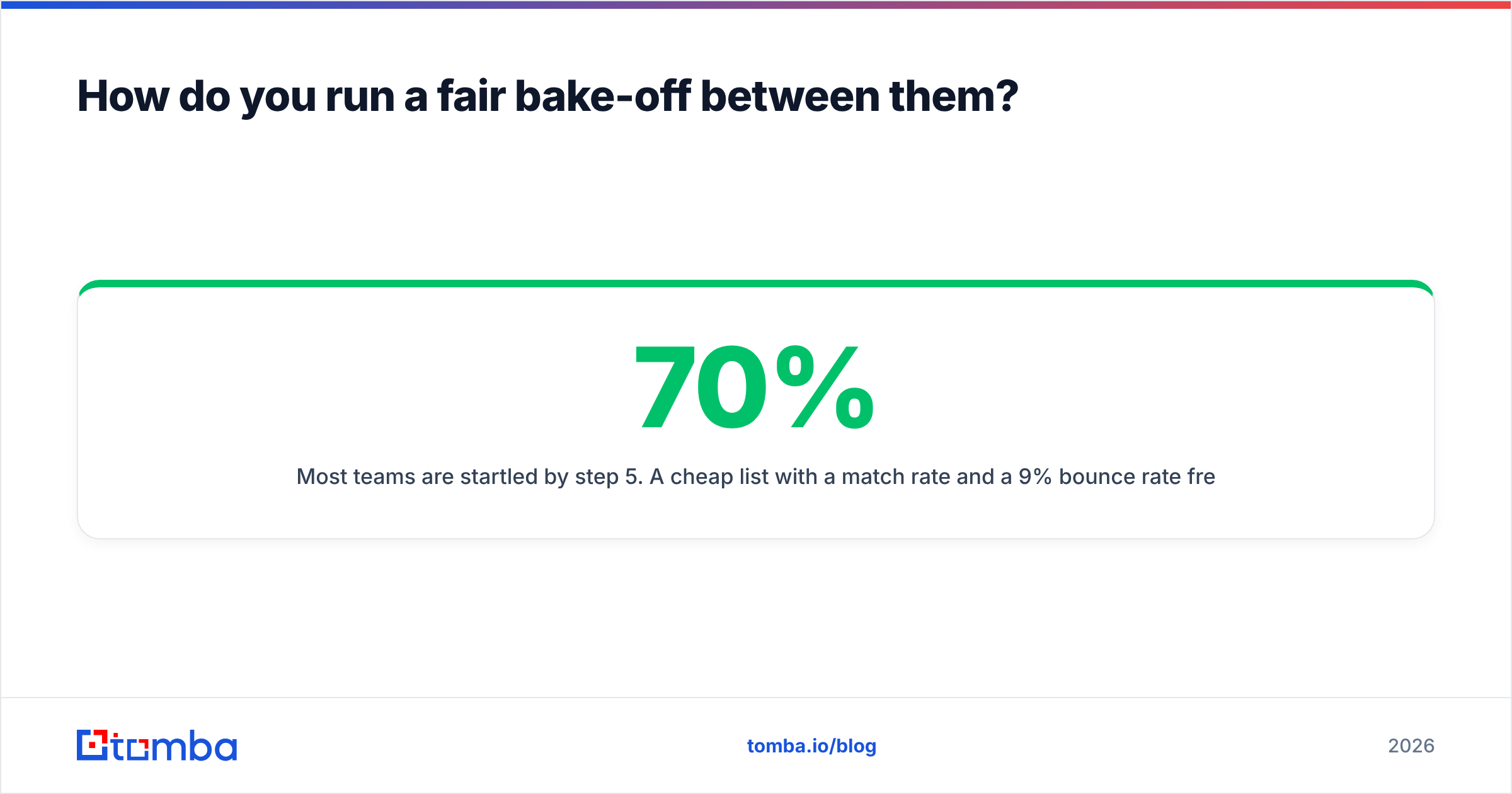
Step 5 surprises most teams. A cheap list with a 70% match rate and a 9% bounce rate often costs more per delivered contact than a pricier source at 90% and 2%. Sticker price and real price split fast here. Analyst firms like Gartner have long put the cost of poor data in the millions a year for large firms. The same math scales down to any team.
What is the verdict on LeadGenius vs LimeLeads?#
LeadGenius wins if filters cannot answer your targeting question. It is a research service wearing a data-vendor label. For enterprise ABM with a truly odd ICP, nothing off the shelf replaces it. Budget for it, and expect a timeline.
LimeLeads wins if you need US contacts today with no purchase process. It is fast, cheap to start, and honest about what it is. Check the output before you send. Do not expect much outside North America.
Neither wins if your real job is turning known people into verified emails. That is a third category. Paying managed-service rates, or buying lists in bulk, is the most common budget leak in B2B prospecting.
So LeadGenius vs LimeLeads is rarely the whole choice. If you know who you want to reach and just need the address, start with the Tomba Email Finder. The free tier gives you 25 searches a month. Test it against your own golden set — no call, no contract, no scoping doc. Run it next to whichever vendor you are weighing, compare the bounce rates, and let the numbers pick.
Related guides#
// get started
Find, verify and enrich your first contacts today
Start on the free plan with 25 searches a month, then scale when your team is ready.
Free plan · No credit card required · GDPR & CCPA
// about the author