LeadGenius vs Wiza in 2026: Which B2B Data Tool Wins?
One is a managed research service with annual contracts. The other is a self-serve LinkedIn exporter you can run in ten minutes. Here's how LeadGenius and Wiza actually compare on price, coverage, accuracy, and speed to first list.
TL;DR
- LeadGenius is a managed data service: you scope a project, a human-plus-ML research team builds custom fields, and you get data no database has. Annual contracts, custom quotes, weeks to first delivery.
- Wiza is a self-serve LinkedIn contact exporter: install the extension, export a Sales Navigator search, get verified work emails in minutes. Credit-based plans starting near the $80–$100/mo range.
- They are not really competitors. They lose deals to each other only when a buyer hasn't decided whether the problem is finding contacts or building datasets that don't exist yet.
- If your bottleneck is email coverage on named accounts, a dedicated email finder with an API is faster and cheaper than either — Tomba starts at $49/mo with a free 25-search tier.
- Pick LeadGenius for custom firmographic research at enterprise scale. Pick Wiza for LinkedIn-native prospecting. Pick a finder/verifier stack when you already know who you want to reach.
What exactly are LeadGenius and Wiza?#
Think of it as the difference between hiring a private investigator and buying a phone book. Both end with a contact, but the cost, wait time, and use case are nothing alike.
LeadGenius is a data-as-a-service company. You tell them what you need — "every Shopify Plus merchant in DACH with an in-house fulfillment team and a named head of logistics" — and their operations team combines web research, human verification, and machine learning to deliver that as structured records into your CRM or warehouse. The value is the custom field, not the email address. Their flagship offering is custom intent and firmographic signals that you cannot buy off the shelf from ZoomInfo or Apollo.
Wiza is a self-serve prospecting tool built on top of LinkedIn. You run a search in Sales Navigator, hit the Wiza extension, and it exports the list with work emails and (on higher tiers) mobile numbers, verifying emails in real time as it goes. The value is speed and LinkedIn fidelity: if a prospect updated their title last week, your export reflects it.
So the honest framing of LeadGenius vs Wiza is not "which tool is better." It is: is your gap a research gap or a contact gap?
How do LeadGenius and Wiza compare head to head?#
Here is the side-by-side, using published list pricing and vendor documentation at the time of writing. Always confirm current numbers on each vendor's own pricing page — both have repriced in the past 18 months.
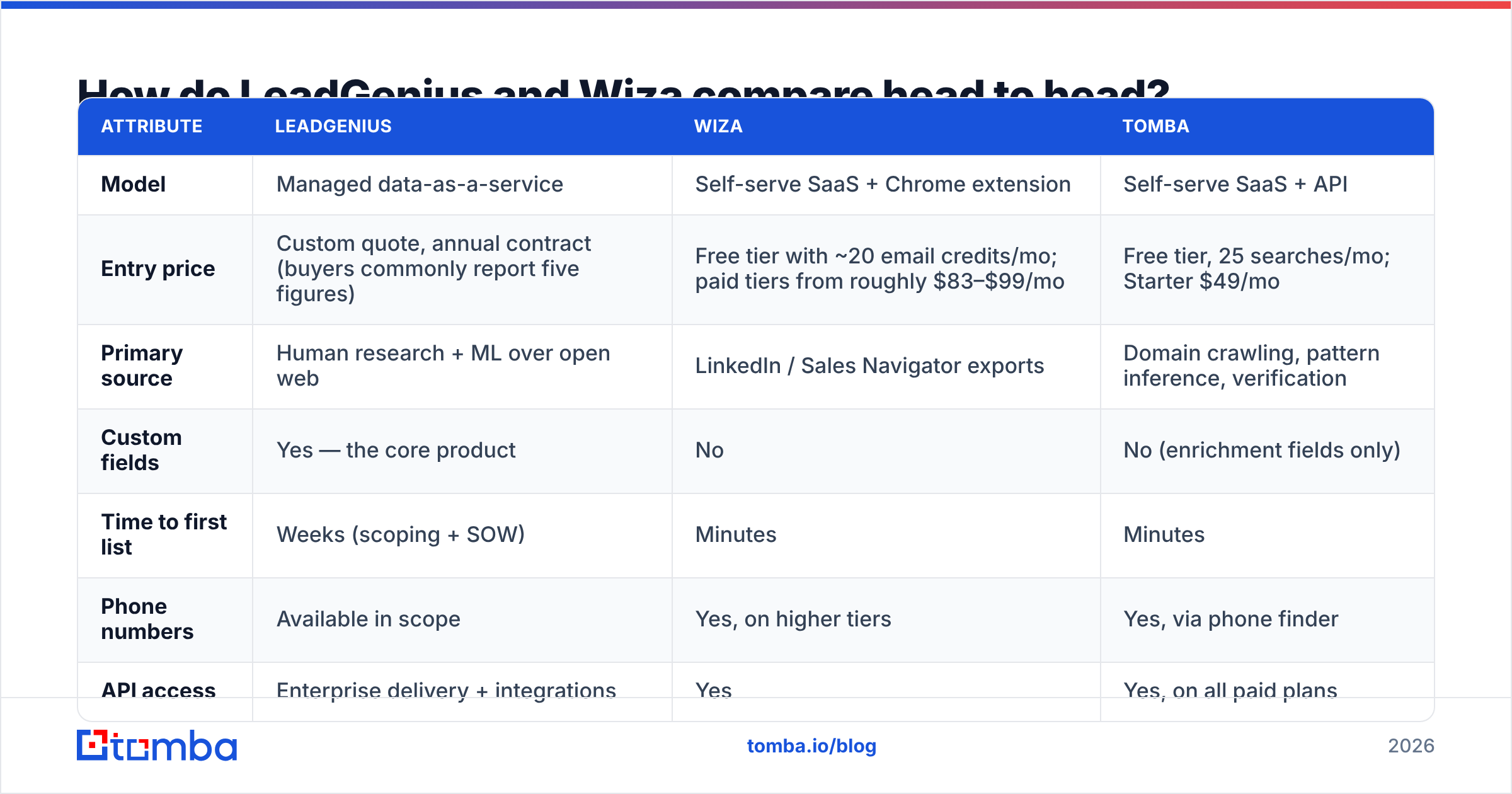
| Attribute | LeadGenius | Wiza | Tomba |
|---|---|---|---|
| Model | Managed data-as-a-service | Self-serve SaaS + Chrome extension | Self-serve SaaS + API |
| Entry price | Custom quote, annual contract (buyers commonly report five figures) | Free tier with ~20 email credits/mo; paid tiers from roughly $83–$99/mo | Free tier, 25 searches/mo; Starter $49/mo |
| Primary source | Human research + ML over open web | LinkedIn / Sales Navigator exports | Domain crawling, pattern inference, verification |
| Custom fields | Yes — the core product | No | No (enrichment fields only) |
| Time to first list | Weeks (scoping + SOW) | Minutes | Minutes |
| Phone numbers | Available in scope | Yes, on higher tiers | Yes, via phone finder |
| API access | Enterprise delivery + integrations | Yes | Yes, on all paid plans |
| Email verification | Included in delivery QA | Real-time during export | Dedicated verifier + catch-all handling |
| Best for | Enterprise RevOps building proprietary datasets | SDRs and founders prospecting on LinkedIn | Teams enriching known domains at scale |
The table makes the split obvious. LeadGenius competes with research agencies and ZoomInfo's enterprise tier. Wiza competes with Apollo, Lusha, and ContactOut. Tomba competes on the specific job of turning a domain plus a name into a deliverable address.
When is LeadGenius the right call?#
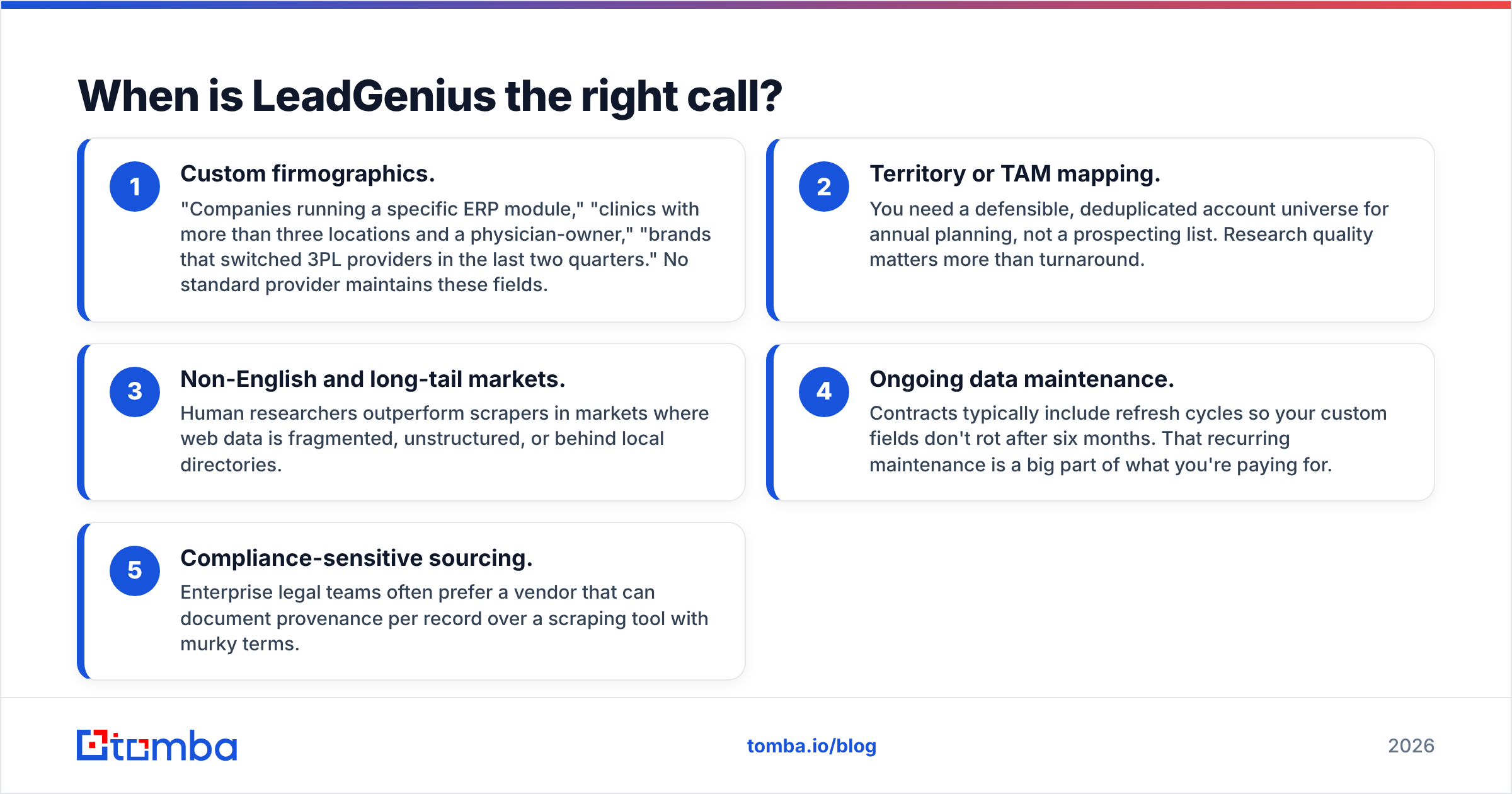
LeadGenius earns its contract in exactly one scenario: the data you need does not exist in any database you can buy.
- Custom firmographics. "Companies running a specific ERP module," "clinics with more than three locations and a physician-owner," "brands that switched 3PL providers in the last two quarters." No standard provider maintains these fields.
- Territory or TAM mapping. You need a defensible, deduplicated account universe for annual planning, not a prospecting list. Research quality matters more than turnaround.
- Non-English and long-tail markets. Human researchers outperform scrapers in markets where web data is fragmented, unstructured, or behind local directories.
- Ongoing data maintenance. Contracts typically include refresh cycles so your custom fields don't rot after six months. That recurring maintenance is a big part of what you're paying for.
- Compliance-sensitive sourcing. Enterprise legal teams often prefer a vendor that can document provenance per record over a scraping tool with murky terms.
The trade-offs are real and you should price them in. You're signing an annual agreement. Scoping is a project with a kickoff call, a sample delivery, and revision rounds. If your ICP changes mid-contract — and in 2026 it probably will — you renegotiate scope rather than clicking a filter. And you cannot test it for $49 on a Tuesday afternoon.
When is Wiza the right call?#
Wiza wins when LinkedIn is your source of truth.
If your reps already live in Sales Navigator, Wiza removes the worst part of the workflow: copying names into a spreadsheet and guessing at email patterns. You build the search with LinkedIn's own filters — headcount, seniority, recent job change, technologies — then export a clean CSV with verified addresses attached. Freshness is the headline advantage. A LinkedIn profile updated this month beats a database record refreshed last quarter, and job-change data is the single highest-converting trigger in outbound.
Where Wiza gets expensive is volume and the credit model. Email credits and phone credits are separate pools, phone data costs materially more per record, and an export that returns a low hit rate still burns your allocation on attempts. Teams doing 10,000+ contacts a month often find the credit math uncomfortable compared to a flat-rate finder with an API.
Wiza is also bounded by LinkedIn. If a decision-maker has a thin or dormant profile — common in manufacturing, logistics, local services, and most of the SMB long tail — they effectively don't exist in your export. That is a meaningful coverage hole if your ICP skews outside tech.
How accurate is each one, really?#
Neither vendor publishes an independently audited accuracy figure, and you should treat any number on a vendor homepage as a marketing claim until you test it on your own list. What you can do is compare methodology, because methodology predicts where each one fails.
Wiza verifies emails at export time with SMTP-level checks, which is why bounce rates on Wiza exports are generally low for standard corporate domains. Its weakness is coverage, not correctness: it either finds an address or it doesn't. LeadGenius applies human QA to delivered records, which produces high precision on the custom fields you commissioned — but delivery is a point-in-time snapshot, so accuracy decays between refresh cycles.
The practical accuracy question for most teams is narrower than "which vendor is better": what percentage of my target accounts come back with a deliverable address, and what does my mailbox provider think of the result?

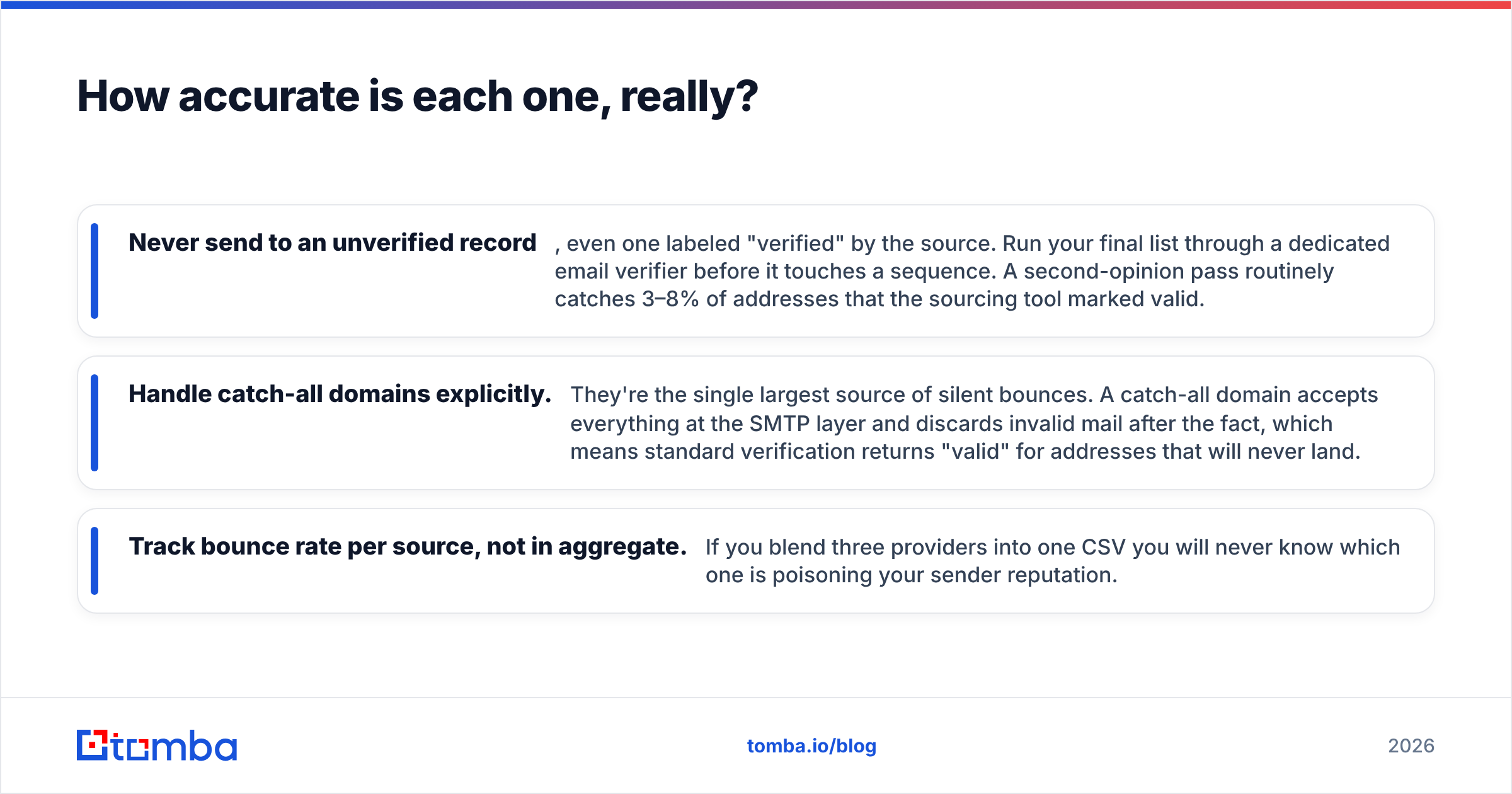
Three habits fix most of the gap regardless of which tool you buy:
- Never send to an unverified record, even one labeled "verified" by the source. Run your final list through a dedicated email verifier before it touches a sequence. A second-opinion pass routinely catches 3–8% of addresses that the sourcing tool marked valid.
- Handle catch-all domains explicitly. They're the single largest source of silent bounces. A catch-all domain accepts everything at the SMTP layer and discards invalid mail after the fact, which means standard verification returns "valid" for addresses that will never land.
- Track bounce rate per source, not in aggregate. If you blend three providers into one CSV you will never know which one is poisoning your sender reputation.
What does each one actually cost at scale?#
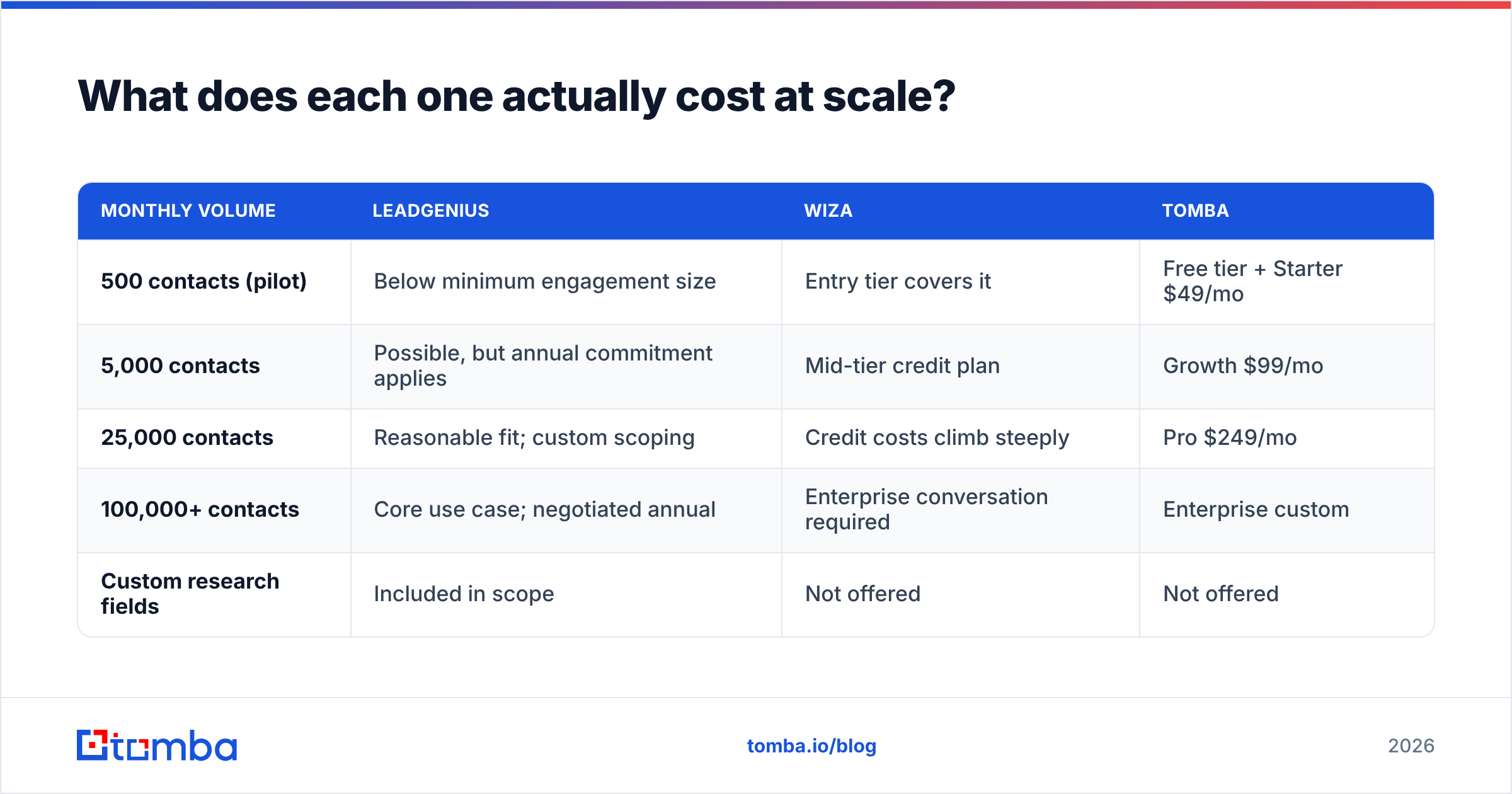
Price only means something at your volume. Here's how the three models behave as you scale from a pilot to a real outbound program.
| Monthly volume | LeadGenius | Wiza | Tomba |
|---|---|---|---|
| 500 contacts (pilot) | Below minimum engagement size | Entry tier covers it | Free tier + Starter $49/mo |
| 5,000 contacts | Possible, but annual commitment applies | Mid-tier credit plan | Growth $99/mo |
| 25,000 contacts | Reasonable fit; custom scoping | Credit costs climb steeply | Pro $249/mo |
| 100,000+ contacts | Core use case; negotiated annual | Enterprise conversation required | Enterprise custom |
| Custom research fields | Included in scope | Not offered | Not offered |
Two things stand out. First, LeadGenius has a floor — small teams aren't the customer, and that's by design. Second, credit-based pricing and flat-rate pricing diverge sharply after about 10,000 records a month; that's usually the point where teams add an API-first finder underneath their prospecting tool rather than replacing it.
See full Tomba pricing for the current tier breakdown, including which plans unlock bulk processing and API rate limits.
Can you just use both — or neither?#
Yes, and most mature GTM teams end up with a layered stack rather than a single vendor. A common 2026 setup looks like this:
- Account layer: LeadGenius (or an internal research function) defines the custom account universe once or twice a year.
- Contact discovery layer: Wiza or a LinkedIn-native tool pulls fresh people from those accounts as roles change.
- Enrichment and verification layer: an API-based finder fills the contact gaps for accounts where LinkedIn is thin, then verifies everything before send.
That third layer is where Tomba fits. Instead of paying per LinkedIn export credit for a contact you already identified, you pass a domain and a name to the email finder API and get a scored, verified address back. For bulk work — importing an event attendee list, enriching a stale CRM segment, cleaning a partner-supplied file — the bulk email finder processes the whole file in one pass rather than credit by credit.
If you're specifically working from LinkedIn profile URLs rather than domains, the LinkedIn finder covers that path without the Sales Navigator seat requirement.
It's also worth checking real buyer reviews rather than vendor claims before committing to an annual deal. Both tools have substantial review histories on G2's lead intelligence category, where the recurring themes are predictable: LeadGenius reviewers praise data quality and flag turnaround time; Wiza reviewers praise speed and flag credit consumption.

Which should you choose in 2026?#
Answer three questions in order and the decision makes itself.
Does the data you need exist anywhere you can buy it? If no — if you need a field nobody sells — LeadGenius is the category answer and Wiza isn't in the running. Budget for an annual contract and a scoping period.
Is LinkedIn where your buyers actually are? If yes, and your volume is under roughly 10,000 contacts a month, Wiza is the cleanest path from search to sequence. The extension workflow removes real friction and job-change triggers are worth the credit cost.
Do you already know your target accounts? If you have domains and names and just need deliverable addresses at predictable cost, neither managed research nor per-credit LinkedIn exports is the efficient tool. That's a finder-and-verifier job, and it's the cheapest layer in the stack by an order of magnitude.
The failure mode to avoid: signing a five-figure managed data contract to solve what was really an email coverage problem, or burning $400/mo in export credits to re-find contacts you already had in your CRM. Diagnose the gap before you pick the vendor.
Ready to close the contact gap?#
Start with the layer that's easiest to test. Run 25 of your hardest target accounts through the Tomba Email Finder on the free tier — no card, no scoping call, no credit math. If the hit rate beats what you're currently paying for, Starter is $49/mo and the API is included on every paid plan, so you can wire it under whatever prospecting tool you already run. If it doesn't, you've spent ten minutes and learned exactly which layer of your stack the real problem lives in.
Related guides#
// get started
Find, verify and enrich your first contacts today
Start on the free plan with 25 searches a month, then scale when your team is ready.
Free plan · No credit card required · GDPR & CCPA
// about the author