LeadIQ Pros and Cons: An Honest 2026 Review for Sales Teams
LeadIQ is fast at capturing LinkedIn contacts, but the credit model and data gaps surprise teams at renewal. Here is the honest breakdown of where it wins and where it costs you.
TL;DR
- LeadIQ's real strength is capture speed: the Chrome extension pulls contacts off LinkedIn Sales Navigator and pushes them into Salesforce or Outreach in a couple of clicks, which is why SDR teams like it.
- Its real weakness is the economics: credits are consumed per contact revealed, not per verified contact delivered, and mobile-number coverage is thin outside US tech.
- Data accuracy is solid on work emails for mid-market SaaS, noticeably weaker on EMEA, manufacturing, healthcare, and companies under 50 employees.
- LeadIQ is a workflow tool first and a data provider second. If you already have a data source, you're paying twice; if you don't, you may still need a verifier on top.
- Best fit: 5-50 seat SDR teams living inside Sales Navigator with a CRM to sync to. Poor fit: solo founders, API-first teams, and anyone building lists by domain rather than by person.
What is LeadIQ, and what does it actually do?#
LeadIQ is a prospecting platform built around a browser extension. You open a LinkedIn or Sales Navigator profile, click the LeadIQ button, and it returns a work email, sometimes a phone number, and firmographic context. From there you push the contact into your CRM or sequencer without copy-pasting anything.
Think of it as a card scanner at a conference. It doesn't create the business cards — it just turns the ones in front of you into CRM records very fast. That analogy matters, because it explains both the pros and the cons that follow. LeadIQ's value is proportional to how much time your reps spend on LinkedIn. If they don't live there, most of what you're paying for goes unused.
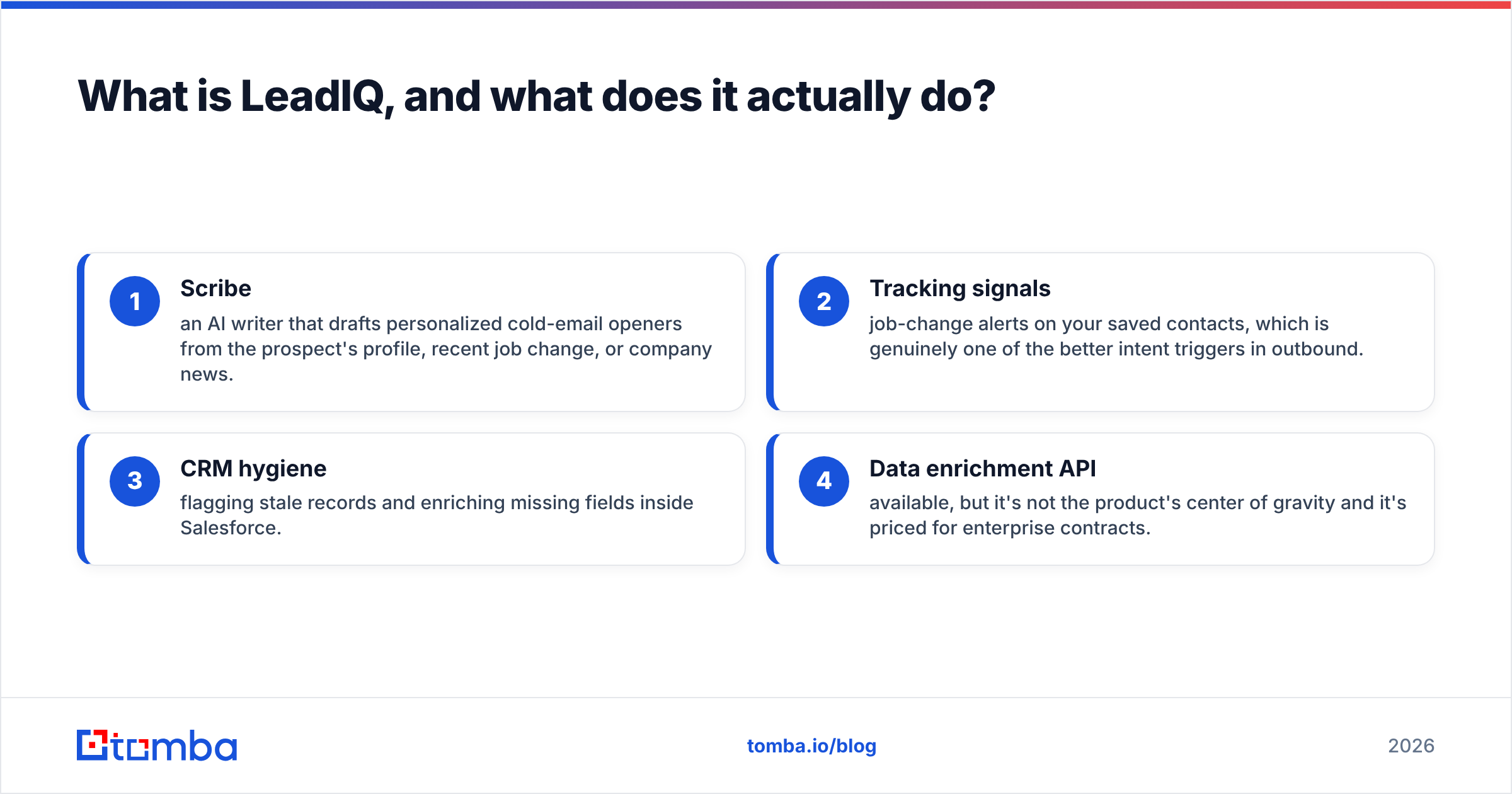
The platform has expanded past capture into three other areas:
- Scribe — an AI writer that drafts personalized cold-email openers from the prospect's profile, recent job change, or company news.
- Tracking signals — job-change alerts on your saved contacts, which is genuinely one of the better intent triggers in outbound.
- CRM hygiene — flagging stale records and enriching missing fields inside Salesforce.
- Data enrichment API — available, but it's not the product's center of gravity and it's priced for enterprise contracts.
That expansion is the thing to keep in mind when you evaluate the price. You're not buying a contact database. You're buying a workflow layer that happens to include contact data.
What are the main pros of LeadIQ?#
Capture-to-CRM speed is the headline. Most teams measure this wrong. The gain isn't "seconds saved per contact" — it's the elimination of a context switch. A rep researching on LinkedIn who has to open a separate tool, paste a name, copy an email, then open Salesforce loses the thread. LeadIQ keeps them in one surface. In practice, teams report building a 50-contact list in about the time it used to take to build 20.
Salesforce and Outreach integrations are genuinely deep. This is where LeadIQ outclasses most extension-based tools. Field mapping is configurable, duplicate detection runs before the push, and you can add contacts directly to a specific sequence step. If your RevOps lead cares about clean records — and they should — this saves a real cleanup tax downstream.
Job-change tracking is underrated. When a champion moves to a new company, that's the single highest-converting outbound trigger available. LeadIQ surfaces it automatically on tracked contacts. Competing tools either charge extra or don't offer it.
Scribe removes the blank-page problem. The output isn't going to win copywriting awards, and you should edit it, but for a new SDR staring at an empty email it's a legitimate accelerant. If you want to compare it against a standalone option, a dedicated cold email AI tool often produces tighter copy because it's not constrained to profile scraping.
Team usage visibility. Managers can see who is capturing, how much, and where credits go. Small thing, but it prevents the classic problem of one rep burning 60% of the team pool.
What are the real cons of LeadIQ?#
The credit model is the number one complaint in user reviews. On G2, the recurring theme across LeadIQ reviews is credits depleting faster than expected. The mechanic: a credit is spent when you reveal a contact, regardless of whether that email later bounces or the phone number is a switchboard. Your effective cost per usable contact is therefore higher than the sticker rate — typically 15-30% higher once you net out bad records.
Coverage falls off outside the US tech corridor. LeadIQ is strong on US-based SaaS, fintech, and tech-adjacent mid-market. Test it on German manufacturing, Spanish logistics, or UK healthcare and hit rates drop noticeably. If your ICP is EMEA or non-tech, run a paid pilot on 200 of your actual accounts before signing anything annual.
Mobile numbers are inconsistent. The marketing implies broad direct-dial coverage. The reality is that direct dials land more often for US sales and marketing leaders and much less often for engineering, ops, and anyone outside North America. Teams doing serious phone outbound usually keep a second source.
Pricing is opaque and annual-first. There's a free tier, but meaningful volume requires a sales conversation, and most contracts are annual with credits allocated per seat. That's fine for a 20-rep team with predictable volume. It's rough for a 3-person team whose prospecting is lumpy.
It's person-first, not domain-first. If your motion is "find everyone in engineering leadership at these 400 companies," LeadIQ makes you work profile by profile. A domain search approach — enter a company domain, get every discoverable address with roles and confidence scores — is a fundamentally different and often faster path for that job.
No serious standalone verification. LeadIQ validates at capture, but there's no bulk verification workflow for a list you built elsewhere. You'll pair it with a separate email verifier if deliverability matters, which for anyone sending over 500 emails a week, it does.
How does LeadIQ compare to the alternatives in 2026?#
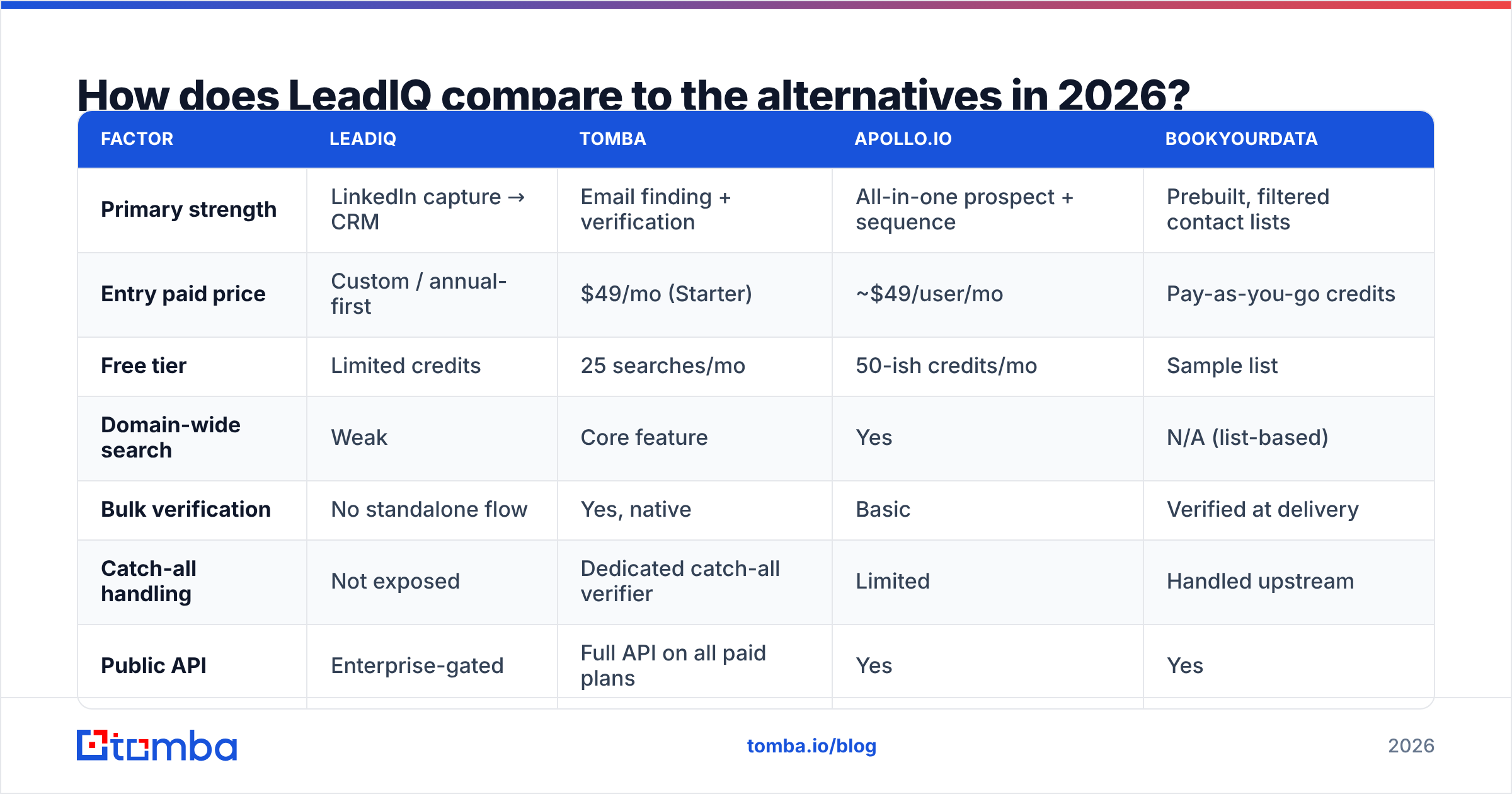
Here's the honest side-by-side. Prices reflect publicly listed entry tiers as of early 2026; enterprise deals vary.
| Factor | LeadIQ | Tomba | Apollo.io | BookYourData |
|---|---|---|---|---|
| Primary strength | LinkedIn capture → CRM | Email finding + verification | All-in-one prospect + sequence | Prebuilt, filtered contact lists |
| Entry paid price | Custom / annual-first | $49/mo (Starter) | ~$49/user/mo | Pay-as-you-go credits |
| Free tier | Limited credits | 25 searches/mo | 50-ish credits/mo | Sample list |
| Domain-wide search | Weak | Core feature | Yes | N/A (list-based) |
| Bulk verification | No standalone flow | Yes, native | Basic | Verified at delivery |
| Catch-all handling | Not exposed | Dedicated catch-all verifier | Limited | Handled upstream |
| Public API | Enterprise-gated | Full API on all paid plans | Yes | Yes |
| Job-change alerts | Yes, strong | No | Yes | No |
| Best for | SDR teams in Sales Navigator | Email-led outbound + devs | Teams wanting one platform | Buying a clean list outright |
Read that table as a fit question, not a ranking. LeadIQ genuinely wins the "our reps live in Sales Navigator and we need Salesforce hygiene" scenario. It genuinely loses the "we need 10,000 verified emails across 800 domains by Friday" scenario.
BookYourData sits in a different lane altogether — you buy a filtered, pre-verified list rather than mining contacts one by one. For teams that know their ICP precisely and want volume without a workflow tool, that's a cleaner purchase than a per-seat subscription. It's a legitimate alternative rather than a competitor in the same category.
Tomba's angle is the data layer underneath all of this. If you want to see how the finding side stacks up, the LeadIQ alternative breakdown goes deeper on hit rates and cost-per-verified-contact.
How accurate is LeadIQ's data, really?#
Accuracy claims in this category are close to meaningless without definitions, so here's the frame you should apply to any vendor including LeadIQ.
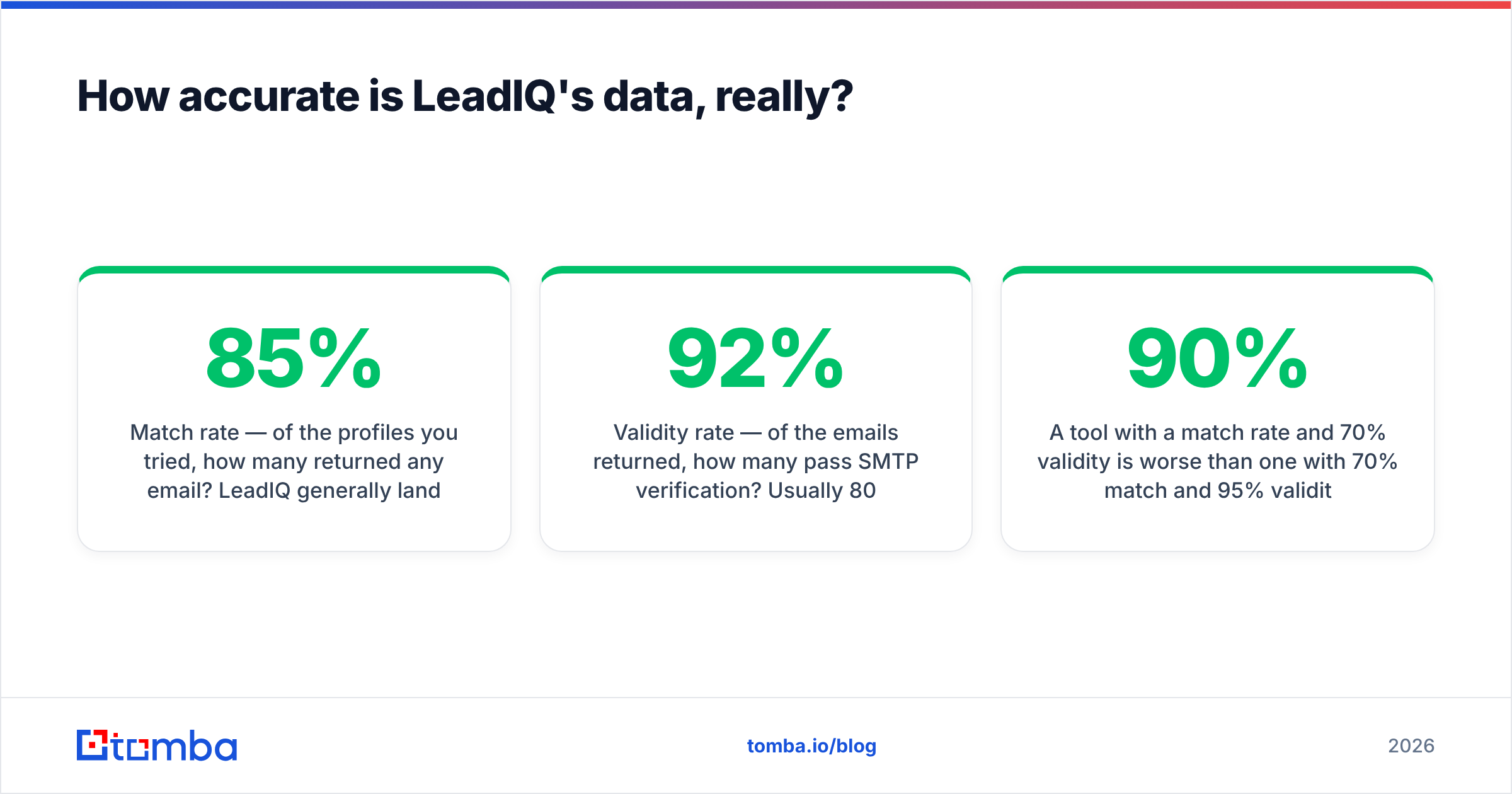
- Match rate — of the profiles you tried, how many returned any email? LeadIQ generally lands 65-85% on US tech, lower elsewhere.
- Validity rate — of the emails returned, how many pass SMTP verification? Usually 80-92%.
- Deliverability rate — of the valid ones, how many actually reach an inbox? Depends on your domain reputation, not the vendor's.
- Cost per usable contact — match rate × validity rate ÷ price. This is the only number that matters at renewal.
A tool with a 90% match rate and 70% validity is worse than one with 70% match and 95% validity, because you pay for both the misses and the bounces. Most teams never compute this and just renew on vibes.
One structural note: LeadIQ doesn't expose catch-all status clearly. Catch-all domains accept every address at the SMTP layer, so a naive verifier marks them "valid" and you find out the truth from your bounce report. If a meaningful slice of your ICP runs catch-all — common in enterprise and in Microsoft 365 estates — you need a catch-all verifier in the stack regardless of which finder you use.

Who should buy LeadIQ, and who should skip it?#
Buy LeadIQ if:
- You have 5+ SDRs and they genuinely prospect inside LinkedIn Sales Navigator daily.
- You run Salesforce or Outreach and CRM hygiene is a real, named problem.
- Your ICP is US-centric technology, SaaS, or financial services.
- Job-change triggers are part of your play and you'd otherwise buy a separate tool for them.
- You have budget for an annual seat-based contract and predictable monthly volume.
Skip LeadIQ if:
- You're a founder or a 1-2 person team — the per-seat model doesn't amortize.
- You build lists by company domain rather than by individual profile.
- You need an API-first workflow for enrichment inside your own product or scripts.
- Your market is primarily EMEA, APAC, or non-tech verticals.
- You already own a data provider and just need a sequencer, or vice versa.
The most common expensive mistake is buying LeadIQ and a separate data provider and a separate verifier, then discovering at renewal that you're paying three vendors for overlapping coverage. Audit what you already have before you add a fourth line item. If you need a sanity check on where your money goes per contact, run the same 100 target profiles through each tool you're paying for and compare usable outputs. It takes an afternoon and it routinely saves five figures.
What does a leaner alternative stack look like?#
If your bottleneck is contact data rather than CRM workflow, the stack simplifies considerably:
- Find — resolve emails by name + domain, or pull every contact at a domain in one pass. This is where an email finder replaces profile-by-profile capture.
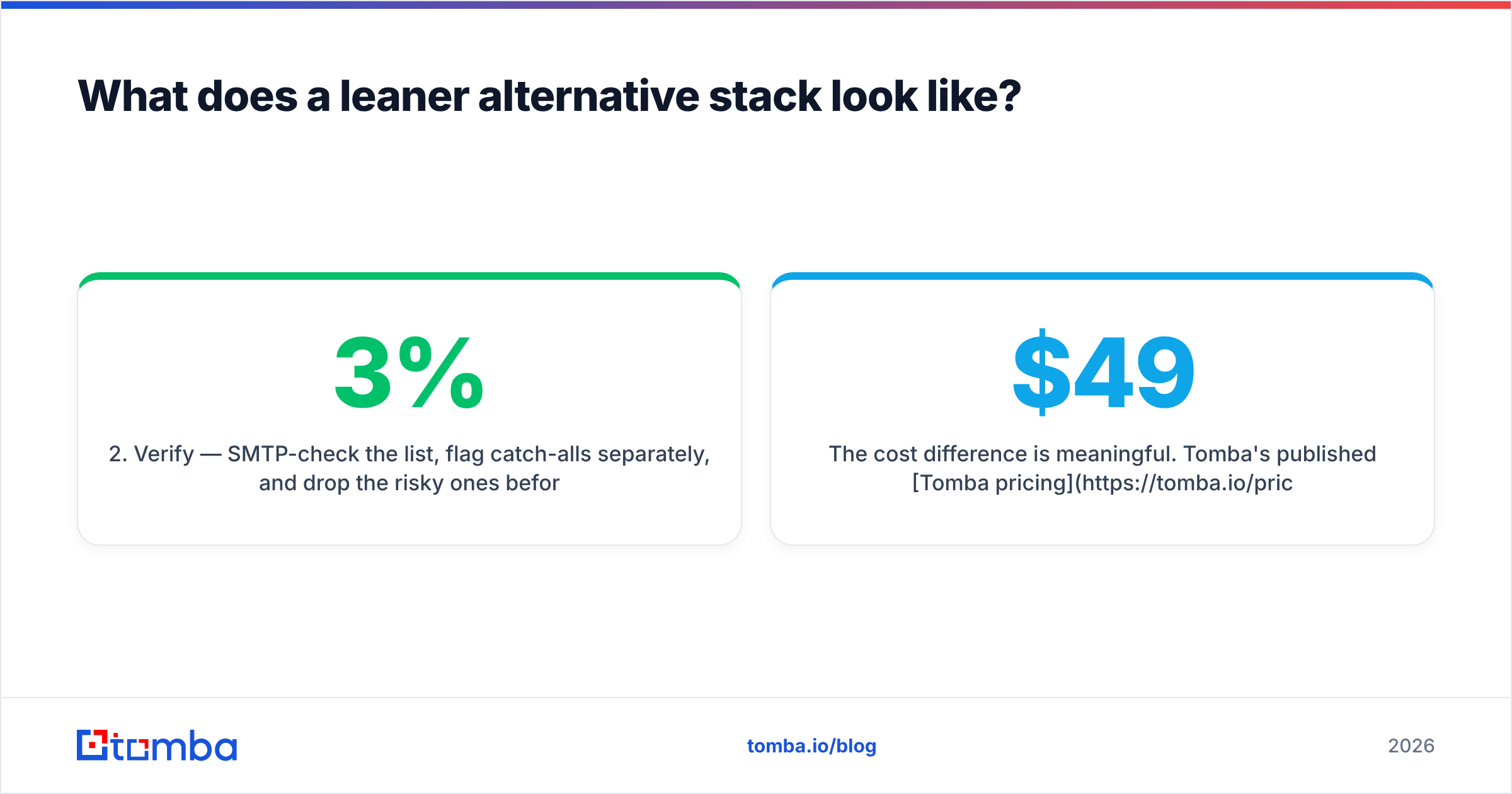
- Verify — SMTP-check the list, flag catch-alls separately, and drop the risky ones before they touch your sender domain. Bounces above 3% are what wreck email deliverability, not bad copy.
- Enrich — add title, seniority, company size, and tech stack so your segmentation actually works.
- Push — send to your sequencer or CRM via API or a native integration rather than a browser click.
The cost difference is meaningful. Tomba's published Tomba pricing runs a free tier at 25 searches per month, Starter at $49/mo, Growth at $99/mo, and Pro at $249/mo, with API access included on every paid plan rather than gated behind an enterprise call. For a two-person team doing 2,000 lookups a month, that's a different order of magnitude than a seat-based annual contract.
The tradeoff is real and worth stating plainly: you lose the in-LinkedIn capture motion and the job-change alerts. If those two things drive your pipeline, LeadIQ earns its price. If they don't, you're funding features your team never opens.
What should you test before signing?#
Don't evaluate on a demo dataset. Vendors pick demo accounts that make them look good. Instead:
- Pull 200 real target profiles from your actual ICP, including the awkward segments — small companies, non-US, non-tech.
- Run them through each tool during trial. Record match rate and validity rate separately.
- Bounce-test the winners on a throwaway sending domain before your production domain touches them.
- Check the contract for credit rollover, annual commitment, and what happens to unused credits. This is where the cost surprises hide.
- Ask explicitly how catch-all domains are reported. If the answer is vague, assume they're being counted as valid.
Five days of that work is worth more than five vendor calls. See G2's category listings for peer reviews, but weight them by whether the reviewer's ICP looks like yours — a glowing review from a US SaaS team tells you very little if you sell to German industrials.
The verdict#
LeadIQ is a good workflow product with adequate data attached, priced like a data product. That's the cleanest summary of its pros and cons. Teams that use the workflow heavily get their money back. Teams that bought it for the data alone tend to churn at renewal, usually after a credit overage conversation.
If your problem is "our reps waste time moving contacts from LinkedIn into Salesforce," LeadIQ solves it well and you should shortlist it. If your problem is "we need accurate, verified work emails at scale without paying per seat," start with the Tomba Email Finder — 25 free searches a month, $49/mo Starter, full API on every paid plan, and a native verifier so you stop paying for contacts that bounce. Run both against the same 200 prospects and let the numbers, not the demo, make the call.
Related guides#
// get started
Find, verify and enrich your first contacts today
Start on the free plan with 25 searches a month, then scale when your team is ready.
Free plan · No credit card required · GDPR & CCPA
// about the author