LeadIQ Reviews 2026: Honest Pros, Cons, Pricing & Verdict
What real users say about LeadIQ in 2026 — data accuracy, credit limits, pricing gotchas, and which teams should pick something cheaper instead.
TL;DR
- LeadIQ is a prospecting and contact-capture tool built around a Chrome extension that pulls emails and direct dials off LinkedIn and pushes them into Salesforce or Outreach in one click. That capture-to-CRM workflow is the product's real strength.
- Reviewers on G2 and Capterra consistently praise the LinkedIn workflow and the Scribe AI message writer, and consistently complain about three things: mobile number accuracy, credit burn, and pricing that scales faster than headcount.
- Pricing starts free (very limited), then jumps to roughly $45/user/month billed annually for Essential and into custom Pro/Enterprise territory once you want more credits, Scribe seats, or CRM writeback depth.
- If your motion is LinkedIn-first SDR prospecting with heavy Salesforce hygiene, LeadIQ earns its price. If you mainly need verified work emails at volume via API or bulk upload, a focused email finder like Tomba at $49/mo flat is cheaper per contact and easier to budget.
- The honest verdict: good tool, narrow lane. Buy it for the workflow, not for the database.
What is LeadIQ and who actually uses it?#
LeadIQ is a B2B contact data and sales prospecting platform. The core loop: you browse a LinkedIn profile or Sales Navigator list, click the LeadIQ extension, and it captures the person's work email, mobile number, and company details, then writes them straight into your CRM or sequencer without a CSV round trip.
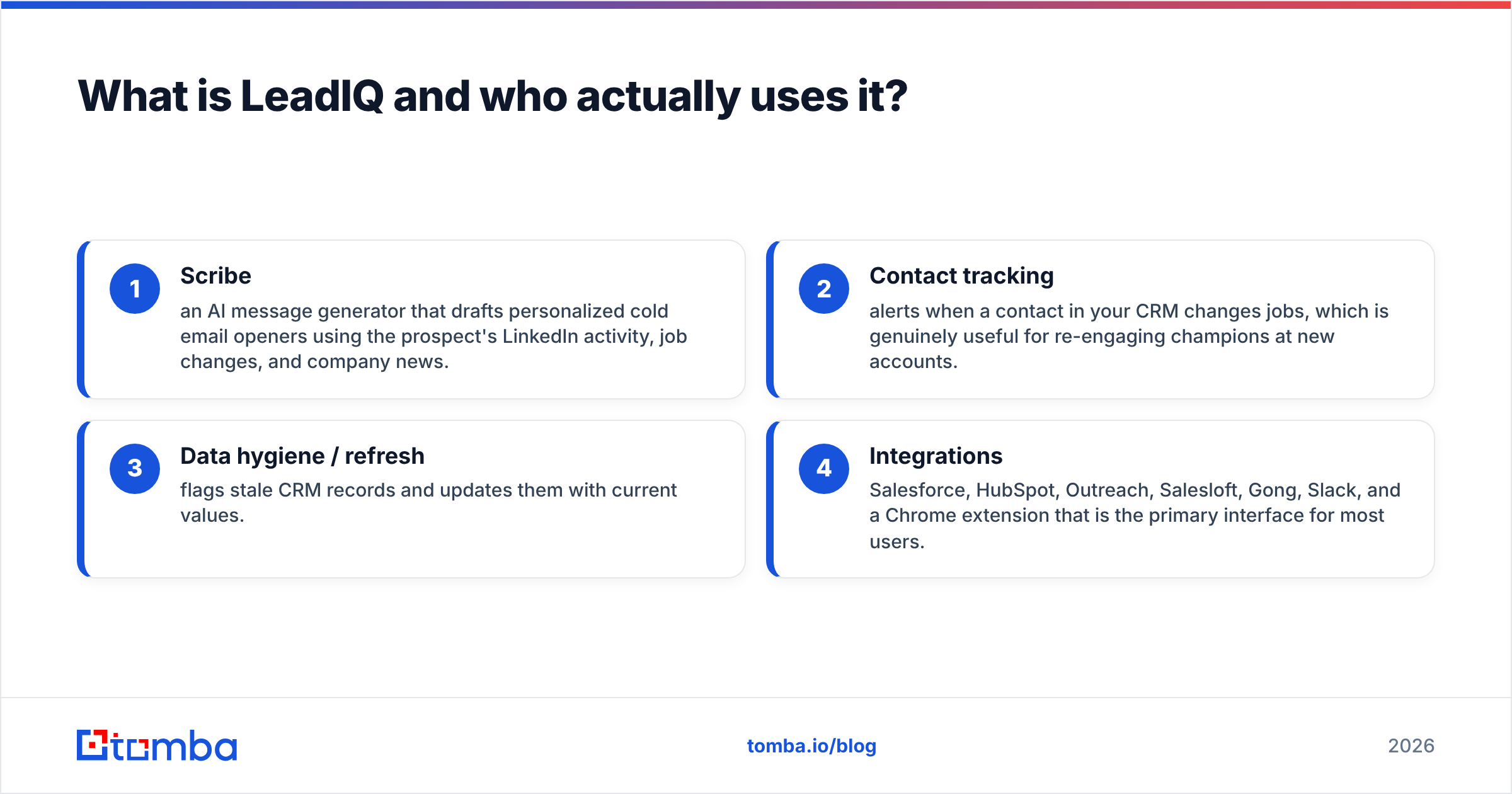
Around that core, LeadIQ has bolted on a few things over the past several years:
- Scribe — an AI message generator that drafts personalized cold email openers using the prospect's LinkedIn activity, job changes, and company news.
- Contact tracking — alerts when a contact in your CRM changes jobs, which is genuinely useful for re-engaging champions at new accounts.
- Data hygiene / refresh — flags stale CRM records and updates them with current values.
- Integrations — Salesforce, HubSpot, Outreach, Salesloft, Gong, Slack, and a Chrome extension that is the primary interface for most users.
The typical LeadIQ buyer is a 10–150 seat sales org with an SDR team that lives in Sales Navigator and a RevOps person who cares about CRM data quality. It is not a marketer's list-building tool, and it is not an API-first data vendor. Understanding that lane is the single biggest predictor of whether you will like it.

What do LeadIQ reviews say the tool gets right?#
Pull a few hundred reviews off G2 and Capterra and the positive sentiment clusters tightly. Four themes come up again and again.
Speed of capture. The extension is fast and it does not break as often as competitors' extensions do. Reps describe capturing 40–60 prospects in a sitting without leaving LinkedIn. For an SDR measured on activity, that compounds.
CRM writeback that actually works. This is the most-cited differentiator. LeadIQ maps fields to Salesforce properly, dedupes against existing records, and respects your required-field rules. Teams that have been burned by tools dumping duplicate contacts into Salesforce treat this as the reason they stay.
Job-change alerts. Reviewers running "follow the champion" plays call this the highest-ROI feature in the product. When your buyer moves to a new company, you get a warm intro opportunity that no cold list can replicate.
Support responsiveness. Unusually positive for a data vendor. Multiple reviews mention named CSMs and fast ticket turnaround, which matters more than it sounds like it should when your data provider suddenly stops returning mobile numbers.
Scribe as a drafting aid. Opinions split here. Reps who use Scribe as a first draft and then rewrite it report saving real time. Reps who send Scribe output raw report the same flat reply rates you would expect from any generic AI opener.
Where do LeadIQ reviews get critical?#
The complaints are just as consistent, and they are worth taking seriously before you sign an annual contract.
Mobile number accuracy is the number one gripe. Work emails hold up reasonably well. Direct dials are hit-or-miss, and reviewers in EMEA and APAC report noticeably worse coverage than in North America. If your comp plan depends on connect rates, pilot the phone data specifically before committing. A phone validator run against a sample export will tell you more in an afternoon than a sales demo will.
Credit consumption surprises people. Credits deplete per contact revealed, and a reveal that returns a bad number still costs you. Several reviews describe teams burning a monthly allocation in two weeks and then either upgrading mid-cycle or going dark on prospecting. Read the credit rollover terms carefully — this is where the effective price per usable contact diverges sharply from the sticker price.
Pricing opacity at the upper tiers. Essential is published. Pro and Enterprise are "contact sales," and reviewers report quotes that scale on seats, credits, and feature gates simultaneously. Renewal increases come up more than once.
Data coverage outside tech. LeadIQ's coverage is strongest in software, SaaS, and adjacent tech verticals. Manufacturing, logistics, healthcare, and public sector coverage is thinner. If you are selling into those, sample heavily.
It is not a database you can query. There is no meaningful "build me a list of 5,000 CFOs at companies with 200–500 employees" motion. LeadIQ is a capture tool. If you want list-building at volume, you need a different category of product — or a B2B database alongside it.
How does LeadIQ pricing compare to the alternatives?#
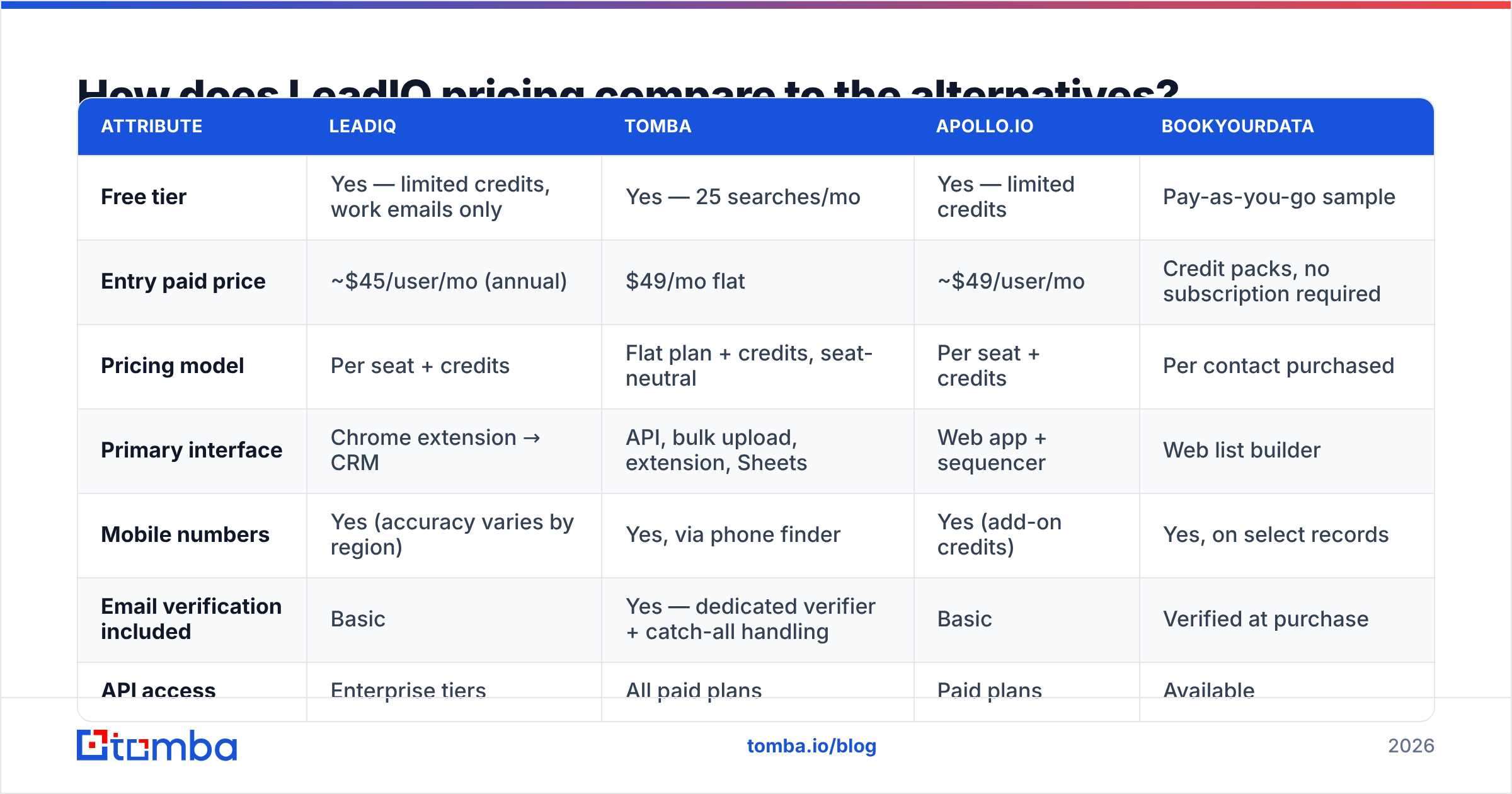
Here is the honest side-by-side. Prices reflect publicly listed rates as of 2026; custom tiers vary by negotiation, so treat the upper rows as directional.
| Attribute | LeadIQ | Tomba | Apollo.io | BookYourData |
|---|---|---|---|---|
| Free tier | Yes — limited credits, work emails only | Yes — 25 searches/mo | Yes — limited credits | Pay-as-you-go sample |
| Entry paid price | ~$45/user/mo (annual) | $49/mo flat | ~$49/user/mo | Credit packs, no subscription required |
| Pricing model | Per seat + credits | Flat plan + credits, seat-neutral | Per seat + credits | Per contact purchased |
| Primary interface | Chrome extension → CRM | API, bulk upload, extension, Sheets | Web app + sequencer | Web list builder |
| Mobile numbers | Yes (accuracy varies by region) | Yes, via phone finder | Yes (add-on credits) | Yes, on select records |
| Email verification included | Basic | Yes — dedicated verifier + catch-all handling | Basic | Verified at purchase |
| API access | Enterprise tiers | All paid plans | Paid plans | Available |
| Best for | LinkedIn-first SDR teams on Salesforce | Volume email finding + verification at flat cost | All-in-one prospect + sequence | One-off, no-commitment list purchases |
A few notes on reading that table honestly.
LeadIQ vs Apollo is the most common head-to-head. Apollo bundles sequencing and a much larger searchable database; LeadIQ has cleaner CRM writeback and better job-change tracking. Teams that already own Outreach or Salesloft tend to prefer LeadIQ. Teams that want one tool for everything tend to prefer Apollo. If you are weighing that trade, the Apollo alternative breakdown covers the feature overlap in more detail.
LeadIQ vs BookYourData is a different comparison entirely. BookYourData sells verified contact lists on a pay-as-you-go basis with no seat commitment, which suits teams running occasional campaigns rather than daily prospecting. It is a strong option when you want a clean list now and do not want to run a subscription — a genuinely different purchasing model rather than a worse one.
LeadIQ vs Tomba comes down to interface. LeadIQ is a rep-facing capture tool. Tomba is infrastructure — an email finder you hit via API, bulk CSV, Sheets, or extension, with verification built into the same credit pool. Different job, different budget line.
Is LeadIQ's data accuracy good enough?#
Short answer: good on work emails, inconsistent on phones, weakest outside tech verticals.
No vendor's published accuracy number should be taken at face value, LeadIQ's included. Every data provider measures accuracy differently — some count "deliverable at time of export," some count "SMTP-valid," some quietly exclude catch-all domains from the denominator entirely. That last one is the biggest source of inflated claims in this category.
Here is how to run your own test in under an hour:
- Pull a random sample of 200 contacts from your actual ICP, not a curated demo list. Random means random — no cherry-picking companies you know well.
- Export and verify independently. Run the emails through a third-party email verifier rather than trusting the source tool's own validation. A vendor grading its own homework is not evidence.
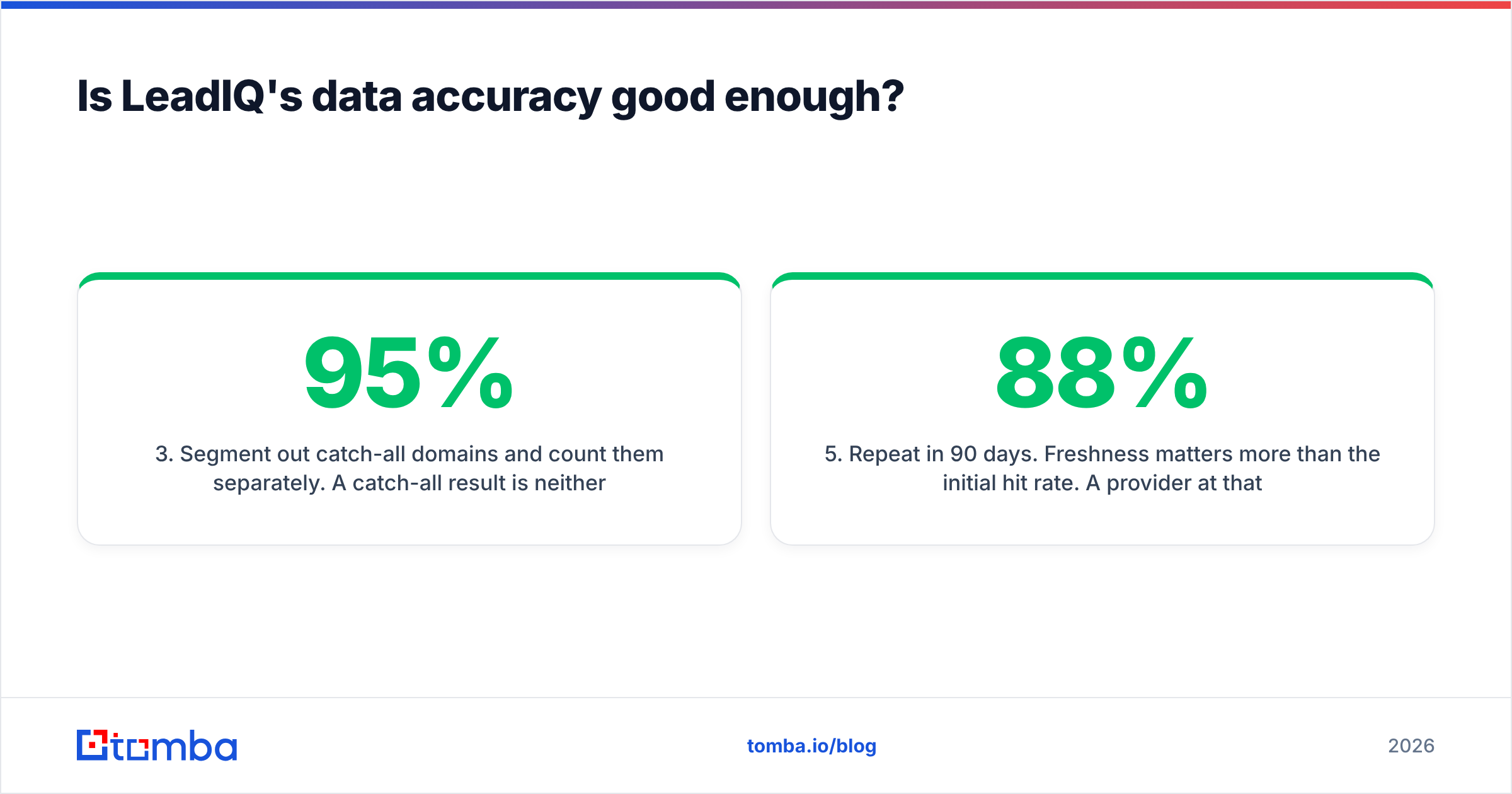
- Segment out catch-all domains and count them separately. A catch-all result is neither valid nor invalid; lumping them into "valid" is how 95% accuracy claims get manufactured. Tools that handle these explicitly, via a catch-all verifier, give you a truer picture.
- Spot-check 30 phone numbers manually or through a validation service. Phone data degrades faster than email data and is rarely re-verified as often.
- Repeat in 90 days. Freshness matters more than the initial hit rate. A provider at 88% that refreshes quarterly beats one at 93% that snapshotted in 2024.
Run that on LeadIQ, on whatever you use today, and on any tool you are evaluating. The gaps you find will be specific to your ICP, which is the only accuracy number that should influence your purchase.
Who should buy LeadIQ, and who should not?#
Buy LeadIQ if:
- Your SDRs prospect primarily inside LinkedIn Sales Navigator and you want capture-to-CRM in one click.
- You run Salesforce and CRM data hygiene is a real, funded priority — not an aspiration.
- You sell into tech and adjacent verticals where LeadIQ's coverage is strongest.
- Job-change tracking maps to an actual play your team runs, not a feature you will admire once and forget.
- You have 10+ seats, because the per-seat model only makes sense when the workflow savings are multiplied across a team.
Look elsewhere if:
- You need thousands of verified emails per month through an API or bulk upload. Per-seat pricing punishes this pattern badly; a flat-rate bulk email finder costs a fraction per contact.
- You are a founder, solo operator, or two-person team. Seat-based tools are structurally bad value at that size.
- Direct dials are the primary deliverable and you sell outside North America.
- Your ICP sits in manufacturing, construction, healthcare, or government.
- You are building a product or internal tool that needs programmatic lookups — you want an email finder API, not a Chrome extension.

What does a realistic LeadIQ stack cost?#
Sticker price is not the number that matters. Cost per usable contact is.
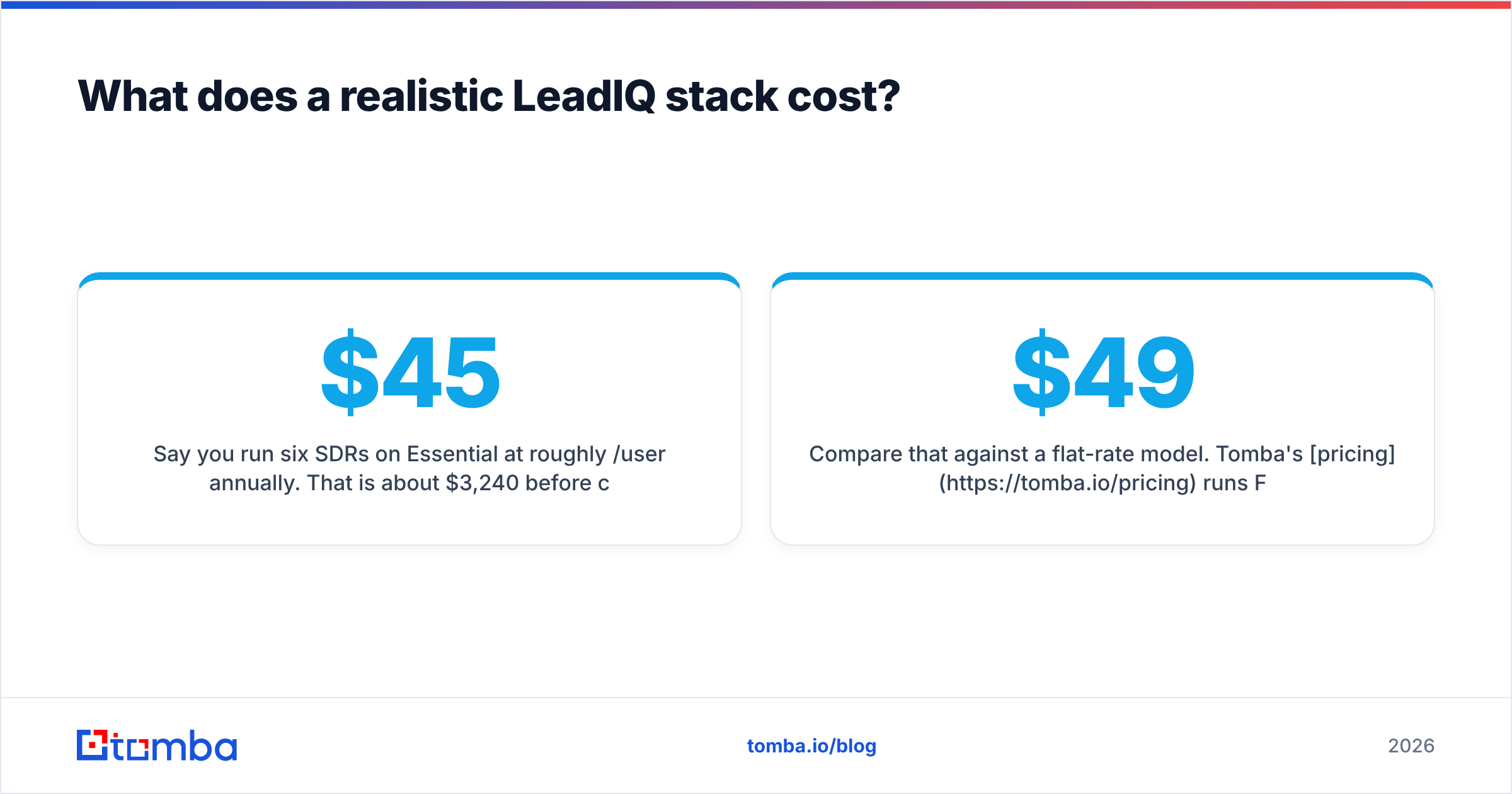
Say you run six SDRs on Essential at roughly $45/user/month annually. That is about $3,240/year before credit overages. If each rep burns their allocation and you top up twice a year, you are realistically looking at $4,000–5,000. Now apply a conservative 75% usable rate after verification and dead phones, and your effective cost per genuinely usable contact climbs meaningfully above what the pricing page implied.
Compare that against a flat-rate model. Tomba's pricing runs Free (25 searches/mo), Starter at $49/mo, Growth at $99/mo, Pro at $249/mo, and Enterprise custom — and the plan is not multiplied by headcount. Six reps hitting the same Growth plan cost the same as one. For teams whose bottleneck is contact volume rather than per-rep workflow, that structural difference dwarfs any feature comparison.
The nuance: if LeadIQ saves each rep 45 minutes a day of copy-paste and CRM cleanup, six reps times 45 minutes is roughly 22 hours a week. At any reasonable loaded cost, that pays for the subscription several times over. That is the real case for LeadIQ, and it is a legitimate one. Just make sure you are buying the workflow, because you are definitely paying for it.
What are the best LeadIQ alternatives in 2026?#
Depends entirely on which part of LeadIQ you were trying to replace.
- Replacing the LinkedIn capture workflow → Surfe, Wiza, or ContactOut sit closest. All are extension-first with CRM push. Compare on your specific CRM's writeback depth, because that is where they differ most.
- Replacing the contact database → Apollo or ZoomInfo, depending on budget. Both give you searchable filters LeadIQ does not.
- Replacing email finding and verification → a focused tool. Tomba, Findymail, or Hunter. You lose the CRM workflow and gain volume economics plus API access. See the LeadIQ alternative comparison for the direct feature map.
- Replacing one-off list purchases → BookYourData, which skips subscriptions entirely and sells verified contacts by the record. Sensible when prospecting is campaign-driven rather than continuous.
- Replacing Scribe → honestly, most teams replace this with a better-written template library and a human. AI openers are a commodity now; differentiated research is not.
One pattern worth flagging: a lot of teams do not replace LeadIQ so much as unbundle it. They keep a capture extension for the reps who live in LinkedIn, and add a flat-rate finder plus verification layer underneath for the bulk work that per-seat pricing makes uneconomical. That combination usually costs less than upgrading LeadIQ to a tier that handles both, and it gives you an API you can build against. It is also easier to cancel one half of it if the numbers stop working.
What is the final verdict on LeadIQ?#
LeadIQ is a well-built tool with a clearly defined job and honest limits. Reviews back that up: the workflow praise is specific and repeated, and so are the complaints about phone accuracy, credit burn, and opaque upper-tier pricing. Nothing in the review corpus suggests the product is misrepresented — it suggests buyers sometimes purchase it expecting a database and receive a capture tool.
Pilot it properly. Run the 200-contact accuracy test above on your own ICP, check phone coverage in your actual territories, and model credit consumption against your real weekly prospecting volume rather than the number in the sales deck. If the workflow savings clear the per-seat cost across your team, it is a fair buy. If your real constraint is contact volume, it is the wrong category of product and no amount of good CRM writeback will fix that.
Need verified work emails at volume without per-seat math? Tomba Email Finder finds professional email addresses by domain, name, or company — with verification, catch-all handling, and API access on every paid plan. Start free with 25 searches a month, or run the full Starter plan at $49/mo flat regardless of how many people on your team use it. Test it against your current provider on the same 200-contact sample and let the hit rates decide.
Related guides#
// get started
Find, verify and enrich your first contacts today
Start on the free plan with 25 searches a month, then scale when your team is ready.
Free plan · No credit card required · GDPR & CCPA
// about the author