LeadIQ vs Minelead: Features, Pricing and Best Fit in 2026
LeadIQ is built for SDR teams prospecting on LinkedIn. Minelead is a lightweight tool for finding emails by domain. Here is how they compare on data, workflow, pricing and fit.
TL;DR
- LeadIQ is a prospecting workspace for SDR and AE teams. It captures contacts from LinkedIn and Sales Navigator, adds verified emails and mobile numbers, and pushes them straight into Salesforce, HubSpot, Outreach or Salesloft.
- Minelead is a lighter, cheaper email finder built around domain search. You enter a company website and get back its email addresses. It also includes an email generator and a verifier.
- Pick LeadIQ if your team lives on LinkedIn, needs phone numbers, and wants CRM and sequencer sync with job-change tracking.
- Pick Minelead if you're a founder, freelancer or small agency that mostly needs emails for a list of company domains on a tight budget.
- Want domain search, a LinkedIn extension, verification and phone data on one flat monthly price? Tomba sits between the two, with plans starting at $49/mo.
What is the real difference between LeadIQ and Minelead?#
LeadIQ starts from a person. Minelead starts from a company.
That one difference explains most of the rest of this comparison. LeadIQ assumes you already know who you want to reach, usually because you found them on LinkedIn. Its job is to turn that profile into a CRM-ready contact with a work email, often a mobile number, and enough firmographic context to personalise outreach. Everything around it (the Chrome extension, CRM sync, sequencer push, AI email drafting, job-change alerts) is designed to cut the clicks between "found a prospect" and "prospect is in a sequence."
Minelead assumes you know which companies you want to reach and need to find the people behind them. You type in a domain and it returns the email addresses it has found for that company, along with a likely email pattern. It is closer to a classic domain search tool than to a sales engagement add-on.
Neither approach is better in general. They solve different jobs, and many teams get stuck because they buy the tool built for the other job.
How do LeadIQ and Minelead compare feature by feature?#
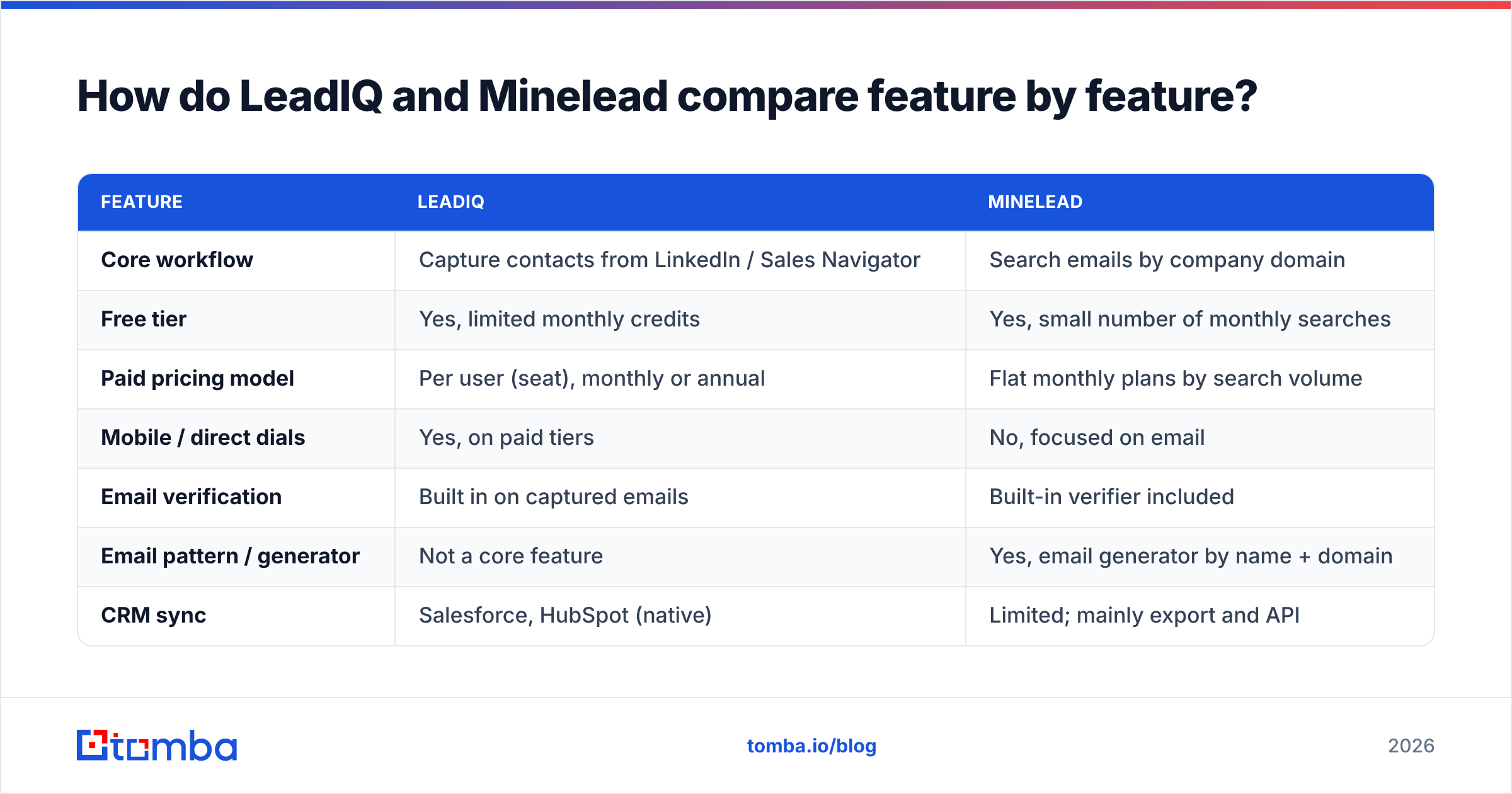
Here is the side-by-side. Pricing changes often, so treat the numbers as a snapshot and check LeadIQ's pricing page and Minelead's site before you buy.
| Feature | LeadIQ | Minelead |
|---|---|---|
| Core workflow | Capture contacts from LinkedIn / Sales Navigator | Search emails by company domain |
| Free tier | Yes, limited monthly credits | Yes, small number of monthly searches |
| Paid pricing model | Per user (seat), monthly or annual | Flat monthly plans by search volume |
| Mobile / direct dials | Yes, on paid tiers | No, focused on email |
| Email verification | Built in on captured emails | Built-in verifier included |
| Email pattern / generator | Not a core feature | Yes, email generator by name + domain |
| CRM sync | Salesforce, HubSpot (native) | Limited; mainly export and API |
| Sequencer push | Outreach, Salesloft, Apollo and others | No native sequencer push |
| AI email writing | Yes (Scribe) | No |
| Job-change tracking | Yes | No |
| Bulk processing | Via lists and CRM enrichment | Bulk domain and email search |
| API | Available on higher tiers | Available |
| Best for | SDR/AE teams running outbound at scale | Solo operators, agencies, small teams on a budget |

Three points from the table matter most in practice:
- Seat pricing vs volume pricing. LeadIQ charges per user. On a 10-rep team, the cost adds up quickly even if each rep uses few credits. Minelead charges by search volume, so one person running a large domain list pays the same as one person running a small one.
- Phone numbers. If your motion includes calling, Minelead drops out. It's an email tool.
- Where the data ends up. LeadIQ is built to put the contact in your CRM and sequencer with no copy-paste. Minelead mostly gives you a CSV or an API response, and getting it into Salesforce is your job.
How does the LeadIQ workflow actually feel day to day?#
You open a LinkedIn or Sales Navigator profile, click the LeadIQ extension, and a side panel shows the person's work email, phone number where available, title and company data. One more click sends them to Salesforce or HubSpot as a lead or contact, and optionally into an Outreach or Salesloft sequence.
The parts reps tend to like:
- Duplicate checks against the CRM before capture, so you don't spend a credit on someone already in Salesforce.
- Bulk capture from a Sales Navigator search, which turns a list of 25 profiles into 25 records in one pass.
- Scribe, LeadIQ's AI writer, drafts a first-touch email using the prospect's profile and company data. It's useful as a starting point, but you still need to edit it.
- Track, which alerts you when a champion or past buyer changes jobs. For many teams this signal alone justifies the cost.
The parts people complain about, and which show up in LeadIQ reviews on G2, are the usual ones for this category: coverage drops outside North America and Western Europe, mobile numbers are hit-or-miss for junior roles, and seat pricing makes it hard to give occasional users like marketers or founders a login.
How does the Minelead workflow feel day to day?#
Minelead is simpler. You paste a domain like acme.com into the search box, and it returns the email addresses it has indexed for that company, often with the source page where each was found. If you know a person's name, the generator combines it with the company's detected pattern and gives you a likely address, which you can run through the verifier.
It works well when:
- You have a list of target accounts (from a trade show, a directory or a Crunchbase export) and need contact points at each.
- You're doing link-building, PR or partnership outreach, where generic addresses like
press@orpartnerships@are useful. - You want an affordable tool you can use in bursts without paying for a seat all year.
Where it's weaker: it isn't built around individual decision-makers the way LinkedIn-first tools are, so for "find the VP of Finance at these 200 companies" you'll do more manual work. There's also no phone data and no native CRM workflow.
Which is more accurate, LeadIQ or Minelead?#
Honest answer: accuracy depends on your market more than on the logo. Every email finder uses a mix of crawled public data, pattern inference and SMTP-level verification. How accurate a tool is for you depends on how well its sources cover your ICP's geography, company size and seniority.

What we can say with confidence:
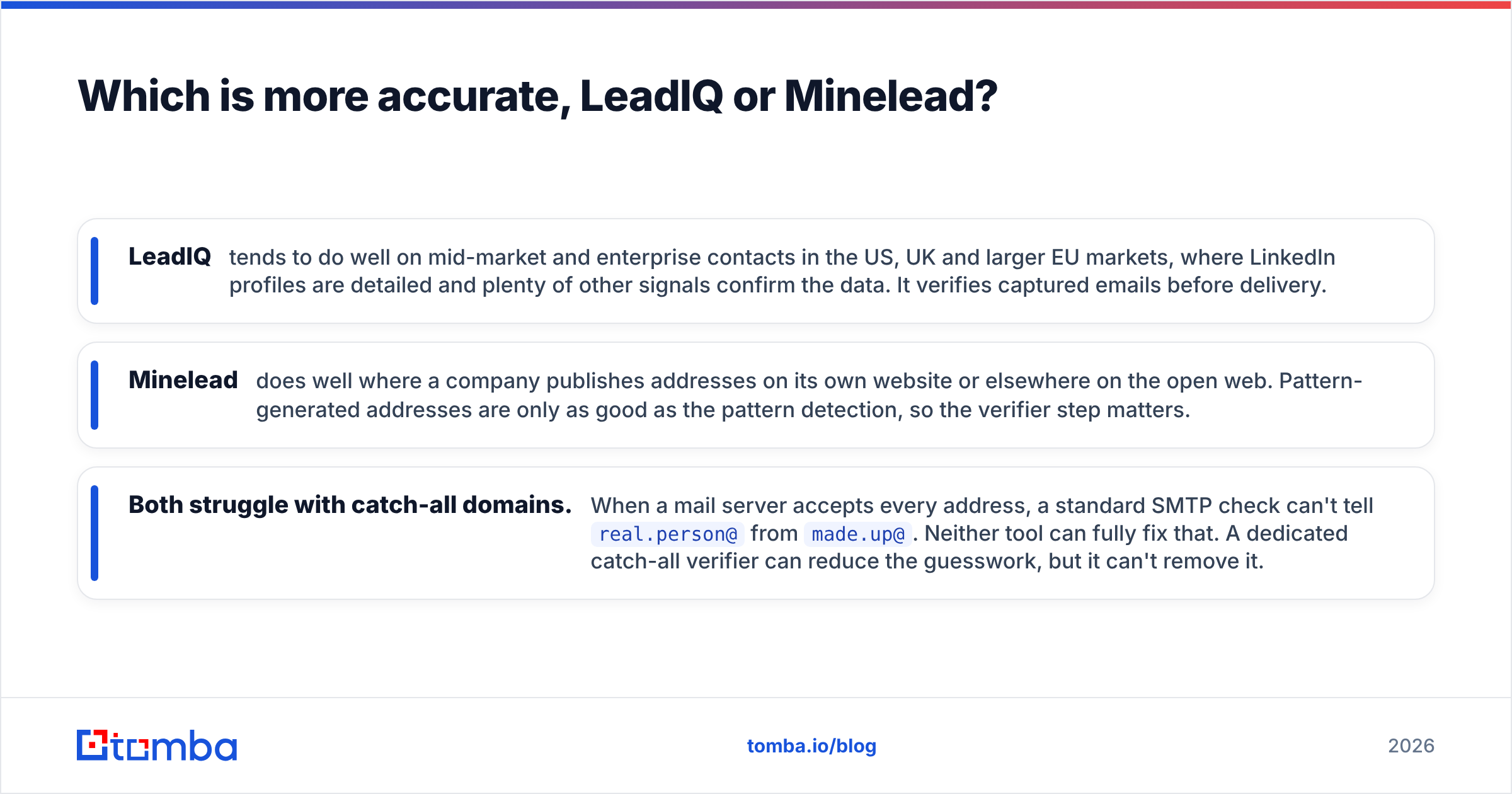
- LeadIQ tends to do well on mid-market and enterprise contacts in the US, UK and larger EU markets, where LinkedIn profiles are detailed and plenty of other signals confirm the data. It verifies captured emails before delivery.
- Minelead does well where a company publishes addresses on its own website or elsewhere on the open web. Pattern-generated addresses are only as good as the pattern detection, so the verifier step matters.
- Both struggle with catch-all domains. When a mail server accepts every address, a standard SMTP check can't tell
real.person@frommade.up@. Neither tool can fully fix that. A dedicated catch-all verifier can reduce the guesswork, but it can't remove it.
Whichever tool you choose, run a sample test before committing. Take 100 contacts you already know are valid, including a few catch-all domains, and see what each tool returns. Measure the find rate (how many it returned an email for) and the bounce rate (how many of those bounced when you sent to them). Those two numbers tell you more than any vendor's accuracy claim.
How much do LeadIQ and Minelead cost?#
Both have free tiers, and both are designed to move you onto a paid plan quickly.
LeadIQ uses per-seat pricing. Its self-serve plans have historically started at a few dozen dollars per user per month on annual billing, with a higher tier that adds more credits, mobile numbers, AI features and deeper integrations, and a custom-priced Enterprise plan for larger teams. The number you'll actually pay depends on seats, billing term and whether you need phone credits.
Minelead uses flat monthly plans tiered by search volume. The entry paid plan is cheaper than a single LeadIQ seat for most use cases, and higher tiers raise search and verification limits and unlock the API.
A simple way to compare them:
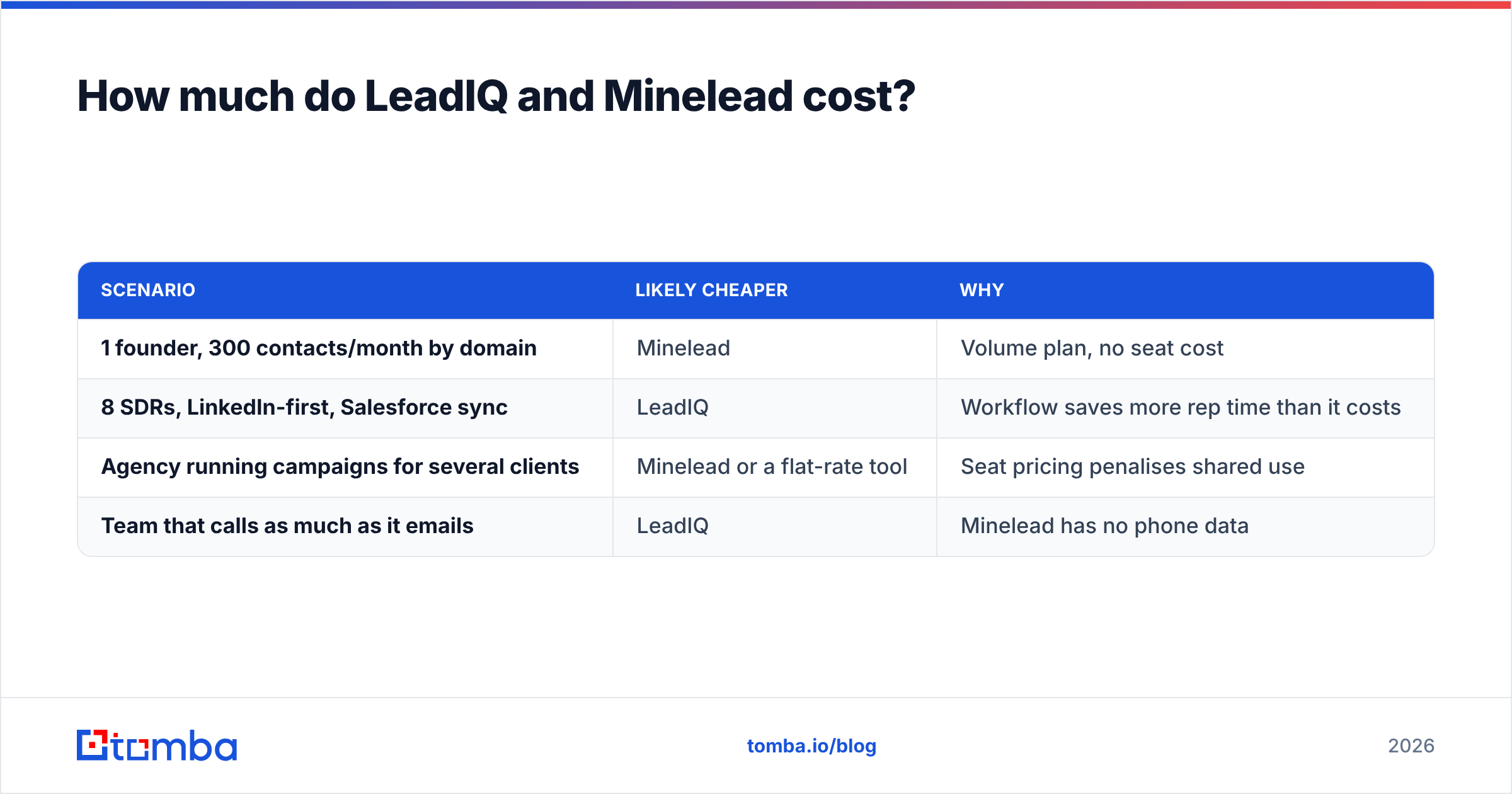
| Scenario | Likely cheaper | Why |
|---|---|---|
| 1 founder, 300 contacts/month by domain | Minelead | Volume plan, no seat cost |
| 8 SDRs, LinkedIn-first, Salesforce sync | LeadIQ | Workflow saves more rep time than it costs |
| Agency running campaigns for several clients | Minelead or a flat-rate tool | Seat pricing penalises shared use |
| Team that calls as much as it emails | LeadIQ | Minelead has no phone data |
If you're comparing costs across the wider market, Tomba pricing is flat and public: a free tier with 25 searches a month, Starter at $49/mo, Growth at $99/mo, Pro at $249/mo, and custom Enterprise plans. That covers domain search, email finding, verification and the browser extension without charging per seat.
Is LeadIQ better than Minelead for sales teams?#
For a structured outbound team, yes, in most cases. LeadIQ's value isn't only the data. It's the time saved per contact. A rep who captures 40 prospects a day from Sales Navigator and doesn't have to copy fields into Salesforce or build CSVs for Outreach gets back real selling time. Add job-change tracking and CRM deduplication and the per-seat price is easy to justify at team scale.
Minelead isn't trying to win that buyer. It's the better pick when:
- There are one or two users, not a team.
- The work is account-first (domains in, emails out) rather than person-first.
- The budget is fixed and small, and phone numbers aren't needed.
- You're fine exporting a CSV and importing it into your CRM or sending tool yourself.
There's a middle ground too. Plenty of teams want LinkedIn-side capture and domain search without enterprise seat pricing. If that's you, look at a tool with both a LinkedIn email extractor and domain search on one plan, and check a roundup of LeadIQ alternatives before you sign an annual contract.
What should you check before buying either tool?#
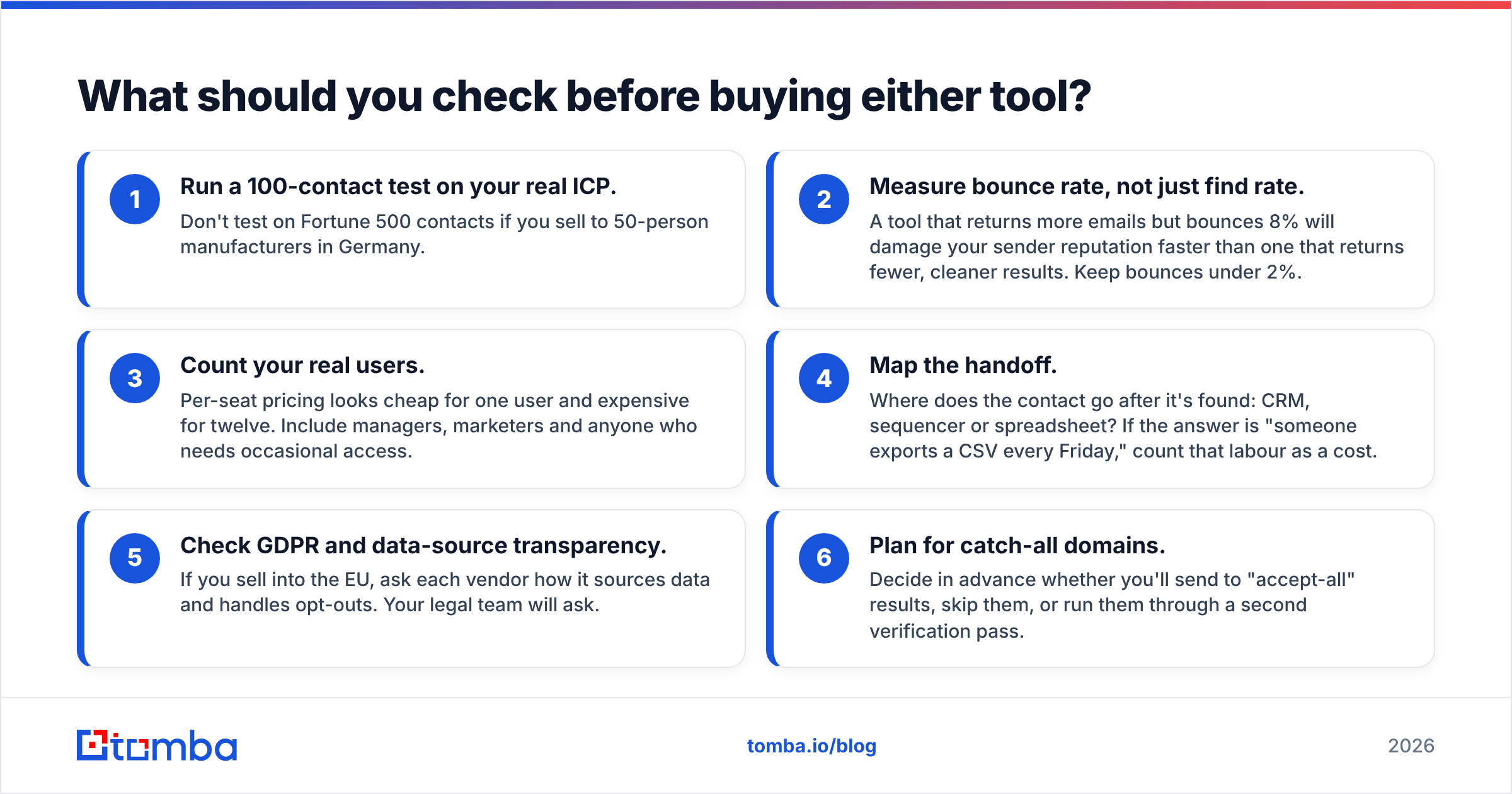
Use this checklist whichever way you're leaning:
- Run a 100-contact test on your real ICP. Don't test on Fortune 500 contacts if you sell to 50-person manufacturers in Germany.
- Measure bounce rate, not just find rate. A tool that returns more emails but bounces 8% will damage your sender reputation faster than one that returns fewer, cleaner results. Keep bounces under 2%.
- Count your real users. Per-seat pricing looks cheap for one user and expensive for twelve. Include managers, marketers and anyone who needs occasional access.
- Map the handoff. Where does the contact go after it's found: CRM, sequencer or spreadsheet? If the answer is "someone exports a CSV every Friday," count that labour as a cost.
- Check GDPR and data-source transparency. If you sell into the EU, ask each vendor how it sources data and handles opt-outs. Your legal team will ask.
- Plan for catch-all domains. Decide in advance whether you'll send to "accept-all" results, skip them, or run them through a second verification pass.

Can you use LeadIQ and Minelead together?#
You can, and some teams do. A common setup:
- Minelead or another domain tool builds account-level coverage from target domains and finds generic and role-based addresses.
- LeadIQ handles person-level capture from LinkedIn for named decision-makers, plus phone numbers and CRM sync.
The catch is cost and complexity. You're paying for two tools, reconciling two sets of credits, and deduplicating across two data sources. For most teams under 20 reps, one tool that does both domain search and person lookup, with a solid email verifier built in, is simpler and cheaper.
LeadIQ vs Minelead: which one should you choose?#
Here's the short version:
- Choose LeadIQ if you run a LinkedIn-first outbound team, need mobile numbers, and want contacts to go straight into Salesforce or HubSpot and your sequencer. Seat pricing is the trade-off for that workflow.
- Choose Minelead if you're a small team or solo operator who works from company domains, mostly needs emails rather than phones, and wants low flat pricing.
- Choose neither yet if you haven't run a 100-contact test on your own ICP. The best email finder is the one with the lowest bounce rate on your list, not the one with the best landing page.
If you want LinkedIn capture, domain search, pattern detection and verification in one place at a flat price, try the Tomba Email Finder. You can look up professional addresses by name, domain or company, verify them in the same step, and push them to your CRM through native integrations. Start with the free 25 searches a month, run the same 100-contact test you'd run on LeadIQ or Minelead, and compare the bounce rates yourself.
Related guides#
// get started
Find, verify and enrich your first contacts today
Start on the free plan with 25 searches a month, then scale when your team is ready.
Free plan · No credit card required · GDPR & CCPA
// about the author