LeadIQ vs NinjaPear: Prospecting Tool or B2B Data API in 2026?
LeadIQ is a prospecting tool for sales reps. NinjaPear is a company-intelligence API for developers. We compare pricing, data coverage and workflow fit so you buy the right one.
TL;DR
- LeadIQ is a prospecting tool for sales reps. Its Chrome extension captures contacts from LinkedIn, adds emails and phone numbers, and syncs them to your CRM and sequencer. Paid plans are billed per user, starting around $36/user/month on annual billing.
- NinjaPear is the company-intelligence API that Nubela built after shutting down Proxycurl. It returns customer lists, competitor lists, employee data, funding data and work emails over REST. It has no seat-based prospecting UI.
- Pick LeadIQ if your SDRs need contacts in Salesforce or Outreach today. Pick NinjaPear if you're building account research, TAM mapping or an AI agent that needs structured company relationships.
- Neither tool is mainly an email verifier. Whichever you choose, run emails through a verification step before you send, or your bounce rate will pay for the missing step.
- If what you really need is emails found by name and domain at a fixed monthly price, a dedicated email finder can cost less than either.
LeadIQ and NinjaPear keep showing up in the same buying conversations because both sell "B2B data." They don't do the same job, though. It's like comparing a dealership with a parts catalogue. You can get a car from both, but only one expects you to assemble it yourself.
This guide compares them on what they do, what they cost, how good the data is and who each one suits. By the end you should know which one fits your stack, or whether you need either.
What is LeadIQ?#
LeadIQ is a sales prospecting platform built around a Chrome extension. A rep opens a LinkedIn profile or a Sales Navigator search and clicks capture. LeadIQ then looks up a work email and, where it can, a direct dial or mobile number. The contact goes straight into Salesforce, HubSpot, Outreach, Salesloft or Gong Engage.
Around that core workflow, LeadIQ has added:
- Champion / job-change tracking. It alerts you when a past buyer moves to a new company.
- AI-assisted personalization. It drafts first lines and short emails from profile data.
- CRM enrichment. It fills in missing fields on records you already have.
- Universal credits. One pool covers emails, phones, enrichment and API calls. Credits are only charged when you reveal data, not when you search.
The economics depend on the credit weighting. Published breakdowns put one email at 1 credit and one phone number at 10 credits. On a small allowance, you run out of phone lookups much faster than email lookups.
Where it fits: SDR and AE teams who live in LinkedIn and a sequencer and want as few clicks as possible between "that's my buyer" and "they're in step 1 of my cadence."
What is NinjaPear?#
NinjaPear comes from Nubela, the team behind Proxycurl. Proxycurl was a popular LinkedIn-profile enrichment API that has since shut down. The company says NinjaPear does not scrape LinkedIn. It positions NinjaPear as a competitive-intelligence data company, and its homepage describes it as "real-time B2B data enrichment for AI agents."
The endpoints in the NinjaPear API reference cover:
- Customer Listing. Returns the customers, investors and partners of a company.
- Competitor Listing. You pass a company website and get back competitor websites.
- Employee listing. Returns people at a company. Billing is per call plus per employee returned.
- Work Email. You pass a name and company domain and get back a likely work email.
- Company data. Covers funding and firmographics, plus monitoring of competitor websites, blogs and X activity.
- Disposable and free email detection.
There's no rep-facing extension or sequencer sync out of the box. You call the API from Python, JavaScript or anything that can read the OpenAPI 3.0 spec, then send the output wherever you want.
Where it fits: RevOps engineers, data teams and AI-agent builders who want structured answers to questions like "who are this company's customers?" or "who competes with this account?", which a contact database usually can't answer.
How are LeadIQ and NinjaPear fundamentally different?#
The quickest way to see the difference is to ask what each tool treats as its main object.
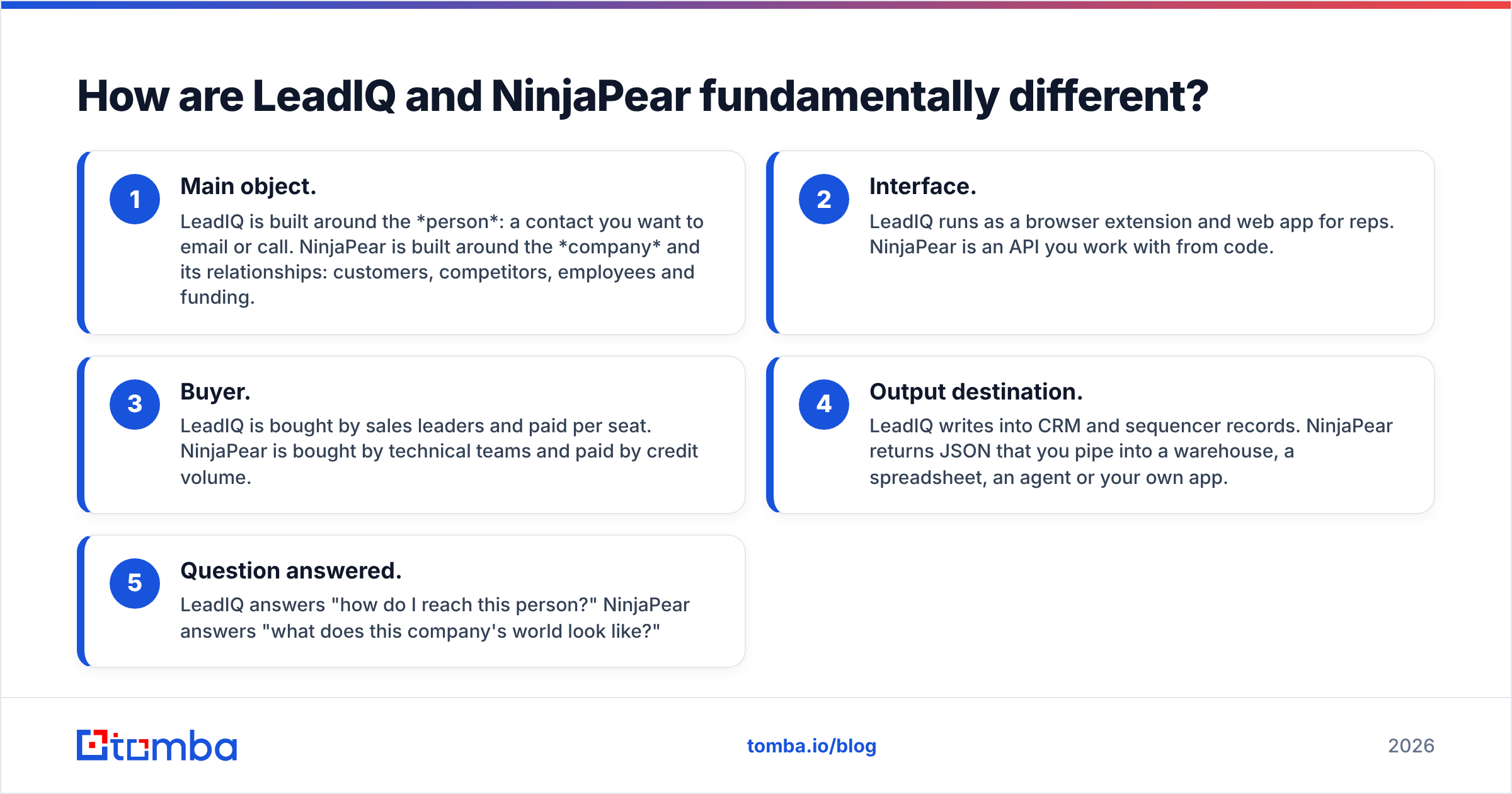
- Main object. LeadIQ is built around the person: a contact you want to email or call. NinjaPear is built around the company and its relationships: customers, competitors, employees and funding.
- Interface. LeadIQ runs as a browser extension and web app for reps. NinjaPear is an API you work with from code.
- Buyer. LeadIQ is bought by sales leaders and paid per seat. NinjaPear is bought by technical teams and paid by credit volume.
- Output destination. LeadIQ writes into CRM and sequencer records. NinjaPear returns JSON that you pipe into a warehouse, a spreadsheet, an agent or your own app.
- Question answered. LeadIQ answers "how do I reach this person?" NinjaPear answers "what does this company's world look like?"
If your question is about reaching a person, NinjaPear's work-email endpoint helps, but that isn't what the product is mainly built for. If your question is about the company, LeadIQ has almost nothing comparable to customer or competitor listings.
How do LeadIQ and NinjaPear compare feature by feature?#
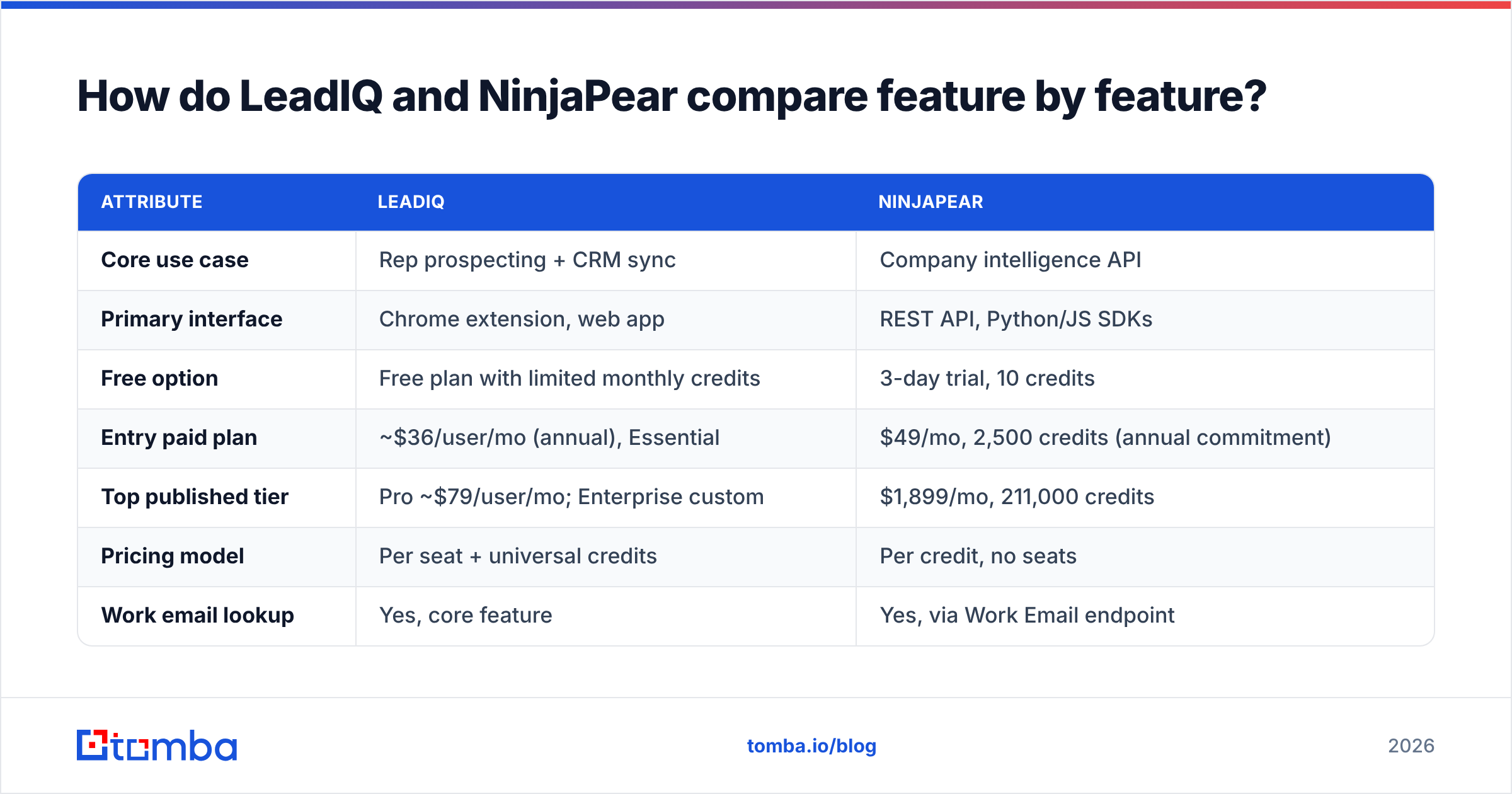
| Attribute | LeadIQ | NinjaPear |
|---|---|---|
| Core use case | Rep prospecting + CRM sync | Company intelligence API |
| Primary interface | Chrome extension, web app | REST API, Python/JS SDKs |
| Free option | Free plan with limited monthly credits | 3-day trial, 10 credits |
| Entry paid plan | ~$36/user/mo (annual), Essential | $49/mo, 2,500 credits (annual commitment) |
| Top published tier | Pro ~$79/user/mo; Enterprise custom | $1,899/mo, 211,000 credits |
| Pricing model | Per seat + universal credits | Per credit, no seats |
| Work email lookup | Yes, core feature | Yes, via Work Email endpoint |
| Phone numbers | Yes (≈10 credits each) | Not a headline feature |
| Customer / competitor lists | No | Yes, flagship endpoints |
| Job-change tracking | Yes | No (company monitoring instead) |
| CRM / sequencer sync | Native (Salesforce, HubSpot, Outreach, Salesloft) | Build it yourself |
| Failed-lookup charges | Credits consumed on reveal | Failed requests not charged |
| Best for | SDR/AE teams | RevOps, data, AI-agent builders |
Prices come from public pricing pages and third-party breakdowns as of 2026. Both vendors change packaging often, so check the current page before you budget. G2's LeadIQ pricing page is a reasonable cross-check.
How does pricing compare in practice?#
List prices don't tell you what you'll pay. Model both tools against a real month instead.
Scenario A: a 5-rep SDR team capturing 400 contacts each per month, emails only.
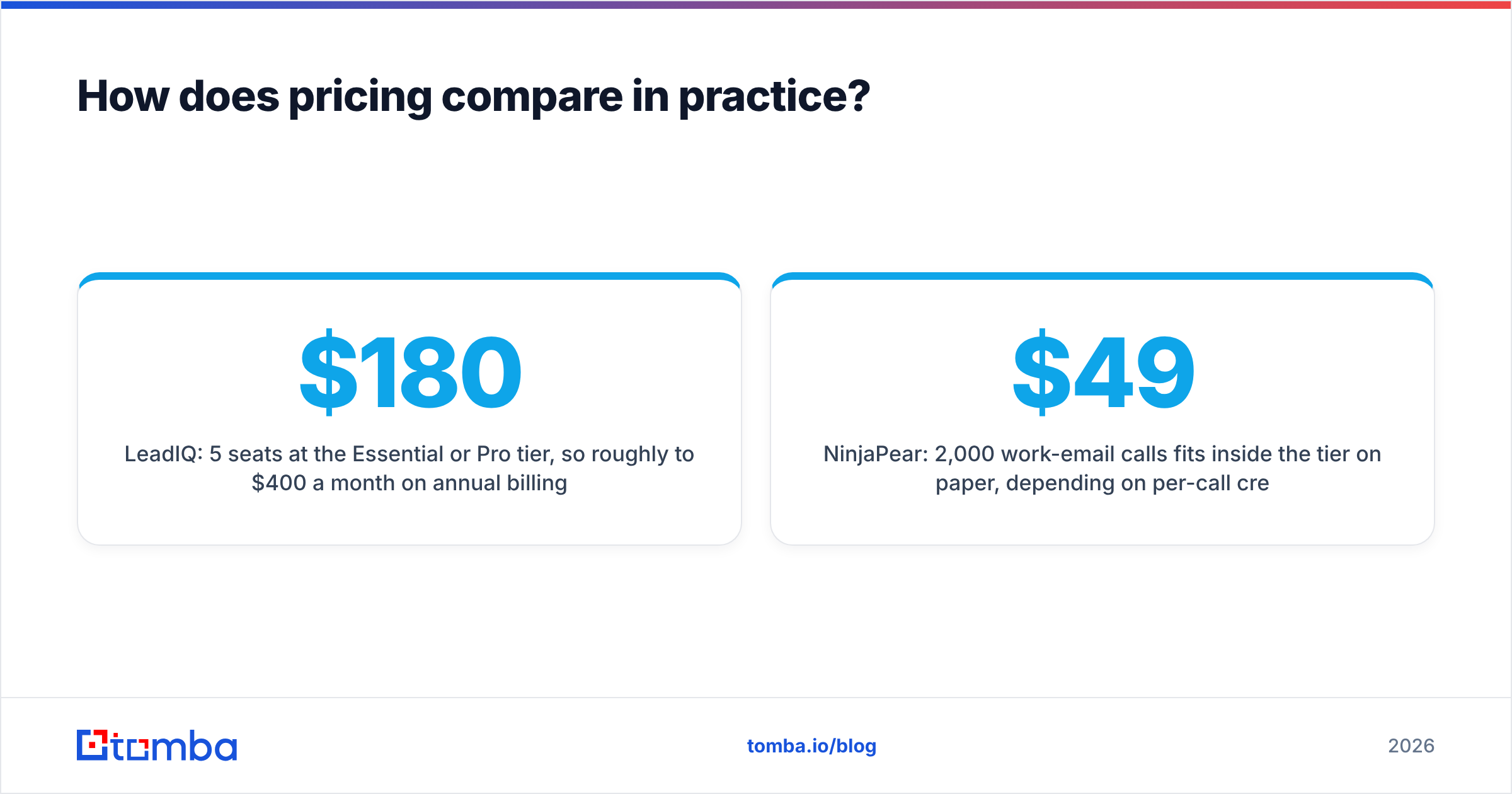
- LeadIQ: 5 seats at the Essential or Pro tier, so roughly $180 to $400 a month on annual billing depending on the tier. You'd need to confirm that the per-seat credit allowance covers 400 emails per rep. If reps also want mobile numbers, the 10-credit phone weighting means you'll probably need Pro or Enterprise.
- NinjaPear: 2,000 work-email calls fits inside the $49/month tier on paper, depending on per-call credit cost. But you'd have no extension, no CRM push and no workflow for reps. Someone would have to build and maintain that.
For this team, LeadIQ is cheaper once you count engineering time. The workflow is what you're paying for.
Scenario B: a RevOps team mapping the customer base of 300 competitor accounts every quarter.
- LeadIQ: can't really do this. You could capture people at those companies, but it won't tell you who their customers are.
- NinjaPear: 300 Customer Listing calls plus follow-up company lookups, which falls within the lower tiers. Cached records inside their freshness window cost 0 credits, and failed calls aren't billed.
For this team, NinjaPear is the only option of the two.
Scenario C: an AI agent that researches an account and drafts outreach.
This is where the two tools overlap. The agent needs company context (NinjaPear's strength) and a deliverable email for a named person (LeadIQ's strength). Many teams end up paying for both. That's the point where a lighter email-finding layer starts to make sense.
Which has better data quality?#
No independent, public benchmark compares LeadIQ and NinjaPear directly. Treat any vendor claims of "95%+ accuracy" as marketing until you've tested them on your own list. Here's what you can reason about:
- LeadIQ's email data comes from its own database plus a waterfall of lookups. It has a long track record with SDR teams. Users on review sites mostly complain about phone-number coverage outside North America and about credit burn, not about email accuracy.
- NinjaPear's company data is its differentiator. Customer and competitor relationships are hard to find anywhere else in structured form. Its work-email endpoint is newer and not the main reason people buy it, so validate it before you rely on it at volume.
- Neither tool replaces verification. Catch-all domains, role-account churn and people leaving jobs affect every data provider. Running output through an email verifier before a sequence starts is cheap insurance for your sender reputation.
A practical test: export 200 contacts you know are correct, such as recent customers or closed-won contacts. Run them through each tool and count exact matches, wrong answers and no-results separately. A wrong answer is worse than no result, because it bounces.
Who should choose LeadIQ?#
LeadIQ is the right call if most of these apply:
- Your reps prospect mostly from LinkedIn and Sales Navigator.
- You use Salesforce or HubSpot plus Outreach, Salesloft or Gong Engage, and want native sync.
- Job-change alerts on past champions are a pipeline source you care about.
- You don't have engineering time to build a data pipeline.
- You're fine with per-seat pricing growing with headcount.
Watch out for: phone credits running out fast, monthly billing costing about 25% more than annual, and Enterprise deals that go well into five figures for mid-size teams. If those are dealbreakers, our LeadIQ alternative breakdown covers cheaper options.
Who should choose NinjaPear?#
NinjaPear is the right call if most of these apply:
- You need account-level intelligence: who a company sells to, who it competes with, who invested.
- You're building for code: enrichment jobs, warehouse tables, internal tools, or AI agents that need structured company facts.
- You want to pay for usage, not seats, and like that failed calls aren't billed.
- You're a former Proxycurl customer rebuilding a pipeline around a vendor that doesn't depend on LinkedIn scraping.
Watch out for: the annual commitment on subscription tiers, the 3-day/10-credit trial being too small for a real accuracy test, and the need to build your own delivery into CRM or a sequencer.
Can you use LeadIQ and NinjaPear together?#
Yes, and some teams do. A typical split:
- NinjaPear finds target accounts, for example "every customer of the competitor we just displaced," and adds funding and competitor context.
- A rep or automation picks the buying-committee roles at those accounts.
- LeadIQ captures those people and pushes them into the sequencer.
This works, but you're paying two vendors, handling two credit systems and joining the data yourself. Before you commit, ask whether step 3 really needs a per-seat prospecting platform. If your reps don't live in LinkedIn and you already know the names and domains, a plain email-finder API does the same step for much less.
Where does a dedicated email finder fit?#
Both tools find emails as part of a bigger product. If emails are all you need, you're paying for features you don't use:
- With LeadIQ, you pay per seat for job tracking, AI copy and CRM sync.
- With NinjaPear, you pay for a company-graph API when you only want the work-email endpoint.
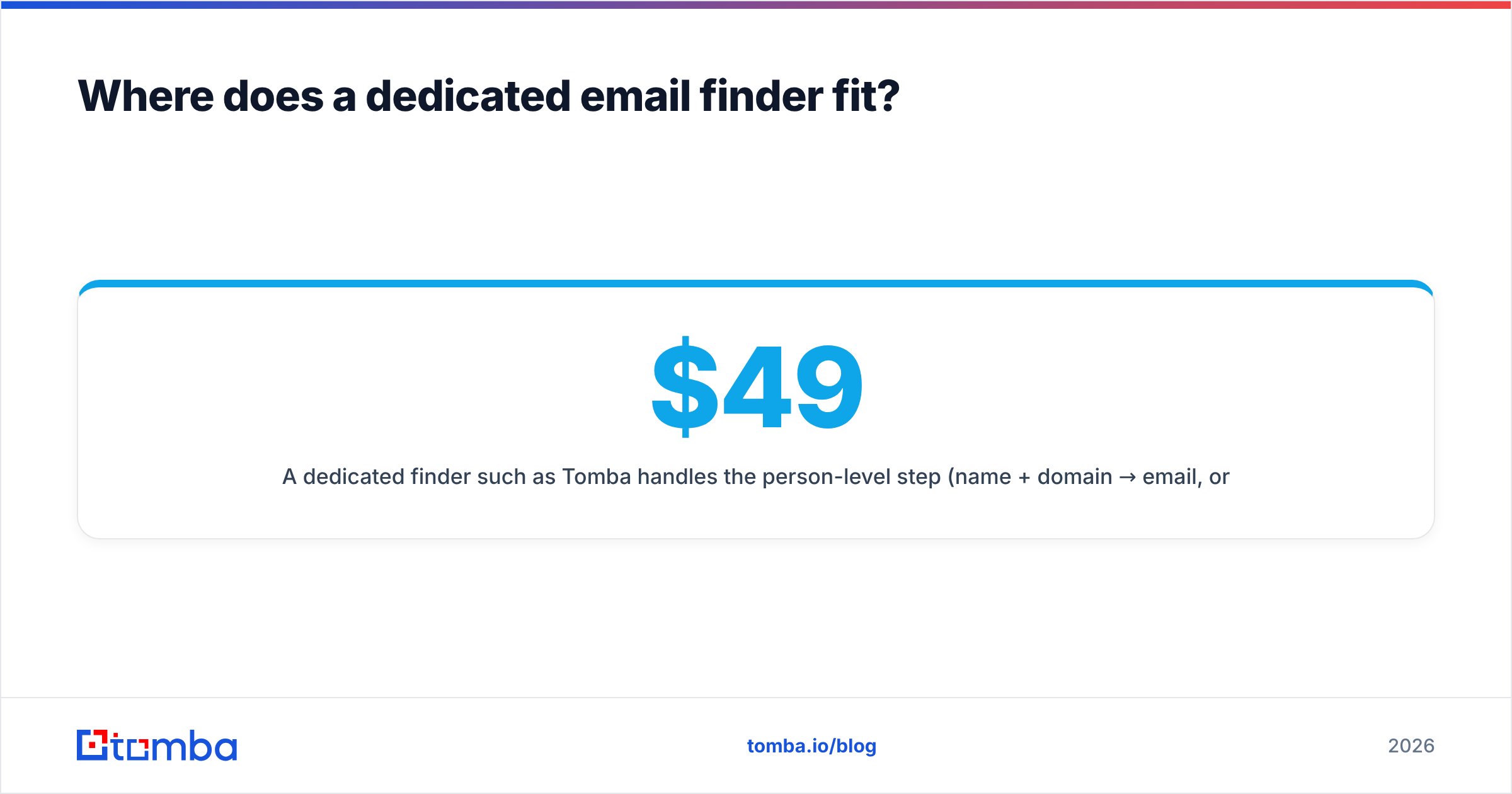
A dedicated finder such as Tomba handles the person-level step (name + domain → email, or domain → all known emails via domain search) with verification built into the same workflow. Pricing is flat: a free tier with 25 searches a month, then Starter at $49/month, Growth at $99/month and Pro at $249/month, with Enterprise custom. See Tomba pricing for the credit allowances on each plan. Developers can call the same lookups through the Tomba API, so it slots into a NinjaPear-style account pipeline without adding a seat-based tool.
That doesn't replace NinjaPear's customer and competitor graphs, and it doesn't replace LeadIQ's native sequencer sync for a large SDR floor. It covers the most common job in both, getting a deliverable email for a named person, for less.
Frequently asked questions#
Is NinjaPear the same as Proxycurl? No. Nubela shut Proxycurl down and built NinjaPear afterwards as a separate product. NinjaPear focuses on company and competitive intelligence and says it doesn't scrape LinkedIn.
Does LeadIQ have an API? Yes. API calls draw from the same universal credit pool as the rest of the platform. It's built mainly to support the prospecting workflow, not as a standalone data product.
Which is cheaper, LeadIQ or NinjaPear? For one person running API jobs, NinjaPear's $49/month entry tier is cheaper than a LeadIQ seat. For a team of reps who need a UI and CRM sync, LeadIQ usually costs less overall because you don't need engineering time.
Can NinjaPear replace LeadIQ for SDRs? Not without building a front end and CRM integration yourself. NinjaPear gives you data. LeadIQ gives you a prospecting workflow.
So, LeadIQ vs NinjaPear: which should you pick?#
In short, LeadIQ for reps, NinjaPear for builders. If your problem is "my SDRs waste time copying contacts into Outreach," LeadIQ solves it directly. If your problem is "we don't know who our competitors' customers are" or "our AI agent needs structured company context," NinjaPear answers questions LeadIQ can't.
If your problem is simpler, "we need accurate work emails for people we've already identified," you may not need either platform's full price.
That's what Tomba Email Finder is built for. Enter a name and company domain, or search a whole domain, and you get verified professional emails with source data. You can use it from the web app, a browser extension, Google Sheets or the API. Start with 25 free searches a month and test it on your own list before you commit.
Related guides#
// get started
Find, verify and enrich your first contacts today
Start on the free plan with 25 searches a month, then scale when your team is ready.
Free plan · No credit card required · GDPR & CCPA
// about the author