LeadIQ vs Nymeria: Honest 2026 Comparison for B2B Prospecting
LeadIQ is built for SDR teams that live in Salesforce and Sales Navigator. Nymeria is a lean contact finder for recruiters and developers. We compare coverage, pricing, workflow and fit so you pick the right tool.
TL;DR
- LeadIQ is a prospecting workflow tool for SDR and BDR teams. It captures contacts from LinkedIn and Sales Navigator, pushes them into Salesforce, HubSpot, Outreach or Salesloft, and adds job-change tracking and AI-written messages.
- Nymeria is a lighter contact finder. It pulls emails and phone numbers from LinkedIn, GitHub and other profile sites through a Chrome extension and an API, and recruiters and technical sourcers use it heavily.
- Pick LeadIQ if you run a sales team with a CRM and a sequencing tool and you want capture, sync and signals in one seat.
- Pick Nymeria if you are a solo operator, a recruiter or a developer who wants contact data plus an API without a sales-platform price.
- Whichever you choose, verify emails before you send. Neither tool removes the need for a verification step, and bounce rate is what protects your domain.
What is LeadIQ?#
LeadIQ is a B2B prospecting platform made for outbound sales teams. Its core product is a Chrome extension that runs on LinkedIn and Sales Navigator. You open a profile, click capture, and LeadIQ looks up a work email and phone number, then sends the contact to your CRM or sales engagement tool without a CSV export.
Beyond basic capture, LeadIQ has added layers aimed at SDR managers:
- Job change tracking: alerts you when a champion or past customer moves to a new company, one of the more reliable outbound triggers there is.
- AI message writing (marketed as Scribe): drafts personalised emails from the prospect's profile and company context.
- Deep CRM sync: duplicate checks against Salesforce and HubSpot before you capture, so reps don't prospect accounts that already belong to someone else.
- Team governance: credit allocation per rep, usage reporting and admin controls.
LeadIQ's own product site describes it as a tool for "prospecting teams", and that fits. The value comes less from the raw data and more from cutting out the clicks between finding a person and adding them to a sequence.
What is Nymeria?#
Nymeria is a contact-finding tool built around a browser extension and a developer API. You visit a LinkedIn, GitHub or similar profile, and Nymeria returns the email addresses and phone numbers it has for that person. Depending on the record, that can include work and personal addresses.
The product is noticeably narrower than LeadIQ, and that is deliberate:
- Multi-source profile lookup: it works beyond LinkedIn, and GitHub support is why it is popular with technical recruiters.
- API-first access: developers can enrich records by LinkedIn URL, email or name plus company, which makes it easy to wire into internal tools.
- Simple credit model: fewer governance features and a shorter learning curve.
- Recruiter-friendly data: personal emails and mobile numbers matter more in recruiting than in enterprise sales.
You can see Nymeria's current plans and API docs on nymeria.io. Nymeria is not trying to be a sales engagement layer. It is a lookup utility, and it prices and positions itself that way.
How do LeadIQ and Nymeria compare side by side?#
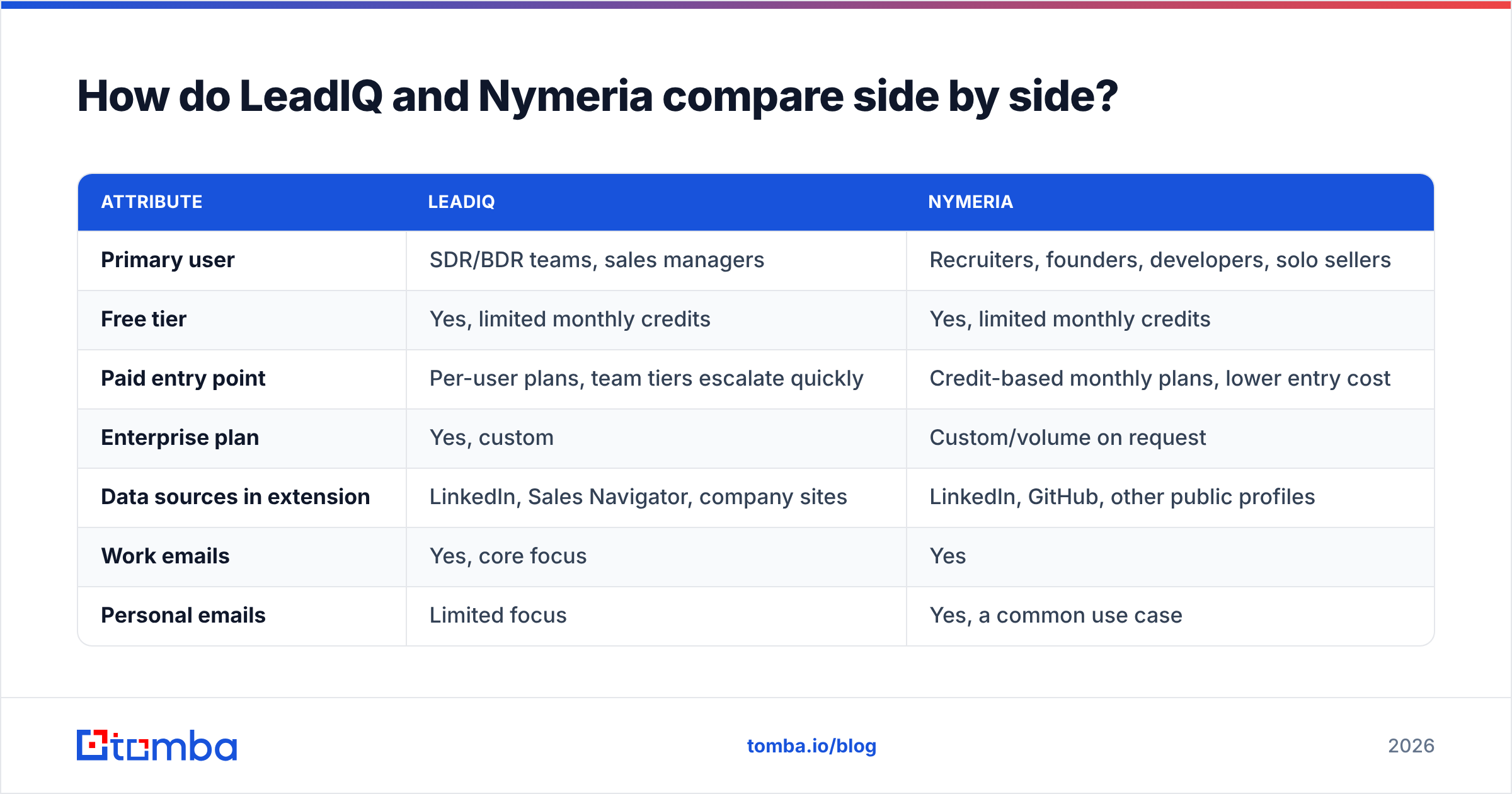
The short version is that LeadIQ sells workflow and Nymeria sells lookups. The table below covers the attributes that matter most when you're choosing. Pricing moves often in this category, so treat the price rows as a starting point and confirm on each vendor's pricing page before you buy.
| Attribute | LeadIQ | Nymeria |
|---|---|---|
| Primary user | SDR/BDR teams, sales managers | Recruiters, founders, developers, solo sellers |
| Free tier | Yes, limited monthly credits | Yes, limited monthly credits |
| Paid entry point | Per-user plans, team tiers escalate quickly | Credit-based monthly plans, lower entry cost |
| Enterprise plan | Yes, custom | Custom/volume on request |
| Data sources in extension | LinkedIn, Sales Navigator, company sites | LinkedIn, GitHub, other public profiles |
| Work emails | Yes, core focus | Yes |
| Personal emails | Limited focus | Yes, a common use case |
| Mobile/direct dials | Yes, on higher tiers | Yes |
| CRM sync | Deep: Salesforce, HubSpot, duplicate checks | Lighter; mostly via API or export |
| Sequencer integrations | Outreach, Salesloft, others | Not a core focus |
| Job change alerts | Yes | No |
| AI email writing | Yes | No |
| Public API | Available, team-oriented | Yes, a core strength |
| Learning curve | Moderate (admin setup) | Low |
On review aggregators like G2, LeadIQ reviewers mostly praise the Sales Navigator workflow and CRM sync. The recurring complaints are about credit limits and phone-number coverage. Nymeria has far fewer reviews overall, which fits its smaller, more technical user base.

Which tool has more accurate contact data?#
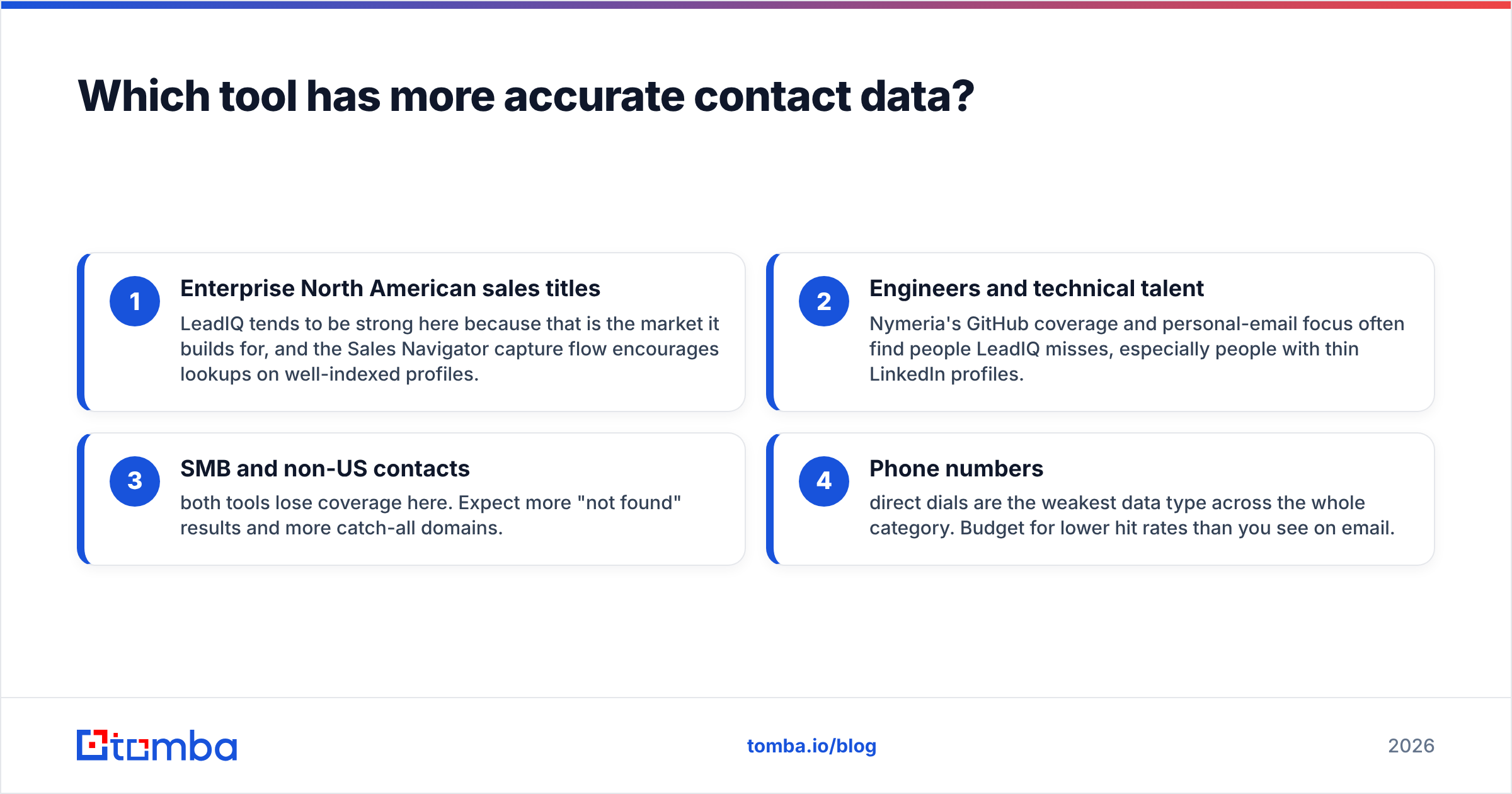
Neither vendor publishes an independent, audited accuracy figure you should rely on. You'll only get a real answer by testing both on your own ICP. Accuracy varies a lot by segment:
- Enterprise North American sales titles: LeadIQ tends to be strong here because that is the market it builds for, and the Sales Navigator capture flow encourages lookups on well-indexed profiles.
- Engineers and technical talent: Nymeria's GitHub coverage and personal-email focus often find people LeadIQ misses, especially people with thin LinkedIn profiles.
- SMB and non-US contacts: both tools lose coverage here. Expect more "not found" results and more catch-all domains.
- Phone numbers: direct dials are the weakest data type across the whole category. Budget for lower hit rates than you see on email.

A practical test takes an afternoon. Pull 100 contacts from your real target list, run them through both free tiers, then send every returned email through an email verifier. Track three numbers per tool: find rate (how many came back with any email), valid rate (how many passed verification) and catch-all share (how many landed on domains that accept everything). Valid rate matters most, because a found email that bounces is worse than no email.
How does pricing actually play out for a team?#
Sticker prices mislead in this category. What matters is cost per verified, usable contact, and that depends on seat count, credit rules and how many lookups come back empty.
LeadIQ pricing dynamics:
- Seat-based. A five-rep SDR team pays for five seats, and each seat gets its own credit allotment.
- Phone credits are usually scarcer than email credits, and the best phone access sits on higher tiers.
- The workflow features (CRM duplicate checks, job tracking, AI writing) are what you pay for. If you don't use them, you overpay for data.
Nymeria pricing dynamics:
- Credit-based, with a lower entry point that suits individuals.
- API usage draws from the same credit pool, which is convenient for developers but can drain fast in batch jobs.
- No per-seat governance overhead, which also means fewer controls if several people share an account.
A useful rule of thumb: if more than half of a rep's day happens in Sales Navigator and your CRM, LeadIQ's per-seat cost usually pays for itself in saved time. If you mostly need a few hundred lookups a month, or you want to enrich records programmatically, Nymeria's model is simpler and cheaper.
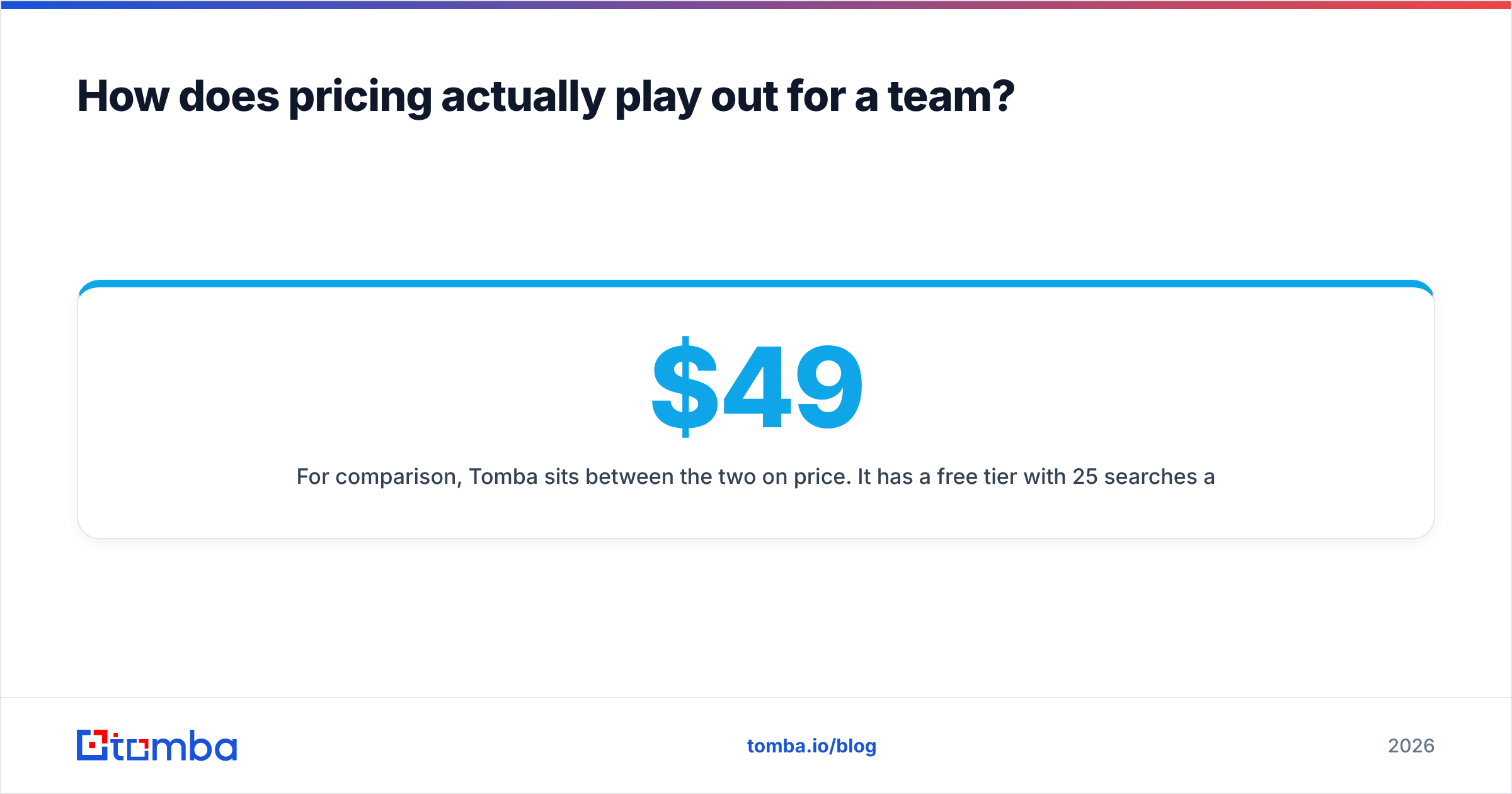
For comparison, Tomba sits between the two on price. It has a free tier with 25 searches a month, then Starter at $49/mo, Growth at $99/mo and Pro at $249/mo, with Enterprise on request. Full breakdown is on the Tomba pricing page. Plans aren't tied to seats, which suits small teams sharing a credit pool.
Is LeadIQ better than Nymeria for SDR teams?#
Yes, for most structured SDR teams. The deciding factors are operational rather than about data:
- Duplicate prevention: LeadIQ checks your CRM before capture, so two reps don't prospect the same account and ownership rules stay intact.
- Sequencer handoff: one click from a LinkedIn profile into an Outreach or Salesloft cadence removes a lot of daily friction.
- Signals: job change alerts give managers a steady supply of warm-ish outbound triggers without buying a separate intent tool.
- Admin controls: credit budgets per rep and usage reporting matter once you have more than a handful of people.
Nymeria can feed an SDR team, but you would be building that workflow yourself with exports, Zapier or custom API calls. That's fine for a technical RevOps person and a burden for everyone else.
If LeadIQ's per-seat model is more than your team needs, our LeadIQ alternative breakdown covers options that keep the Chrome-extension capture without the seat pricing.
Is Nymeria better than LeadIQ for recruiters and developers?#
Usually, yes. Recruiting and developer use cases reward different things:
- Personal emails and mobiles: candidates often respond better on personal channels, and Nymeria is built to return them.
- GitHub coverage: sourcing engineers from GitHub profiles is a core recruiting motion, and LeadIQ isn't designed for it.
- API simplicity: a developer can call Nymeria from a script, an ATS integration or an internal tool in minutes.
- No sales overhead: recruiters don't need sequencer sync, CRM duplicate checks or AI sales copy.
One caveat: personal-email outreach comes with stricter privacy expectations. If you contact candidates or prospects in the EU or UK, check your lawful basis under GDPR and keep records of where the data came from. That applies to every data vendor, not just Nymeria.
What are the pros and cons of each tool?#
LeadIQ pros
- The smoothest LinkedIn and Sales Navigator to CRM workflow in its class
- Job change tracking built in
- Strong Salesforce and HubSpot integration with duplicate checks
- Team governance and reporting
LeadIQ cons
- Per-seat pricing gets expensive as the team grows
- Phone credits are limited on lower tiers
- Less value for users who don't live in a CRM
Nymeria pros
- Low entry cost and a simple credit model
- Works on GitHub and other non-LinkedIn profiles
- Developer-friendly API
- Returns personal emails, which helps recruiters
Nymeria cons
- Limited native CRM and sequencer integrations
- No sales signals such as job changes
- Fewer governance features for larger teams

Where does Tomba fit if neither is a perfect match?#
Some teams land in the middle. They want more than Nymeria's lookup-only model but don't need LeadIQ's full sales-platform layer. That's the gap Tomba is built for:
- Multiple lookup modes: find emails by name plus company, by LinkedIn profile, or pull every public address at a company with domain search.
- Built-in verification: the email verifier and catch-all verifier run alongside the finder, so every result gets checked before it reaches a sequence.
- Flexible surfaces: Chrome extension, Google Sheets add-on, bulk uploads, a REST API, a CLI and an MCP server for AI agents.
- CRM connections: native HubSpot, Salesforce and Pipedrive integrations, plus Zapier and Make for everything else.
- Non-seat pricing: a shared credit pool from $49/mo instead of paying per rep.
Tomba won't replace LeadIQ's job change tracking or AI sales writing. If those features drive your pipeline, LeadIQ is still the right call. Tomba also doesn't specialise in GitHub sourcing the way Nymeria does. Where it fits well is teams that care most about verified work emails at a predictable cost.
How should you choose between LeadIQ and Nymeria?#
Use this quick decision path:
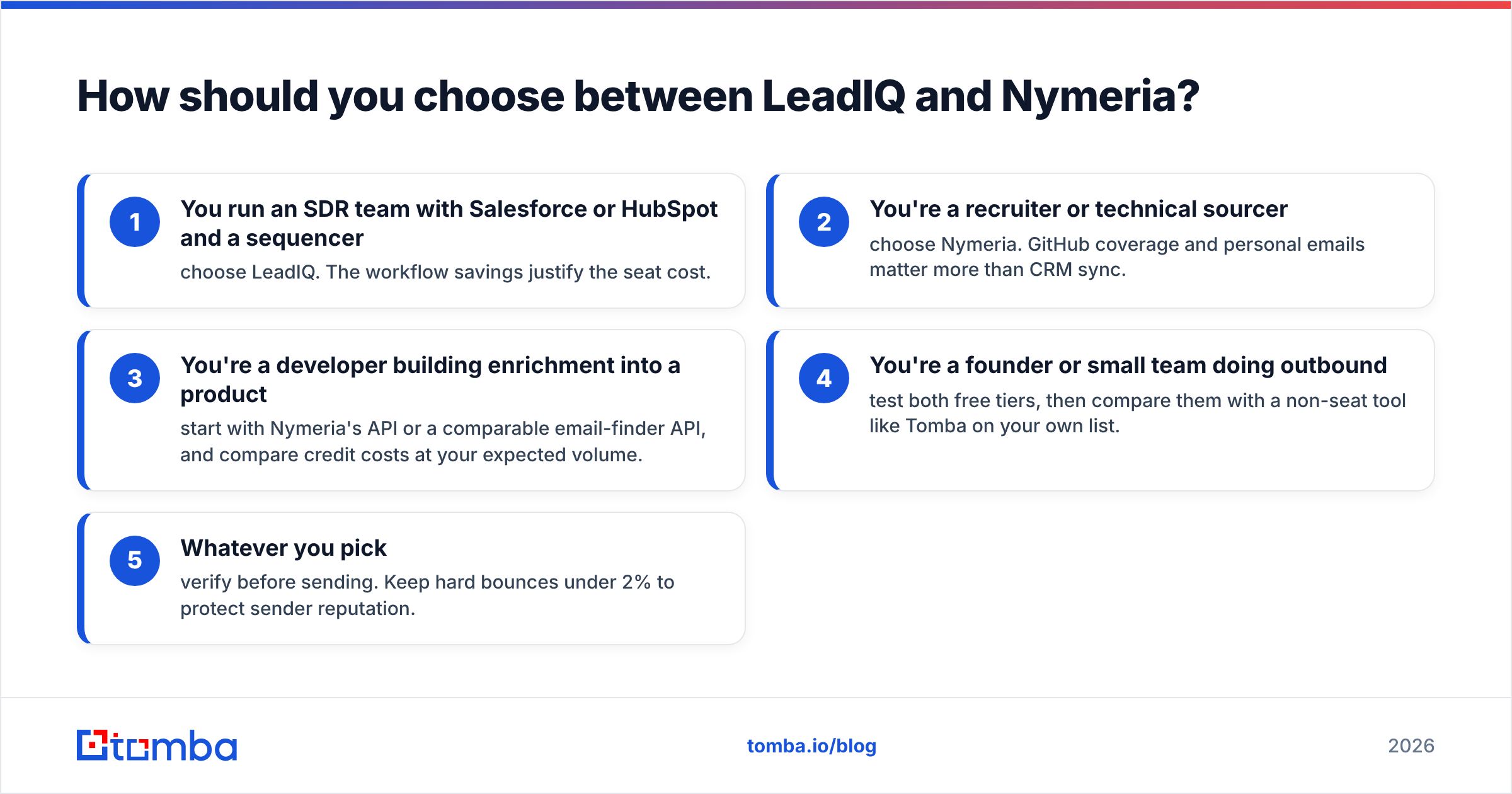
- You run an SDR team with Salesforce or HubSpot and a sequencer: choose LeadIQ. The workflow savings justify the seat cost.
- You're a recruiter or technical sourcer: choose Nymeria. GitHub coverage and personal emails matter more than CRM sync.
- You're a developer building enrichment into a product: start with Nymeria's API or a comparable email-finder API, and compare credit costs at your expected volume.
- You're a founder or small team doing outbound: test both free tiers, then compare them with a non-seat tool like Tomba on your own list.
- Whatever you pick: verify before sending. Keep hard bounces under 2% to protect sender reputation.
Don't choose on a demo. Run the 100-contact test described above, measure valid rate and cost per verified contact, and let those numbers decide.
Frequently asked questions#
Does LeadIQ have a free plan? Yes. LeadIQ offers a free tier with a small monthly credit allowance, enough to test the Chrome extension on LinkedIn before you commit to a paid seat.
Does Nymeria work on Sales Navigator? Nymeria's extension works on LinkedIn profiles. Sales Navigator support can vary as LinkedIn changes its interface, so check the extension's current listing before you rely on it for Sales Navigator workflows.
Which is cheaper, LeadIQ or Nymeria? For individuals and low volumes, Nymeria is usually cheaper. For teams that make full use of LeadIQ's CRM sync and signals, LeadIQ's higher sticker price can still work out cheaper in total cost once rep time is counted.
Do I still need an email verifier with LeadIQ or Nymeria? Yes. Both vendors validate their data, but records go stale as people change jobs. Running lists through a dedicated verifier before each campaign is standard practice in 2026.
Ready to find verified emails without per-seat pricing?#
If you want accurate work emails, built-in verification and a Chrome extension that works where you prospect, without paying for a full sales-platform seat, try the Tomba Email Finder. Start on the free plan with 25 searches a month, run it against the same 100-contact list you used to test LeadIQ and Nymeria, and compare the valid rates yourself.
Related guides#
// get started
Find, verify and enrich your first contacts today
Start on the free plan with 25 searches a month, then scale when your team is ready.
Free plan · No credit card required · GDPR & CCPA
// about the author