LeadIQ vs OneMoreLead: Pricing, Data, and Workflow Compared (2026)
LeadIQ captures contacts while you prospect on LinkedIn. OneMoreLead lets you build lists from a searchable B2B database. We compare pricing, credits, data quality and workflow fit, and tell you which one to pick for your team.
TL;DR
- LeadIQ is a prospecting capture tool. It sits on top of LinkedIn and Sales Navigator, pulls contact data into your CRM or sequencer, and adds job-change tracking and AI-written messages. It works best for SDR teams already running Salesforce, HubSpot, Outreach or Salesloft.
- OneMoreLead is a B2B contact database. You filter, build a list and export it. It works best for founders, agencies and small teams who want lists in bulk without living inside LinkedIn.
- Pricing models differ. LeadIQ charges per seat and has a free plan. OneMoreLead charges per account with credit bundles (published plans started around $99/mo for 250 credits when we checked) and offers a trial instead of a free plan.
- Our pick: choose LeadIQ if your reps prospect one account at a time from LinkedIn. Choose OneMoreLead if you need filtered lists quickly. If you mostly need verified emails at a lower cost per contact, test a dedicated email finder first.
What is the real difference between LeadIQ and OneMoreLead?#
People search "LeadIQ vs OneMoreLead" because both tools promise verified B2B emails and phone numbers. Under the hood they are built for different ways of working.
LeadIQ is built for prospecting in the moment. A rep opens a LinkedIn profile or a Sales Navigator search, clicks the LeadIQ extension, and the contact (email, sometimes a mobile number, title and company) goes straight into Salesforce, HubSpot, Outreach or Salesloft. Around that capture step, LeadIQ adds job-change alerts on your existing contacts and an AI writing assistant (Scribe) that drafts personalized messages.
OneMoreLead starts from the database. You log in, filter by industry, job title, seniority, company size, location or technology, and get a list back. The pitch is scale: a database that the vendor reports at 55M+ verified B2B contacts, verified emails and direct dials, and exports you can load into any sequencer.
An analogy helps. LeadIQ is a barcode scanner you carry around the store. OneMoreLead is the warehouse catalogue you order from. They overlap in the middle, but the daily workflow is very different.
How do LeadIQ and OneMoreLead compare feature by feature?#
The table below summarizes what each tool does out of the box. Vendors change plans often, so confirm specifics on each vendor's site before you sign.

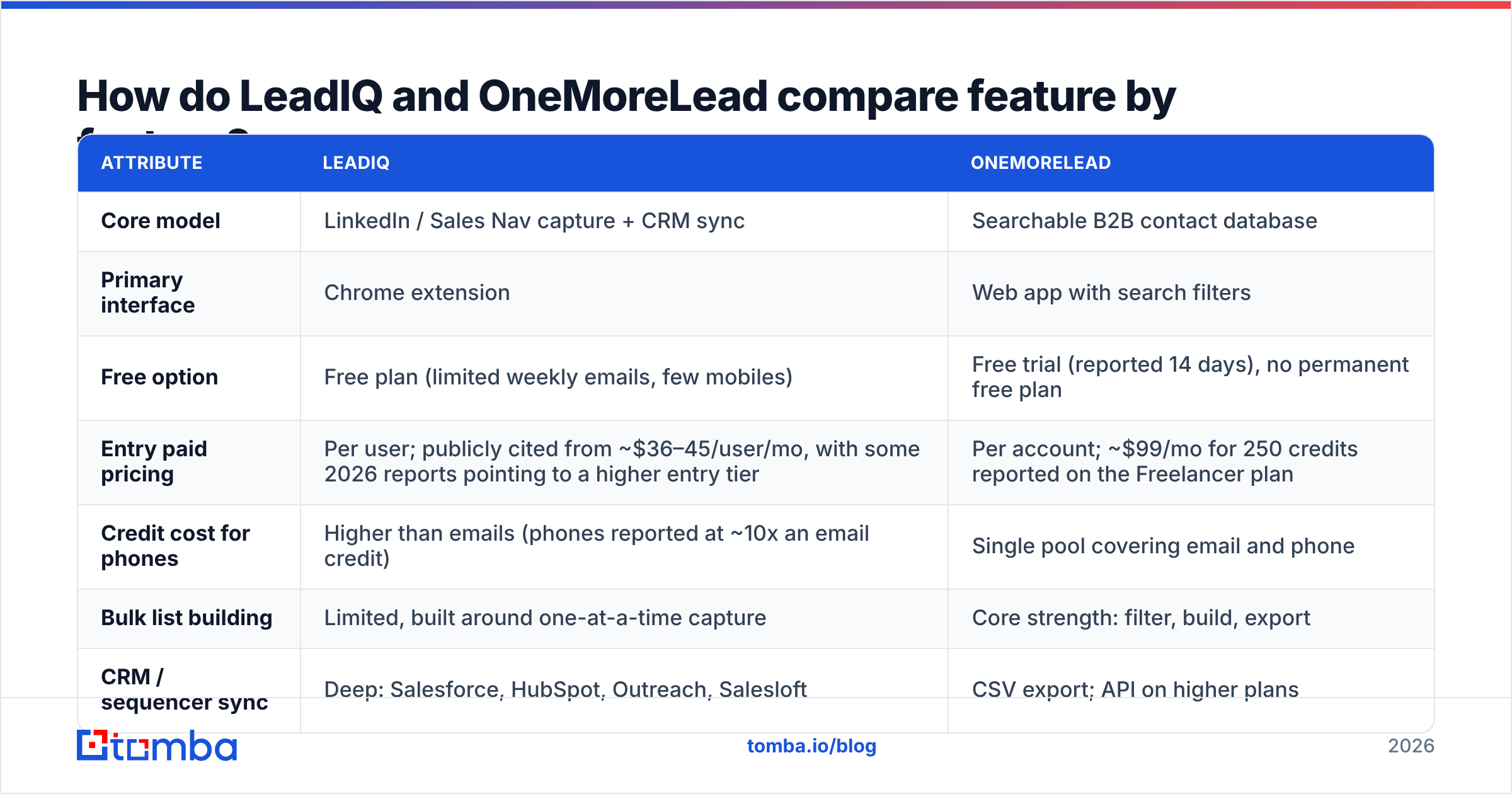
| Attribute | LeadIQ | OneMoreLead |
|---|---|---|
| Core model | LinkedIn / Sales Nav capture + CRM sync | Searchable B2B contact database |
| Primary interface | Chrome extension | Web app with search filters |
| Free option | Free plan (limited weekly emails, few mobiles) | Free trial (reported 14 days), no permanent free plan |
| Entry paid pricing | Per user; publicly cited from ~$36–45/user/mo, with some 2026 reports pointing to a higher entry tier | Per account; ~$99/mo for 250 credits reported on the Freelancer plan |
| Credit cost for phones | Higher than emails (phones reported at ~10x an email credit) | Single pool covering email and phone |
| Bulk list building | Limited, built around one-at-a-time capture | Core strength: filter, build, export |
| CRM / sequencer sync | Deep: Salesforce, HubSpot, Outreach, Salesloft | CSV export; API on higher plans |
| Job-change tracking | Yes | No (not a core feature) |
| AI message writing | Yes (Scribe) | No |
| Technographic filters | Limited | Yes (on mid-tier plans and above) |
| Best for | SDR teams on an established sales stack | Founders, agencies, lean outbound teams |
Two points stand out. First, LeadIQ's value grows with the size of your sales stack. If you don't run Salesforce or a sequencer, you'll use only part of what you're paying for. Second, OneMoreLead's value grows with list volume. If you only need 30 contacts a week, a credit bundle sized for list building can end up costing more than it should.
How much do LeadIQ and OneMoreLead actually cost?#
This is the section most comparisons get wrong, because both vendors have changed their pricing pages over time.
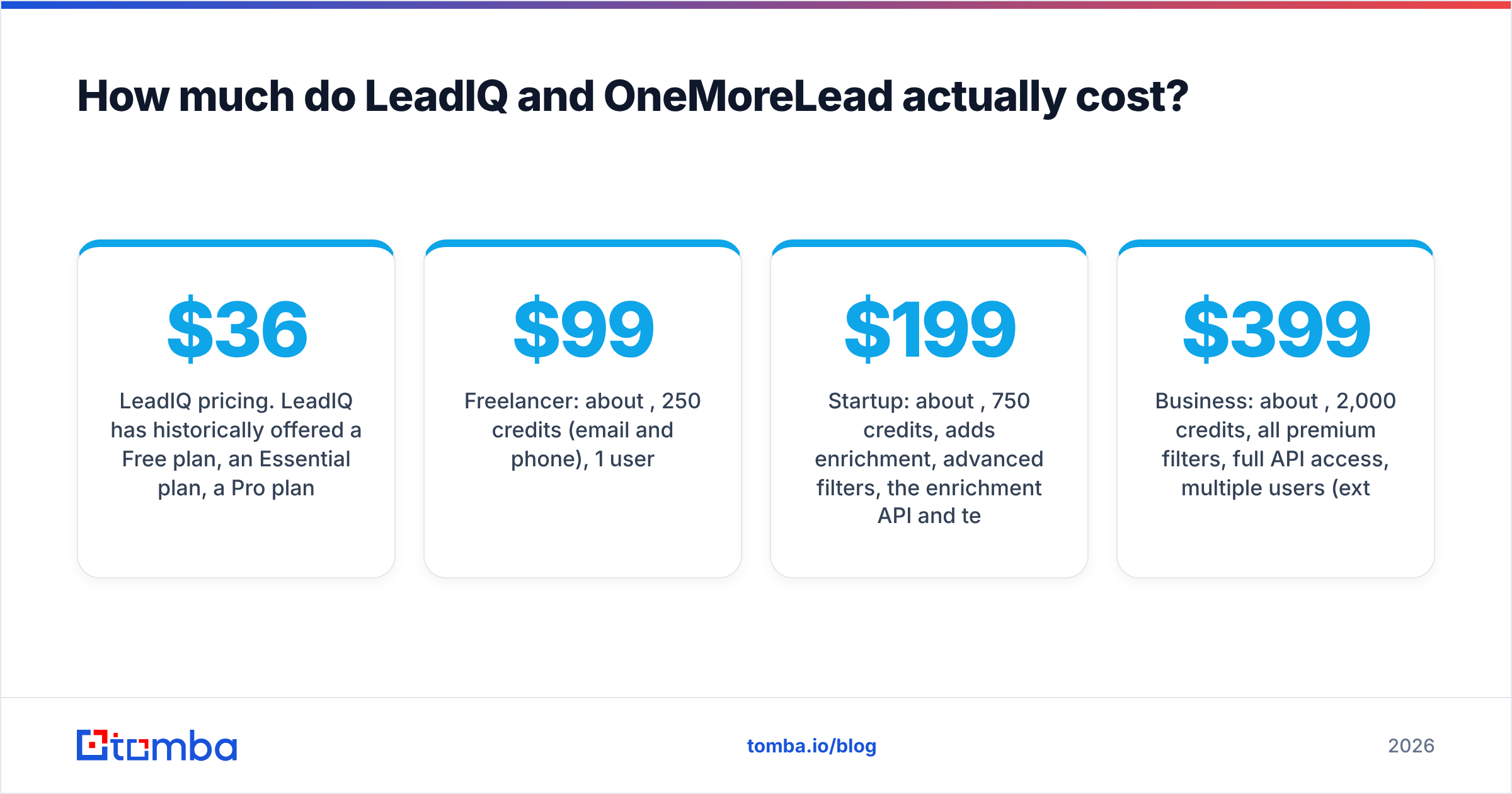
LeadIQ pricing. LeadIQ has historically offered a Free plan, an Essential plan, a Pro plan and custom Enterprise pricing. Third-party reviews in 2026 list Essential at about $36/user/month on annual billing (roughly $45 on monthly), and Pro at about $79/user/month on annual billing. Several 2026 buyer reports say the cheaper tier has been removed for some accounts, so Pro is the real starting point. Credits are shared across actions. An email costs one credit, a mobile number costs far more, and unused credits generally don't roll over. Check LeadIQ's G2 pricing page and the vendor's own site for the current tiers.
OneMoreLead pricing. Published plans at the time of writing were:
- Freelancer: about $99/month, 250 credits (email and phone), 1 user
- Startup: about $199/month, 750 credits, adds enrichment, advanced filters, the enrichment API and technographic filters
- Business: about $399/month, 2,000 credits, all premium filters, full API access, multiple users (extra seats reported at $25/month)
That comes to roughly $0.40 per credit at the entry tier and about $0.20 at the Business tier.
How to compare them fairly. Work out cost per usable contact, not the sticker price:
- Estimate how many contacts each rep needs per month.
- Multiply by your expected ratio of phone numbers to emails, since phones cost more on LeadIQ.
- Add seats. LeadIQ scales per user, while OneMoreLead scales mostly per credit bundle.
- Subtract the contacts that bounce or turn out to be wrong. A cheap credit that bounces isn't cheap.
Example: a three-rep team that needs 300 emails and 30 mobile numbers a month may pay less on OneMoreLead's Startup plan than on three LeadIQ Pro seats. A solo SDR who captures 40 contacts a week from Sales Navigator and needs them in Salesforce right away will probably find LeadIQ cheaper overall once you count the manual export work it saves.
Which tool has better data accuracy?#
Both vendors say their emails are verified. Neither publishes an independent, reproducible accuracy benchmark, so treat marketing numbers with caution.

Here's what you can say with reasonable confidence:
- LeadIQ's coverage follows LinkedIn. Because the extension works from the profile you're viewing, the name, title and company are usually current. The email is found and verified at capture time. Coverage is strongest for North American tech and SaaS roles and weaker for SMBs and non-English markets, which is common across the category.
- OneMoreLead's coverage follows its database refresh cycle. Database tools are only as fresh as their last update. Job changes that happened last month may not show up yet. OneMoreLead's reviews on G2 generally praise ease of use and the filters, with occasional complaints about data freshness in niche segments.
- Mobile numbers are the weak spot for both. Direct dials and mobiles have lower hit rates than emails across the whole industry. Budget for that.
The practical test. Before committing to either tool, take 100 contacts you already know are valid (recent customers or closed-lost deals). Run them through both trials. Count correct emails, bounced emails and "not found" results. Then run the found emails through an independent email verifier before your first send. That takes about an afternoon and will tell you more than any review, this one included.
Which workflow fits your team: LeadIQ or OneMoreLead?#
Pricing and accuracy matter, but workflow fit usually decides whether a tool actually gets used after the pilot. Match your team to one of these profiles:
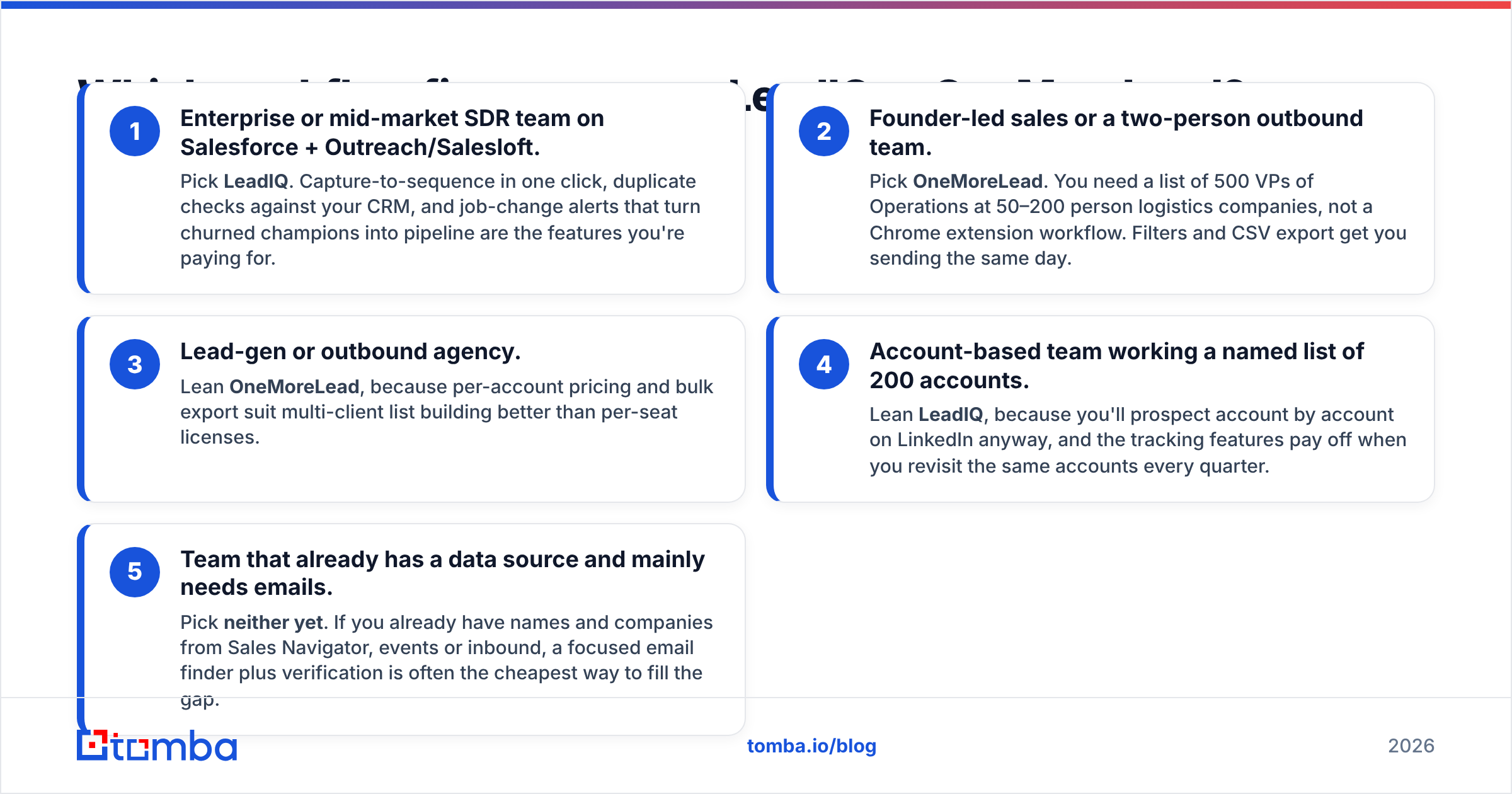
- Enterprise or mid-market SDR team on Salesforce + Outreach/Salesloft. Pick LeadIQ. Capture-to-sequence in one click, duplicate checks against your CRM, and job-change alerts that turn churned champions into pipeline are the features you're paying for.
- Founder-led sales or a two-person outbound team. Pick OneMoreLead. You need a list of 500 VPs of Operations at 50–200 person logistics companies, not a Chrome extension workflow. Filters and CSV export get you sending the same day.
- Lead-gen or outbound agency. Lean OneMoreLead, because per-account pricing and bulk export suit multi-client list building better than per-seat licenses.
- Account-based team working a named list of 200 accounts. Lean LeadIQ, because you'll prospect account by account on LinkedIn anyway, and the tracking features pay off when you revisit the same accounts every quarter.
- Team that already has a data source and mainly needs emails. Pick neither yet. If you already have names and companies from Sales Navigator, events or inbound, a focused email finder plus verification is often the cheapest way to fill the gap.
What are the pros and cons of each tool?#
LeadIQ: pros
- Very fast capture from LinkedIn and Sales Navigator
- Mature native integrations with the major CRMs and sequencers
- Job-change tracking is useful for expansion and win-back plays
- Free plan lets individual reps try it without procurement
LeadIQ: cons
- Per-seat pricing adds up quickly across a team
- Phone numbers use a lot of credits
- Tier structure has changed, so read the current terms carefully before renewing
- Not designed for filtering and exporting thousands of contacts at once
OneMoreLead: pros
- Straightforward filter-and-export list building
- Single credit pool for email and phone
- Technographic and advanced filters on mid-tier plans
- API access for teams that want to automate enrichment
OneMoreLead: cons
- No permanent free plan, only a trial
- Entry plan credits (250) run out quickly for active outbound
- Data freshness depends on the database refresh cycle
- Lighter CRM integration than LeadIQ, with more reliance on CSV
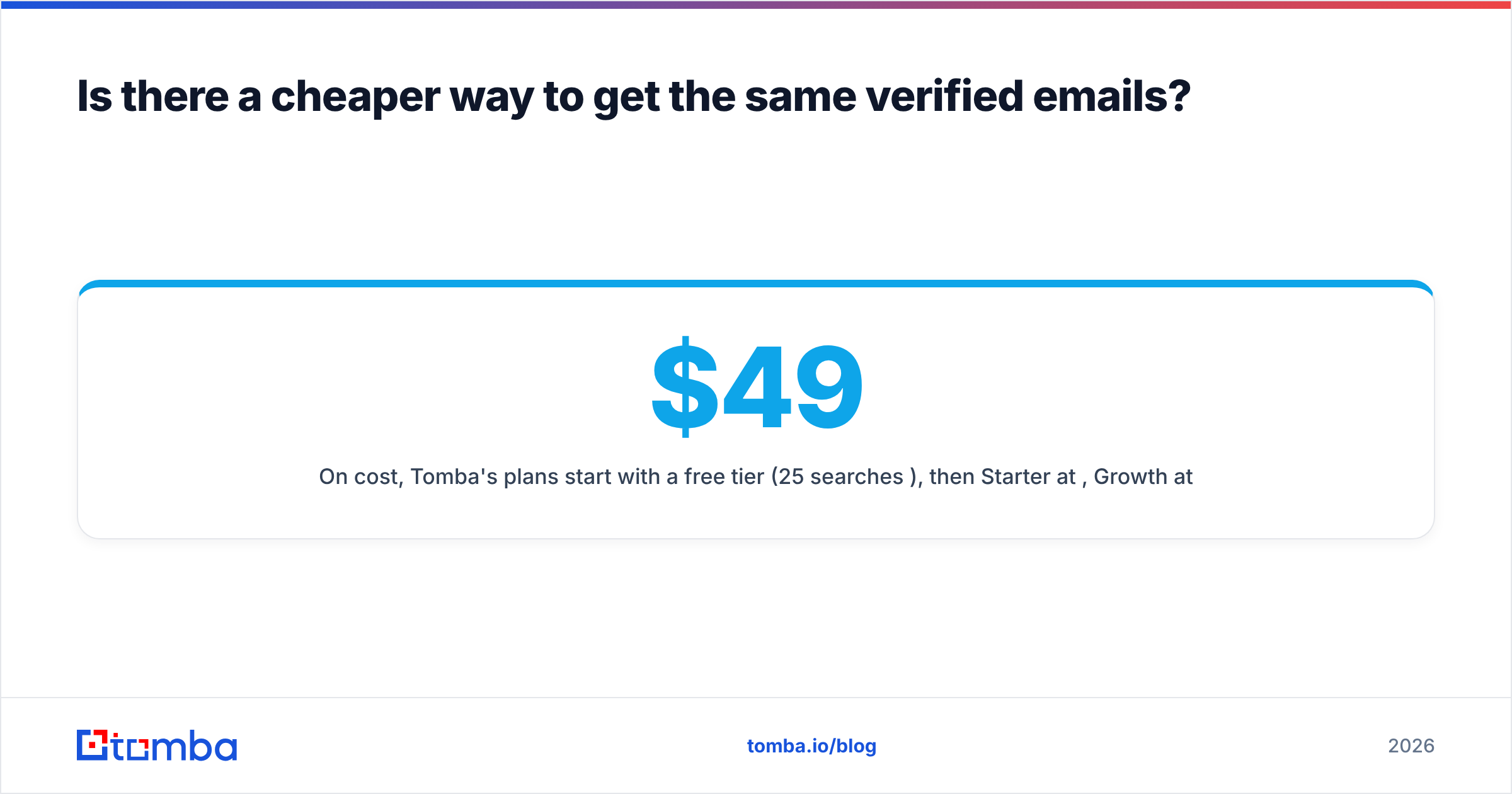
Is there a cheaper way to get the same verified emails?#
Sometimes, yes. Both LeadIQ and OneMoreLead bundle discovery (who to contact) with contact data (how to reach them). If you already solve discovery another way, you're paying for something you don't use.
A few patterns we see often:
- Sales Navigator for discovery, a separate finder for emails. Many teams keep Sales Navigator for search and use a lower-cost finder for addresses. Tomba's LinkedIn finder and browser extension cover the "click on a profile, get the email" step LeadIQ is known for.
- Company lists from your CRM or an event, enriched in bulk. If you have domains and names, domain search plus bulk finding covers most of what a database export gives you, without paying for filters you don't need.
- Verification as a separate step. Whatever source you use, verifying right before you send protects your sender reputation. Email data decays every month as people change jobs.
On cost, Tomba's plans start with a free tier (25 searches/month), then Starter at $49/mo, Growth at $99/mo and Pro at $249/mo, with Enterprise pricing on request. Full details are on the Tomba pricing page. That doesn't replace LeadIQ's CRM workflow or OneMoreLead's filters. It's a way to avoid paying for either when all you really need is verified addresses.
LeadIQ vs OneMoreLead: which one should you choose?#
Here's the short version:
| If you... | Choose |
|---|---|
| Prospect from LinkedIn/Sales Nav all day and sync to Salesforce | LeadIQ |
| Need filtered lists of hundreds of contacts per week | OneMoreLead |
| Run an agency with multiple client campaigns | OneMoreLead |
| Care about job-change alerts and champion tracking | LeadIQ |
| Want a free way for a single rep to start | LeadIQ (free plan) |
| Already know who to contact and just need emails | A dedicated email finder |
Neither tool is clearly better overall. LeadIQ is the stronger tool for workflow and integrations. OneMoreLead is the stronger tool for building lists. Choose based on how your reps spend their day, run the 100-known-contacts accuracy test on both trials, and calculate cost per usable contact before you sign anything annual.
Frequently asked questions#
Is LeadIQ or OneMoreLead cheaper? It depends on seats and volume. For one or two users who mostly need emails from LinkedIn, LeadIQ's lower tiers or free plan can come out cheaper. For bulk list building shared across a team, OneMoreLead's per-account credit bundles usually give a lower cost per contact.
Does OneMoreLead have a Chrome extension like LeadIQ? OneMoreLead is primarily a web-based database. LeadIQ's Chrome extension for LinkedIn capture is its core product, so if extension-first prospecting matters to you, LeadIQ fits better.
Can I use both tools together? Yes. Some teams use a database like OneMoreLead for top-of-funnel lists and LeadIQ for account-based prospecting. Watch for duplicate records and overlapping spend.
Do I still need an email verifier? Yes. Even "verified" data goes out of date. Verify right before each campaign, especially for lists older than 30 days.
Ready to get verified emails without the per-seat bill?#
If your team already knows who it wants to reach and mainly needs accurate addresses, try Tomba Email Finder. Search by name and domain, company or LinkedIn profile, verify in the same step, and push results to your CRM or sequencer. Start on the free tier with 25 searches a month, run it against the same 100 known contacts you tested LeadIQ and OneMoreLead with, and compare the results side by side.
Related guides#
// get started
Find, verify and enrich your first contacts today
Start on the free plan with 25 searches a month, then scale when your team is ready.
Free plan · No credit card required · GDPR & CCPA
// about the author