LeadIQ vs SalesRipe (2026): Which B2B Data Tool Fits Your Team?
LeadIQ captures contacts inside your LinkedIn and CRM workflow. SalesRipe sells flat-rate access to a US lead database. We compare pricing, data, workflow fit and trade-offs so you can pick the right one.
TL;DR
- LeadIQ is a prospecting workflow tool. It captures contacts from LinkedIn and company sites through a Chrome extension, then pushes them into Salesforce, HubSpot, Outreach or Salesloft. It's built for SDR teams that already run a CRM-centric motion.
- SalesRipe is a flat-rate lead database. You filter US business contacts on 30+ criteria, download lists, and work them in a built-in Lead Manager. Paid plans start around $49/mo with no annual contract.
- Pick LeadIQ if your team lives in LinkedIn Sales Navigator and a CRM and needs one-click capture, job-change alerts and sequencer sync.
- Pick SalesRipe if you're a solo founder, small agency or 1-5 person SDR team that needs US lists fast on a predictable monthly bill.
- Whichever you choose, verify every exported email before you send. Database freshness decides your bounce rate more than the vendor logo does.
What is the real difference between LeadIQ and SalesRipe?#
LeadIQ and SalesRipe get compared because both sell B2B contact data. They were built for different jobs, though.
LeadIQ is a capture tool. You go to a prospect, usually a LinkedIn profile or a Sales Navigator search, and the extension looks up their email and phone and sends the record to your CRM or sequencer. It adds workflow features on top: job-change tracking, AI-assisted email drafting (LeadIQ calls this Scribe), and team-level CRM sync rules. You can see the positioning on LeadIQ's homepage. It sells to sales teams, not to people who want to download lists.
SalesRipe is a database. You log in, set filters for industry, location, company size, title and more, and get lists of contacts with name, title, company, phone and email. A built-in Lead Manager tracks where each lead is in your process. SalesRipe's site sells it as a subscription with no contract, and it mainly serves small US-focused teams.
Here's an everyday comparison. LeadIQ is a barcode scanner you point at one product at a time. SalesRipe is the warehouse catalog you browse and export from. One is fast for individual prospects. The other is fast for volume.
How do LeadIQ and SalesRipe compare feature by feature?#
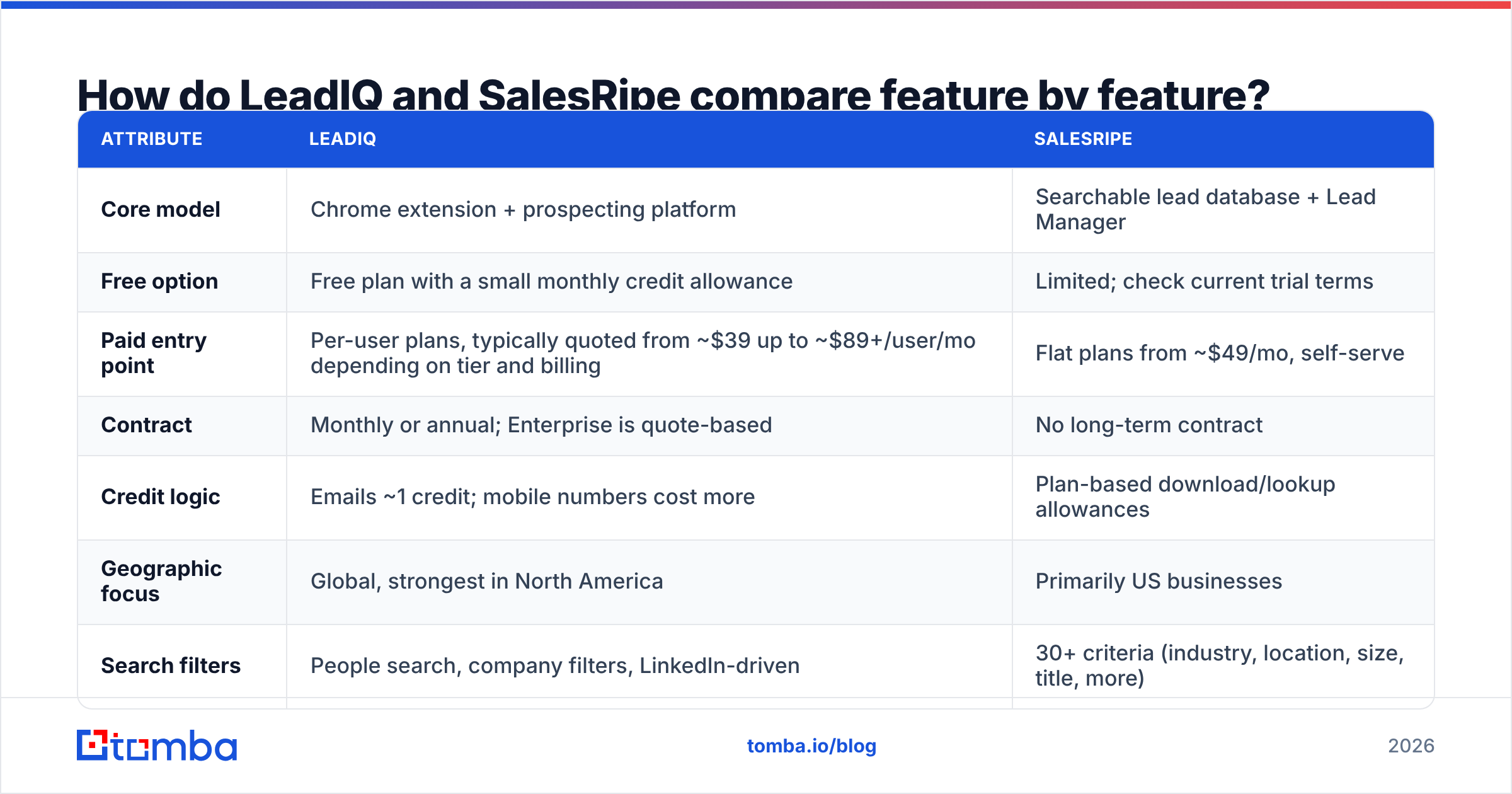
| Attribute | LeadIQ | SalesRipe |
|---|---|---|
| Core model | Chrome extension + prospecting platform | Searchable lead database + Lead Manager |
| Free option | Free plan with a small monthly credit allowance | Limited; check current trial terms |
| Paid entry point | Per-user plans, typically quoted from ~$39 up to ~$89+/user/mo depending on tier and billing | Flat plans from ~$49/mo, self-serve |
| Contract | Monthly or annual; Enterprise is quote-based | No long-term contract |
| Credit logic | Emails ~1 credit; mobile numbers cost more | Plan-based download/lookup allowances |
| Geographic focus | Global, strongest in North America | Primarily US businesses |
| Search filters | People search, company filters, LinkedIn-driven | 30+ criteria (industry, location, size, title, more) |
| CRM / sequencer sync | Salesforce, HubSpot, Outreach, Salesloft, Gong Engage | Export-first (CSV); lighter native integrations |
| Workflow extras | Job-change tracking, AI email writing, team rules | Built-in Lead Manager for pipeline stages |
| Best for | SDR/BDR teams with a CRM-first motion | Solo founders, small agencies, 1-5 rep teams |
Pricing for both tools changes frequently, and third-party sources quote LeadIQ tiers inconsistently. Treat the figures above as ranges, not quotes. Check LeadIQ pricing on G2 and the vendor pages before you budget.
Which tool has better data quality?#
Neither vendor publishes independently audited accuracy numbers for its full database, so be skeptical of any "98% accurate" claim, including ones you'll see on review sites. What you can judge is how each tool sources and refreshes data. That tells you where each is likely to break.
LeadIQ's strengths:
- Lookups are triggered by a live profile. The job title and company you capture reflect what the prospect shows on LinkedIn today.
- Job-change tracking flags contacts who have moved, which helps with CRM decay.
- Email and phone are resolved at the moment of capture instead of being pulled from a static list.
LeadIQ's weak spots:
- Mobile numbers cost extra credits and coverage varies, especially outside North America.
- Coverage is thinner for roles with little LinkedIn presence, such as trades, local SMB owners and field operations.
SalesRipe's strengths:
- It's strong for US SMB verticals like local services, healthcare practices and small manufacturers, which LinkedIn-first tools often miss.
- It's fast to build a territory list: filter, export, done.
SalesRipe's weak spots:
- Any database has the problem of static records decaying. People change jobs and domains change mail servers. The longer a record goes without re-verification, the more likely it bounces.
- It's less suited to international prospecting or enterprise buying committees.
In practice, run every exported list through an email verifier before it reaches your sequencer, whichever tool it came from. This is the cheapest way to protect domain reputation. Catch-all domains need extra care because a standard SMTP check can't confirm them.

How does pricing actually play out for a small team?#
List price rarely matches what you actually spend. Here's how the two cost models behave in practice.
LeadIQ charges per seat and per credit. A 3-rep team on a mid-tier plan pays for three seats every month, whether or not each rep uses their full allowance. Unused credits generally don't roll over. Phone lookups use credits much faster than emails, so a phone-heavy cold-calling team hits its cap sooner than the headline number suggests. Upgrading usually unlocks the more useful features, like unlimited CRM sync and advanced integrations.
SalesRipe charges a flat monthly fee. At around $49/mo to start, you get a predictable bill with no annual lock-in. You can subscribe for a campaign month, export your lists, and pause. For agencies billing clients per project, that flexibility is worth a lot. The trade-off is that a flat plan caps volume, and you pay for your own verification and sequencing tools on top.
Some rough scenarios:
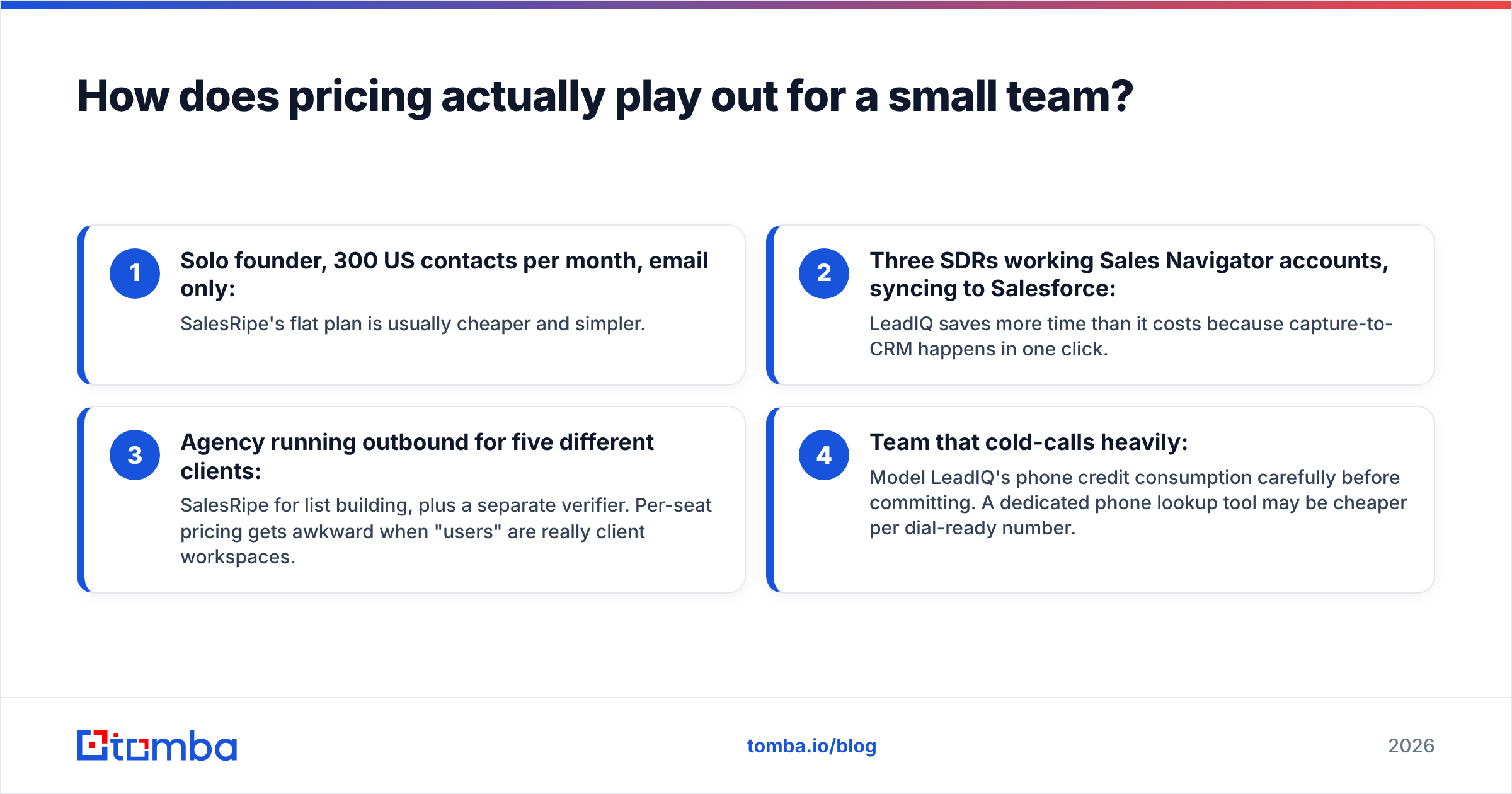
- Solo founder, 300 US contacts per month, email only: SalesRipe's flat plan is usually cheaper and simpler.
- Three SDRs working Sales Navigator accounts, syncing to Salesforce: LeadIQ saves more time than it costs because capture-to-CRM happens in one click.
- Agency running outbound for five different clients: SalesRipe for list building, plus a separate verifier. Per-seat pricing gets awkward when "users" are really client workspaces.
- Team that cold-calls heavily: Model LeadIQ's phone credit consumption carefully before committing. A dedicated phone lookup tool may be cheaper per dial-ready number.
Which one fits your prospecting workflow?#
The better question isn't which tool has more data. It's where your reps spend their day.
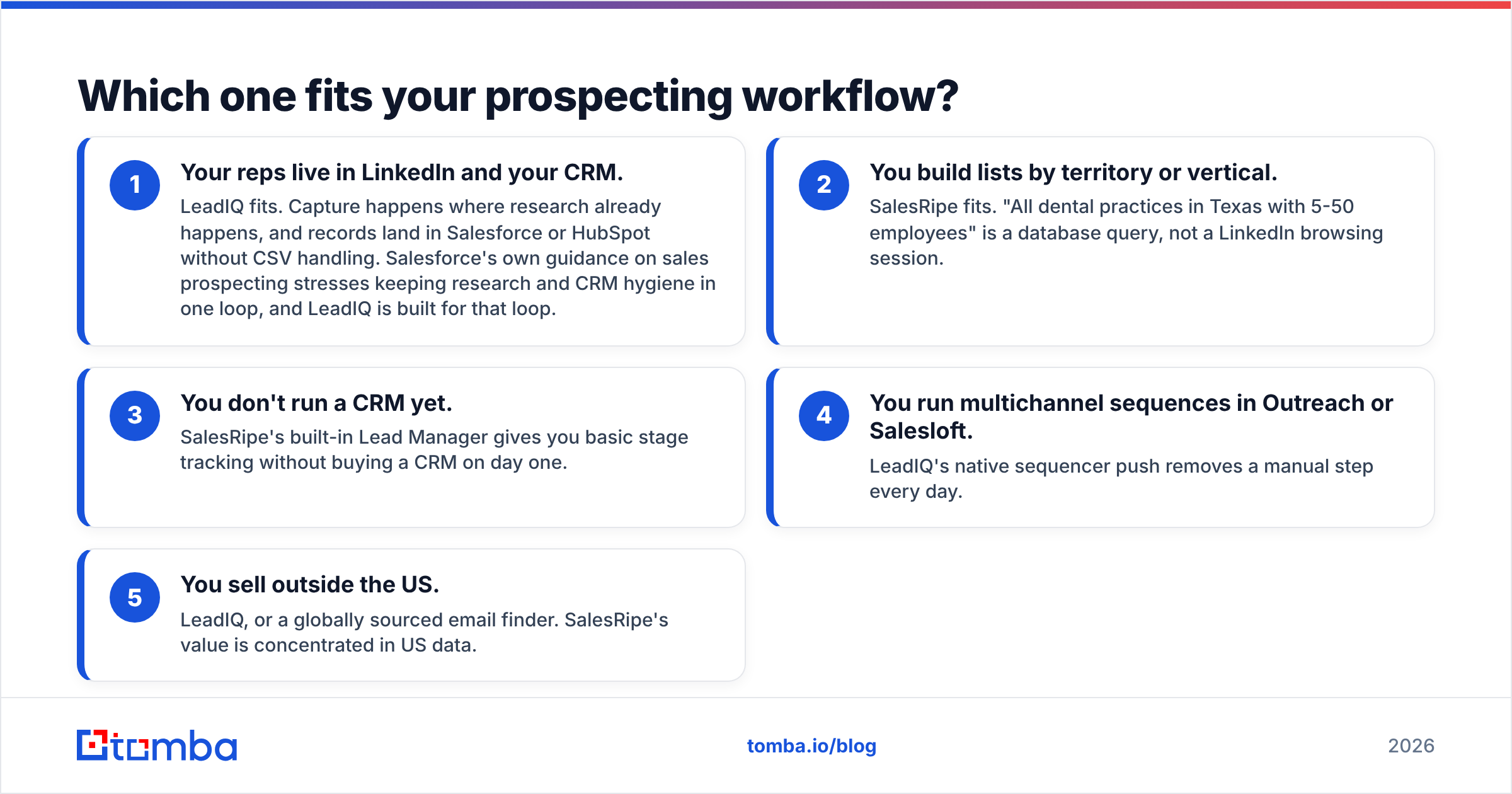
- Your reps live in LinkedIn and your CRM. LeadIQ fits. Capture happens where research already happens, and records land in Salesforce or HubSpot without CSV handling. Salesforce's own guidance on sales prospecting stresses keeping research and CRM hygiene in one loop, and LeadIQ is built for that loop.
- You build lists by territory or vertical. SalesRipe fits. "All dental practices in Texas with 5-50 employees" is a database query, not a LinkedIn browsing session.
- You don't run a CRM yet. SalesRipe's built-in Lead Manager gives you basic stage tracking without buying a CRM on day one.
- You run multichannel sequences in Outreach or Salesloft. LeadIQ's native sequencer push removes a manual step every day.
- You sell outside the US. LeadIQ, or a globally sourced email finder. SalesRipe's value is concentrated in US data.
Where does each tool fall short?#
LeadIQ limitations
- Per-seat cost scales with headcount, not with usage. Light users still cost a full seat.
- Credit math is uneven. Mobile numbers can cost many times more than an email.
- Less useful for list-first prospecting. If you want 2,000 contacts matching a filter, a capture extension is the wrong tool.
- Enterprise features are quote-only, which makes it hard to budget without talking to sales.
SalesRipe limitations
- US-centric coverage limits international campaigns.
- Export-first workflow means more CSV handling and fewer native syncs into modern sequencers.
- Static database decay makes separate verification non-optional for outbound email.
- Lighter on advanced sales-team features like job-change alerts, AI drafting and team governance.
These are trade-offs, not flaws. Each tool is doing what it was designed to do.
Is there a middle option between LeadIQ and SalesRipe?#
Yes. Many teams don't need a full prospecting suite or a list database. They need to find and verify the email of a specific person at a specific company, cheaply and at volume.
That's where a dedicated email finder fits. Instead of paying per seat for a capture workflow or subscribing to a fixed database, you look up contacts by name + domain, pull every public address for a domain, or enrich a CSV you already have. If LeadIQ's seat pricing is the main problem, it's worth reading a breakdown of LeadIQ alternatives to see which trade-offs you'd accept.
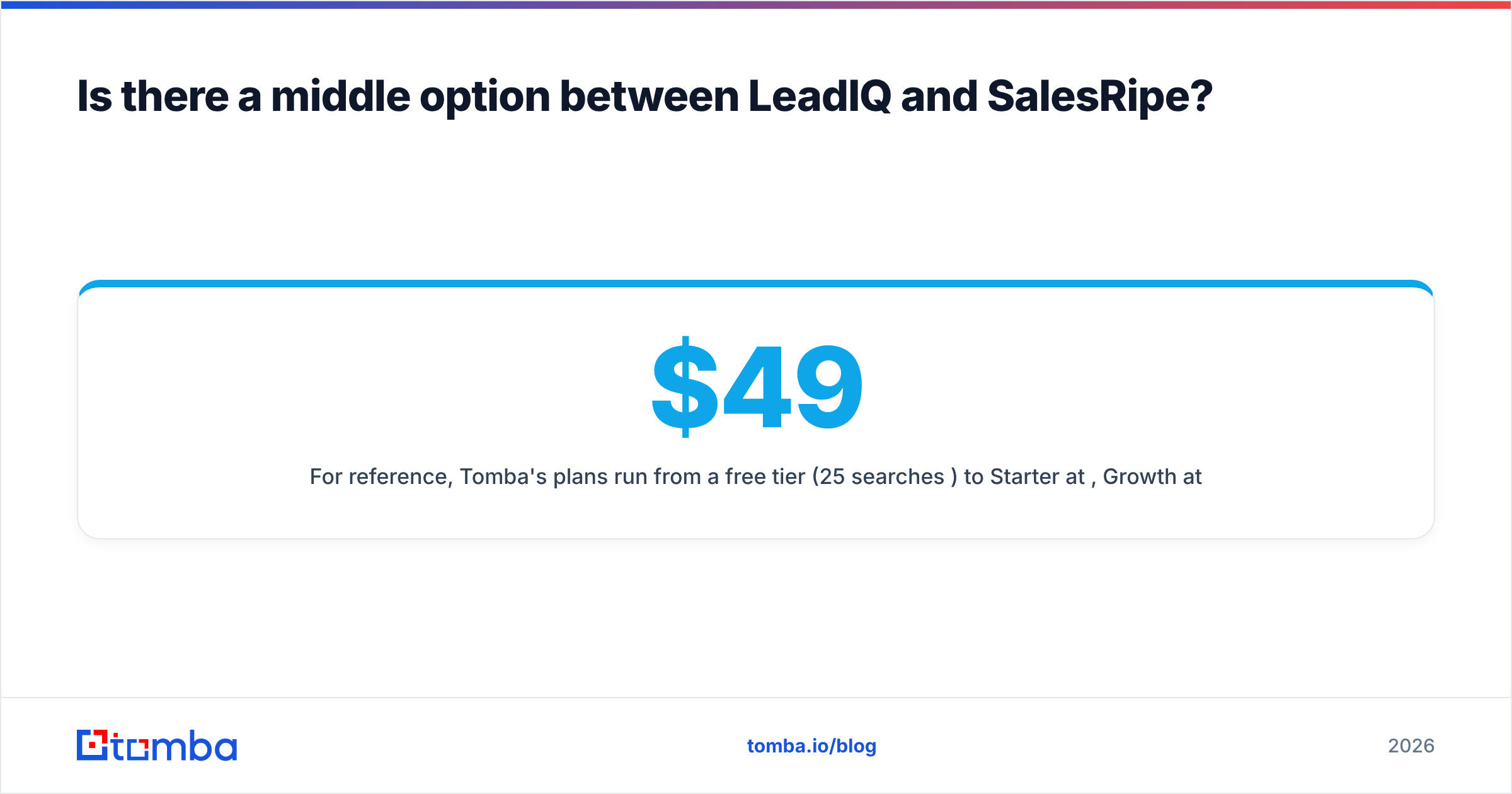
For reference, Tomba's plans run from a free tier (25 searches/mo) to Starter at $49/mo, Growth at $99/mo, Pro at $249/mo and custom Enterprise. See Tomba pricing for current credit allowances. Pricing is per account rather than per seat, which usually works out better for small teams with uneven usage.

How should you decide: LeadIQ vs SalesRipe?#
Use this checklist:
- Team size under 5, US market, list-driven outreach, tight budget → SalesRipe.
- Team of 3+ SDRs, CRM-first, LinkedIn-driven research, sequencer in place → LeadIQ.
- Global prospects or heavy account-based research → LeadIQ, or a global email finder alongside your CRM.
- You mainly need emails for people you've already identified → A dedicated email finder is cheaper than either.
- Outbound volume above a few hundred sends a week → Whatever you pick, add a verification step. It's non-negotiable if you care about deliverability.
Before you sign up, run a short test. Take 50 contacts you already know are correct, such as past customers or current pipeline, and look them up in each tool's free or trial tier. Count exact email matches, wrong-person matches, and misses. You'll learn more from that than from any vendor accuracy claim.
Final verdict#
LeadIQ is better if your team is CRM-first and prospects on LinkedIn. Its value is speed from profile to CRM record and sequence, and it pays for itself when reps capture dozens of contacts a day inside Salesforce or HubSpot. The per-seat cost and uneven credit math are what you pay for that convenience.
SalesRipe is better if you're small, US-focused and list-driven. Flat monthly pricing, no contract and 30+ filters make it an efficient way to build territory lists without enterprise overhead. Budget for verification, and don't expect deep sequencer integration.
Neither is the wrong choice. They solve different problems. If you mainly want accurate emails for specific people, without a seat-based suite or a fixed database subscription, try Tomba Email Finder. Search by name and domain, pull every address on a company domain, or enrich your existing CSV, then verify it in the same account before it reaches your sequencer. The free tier gives you 25 searches a month to run the 50-contact test described above against LeadIQ and SalesRipe.
Related guides#
// get started
Find, verify and enrich your first contacts today
Start on the free plan with 25 searches a month, then scale when your team is ready.
Free plan · No credit card required · GDPR & CCPA
// about the author