Leadleaper vs LeadzenAI: Which B2B Lead Tool Fits Your Team in 2026?
Leadleaper is a lightweight LinkedIn email-finding extension. LeadzenAI is an AI lead database with deep India coverage. Here's which one fits your market, budget, and workflow.
TL;DR
- Leadleaper is a Chrome extension that pulls names and emails out of LinkedIn and Sales Navigator. It's cheap, it's fast, and it doesn't try to be much more than that. It works best for solo reps and small teams whose prospecting starts on LinkedIn.
- LeadzenAI is an AI-driven B2B lead database with search filters, contact data and company intelligence. Its coverage of Indian companies is unusually deep (MCA filings, GST, directors).
- Pricing is very different. Leadleaper has a free plan (about 100 credits a month) and low-cost paid tiers. LeadzenAI's listed plans reportedly start around $133/mo, and some editions are sold on custom quotes.
- Rough rule: if you sell into India, look hard at LeadzenAI. If you sell to Western SMBs from LinkedIn, Leadleaper costs less and gets you going faster.
- Neither one replaces a dedicated verifier. Run every export through an email verifier before you send.
What is Leadleaper?#
Leadleaper is a browser extension (listed on the Chrome Web Store as "Email Finder for LinkedIn") that runs on LinkedIn basic search, LinkedIn profiles, Sales Navigator and ordinary company websites. You open a search result, click the extension, and it builds a lead list with names, titles, companies and guessed or found work emails. You can then export that list to CSV.
It takes a narrow approach on purpose. You don't get a database to search, intent signals or AI-written sequences. You get a quick way to turn a LinkedIn search into an email list, plus a basic built-in lead tracker.
What you get:
- A free tier that refills about 100 credits every month
- Paid plans that reviewers put in the low-$40s per month for roughly 3,000 email credits. Check the current pricing page, because third-party sources disagree
- Support for both LinkedIn free search and Sales Navigator
- CSV export and a lightweight CRM-style list view
Leadleaper suits you if your prospecting already lives in Sales Navigator and you mainly need the email column filled in.
What is LeadzenAI?#
LeadzenAI presents itself as an AI lead-generation platform for startups and SMEs. It doesn't start from a LinkedIn page. It starts from its own database: you describe your ideal customer, apply filters (industry, geography, company size, role), and it returns prospects with emails, phone numbers and company attributes.
Its clearest strength is India. Reviewers repeatedly say LeadzenAI's data on Indian companies goes beyond what global vendors offer, including company-registry (MCA) data, GST details, director information and revenue estimates. For a team selling into Indian mid-market companies, that's a real advantage, not a marketing line.
What you get:
- AI-assisted prospect search and filtering
- Bulk search and list building
- Emails and phone numbers for decision-makers
- Company intelligence that goes especially deep on Indian entities
- Tiered plans that aggregators such as TrustRadius list starting around $133/mo, plus custom and meetings-based arrangements for larger buyers
How do Leadleaper and LeadzenAI work differently?#
Leadleaper works like a pair of glasses you put on while browsing LinkedIn: it shows you what's on the page you're already looking at. LeadzenAI works more like a library catalogue: you ask a question and it pulls matching records off its own shelves.
That difference drives almost every tradeoff that follows. It helps to split the prospecting workflow into five stages and see where each tool does the work:
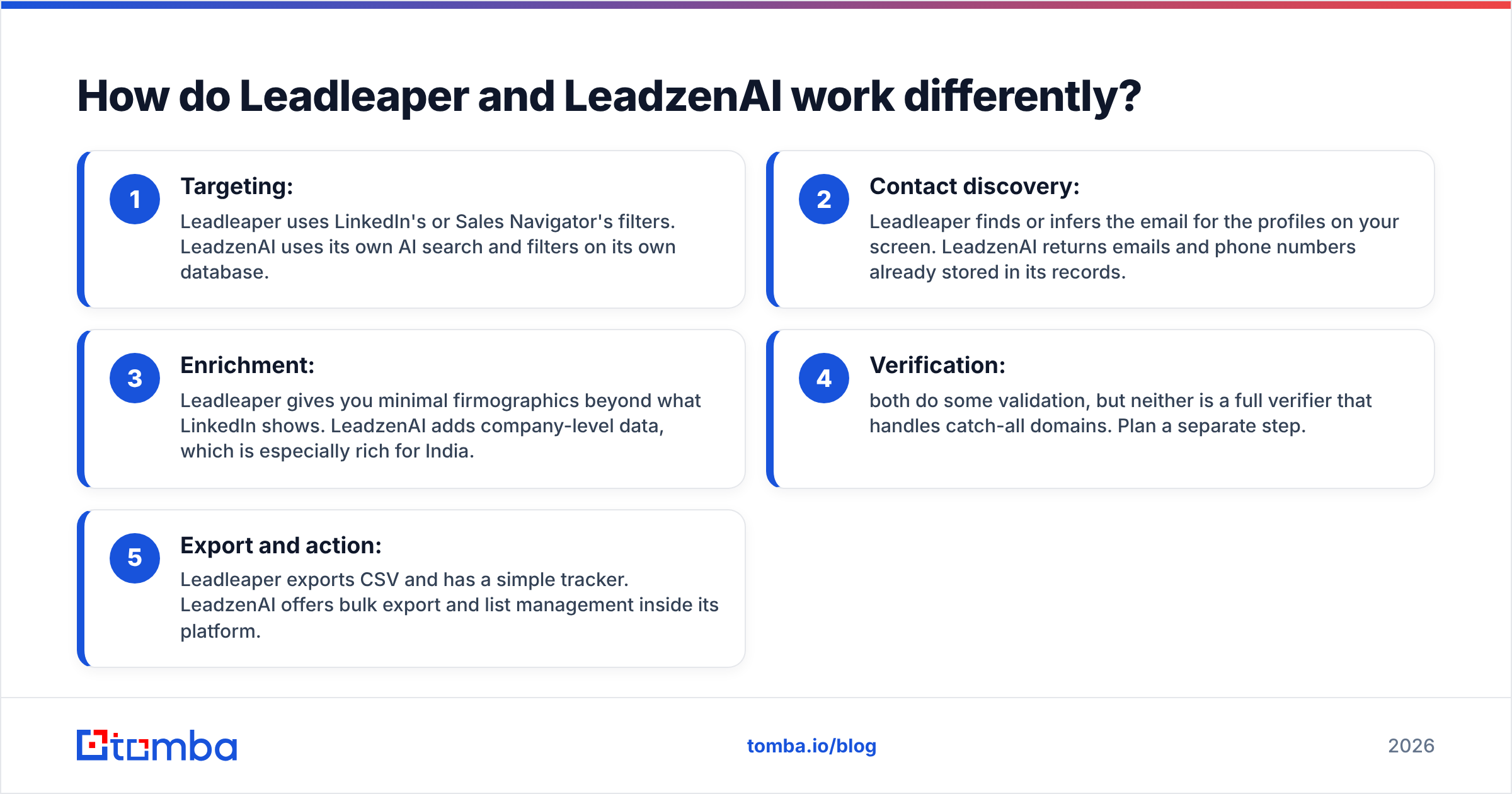
- Targeting: Leadleaper uses LinkedIn's or Sales Navigator's filters. LeadzenAI uses its own AI search and filters on its own database.
- Contact discovery: Leadleaper finds or infers the email for the profiles on your screen. LeadzenAI returns emails and phone numbers already stored in its records.
- Enrichment: Leadleaper gives you minimal firmographics beyond what LinkedIn shows. LeadzenAI adds company-level data, which is especially rich for India.
- Verification: both do some validation, but neither is a full verifier that handles catch-all domains. Plan a separate step.
- Export and action: Leadleaper exports CSV and has a simple tracker. LeadzenAI offers bulk export and list management inside its platform.
In short, with Leadleaper your source of truth is LinkedIn. With LeadzenAI it's LeadzenAI's dataset. If LinkedIn already represents your market well, the extension approach is enough. If your buyers are underrepresented or out of date on LinkedIn, which is common with traditional Indian SMEs, a database with registry data fills the gap.

Leadleaper vs LeadzenAI: how do they compare feature by feature?#
| Attribute | Leadleaper | LeadzenAI |
|---|---|---|
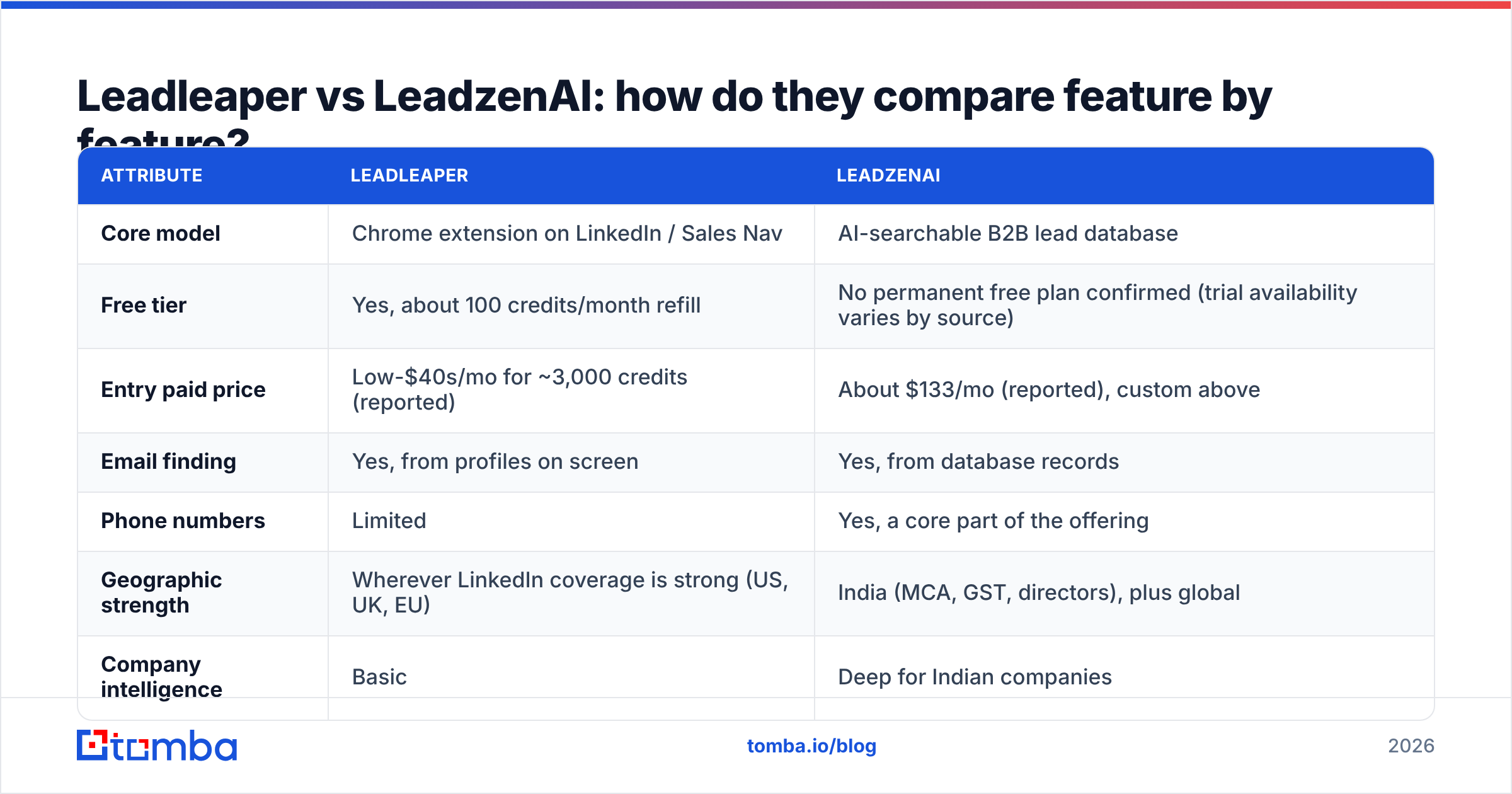
| Core model | Chrome extension on LinkedIn / Sales Nav | AI-searchable B2B lead database |
| Free tier | Yes, about 100 credits/month refill | No permanent free plan confirmed (trial availability varies by source) |
| Entry paid price | Low-$40s/mo for ~3,000 credits (reported) | About $133/mo (reported), custom above |
| Email finding | Yes, from profiles on screen | Yes, from database records |
| Phone numbers | Limited | Yes, a core part of the offering |
| Geographic strength | Wherever LinkedIn coverage is strong (US, UK, EU) | India (MCA, GST, directors), plus global |
| Company intelligence | Basic | Deep for Indian companies |
| Needs Sales Navigator? | No, but it works best with it | No |
| Best for | Solo reps, founders, small SDR teams | SMEs selling into India, teams wanting phones + firmographics |
| Main limitation | Only as good as your LinkedIn search | Higher cost; data depth outside India is less differentiated |
Both products update pricing often, so check the vendors' own pages before you commit budget.
Which one has better email accuracy?#
Neither vendor publishes an independent accuracy audit, so I'm not going to invent a percentage. What can be said for sure is that the method changes where the errors come from:
- Leadleaper often has to infer an email from a name plus the company's email pattern. That works well on tidy corporate domains, but it's weaker on catch-all domains and on companies with mixed formats (for example, first.last for some staff and f.last for others).
- LeadzenAI returns stored records. Those can be very accurate when they're fresh, but they go stale as people change jobs. B2B contact data decays by roughly a fifth or more each year, so how often records are refreshed matters as much as how many there are.

The practical takeaway is the same with either tool: verify before you send. Running a list through an email verifier catches invalid addresses, disposable domains and risky catch-alls before they hurt your sender reputation. A 3% bounce rate from one campaign can undo weeks of domain warmup.
How does pricing actually compare?#
This is where the two tools differ most.
Leadleaper is cheap to start. The free tier's 100 monthly credits cover light prospecting, perhaps 20–25 targeted leads a week. Paid plans at about 3,000 credits for a low monthly fee work out to roughly 1.5 cents per credit. For a founder doing their own outbound, it's close to a no-brainer to try.
LeadzenAI starts several times higher. Aggregator sites list tiers from about $133/mo up to several hundred dollars, and larger editions are quoted individually. Some reviewers also describe arrangements priced on qualified meetings delivered, which is closer to a managed service than a data subscription.
Whether that's worth it depends on what you'd otherwise spend. If your team currently spends hours digging through Indian company registries by hand, LeadzenAI can pay for itself in the first week. If you only need emails for people you've already found on LinkedIn, most of what you'd be paying for goes unused.
Some hidden costs to plan for on either side:
- Sales Navigator seat: Leadleaper works on free LinkedIn, but it's most useful with Sales Nav, which is a separate LinkedIn subscription.
- Verification credits: neither tool fully removes the need for a separate verification pass.
- Seats and exports: confirm how many users and export rows each tier includes before you sign an annual contract.

Is Leadleaper better than LeadzenAI for LinkedIn prospecting?#
Yes, for the LinkedIn-first workflow specifically. Leadleaper was built to sit on top of LinkedIn and Sales Navigator, so the path from "saved search" to "CSV with emails" takes the fewest clicks. You don't have to rebuild your filters in another tool, and you don't pay for records outside your search.
LeadzenAI can still find the same people. It just gets there through its own search interface. That's better if LinkedIn isn't where your buyers are active, and worse if your team has spent months tuning Sales Nav filters.
If LinkedIn is your main channel but you want more than a single-purpose extension, a dedicated LinkedIn finder that plugs into an email finder and verifier is the middle ground.
Is LeadzenAI better than Leadleaper for India and phone outreach?#
Yes. Here LeadzenAI has the clear edge:
- Registry-grade firmographics. MCA and GST data let you qualify Indian companies by registered status, directors and financial indicators. LinkedIn profiles can't give you that.
- Phone numbers. Cold calling and WhatsApp are major outbound channels in India, and a lead tool without reliable mobile numbers is missing half the job. LeadzenAI treats phones as core data. Leadleaper doesn't.
- SME coverage. Many Indian SMEs have thin or outdated LinkedIn pages. A database built from registry and web sources reaches companies a LinkedIn-scraping extension will never see.
If your territory is India, or you run a mixed email-plus-phone motion, the price difference is justified.
Which tool should you choose?#
Use this decision checklist:
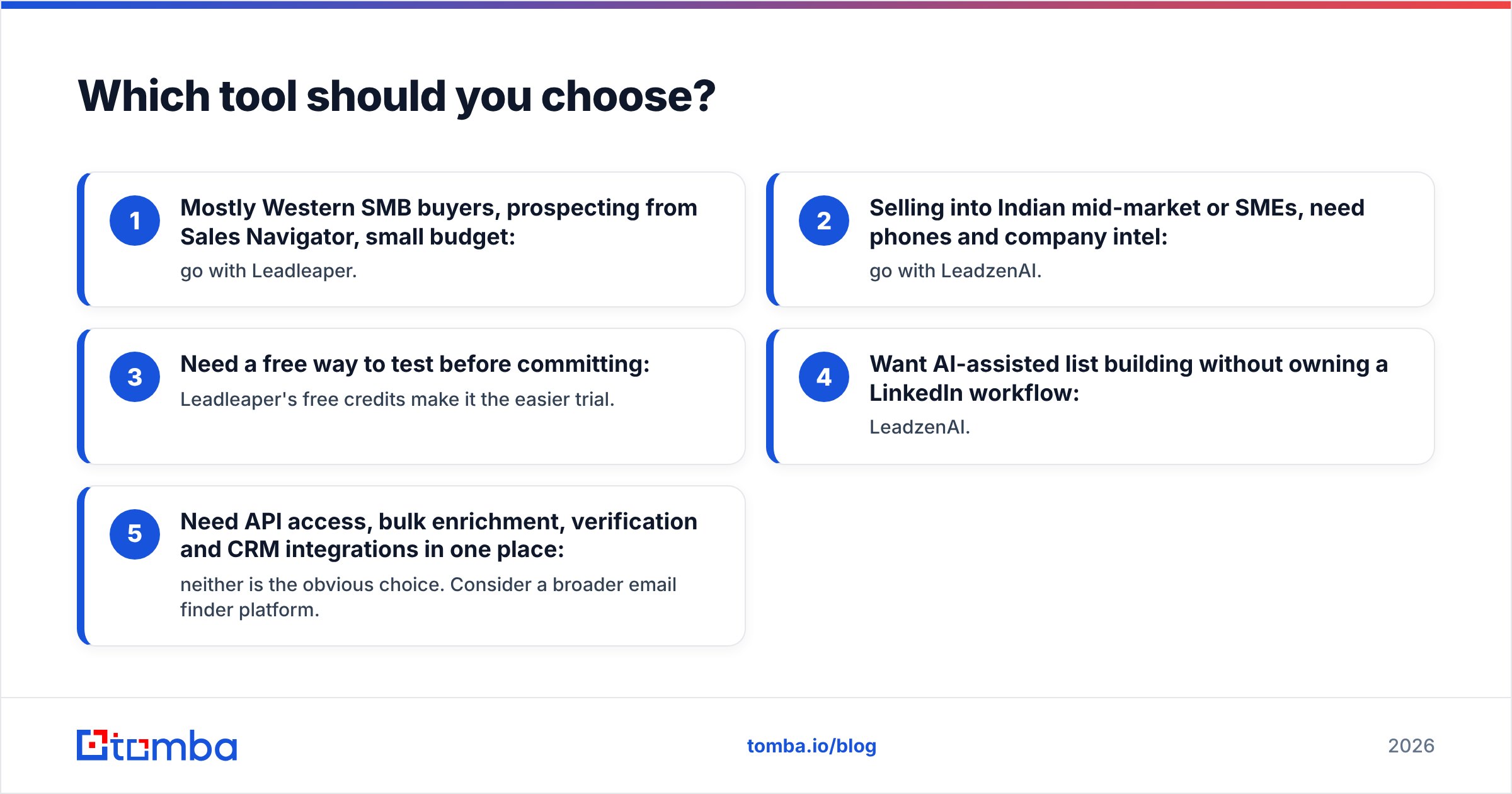
- Mostly Western SMB buyers, prospecting from Sales Navigator, small budget: go with Leadleaper.
- Selling into Indian mid-market or SMEs, need phones and company intel: go with LeadzenAI.
- Need a free way to test before committing: Leadleaper's free credits make it the easier trial.
- Want AI-assisted list building without owning a LinkedIn workflow: LeadzenAI.
- Need API access, bulk enrichment, verification and CRM integrations in one place: neither is the obvious choice. Consider a broader email finder platform.
That last point matters more than it looks. Many teams start with a single-purpose tool, then bolt on a verifier, then a phone tool, then a Zapier workflow to connect them all, and end up paying three subscriptions for one workflow. Before you pick between these two, check whether your real need is "LinkedIn emails" or "a reliable contact data layer for the whole sales stack."
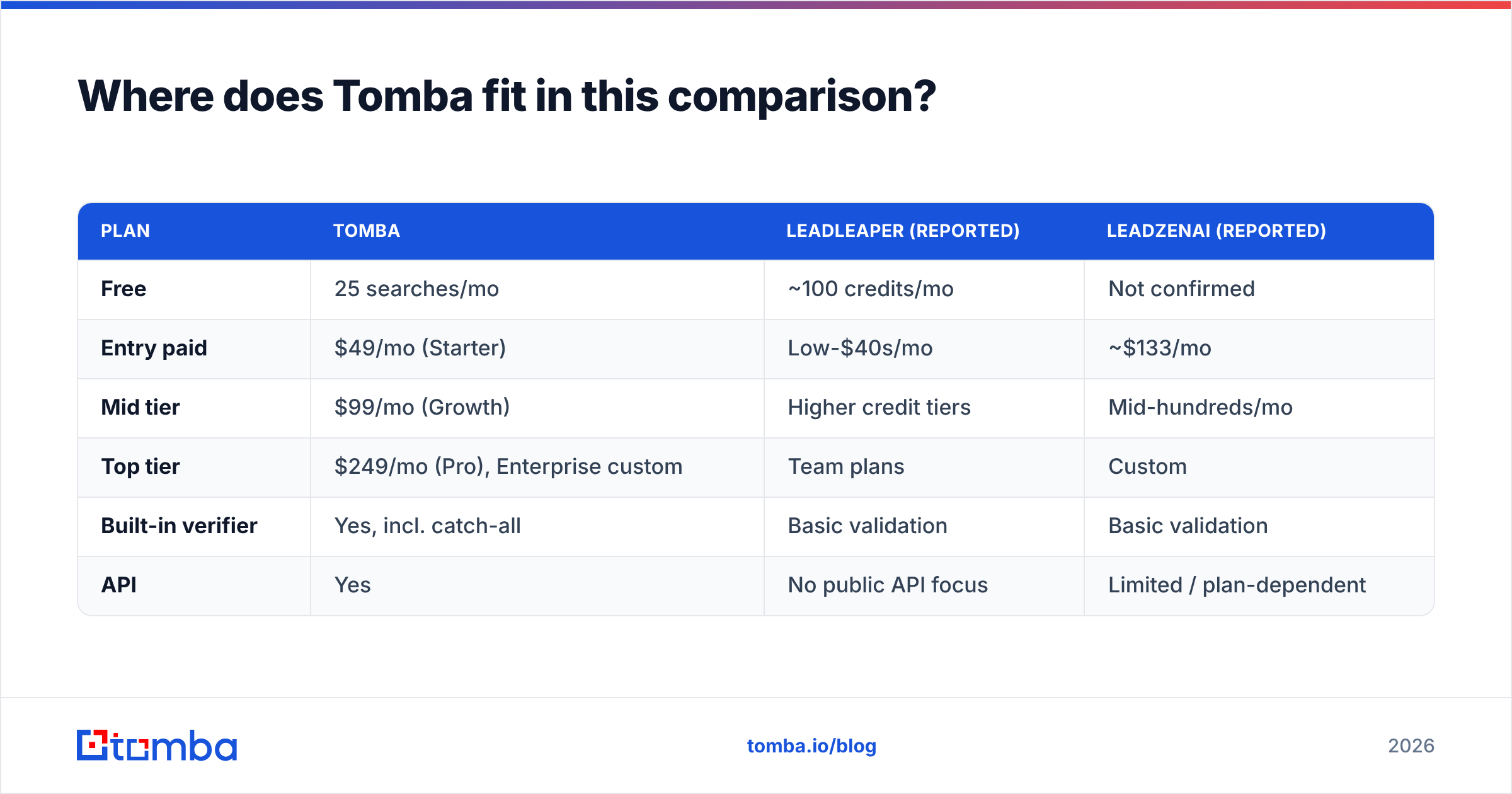
Where does Tomba fit in this comparison?#
Tomba isn't a like-for-like replacement for either tool, so here's the honest positioning:
- Compared with Leadleaper, Tomba covers the same LinkedIn-to-email job through its browser extension and LinkedIn finder. It adds domain search, bulk finding, a built-in verifier with catch-all handling, and an API.
- Compared with LeadzenAI, Tomba doesn't try to match its India registry depth. If MCA and GST data are central to how you qualify leads, LeadzenAI is the specialist. Tomba's strength is global email discovery and verification at predictable prices.

| Plan | Tomba | Leadleaper (reported) | LeadzenAI (reported) |
|---|---|---|---|
| Free | 25 searches/mo | ~100 credits/mo | Not confirmed |
| Entry paid | $49/mo (Starter) | Low-$40s/mo | ~$133/mo |
| Mid tier | $99/mo (Growth) | Higher credit tiers | Mid-hundreds/mo |
| Top tier | $249/mo (Pro), Enterprise custom | Team plans | Custom |
| Built-in verifier | Yes, incl. catch-all | Basic validation | Basic validation |
| API | Yes | No public API focus | Limited / plan-dependent |
For current numbers, see Tomba pricing.
Frequently asked questions#
Is Leadleaper free? Leadleaper has a free tier that refills about 100 credits each month. That's enough for light, targeted prospecting but not for volume outbound.
Does LeadzenAI have a free trial? Sources disagree. Some list a trial and others say there's no free version. Ask LeadzenAI's sales team directly before you plan an evaluation around it.
Can I use Leadleaper without Sales Navigator? Yes. It works on standard LinkedIn search and profiles, though Sales Navigator's filters make it much more efficient.
Which is better for phone numbers? LeadzenAI. Phone data is a core part of its product, especially for Indian contacts, while Leadleaper is focused on email.
Do I still need an email verifier? Yes. Whichever tool you use, verify your list before sending to protect deliverability.
What's the bottom line?#
Leadleaper and LeadzenAI aren't competing for the same buyer. Leadleaper is an inexpensive LinkedIn helper for reps who already know who they want to reach. LeadzenAI is a data platform whose best case is Indian B2B markets and phone-heavy outreach. Pick based on where your buyers are and which channel you sell through, not on feature-list length.
If what you need is fast, verified work emails from a name, a domain or a LinkedIn profile, with verification, bulk processing and an API in the same account, try the Tomba Email Finder. Start with 25 free searches, test it on the same prospect list you'd use with Leadleaper or LeadzenAI, and compare bounce rates yourself before you choose.
Related guides#
// get started
Find, verify and enrich your first contacts today
Start on the free plan with 25 searches a month, then scale when your team is ready.
Free plan · No credit card required · GDPR & CCPA
// about the author