LeadMine Pricing 2026: Plans, Credit Costs, and Whether It's Worth It
LeadMine has a free tier, a $29 plan, and a $99 plan, and then it stops. Here's what each credit actually costs, where the 1,000-credit ceiling starts to hurt, and when a different email finder makes more sense.
TL;DR
- LeadMine has three public tiers: Free ($0, 10 credits/month), Basic ($29/month, 250 credits) and Essential ($99/month, 1,000 credits). If you need more than 1,000 credits, you have to contact sales.
- Credits cost about $0.116 each on Basic and $0.099 each on Essential. Upgrading barely lowers the unit price.
- The fair parts: LeadMine only charges credits for 100% verified business emails, and a lead you've already paid for isn't charged again in the same billing period.
- The limits: credits don't roll over, lookups stop when you run out, and the pricing page doesn't mention an API, bulk upload or phone data.
- LeadMine suits freelancers and solo founders who find a few hundred emails a month. Teams that need volume, an API or verification across several data types should compare it with a broader platform like Tomba.
What is LeadMine and what are you actually paying for?#
LeadMine is a B2B email finder. You give it a name and a company domain and it returns a verified work email, or you search its lead database, which LeadMine says holds more than 200 million contacts. A Chrome extension lets you do the same thing from a prospect's website or profile, and there's a built-in verifier for checking addresses you already have.
The pricing is easier to follow if you think of LeadMine as a prepaid phone plan rather than a subscription with unlimited use. You buy a monthly block of credits. Each useful action spends one. Anything you don't use expires at the end of the month. No surprise overage fees, but also no carry-over.
That has two consequences. First, your real cost is the price per credit you actually use, not the headline monthly price. Second, if your prospecting volume swings a lot from month to month, the "no rollover" rule matters more than the tier you pick.
You can check the current plans on LeadMine's official pricing page. The breakdown below reflects that page as of September 2026.
How much does LeadMine cost in 2026?#
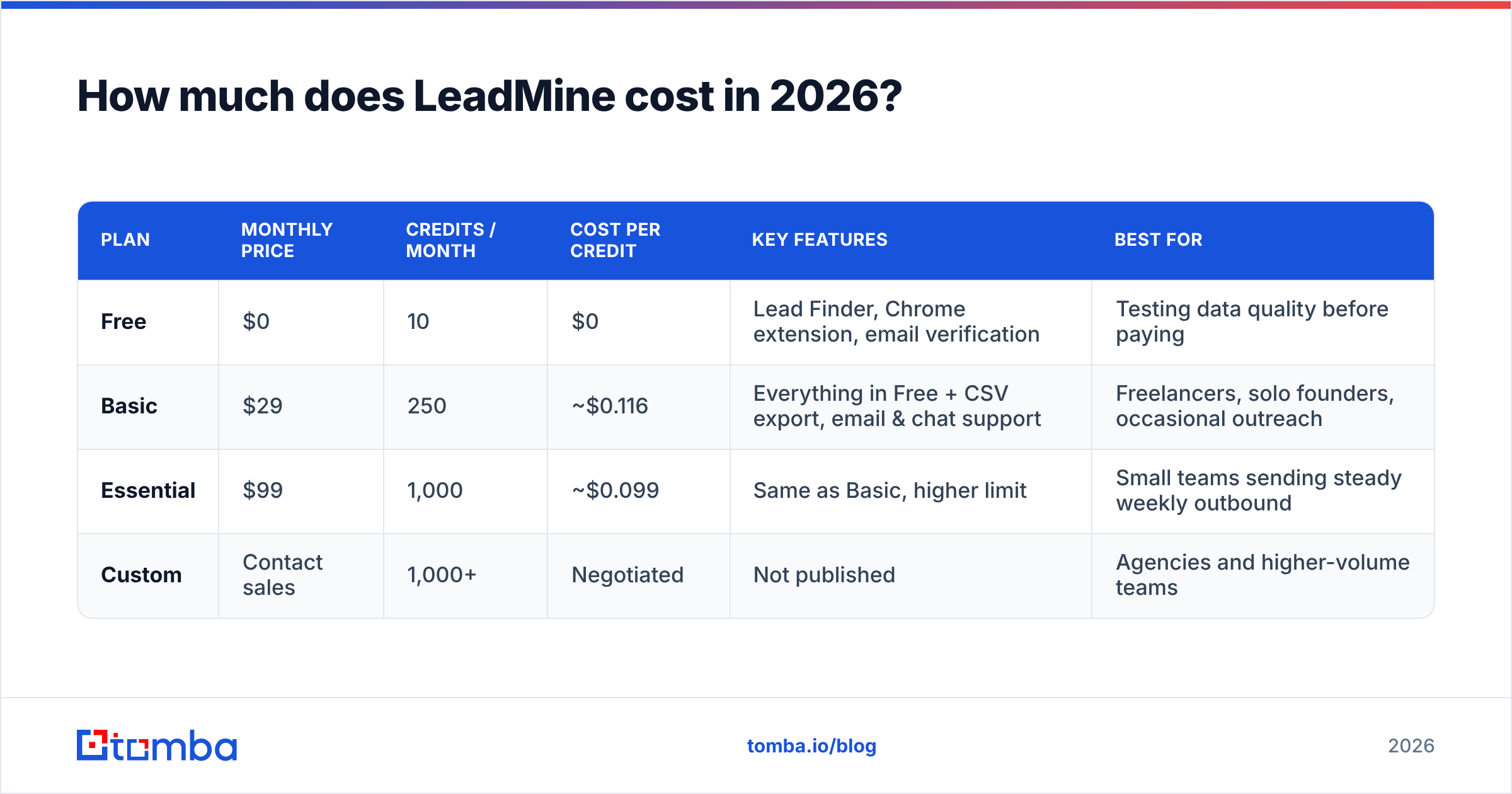
LeadMine lists three self-serve plans, plus a "contact us" option for anyone who needs more than 1,000 credits a month. Every paid plan comes with a free trial that doesn't ask for a credit card.
| Plan | Monthly price | Credits / month | Cost per credit | Key features | Best for |
|---|---|---|---|---|---|
| Free | $0 | 10 | $0 | Lead Finder, Chrome extension, email verification | Testing data quality before paying |
| Basic | $29 | 250 | ~$0.116 | Everything in Free + CSV export, email & chat support | Freelancers, solo founders, occasional outreach |
| Essential | $99 | 1,000 | ~$0.099 | Same as Basic, higher limit | Small teams sending steady weekly outbound |
| Custom | Contact sales | 1,000+ | Negotiated | Not published | Agencies and higher-volume teams |
An annual billing toggle is also available. LeadMine doesn't show the annual discount prominently, so check the final checkout price before assuming you'll save a set percentage.

What counts as a LeadMine credit?#
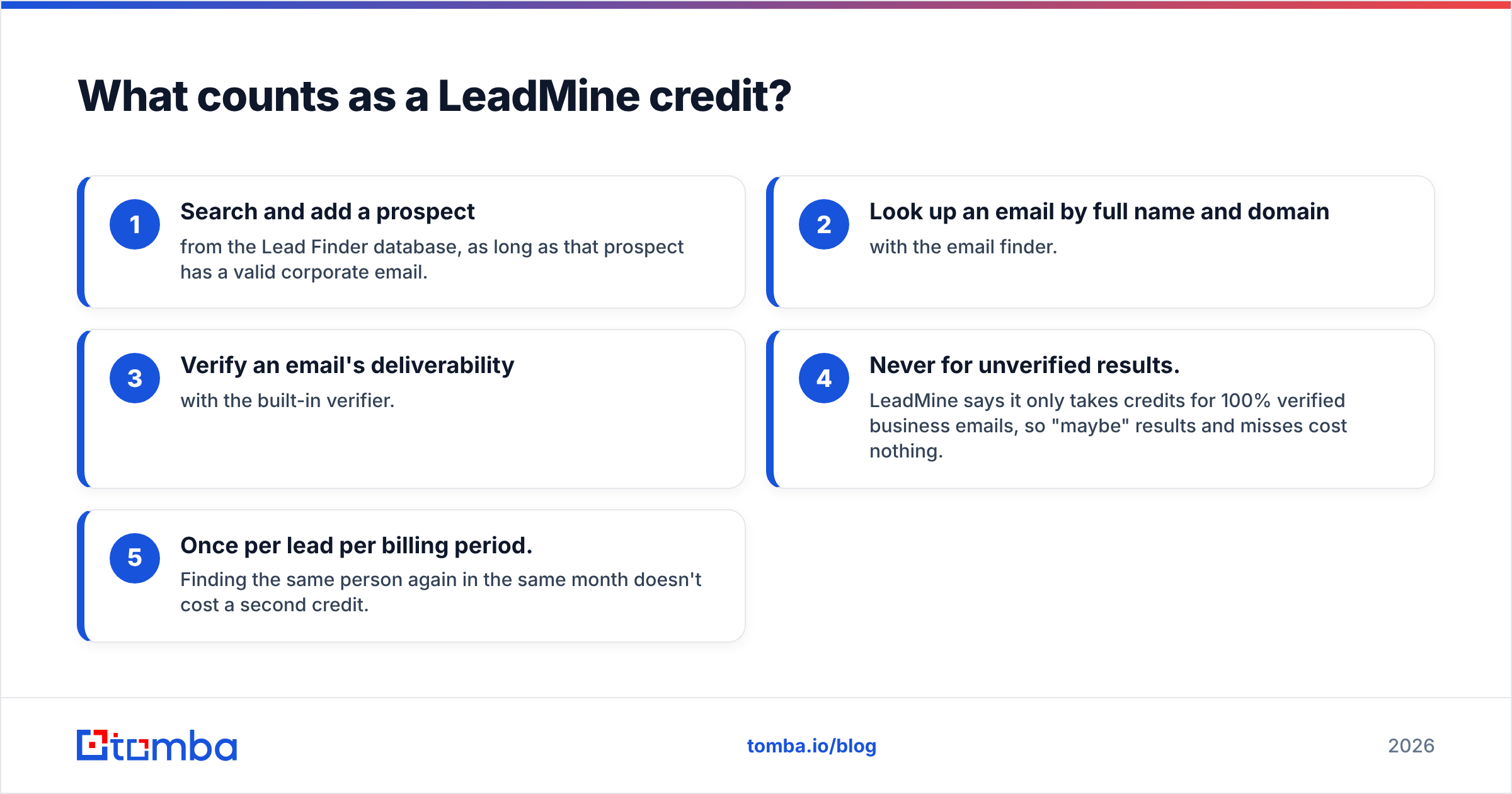
This matters more than the price itself, because it decides how many usable emails you really get. According to LeadMine's FAQ, you spend one credit when you:
- Search and add a prospect from the Lead Finder database, as long as that prospect has a valid corporate email.
- Look up an email by full name and domain with the email finder.
- Verify an email's deliverability with the built-in verifier.
- Never for unverified results. LeadMine says it only takes credits for 100% verified business emails, so "maybe" results and misses cost nothing.
- Once per lead per billing period. Finding the same person again in the same month doesn't cost a second credit.
Points 4 and 5 are the most buyer-friendly parts of LeadMine's pricing. Plenty of email finders charge per search, so you pay even when nothing comes back. With LeadMine, a hit rate of 60% on 250 lookups doesn't mean you paid for 100 blanks.
The catch is point 3. Verification and finding draw from the same credit pool. If you bring a list of 400 old addresses to clean, that's 400 credits gone before you've found a single new contact. On Basic, that's more than your whole month.
Is LeadMine's free plan actually useful?#
For evaluation, yes. For real prospecting, no.
Ten credits a month is enough to test ten names at companies you know well and check whether the emails LeadMine returns match what you'd expect. That's a fair test of data quality in your market, which is the one thing a pricing page can't tell you.
Ten credits won't support a campaign, though. Even a small cold-email test of 50 to 100 contacts needs Basic at least. The free tier also leaves out CSV export, so getting data into your sequencer means copying and pasting by hand.
Use the free plan like this:
- Pick 10 prospects from your real ICP, not easy targets at big companies with obvious email patterns.
- Record how many LeadMine returns as verified.
- Send a small batch and track bounces.
- Only upgrade if the verified rate and bounce rate hold up.
Is the $29 Basic plan worth it?#
For low-volume users, Basic is the sweet spot of LeadMine's pricing. $29 for up to 250 verified business emails works out to roughly 12 cents per usable contact, which is competitive for self-serve email finders at this level.
Basic also adds the two things the free plan lacks: CSV export and human support over email and chat.
Basic is a good fit if:
- You find fewer than about 200 emails a month and your volume is steady.
- You're a freelancer, consultant or founder doing your own targeted outbound.
- You mostly use the Chrome extension to grab emails while researching accounts one at a time.
Basic stops making sense once:
- You also need to verify existing lists, since that eats the same 250 credits.
- Your usage is lumpy, for example 600 contacts one month and 50 the next. With no rollover, you'll either run dry or waste credits.
- You need emails to flow into other tools automatically instead of through CSV exports.
Is the $99 Essential plan better value?#
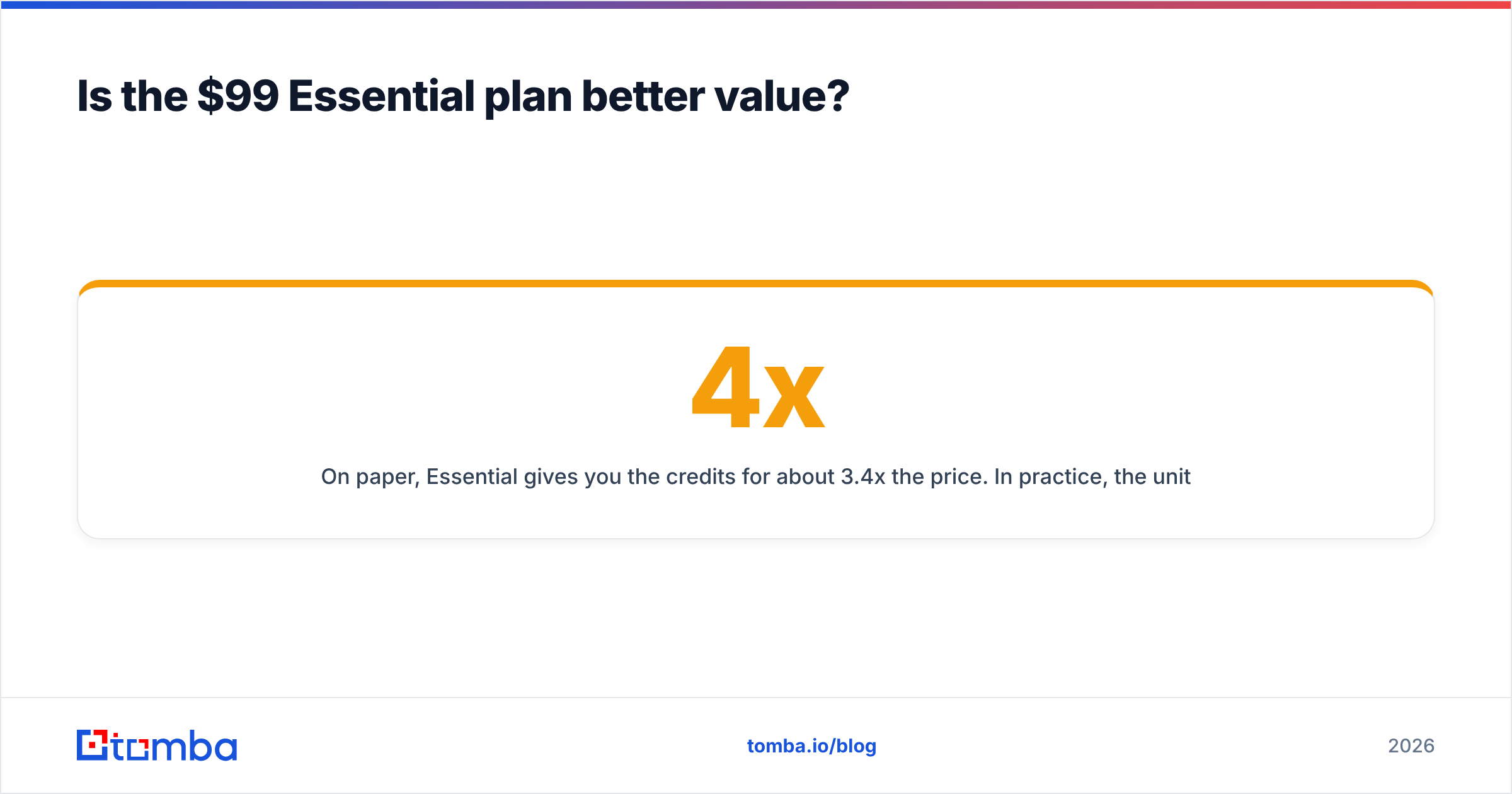
On paper, Essential gives you 4x the credits for about 3.4x the price. In practice, the unit cost only falls from about $0.116 to $0.099 per credit, which is roughly a 15% saving.
That's a small volume discount. Many tools in this category drop the unit price much more sharply as you move up. So upgrade to Essential because you need 1,000 credits, not because it's much cheaper per email.
The bigger issue is the ceiling. Essential is the top self-serve plan. Once your team needs more than 1,000 verified emails a month, whether from several SDRs or an agency running campaigns for multiple clients, you're in a sales conversation with unpublished pricing. That's workable, but it takes away the predictability that makes LeadMine attractive in the first place.
What are the hidden costs and limits in LeadMine pricing?#
"Hidden" is a strong word here, because LeadMine is fairly open in its FAQ. But these are the points buyers tend to notice only after the first month:
- No credit rollover. Unused credits disappear at the monthly reset.
- Hard stop at the limit. Data stops coming back once you hit your cap. There's no automatic pay-as-you-go top-up on the page, so a mid-campaign shortfall means upgrading or waiting.
- Shared pool for finding and verifying. List hygiene competes with prospecting for the same credits.
- No published API or bulk tier. The pricing page lists Lead Finder, the Chrome extension, verification and CSV export. Programmatic access, bulk file processing and CRM integrations aren't part of the published plans.
- Email only. There are no phone numbers or firmographic enrichment in the listed features, so if your outbound includes calls you'll need a second tool, which is a second bill.
None of these make LeadMine a bad product. They make it a focused one. The question is whether that focus matches how your team works.

How does LeadMine pricing compare to other email finders?#
Most buyers comparing LeadMine are also looking at Hunter, Tomba and similar tools. The fair way to compare them is by accuracy per dollar, not by headline price. A cheap credit that bounces costs more than an expensive one that lands.

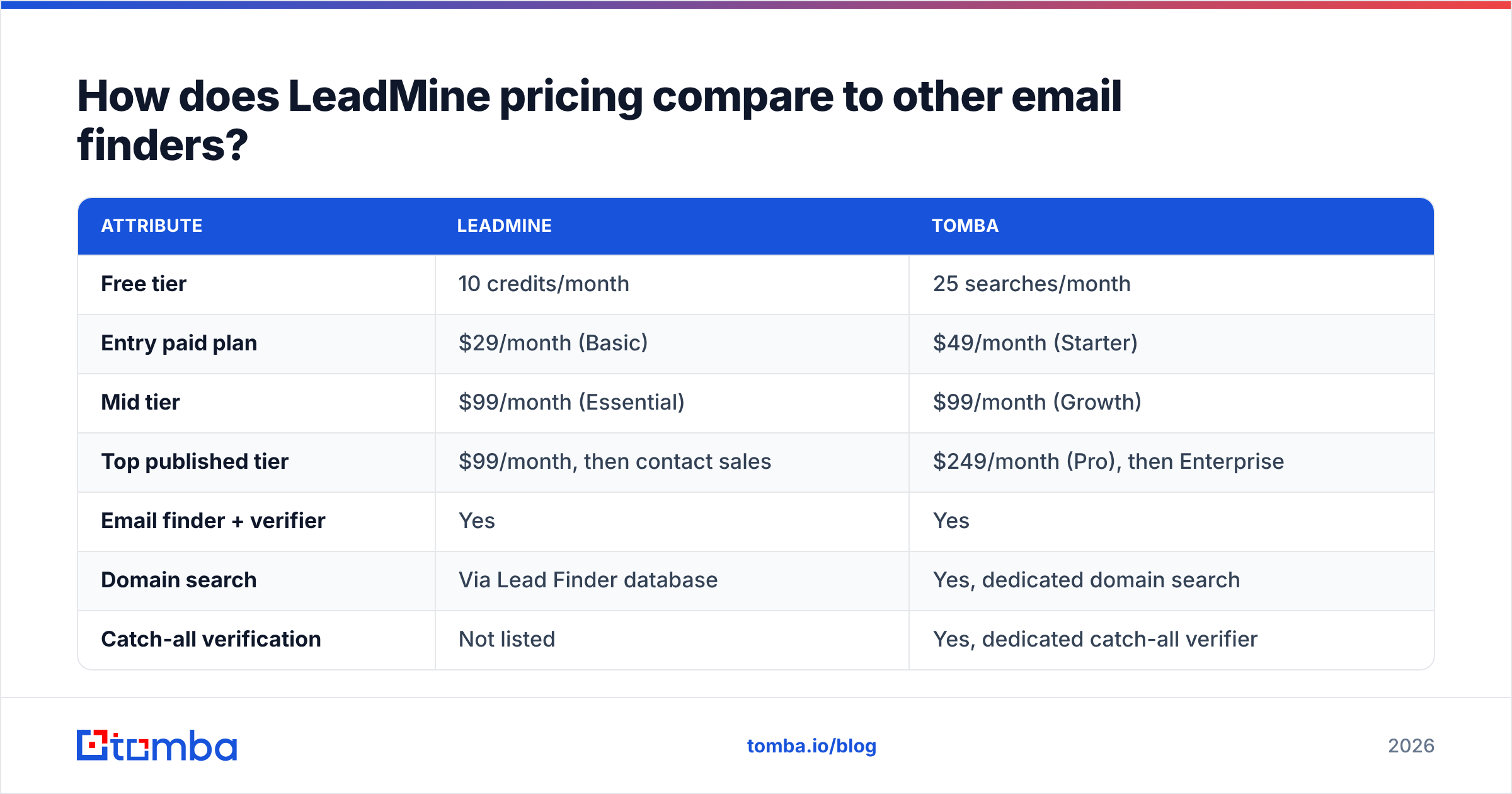
Accuracy varies a lot by region and industry, so treat any benchmark as a starting point and run your own 10-to-50 contact test. On features and pricing structure, here's how LeadMine compares with Tomba:
| Attribute | LeadMine | Tomba |
|---|---|---|
| Free tier | 10 credits/month | 25 searches/month |
| Entry paid plan | $29/month (Basic) | $49/month (Starter) |
| Mid tier | $99/month (Essential) | $99/month (Growth) |
| Top published tier | $99/month, then contact sales | $249/month (Pro), then Enterprise |
| Email finder + verifier | Yes | Yes |
| Domain search | Via Lead Finder database | Yes, dedicated domain search |
| Catch-all verification | Not listed | Yes, dedicated catch-all verifier |
| Phone finder / enrichment | Not listed | Yes |
| API access | Not listed on pricing page | Yes, public REST API |
| Charged only for verified results | Yes | See plan details |

Where LeadMine wins: the $29 entry price is lower than Tomba's $49 Starter, and the "pay only for verified emails" rule is simple to explain to a finance team. If you're one person finding 150 emails a month, LeadMine is honestly a reasonable choice.
Where Tomba wins: range and room to grow. Tomba publishes a $249 Pro tier instead of stopping at $99. It has a dedicated email verifier and a catch-all verifier for the risky "accept-all" domains that often push bounce rates up. It also has phone finding and enrichment on the same account, and the Tomba API lets you pipe lookups straight into your CRM or sequencer. You can see every tier on the Tomba pricing page.
For general benchmarking, the Hunter pricing page is another useful reference point, since many teams treat it as the category baseline.
Which LeadMine plan should you choose?#
Work backwards from your actual monthly volume:
- Under 10 lookups a month: stay on Free. You're evaluating, not prospecting.
- 10 to 250 lookups, steady volume, email only: Basic at $29 is good value.
- 250 to 1,000 lookups, steady volume, email only: Essential at $99. Budget around 10 cents per verified email.
- 1,000+ lookups, several reps, or you need an API, phone numbers or catch-all handling: at this point LeadMine's published pricing runs out. Compare a custom LeadMine quote with a platform that publishes higher tiers and bundles verification, enrichment and API access.
One practical tip whichever tool you choose: don't verify and find from the same small budget. If you regularly clean inherited lists, pay for verification separately, or pick a plan big enough that hygiene doesn't eat your prospecting.
So, is LeadMine worth the money?#
For its target user, yes. LeadMine's pricing is honest and easy to follow: a real free tier, a low-cost $29 plan, and a credit model that doesn't charge you for failed lookups. Solo prospectors and small teams with predictable, email-only outbound will get fair value.
It's less convincing once you grow. The unit price barely drops between tiers, credits expire every month, self-serve plans top out at 1,000 credits, and API access, phone data and catch-all verification aren't in the published plans. That's usually when teams move to a broader platform.
If you've outgrown a 1,000-credit ceiling, or want finding, verifying and enrichment under one bill, try the Tomba Email Finder. Start on the free tier with 25 searches a month, run the same 10-prospect accuracy test you'd run on LeadMine, and compare the verified results side by side. Then pick the tool that gets you the most emails that actually land, not the one with the lowest sticker price.
Related guides#
// get started
Find, verify and enrich your first contacts today
Start on the free plan with 25 searches a month, then scale when your team is ready.
Free plan · No credit card required · GDPR & CCPA
// about the author