Leadmine vs Xverum: Self-Serve Prospecting or Bulk B2B Data?
Leadmine and Xverum both sell B2B data, but they're built for different buyers. One is a credit-based prospecting app for sales reps. The other ships millions of company and people records to data teams. Here's how to tell which one you need.
TL;DR
- Leadmine is a self-serve prospecting app for sales reps. You get lead search, email lookup, an email verifier, and a Chrome extension. Paid plans start at $49/mo for 1,000 credits, and there's a free plan with 10 credits a month.
- Xverum is a data provider. It sells structured datasets and APIs covering roughly 750M professional profiles and 54M companies, delivered to data teams by S3, API, or file. Pricing is quote-based.
- The real question is who's buying. If you're an SDR who needs 200 verified emails this week, pick Leadmine. If you're a product or data team building an app, a scoring model, or an AI agent on top of firmographic data, Xverum is the better fit.
- Neither is a full waterfall. Leadmine's database is smaller than enterprise vendors'. Xverum's main product is profile and company data, not verified work emails ready to send to.
- If what you need is email finding and verification with an API and fair pricing, look at a dedicated email finder like Tomba next to both.
What is the difference between Leadmine and Xverum?#
Think of it like a grocery store versus a wholesale supplier. Leadmine is the grocery store. You walk in, pick the contacts you want, pay per item, and leave. Xverum is the wholesale supplier. It ships pallets of structured records to businesses that turn them into their own products.
That one difference drives everything else in this comparison: pricing model, delivery format, who inside your company runs it, and what "accuracy" even means.
Leadmine (leadmine.net) calls itself a lead generation and sales prospecting platform with more than 1,000 customers. The main pieces are:
- Lead Finder: search B2B contacts by job title, company, location, and industry
- Email Lookup: enter a full name and a domain, get an email back
- Email Verifier: check whether an address is deliverable
- Chrome plugin: pull contacts from LinkedIn profiles and Google search results
Leadmine says it has 200M+ business contacts sourced from the public web and advertises 95% email accuracy. That's the vendor's own number, so treat it as a ceiling and test it yourself.
Xverum (xverum.com) sells structured B2B data on people, companies, jobs, and places. You can get it as datasets, APIs, or an MCP server. Its published coverage is about 750M people profiles, 54M company profiles, 9M job postings, and 320M points of interest. It advertises refresh cycles as fast as 24 hours and GDPR/CCPA compliance. You can also buy it through marketplaces like Datarade, with delivery by email, S3 bucket, or REST API in JSON or CSV.
So the two products barely compete. They share a category label ("B2B data") and very little else.
How do Leadmine and Xverum compare side by side?#
Here's the comparison across the attributes that usually decide a purchase. Prices are the published figures as of September 2026. Check both vendors before you buy, because data pricing changes often.
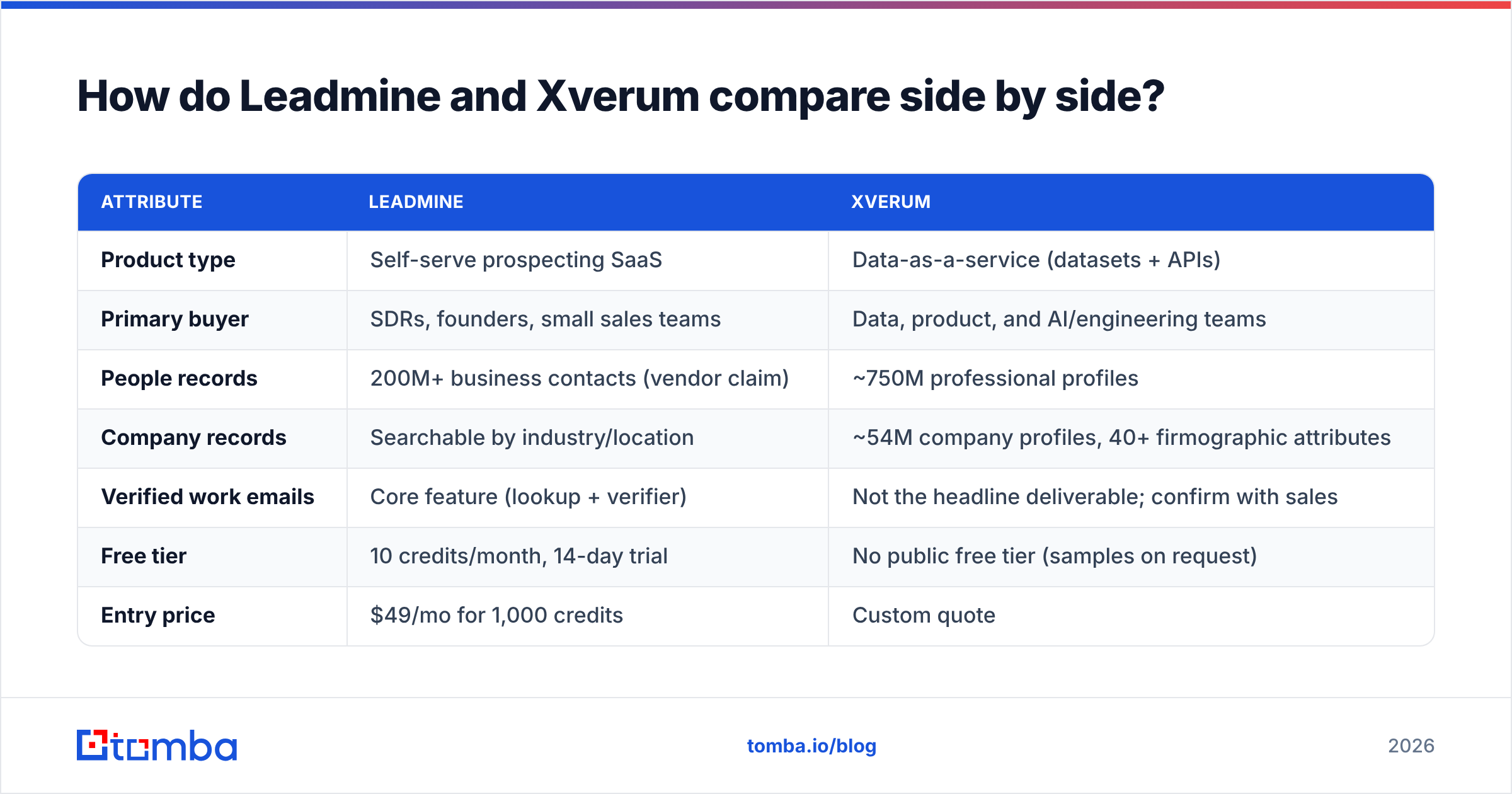
| Attribute | Leadmine | Xverum |
|---|---|---|
| Product type | Self-serve prospecting SaaS | Data-as-a-service (datasets + APIs) |
| Primary buyer | SDRs, founders, small sales teams | Data, product, and AI/engineering teams |
| People records | 200M+ business contacts (vendor claim) | ~750M professional profiles |
| Company records | Searchable by industry/location | ~54M company profiles, 40+ firmographic attributes |
| Verified work emails | Core feature (lookup + verifier) | Not the headline deliverable; confirm with sales |
| Free tier | 10 credits/month, 14-day trial | No public free tier (samples on request) |
| Entry price | $49/mo for 1,000 credits | Custom quote |
| Mid tier | $99/mo for 3,000 credits | Custom quote |
| Top published tier | $149/mo for 10,000 credits | Volume / licence-based |
| Delivery | Web app, Chrome extension, CSV export | S3, REST API, JSON/CSV files, MCP |
| Refresh cadence | Not published | As fast as 24 hours (vendor claim) |
| Best for | Building outbound lists fast | Powering apps, models, VC sourcing, AI agents |
Two things stand out. First, Leadmine's per-credit cost falls quickly as you move up: about 4.9 cents a credit on Starter and about 1.5 cents on Business. Second, you can't compare Xverum on price per contact at all, because you're licensing a dataset, not buying lookups.

Is Leadmine better than Xverum for sales prospecting?#
Yes, for day-to-day prospecting it's not close. Leadmine is built for someone who opens a browser, runs a search, and wants a sendable list in ten minutes.
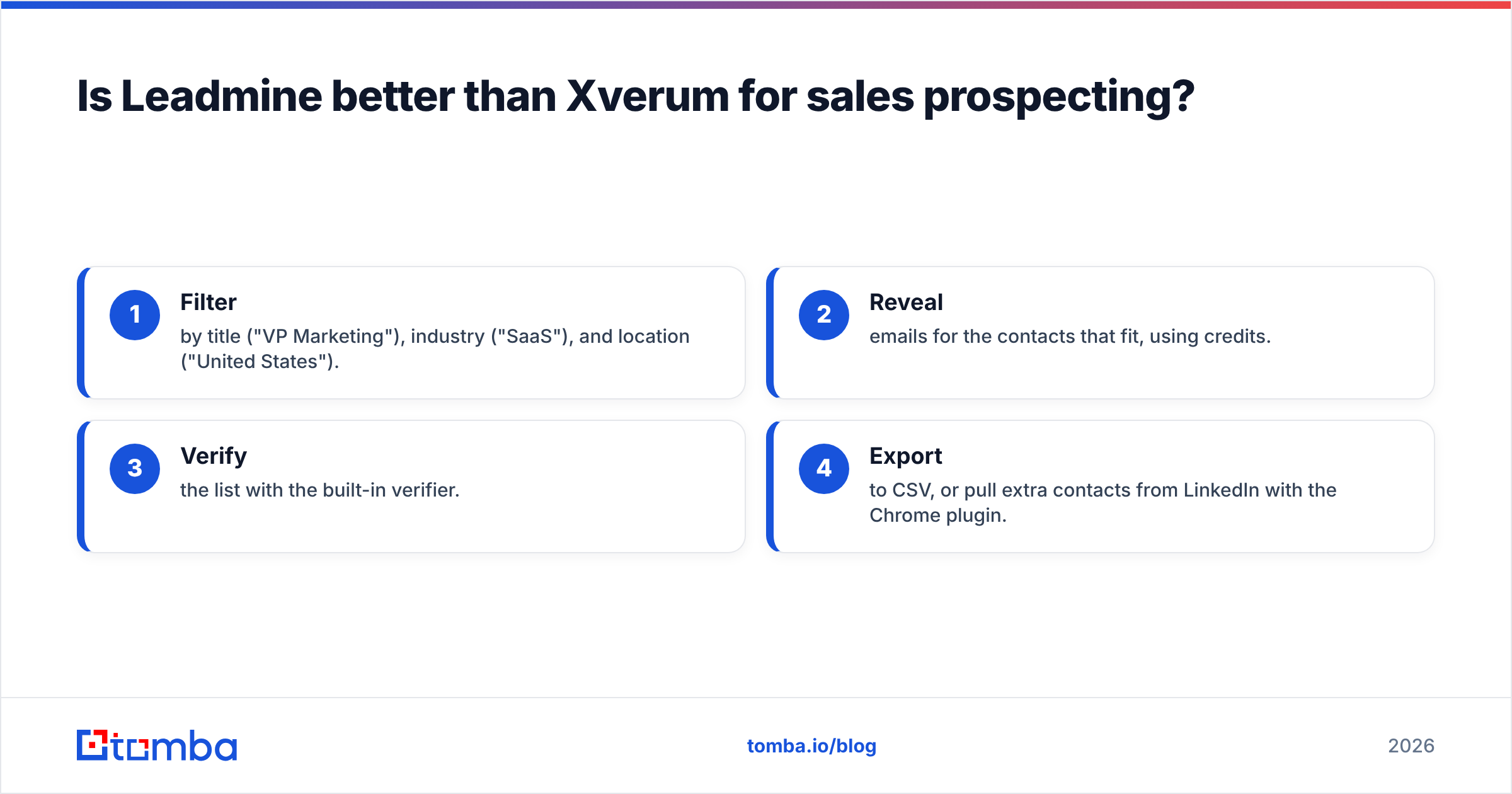
A typical Leadmine workflow:
- Filter by title ("VP Marketing"), industry ("SaaS"), and location ("United States").
- Reveal emails for the contacts that fit, using credits.
- Verify the list with the built-in verifier.
- Export to CSV, or pull extra contacts from LinkedIn with the Chrome plugin.
You'd see something close to this in the Leadmine Lead Finder screen: a filter sidebar on the left, a results grid in the middle, and a reveal button on each row. Nothing needs to be configured and no engineer has to get involved.
Xverum doesn't really serve that workflow. You wouldn't hand a 750M-row people dataset to an SDR. Someone has to load it into a warehouse, dedupe it, join it to your CRM, and build filters on top. That's worthwhile if you're building a product. It's pointless if you just need 150 prospects for a campaign on Monday.
Where Leadmine falls short for prospecting:
- Database depth. 200M contacts is decent. Larger vendors say they have more, and coverage in niche verticals or outside the US can be thin. Run a test search in your own ICP before you commit.
- No published refresh cadence. You can't tell how old a record is, so verify before every send.
- Credits run out fast. 1,000 credits sounds like plenty until you realise the leads you reveal and reject still use up credits.
Is Xverum better than Leadmine for data teams and AI products?#
Yes. Xverum is built for teams that treat B2B data as a raw material rather than a finished list.
Common Xverum use cases:
- Enriching a product. A SaaS app that shows company headcount, industry, and HQ location next to every signup.
- Lead scoring models. Training a propensity model on firmographics and headcount trends across millions of companies.
- VC deal sourcing. Xverum pitches its data to investors for tracking executive moves, spotting fast-growing startups, and mapping competitive landscapes.
- Grounding AI agents. Xverum offers API and MCP access, so an LLM agent can look up live company and people data instead of hallucinating it.
- Market sizing. Counting every company in a segment, including private companies and startups.
The 24-hour refresh claim matters most here. If your product shows "this company grew headcount 18% last quarter," stale data breaks trust with your users. For bulk use cases, the way to evaluate Xverum is to ask for a sample file and measure fill rates field by field against a few hundred accounts you already know well.
Where Xverum falls short:
- No self-serve entry point. You talk to sales, get a sample, then negotiate a licence. It's a procurement process, not a credit card checkout.
- Emails aren't the point. Xverum's datasets are rich in profile and firmographic attributes. If your end goal is verified inboxes for outbound, confirm exactly which contact fields are included, and plan to run the data through an email verifier before sending anything.
- You need engineering. S3 drops and REST APIs are great if you have a data pipeline and a burden if you don't.
How does pricing work for Leadmine vs Xverum?#
The two models are fundamentally different, and each one penalises a different kind of mistake.
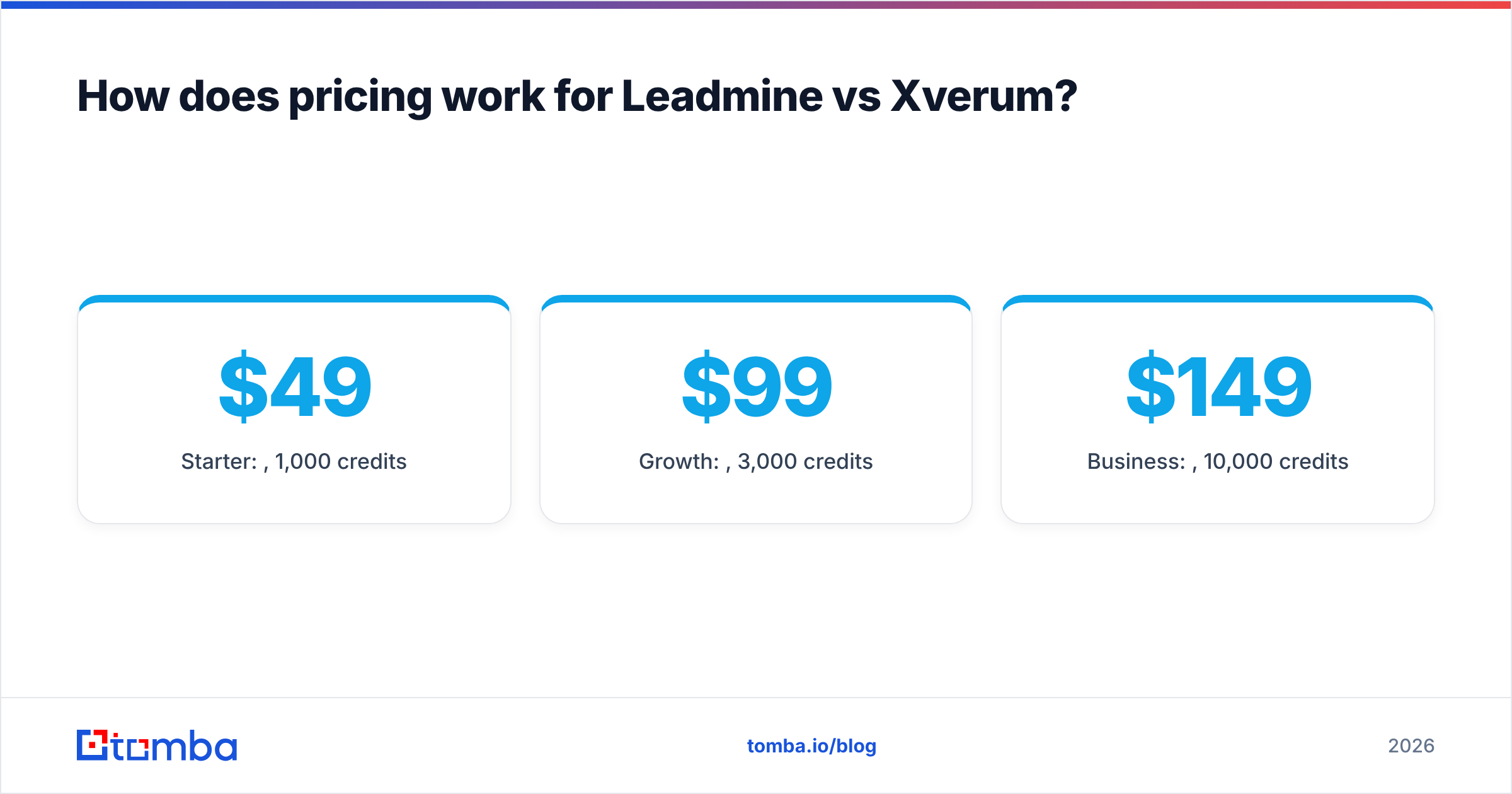
Leadmine: credit subscriptions. Per the Leadmine pricing page:
- Free: 10 credits/month
- Starter: $49/mo, 1,000 credits
- Growth: $99/mo, 3,000 credits
- Business: $149/mo, 10,000 credits
The risk is waste: credits spent on contacts that turn out to be the wrong fit or that bounce later. The upside is you always know your monthly bill.
Xverum: dataset licensing. Pricing depends on which datasets you take (people, companies, jobs, POI), which regions, which fields, how often it refreshes, and whether you want API access. Expect an annual contract. The risk here is overbuying: licensing 750M profiles when your ICP only touches 2M of them.
A practical rule: if your monthly need is under roughly 10,000 contacts and the goal is outreach, a credit model almost always wins on total cost. If you need full-market coverage for analytics or a product feature, per-lookup pricing gets absurd and a licence makes sense.
What about email accuracy and deliverability?#
This is where both tools need a reality check, and where your email deliverability is actually won or lost.
Leadmine advertises 95% accuracy, and that number comes from the vendor. Independent reviewers on Capterra are a better signal of real-world results, but even they can't tell you how the tool performs on your ICP. Catch-all domains, recent job changes, and small companies with unusual email formats all pull accuracy down.
Xverum doesn't really compete on email accuracy, because deliverable emails aren't its core product. Its accuracy question is different: how current are headcount, title, and firmographic fields? The refresh cadence addresses that, but a correct job title doesn't mean you have a working inbox.
No matter which you pick, the discipline is the same:
- Verify every list right before sending, not when you exported it. Contact data decays every month as people change jobs.
- Handle catch-all domains separately. A "valid" result on a catch-all server tells you almost nothing.
- Keep bounce rates under 2%. Anything above that hurts sender reputation across your whole domain.

Which should you choose: Leadmine or Xverum?#
Pick based on who will use the data and what for.
- Choose Leadmine if you're a founder, SDR, or small sales team that needs verified emails for outbound, wants a Chrome extension for LinkedIn, and prefers a predictable $49 to $149 monthly bill.
- Choose Xverum if you're a data, product, or AI team that needs millions of company and people records, wants frequent refreshes, and has the engineering capacity to ingest S3 or API feeds.
- Choose neither (or add a third tool) if you need deep, verified email coverage with a developer-friendly API, catch-all handling, and pricing in between the two.
A surprising number of teams end up running two layers: a bulk provider like Xverum for firmographics and account selection, plus a dedicated email finder for the contact-level step. Account data tells you which companies to target. The email finder tells you how to reach the right person there.
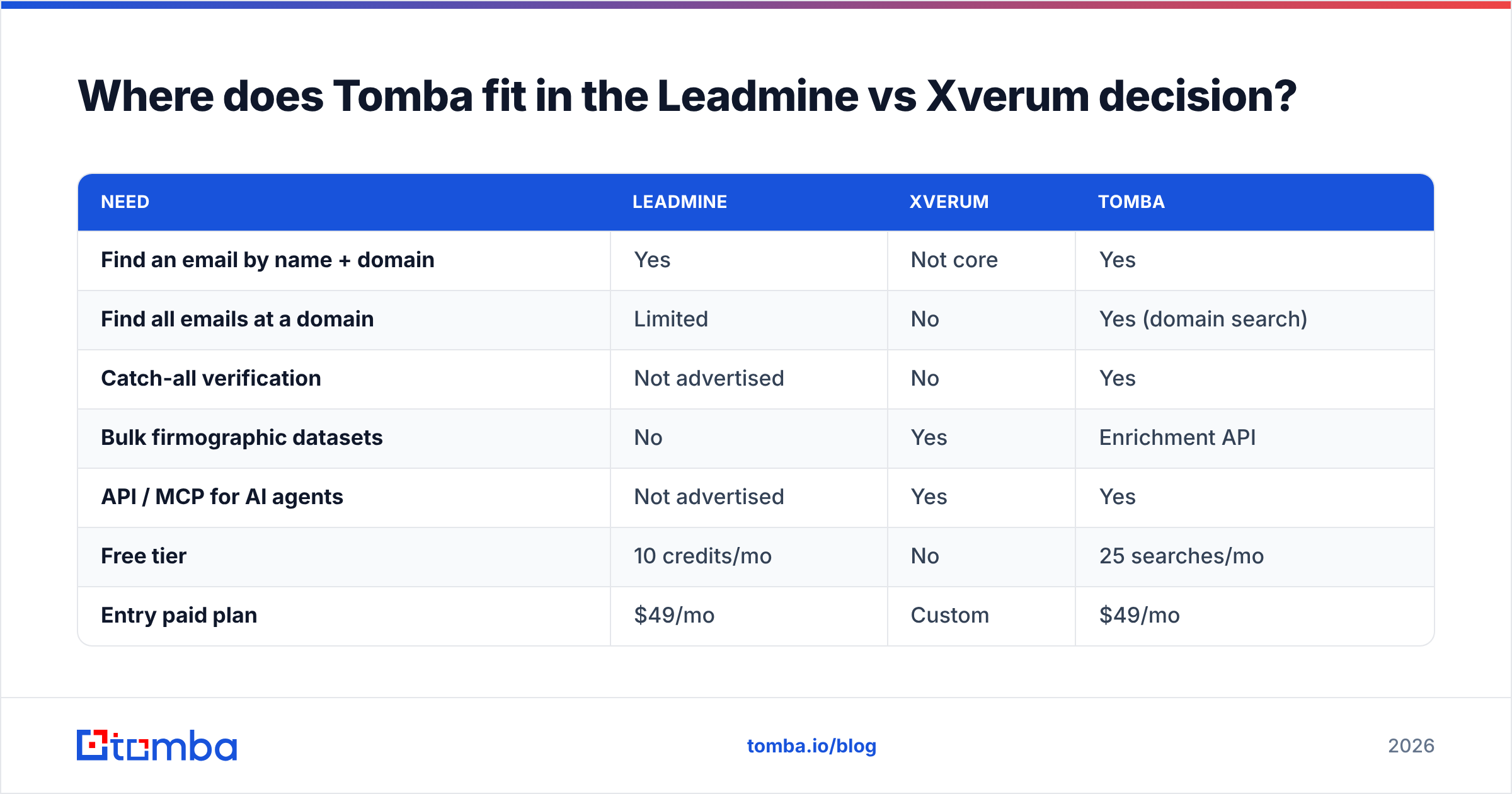
Where does Tomba fit in the Leadmine vs Xverum decision?#
Tomba sits closer to Leadmine than to Xverum. It's a self-serve email finder first, with an email verifier, domain search, catch-all verifier, phone finder, and data enrichment alongside it. What sets it apart is that it covers the developer workflows Leadmine doesn't really target: a full REST API, a CLI, an MCP server for AI agents, and add-ins for Google Sheets and Excel.
| Need | Leadmine | Xverum | Tomba |
|---|---|---|---|
| Find an email by name + domain | Yes | Not core | Yes |
| Find all emails at a domain | Limited | No | Yes (domain search) |
| Catch-all verification | Not advertised | No | Yes |
| Bulk firmographic datasets | No | Yes | Enrichment API |
| API / MCP for AI agents | Not advertised | Yes | Yes |
| Free tier | 10 credits/mo | No | 25 searches/mo |
| Entry paid plan | $49/mo | Custom | $49/mo |
Tomba's paid plans run Starter $49/mo, Growth $99/mo, and Pro $249/mo, with custom Enterprise pricing. The full breakdown is on the Tomba pricing page. If you're pairing a bulk dataset like Xverum with a contact-level tool, Tomba's API can take a list of target domains and return verified emails for the decision-makers.
What's the bottom line?#
Leadmine and Xverum aren't really rivals. Leadmine is a prospecting app priced per credit for people who send emails. Xverum is a licensed data feed for people who build products and models. Choose by the job you need done, not by who claims the bigger database.
If your job is getting verified work emails into sequences without bounces, put Tomba Email Finder on your shortlist. Start with the free 25 searches a month, test it on a sample of your real ICP next to whatever you're evaluating, and compare verified hit rates before paying for anything. You'll know within an afternoon which tool actually reaches your buyers.
Related guides#
// get started
Find, verify and enrich your first contacts today
Start on the free plan with 25 searches a month, then scale when your team is ready.
Free plan · No credit card required · GDPR & CCPA
// about the author