LeadRocks vs NinjaPear: Contact Database or Company Data API?
LeadRocks sells you people to email. NinjaPear sells you intelligence about companies. We compare data, pricing, accuracy, and workflow fit so you buy the right one first.
TL;DR
- LeadRocks is a self-serve B2B contact database and LinkedIn Chrome extension. You use it to find the emails and phone numbers of specific people, with a free tier and low-cost paid plans.
- NinjaPear is the company-intelligence API from Nubela, the team behind the now-shut-down Proxycurl. It answers questions about accounts: who a company's customers and competitors are, how many employees it has, and what it's announcing.
- These tools are not direct substitutes. LeadRocks fills the "who do I email?" step. NinjaPear fills the "which accounts should I go after, and why now?" step.
- LeadRocks is cheap to try, but you should verify its emails before you send. NinjaPear is aimed at developers and costs more per month, with published subscription pricing starting around $289/mo.
- If what you really need is verified email addresses at scale, a dedicated email finder with built-in verification will usually cost less per usable lead than either tool.
What are LeadRocks and NinjaPear, in one sentence each?#
People search "LeadRocks vs NinjaPear" because both tools turn up in lists of "B2B data tools." They solve different problems, though. It's worth pinning that down first, because a lot of wasted spend comes from buying the wrong kind of data.
LeadRocks (leadrocks.io) is a B2B contact database that claims more than 100 million records. You search by title, company, industry, or location, or you open a LinkedIn profile and pull contact details with its Chrome extension. It spends one credit per contact revealed and includes an email verifier.
NinjaPear (nubela.co) is a company-intelligence platform and API. Nubela built it after Proxycurl, its well-known LinkedIn-profile enrichment API, shut down in mid-2025. NinjaPear doesn't hand you a list of personal inboxes. It returns structured data about companies: customer listings, competitor maps, employee counts and search, and feeds for monitoring company updates.
In short, LeadRocks is a phone book and NinjaPear is a market-research analyst you reach through an API.
How do LeadRocks and NinjaPear compare side by side?#
The table below covers the attributes that matter when you're choosing. Pricing moves around, so check both vendors' live pricing pages before you commit.
| Attribute | LeadRocks | NinjaPear |
|---|---|---|
| Core job | Find contact emails and phones for people | Company intelligence (customers, competitors, employees, updates) |
| Primary interface | Web app + LinkedIn Chrome extension | REST API (developer-first) |
| Data unit | Person/contact record | Company/account record |
| Free tier | Yes, about 50 credits/month | Trial credits; mostly paid |
| Entry paid price | From about $29/mo (tiers up to about $580/mo) | Subscriptions reported from about $289/mo; credit-based |
| Pay-as-you-go | No (subscription credits; past AppSumo lifetime deal) | Yes, credit packs available |
| Email verification | Built-in verifier (bulk + API) | Not a core feature |
| Personal work emails | Yes, core output | Not the primary output |
| Best for | SDRs, founders, and agencies building lead lists | RevOps, data engineers, and product teams enriching accounts |
| Setup effort | Minutes | Hours to days (integration work) |
| Main risk | Email validity varies, so verify before sending | Needs engineering time; no ready-made prospect list |
The table makes one point clear. You're comparing a contact-level tool against an account-level tool, so for most teams the real question is which layer of the data stack you're missing.
What does LeadRocks actually do well?#
LeadRocks is built for speed and low cost. For a solo founder or a small SDR team, the pitch is simple: search a big database, export a list, and start outreach the same afternoon.
Where LeadRocks is strong:
- Low barrier to entry. The free plan gives you about 50 credits a month and allows unlimited users. That's enough to test the data on your own ICP before you pay.
- LinkedIn workflow. The Chrome extension lets you open a profile or a Sales Navigator search and pull contacts in bulk, which is how most outbound reps already work.
- Emails and phones in one place. Many budget tools only return emails. LeadRocks returns phone numbers too, where it has them.
- Built-in verification. You can run found emails through its verifier, or bulk-verify outside lists, without switching tools.
- Simple credit model. One contact costs one credit, so budgeting is easy.
Where LeadRocks is weaker:
The most common complaint in third-party reviews is email validity. LeadRocks advertises high accuracy. Some independent reviewers have reported much lower valid rates in their own tests, and credits are spent on every lookup whether or not the email turns out to be deliverable. That means your cost per usable lead can be several times the sticker price.
The lesson is general and applies to any large static database: data decays. Industry estimates put B2B contact decay at roughly 20–30% a year, as people change jobs, companies rebrand, and domains move. A database of 100M records is only as good as how recently it was refreshed. Treat every export as unverified until you've checked it with an independent email verifier.
What does NinjaPear actually do well?#
NinjaPear is the successor to Proxycurl. Proxycurl was one of the most popular developer APIs for LinkedIn-profile enrichment until it closed in 2025, and NinjaPear moved into a narrower, company-focused space.
Where NinjaPear is strong:
- Customer listing data. You give it a company and it tells you who that company's customers are. This is very useful for competitive displacement plays, such as "find every company that uses our competitor."
- Competitor mapping. It returns a structured list of a company's competitors, which helps with account-based targeting and TAM building.
- Employee data at the company level. You get headcount and employee search, useful for sizing accounts and finding the right department.
- Monitoring. RSS-style feeds of company updates give you "why now" triggers for outreach.
- Clean API design. If you've used Proxycurl, the developer experience will feel familiar: predictable endpoints, JSON responses, and credit-metered calls. The NinjaPear API docs are public.
Where NinjaPear is weaker:
- It isn't a contact finder. If your end goal is an inbox to email, you still need another tool to turn "Acme's VP of Finance" into a verified address.
- It needs engineering time. No Chrome extension will build a prospect list for you in five minutes. Someone has to write the integration.
- Higher starting cost. Subscriptions reported from around $289/mo make sense for data teams but are steep for a solo founder testing outbound.
- Lineage risk. Proxycurl's shutdown is a reminder that data vendors who depend on scraping one platform can have their business model disappear. NinjaPear's shift to company data reduces that risk but doesn't remove it.
Is LeadRocks or NinjaPear more accurate?#
It's hard to compare them head to head because they measure different things.
- LeadRocks accuracy comes down to one number: what percentage of the emails you export are deliverable? You can measure that yourself by running a sample of 200–500 exports through a verifier and counting valid, invalid, and catch-all results.
- NinjaPear accuracy is about whether the company-level facts are correct. Are the listed customers real? Are the competitors relevant? Is the headcount current? You audit it by spot-checking against company websites, case-study pages, and press releases.
Here's a practical testing protocol for either tool:
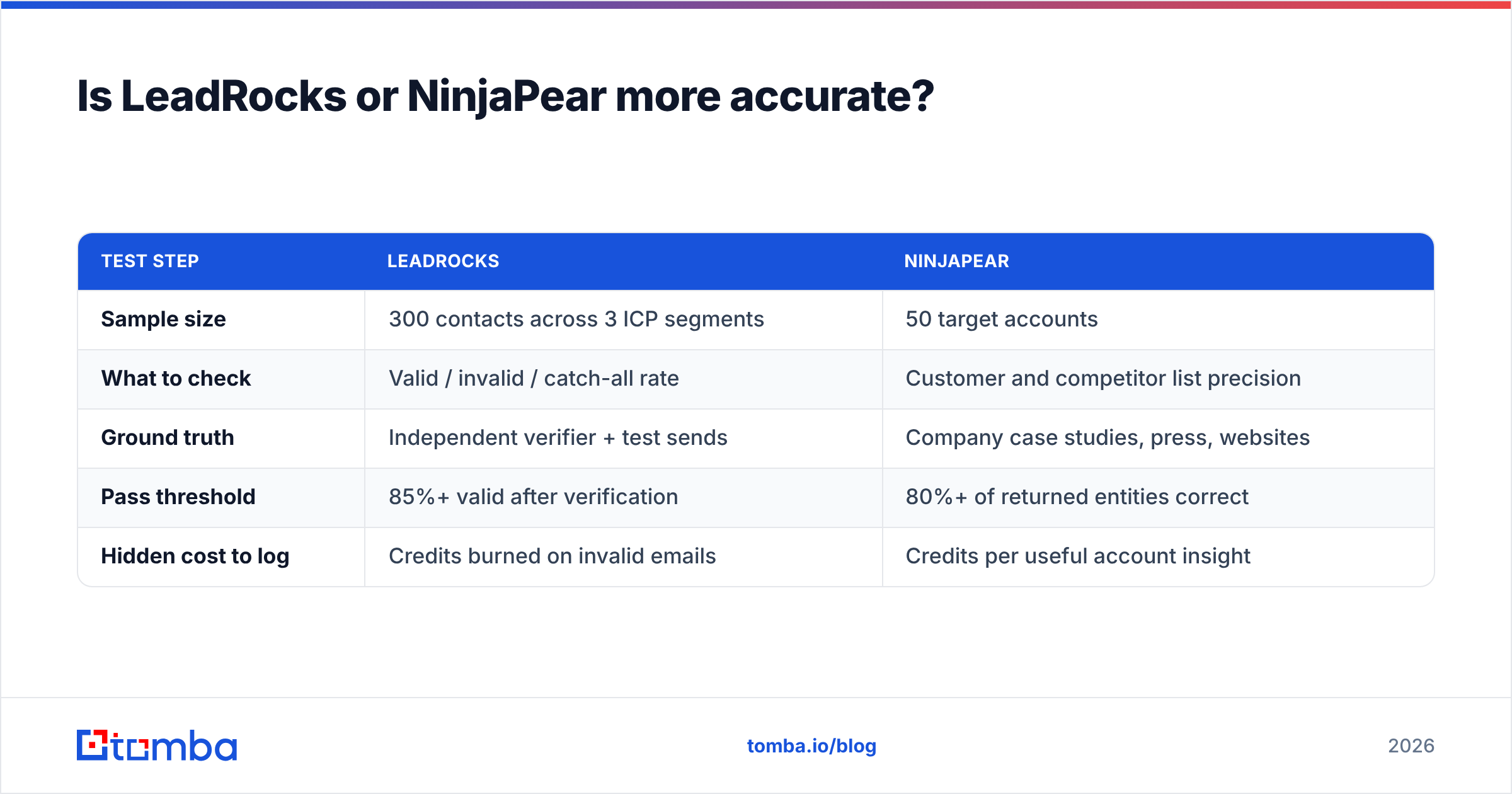
| Test step | LeadRocks | NinjaPear |
|---|---|---|
| Sample size | 300 contacts across 3 ICP segments | 50 target accounts |
| What to check | Valid / invalid / catch-all rate | Customer and competitor list precision |
| Ground truth | Independent verifier + test sends | Company case studies, press, websites |
| Pass threshold | 85%+ valid after verification | 80%+ of returned entities correct |
| Hidden cost to log | Credits burned on invalid emails | Credits per useful account insight |
Don't rely on vendor-claimed accuracy numbers, including ours. Accuracy depends on the segment. A tool can be excellent for US SaaS and poor for German manufacturing. Test on the accounts you sell to.
Which one is cheaper in practice?#
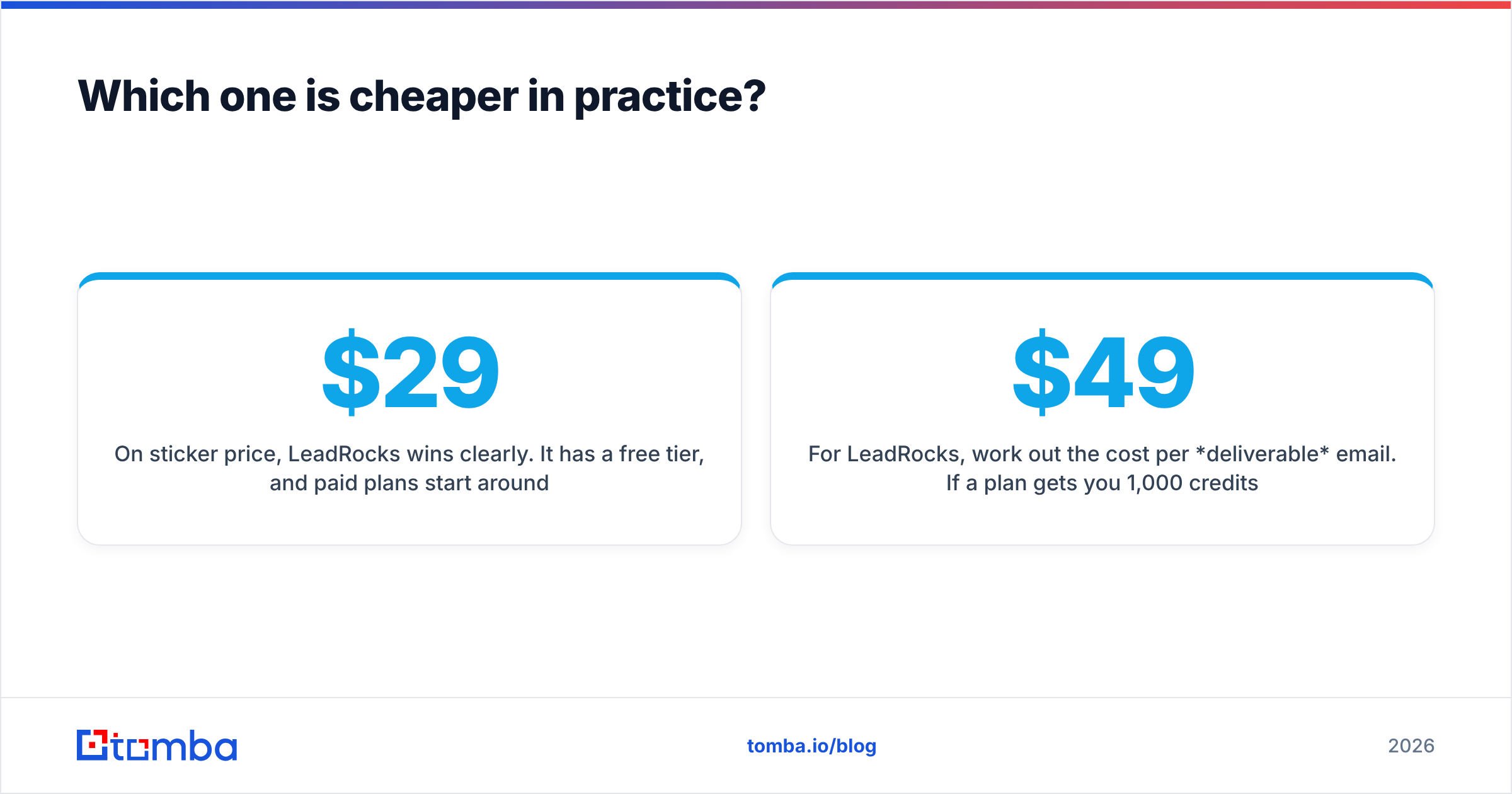
On sticker price, LeadRocks wins clearly. It has a free tier, and paid plans start around $29/mo, compared with NinjaPear's developer-oriented subscriptions starting in the hundreds.
Sticker price is the wrong metric, though. What you want to compare is cost per useful outcome:
- For LeadRocks, work out the cost per deliverable email. If a $49 plan gets you 1,000 credits and 50% of the results are valid, you're paying about $0.10 per usable contact, before you add the cost of bounces damaging your sender reputation.
- For NinjaPear, work out the cost per qualified account insight. If one API call shows you that a target account just started using a competitor, that's worth far more than a single email address.
Teams that end up disappointed usually bought NinjaPear expecting a lead list, or bought LeadRocks expecting clean data without having to verify it.
Which should you choose for your use case?#
Here's how the decision breaks down by team type:
- Solo founder or early SDR team doing outbound: Start with LeadRocks's free tier to see how its data holds up for your segment. Verify everything before you send. You probably don't need NinjaPear yet.
- RevOps or data team building an account-scoring model: NinjaPear fits better. Customer and competitor data feed straight into ICP fit and intent scoring.
- ABM team running competitive displacement: Use NinjaPear to find the accounts (for example, "customers of Competitor X"). Then use a contact finder to reach the right people at those accounts.
- Agency building lists for clients: LeadRocks's unlimited users and Chrome extension suit volume list-building, but your client's domain reputation is at stake, so verification isn't optional.
- Product team embedding B2B data in an app: NinjaPear's API-first design is the natural choice. LeadRocks has an API too, but it's oriented toward contact lookups.
Can you use LeadRocks and NinjaPear together?#
Yes, and for account-based teams the combination makes sense because each tool covers a gap in the other.
A typical stack looks like this:
- Account discovery (NinjaPear): Pull the customers of your top three competitors and filter by headcount and industry.
- Contact discovery (LeadRocks or another finder): For each account, find the two or three people who own the problem you solve.
- Verification (independent verifier): Remove invalid and risky addresses before anything goes into your sequencer.
- CRM sync: Push the enriched accounts and contacts into HubSpot or Salesforce with the source recorded on each record. HubSpot's guide to data enrichment and similar vendor docs explain field-mapping good practice.
The weak point in this chain is step 2. That's where database age and pattern-guessing produce bounces. If you have the company domain from step 1, a live domain search often returns fresher, source-backed addresses than a static export does.
What are the best alternatives if neither fits?#
If you've read this far and neither tool fits your workflow, you're probably in one of these three situations:
- You need verified work emails, not a huge database. Use a dedicated email finder that verifies at lookup time and shows the public sources behind each address.
- You need company intelligence but can't write code. Look at platforms with a UI on top of firmographic data, such as the account-intelligence tools reviewed on G2.
- You need both, via API, in one bill. Look for an enrichment API that returns company and contact data from a single endpoint, so you aren't reconciling two vendors' schemas.
Tomba sits in that first and third category. It works from a domain, a name, or a LinkedIn URL and returns an email with a confidence score and verification status. The Tomba API covers email finding, verification, and company enrichment under one key. Plans run from a free tier (25 searches/mo) to Starter at $49/mo, Growth at $99/mo, and Pro at $249/mo; see Tomba pricing for current credit allowances.
So, LeadRocks vs NinjaPear: what's the verdict?#
Pick LeadRocks if you're a small, budget-conscious outbound team that wants a searchable contact database and a LinkedIn extension today, and you'll verify every email before sending.
Pick NinjaPear if you have engineering resources and need account-level intelligence, such as customers, competitors, and headcount, to decide which companies to target and when.
Pick neither on its own if your real problem is "we need accurate emails for the right people." LeadRocks gives you volume without guaranteed validity. NinjaPear gives you accounts without inboxes.
Most teams asking this question actually need a reliable way to get from a target account to a verified inbox. Tomba Email Finder does that: enter a company domain or a person's name and get back a verified professional email, with its sources and a confidence score. Use it alone, or plug it in after NinjaPear's account discovery to finish the job. Start with the free 25 searches and test it on your own ICP before you spend anything.
Related guides#
// get started
Find, verify and enrich your first contacts today
Start on the free plan with 25 searches a month, then scale when your team is ready.
Free plan · No credit card required · GDPR & CCPA
// about the author