Leadrocks vs Salesgenie (2026): Which B2B Lead Tool Fits You?
Leadrocks is built for LinkedIn-style B2B prospecting. Salesgenie is built for US local-business lists, phone and mail. This comparison covers data, pricing and workflow so you can pick the one that matches how your team sells.
The Leadrocks vs Salesgenie choice comes down to how your team sells. This guide compares data, pricing and workflow so you can pick the right fit.
TL;DR
- Leadrocks is a people-first B2B contact database. It suits SDRs who prospect by job title, seniority and company, especially from LinkedIn and Sales Navigator workflows.
- Salesgenie is Data Axle's company-first US and Canada business database. It suits teams selling to local and small businesses by phone, field visit or direct mail.
- If you run cold email to tech, SaaS or mid-market buyers, Leadrocks fits better. If you sell to dentists in Ohio or contractors in Texas, Salesgenie fits better.
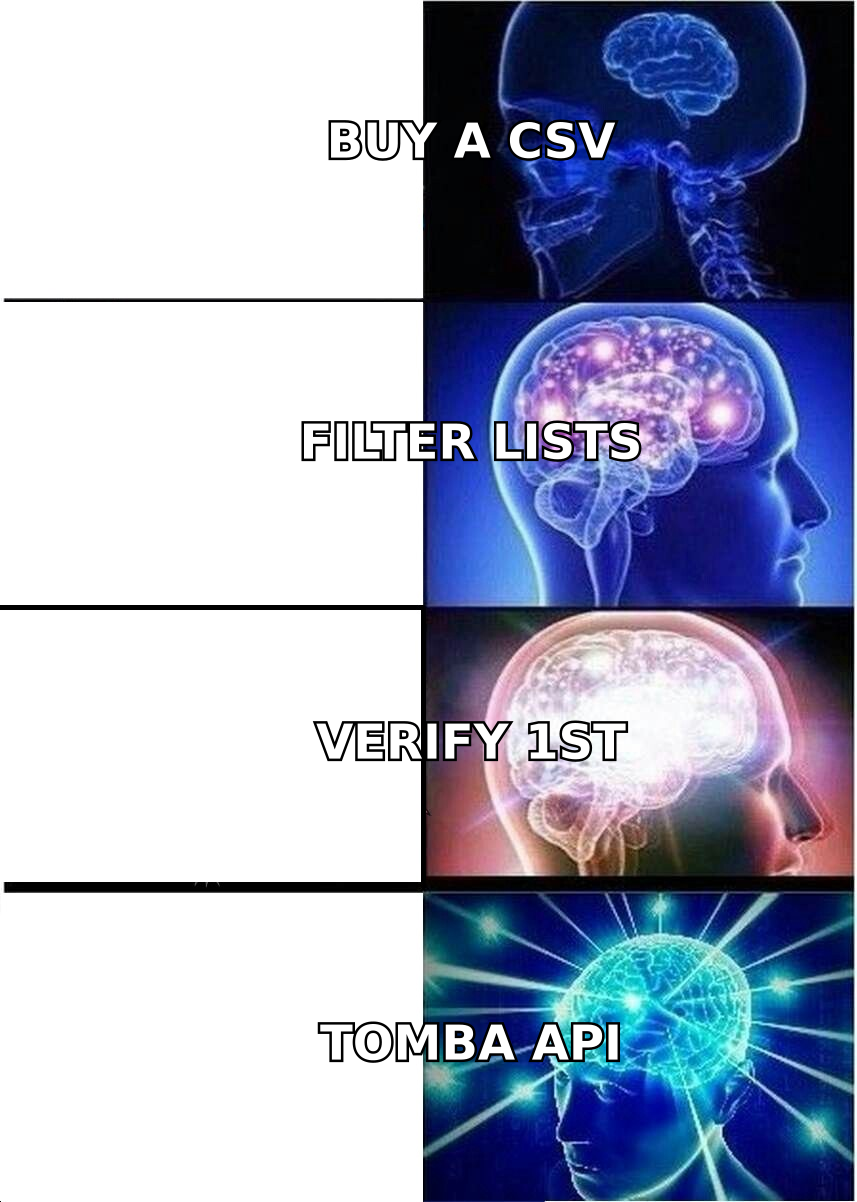
- Neither tool replaces email verification. Run every exported list through a verifier before you send, or your bounce rate will damage your sender reputation.
- If you mostly need accurate work emails at a lower cost per contact, a dedicated email finder may cost less than either one.
What are Leadrocks and Salesgenie, in one sentence each?#
Both tools sell "leads," so people compare them. But they were built for different sales motions. Compare them the wrong way and you pay for data your reps won't use.
Leadrocks (leadrocks.io) is a B2B people search engine. You filter by job title, seniority, industry, company size and location. Then you reveal business emails and, where available, phone numbers. It also has a Chrome extension that pulls contact data from LinkedIn profiles and Sales Navigator lists. It was built for outbound SDRs, recruiters and agencies who start from "who is the decision-maker?"
Salesgenie (salesgenie.com) is a lead list platform from Data Axle, the company formerly called infoGROUP. It sits on top of Data Axle's compiled US business and consumer data. You filter by industry code (SIC/NAICS), ZIP or radius, employee count, sales volume and years in business. Then you download lists with phones, mailing addresses and, for some records, emails. It was built for teams that start from "which businesses in my territory should we call?"
A rough analogy: Leadrocks works like a LinkedIn search with contact details attached. Salesgenie works like a very well-organised Yellow Pages with firmographic filters and territory maps.
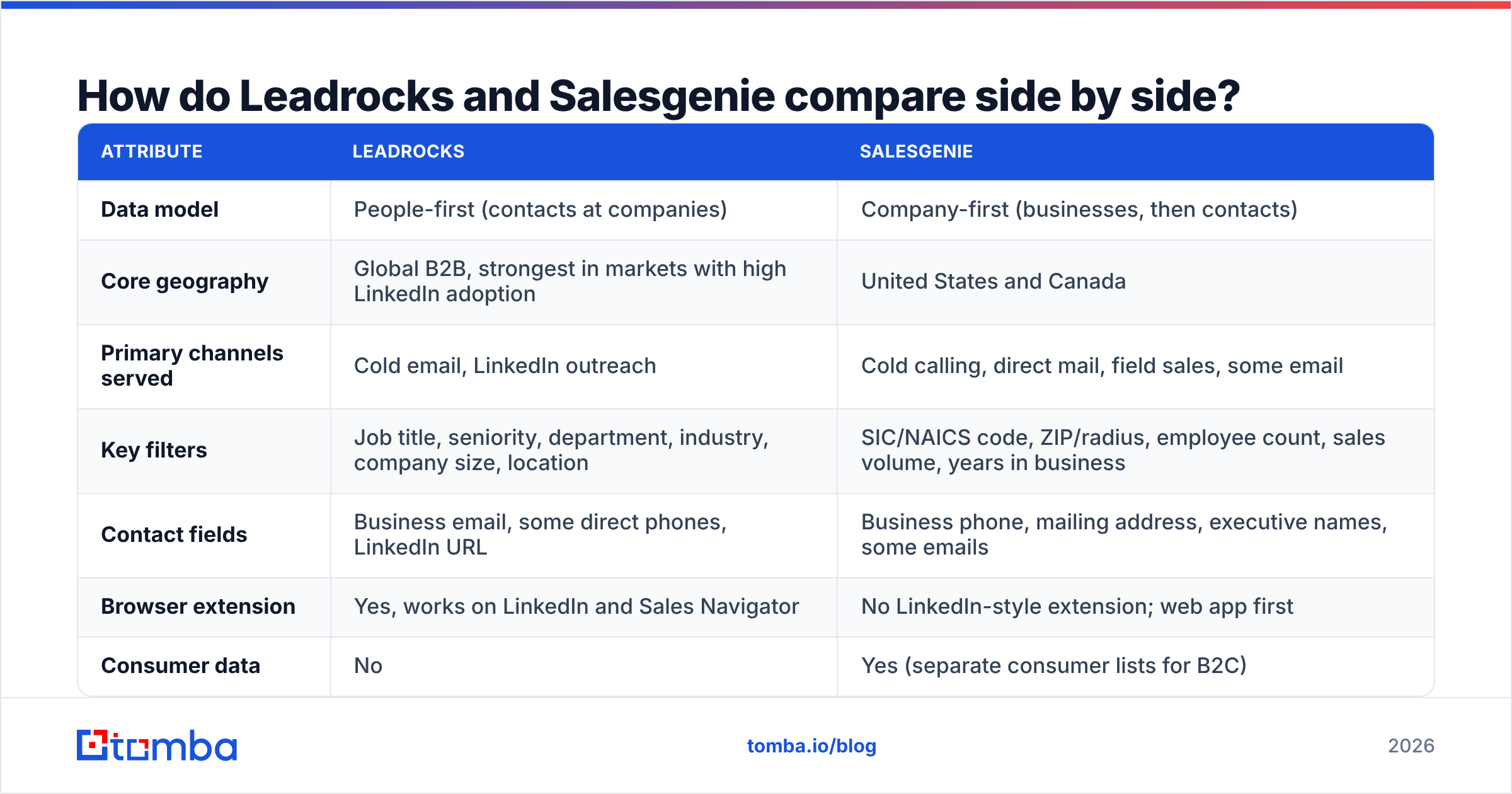
Leadrocks vs Salesgenie: how do they compare side by side?#
Here is the head-to-head on the attributes buyers usually ask about. Pricing changes often. Treat the pricing rows as structural and confirm current numbers on each vendor's site before you buy.
| Attribute | Leadrocks | Salesgenie |
|---|---|---|
| Data model | People-first (contacts at companies) | Company-first (businesses, then contacts) |
| Core geography | Global B2B, strongest in markets with high LinkedIn adoption | United States and Canada |
| Primary channels served | Cold email, LinkedIn outreach | Cold calling, direct mail, field sales, some email |
| Key filters | Job title, seniority, department, industry, company size, location | SIC/NAICS code, ZIP/radius, employee count, sales volume, years in business |
| Contact fields | Business email, some direct phones, LinkedIn URL | Business phone, mailing address, executive names, some emails |
| Browser extension | Yes, works on LinkedIn and Sales Navigator | No LinkedIn-style extension; web app first |
| Consumer data | No | Yes (separate consumer lists for B2C) |
| Pricing model | Self-serve monthly plans based on contact credits, trial available | Subscription with download limits, often sold through a sales rep, annual terms common |
| CRM features | Export and integrations only | Built-in lead management, notes, territory maps |
| Best fit | SDRs, agencies, recruiters targeting named roles | SMB-focused sales teams, franchises, local service sellers |
The table points to one question: does your sales process start with a person or a place? Start with a person (for example "VP of Marketing at 50–500 employee SaaS companies") and Leadrocks maps to how you think. Start with a place (for example "every HVAC company within 40 miles of Denver") and Salesgenie does.

Which tool has better data quality?#
Neither vendor publishes an independent accuracy audit. So be skeptical of any blog post that gives a precise accuracy figure for either one. What you can reason about is where the data comes from, because the source decides how it decays.
Leadrocks builds contact records around professional profiles. Job titles and employers tend to be current, because people update their profiles when they change jobs. The weak point is the email address. Some emails are guessed from company patterns. Those can look valid and still bounce, especially at companies with unusual formats or catch-all mail servers.
Salesgenie draws on Data Axle's compiled business data. Data Axle has built that data for decades from sources such as business registrations, directories and phone verification. Firmographic fields like address, phone, industry code and employee range are its strength. For local SMBs, LinkedIn-based tools can't match that coverage. A plumbing company with eight employees may not be on LinkedIn at all. The weak point is email coverage and contact-level freshness. Many SMB records have a main line and an owner name but no verified work email.
In practice:
- Title accuracy: Leadrocks usually wins for knowledge-worker roles.
- Address and phone accuracy: Salesgenie usually wins for physical businesses.
- Email deliverability: Both need a verification pass before you send.
You can check this yourself instead of trusting vendor claims. Pull a 200-record sample from each tool that matches your ICP. Run it through an email verifier. Then compare the valid, invalid and catch-all rates. That one test tells you more than any review site will.
How do pricing and contracts differ?#
The two tools are sold in very different ways, and that affects total cost as much as the list price does.
Leadrocks is self-serve. You sign up and use a trial allowance. Then you pick a monthly plan sized by how many contacts you can reveal or export. You can scale up during a busy quarter and back down afterwards. That suits agencies and small outbound teams whose volume changes month to month.
Salesgenie is usually sold by a rep. Plans are subscriptions with limits on how many records you can download. Multi-month or annual terms are common. The upside is that you get a lot: consumer data, territory mapping, built-in lead management and a large compiled database. The downside is less flexibility. If your volume drops, you're still paying.
Questions to ask before signing either:
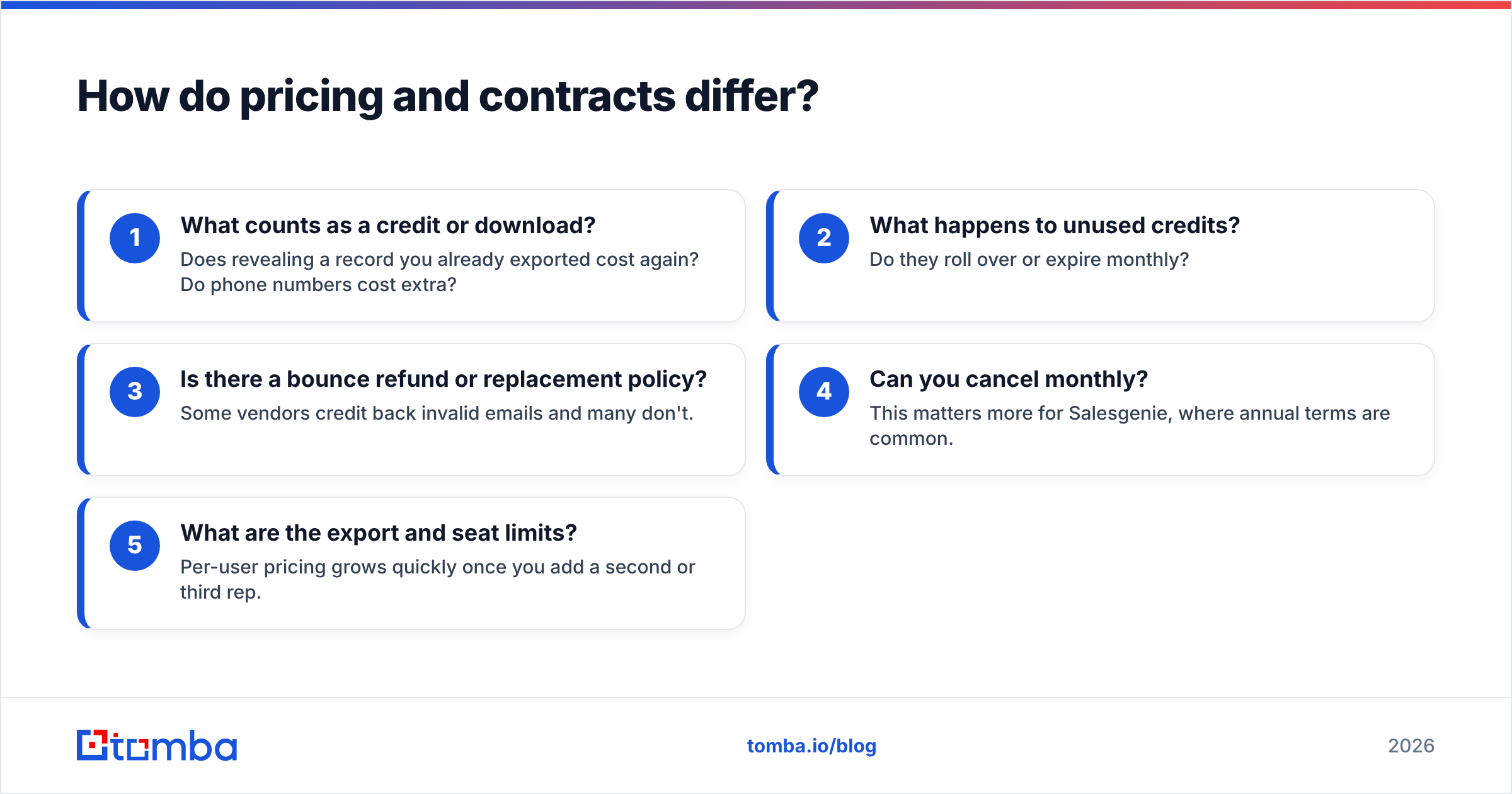
- What counts as a credit or download? Does revealing a record you already exported cost again? Do phone numbers cost extra?
- What happens to unused credits? Do they roll over or expire monthly?
- Is there a bounce refund or replacement policy? Some vendors credit back invalid emails and many don't.
- Can you cancel monthly? This matters more for Salesgenie, where annual terms are common.
- What are the export and seat limits? Per-user pricing grows quickly once you add a second or third rep.
Review aggregators like G2 are useful here. Filter reviews by company size close to yours. Look for mentions of renewals and cancellations, not just features.
What does the workflow look like in each tool?#
Features only matter if they fit how your team works day to day. Here is how each tool runs, step by step.
A typical Leadrocks workflow:
- Define the persona. Set filters for title keywords, seniority, department, industry and headcount.
- Build the list in-app or from LinkedIn. Either search the Leadrocks database directly or browse Sales Navigator and use the extension to capture contacts.
- Reveal contact data. Spend credits to get emails and, where available, phones.
- Export to your sequencer. Download a CSV or push to your CRM or cold email tool.
- Verify before sending. Clean the list so bounces don't hurt your domain.
A typical Salesgenie workflow:
- Draw the territory. Choose states, cities, ZIP codes or a radius on a map.
- Filter by firmographics. Pick SIC/NAICS codes, employee range, sales volume and years in business.
- Review and save leads. Use the built-in lead management to add notes, set follow-ups and assign records.
- Work the list by phone or mail. Phones and mailing addresses drive the next step.
- Export for email where available. Pull emails where they exist and fill the gaps with another tool.
The difference in step 1 is the whole story. Leadrocks starts with a persona. Salesgenie starts with a map.
Is Leadrocks better than Salesgenie for cold email?#
For most cold email programs, yes. Cold email depends on reaching a named decision-maker at a valid work address. Leadrocks' people-first model is built for that. Title and seniority filters let you write to the person who owns the problem, not a generic info@ inbox.
Salesgenie can support cold email, but it isn't its main strength. SMB records often lack a personal work email, and some emails in compiled datasets are role-based or shared. Role-based addresses get lower reply rates and more spam complaints.
Whichever you choose, email-first outbound has a few requirements:
- Verify every list. Keep the bounce rate under about 2% to protect your sender reputation.
- Handle catch-all domains separately. Addresses on catch-all servers can't be confirmed by a standard SMTP check. Use a catch-all verifier or send to those segments at lower volume.
- Fill gaps at the domain level. If a target account has no email in either database, a domain search often turns up the right person plus the company's email pattern.
Is Salesgenie better than Leadrocks for phone and local sales?#
Yes, clearly. Maybe your reps spend the day calling small business owners. Or you run direct mail to physical locations. Either way, Salesgenie's compiled data is built for that.
It helps most in these cases:
- Local service businesses: restaurants, clinics, contractors, auto shops and retail. Many of them barely exist on LinkedIn.
- Territory-based teams: franchise development, insurance agents, merchant services and equipment sales, where reps own a geography.
- Direct mail: verified mailing addresses are a core Salesgenie field and rarely a Leadrocks one.
- Hybrid B2B/B2C: consumer lists sit in the same platform, which helps companies that sell to both.
Leadrocks can find phone numbers for some contacts. But its coverage of mom-and-pop businesses is thin, because those owners rarely keep a detailed professional profile.
What are the pros and cons of each?#
Leadrocks pros
- Filters by title and seniority match how modern outbound teams target buyers
- Chrome extension fits LinkedIn and Sales Navigator workflows
- Self-serve, monthly plans suit variable volume
- Global B2B coverage, not limited to North America
Leadrocks cons
- Emails still need independent verification before sending
- Weak coverage of small, offline businesses
- No built-in CRM or territory tooling
- Mailing addresses and consumer data are out of scope
Salesgenie pros
- Deep US and Canada firmographic coverage from Data Axle
- Radius and ZIP filters, territory maps and industry codes
- Built-in lead management for small teams without a CRM
- Business and consumer data in one platform
Salesgenie cons
- Email coverage is patchy, especially for SMB contacts
- Sales-led buying and longer commitments reduce flexibility
- Limited use outside North America
- Less precise persona targeting for mid-market and enterprise roles
Which one should you choose?#
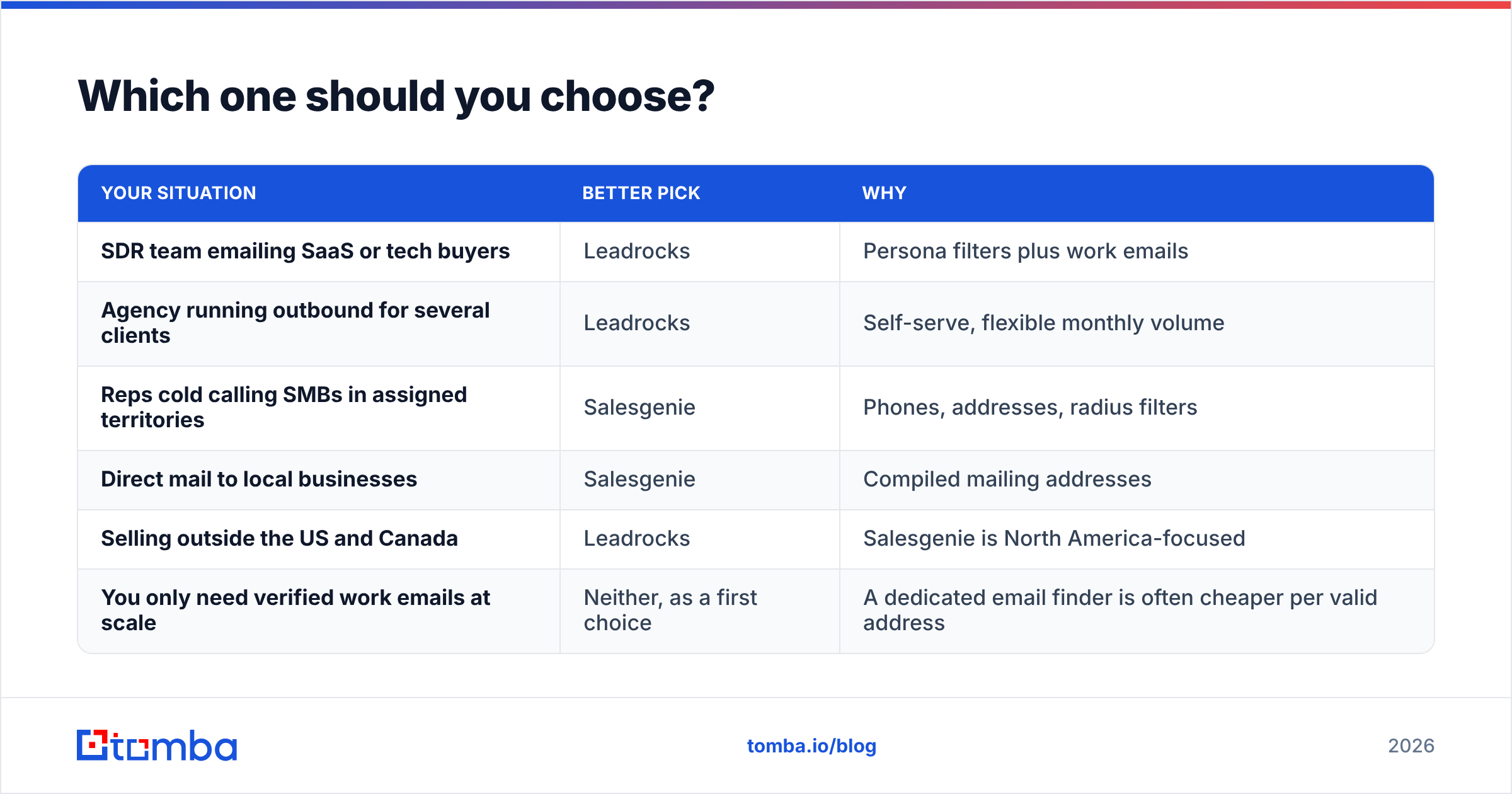
The Leadrocks vs Salesgenie decision is simple: match the tool to the channel your team relies on most.
| Your situation | Better pick | Why |
|---|---|---|
| SDR team emailing SaaS or tech buyers | Leadrocks | Persona filters plus work emails |
| Agency running outbound for several clients | Leadrocks | Self-serve, flexible monthly volume |
| Reps cold calling SMBs in assigned territories | Salesgenie | Phones, addresses, radius filters |
| Direct mail to local businesses | Salesgenie | Compiled mailing addresses |
| Selling outside the US and Canada | Leadrocks | Salesgenie is North America-focused |
| You only need verified work emails at scale | Neither, as a first choice | A dedicated email finder is often cheaper per valid address |
The last row is where many teams overspend. Maybe your real bottleneck is getting a deliverable email for accounts you already picked. Then you don't need a full lead database. You need an accurate email finder and a verifier, priced per search, not per database seat.
How does a dedicated email finder fit alongside either tool?#
Many teams end up with a stack like this:
- Account and persona discovery: Leadrocks, Salesgenie, LinkedIn or your CRM
- Email discovery and fill-in: a dedicated finder for records with missing or doubtful emails
- Verification: a final check on everything before it enters a sequence
- Sequencing: your cold email or dialer tool
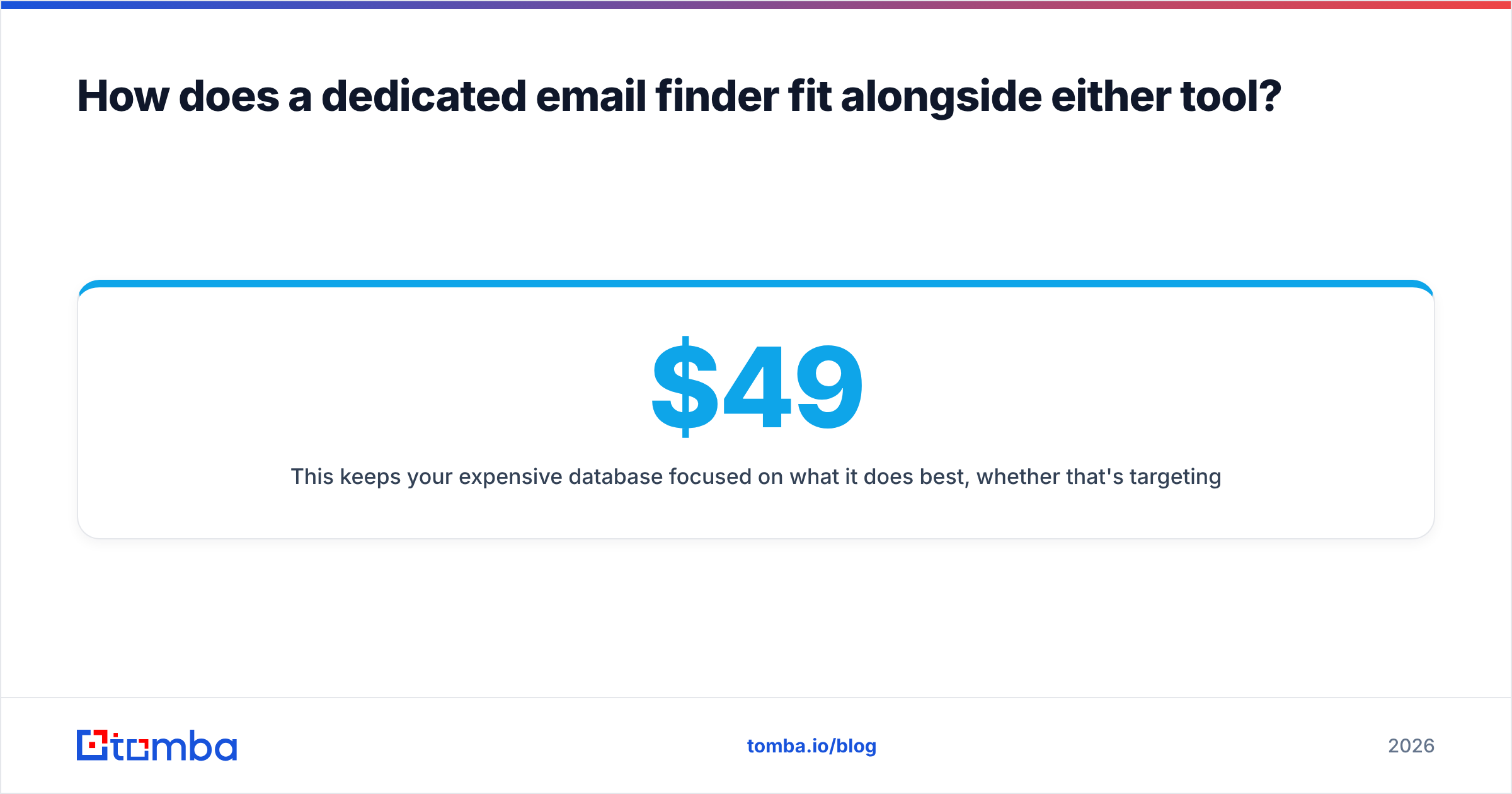
This keeps your costly database focused on what it does best: targeting for Leadrocks, firmographics for Salesgenie. A specialist handles email accuracy. For reference, Tomba starts with a free tier of 25 searches per month, and paid plans run from $49/mo (Starter) through $99/mo (Growth) and $249/mo (Pro). The full breakdown is on the Tomba pricing page. Compare that per-valid-email cost against what you'd pay to buy more database seats.
Final verdict: Leadrocks vs Salesgenie#
Choose Leadrocks if you run persona-based outbound over email and LinkedIn, sell to knowledge workers, and want flexible self-serve plans.
Choose Salesgenie if you sell to US or Canadian small businesses by phone, mail or in person, need territory-level firmographics, and are comfortable with a sales-led contract.
Choose neither as your email source if deliverable work emails are the actual gap. Keep whichever database fits your targeting, and add a finder and verifier to cover the last step.
If you want accurate work emails without paying for a whole lead database, try Tomba Email Finder. Look up people by name and company or by domain. Verify the results in the same workflow. Start on the free tier before you commit to a plan. It works alongside Leadrocks or Salesgenie to fill in and clean the emails, so your outbound reaches real inboxes.
Related guides#
// get started
Find, verify and enrich your first contacts today
Start on the free plan with 25 searches a month, then scale when your team is ready.
Free plan · No credit card required · GDPR & CCPA
// about the author