LeadRocks vs SphereScout: B2B Contacts or Local Business Lists?
LeadRocks sells named B2B decision-makers. SphereScout sells local business lists built from map data, priced per 1,000 records. They answer different prospecting questions, and picking the wrong one costs you more than the subscription.
TL;DR
- LeadRocks is a B2B contact database with a LinkedIn extension. You search for people by job title, company, industry, location and team size, then pull their emails and phone numbers using credits.
- SphereScout sells local business data: company name, emails, phones, social handles and website. It's built for SMB and location-based prospecting, and you pay per list with no subscription.
- Pick LeadRocks to reach a named VP of Sales at a 200-person SaaS company. Pick SphereScout to reach every dental clinic in Texas with a 4-star rating or better.
- Neither one replaces a dedicated verification step. Run whatever you export through an email verifier before it goes into a sequence.
- Pricing models differ a lot: LeadRocks is a monthly subscription with a free tier, while SphereScout advertises pay-as-you-go lists from roughly $1 per 1,000 contacts.
What are LeadRocks and SphereScout, really?#
Most "X vs Y" posts compare two tools that do the same job. This one doesn't. LeadRocks and SphereScout both give you "leads," but they build their data in different ways and suit different buyers. If you know that going in, you'll save yourself a wasted month of credits.
LeadRocks calls itself a B2B contact database with data enrichment. The workflow is person-first. You filter by job title, seniority, company name, industry, location and headcount, then reveal contact details. A Chrome extension lets you pull data while you browse LinkedIn profiles. Its product line also includes an email verifier for bulk list cleaning and an API.
SphereScout now describes itself as "local business data for AI agents and sales." It's business-first. Each record describes a company: its name, one or more email addresses, phone numbers, social media handles and website where available. The filters reflect that. You can narrow by location, by whether a business has an email listed, by Google Maps rating and by social media presence.
Here's a simple way to see the difference. LeadRocks tells you who works at a company. SphereScout tells you which businesses exist in a place and how to reach them.
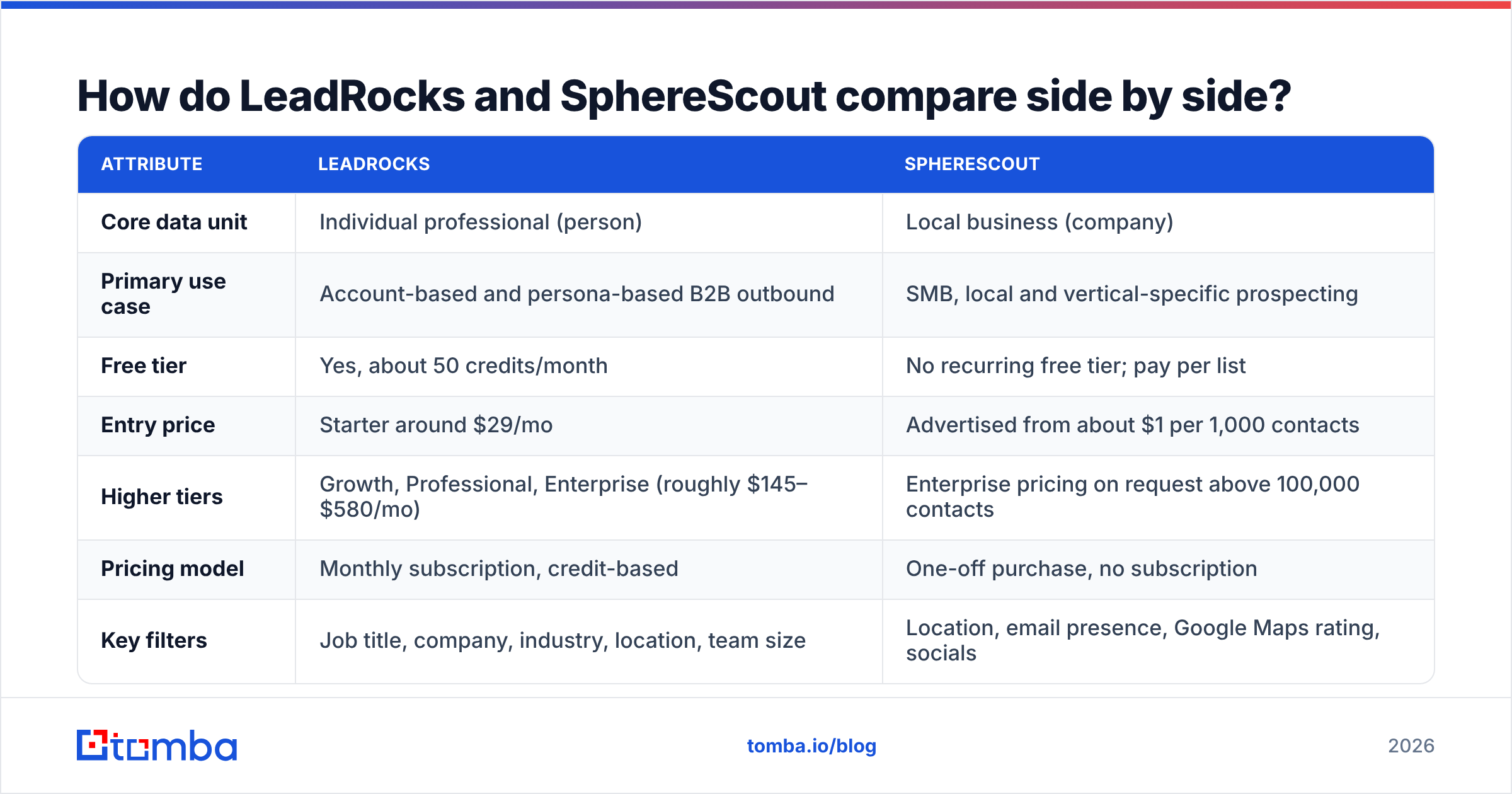
How do LeadRocks and SphereScout compare side by side?#
The table uses publicly listed information at the time of writing (September 2026). Both vendors change plans often, so check their pricing pages before you buy.
| Attribute | LeadRocks | SphereScout |
|---|---|---|
| Core data unit | Individual professional (person) | Local business (company) |
| Primary use case | Account-based and persona-based B2B outbound | SMB, local and vertical-specific prospecting |
| Free tier | Yes, about 50 credits/month | No recurring free tier; pay per list |
| Entry price | Starter around $29/mo | Advertised from about $1 per 1,000 contacts |
| Higher tiers | Growth, Professional, Enterprise (roughly $145–$580/mo) | Enterprise pricing on request above 100,000 contacts |
| Pricing model | Monthly subscription, credit-based | One-off purchase, no subscription |
| Key filters | Job title, company, industry, location, team size | Location, email presence, Google Maps rating, socials |
| Contact fields | Work email, phone, LinkedIn-linked profile data | Company emails, phones, social handles, website |
| LinkedIn extension | Yes | No (not person-centric) |
| Built-in verification | Yes, separate email verifier | Not a stated core feature |
| Access window | Ongoing while subscribed | Instant download, about 7-day access |
| Best for | SDR teams, agencies running B2B outbound | Local-service marketers, agencies selling to SMBs |
The pricing columns can't be compared directly. A LeadRocks credit usually buys one enriched person. A SphereScout record is one business, often with several generic emails attached, such as info@, contact@ or bookings@. So $1 per 1,000 SphereScout records and $29 for a bundle of LeadRocks credits buy different things.
Which one gives you better data quality?#
Both tools claim good data quality, but "quality" means something different for each.
LeadRocks quality depends on role accuracy and email deliverability. People change jobs. A database of professionals decays by roughly 2–3% a month as people move, get promoted or leave. The questions to ask are how often records get refreshed, and whether the email you reveal still delivers. Because LeadRocks sells a verifier alongside its database, you can clean what you export. Treat that as a separate step you have to take, not something that happens automatically when you reveal a contact.
SphereScout quality depends on business-listing freshness and contact type. Local business data comes largely from public listings, so it's usually accurate on the basics: the business exists, the phone number rings, the website loads. The weak spot is the email field. Many small businesses list a generic inbox, a Gmail address, or nothing. The "has email" filter matters for exactly this reason. It lets you pay only for records you can actually email. Treat the ratings filter as a proxy for an established, active business.
What they share: neither dataset should go straight into a cold-email sequence. One bounced batch can hurt your sender reputation for weeks. Run both kinds of export through an email verifier and remove invalid, disposable and risky catch-all addresses before your first send.

Is LeadRocks better than SphereScout for B2B outbound?#
For classic B2B outbound, where you target a persona inside an account, yes. LeadRocks is the better fit, and it isn't close.
Here's a typical SaaS outbound brief: "Heads of Operations at logistics companies with 50–500 employees in the DACH region." Every part of it is a person-level filter. SphereScout can give you logistics businesses in Germany, but it can't tell you which inbox belongs to the Head of Operations. You'd get info@company.de, which is a gatekeeper's inbox and a reply-rate killer for this kind of campaign.
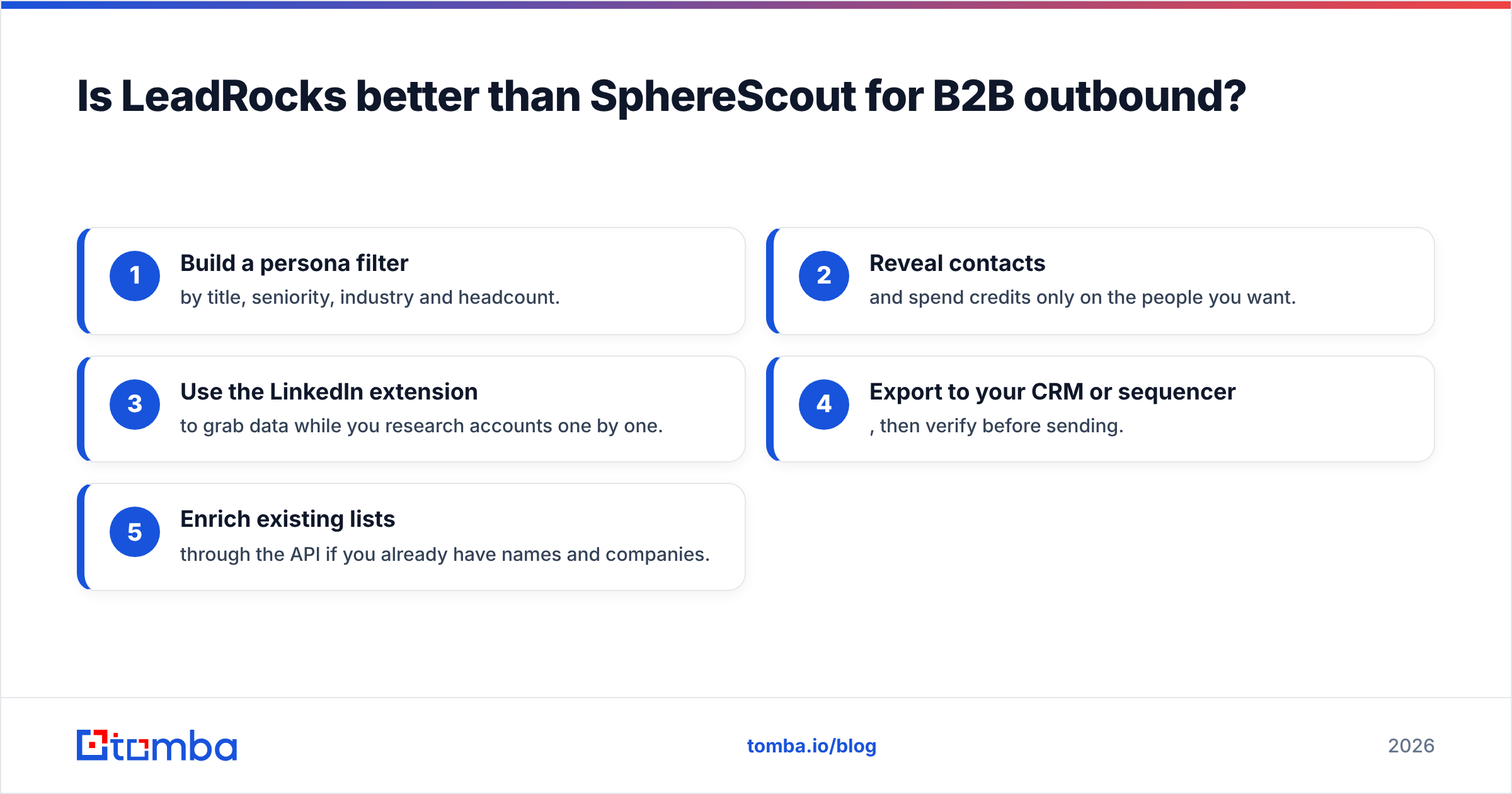
LeadRocks works the way SDRs already do:
- Build a persona filter by title, seniority, industry and headcount.
- Reveal contacts and spend credits only on the people you want.
- Use the LinkedIn extension to grab data while you research accounts one by one.
- Export to your CRM or sequencer, then verify before sending.
- Enrich existing lists through the API if you already have names and companies.
Where LeadRocks is weaker is local SMB markets. Tiny businesses with one to five employees often have no LinkedIn footprint, so a person-centric database has little to find. That gap is exactly what SphereScout fills.
When does SphereScout beat LeadRocks?#
SphereScout wins when the business is the buyer and the owner is the inbox. Some examples:
- Marketing agencies selling SEO, websites or ads to restaurants, clinics, salons, contractors and law firms.
- Vertical SaaS (booking software, POS, practice management) that sells into thousands of small locations.
- Local services B2B, such as commercial cleaning, equipment leasing and signage, targeting businesses in a set radius.
- AI agent workflows that need structured, location-tagged business records to reason over or call. SphereScout now openly positions itself for this.
- Market sizing. "How many independent veterinary clinics in Florida have 4+ stars?" is a list-building question, not a contact-finding one.
Paying per list with no subscription also suits agencies that run occasional campaigns. If you build three regional lists a quarter, a monthly subscription you forget to cancel is worse value than a one-off purchase.
The trade-off is that you don't get a named decision-maker. For a 3-person HVAC company that doesn't matter, because info@ is the owner. For a 40-location dental group it matters a great deal. There you'd want to take the domain from your SphereScout list and run a domain search to find the practice manager or operations lead.
How much do LeadRocks and SphereScout actually cost?#
Take the headline numbers with some caution, and measure cost per usable contact rather than per record.
LeadRocks (list pricing at the time of writing):
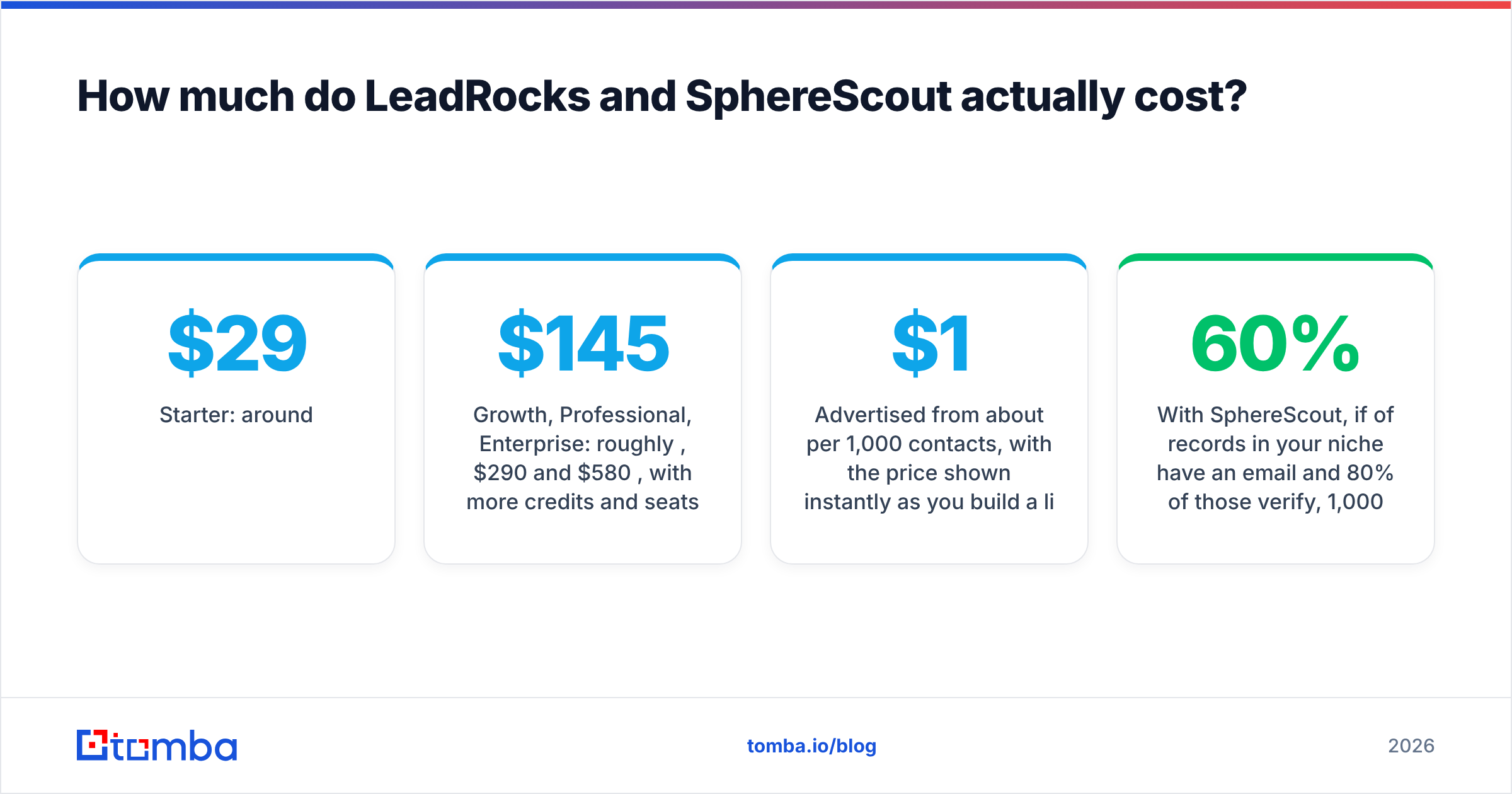
- Free: about 50 credits/month. It's useful for testing data quality on your own ICP before you pay.
- Starter: around $29/month.
- Growth, Professional, Enterprise: roughly $145, $290 and $580/month, with more credits and seats.
- A lifetime deal has been sold on AppSumo in the past. Check whether it's still available and what limits apply before counting on it.
SphereScout:
- Advertised from about $1 per 1,000 contacts, with the price shown instantly as you build a list.
- No subscription. You buy the list, download it right away, and keep access for about 7 days.
- Enterprise pricing on request for orders above 100,000 contacts.
Here's a cost example. Say you need 1,000 contacts you can actually email.
- With SphereScout, if 60% of records in your niche have an email and 80% of those verify, 1,000 raw records gives you about 480 deliverable addresses. You'd buy about 2,100 records. That's still cheap in absolute terms, but they're generic inboxes.
- With LeadRocks, 1,000 revealed people at a typical 85–90% verified rate gives you 850–900 named, role-specific addresses. It costs more per record, but each contact is worth more for persona-based outreach.
The cheaper tool is the one whose data matches your offer. A $1 list is expensive if the reply rate is zero.
What are the pros and cons of each tool?#
LeadRocks: pros
- Person-level targeting that matches how B2B buying committees work
- Free tier that's big enough to test on a real ICP
- LinkedIn extension for account-by-account research
- Verifier and API in the same product
LeadRocks: cons
- Thin coverage for micro-businesses with no LinkedIn presence
- The subscription runs whether or not you're prospecting that month
- Like every people database, it decays and needs re-verification
SphereScout: pros
- Very low cost per record for local and SMB lists
- No subscription, which suits occasional or campaign-based buying
- Useful filters such as Maps rating, email presence and social presence
- Multiple contact channels per business: email, phone and socials
SphereScout: cons
- No named decision-makers, so emails are mostly generic
- Short download window, so you need to save exports right away
- Not built for enterprise or mid-market account-based work
For more context on each vendor, their G2 listings and review aggregators are worth a look, but read recent reviews only. Local-data vendors especially change what they offer quickly.
Can you use LeadRocks and SphereScout together?#
Yes. For agencies and vertical SaaS teams, using both is often the best setup. A layered stack looks like this:
- Start with the market (SphereScout). Pull every business in your target category and region, filtered by rating and email presence. You now have your total addressable list of accounts.
- Split by size. Micro-businesses go straight to outreach on their generic inbox, after verification. Multi-location or larger businesses go to the next step.
- Find the people (LeadRocks or a domain-level finder). For bigger accounts, look up the specific decision-maker by title.
- Verify everything. Merge both sources, remove duplicates, and verify before anything reaches your sending domain.
- Enrich and route. Push clean records into your CRM with a source tag, so you can later tell which dataset actually produced meetings.
Step 5 is the one teams skip, and it's how you find out whether the cheap list or the pricey database is paying off.

Where does Tomba fit in this comparison?#
Tomba doesn't compete directly with SphereScout's local-listing model, and it's not trying to be a LinkedIn-first people database like LeadRocks. It covers the steps both of them leave to you: turning a domain into named, verified addresses, and checking any email before you send.
In practice:
- From a SphereScout list: you have domains. Tomba's email finder and domain search turn
acmedental.cominto the practice manager's address rather thaninfo@. - From a LeadRocks export: you have names and companies. Tomba verification, including catch-all handling, catches the addresses that have gone stale since the record was last refreshed.
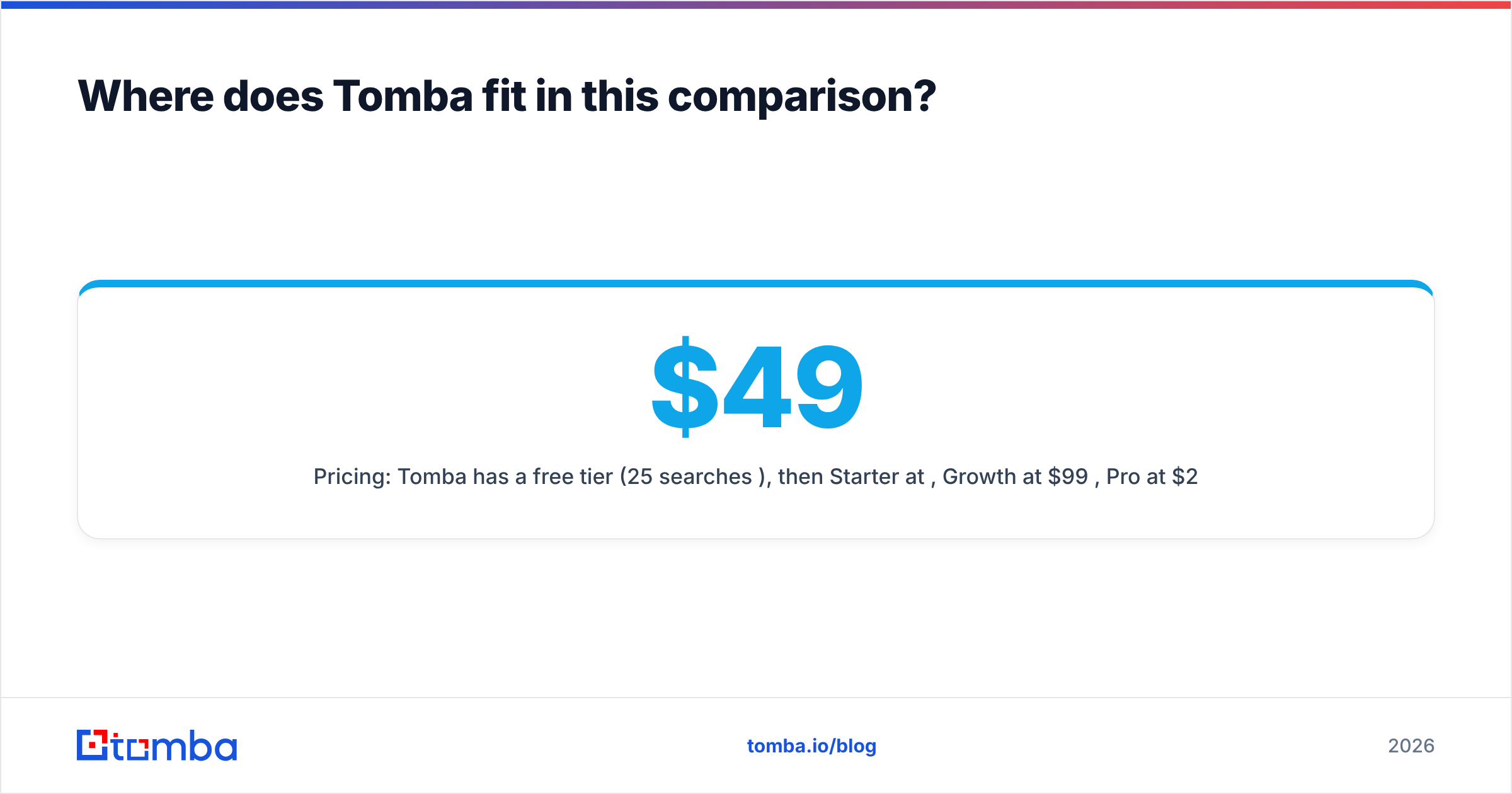
- Pricing: Tomba has a free tier (25 searches/month), then Starter at $49/mo, Growth at $99/mo, Pro at $249/mo and custom Enterprise. See the full Tomba pricing breakdown. It works as a layer on top of either tool rather than a replacement for both.
So which should you choose: LeadRocks or SphereScout?#
The decision is simple once you name your buyer:
- Choose LeadRocks if your buyer is a role inside a company: a VP, a director or a head of a function. You'll use the title filters, the LinkedIn extension and the credit model every week.
- Choose SphereScout if your buyer is the business itself, especially small, local or multi-location businesses where the owner reads the main inbox. You'll get far more accounts per dollar.
- Use both if you sell into a vertical that ranges from single-location shops to regional chains. SphereScout maps the market and a people-finder covers the larger accounts.
Whichever you pick, the export isn't the finish line. Verified, role-specific emails are what protect your domain and get replies.
If you've got a list of domains from SphereScout, or LeadRocks exports you haven't sent to yet, Tomba Email Finder can turn company domains into named decision-maker emails and verify them before they reach your sequencer. Start on the free plan with 25 searches, test it on 25 of your own target accounts, and compare the results with what your current source gives you.
Related guides#
// get started
Find, verify and enrich your first contacts today
Start on the free plan with 25 searches a month, then scale when your team is ready.
Free plan · No credit card required · GDPR & CCPA
// about the author