Leadrocks vs Tomba: Which Email Finder Fits Your Team in 2026?
LeadRocks sells a filterable people database, and Tomba is a domain-first email finder with verification built in. Here's how they compare on price, data, workflow and API access, and which one to pick for your outbound.
TL;DR
- LeadRocks is a people-search database. You filter by title, industry and location, reveal contacts and export lists. It works best when you don't know your targets yet and need to build a list from scratch.
- Tomba is a domain-first email finder with verification, catch-all checks, phone lookup and enrichment built in. It works best when you already have target accounts or names and need emails you can actually send to.
- Pricing: LeadRocks has a cheaper entry tier ($29/mo for 1,000 credits at the time of writing). Tomba starts at $49/mo and adds a free tier of 25 searches/mo, so you get more than list exports for the extra cost.
- Developers and RevOps teams will get more out of Tomba. It has a REST API, CLI, MCP server, spreadsheet add-ons and CRM integrations.
- Our pick: use Tomba if deliverability and workflow integration matter to you. Use LeadRocks if cheap, filter-driven list building is the main job.
What is LeadRocks?#
LeadRocks is a B2B contact database. You set filters like job title, seniority, industry, company size and geography, and it returns matching people. Revealing a contact costs a credit, and you can export results to CSV or push them into your outreach tool. A Chrome extension lets you pull contact details while you browse LinkedIn profiles.
The model is simple: search a pre-built database, spend credits to reveal, export. That suits early-stage teams, freelancers and agencies who need a few hundred prospects in a new vertical this week and don't have a target account list yet.
A few things to know before you buy:
- Credits are spent on reveals, not on results you can use. Look at how the vendor handles bounced or blank emails before you commit to a larger tier.
- Coverage depends on the database. If your targets aren't in it, filters won't help. Coverage is usually strongest for North American and Western European tech and services companies. Test your own niche before assuming it's covered.
- Verification is part of the reveal, not a separate product. You get whatever status LeadRocks assigns. You don't get a standalone verifier to re-check older lists.
What is Tomba?#
Tomba is built the other way round. It doesn't start from a database of people. It starts from the company domain or the person you already want to reach. Enter a domain and domain search returns the email addresses Tomba has found for that company, along with sources, department and a confidence score. Enter a first name, last name and domain, and the email finder returns the most likely address.
Every result can go through Tomba's own email verifier, which runs syntax, MX and SMTP-level checks. Catch-all domains, which accept every address and trip up most finders, have their own catch-all verifier. Phone finder, phone validator, reverse email lookup and data enrichment sit next to the core finder, so one account covers most contact-data jobs.
The workflow ends up account-based: pick the companies, find the right people, verify, then send. That matches how most B2B teams actually do outbound in 2026.
How do LeadRocks and Tomba compare feature by feature?#
Here's the side-by-side. LeadRocks pricing reflects its publicly listed tiers at the time of writing. Check leadrocks.io for current numbers, because credit-based plans change often.

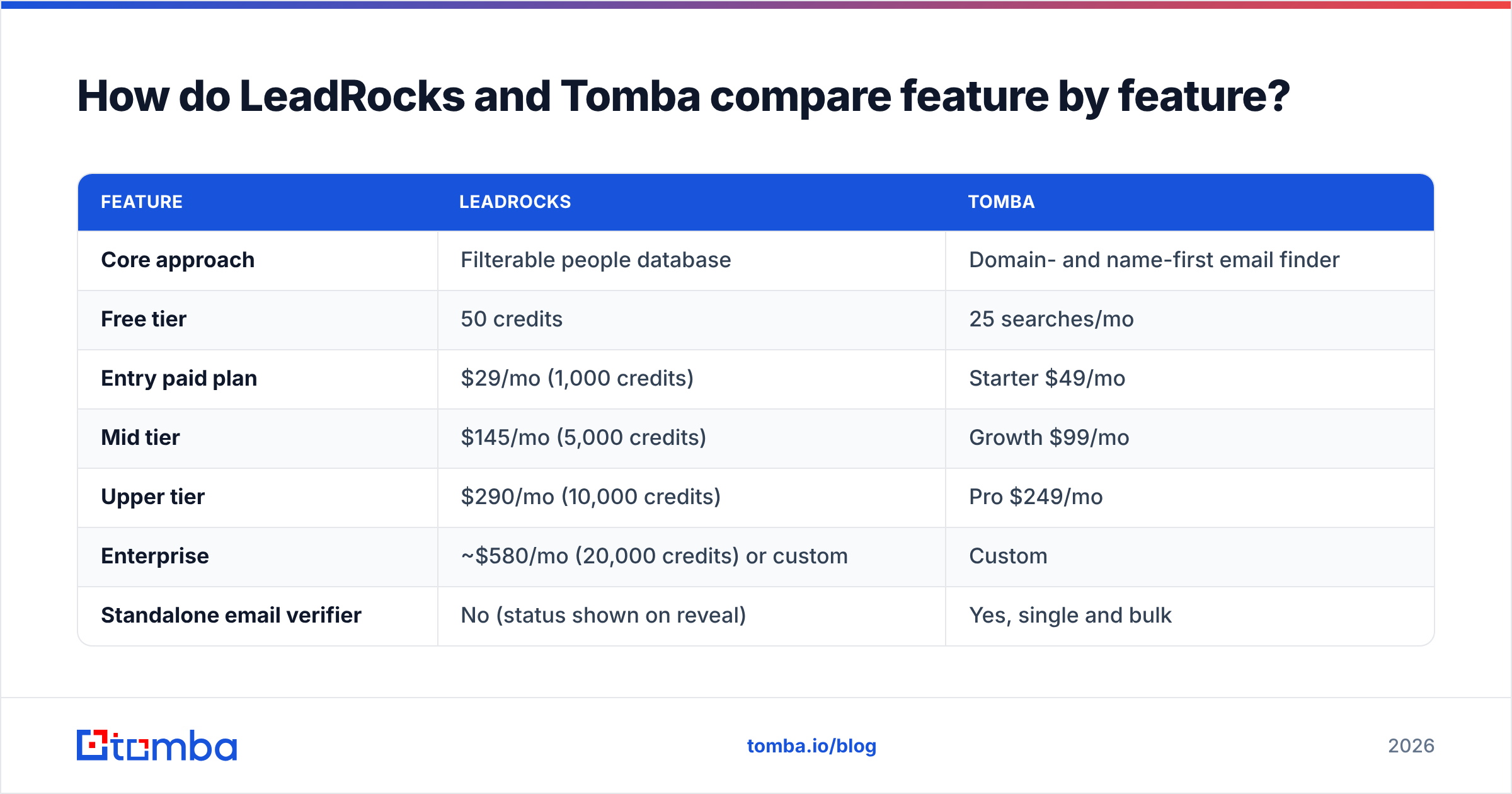
| Feature | LeadRocks | Tomba |
|---|---|---|
| Core approach | Filterable people database | Domain- and name-first email finder |
| Free tier | 50 credits | 25 searches/mo |
| Entry paid plan | $29/mo (1,000 credits) | Starter $49/mo |
| Mid tier | $145/mo (5,000 credits) | Growth $99/mo |
| Upper tier | $290/mo (10,000 credits) | Pro $249/mo |
| Enterprise | ~$580/mo (20,000 credits) or custom | Custom |
| Standalone email verifier | No (status shown on reveal) | Yes, single and bulk |
| Catch-all handling | Limited | Dedicated catch-all verifier |
| Domain search (all emails at a company) | No, people-filter only | Yes |
| Phone numbers | Some records | Phone finder + phone validator |
| Chrome / LinkedIn extension | Yes | Yes |
| Public API | Limited | Full REST API, CLI, MCP server |
| Spreadsheet add-ons | CSV export | Google Sheets, Excel, Airtable |
| CRM integrations | Export-based | HubSpot, Salesforce, Pipedrive, Zapier, Make |
| Best for | Building lists from scratch by persona | Finding and verifying emails for known accounts |
Two things stand out. LeadRocks is cheaper per credit at the low end. Tomba has more ways to get data out and put it to work: verification, catch-all handling, API and integrations. Which one wins depends on which of those you're short on.
How does each tool approach the prospecting workflow?#
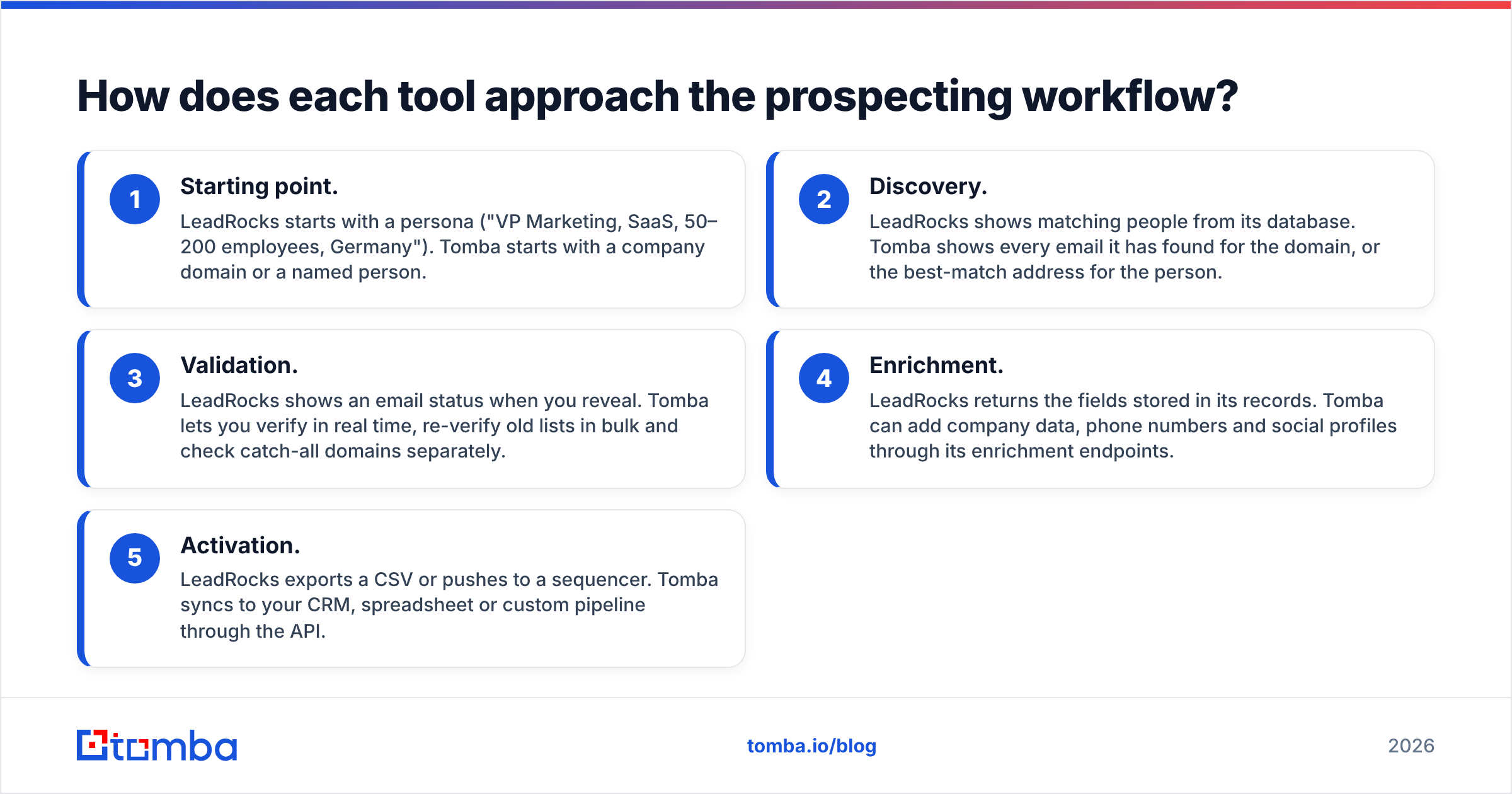
The structural difference matters more than any single feature, so here are the two workflows side by side:
- Starting point. LeadRocks starts with a persona ("VP Marketing, SaaS, 50–200 employees, Germany"). Tomba starts with a company domain or a named person.
- Discovery. LeadRocks shows matching people from its database. Tomba shows every email it has found for the domain, or the best-match address for the person.
- Validation. LeadRocks shows an email status when you reveal. Tomba lets you verify in real time, re-verify old lists in bulk and check catch-all domains separately.
- Enrichment. LeadRocks returns the fields stored in its records. Tomba can add company data, phone numbers and social profiles through its enrichment endpoints.
- Activation. LeadRocks exports a CSV or pushes to a sequencer. Tomba syncs to your CRM, spreadsheet or custom pipeline through the API.
If you're a solo founder testing a new market, step 1 is where you'll spend most of your time, and LeadRocks is built for it. If you're an SDR team working a defined account list from your CRM, steps 3 to 5 decide your bounce rate and how much admin you do, and that's where Tomba is stronger.
Which tool finds more accurate emails?#
Neither vendor's marketing claims will tell you this. Your own test on your own ICP will. Independent tests of email finders vary a lot depending on sample, region and seniority, so treat any single benchmark as directional.

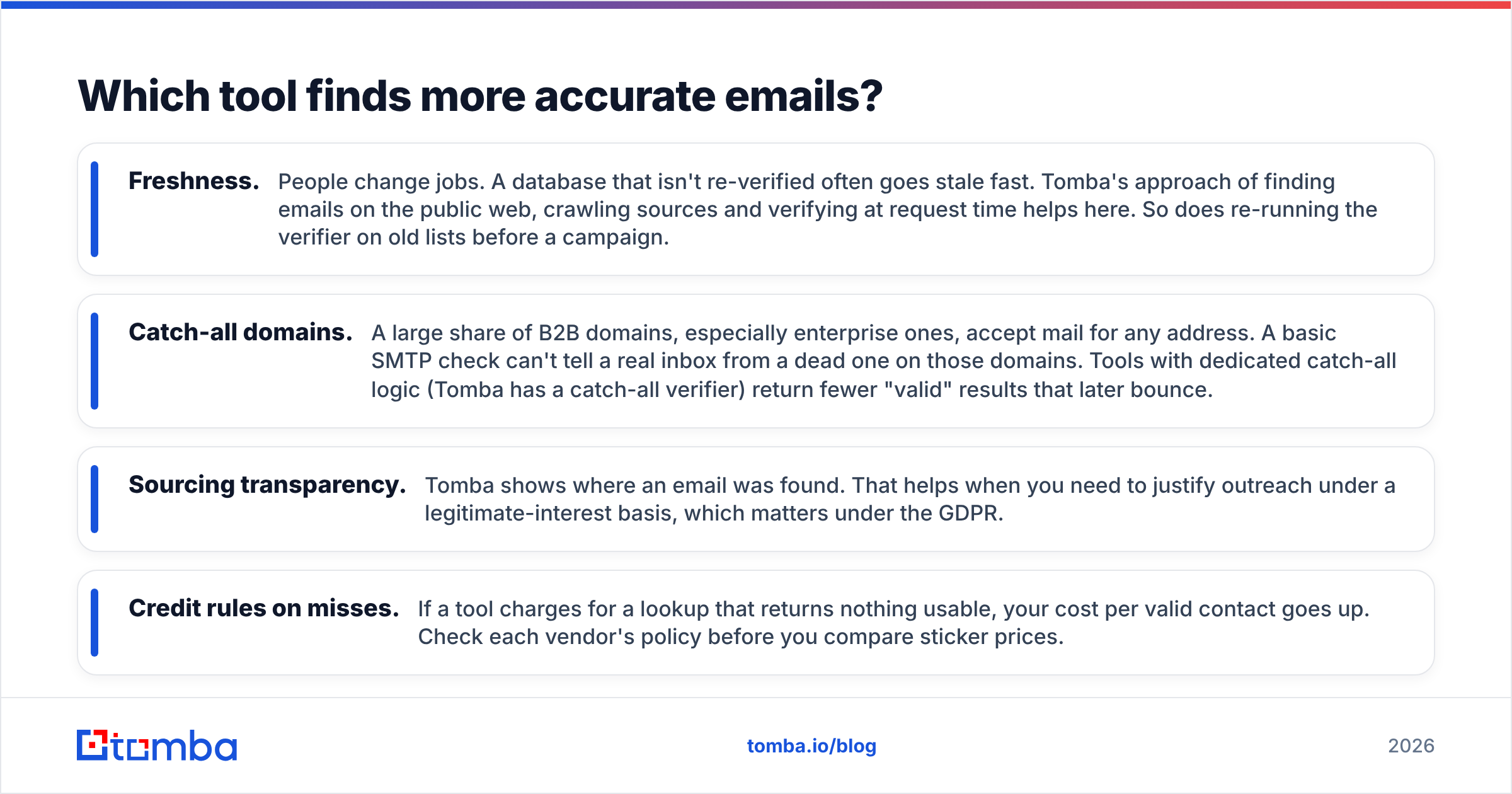
Here's what drives accuracy in practice:
- Freshness. People change jobs. A database that isn't re-verified often goes stale fast. Tomba's approach of finding emails on the public web, crawling sources and verifying at request time helps here. So does re-running the verifier on old lists before a campaign.
- Catch-all domains. A large share of B2B domains, especially enterprise ones, accept mail for any address. A basic SMTP check can't tell a real inbox from a dead one on those domains. Tools with dedicated catch-all logic (Tomba has a catch-all verifier) return fewer "valid" results that later bounce.
- Sourcing transparency. Tomba shows where an email was found. That helps when you need to justify outreach under a legitimate-interest basis, which matters under the GDPR.
- Credit rules on misses. If a tool charges for a lookup that returns nothing usable, your cost per valid contact goes up. Check each vendor's policy before you compare sticker prices.
How to run a fair test in one afternoon: take 100 contacts from your real target list, with a mix of company sizes and at least 20 enterprise domains. Run them through both tools. Verify every result with a neutral third-party verifier. Compare three numbers: found rate, verified-valid rate, and cost per verified email. Twenty minutes of testing beats a year on the wrong tool.
Is LeadRocks cheaper than Tomba?#
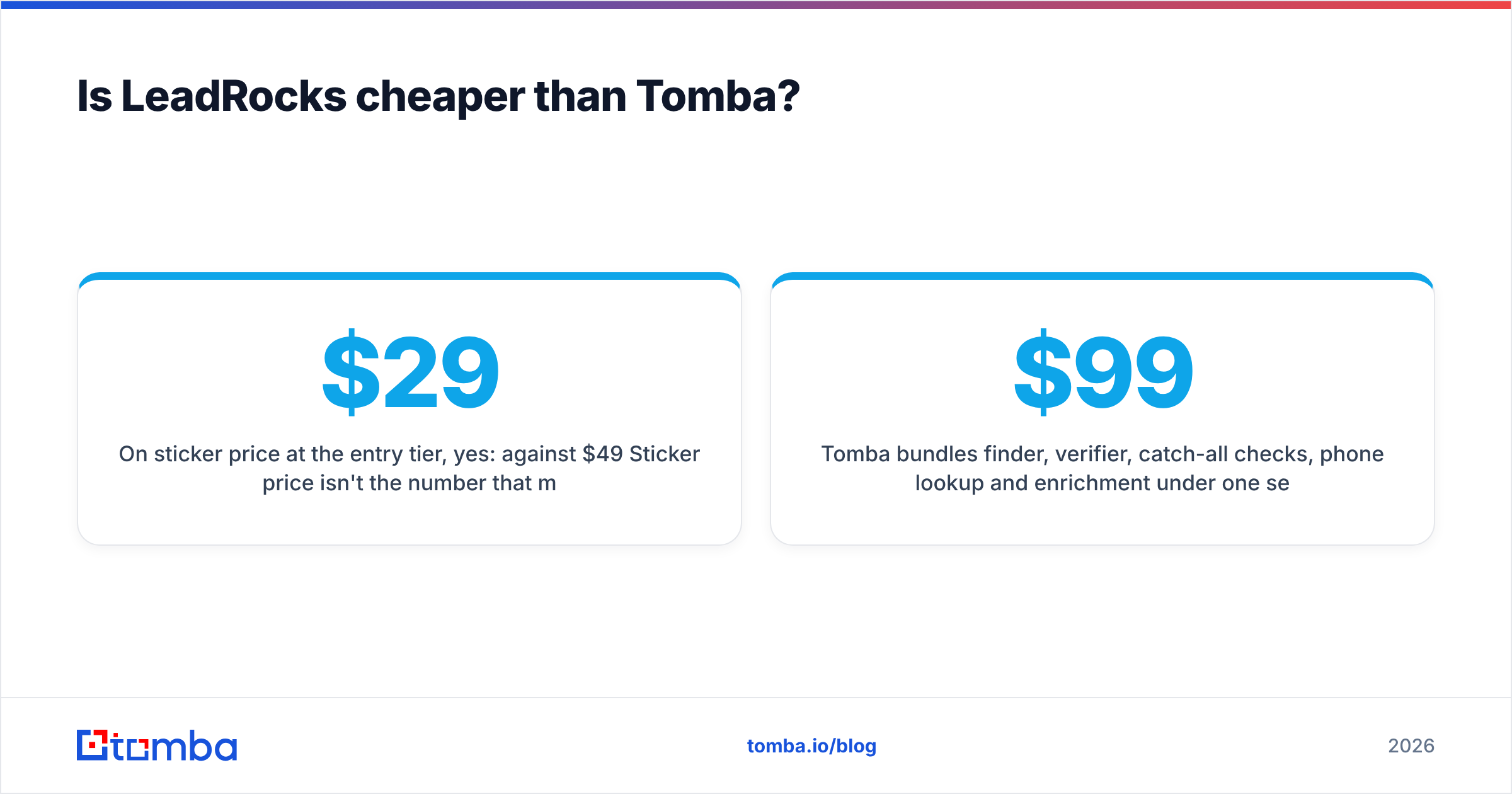
On sticker price at the entry tier, yes: $29/mo against $49/mo. Sticker price isn't the number that matters, though. Compare cost per verified, sendable email and cost of the extra tools you'd need.
Say you pick LeadRocks for list building. You'll probably still want a separate verifier before you send, especially if you care about sender reputation. That's another subscription. You may also want an enrichment tool to fill in phone numbers or company data, which is a third one. Stack those up and the gap narrows fast.
Tomba bundles finder, verifier, catch-all checks, phone lookup and enrichment under one set of credits. For a team doing 1,000–5,000 lookups a month, the Growth plan at $99/mo often ends up cheaper than LeadRocks plus a standalone verifier. Check Tomba pricing against your actual monthly volume. Don't compare headline tiers.
The honest exception: if you only need raw list exports at high volume and you'll verify elsewhere anyway, LeadRocks' per-credit pricing is hard to beat.
Which is better for developers and RevOps teams?#
Tomba, clearly. LeadRocks is built for people who click through a web app and download files. Tomba is built to plug into systems:
- REST API covering email finder, domain search, verifier, enrichment, phone finder and more, with SDKs in several languages. See the Tomba API docs.
- CLI for scripted batch jobs and cron-driven list hygiene.
- MCP server, so AI agents and assistants like Claude can call Tomba tools directly inside agentic workflows.
- Spreadsheet add-ons for Google Sheets, Excel and Airtable, so ops people can enrich a column without writing code.
- Native CRM integrations with HubSpot, Salesforce and Pipedrive, plus Zapier and Make for everything else.
If you run revenue operations, the choice is between a data source you have to shuttle files in and out of and one that sits inside your pipeline. HubSpot's own guidance on data hygiene says the same thing: stale contact data costs you in bounce rates, rep time and reporting accuracy, and the fix is automated enrichment and verification, not quarterly CSV imports.
What do users say about each tool?#
Review volume is uneven. Tomba has a larger footprint on review sites like G2, where reviewers tend to praise ease of use, the Chrome extension and the value of the bundled verifier. The usual criticism is coverage in niche regions or small local businesses, which applies to every email finder.
LeadRocks has fewer public reviews. Positive feedback focuses on the clean filter interface and low entry price. Critical feedback tends to mention data validity on some segments and credits spent on unusable reveals. With a smaller sample, weigh your own trial above anyone's anecdotes.
When should you choose LeadRocks?#
Pick LeadRocks if most of these apply:
- You don't have a target account list yet and need to find prospects by persona filters.
- Budget is the hard constraint and $29/mo is the ceiling.
- Your workflow is export-to-sequencer, and you already pay for a separate verifier.
- Your ICP sits in regions and industries LeadRocks covers well. Test first.
When should you choose Tomba?#
Pick Tomba if most of these apply:
- You work from a defined account list, like an ABM program, CRM territories or inbound leads that need enrichment.
- Deliverability matters. You're protecting domains, warming inboxes and can't afford bounces over 2–3%.
- You want one tool instead of three: finder, verifier and enrichment.
- You need the API, Sheets, CRM sync or MCP so data flows into your stack without manual exports.
- You prospect enterprise accounts where catch-all domains are common.
Many teams end up using both kinds of tool: a database for top-of-funnel discovery, then a domain-first finder and verifier to confirm and complete each record before it reaches a sequence. If you go that way, still verify everything before sending, whichever tool the email came from.
Leadrocks vs Tomba: what's the final verdict?#
LeadRocks is a lean, affordable people database. It's good at one thing: turning persona filters into an exportable list. If that's your bottleneck and you're price-sensitive, it's a reasonable pick.
Tomba is the more complete email-data platform. It costs a bit more at entry. For that you get domain search, name-based finding, real-time and bulk verification, catch-all handling, phone data, enrichment, and an API and integration layer that removes most of the manual work from prospecting. For most B2B teams sending cold email at any real volume, those extras are what keep campaigns out of spam folders and reps out of spreadsheets.
Our recommendation: choose Tomba as your primary email tool, and add a database like LeadRocks only if persona-based discovery is a gap you can't fill another way.
Ready to test it on your own list? Start with the Tomba Email Finder. Enter a domain or a name, see the sources and confidence score, and verify results in the same place. The free tier gives you 25 searches a month, which is enough to run the 100-contact benchmark above over a few weeks, or upgrade to Starter at $49/mo and run it this afternoon.
Related guides#
// get started
Find, verify and enrich your first contacts today
Start on the free plan with 25 searches a month, then scale when your team is ready.
Free plan · No credit card required · GDPR & CCPA
// about the author