Leads Portal Guide 2026: Types, Costs, and How to Choose One
A leads portal can fill your pipeline or fill your CRM with dead contacts. Here are the three types, what they really cost, and a 7-point checklist for choosing one.
TL;DR
- A leads portal is a web platform where you find, buy, receive, or manage sales leads. In B2B it comes in three types: self-serve contact databases, pay-per-lead marketplaces, and partner (channel) lead portals.
- Contact database portals give you the most control and usually the lowest cost per contact. Marketplaces trade control for intent. Partner portals route leads you already own.
- Portals rarely fail on list size. They fail on data freshness. B2B contact data decays at roughly 20-30% a year, so a portal without real-time verification loses value every month you use it.
- Before you pay, check seven things: data sourcing, verification, export limits, credit rollover, CRM sync, compliance, and cost per valid contact, not cost per contact.
- If you run your own outbound, a database portal plus an email verifier is the most cost-efficient setup for most teams in 2026.
What is a leads portal?#
A leads portal is any web-based hub where a sales or marketing team gets access to prospects. You log in, filter or receive leads, and push them into your outreach tools or CRM.
The term gets used loosely. A real estate agent's "leads portal" is a feed of buyer inquiries. An insurance leads portal sells consumer quote requests. In B2B sales, the category this guide covers, "leads portal" usually means one of three things:
- Self-serve contact database. You search millions of company and contact records by title, industry, headcount, location, or technology, then export emails and phone numbers. Tomba, Apollo, ZoomInfo, Lusha, and BookYourData all work this way.
- Pay-per-lead marketplace. A vendor generates inbound interest through content syndication, review sites, or comparison forms, and sells you the resulting leads one at a time or in batches.
- Partner or channel lead portal. A vendor's own portal, usually built on PRM software or something like Salesforce Experience Cloud, that hands leads to resellers and agencies and tracks what they do with them.
- Internal lead routing portal. A homegrown or CRM-native dashboard where marketing hands marketing qualified leads to SDRs with SLAs attached.
The first three are what people mean when they search "leads portal" with a purchase in mind. The fourth is really a CRM feature, and tools like HubSpot's CRM handle it natively.
How do the different types of leads portal compare?#
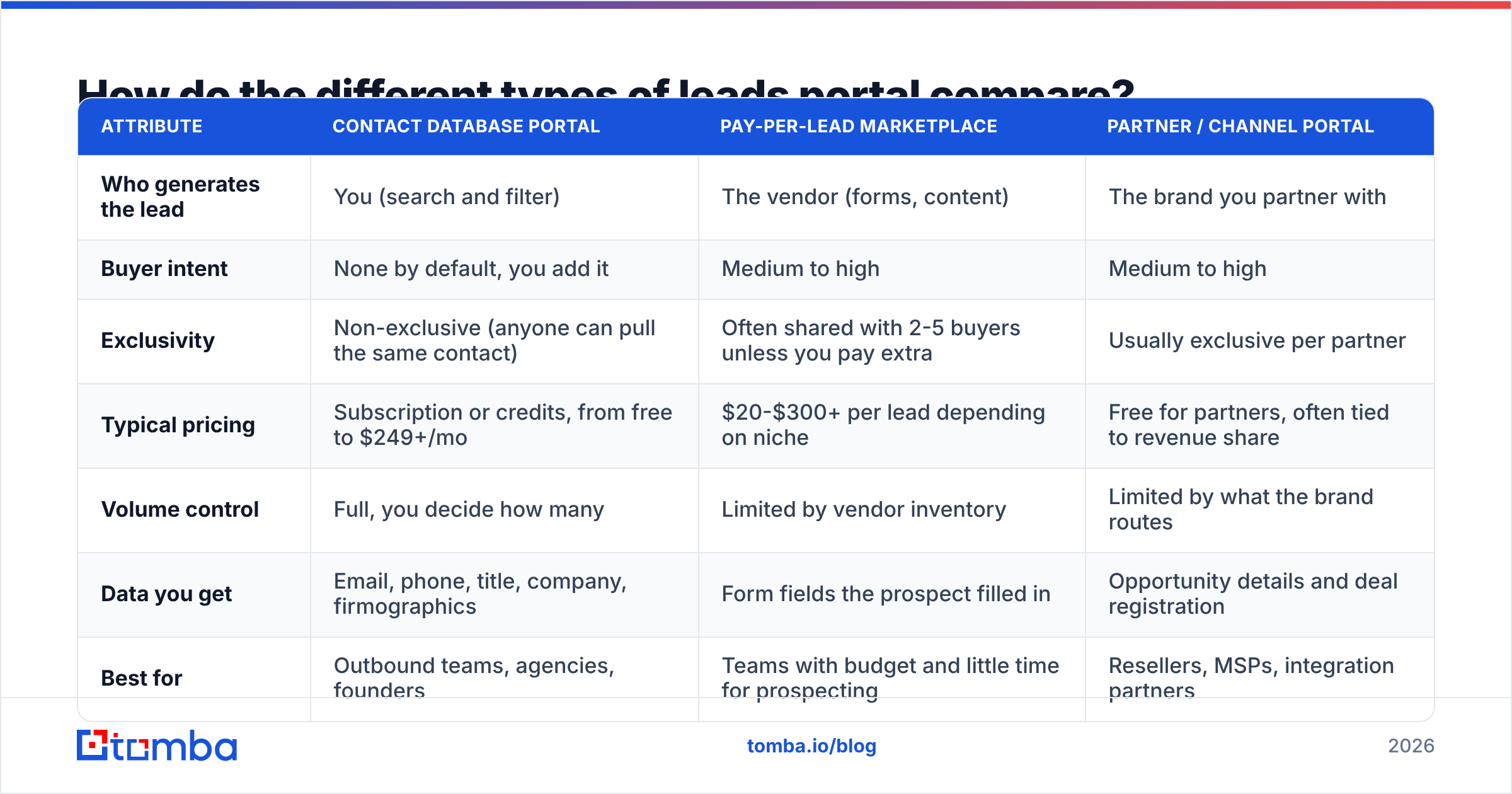
The main difference is who creates the lead and who owns the relationship. That one fact decides your cost, how exclusive the lead is, and how much work you still have to do.
| Attribute | Contact database portal | Pay-per-lead marketplace | Partner / channel portal |
|---|---|---|---|
| Who generates the lead | You (search and filter) | The vendor (forms, content) | The brand you partner with |
| Buyer intent | None by default, you add it | Medium to high | Medium to high |
| Exclusivity | Non-exclusive (anyone can pull the same contact) | Often shared with 2-5 buyers unless you pay extra | Usually exclusive per partner |
| Typical pricing | Subscription or credits, from free to $249+/mo | $20-$300+ per lead depending on niche | Free for partners, often tied to revenue share |
| Volume control | Full, you decide how many | Limited by vendor inventory | Limited by what the brand routes |
| Data you get | Email, phone, title, company, firmographics | Form fields the prospect filled in | Opportunity details and deal registration |
| Best for | Outbound teams, agencies, founders | Teams with budget and little time for prospecting | Resellers, MSPs, integration partners |
| Biggest risk | Stale or unverified data | Recycled or low-quality leads | Channel conflict, slow routing |
If you're building a repeatable outbound motion, the contact database is the default choice because it's the only one where you set the volume. Marketplaces help when you need pipeline this quarter and have more budget than SDR hours. Partner portals only matter if you already sell through a channel.
Why do most leads portals disappoint?#
Most teams blame the portal when the real issue is how old the data is. Lead generation runs on contact records, and those records go out of date fast: people change jobs, companies rebrand domains, and mailboxes get shut down.
A portal with 200 million records and a quarterly refresh will send you to thousands of dead inboxes. A smaller portal that checks each email when you request it will send you to far fewer. Here's what that looks like in your outbound numbers:
- Bounce rate climbs past 3-5%. Gmail and Microsoft start throttling or junking your domain, and your email deliverability drops for every campaign, not only the bad list.
- Reply rates look fine on paper but pipeline stays flat. You're emailing the person who held the role 18 months ago.
- Credits get burned twice. You pay once to export the contact and again to find the replacement.
The fix isn't necessarily a bigger database. You want a portal that verifies at the moment of export, or you want to run every export through a separate email verifier before anything goes into a sequence.
Which leads portal platforms are worth looking at in 2026?#
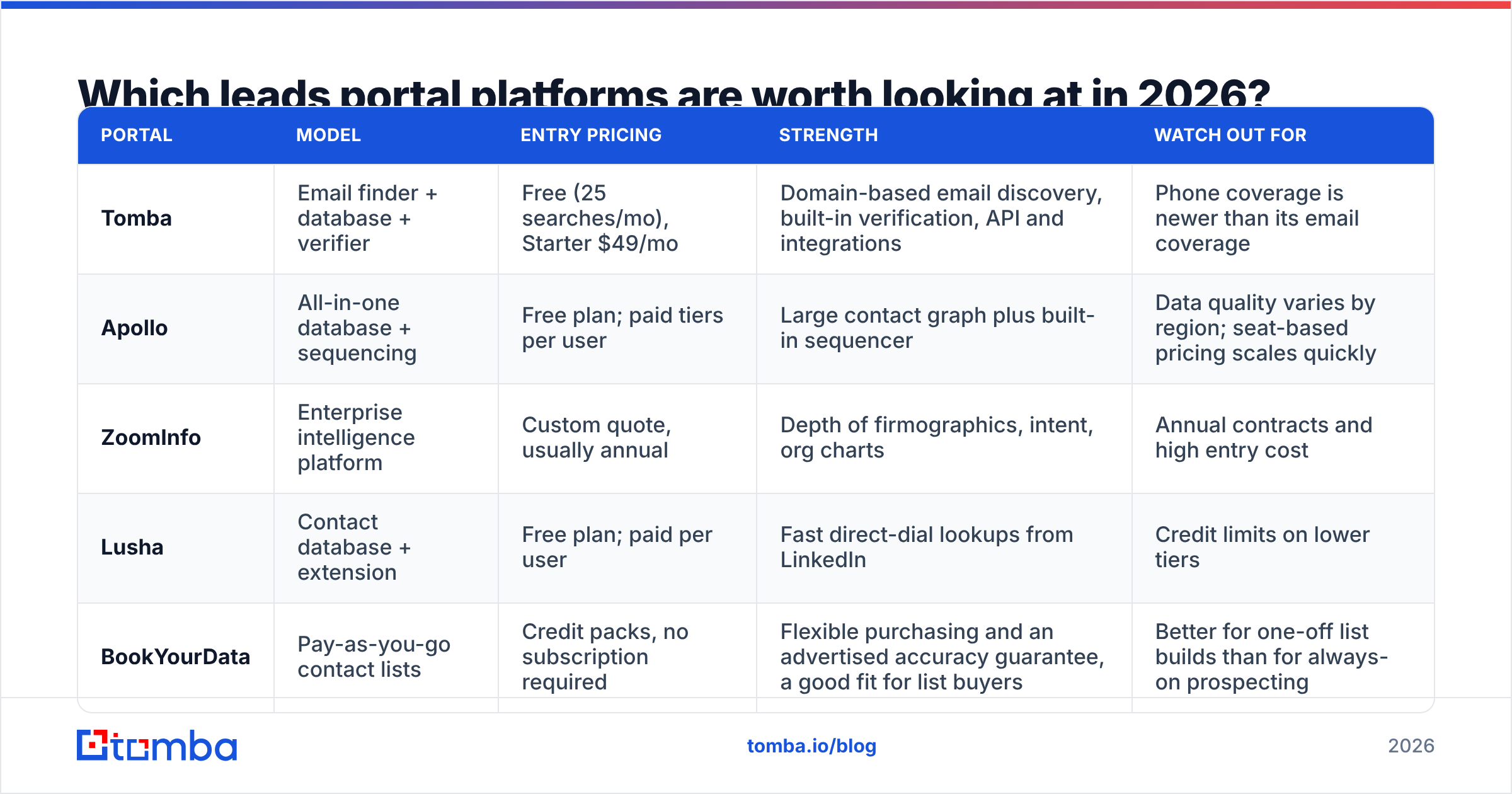
There's no single "best" leads portal. Your ICP, region, and budget decide it. Below is a neutral snapshot of widely used B2B database portals. Pricing changes often, so check each vendor's page before you commit.
| Portal | Model | Entry pricing | Strength | Watch out for |
|---|---|---|---|---|
| Tomba | Email finder + database + verifier | Free (25 searches/mo), Starter $49/mo | Domain-based email discovery, built-in verification, API and integrations | Phone coverage is newer than its email coverage |
| Apollo | All-in-one database + sequencing | Free plan; paid tiers per user | Large contact graph plus built-in sequencer | Data quality varies by region; seat-based pricing scales quickly |
| ZoomInfo | Enterprise intelligence platform | Custom quote, usually annual | Depth of firmographics, intent, org charts | Annual contracts and high entry cost |
| Lusha | Contact database + extension | Free plan; paid per user | Fast direct-dial lookups from LinkedIn | Credit limits on lower tiers |
| BookYourData | Pay-as-you-go contact lists | Credit packs, no subscription required | Flexible purchasing and an advertised accuracy guarantee, a good fit for list buyers | Better for one-off list builds than for always-on prospecting |
A few honest notes on the table:
- Apollo makes sense if you want your data and sequencer in one tool and can accept some data variance.
- BookYourData is a strong option if you buy targeted lists on a project basis and don't want a recurring subscription.
- Tomba is built around finding and verifying the email itself. You can run a domain search to pull every public email at a company, then verify before export. That suits teams that already know which accounts they want and need clean contacts for them.
How do you evaluate a leads portal before paying?#
Use this seven-point checklist on every vendor, trial or not. It surfaces the costs that don't show up on pricing pages.
- Where does the data come from? Look for a documented sourcing page. "Proprietary AI" doesn't answer the question. Public web sources, first-party contributor networks, and partner feeds each have different freshness profiles.
- When is the email verified? At export, weekly, or never? Ask for the definition of "verified." Some vendors only mean "the domain has an MX record."
- How are catch-all domains handled? Catch-all servers accept every address, so a naive verifier marks them all valid. A good portal flags them separately.
- What are the export limits? Some plans cap exports per month even when you have credits left. Others lock CSV export behind a higher tier.
- Do unused credits roll over? If they expire monthly, your real cost per contact is higher than the sticker price.
- Does it sync with your CRM and sequencer? Native HubSpot, Salesforce, and Pipedrive syncs save hours of CSV work each week. Check field mapping, not just the logo on the integrations page.
- Is it compliant where your prospects live? For EU and UK contacts you need a GDPR lawful basis (usually legitimate interest), an opt-out process, and a vendor that can tell you where each record came from.
The number that matters most is cost per valid, reachable contact. The formula:
(plan price) / (contacts exported × deliverable rate)
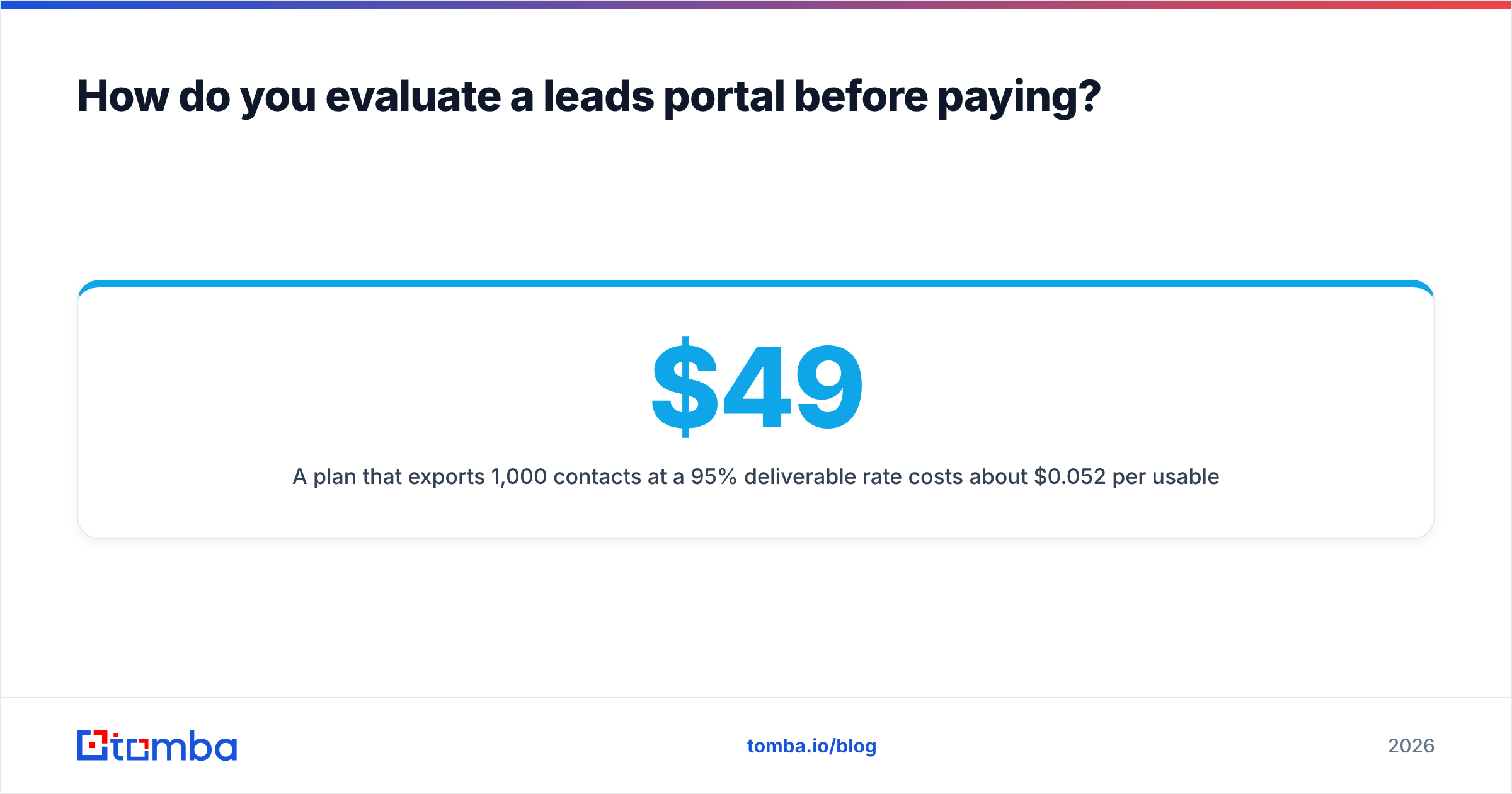
A $49 plan that exports 1,000 contacts at a 95% deliverable rate costs about $0.052 per usable contact. A $29 plan that exports 1,000 contacts at 70% deliverable costs about $0.041, before you add the damage 300 bounces do to your sender reputation. After that, the cheaper plan is usually more expensive.
Is a leads marketplace better than a contact database?#
Sometimes, but less often than vendors claim. Marketplaces sell intent: someone downloaded a whitepaper or asked for a quote, and that's worth paying for. The catch is in the terms.
- Shared leads. Unless you pay for exclusivity, the same lead goes to several competitors. The first rep to call usually wins, so you need an SDR ready within minutes.
- Soft intent. A whitepaper download from content syndication is weak intent. The person wanted the PDF and may not want a demo.
- Opaque quality. Ask about the return policy for invalid leads before you buy. Reputable marketplaces offer credits for bad contact data.
A contact database gives you no intent by default, but you can add it. Filter by hiring signals, technology stack, funding events, or website visits, then enrich. That combination often matches marketplace quality at a fraction of the per-lead cost, and you control the volume.
Rule of thumb: if your average contract value is above $25k and you're short on SDR capacity, test a marketplace. If you have reps and need volume, a database portal wins.
How should a leads portal fit into your outbound stack?#
A leads portal is where your workflow starts, not the whole workflow. A clean setup looks like this:
- Define the ICP in the portal's filters: industry, headcount, geography, tech stack, seniority.
- Pull accounts first, contacts second. Build the account list, then find 2-4 decision-makers per account.
- Find and verify the email at export time. If the portal doesn't verify, run the list through a separate verifier before import.
- Enrich leads with company size, role, LinkedIn URL, and phone where you need them for personalization or multichannel touches.
- Sync to your CRM with an owner and a lifecycle stage so records don't sit unassigned.
- Sequence and measure reply rate, positive reply rate, and meetings per 100 contacts. Feed the winners back into your filters.

Step 3 is the one teams skip, and it causes most of the deliverability problems that later get blamed on copy or sending volume.
What does a leads portal really cost per year?#
Sticker prices hide the real annual cost. Here's a realistic model for a two-rep outbound team contacting around 1,500 new prospects a month:
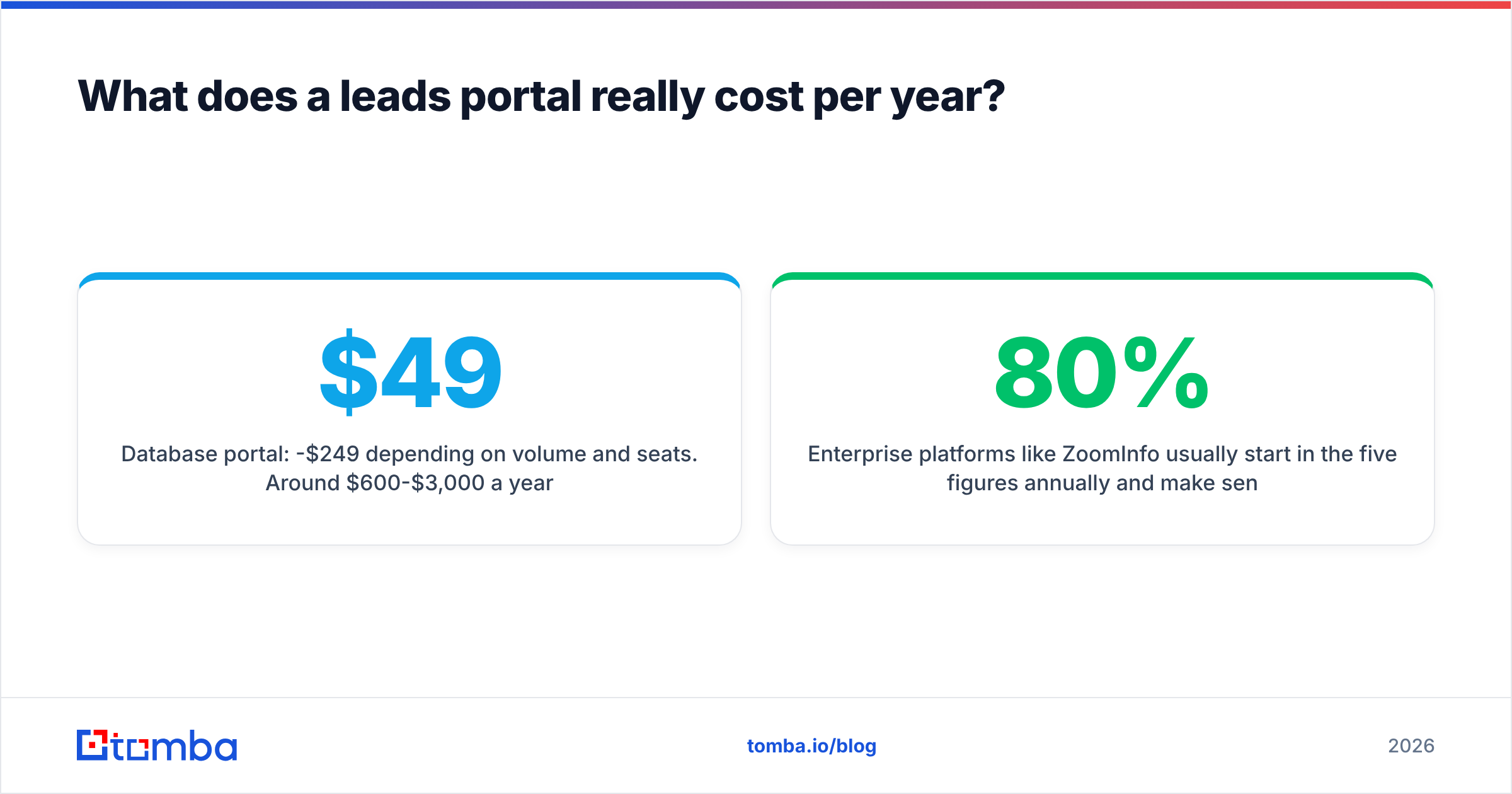
- Database portal: $49-$249/mo depending on volume and seats. Around $600-$3,000 a year.
- Separate verification (if the portal doesn't include it): usually a few hundred dollars a year at this volume.
- Sequencer: often the largest line item if it's priced per seat.
- Enrichment add-ons: direct dials and intent data are often sold as extra credits.
- Hidden cost: a burned domain. Replacing and warming a new sending domain takes 3-6 weeks of reduced volume, which is pipeline you don't get back.
Enterprise platforms like ZoomInfo usually start in the five figures annually and make sense when you need intent data, org charts, and dozens of seats. For most SMB and mid-market teams, a focused database plus verification covers 80% of the value for a small fraction of that spend. You can check Tomba pricing against your own volume to run the numbers.
Frequently asked questions about leads portals#
Is it legal to use a B2B leads portal? Generally yes, with conditions. In the US, CAN-SPAM allows B2B cold email with a clear opt-out and an accurate sender. In the EU and UK, you need a legitimate-interest basis, relevant messaging, and an easy opt-out. Choose portals that can document their data sources.
Are free leads portals worth using? They're good for testing fit and for low-volume founders. Free tiers usually cap searches (Tomba's free tier includes 25 searches a month), limit exports, or hide phone numbers. Use them to judge data quality before you pay.
How often should I refresh leads from a portal? Re-verify anything older than 90 days before you send to it. For always-on outbound, pull fresh contacts weekly or biweekly instead of exporting a huge list once.
What's the difference between a leads portal and a CRM? A leads portal is where contacts come from. A CRM is where you manage the relationship after that. Many portals sync into CRMs, but they solve different problems.
Can I buy an email list instead? You can, but static purchased lists decay from the day they're compiled and often come without verification. If you buy lists, run them through verification first, or use a portal that sells credits against live data.
What's the bottom line on choosing a leads portal?#
Pick based on who creates the lead and how fresh the data is, not on headline database size. If you run your own outbound, a self-serve contact database portal with verification built in gives you the most control at the lowest cost per usable contact. Marketplaces make sense when you have more budget than time, and partner portals only when you sell through a channel.
If your ICP is clear and you mostly need accurate emails for the right people at target accounts, try the Tomba Email Finder. Search by domain, name, or company, verify each address before it goes into a sequence, and push contacts straight into your CRM or sequencer. The free plan includes 25 searches a month, and paid plans start at $49/mo when you're ready to scale.
Related guides#
// get started
Find, verify and enrich your first contacts today
Start on the free plan with 25 searches a month, then scale when your team is ready.
Free plan · No credit card required · GDPR & CCPA
// about the author