Leadsforge vs FindEmails.com (Toofr): 2026 Email Finder Comparison
Leadsforge builds lead lists from a plain-English description of your buyer. FindEmails.com (formerly Toofr) finds emails for names you already have. Here's how they differ on workflow, credits, and data coverage, and which one fits your outbound.
TL;DR
- Leadsforge is a list-building tool. You describe your ideal customer in plain English, it returns matching contacts, and you pay credits to export emails (1 credit) and phone numbers (10 credits). Its Essential plan starts at about $49/mo for 2,000 credits.
- FindEmails.com (formerly Toofr) is an older lookup tool. You give it a name and a company, it guesses the email pattern, verifies the result and returns an address. Plans run $29, $49 and $99/mo, and extra credits cost about $0.02 each.
- Choose Leadsforge if you don't have a list yet. Choose FindEmails.com if you already have names and domains and only need cheap email addresses.
- FindEmails.com doesn't return phone numbers. Leadsforge charges separately for validation. Check both costs before you compare sticker prices.
- If you want finding, verifying and domain search on one plan with a free tier, Tomba is a third option worth testing next to both.
What are Leadsforge and FindEmails.com (Toofr)?#
These two tools are often compared, but they solve different problems.
Leadsforge is part of the Forge product family (Salesforge, Warmforge and others). It works like a chat-based search engine for B2B contacts. You type something like "VPs of Finance at US SaaS companies with 50–200 employees that recently raised a Series B." It turns that into filters and gives you a list of leads. You spend credits when you export contacts or reveal their emails and phone numbers. Exports go to a CSV file or straight into a Salesforge sequence.
FindEmails.com is the current name of Toofr, one of the first email-guessing tools of the 2010s. It works the other way around. You bring the person (first name, last name, company domain), and it works out the most likely address format and verifies it. Bulk CSV upload and an API are available. You don't get prospect discovery, intent signals or a sequencer.
A simple way to picture it: Leadsforge is a recruiter who finds candidates for you. FindEmails.com is a switchboard operator who connects you to someone you already named.
How do Leadsforge and FindEmails.com compare feature by feature?#
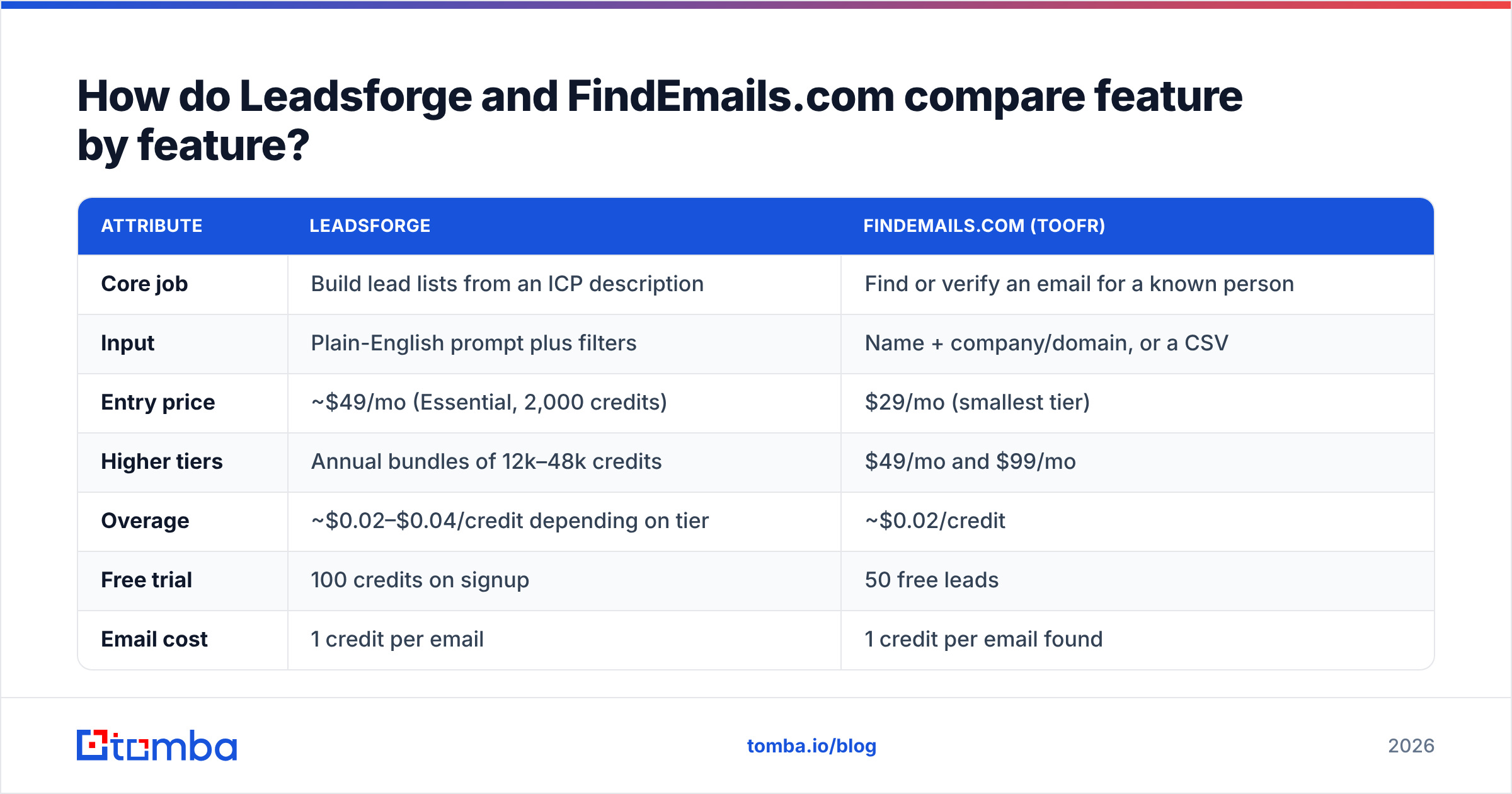
| Attribute | Leadsforge | FindEmails.com (Toofr) |
|---|---|---|
| Core job | Build lead lists from an ICP description | Find or verify an email for a known person |
| Input | Plain-English prompt plus filters | Name + company/domain, or a CSV |
| Entry price | ~$49/mo (Essential, 2,000 credits) | $29/mo (smallest tier) |
| Higher tiers | Annual bundles of 12k–48k credits | $49/mo and $99/mo |
| Overage | ~$0.02–$0.04/credit depending on tier | ~$0.02/credit |
| Free trial | 100 credits on signup | 50 free leads |
| Email cost | 1 credit per email | 1 credit per email found |
| Phone numbers | Yes (10 credits each) | No |
| Verification | Separate validation credits | Included in the lookup, or 1 credit per standalone verify |
| Native sequencing | Yes, via Salesforge | No |
| API | Yes | Yes |
| Best for | Teams without a list who want speed | Teams with lists who want low-cost lookups |
Pricing comes from each vendor's public pages and independent reviews as of 2026. Credit rules change often, so check Leadsforge pricing and FindEmails.com pricing before you buy.

How does each tool actually work day to day?#
The workflow difference affects your team's day more than any feature on the list.
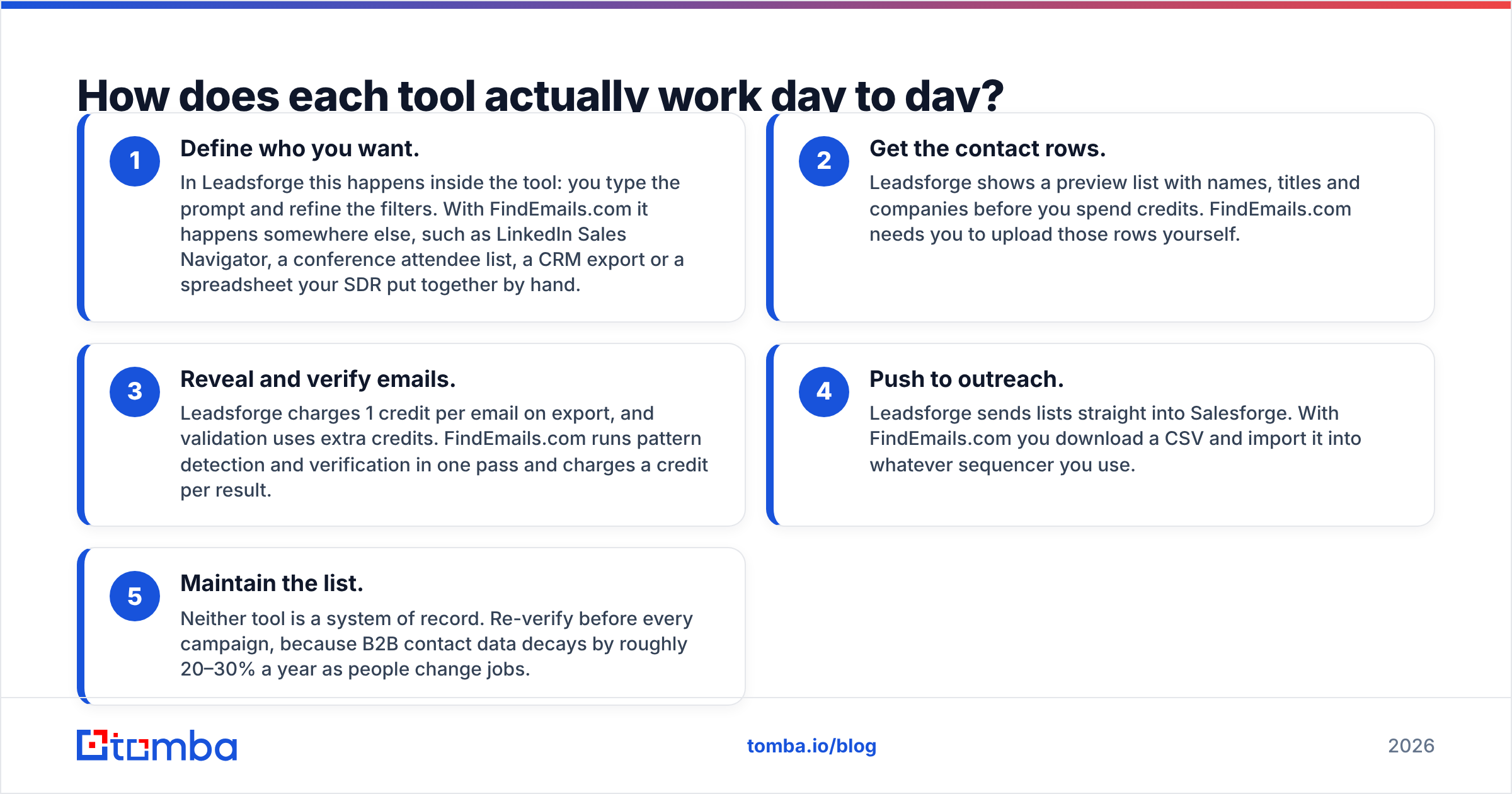
- Define who you want. In Leadsforge this happens inside the tool: you type the prompt and refine the filters. With FindEmails.com it happens somewhere else, such as LinkedIn Sales Navigator, a conference attendee list, a CRM export or a spreadsheet your SDR put together by hand.
- Get the contact rows. Leadsforge shows a preview list with names, titles and companies before you spend credits. FindEmails.com needs you to upload those rows yourself.
- Reveal and verify emails. Leadsforge charges 1 credit per email on export, and validation uses extra credits. FindEmails.com runs pattern detection and verification in one pass and charges a credit per result.
- Push to outreach. Leadsforge sends lists straight into Salesforge. With FindEmails.com you download a CSV and import it into whatever sequencer you use.
- Maintain the list. Neither tool is a system of record. Re-verify before every campaign, because B2B contact data decays by roughly 20–30% a year as people change jobs.
If steps 1 and 2 already take up most of your SDRs' week, Leadsforge takes that work off them. If those steps are already done, FindEmails.com handles the remaining 20% at a lower price.
Which is more accurate: Leadsforge or FindEmails.com?#
Neither vendor publishes an independent, reproducible accuracy benchmark. Both describe their results as "verified." FindEmails.com has historically claimed around 98% accuracy, but no third-party audit backs that up. Treat any single accuracy number from a vendor with caution.
Here is what you can reason about:
- FindEmails.com relies on pattern guessing plus SMTP verification. This works well at companies with consistent formats (firstname.lastname@) and servers that answer verification checks. It struggles with catch-all domains, where the server accepts every address. Without a dedicated catch-all check, those results come back "probably valid," and that's how bounce rates creep up.
- Leadsforge pulls from an aggregated B2B database and validates on export. Coverage at US and European tech companies is usually strong. For niche verticals, small local businesses or non-English markets, coverage is less predictable. Run a test before you commit to an annual plan.
- Stale data is the bigger risk for both. A correctly formatted address for someone who left six months ago will still hard-bounce.

The only accuracy test that counts is your own. Take 200 contacts you already know are valid (recent customers, active opportunities), remove the emails, and run the names through each tool. Measure three numbers: find rate (how many got any email), match rate (how many matched the real one), and risky rate (how many came back as catch-all or unknown). An afternoon is enough, and it tells you more than any review page, including this one.
Replace that example image with https://blog-cdn.tomba.io/content/images/2026/09/memes/2026-09-25/leadsforge-vs-findemailscom-toofr-meme-1.png in the pipeline; the canonical embed is:

What does each tool really cost per usable contact?#
The sticker price doesn't tell you what you'll pay. What matters is cost per deliverable email in your target segment.
Take a team that needs 1,000 verified work emails a month.
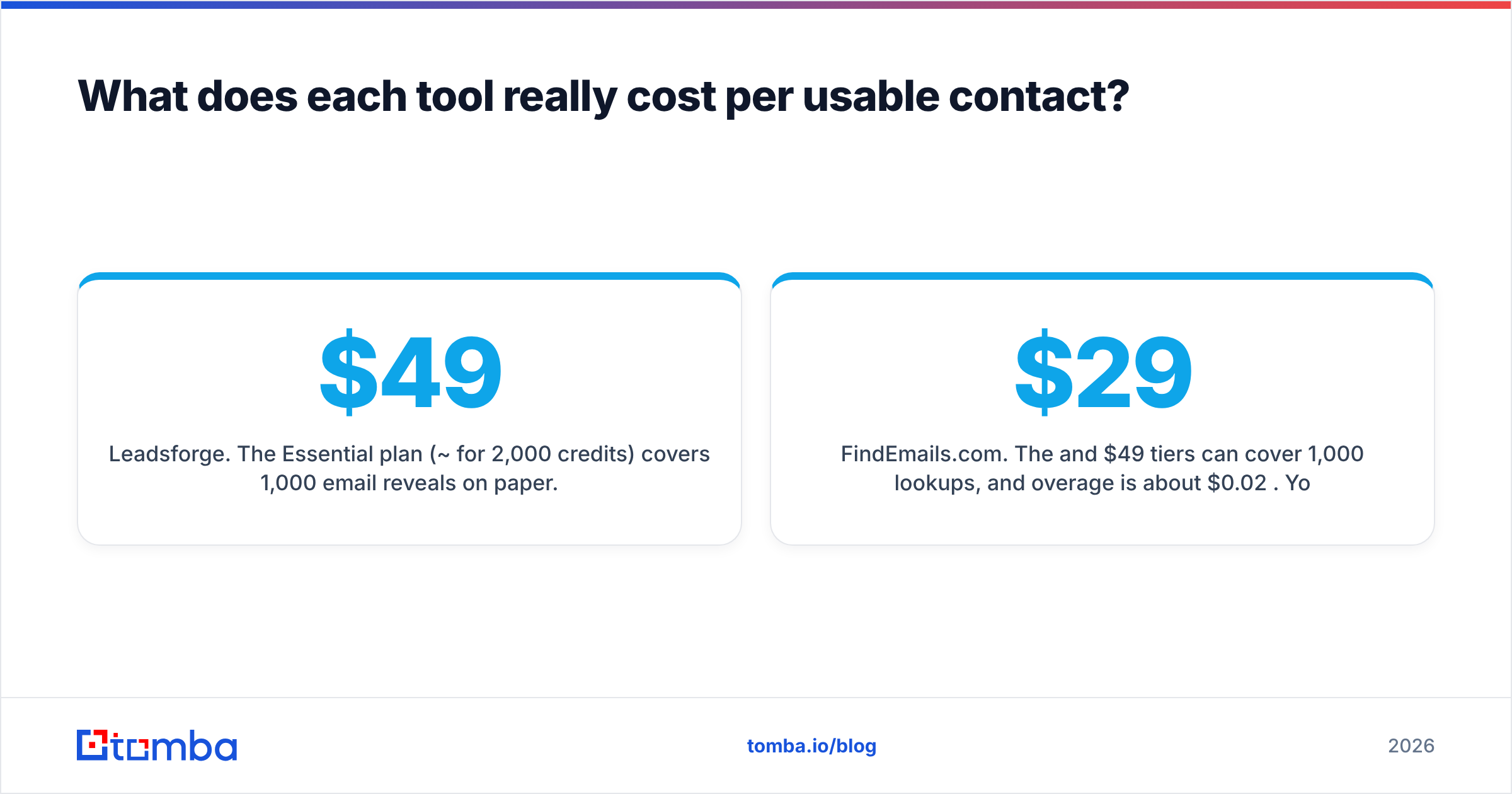
Leadsforge. The Essential plan (~$49/mo for 2,000 credits) covers 1,000 email reveals on paper. Validation uses extra credits, though, and you'll reveal some contacts you later throw out (wrong seniority, duplicates, bounced on validation). Assume some waste. The effective cost is usually a little over $0.05 per usable email on the entry plan and drops on annual bundles. Adding phone numbers at 10 credits each uses up the allowance fast. One hundred direct dials cost as much as 1,000 emails.
FindEmails.com. The $29 and $49 tiers can cover 1,000 lookups, and overage is about $0.02 per credit. You only pay a credit when a result comes back. The per-email cost is lower, but only because you've already paid for list building elsewhere, whether that's a Sales Navigator seat or SDR time.
The hidden line item for FindEmails.com users is list building. For Leadsforge users it's validation credits and phone reveals. Add yours before you decide.
What are the pros and cons of each?#
Leadsforge: pros
- Fast from zero to a list. A plain-English prompt beats configuring 15 filters.
- Emails and phones in one place.
- Direct handoff to Salesforge if you already use that stack.
- Credits don't expire (per its pricing page), which helps teams with uneven outbound volume.
Leadsforge: cons
- Validation costs extra, which makes cost comparisons harder.
- Phone reveals are expensive at 10 credits.
- It's most useful inside the Forge ecosystem. On its own it's a strong list builder, but not a verification specialist.
FindEmails.com (Toofr): pros
- Cheap, simple, predictable lookups.
- A credit is only spent when a result returns.
- Easy to understand: upload a CSV, download a CSV.
- Good fit for enriching a list you've already qualified.
FindEmails.com (Toofr): cons
- No prospect discovery. You have to bring the names.
- No phone numbers.
- Independent reviews note that the product and its documentation seem to get few updates. If you plan to build on the API long-term, check that it's still actively maintained.
- Accuracy claims haven't been independently benchmarked.
Is Leadsforge better than FindEmails.com for cold outbound?#
For most teams starting cold outbound from scratch in 2026, yes, Leadsforge fits better, because it covers the slowest part of the job: deciding who to email and finding them. The Salesforge integration also shortens the path from list to first send.
FindEmails.com wins in three situations:
- You already have high-intent names. Webinar registrants, event badge scans, or accounts your AE has already mapped. You only need the address.
- You're price-sensitive and doing low volume. A $29 tier with pay-on-result credits is hard to beat for a few hundred lookups a month.
- You want a narrow API. If your own app needs "name + domain in, email out" and nothing else, a simple endpoint is easier to wire up than a full prospecting platform.
Whichever you choose, don't send to unverified addresses. Protecting your domain matters more than a slightly higher find rate. Run exports through a dedicated email verifier before they reach your sequencer, especially addresses flagged as catch-all.
Canonical embed:

What do real users say?#
Review volume differs a lot between the two. FindEmails.com and its older Toofr profile have a small number of reviews on G2, and most are several years old. The common praise is ease of use and low cost. The common complaint is misses at larger enterprises and catch-all domains. Leadsforge is newer and has a smaller independent review base. Early feedback tends to praise the chat interface and speed, and criticizes the credit math for validation and phones.
When a tool has few reviews, run your own 200-contact test (described above) rather than relying on star ratings.
Where does Tomba fit next to Leadsforge and FindEmails.com?#
If neither tool fully fits, the gap is usually this: you want FindEmails-style lookups by name and domain, plus the ability to pull every public email at a company, plus solid verification, without paying for an AI list builder you don't need.
That's what Tomba's email finder is built for. You can look up a person by name and domain, run a domain search to see a company's known addresses and patterns, and verify results, catch-all checks included, on the same account. For volume, the bulk email finder handles CSVs, and the API covers the programmatic use case.
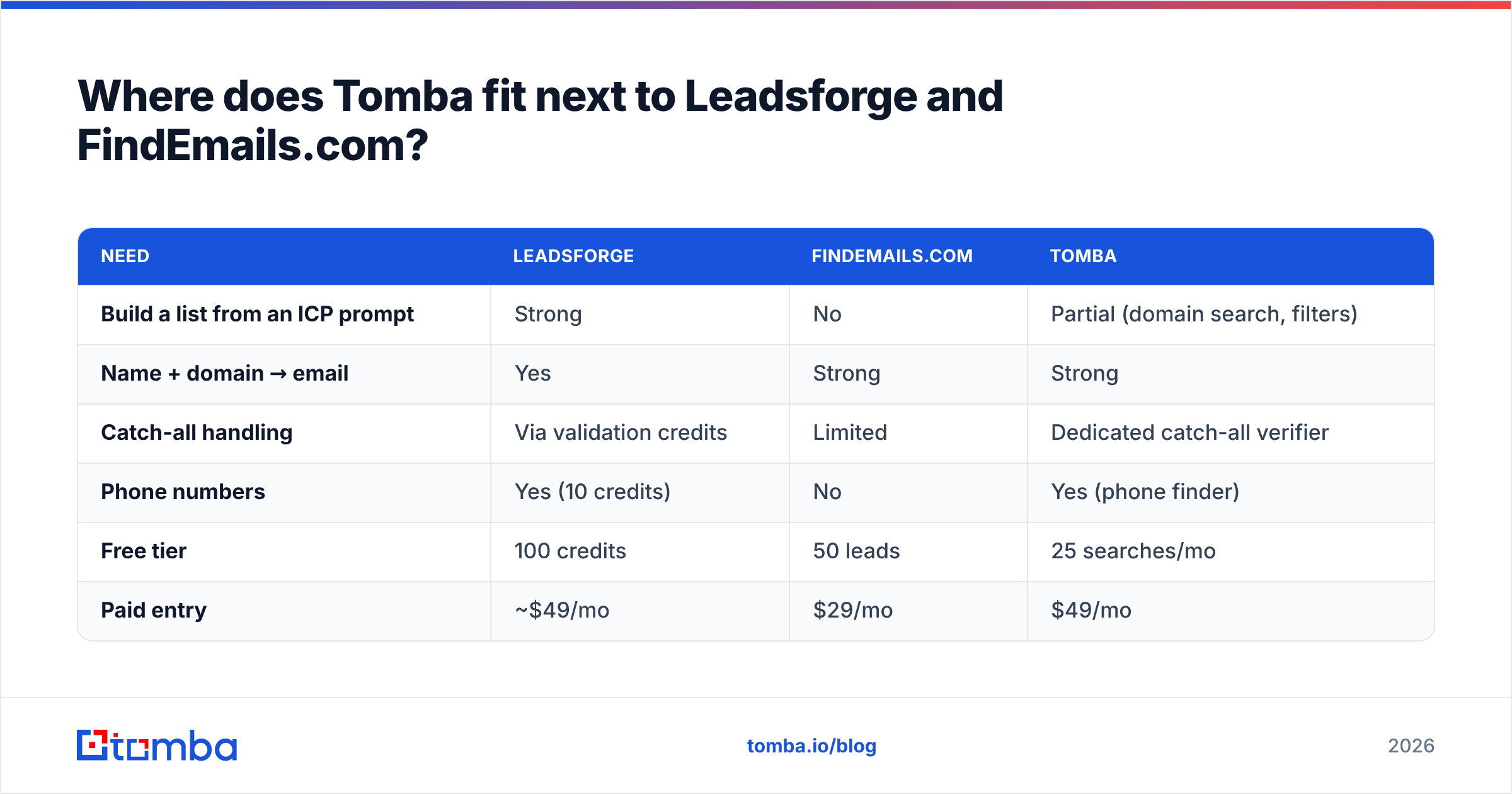
A quick comparison of the three:
| Need | Leadsforge | FindEmails.com | Tomba |
|---|---|---|---|
| Build a list from an ICP prompt | Strong | No | Partial (domain search, filters) |
| Name + domain → email | Yes | Strong | Strong |
| Catch-all handling | Via validation credits | Limited | Dedicated catch-all verifier |
| Phone numbers | Yes (10 credits) | No | Yes (phone finder) |
| Free tier | 100 credits | 50 leads | 25 searches/mo |
| Paid entry | ~$49/mo | $29/mo | $49/mo |
Tomba won't write your ICP prompt for you, so if you want AI-driven discovery, Leadsforge does that job better. For finding and verifying the right address for a person you already care about, Tomba is a strong alternative to both. See Tomba pricing for tier details: Free (25 searches/mo), Starter $49/mo, Growth $99/mo, Pro $249/mo, and Enterprise on custom terms.
How should you choose?#
Answer these four questions:
- Do you already have the names? Yes: FindEmails.com or Tomba. No: Leadsforge.
- Do you need phone numbers? If yes, rule out FindEmails.com.
- What does a bounce cost you? If you're warming new domains, verification quality (catch-all handling especially) matters more than find rate.
- Where do contacts go next? If it's Salesforge, Leadsforge saves you a step. For any other sequencer, all three export CSVs.
Then run the 200-contact test on your own data. Whichever tool gives the most verified, matching emails per dollar in your segment is the right choice, whatever the marketing page says.
Ready to test it on your own list?#
If your team already knows who to contact and needs the right address, verified and ready for your sequencer, start with the Tomba Email Finder. The free plan includes 25 searches a month. Run it on the same 200 contacts you use to test Leadsforge and FindEmails.com, and compare the find and match rates yourself.
Related guides#
// get started
Find, verify and enrich your first contacts today
Start on the free plan with 25 searches a month, then scale when your team is ready.
Free plan · No credit card required · GDPR & CCPA
// about the author