Leadsforge vs LFBBD Lead for Business: Which B2B Data Wins?
Leadsforge builds lead lists on demand with an AI search. LFBBD sells ready-made industry databases. Here is how the two compare on freshness, cost, and fit, and how to tell which one your outbound team needs.
Choosing between Leadsforge vs LFBBD Lead for Business comes down to one question. Do you need fresh lists on demand, or one big dataset you buy once? Here is the short answer, then the details.
TL;DR
- Leadsforge is a self-serve lead search tool. You describe your ideal customer in plain language, and it returns a filtered list of contacts. It is part of the Forge outbound stack (Salesforge, Infraforge). Plans start around $49/mo for 2,000 credits.
- LFBBD (Lead For Business) sells pre-built databases for specific verticals: SaaS companies, eCommerce brands, Amazon sellers, startups, local businesses. It advertises 500M+ contacts and 95% accuracy.
- Pick Leadsforge if you run continuous outbound and need narrow, fresh lists every week. Pick LFBBD if you want a large vertical dataset in one purchase, for example for market mapping or a one-off campaign.
- Neither tool removes the need to verify contacts right before you send. Old lists and credit-based exports both decay, so plan for an email verification step no matter which one you choose.
What are Leadsforge and LFBBD, in one sentence each?#
Both tools give you B2B contacts, but they deliver them in very different ways. A useful comparison is a grocery store versus a meal-kit subscription. Leadsforge is the grocery store: you walk in with a shopping list and pick exactly the items you need, one trip at a time. LFBBD is the meal kit: someone else has already put together a box for a specific diet, and you receive it all at once.
Leadsforge (leadsforge.ai) is an AI-assisted lead search product from the team behind Salesforge. Instead of stacking dozens of filters, you type something like "Heads of RevOps at US SaaS companies with 50–200 employees that raised a Series A," and it builds the list. You spend credits when you export contacts, and email and phone lookups are priced differently.
LFBBD – Lead For Business (lfbbd.com) is a data vendor that packages contacts into industry databases. Examples include a SaaS database it describes as 50K+ companies and 1M+ contacts, plus eCommerce, Amazon seller, startup, influencer, and local-business datasets. The company says it uses AI plus human verification and refreshes data monthly.
The rest of this Leadsforge vs LFBBD Lead for Business guide is about what that difference means for your pipeline.
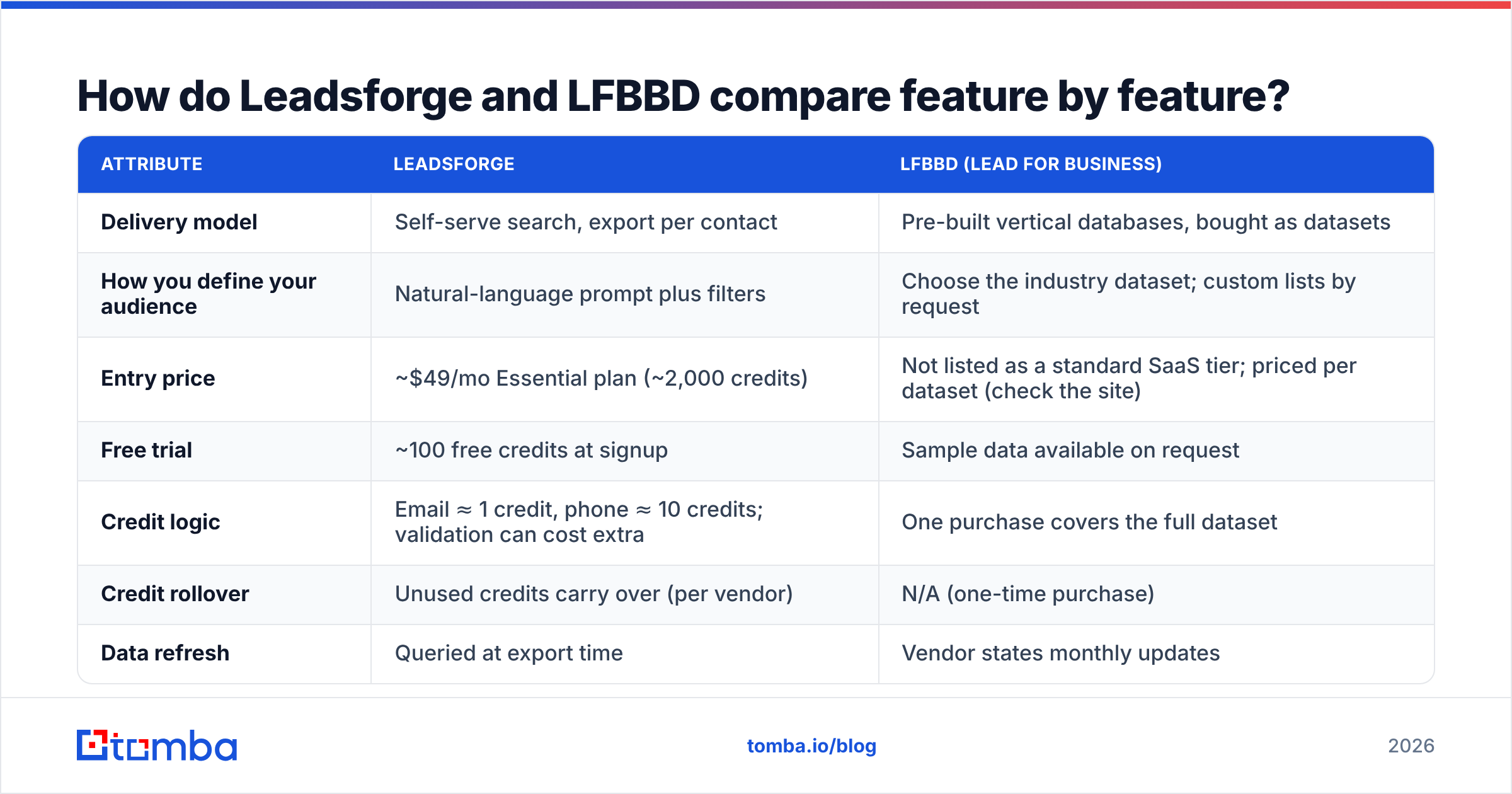
How do Leadsforge and LFBBD compare feature by feature?#
Here is the side-by-side. Where a vendor doesn't publish a number, the table says so instead of guessing.
| Attribute | Leadsforge | LFBBD (Lead For Business) |
|---|---|---|
| Delivery model | Self-serve search, export per contact | Pre-built vertical databases, bought as datasets |
| How you define your audience | Natural-language prompt plus filters | Choose the industry dataset; custom lists by request |
| Entry price | ~$49/mo Essential plan (~2,000 credits) | Not listed as a standard SaaS tier; priced per dataset (check the site) |
| Free trial | ~100 free credits at signup | Sample data available on request |
| Credit logic | Email ≈ 1 credit, phone ≈ 10 credits; validation can cost extra | One purchase covers the full dataset |
| Credit rollover | Unused credits carry over (per vendor) | N/A (one-time purchase) |
| Data refresh | Queried at export time | Vendor states monthly updates |
| Claimed scale | Large global B2B index | 500M+ contacts claimed |
| Niche verticals | General B2B | Strong: Amazon sellers, eCommerce, SaaS, startups, influencers |
| Outbound stack fit | Native with Salesforge / Infraforge | Tool-agnostic CSV/XLSX |
| Best for | Ongoing, narrowly targeted outbound | Market mapping, bulk campaigns, niche verticals |
Pricing and credit rules change often. Confirm current numbers on each vendor's site before you budget.
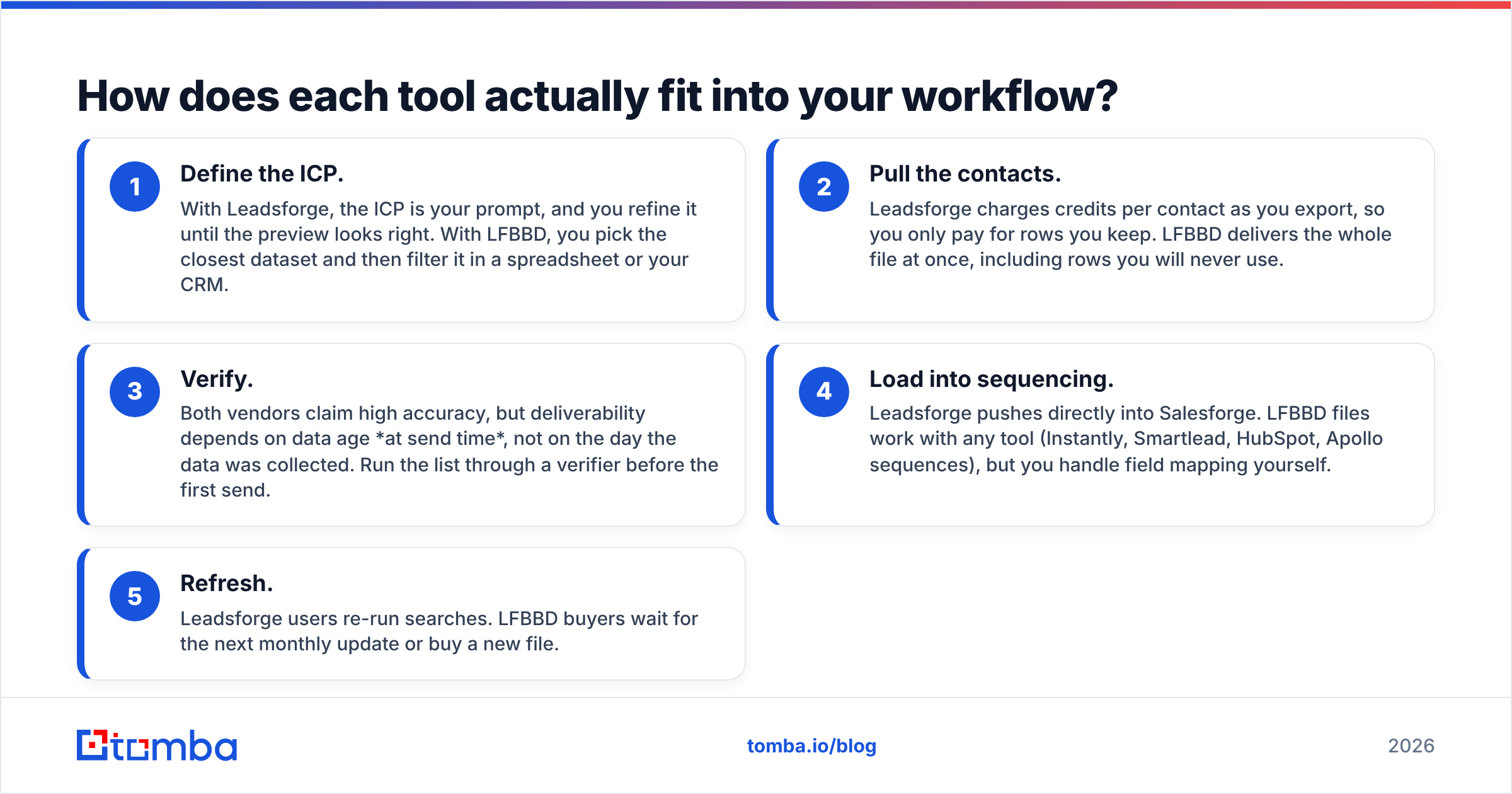
How does each tool actually fit into your workflow?#
The biggest practical difference is when the data is pulled and who does the targeting work.
- Define the ICP. With Leadsforge, the ICP is your prompt, and you refine it until the preview looks right. With LFBBD, you pick the closest dataset and then filter it in a spreadsheet or your CRM.
- Pull the contacts. Leadsforge charges credits per contact as you export, so you only pay for rows you keep. LFBBD delivers the whole file at once, including rows you will never use.
- Verify. Both vendors claim high accuracy, but deliverability depends on data age at send time, not on the day the data was collected. Run the list through a verifier before the first send.
- Load into sequencing. Leadsforge pushes directly into Salesforge. LFBBD files work with any tool (Instantly, Smartlead, HubSpot, Apollo sequences), but you handle field mapping yourself.
- Refresh. Leadsforge users re-run searches. LFBBD buyers wait for the next monthly update or buy a new file.
Which one has better data quality?#
No independent public benchmark covers both tools on the same sample. Treat accuracy claims from either vendor as marketing until you test them yourself. What you can reason about is the structural risk each model carries.
Leadsforge's risk profile:
- Data is pulled when you export, so time-based decay is lower on day one.
- Validation can cost extra credits. Teams that skip it to save money sometimes see higher bounce rates on catch-all domains.
- Phone numbers cost roughly 10× more credits than emails, so phone-heavy teams burn through a plan quickly.
LFBBD's risk profile:
- A monthly refresh is reasonable, but a file you download today will have started to decay by week six. B2B contact data is commonly estimated to decay by around 2–3% per month as people change jobs.
- Vertical datasets such as Amazon sellers or influencers often use generic inboxes (info@, support@) and small-business domains. These bounce and get filtered differently from corporate addresses.
- Customer sentiment is public on Trustpilot. Read the recent reviews, not only the average score.
How to test either one in an afternoon:
- Pull 200 contacts that match your real ICP.
- Run all 200 through an email verifier and record valid, invalid, catch-all, and unknown.
- Spot-check 20 job titles against LinkedIn to see whether people are still in their roles.
- Compare the valid-and-current percentage with the vendor's accuracy claim. A gap of more than 10 points is a warning sign.
This test will tell you more than any comparison article, including this one.
How much will each option really cost you?#
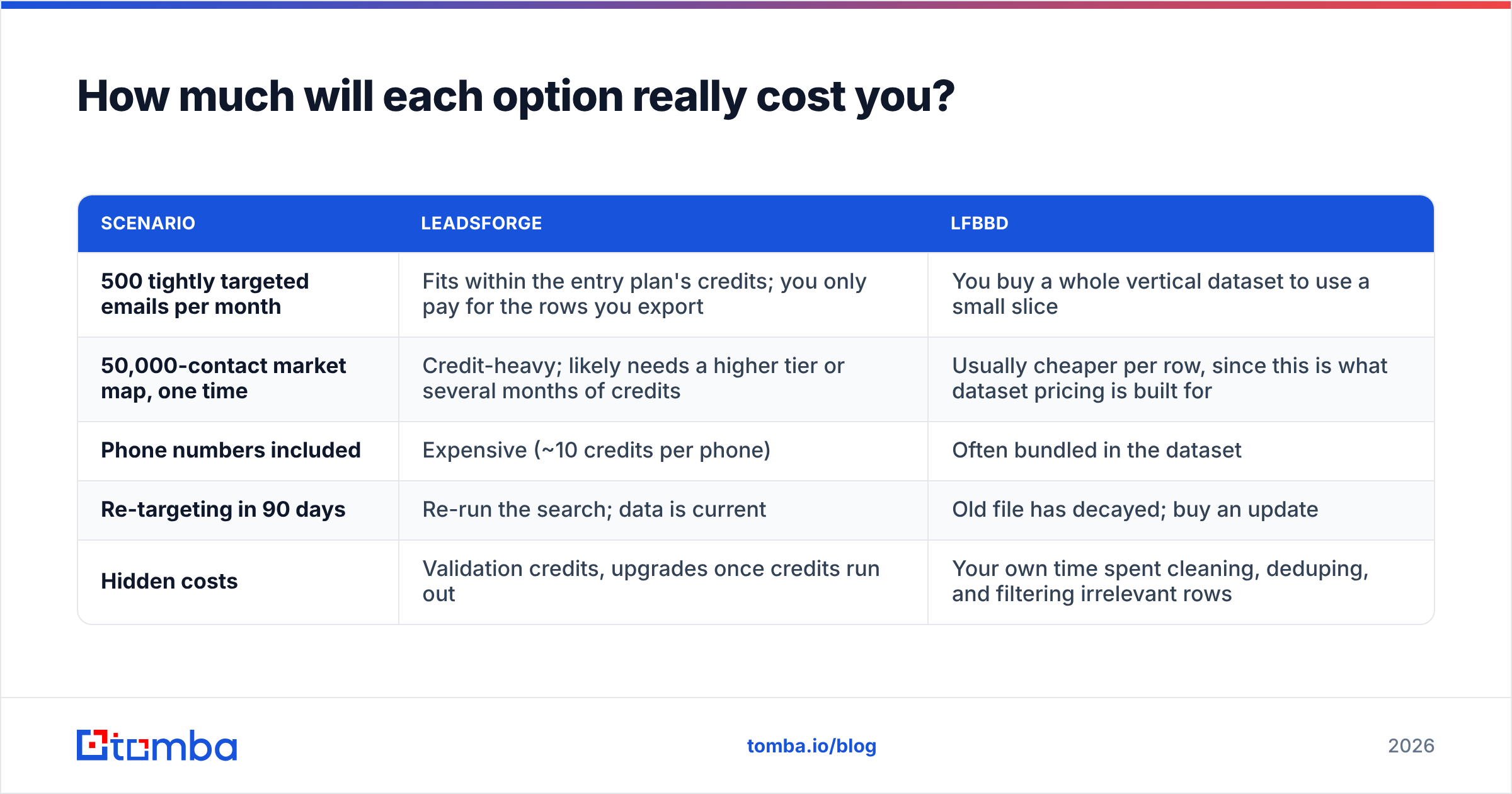
The sticker prices aren't directly comparable. One is a subscription and the other is a dataset purchase. A better comparison is cost per usable contact:
Cost per usable contact = total spend ÷ (contacts that verify as valid AND match your ICP)
Here is how that plays out in two common scenarios.
| Scenario | Leadsforge | LFBBD |
|---|---|---|
| 500 tightly targeted emails per month | Fits within the entry plan's credits; you only pay for the rows you export | You buy a whole vertical dataset to use a small slice |
| 50,000-contact market map, one time | Credit-heavy; likely needs a higher tier or several months of credits | Usually cheaper per row, since this is what dataset pricing is built for |
| Phone numbers included | Expensive (~10 credits per phone) | Often bundled in the dataset |
| Re-targeting in 90 days | Re-run the search; data is current | Old file has decayed; buy an update |
| Hidden costs | Validation credits, upgrades once credits run out | Your own time spent cleaning, deduping, and filtering irrelevant rows |
The short version: Leadsforge is cheaper for precision and LFBBD is cheaper for volume. It gets more nuanced when you count your team's time. A 1M-row SaaS database that needs two days of cleanup may cost more in SDR hours than the file itself.
Is Leadsforge better than LFBBD for cold email?#
For ongoing cold email, Leadsforge usually fits better, for three reasons:
- Freshness at send time. Cold email punishes bounces. Mailbox providers such as Google treat high bounce rates as a sign of poor list hygiene. Google's sender guidelines also hold bulk senders to stricter reputation standards.
- Smaller, tighter batches. Good cold email campaigns send 50–200 highly relevant emails, not 20,000 generic ones. Paying per exported contact matches that pattern.
- Stack integration. If you already use Salesforge and Infraforge, pushing lists straight into sequences removes a CSV step and cuts down on mapping mistakes.
LFBBD makes sense for cold email when your ICP is the vertical. Say you sell a tool to Amazon sellers or Shopify brands. A curated dataset of exactly those businesses is hard to rebuild with a general B2B search engine. Plan to verify and segment it before sending.
Is LFBBD better for market research and niche verticals?#
Yes, in most cases. Dataset vendors are stronger in a few situations:
- Total addressable market (TAM) sizing. You need the whole population of, for example, US-based SaaS companies with 10–50 employees, not a filtered sample of it.
- Non-traditional B2B segments. Amazon sellers, influencers, and local businesses are often thin in LinkedIn-derived B2B indexes. LFBBD specifically packages these segments.
- Offline or non-email channels. Direct mail, phone campaigns, and ad-audience uploads (LinkedIn Matched Audiences, Meta Custom Audiences) benefit from large, one-time files.
- Budget predictability. A one-time purchase is easier to get through procurement than a recurring credit subscription.
If your motion is "build an account list once, then work it for a quarter," a dataset is a reasonable starting point. Enrich and re-verify it at the start of each sequence.
What are the pros and cons of each?#
Leadsforge: pros
- Natural-language search lowers the skill needed to build a good list
- Pay-as-you-export avoids buying rows you won't use
- Credits roll over, per the vendor
- Native path into the Forge sequencing and deliverability tools
Leadsforge: cons
- Phone lookups consume credits quickly
- Validation can be a separate credit cost
- Works best inside the Forge ecosystem; you do more manual work elsewhere
LFBBD: pros
- Large vertical datasets (SaaS, eCommerce, Amazon sellers, startups) ready to use
- Emails, phones, and firmographics often bundled together
- Tool-agnostic files work with any CRM or sequencer
- Good cost per row at high volume
LFBBD: cons
- Data starts aging from the day you download it
- You filter and clean the file yourself
- No self-serve SaaS pricing is shown, so you need to confirm the price per dataset
- Test accuracy claims on a sample before you buy at scale
How should you decide between Leadsforge and LFBBD?#
Use this decision checklist. Wherever you answer "yes," that tool gets the point.
| Question | If yes → |
|---|---|
| Do you send cold email every week to a narrow ICP? | Leadsforge |
| Do you already use Salesforge or Infraforge? | Leadsforge |
| Do you need 20K+ contacts in one go? | LFBBD |
| Is your market Amazon sellers, eCommerce, or influencers? | LFBBD |
| Do you need phone numbers at scale? | LFBBD (usually cheaper per phone) |
| Do you need to re-target the same segment every quarter? | Leadsforge |
Many teams end up using both: a dataset for the initial account map and a search tool for weekly precision pulls. That works well as long as a verification step sits between either source and your sending domain.
Where does an email finder fit in this stack?#
Both Leadsforge and LFBBD answer the question "who should I contact?" Neither is designed for the question you run into most often mid-sequence: "I know the person and the company, so what is their current email?"
That gap shows up when:
- A champion changes jobs and you want to follow them to the new company
- A rep finds a decision-maker on a podcast or LinkedIn post who isn't in any list
- A dataset row has a name and domain but an empty or bounced email field
This is the job of a dedicated email finder. You enter a name and a domain and get back an address, ideally with a confidence score and sources. You can also run a domain search to see every public address and the email pattern a company uses. This helps you fix rows in an aging LFBBD file or fill gaps left by a credit export.
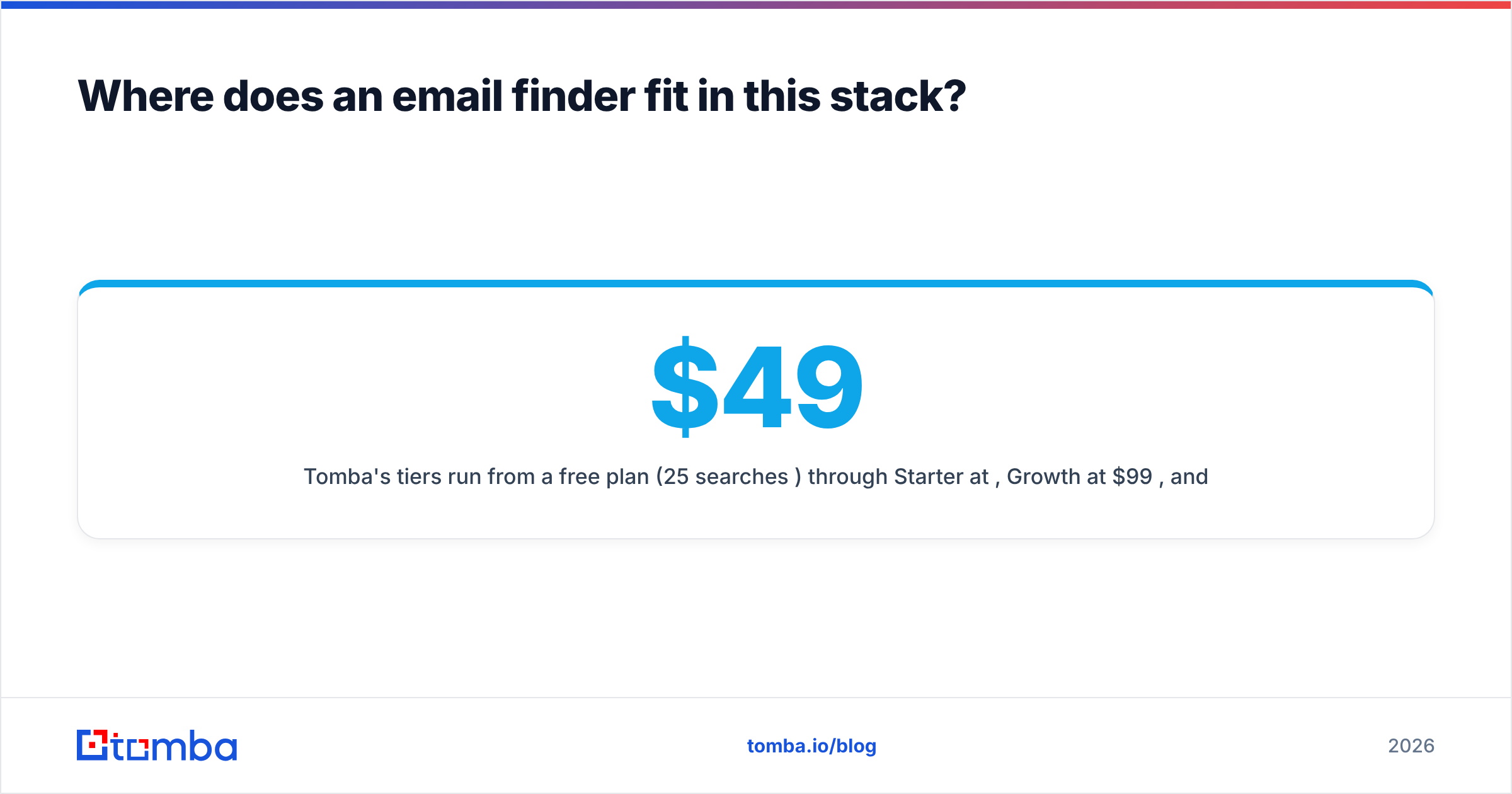
Tomba's tiers run from a free plan (25 searches/mo) through Starter at $49/mo, Growth at $99/mo, and Pro at $249/mo. You can see the full Tomba pricing breakdown if you want to size an email finder next to either list tool.
Final verdict: Leadsforge vs LFBBD Lead for Business?#
- Choose Leadsforge if outbound is a weekly habit, your ICP is precise, and you value freshness and a smooth path into sequencing over raw volume.
- Choose LFBBD if you need a large, vertical-specific dataset once (for TAM mapping, niche eCommerce or Amazon targeting, or multichannel campaigns) and you have the capacity to clean and verify it.
- In either case, test 200 rows before committing, verify before every send, and measure cost per usable contact rather than cost per row.
Lists get you into the right market. Whether an email reaches the inbox depends on having the right address for the right person on the day you hit send. Need to fill the gaps either tool leaves, such as job-changers, one-off decision-makers, or blank email fields? Try the Tomba Email Finder. Enter a name and a company domain, and you get a verified professional address with its sources in seconds. You can start on the free plan and upgrade only when your volume calls for it.
Related guides#
// get started
Find, verify and enrich your first contacts today
Start on the free plan with 25 searches a month, then scale when your team is ready.
Free plan · No credit card required · GDPR & CCPA
// about the author