Leadsforge vs Mailmint: Lead Data or Email Marketing in 2026?
Leadsforge and Mailmint get compared a lot, but they do different jobs. One builds B2B lead lists. The other sends email to a WordPress audience you already have. Here's how to tell which one you need, and when you need both.
TL;DR
- Leadsforge and Mailmint don't compete. Leadsforge is a B2B lead-data tool: you describe your ideal customer and it builds a contact list. Mailmint (sold as Mail Mint) is a WordPress plugin for newsletters, automations and WooCommerce emails sent to people who already opted in.
- Pricing works differently. Leadsforge sells monthly credits. Its Essential plan is about $49/mo for 2,000 credits, and an email lookup costs 1 credit. Mail Mint has a free WordPress.org version plus paid annual site licences.
- Pick Leadsforge if you need new prospects for cold outbound. Pick Mail Mint if you need to nurture subscribers, leads or store customers who signed up on your WordPress site.
- Don't paste cold lists into Mail Mint. A marketing plugin sends from your own domain and server. If you blast unverified, non-opted-in contacts through it, your sender reputation takes the damage.
- Many B2B teams run both, with a verification step in between. Source leads, verify them, run outbound with a dedicated cold-email tool, and move replies into Mail Mint once they opt in.
What is Leadsforge?#
Leadsforge is a lead-generation tool from the Salesforge ecosystem. Instead of filter-heavy search screens like Apollo or ZoomInfo, it uses a chat-style prompt. You type something like "Heads of RevOps at Series B SaaS companies in Germany with 50–200 employees", and it returns a list of matching people and companies with contact data attached.
What you get:
- ICP-driven list building. You describe the target in plain language and the tool turns that into filters behind the scenes.
- Emails and phone numbers. An email lookup costs 1 credit. A phone lookup costs 10 credits, which is typical for the category because mobile data is more expensive to source.
- Export paths. Send lists to CSV or straight into Salesforge sequences.
- Credits that don't expire. Unused credits roll over instead of resetting each month. Most lead-data vendors don't do this.
Leadsforge is built for the top of the funnel: finding people who have never heard of you. It doesn't send email, host a newsletter or run nurture sequences. It's a data tool.
What is Mailmint (Mail Mint)?#
Mail Mint is an email marketing and automation plugin for WordPress, built by the WPFunnels team. It runs inside your WordPress admin, stores contacts in your own database, and sends through whatever SMTP or email-sending service you connect.
What you get:
- Drag-and-drop campaign builder for newsletters and one-off broadcasts.
- Automation workflows triggered by form signups, tags, WooCommerce purchases, abandoned carts and similar events.
- Lists, tags and segments for sending to subsets of your audience.
- WooCommerce email customisation, which is why many store owners install it.
- Self-hosted data. Your contacts live in your own WordPress install, not in a SaaS vendor's database.
Mail Mint is built for the middle and bottom of the funnel: people who already gave you their email through a form, a checkout or a lead magnet. It doesn't find new contacts. If a contact isn't already in your list, Mail Mint can't get it for you.
Is Leadsforge better than Mailmint?#
Neither is better, because they do different jobs. Asking whether Leadsforge beats Mailmint is like asking whether a fishing net beats a fridge. One catches things and the other keeps what you already caught. If you're comparing them, one of two things is usually true:
- You're building a B2B growth stack and aren't sure which layer each tool covers.
- You want one tool that both finds contacts and emails them, and neither of these does that alone.
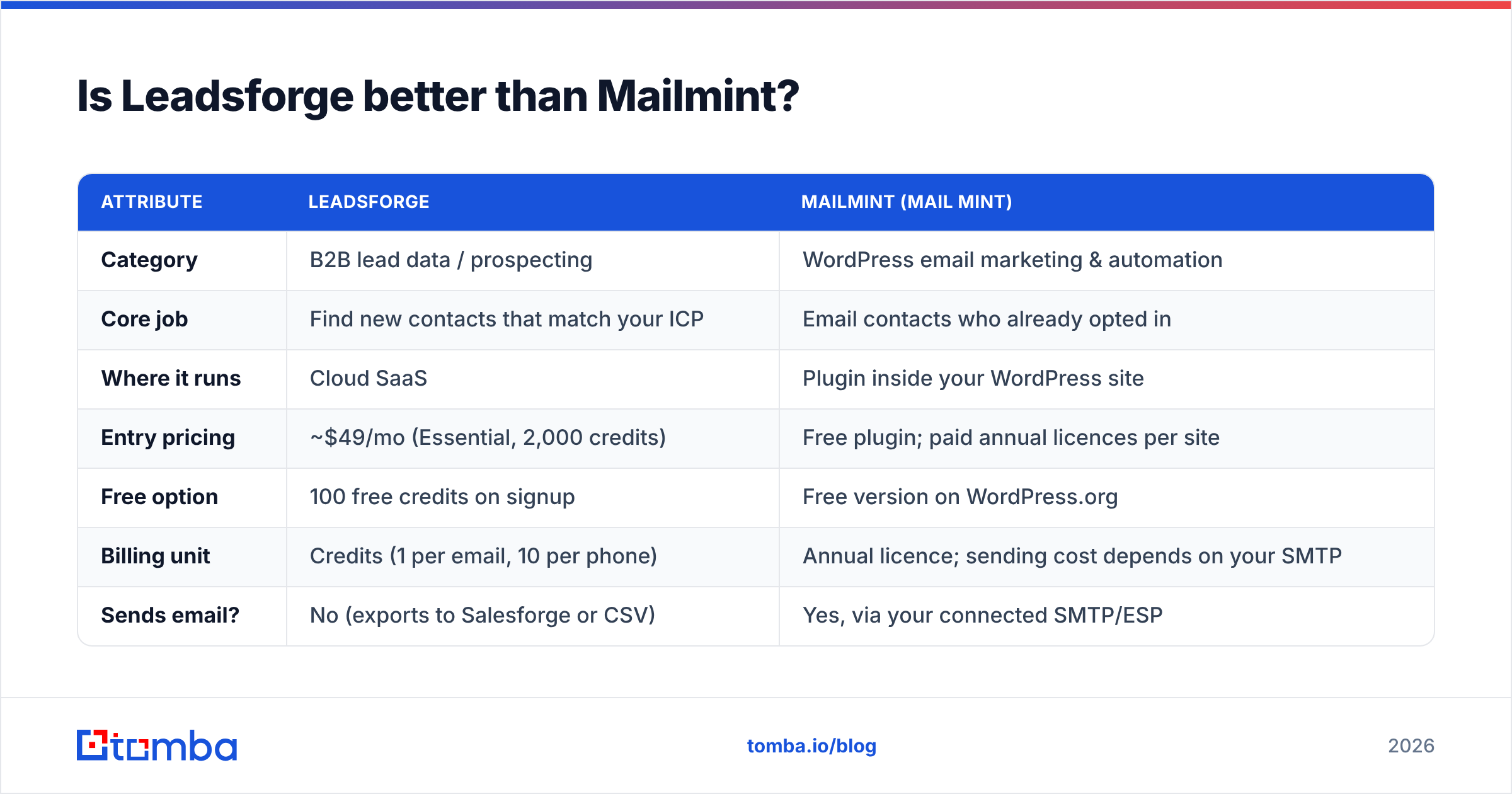
Here is the side-by-side on the attributes that matter:
| Attribute | Leadsforge | Mailmint (Mail Mint) |
|---|---|---|
| Category | B2B lead data / prospecting | WordPress email marketing & automation |
| Core job | Find new contacts that match your ICP | Email contacts who already opted in |
| Where it runs | Cloud SaaS | Plugin inside your WordPress site |
| Entry pricing | ~$49/mo (Essential, 2,000 credits) | Free plugin; paid annual licences per site |
| Free option | 100 free credits on signup | Free version on WordPress.org |
| Billing unit | Credits (1 per email, 10 per phone) | Annual licence; sending cost depends on your SMTP |
| Sends email? | No (exports to Salesforge or CSV) | Yes, via your connected SMTP/ESP |
| Finds email addresses? | Yes | No |
| Best for | SDRs, founders doing outbound, agencies | WordPress publishers, WooCommerce stores, inbound B2B |
| Main risk | Data freshness and bounce rate on exports | Deliverability if you import non-opted-in lists |
Pricing reflects public information at the time of writing. Check the vendors' own pages for current tiers, because both change plans fairly often.

How does Leadsforge pricing compare to Mailmint pricing?#
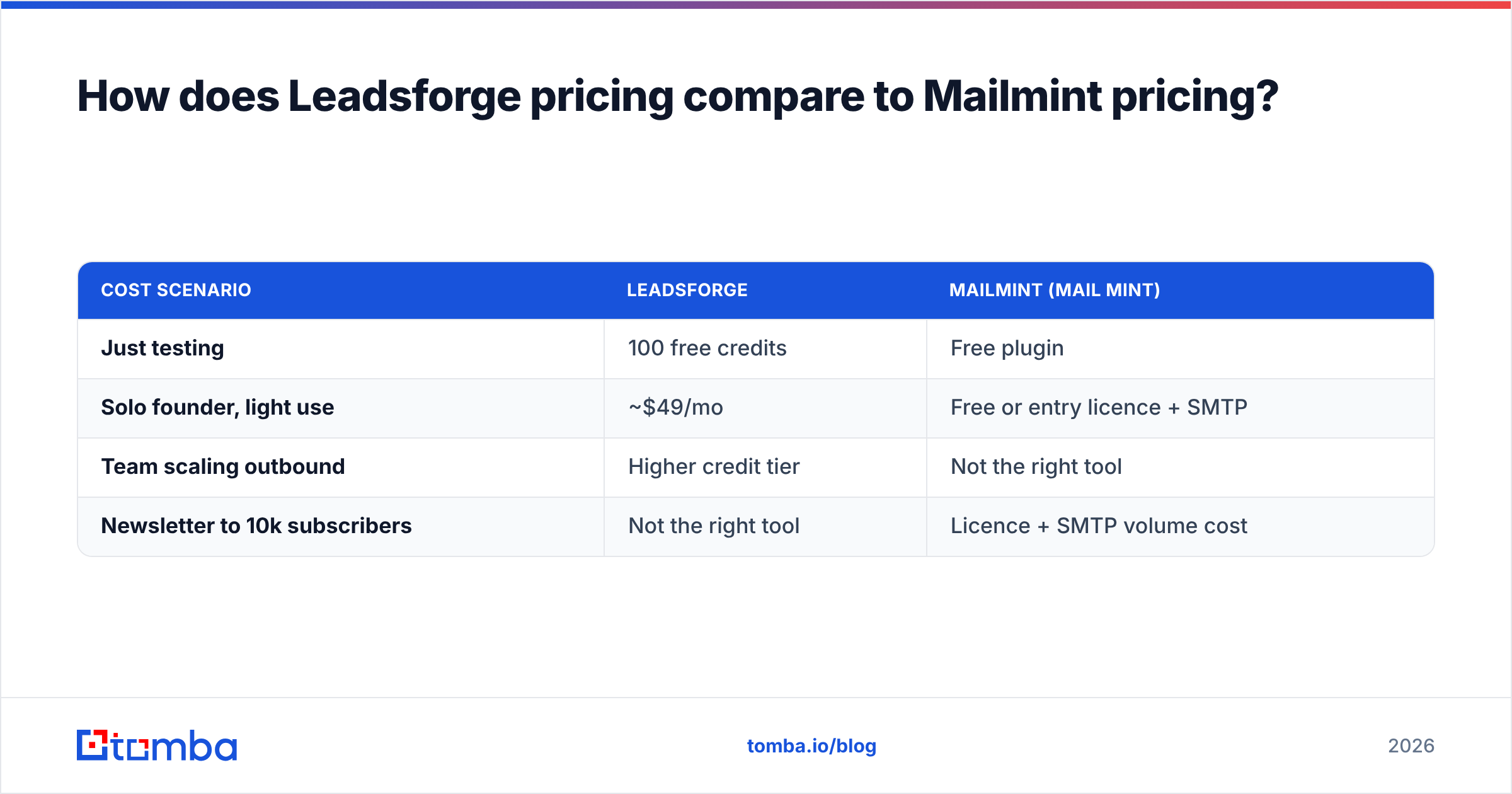
The two pricing models answer different questions. Leadsforge prices how many contacts you can pull each month. Mail Mint prices how many websites you can run it on.
Leadsforge uses credit tiers. According to the public Leadsforge pricing page:
- 100 free credits on signup to test data quality
- Essential at roughly $49/mo with 2,000 credits
- Higher tiers for more credits, plus in-app top-ups
- Credits don't expire
- Annual billing saves about 14% and loads the credits upfront
At 1 credit per email, $49 buys up to about 2,000 email lookups a month, or roughly $0.025 per contact before verification. Phone numbers cost ten times as much, so a mobile-heavy list eats credits fast.
Mail Mint has a genuinely usable free plugin with the core campaign and automation features. The paid version unlocks advanced automations, A/B testing, extra triggers and more templates, and it's sold as an annual licence based on site count. Published prices have moved around, with single-site Pro licences reported between roughly $79 and $150/year, so confirm on the WPFunnels site before you budget.
The cost people forget with Mail Mint is sending. Because it's self-hosted, you pay separately for SMTP or a transactional email service (Amazon SES, Postmark, SendGrid and so on), and you're responsible for authentication: SPF, DKIM and DMARC. Mail Mint is cheap software, but deliverability is your job.
| Cost scenario | Leadsforge | Mailmint (Mail Mint) |
|---|---|---|
| Just testing | 100 free credits | Free plugin |
| Solo founder, light use | ~$49/mo | Free or entry licence + SMTP |
| Team scaling outbound | Higher credit tier | Not the right tool |
| Newsletter to 10k subscribers | Not the right tool | Licence + SMTP volume cost |
Which use cases favour Leadsforge?#
Choose Leadsforge when the list you need doesn't exist yet.
- Cold outbound from zero. You're launching a new product or segment and need 1,000 relevant decision-makers with emails this week.
- Agencies building prospect lists for clients. The chat-style ICP input makes it quick to spin up lists for different verticals.
- Teams already on Salesforge. The native export into sequences removes a CSV round-trip.
- Testing new markets. Credits roll over, so you can run small list experiments without losing budget at month-end.
What Leadsforge won't do: host your newsletter, send transactional email, run WooCommerce follow-ups, or keep a compliant subscriber list for marketing. It gives you raw prospect data, and you still have to decide how to contact those people responsibly.
Which use cases favour Mailmint?#
Choose Mail Mint when your audience is already coming to you.
- B2B content sites and SaaS blogs on WordPress that capture subscribers through forms and lead magnets and want drip sequences without paying HubSpot or ActiveCampaign prices.
- WooCommerce stores that need abandoned-cart flows, post-purchase follow-ups and branded order emails.
- Privacy-conscious teams who want contact data stored on their own server rather than a third-party SaaS.
- Budget-sensitive marketers who find per-contact SaaS email pricing expensive as the list grows.
What Mail Mint won't do: find prospects, enrich contacts or verify addresses. It sends to whatever is in its database, so the quality of that database decides your inbox placement.
Can you use Leadsforge and Mailmint together?#
Yes, and it's the most common setup when a team ends up with both. The workflow has to respect one boundary, though: cold contacts go through a cold-email tool, and opted-in contacts go through a marketing tool. Mixing the two is how domains get burned.
A clean stack looks like this:
- Source. Build the ICP list in Leadsforge, or another source such as a domain search for target accounts.
- Verify. Run every address through an email verifier before sending anything. Remove invalid addresses, flag catch-alls, and handle risky ones separately.
- Outbound. Send from a dedicated cold-email tool (Salesforge, Instantly, Smartlead and similar) on separate warmed-up sending domains, not your main marketing domain.
- Convert. When a prospect replies, books a demo or downloads a resource, they have a relationship with you and have given consent. That's when they belong in Mail Mint.
- Nurture. Mail Mint takes over with newsletters, product updates and onboarding sequences sent from your primary domain.
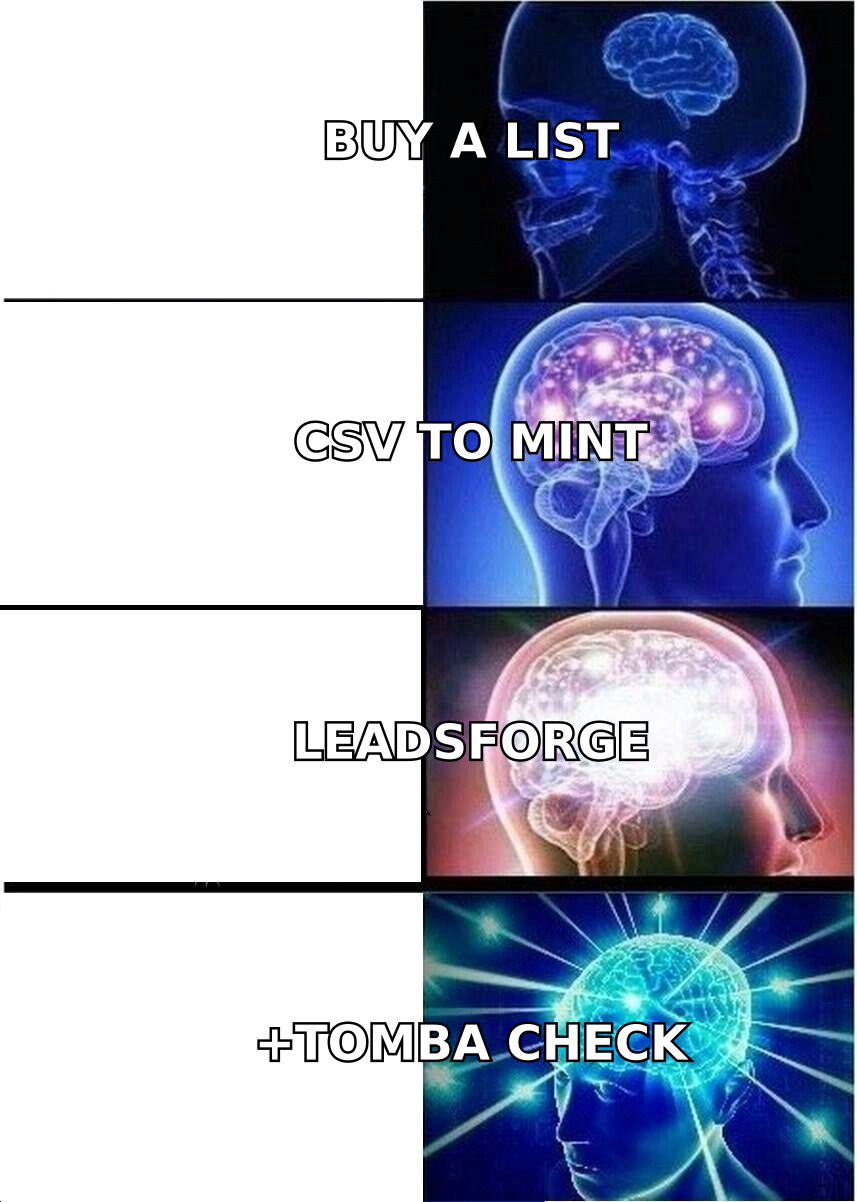
The mistake to avoid is exporting a Leadsforge CSV and importing it straight into Mail Mint as a "list". You'd be sending unsolicited bulk email from your main domain through a marketing plugin that has no cold-email safeguards: no inbox rotation, no per-mailbox throttling, no warmup. Bounces and spam complaints pile up on your primary domain's sender reputation, and your real subscribers stop seeing your newsletter.
How accurate is Leadsforge data, and why does verification matter?#
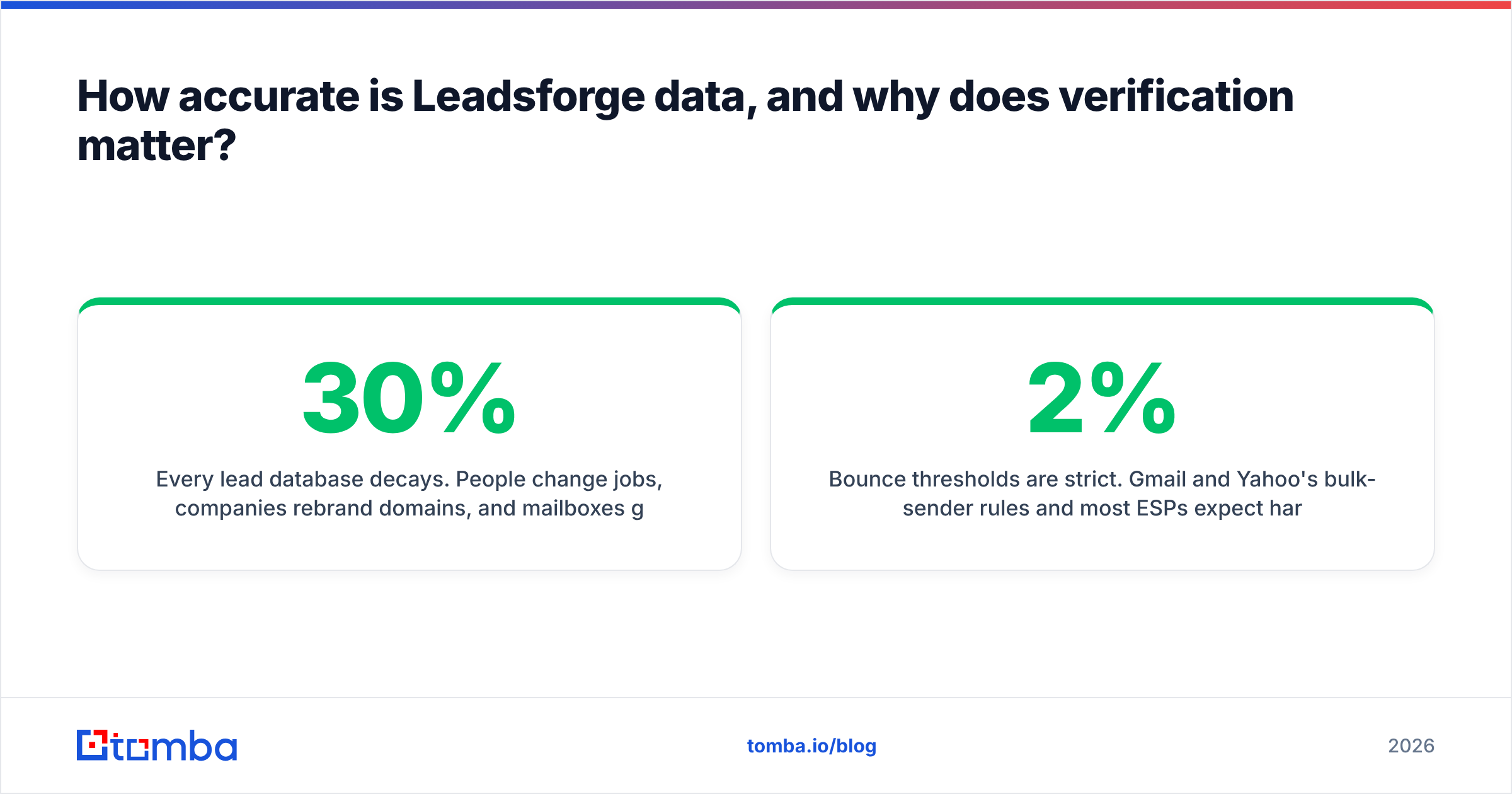
Every lead database decays. People change jobs, companies rebrand domains, and mailboxes get shut down. Industry estimates for B2B contact decay commonly land in the 20–30% per year range, so any static export is partly stale by the time you use it. Leadsforge is no exception. Its data is useful, but you shouldn't treat any vendor's "verified" label as permission to skip your own check right before a send.
Why the check matters more than the source:
- Bounce thresholds are strict. Gmail and Yahoo's bulk-sender rules and most ESPs expect hard bounces well under 2%, and cold-email practitioners aim for under 1%.
- Catch-all domains hide risk. Many mid-market and enterprise domains accept every address at the SMTP level, so a basic check reports "valid" for mailboxes that don't exist.
- Time decay is real. An address that verified when you exported it can bounce six weeks later.
A second pass through a dedicated verifier (and a catch-all check for accept-all domains) usually costs a fraction of a cent per address. That's cheap insurance for a domain you spent months warming. HubSpot's email deliverability guidance makes the same point: list hygiene is the lever you control most directly.
What are the pros and cons of each tool?#
Leadsforge: pros
- Fast ICP-to-list workflow through natural-language prompts
- Credits roll over month to month
- 100 free credits to test before paying
- Native path into Salesforge sequences
Leadsforge: cons
- Phone numbers cost 10x email credits
- Data still needs independent verification before sending
- Most useful if you also adopt a cold-email sender; on its own it's a list exporter
Mailmint (Mail Mint): pros
- Capable free version for WordPress sites
- Deep WooCommerce integration
- Contacts stored in your own database
- Annual licensing, not per-contact SaaS pricing
Mailmint (Mail Mint): cons
- WordPress-only
- You own deliverability: SMTP setup, authentication and reputation
- Not designed for cold outreach, and it has no prospecting or enrichment features
Leadsforge vs Mailmint: which should you choose?#
Start from what's missing in your pipeline:
- "I don't have enough people to talk to." You need a data tool. Leadsforge fits, as does any reputable email finder. Pair it with a verification step and a proper cold-email sender.
- "I have subscribers and customers but no follow-up system." You need Mail Mint, or a similar marketing automation tool if you're not on WordPress.
- "I have both problems." Use both, keep them in separate lanes, and move contacts from outbound to Mail Mint only after they opt in.
If your budget only covers one right now, fix the bigger bottleneck. Early-stage B2B companies with no audience almost always need prospect data first. Companies with steady inbound traffic usually get more from a nurture system than from buying more contacts.
How does Tomba fit in the Leadsforge vs Mailmint stack?#
Tomba sits between the two. If Leadsforge is the net and Mail Mint is the fridge, Tomba is the quality check in between. Its email finder returns professional addresses from a name plus a company or domain. Its verifier and catch-all checks clean lists from any source before they touch a sending domain. Teams use it to fill gaps in exports from other tools, to find the right contact at a specific account, or as their main data layer instead of a chat-based list builder.
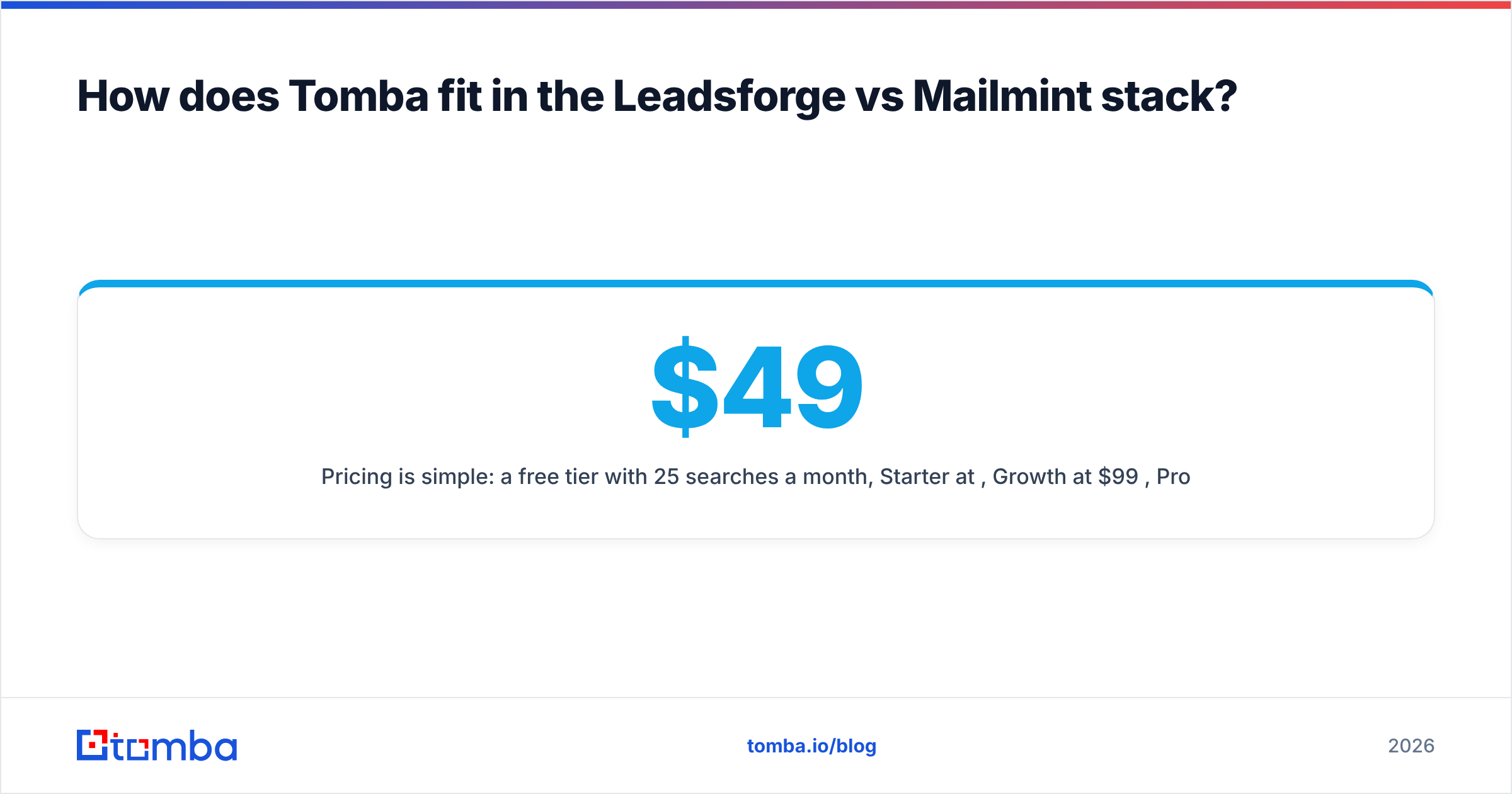
Pricing is simple: a free tier with 25 searches a month, Starter at $49/mo, Growth at $99/mo, Pro at $249/mo, and custom Enterprise plans. The full breakdown is on the Tomba pricing page.
If you're comparing Leadsforge and Mailmint because you need contacts you can actually reach, start there. Look up the decision-makers at your target accounts with Tomba Email Finder, verify them in the same workflow, and give your outbound tool a list clean enough to protect your domain. That keeps Mail Mint for people who asked to hear from you, which is the job it was built for.
Related guides#
// get started
Find, verify and enrich your first contacts today
Start on the free plan with 25 searches a month, then scale when your team is ready.
Free plan · No credit card required · GDPR & CCPA
// about the author