Leadsforge vs NinjaPear: AI Lead Lists or Company Intel API?
Leadsforge builds lead lists from a chat prompt. NinjaPear returns a company's customers, competitors and investors through an API. We compare the two on data, pricing and workflow fit, and show you where each one falls short.
TL;DR
- Leadsforge is an AI lead search engine. You describe your ICP in plain English and it returns a contact list you can export. It fits SDRs and founders who want people to email this week.
- NinjaPear is a developer-first B2B data API from Nubela. It tells you who a company's customers, competitors, investors and partners are. It fits RevOps teams, data engineers and anyone building account lists programmatically.
- Leadsforge pricing is simple: $49/mo for 2,000 credits, and the credits don't expire. NinjaPear uses per-endpoint credits, with subscription and pay-as-you-go options. Read the commitment terms before you sign.
- The two tools answer different questions. Leadsforge answers "who should I email?" and NinjaPear answers "which companies should I target, and why?". Many teams will want both plus a separate email finder and verifier.
- Our pick: choose Leadsforge if you need contacts fast without code. Choose NinjaPear if account intelligence is your bottleneck and you have engineering time to spend on it.
What is Leadsforge?#
Leadsforge is part of the Forge product family, alongside Salesforge, Mailforge and Warmforge. It works like a chat interface on top of a B2B contact database. You type something like "Series A fintech companies in the UK with a Head of Finance hired in the last six months" and it builds a list for you.
According to Leadsforge's pricing page, the database holds more than 500 million contacts. You can search it in several ways:
- Natural-language prompts. You describe the ICP and the AI converts it into filters.
- Buying signals. Leadsforge lists five signal filters, including hiring and funding activity.
- Competitor followers. You can pull people who engage with a competitor's social presence.
- Local company search. This is useful for SMB-heavy verticals such as agencies, clinics and trades.
Before you export a list, Leadsforge shows how many credits the export will cost. The cost depends on list size and how much enrichment you ask for. Pricing is $49/mo for 2,000 credits, or $588/yr for 28,000 credits granted upfront. There is no per-seat charge, and new accounts get 100 free credits to test with. Unused credits roll over, which is uncommon in this category.
The main advantage is speed. You can go from a vague idea of your ICP to a sequence-ready CSV without learning a filter UI or writing a query.
What is NinjaPear?#
NinjaPear is a B2B data API built by Nubela, the team formerly behind Proxycurl. It isn't a people-search tool. Its flagship endpoint, announced in Nubela's launch post, is the Customer Listing API. You pass in a company and get back its known customers, investors and partners.
Nubela added a Competitor Listing API after launch. You send a target company's website and get back a list of competitor websites, along with the reason each one competes. The NinjaPear docs also cover company data, person profiles and monitoring endpoints.
Here's where NinjaPear helps in practice:
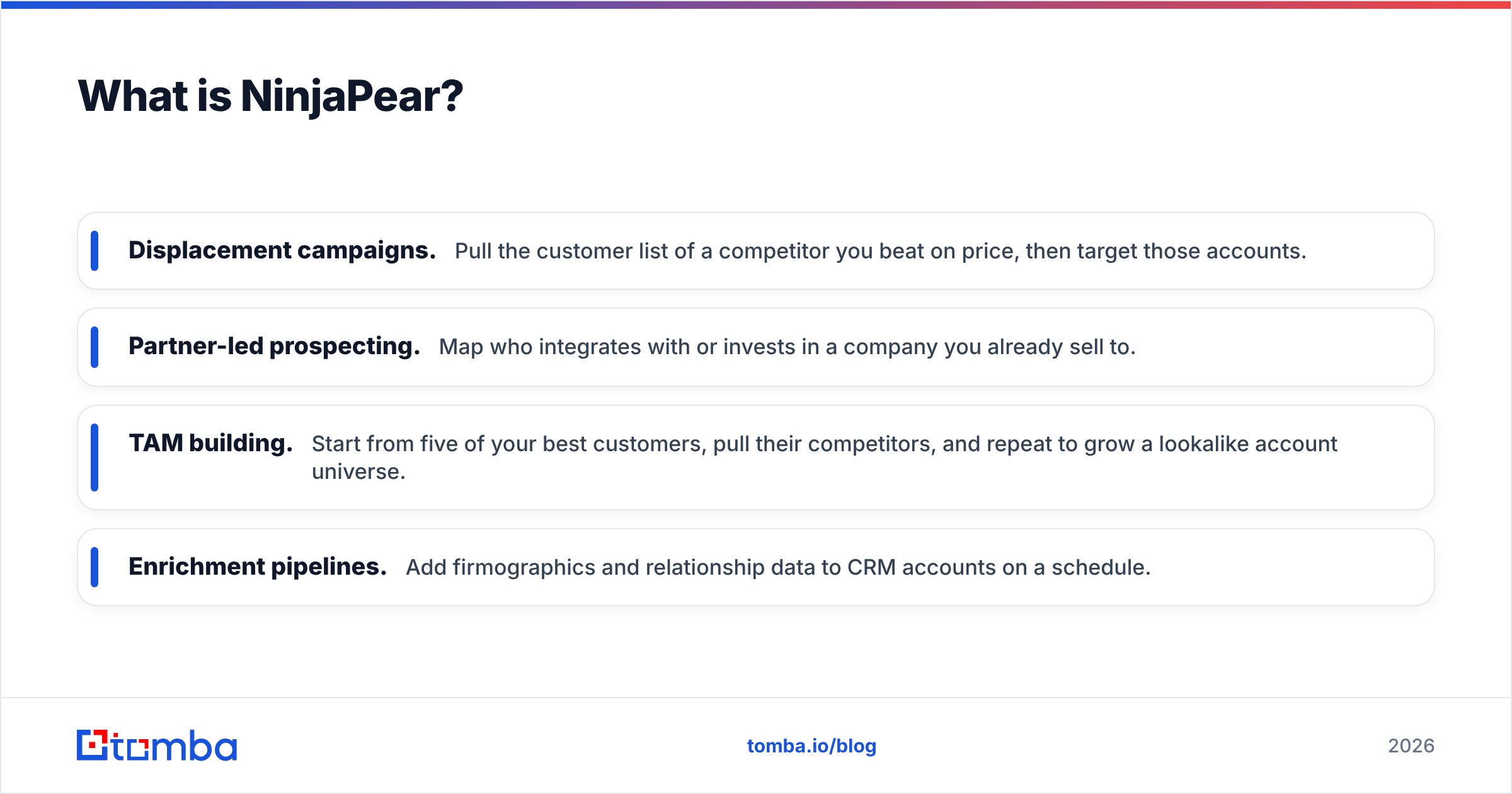
- Displacement campaigns. Pull the customer list of a competitor you beat on price, then target those accounts.
- Partner-led prospecting. Map who integrates with or invests in a company you already sell to.
- TAM building. Start from five of your best customers, pull their competitors, and repeat to grow a lookalike account universe.
- Enrichment pipelines. Add firmographics and relationship data to CRM accounts on a schedule.
Pricing is credit-based and varies by endpoint. The Competitor API, for example, costs 2 credits per competitor returned, with a 5-credit minimum per call. There is a free tier. Subscription plans give a lower per-credit rate, but those credits expire at the end of each billing cycle. Pay-as-you-go credits cost more and stay valid for 18 months. Several third-party reviews report that subscription plans come with a 12-month commitment, so confirm the contract terms with Nubela before you pick a "monthly" plan.

How do Leadsforge and NinjaPear compare side by side?#
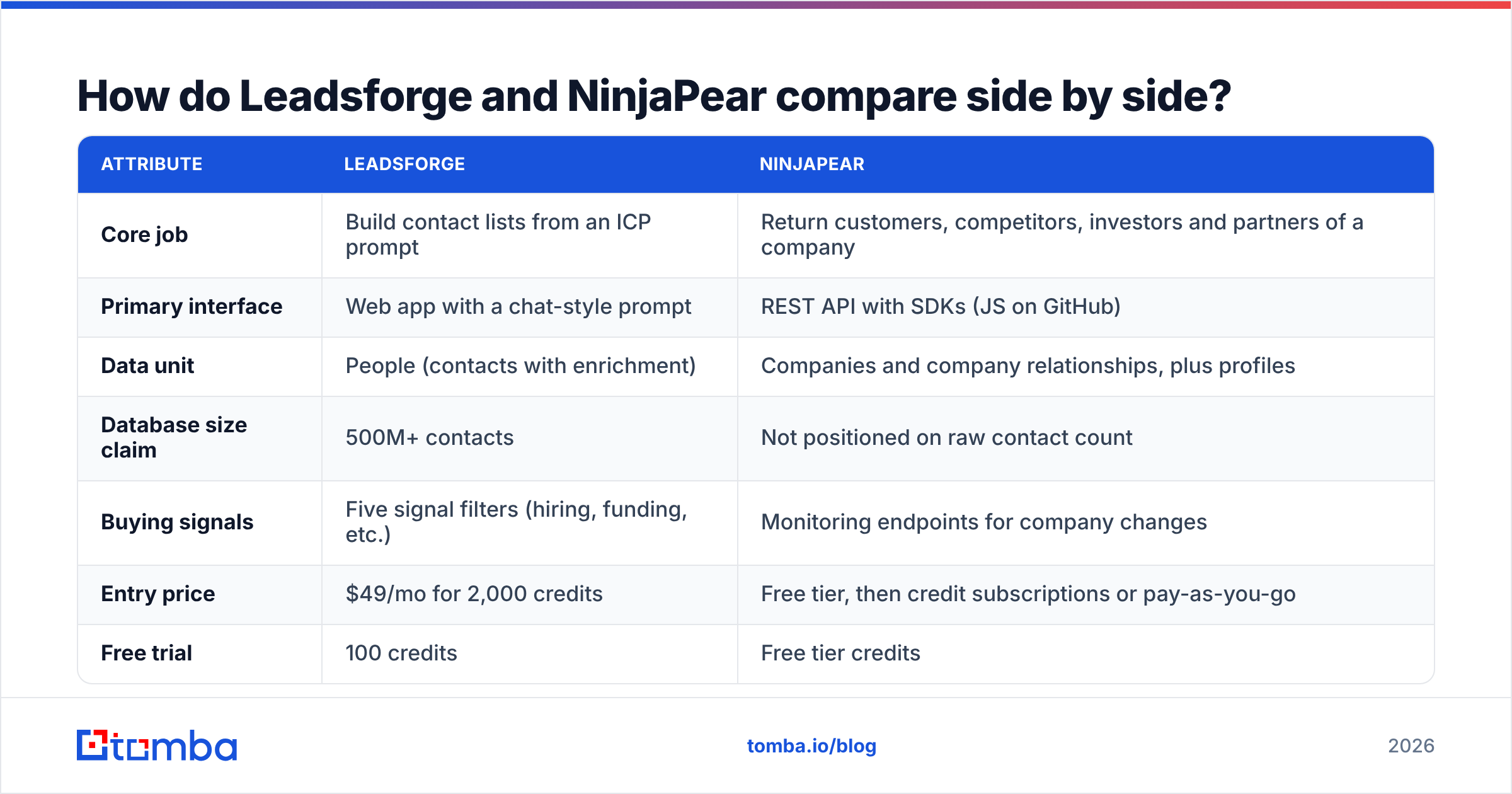
The two tools overlap less than their marketing suggests. Leadsforge is built around people and NinjaPear is built around relationships between companies.
| Attribute | Leadsforge | NinjaPear |
|---|---|---|
| Core job | Build contact lists from an ICP prompt | Return customers, competitors, investors and partners of a company |
| Primary interface | Web app with a chat-style prompt | REST API with SDKs (JS on GitHub) |
| Data unit | People (contacts with enrichment) | Companies and company relationships, plus profiles |
| Database size claim | 500M+ contacts | Not positioned on raw contact count |
| Buying signals | Five signal filters (hiring, funding, etc.) | Monitoring endpoints for company changes |
| Entry price | $49/mo for 2,000 credits | Free tier, then credit subscriptions or pay-as-you-go |
| Free trial | 100 credits | Free tier credits |
| Credit expiry | Credits roll over | Subscription credits expire each cycle; PAYG valid 18 months |
| Commitment | Monthly or annual | Reported 12-month terms on subscriptions; verify |
| Best for | SDRs, founders, agencies | RevOps, data teams, product builders |
| Code required | No | Yes, for anything beyond testing |
| Native sequencing | Pairs with Salesforge | None, since it's a data layer |
If you're comparing on price per record, don't compare one Leadsforge credit to one NinjaPear credit. A Leadsforge credit buys a contact row. A NinjaPear credit buys part of an answer about a company, such as one competitor or one customer relationship. The units measure different things.
Which workflow does each tool actually fit?#
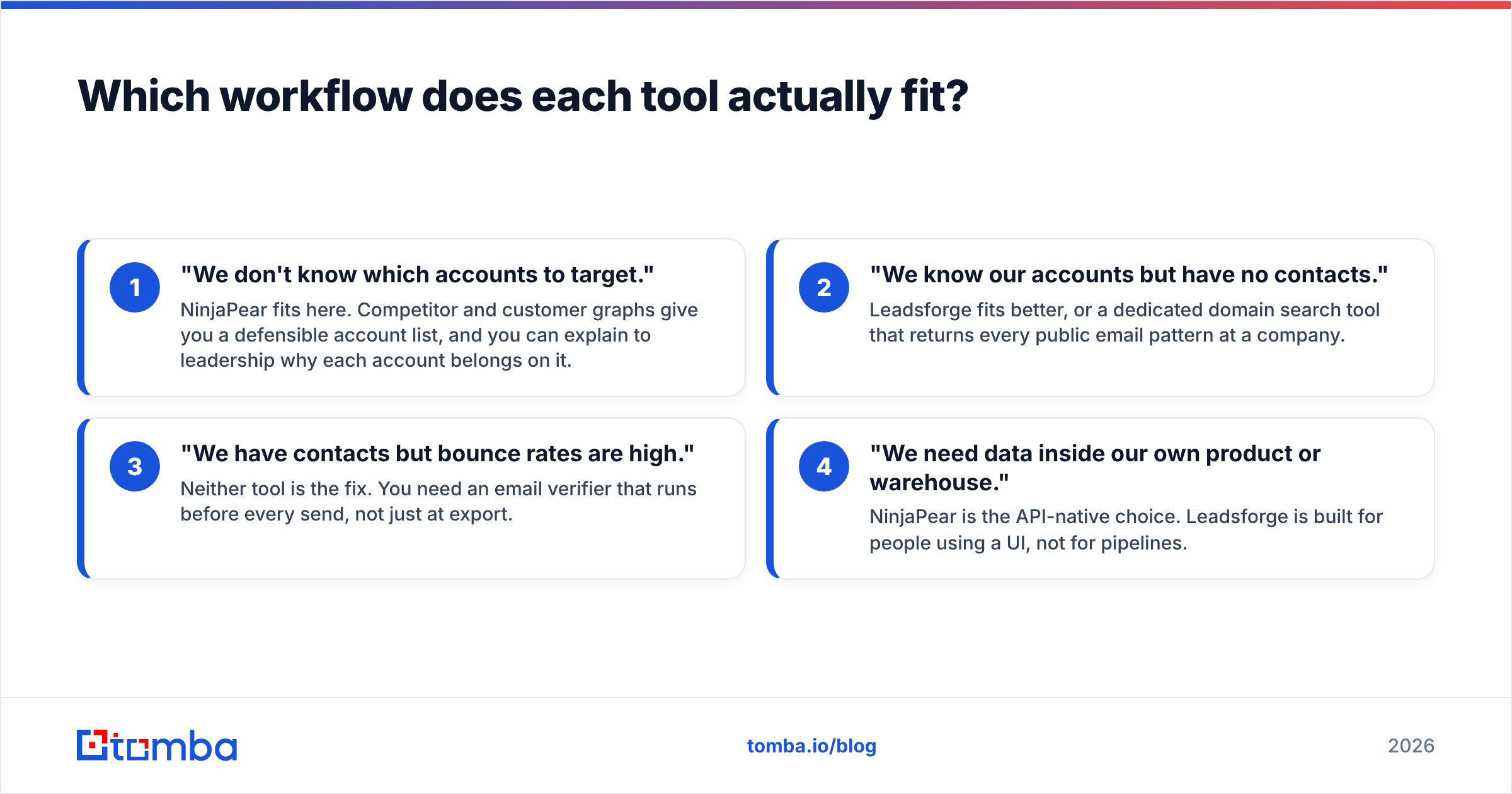
Map the tool to the first question your team can't answer today. Here are four common starting points:
- "We don't know which accounts to target." NinjaPear fits here. Competitor and customer graphs give you a defensible account list, and you can explain to leadership why each account belongs on it.
- "We know our accounts but have no contacts." Leadsforge fits better, or a dedicated domain search tool that returns every public email pattern at a company.
- "We have contacts but bounce rates are high." Neither tool is the fix. You need an email verifier that runs before every send, not just at export.
- "We need data inside our own product or warehouse." NinjaPear is the API-native choice. Leadsforge is built for people using a UI, not for pipelines.
Teams often skip the second step. They buy an account-intelligence API, get 400 well-chosen target companies, and then have no fast way to reach a named person at each one. NinjaPear's person profile endpoints help, but it isn't built mainly as a work-email finder. If email is your channel, plan for that layer separately.
Is Leadsforge better than NinjaPear for cold email?#
For cold email specifically, Leadsforge is the more direct tool. Its output is a list of people, so you can load it into a sequencer the same afternoon. It also connects to Salesforge, which removes one CSV handoff.
Leadsforge has a few limits you should plan around:
- Prompt ambiguity. "Marketing leaders at mid-market SaaS" means different things to you and to the model. Check the generated filters before you spend credits on an export.
- Enrichment depth varies. How complete each row is depends on the enrichment level you pay for. Spot-check 20 rows before exporting 2,000.
- Verification is still your job. Any database-sourced email list decays, and B2B contact data is widely estimated to go stale at a rate of 20-30% per year. Re-verify anything older than a few weeks before it goes into a sequence.
NinjaPear doesn't hand you a sequence-ready list. What it gives you is a better reason to email: "I noticed you work with [Competitor X]..." is a stronger opener than generic personalization, and NinjaPear is one of the few APIs that can supply that relationship at scale.
So Leadsforge is better for getting cold email volume out the door. NinjaPear is better for making each email relevant. You can use both.
Is NinjaPear worth it if you're not technical?#
Probably not as your only tool. NinjaPear is API-first. You can test endpoints and there are client libraries, but getting real value means writing code: scheduled jobs, deduplication, CRM writes and credit monitoring. If nobody on your team can own a small script or a Make/Zapier flow, the data will sit unused.
Pricing is the other thing to check. Subscription credits that expire each cycle work for steady, predictable usage. Most outbound teams use data in bursts, such as a big pull at the start of a quarter and a lighter one after. For bursty usage, the 18-month pay-as-you-go credits may cost less overall even though the per-credit price is higher. Model your usage for three months before you commit, and ask directly about term length and early-cancellation terms.
Leadsforge avoids most of this. There's no code and credits roll over. The entry tier costs about as much as one lunch meeting.

What are the pros and cons of each?#
Leadsforge pros
- Natural-language ICP search is fast and needs no training
- Credits don't expire, and there's no per-seat pricing
- Buying-signal and competitor-follower filters add intent context
- Integrates with the rest of the Forge stack for sending and warmup
Leadsforge cons
- Only as precise as your prompt, so you need to review the filters
- Not built for programmatic or warehouse workflows
- Export cost depends on enrichment level, so budgets can drift
NinjaPear pros
- Customer and competitor graphs are rare data that most contact databases don't have
- Clean API, SDKs and per-endpoint pricing
- Pay-as-you-go credits last 18 months
- Strong for ABM, displacement plays and TAM modelling
NinjaPear cons
- Needs engineering time to get real value
- Subscription credits expire each billing cycle
- Reported annual commitment terms; confirm before you buy
- Not mainly a work-email finder, so you'll need a separate contact layer
Where does an email finder fit alongside these tools?#
Both tools leave the same gap: going from a target account or a name to a deliverable email address you can trust. Leadsforge fills part of it for contacts in its own database. NinjaPear mostly leaves it to you.
A dedicated email finder takes a name and a domain and returns the most likely work address, with a confidence score and the public sources behind it. In practice you can build a pipeline like this:
- Pull competitor customers from NinjaPear and get a list of company domains.
- Run a domain search on each domain to see known contacts and the company's email pattern.
- Find emails for the specific roles you care about.
- Verify every address before it goes into a sequence.
If you're scripting this, the Tomba API covers the email-finding and verification steps, so NinjaPear's output can feed straight into a send-ready list without anyone copying and pasting. Tomba's Free tier includes 25 searches a month for testing, and paid plans run from Starter at $49/mo to Growth at $99/mo and Pro at $249/mo.
Leadsforge vs NinjaPear: which should you pick?#
Pick Leadsforge if:
- You're an SDR, founder or agency that needs contact lists this week
- Nobody on the team writes code
- You want credits that don't expire and no per-seat pricing
- You already use Salesforge or plan to
Pick NinjaPear if:
- Your bottleneck is account selection, not contact volume
- You run displacement, partner-led or ABM motions
- You have engineering or RevOps capacity to own an API integration
- You want relationship data inside your warehouse or product
Pick both if you run a proper account-based outbound program. Use NinjaPear to choose the accounts and Leadsforge to fill in the people. Neither tool is best at finding and verifying one specific person's work email, so budget for that layer too.
If NinjaPear or Leadsforge gives you the right accounts but your team still has to hunt down the address of the actual decision-maker, try Tomba Email Finder. Enter a name and a company domain and you get a verified work email with its sources, from the web app, the Chrome extension or the API. The Free plan includes 25 searches a month, so you can check how it performs on your own target accounts before you pay anything.
Related guides#
// get started
Find, verify and enrich your first contacts today
Start on the free plan with 25 searches a month, then scale when your team is ready.
Free plan · No credit card required · GDPR & CCPA
// about the author