Leadsforge vs Postaga (2026): Which Outreach Tool Fits Your Team?
Leadsforge builds AI-generated B2B lead lists. Postaga finds link-building and PR opportunities, then runs the outreach. Here is how they compare on data, workflow, pricing and fit, and which one you should pick.
TL;DR
- Leadsforge is an AI lead-generation tool. You describe your ideal customer in plain English and get back a list of verified B2B contacts. It suits sales teams that run cold outbound.
- Postaga is an outreach platform built for SEO, PR and content marketers. It finds link-building, guest-post and podcast opportunities, finds a contact at each one, and sends personalized sequences.
- The two barely overlap. Leadsforge answers "who should I sell to?" and Postaga answers "who should link to or feature my content?"
- Our pick: choose Leadsforge if pipeline and meetings are your KPI. Choose Postaga if backlinks, mentions and guest spots are your KPI. Either way, add an independent email verification step before you send.
- Pricing on both is credit- or tier-based and changes often, so check the official pricing pages before you commit. The ranges below are indicative for 2026.
What is the real difference between Leadsforge and Postaga?#
People compare these two because both help you "find people and email them." Once you look past that, they are built for different jobs.
Leadsforge (leadsforge.ai) belongs to the Forge product family, next to Salesforge (sequencing), Warmforge (warmup) and Infraforge (sending infrastructure). Its main feature is a chat-style search. You type something like "Heads of RevOps at US SaaS companies with 50–200 employees that use HubSpot," and it builds a filtered list of contacts with emails and, depending on your plan and credits, phone numbers and firmographic enrichment. The output is a lead list that you push into a sequencer.
Postaga (postaga.com) starts from a content goal. You choose a campaign type, such as link building, guest posting, broken-link outreach, podcast booking or local business outreach, and give it a URL or topic. It then pulls relevant websites and articles, identifies the likely contact at each one, helps you write personalized emails (AI-assisted), and runs follow-up sequences from your own Gmail or Outlook inbox. The output is a set of conversations with editors, bloggers and podcast hosts.
Put simply, Leadsforge is like a recruiter who hands you a shortlist of buyers. Postaga is like a publicist who finds the right journalists and helps you pitch them.
How do Leadsforge and Postaga work, step by step?#
Both tools have five stages, but each stage does a different job. This is what a typical campaign looks like in each:
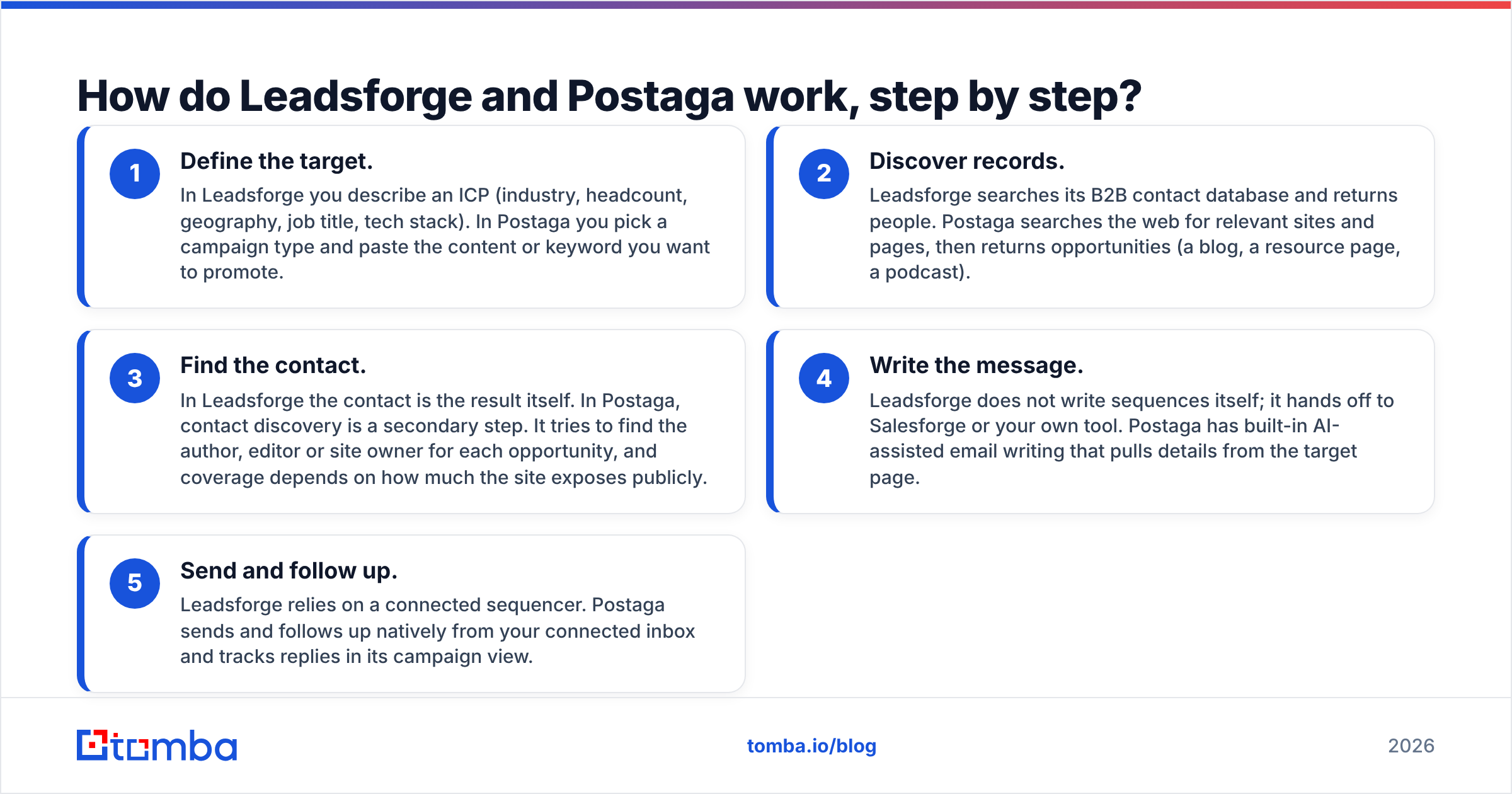
- Define the target. In Leadsforge you describe an ICP (industry, headcount, geography, job title, tech stack). In Postaga you pick a campaign type and paste the content or keyword you want to promote.
- Discover records. Leadsforge searches its B2B contact database and returns people. Postaga searches the web for relevant sites and pages, then returns opportunities (a blog, a resource page, a podcast).
- Find the contact. In Leadsforge the contact is the result itself. In Postaga, contact discovery is a secondary step. It tries to find the author, editor or site owner for each opportunity, and coverage depends on how much the site exposes publicly.
- Write the message. Leadsforge does not write sequences itself; it hands off to Salesforge or your own tool. Postaga has built-in AI-assisted email writing that pulls details from the target page.
- Send and follow up. Leadsforge relies on a connected sequencer. Postaga sends and follows up natively from your connected inbox and tracks replies in its campaign view.
Stage 3 is where the two differ most. When Leadsforge returns a record, you already have the contact. Postaga has to work out the contact for a site it just discovered, and that is where you will see the most "no email found" or guessed addresses.

Leadsforge vs Postaga: how do features and pricing compare?#
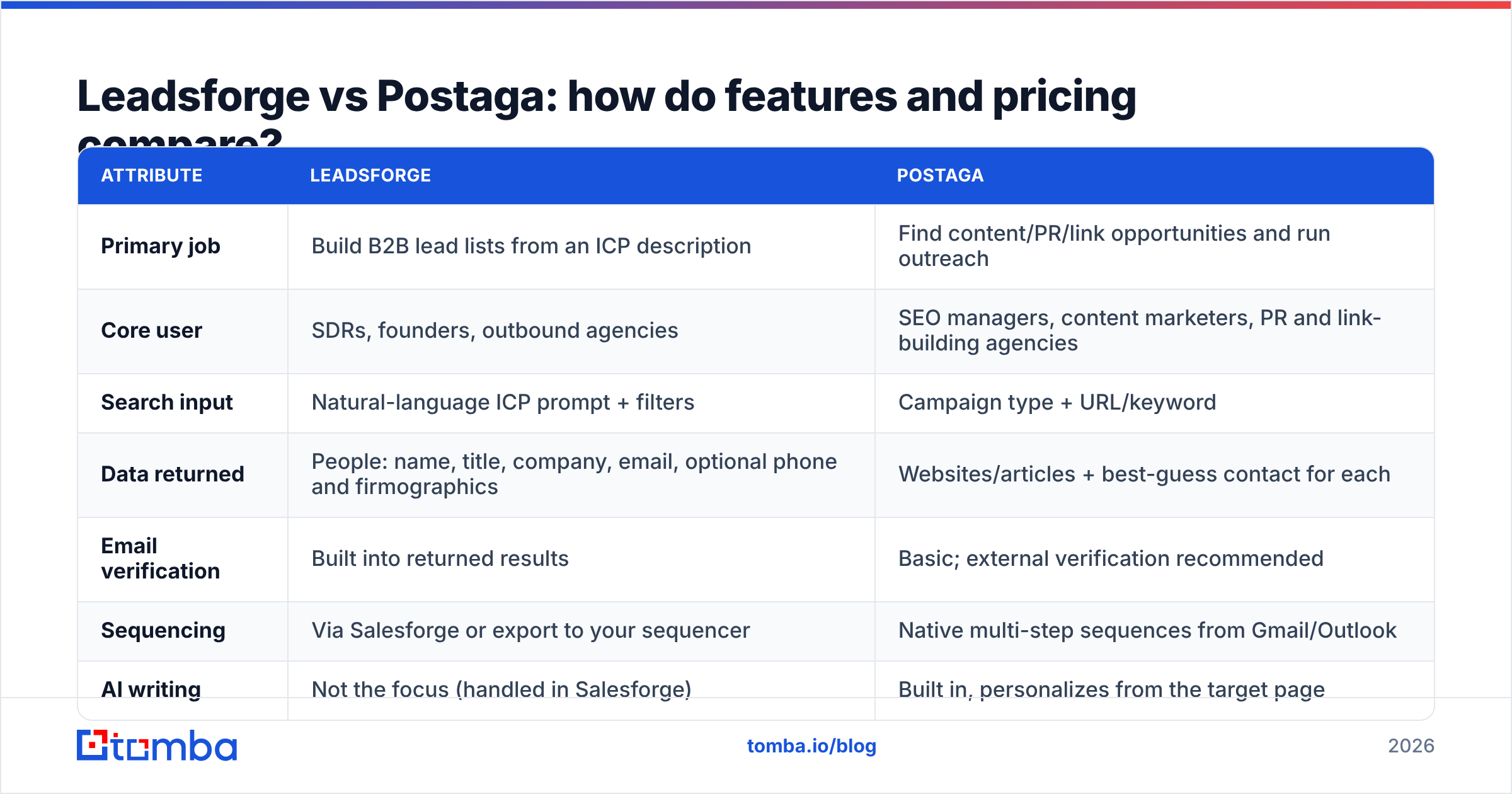
This is the head-to-head. Prices are indicative ranges for 2026, taken from public pricing pages and review sites. Both vendors adjust tiers and credit allowances often, so confirm on their sites.
| Attribute | Leadsforge | Postaga |
|---|---|---|
| Primary job | Build B2B lead lists from an ICP description | Find content/PR/link opportunities and run outreach |
| Core user | SDRs, founders, outbound agencies | SEO managers, content marketers, PR and link-building agencies |
| Search input | Natural-language ICP prompt + filters | Campaign type + URL/keyword |
| Data returned | People: name, title, company, email, optional phone and firmographics | Websites/articles + best-guess contact for each |
| Email verification | Built into returned results | Basic; external verification recommended |
| Sequencing | Via Salesforge or export to your sequencer | Native multi-step sequences from Gmail/Outlook |
| AI writing | Not the focus (handled in Salesforge) | Built in, personalizes from the target page |
| Pricing model | Credit-based subscriptions, entry tiers roughly in the $40–$100/mo range | Seat/tier subscriptions, entry tiers roughly in the $80–$100/mo range, agency tiers higher |
| Free trial | Trial credits available | Free trial available |
| Best integrations | Salesforge, CSV, CRMs | Gmail, Outlook, CSV export |
| Main strength | Fast, filterable lead lists without Boolean search | Handles the whole content-outreach workflow in one app |
| Main weakness | No native sending; you need a second tool | Contact coverage depends on how public each site is |
If you want to see how real users rate them, both have profiles on G2. Reviews for Postaga tend to mention its opportunity discovery and templates. Reviews for Leadsforge tend to mention how quickly you get from a prompt to a usable list.
Is Leadsforge better than Postaga for sales prospecting?#
For classic B2B sales prospecting, yes, and by a wide margin.
Postaga was not built to find a VP of Finance at a 300-person logistics company. Its discovery engine looks for content: pages that rank for a keyword, resource lists, podcasts, blogs. You can get it to surface companies, but you would be fighting the product.
Leadsforge was built for exactly that search. Its advantages for sales teams:
- ICP-first search. A plain-English prompt replaces a dozen filter dropdowns, and you can refine it in conversation.
- Lookalike logic. Start from a customer you like and expand to similar accounts.
- Contact-level data. Every row is a person with a role, not a website.
- Ecosystem handoff. If you already use Salesforge, lists move straight into sequences with warmup and inbox rotation handled elsewhere in the Forge stack.
The catch: Leadsforge is one piece of a stack. If you are not on Salesforge, add an export step to Instantly, Smartlead, Lemlist or your CRM. Also plan for the fact that every B2B database decays. People change jobs, and domains become catch-all. Running your list through an independent email verifier before the first send is cheap insurance for your sender reputation.
Is Postaga better than Leadsforge for link building and PR?#
Yes. If your KPI is referring domains, guest posts or podcast appearances, Postaga is the better fit.
Leadsforge can find "Content Marketing Managers at SaaS companies," but it cannot tell you which of their blogs linked to a competitor last month, which resource page is missing your guide, or which podcast covered your topic recently. Postaga's discovery is built around those signals.
Where Postaga does well:
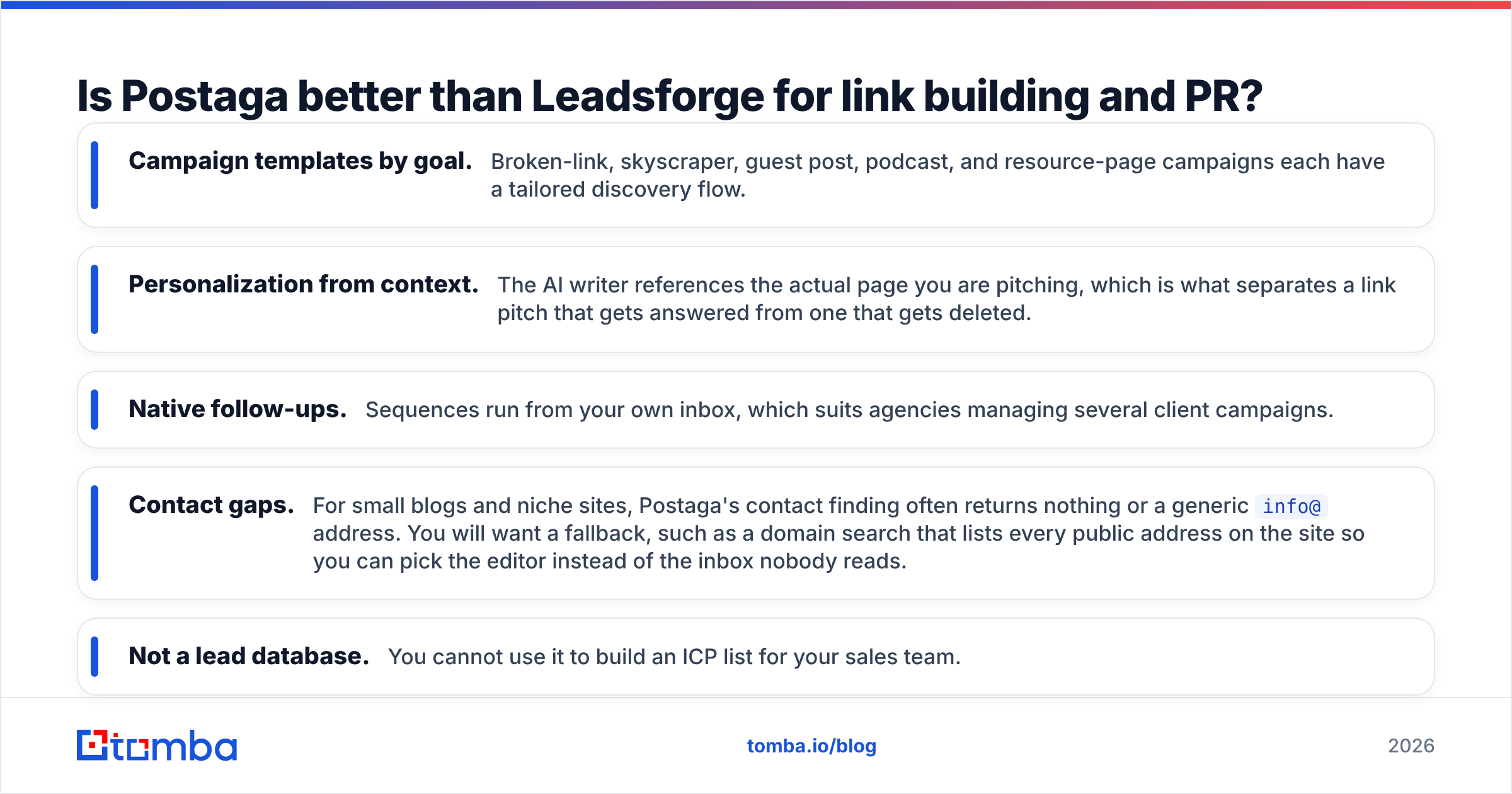
- Campaign templates by goal. Broken-link, skyscraper, guest post, podcast, and resource-page campaigns each have a tailored discovery flow.
- Personalization from context. The AI writer references the actual page you are pitching, which is what separates a link pitch that gets answered from one that gets deleted.
- Native follow-ups. Sequences run from your own inbox, which suits agencies managing several client campaigns.
Where Postaga is weaker:
- Contact gaps. For small blogs and niche sites, Postaga's contact finding often returns nothing or a generic
info@address. You will want a fallback, such as a domain search that lists every public address on the site so you can pick the editor instead of the inbox nobody reads. - Not a lead database. You cannot use it to build an ICP list for your sales team.
Which tool gives you better email data quality?#
It is a different kind of problem for each tool.
Leadsforge returns contacts from a maintained database and verifies them. The quality risk is staleness. Someone who was Head of Growth in March may have left by September. Refreshing lists close to send time and re-verifying reduces this.
Postaga works out contacts on the fly for sites it just discovered. The quality risk is coverage and guessing. On a site that hides its team, the tool may fall back to a pattern-based guess or a role inbox. Pattern guesses on catch-all domains are the classic way bounce rates creep past 5%.
In both cases you should run a separate verification step before sending. The industry benchmark worth watching is bounce rate. Mailbox providers like Google publish sender guidelines that tie spam complaints and authentication to deliverability, and a list full of dead addresses damages the reputation those guidelines protect.

How much do Leadsforge and Postaga really cost?#
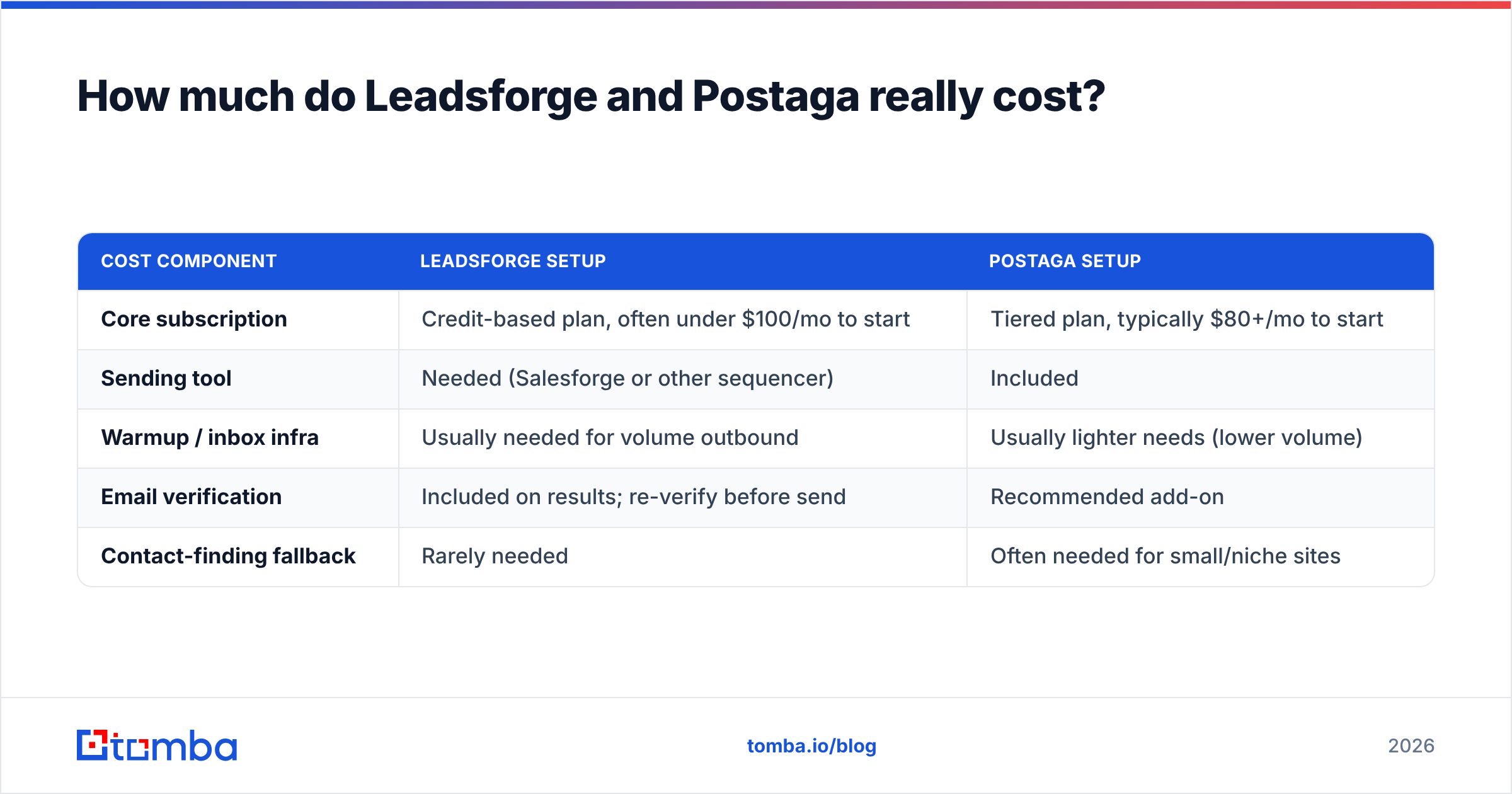
You rarely pay only the sticker price. Here is how the total cost usually works out:
| Cost component | Leadsforge setup | Postaga setup |
|---|---|---|
| Core subscription | Credit-based plan, often under $100/mo to start | Tiered plan, typically $80+/mo to start |
| Sending tool | Needed (Salesforge or other sequencer) | Included |
| Warmup / inbox infra | Usually needed for volume outbound | Usually lighter needs (lower volume) |
| Email verification | Included on results; re-verify before send | Recommended add-on |
| Contact-finding fallback | Rarely needed | Often needed for small/niche sites |
A typical outbound team using Leadsforge ends up paying for Leadsforge plus a sequencer plus warmup. A typical content team using Postaga pays for Postaga plus, sometimes, a separate email finder for the sites Postaga could not crack.
Neither is "cheaper" in general. Compare the cost per booked meeting (Leadsforge) with the cost per live link or feature (Postaga).
Who should choose Leadsforge, and who should choose Postaga?#
Choose Leadsforge if you:
- Run cold outbound to a defined B2B ICP and measure success in meetings and pipeline.
- Already use Salesforge or are happy to export to a sequencer.
- Want list-building to be fast and conversational instead of filter-heavy.
- Send at volume and need contact-level data, not website-level data.
Choose Postaga if you:
- Own SEO, content or PR, and measure success in links, mentions or podcast bookings.
- Want discovery, personalization and follow-ups in one app.
- Run lower-volume, higher-personalization campaigns from your own inbox.
- Manage outreach for multiple clients as an agency.
Consider running both if you are a small marketing-led startup where one person handles sales outbound and content promotion. The tools do not overlap enough to be redundant.
What are the pros and cons of each tool at a glance?#
Leadsforge pros
- Natural-language ICP search is quick to learn.
- Contact-level results with verification built in.
- Fits neatly into the Forge outbound stack.
Leadsforge cons
- No native sequencing; you need a second tool.
- Database decay means you should refresh and re-verify.
- Credit consumption can be hard to forecast on large pulls.
Postaga pros
- Purpose-built for link building, guest posts and podcast outreach.
- AI personalization grounded in the target page.
- Native sequences and follow-ups.
Postaga cons
- Contact coverage is inconsistent on smaller sites.
- Not usable as a B2B sales lead database.
- Entry price is higher if you only need occasional campaigns.
Where does an email finder fit next to either tool?#
Whichever tool you pick, the weak spot is the same: the moment between "I know who I want to reach" and "I have an address that will actually get delivered."
- With Leadsforge, that means filling in gaps (a champion who just changed companies, a decision-maker not in the database) and re-verifying before a large send.
- With Postaga, that means rescuing the opportunities where no contact came back. If you know the author's name from the byline and the domain from the URL, a dedicated email finder can usually return the direct address in one lookup.
A lightweight finder plus verifier costs little compared with either platform. Tomba's plans start with a free tier of 25 searches per month, and paid plans begin at $49/mo. You can see the full breakdown on the Tomba pricing page.
Frequently asked questions#
Is Leadsforge the same as Salesforge? No. Leadsforge builds lead lists. Salesforge is the sibling product that sends and manages sequences. They are designed to work together but are sold separately.
Can Postaga be used for B2B sales outreach? Technically you can send any email through its sequences, but its discovery engine finds websites and content, not buyer personas. For sales prospecting, a lead database like Leadsforge is a better fit.
Which has better email accuracy, Leadsforge or Postaga? Leadsforge generally returns more reliable person-level emails because it works from a verified database. Postaga's accuracy varies with how much contact information each discovered site exposes. Verify both before sending.
Do I need a separate email verifier with either tool? It is strongly recommended. Data decays over time, and catch-all domains can make even "found" addresses bounce. A final verification pass keeps bounce rates low and protects your domain.
Is there a free option for either? Both offer trials. For ongoing free lookups to support either tool, Tomba's free tier includes 25 searches per month.
Which one should you pick?#
Pick by the outcome you are measured on, not by feature count. For pipeline, Leadsforge is the stronger choice. For backlinks and coverage, Postaga is. Both leave the same gap: some contacts will be missing, some will be guessed, and some will have gone stale since the data was collected.
That is where Tomba Email Finder helps. Enter a name and a domain, or just a company, and it returns the professional email address with a confidence score, so you can fill Postaga's missing contacts or top up a Leadsforge list without guessing. Start on the free plan, test it on your hardest leads, and upgrade to Starter at $49/mo once it is part of your weekly workflow.
Related guides#
// get started
Find, verify and enrich your first contacts today
Start on the free plan with 25 searches a month, then scale when your team is ready.
Free plan · No credit card required · GDPR & CCPA
// about the author