Leadsforge vs ReachStream: Pricing, Data, and Which to Pick in 2026
Leadsforge lets you describe your ICP in plain English. ReachStream gives you a classic filter database with a free-forever plan. Here is how they compare on price, data, and workflow fit, and which one suits your team.
TL;DR
- Leadsforge is an AI-first lead database from the Salesforge team. You describe your ideal customer in plain English and it builds the list for you. It works best if you already send through Salesforge.
- ReachStream is a classic filter-based B2B contact database. It has a free-forever plan, low paid entry tiers, and a Chrome extension. It suits budget-conscious teams that want to browse and export on their own terms.
- Pricing: ReachStream starts cheaper (free, then roughly $29/user/month). Leadsforge's paid entry is around $49/month, and its credits don't expire.
- Our pick: Choose Leadsforge if speed-to-list and the Salesforge stack matter most. Choose ReachStream if you want low-cost seats and manual control over filters. With either tool, verify exports before you send.
What are Leadsforge and ReachStream?#
Both tools solve the same problem: you need a list of the right people at the right companies, plus contact details that don't bounce. They take very different routes to get there.
Leadsforge (leadsforge.ai) is part of the "Forge" family built by the team behind Salesforge, next to Mailforge, Warmforge, and Infraforge. Its main idea is conversational search. You don't stack twenty filters. You type something like "Series A SaaS companies in the US with 50-200 employees hiring SDRs" and Leadsforge turns that into a list. It also offers lookalike search: you give it a customer you like and it finds similar companies.
ReachStream (reachstream.com) is a more traditional contact database. It says it has 200M+ contacts across 400+ industry segments, checked by an AI engine plus human researchers. You search with filters such as industry, headcount, revenue, title, and location. You can view contacts and companies without limit, and you spend credits only when you reveal verified emails or export records. ReachStream publicly claims 95% data accuracy and 90% email deliverability.
In short, Leadsforge sells speed of list-building, and ReachStream sells cheap, controllable access to a database.
How do Leadsforge and ReachStream compare side by side?#
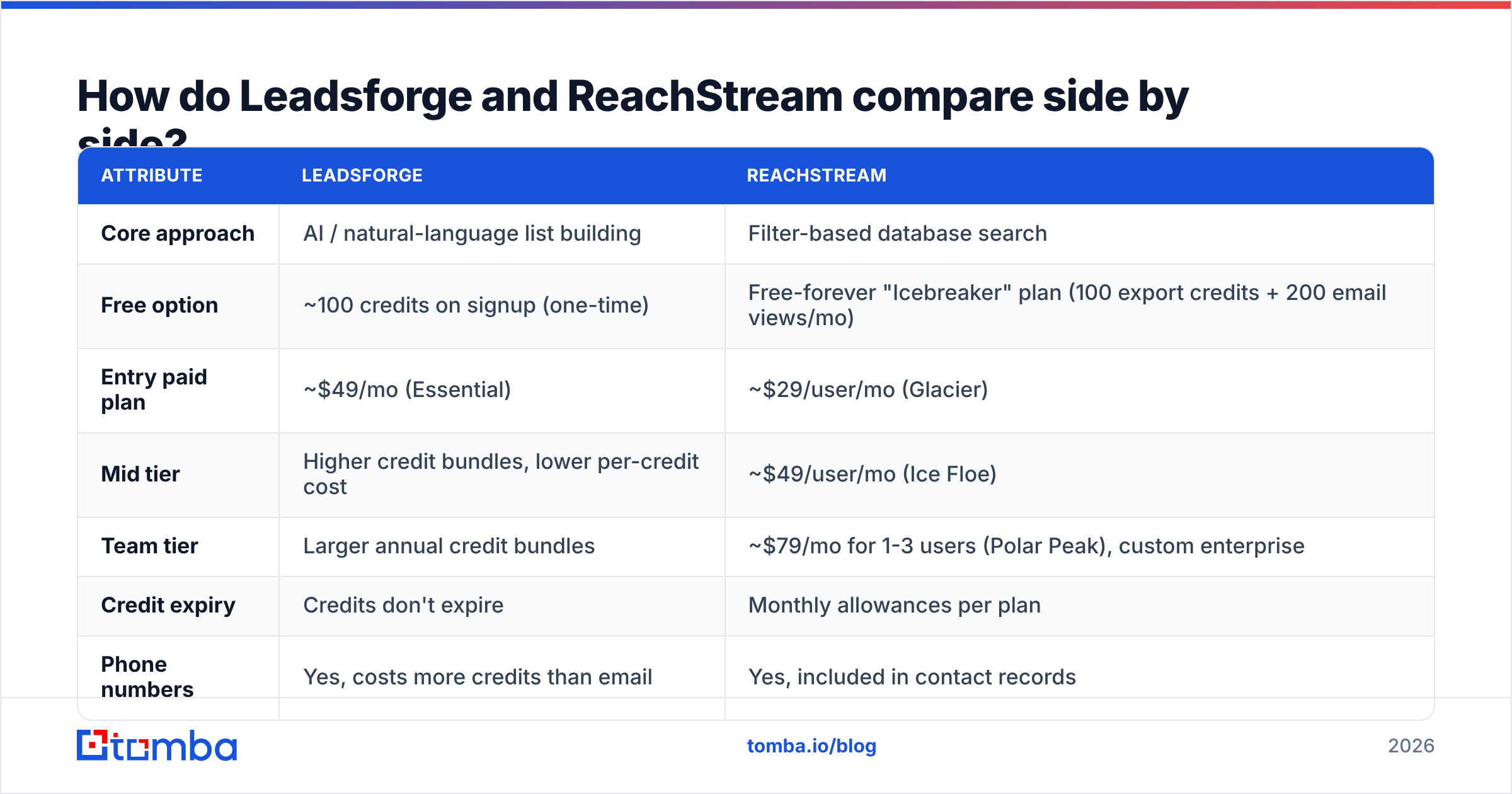
Here is the head-to-head on the points that usually decide a purchase. Pricing reflects publicly listed plans at the time of writing. Both vendors change tiers often, so check their pricing pages before you commit.
| Attribute | Leadsforge | ReachStream |
|---|---|---|
| Core approach | AI / natural-language list building | Filter-based database search |
| Free option | ~100 credits on signup (one-time) | Free-forever "Icebreaker" plan (100 export credits + 200 email views/mo) |
| Entry paid plan | ~$49/mo (Essential) | ~$29/user/mo (Glacier) |
| Mid tier | Higher credit bundles, lower per-credit cost | ~$49/user/mo (Ice Floe) |
| Team tier | Larger annual credit bundles | ~$79/mo for 1-3 users (Polar Peak), custom enterprise |
| Credit expiry | Credits don't expire | Monthly allowances per plan |
| Phone numbers | Yes, costs more credits than email | Yes, included in contact records |
| Lookalike search | Yes | No native equivalent |
| Chrome extension | Limited focus | Yes |
| Best native pairing | Salesforge sequencing | CRM sync / CSV export |
| Stated accuracy claim | Verified emails on export | 95% data accuracy, 90% deliverability |
Two differences stand out.
The first is credit logic. Leadsforge credits roll over, so a team that prospects in bursts (heavy at the start of a quarter, quiet in the middle) doesn't lose money. ReachStream's model works better for steady monthly use, and unlimited browsing means you can research without burning credits.
The second is workflow gravity. Leadsforge is built to pass lists straight into Salesforge sequences. If you already run Salesforge, that saves a real step. If you don't, much of that advantage goes away and you're comparing two databases on data quality and price.
Which factors should decide your choice?#
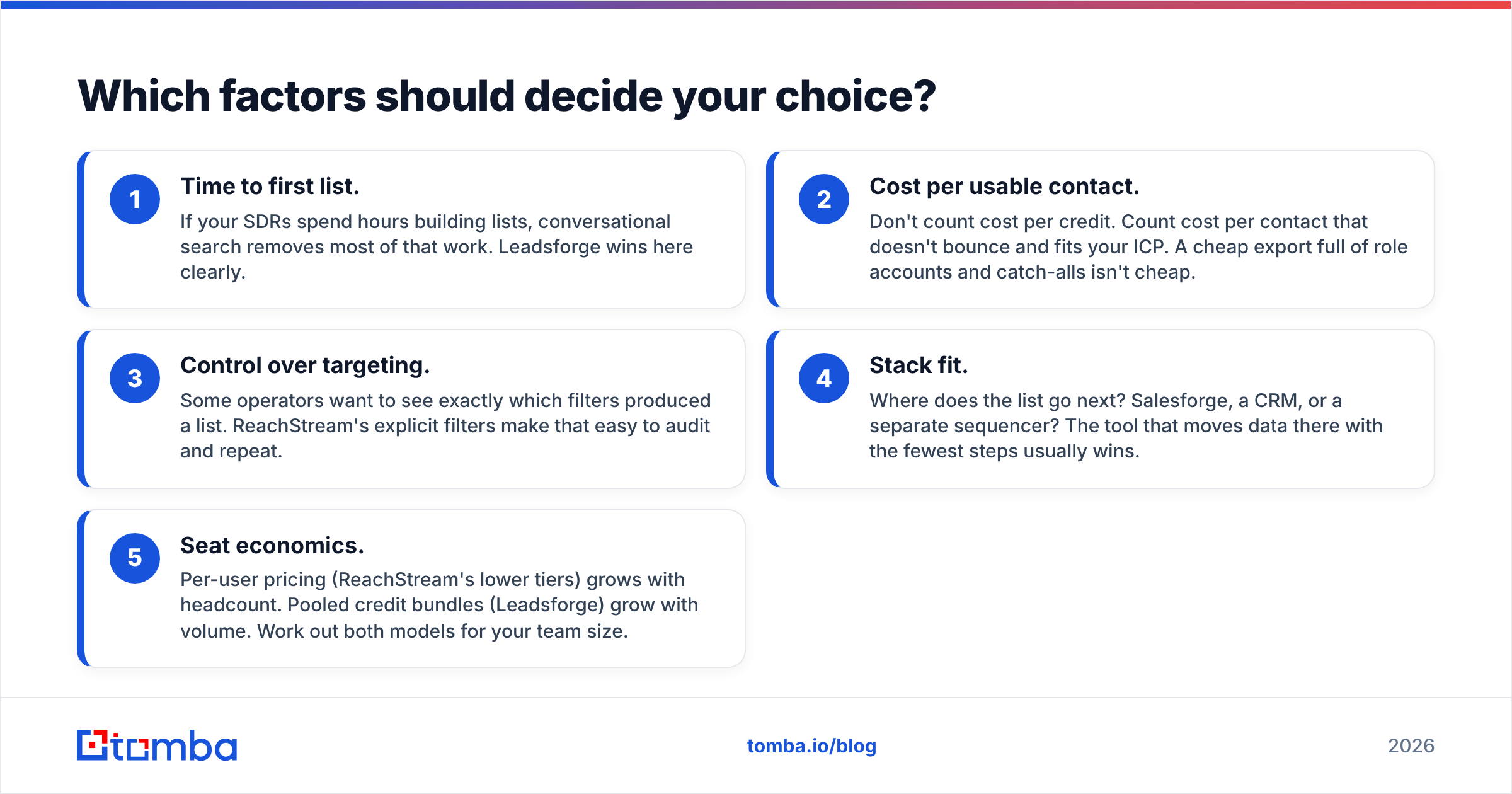
Before comparing features, decide which of these matters most for your team. Most buying mistakes happen because a team optimizes for the wrong one.
- Time to first list. If your SDRs spend hours building lists, conversational search removes most of that work. Leadsforge wins here clearly.
- Cost per usable contact. Don't count cost per credit. Count cost per contact that doesn't bounce and fits your ICP. A cheap export full of role accounts and catch-alls isn't cheap.
- Control over targeting. Some operators want to see exactly which filters produced a list. ReachStream's explicit filters make that easy to audit and repeat.
- Stack fit. Where does the list go next? Salesforge, a CRM, or a separate sequencer? The tool that moves data there with the fewest steps usually wins.
- Seat economics. Per-user pricing (ReachStream's lower tiers) grows with headcount. Pooled credit bundles (Leadsforge) grow with volume. Work out both models for your team size.

How good is the data in each tool?#
This is where honest comparison gets hard, because neither vendor publishes an independent audit. Here's what you can reasonably infer.
ReachStream takes a hybrid approach: AI-driven verification plus human researchers. That usually gives good coverage in mid-market North American segments, where public signals are plentiful. Its 95% accuracy claim is a vendor claim, so treat it as the best case rather than an average. Reviews on G2 are generally positive about value for money, with the usual complaints about stale titles at fast-moving companies.
Leadsforge puts more weight on enrichment and verification at export, and on matching your prompt accurately. The AI layer is only as good as the index underneath it. When a prompt is vague ("fast-growing tech companies"), you get a vague list. When it is specific (funding stage, headcount band, tech signals, hiring activity), results get much sharper.
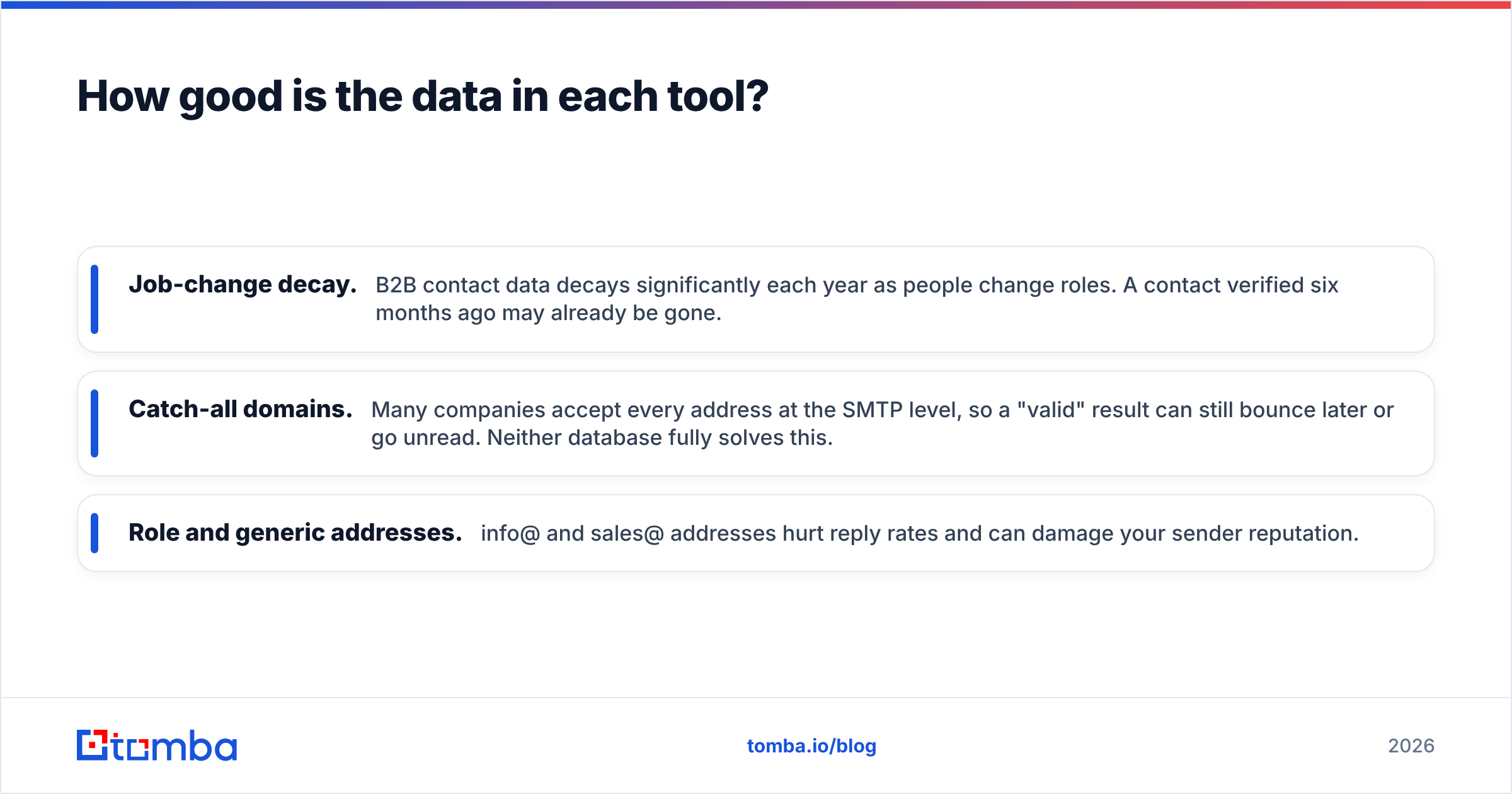
Neither tool can avoid three problems every B2B database has:
- Job-change decay. B2B contact data decays significantly each year as people change roles. A contact verified six months ago may already be gone.
- Catch-all domains. Many companies accept every address at the SMTP level, so a "valid" result can still bounce later or go unread. Neither database fully solves this.
- Role and generic addresses. info@ and sales@ addresses hurt reply rates and can damage your sender reputation.
For those reasons, experienced outbound teams re-verify every export right before sending, whichever database it came from. A dedicated email verifier with catch-all detection costs a fraction of what one burned domain costs.
Is Leadsforge better than ReachStream for AI-driven prospecting?#
For list-building speed, yes. Leadsforge's conversational search is its whole reason to exist, and it does that job well. A founder or solo SDR with no ops support can go from "I think our buyer is X" to a usable list in minutes. Lookalike search adds a second route: start from your five best customers and let the tool find more like them.
This has limits:
- Lists are less transparent. When an AI interprets your prompt, it's harder to see why a specific company made the list. Teams that A/B test segments carefully sometimes prefer explicit filters.
- The Salesforge pull. Leadsforge's smoothest path leads into Salesforge. That's great if you're already there. If you're on Outreach, Apollo, or Instantly, you'll export CSVs like you would with any other database.
- Phone lookups cost more. Phone reveals use several times more credits than emails, so phone-heavy teams burn through bundles faster.
If your workflow looks like "research a niche, build a list, launch a sequence the same day," Leadsforge fits.
Is ReachStream better than Leadsforge for budget-conscious teams?#
Usually, yes. ReachStream's free-forever plan is a real working tier, not a seven-day trial. Its entry paid seat costs less than Leadsforge's entry plan. Unlimited contact and company views mean you can research accounts, check org charts, and qualify companies without spending credits on things you won't export.
ReachStream also fits well when:
- You run account-based motions and need to browse a company deeply before choosing two or three contacts.
- Your RevOps team wants reproducible segments, meaning the same filters every month and a clean diff of what's new.
- Your reps prospect from LinkedIn and company websites and want a Chrome extension that shows contacts in context.
The trade-off is manual effort. Building a precise segment with filters takes longer than typing a prompt, and ReachStream won't find lookalikes for you. Per-seat pricing also rises quickly once you pass three or four reps.
What does each tool actually cost at real volumes?#
Sticker prices mislead, so let's work through a common scenario. Say a three-rep team needs about 1,500 verified emails a month.
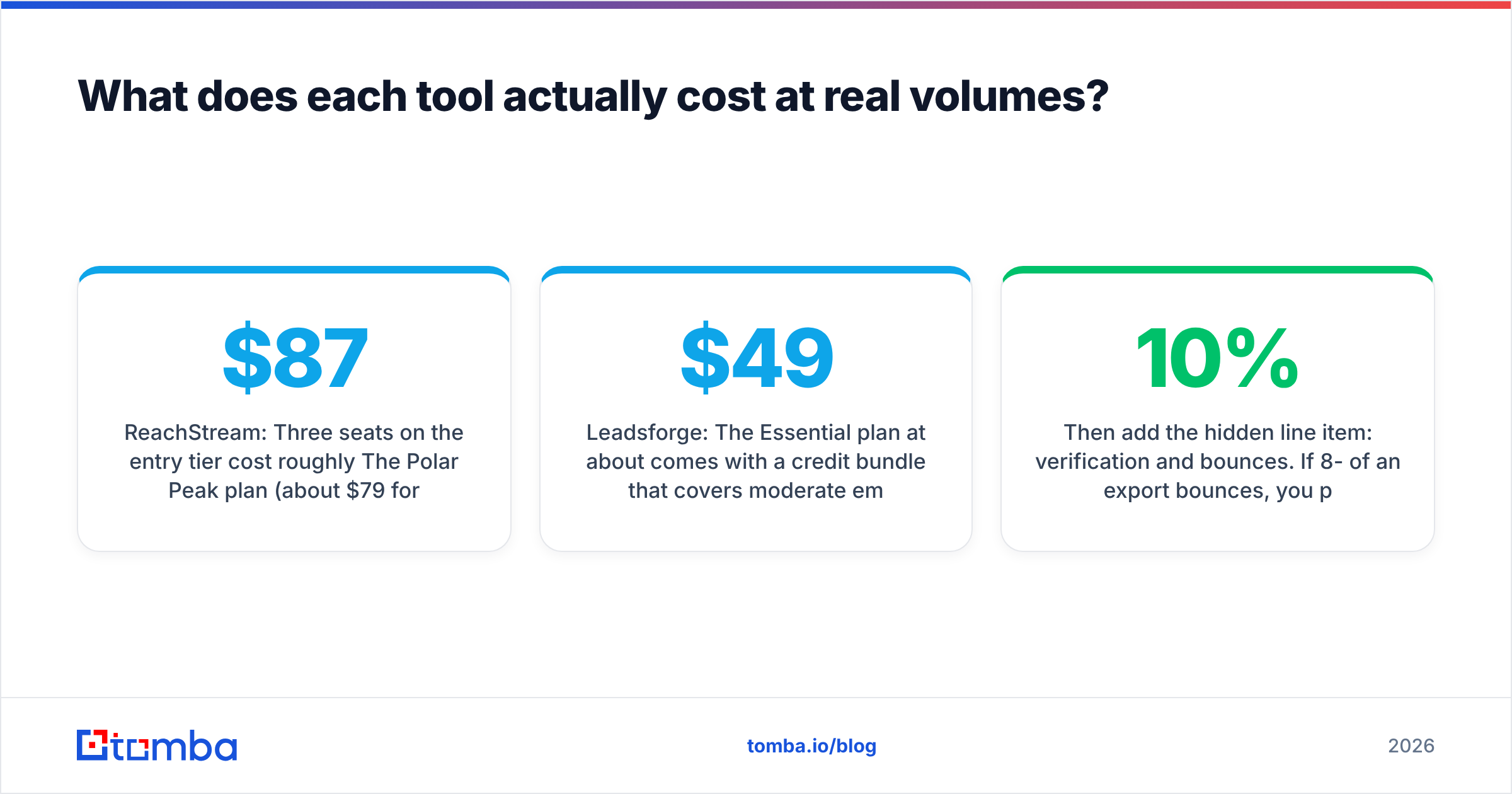
- ReachStream: Three seats on the entry tier cost roughly $87/month. The Polar Peak plan (about $79/month for 1-3 users) is often the better deal for exactly this team size. Check whether its export allowance covers 1,500 contacts, or whether you'll need a higher tier or add-ons.
- Leadsforge: The Essential plan at about $49/month comes with a credit bundle that covers moderate email volume. Credits don't expire, so a slow month doesn't waste money. Add phone numbers and your credit use goes up fast.
At this volume the two land in a similar price range. The deciding factor is workflow, not price. As headcount grows, ReachStream's per-seat model costs more. Leadsforge's costs rise with volume instead.
Then add the hidden line item: verification and bounces. If 8-10% of an export bounces, you pay twice, once for the credit and again in deliverability damage. Budget for verification no matter which database you choose.
Where does a standalone email finder fit in?#
Neither Leadsforge nor ReachStream is built to find one specific person's email when that person isn't in the index. That gap is common in real prospecting:
- A prospect was mentioned in a podcast, press release, or conference speaker list.
- You found the decision maker on LinkedIn, but the database has an old title or no record.
- You have a target account list from marketing and need every relevant contact at those domains.
That's where a dedicated email finder or domain search tool helps. You give it a name and domain (or just a domain) and it returns addresses with confidence scores and source URLs. Many teams run both: a database for discovery and a finder or verifier for the precise, last-mile work.
For a broader look at how these tools fit into a stack, HubSpot's sales prospecting guide is a good neutral overview of where list-building, enrichment, and outreach each sit.
What are the pros and cons of each?#
Leadsforge pros
- Plain-English list building saves hours of filter work
- Lookalike company search built in
- Credits don't expire, which suits bursty prospecting
- Tight integration with Salesforge sequencing
Leadsforge cons
- Less transparent targeting than explicit filters
- Main integration benefits assume you use Salesforge
- Phone lookups use credits quickly
ReachStream pros
- Free-forever plan with monthly credits
- Low entry price per seat
- Unlimited contact and company views
- Chrome extension for in-context prospecting
- Clear, reproducible filter-based segments
ReachStream cons
- Manual list building takes longer
- No native lookalike search
- Per-seat pricing grows with team size
- Accuracy figures are vendor-stated, not independently audited
So which should you choose: Leadsforge or ReachStream?#
Here's the short version by team profile:
- Solo founder or 1-2 SDRs already on Salesforge: Leadsforge. The prompt-to-sequence workflow is hard to beat.
- Budget-limited team that wants to test before paying: ReachStream. Start on the free plan and upgrade once you've proved your ICP.
- Agency running many client niches: Leadsforge's conversational search and rollover credits handle frequent niche changes well.
- RevOps-driven team with strict segment definitions: ReachStream's explicit filters are easier to audit and repeat.
- Growing team of 5+ reps: Compare total cost carefully. Pooled credits (Leadsforge) usually beat per-seat pricing at this size.
Whichever you choose, treat the database as the start of your list, not the finished list. Verify before you send, fill coverage gaps with a precise finder, and watch bounce rates by source so you know which tool is really paying off.
Frequently asked questions#
Is Leadsforge free? Leadsforge gives new accounts a one-time batch of free credits (about 100) to test the platform. Ongoing use needs a paid plan starting around $49/month.
Does ReachStream have a free plan? Yes. The Icebreaker plan is free forever, needs no credit card, and includes monthly export credits and email views.
Can I use Leadsforge without Salesforge? Yes. You can export lists to CSV and load them into any sequencer or CRM. The tightest integration is still with Salesforge.
Which has more accurate data? Neither publishes independent audits. ReachStream claims 95% accuracy. Leadsforge verifies emails at export. In practice, verify every list before sending, whichever tool it came from.
Do I still need an email verifier with these tools? Yes, if you care about deliverability. Data decays every month, and catch-all domains get past basic checks. A final verification pass protects your sending domains.
Ready to close the gaps your database misses?#
Leadsforge and ReachStream are both good ways to discover accounts, but no database has every decision maker you need. When a key contact is missing or out of date, Tomba Email Finder finds professional email addresses by name, domain, or company, with source URLs and confidence scores so you know what you're sending to. You can start on the free tier (25 searches a month) and move to paid plans from $49/month when you need more volume. See Tomba pricing for the full breakdown.
Related guides#
// get started
Find, verify and enrich your first contacts today
Start on the free plan with 25 searches a month, then scale when your team is ready.
Free plan · No credit card required · GDPR & CCPA
// about the author