Leadsforge vs Respona: Which Outreach Tool Fits Your Team in 2026?
Leadsforge builds B2B sales lead lists from a chat prompt. Respona runs link-building and PR outreach. Here's how they differ, what each costs, and which one fits the job you're hiring for.
TL;DR
- Leadsforge is an AI lead-generation tool. You describe your ideal customer in plain English and it builds a B2B contact list. Pick it if your goal is sales pipeline.
- Respona is an outreach platform for link building, digital PR, and partnerships. It finds content and publishers, finds the contacts behind them, and runs personalized sequences. Pick it if your goal is backlinks, guest posts, or podcast spots.
- The two barely compete. Leadsforge answers "who should I sell to?" and Respona answers "who should link to or feature me?"
- Respona's self-serve plans usually cost a lot more than Leadsforge's entry tiers, but Respona covers search, contact finding, and sending in one tool. Leadsforge is mostly a list builder and relies on a separate sender.
- Whichever you pick, verify addresses before you send. A bounce hurts your domain just as much in a link-building campaign as in a sales campaign.
What is the real difference between Leadsforge and Respona?#
The two tools start from different places. Leadsforge starts from a person profile: "VP of Marketing at Series A fintech companies in Europe with 50-200 employees." Respona starts from a piece of content or a keyword: "every blog that ranked for 'best project management software' in the last year."
That difference shapes everything else in each product.
- Leadsforge (leadsforge.ai) belongs to the Forge stack, next to Salesforge (sequencing), Mailforge and Infraforge (sending infrastructure), and Warmforge (warmup). You chat with it to describe your ICP, refine the filters, and get a list of contacts with emails that you can export or send straight into a sequencer. The output is a lead list.
- Respona (respona.com) is built for SEO teams, PR agencies, and partnership managers. You run a search (Google results, backlink data, podcasts, or your own URL list). Respona pulls out the pages, finds the author or editor, suggests an email address, and lets you write personalized pitches inside a multi-step sequence. The output is a live outreach campaign.
An analogy helps. Leadsforge works like a recruiter's sourcing tool: tell it the profile you want and it returns candidates. Respona works like a publicist's media database with the email client built in: it finds the outlets, names the right person at each, and helps you write the pitch.
How do Leadsforge and Respona compare feature by feature?#
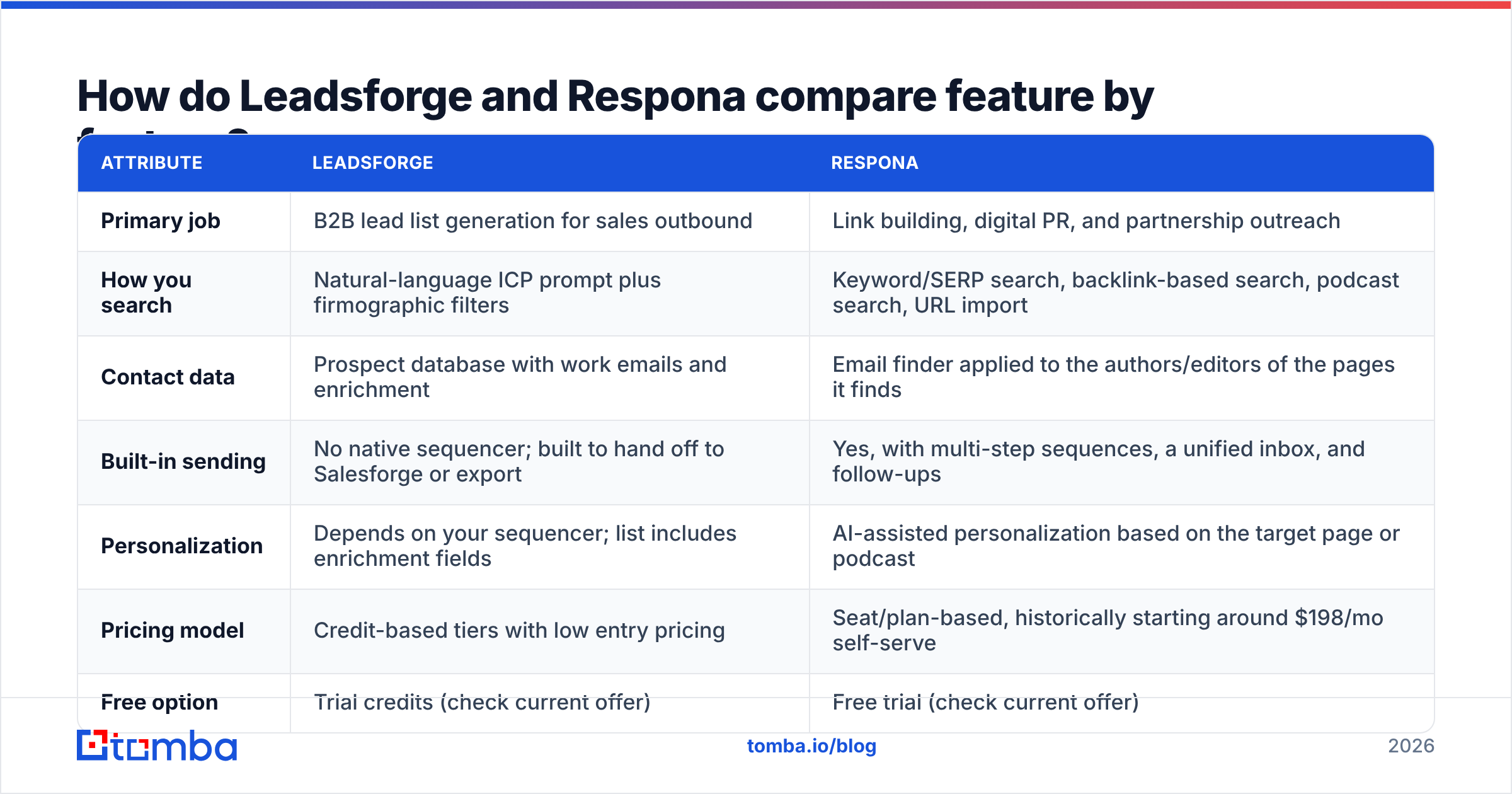
The table below covers the attributes buyers usually ask about. Pricing moves often in this category, so treat the numbers as ballpark figures from public pricing pages at the time of writing, and check the vendor sites before you commit.
| Attribute | Leadsforge | Respona |
|---|---|---|
| Primary job | B2B lead list generation for sales outbound | Link building, digital PR, and partnership outreach |
| How you search | Natural-language ICP prompt plus firmographic filters | Keyword/SERP search, backlink-based search, podcast search, URL import |
| Contact data | Prospect database with work emails and enrichment | Email finder applied to the authors/editors of the pages it finds |
| Built-in sending | No native sequencer; built to hand off to Salesforge or export | Yes, with multi-step sequences, a unified inbox, and follow-ups |
| Personalization | Depends on your sequencer; list includes enrichment fields | AI-assisted personalization based on the target page or podcast |
| Pricing model | Credit-based tiers with low entry pricing | Seat/plan-based, historically starting around $198/mo self-serve |
| Free option | Trial credits (check current offer) | Free trial (check current offer) |
| Best for | SDRs, founders, agencies building outbound lists | SEO managers, PR agencies, content teams, podcast guests |
| Main weakness | Needs a separate tool to actually run campaigns | Expensive if you only need contact data, and not built for ICP-based sales lists |
The core difference shows up in the "Built-in sending" row. Leadsforge gives you a list and assumes you already have a sender. Respona gives you a whole campaign workflow and assumes you want to live inside it.
Is Leadsforge better than Respona for sales prospecting?#
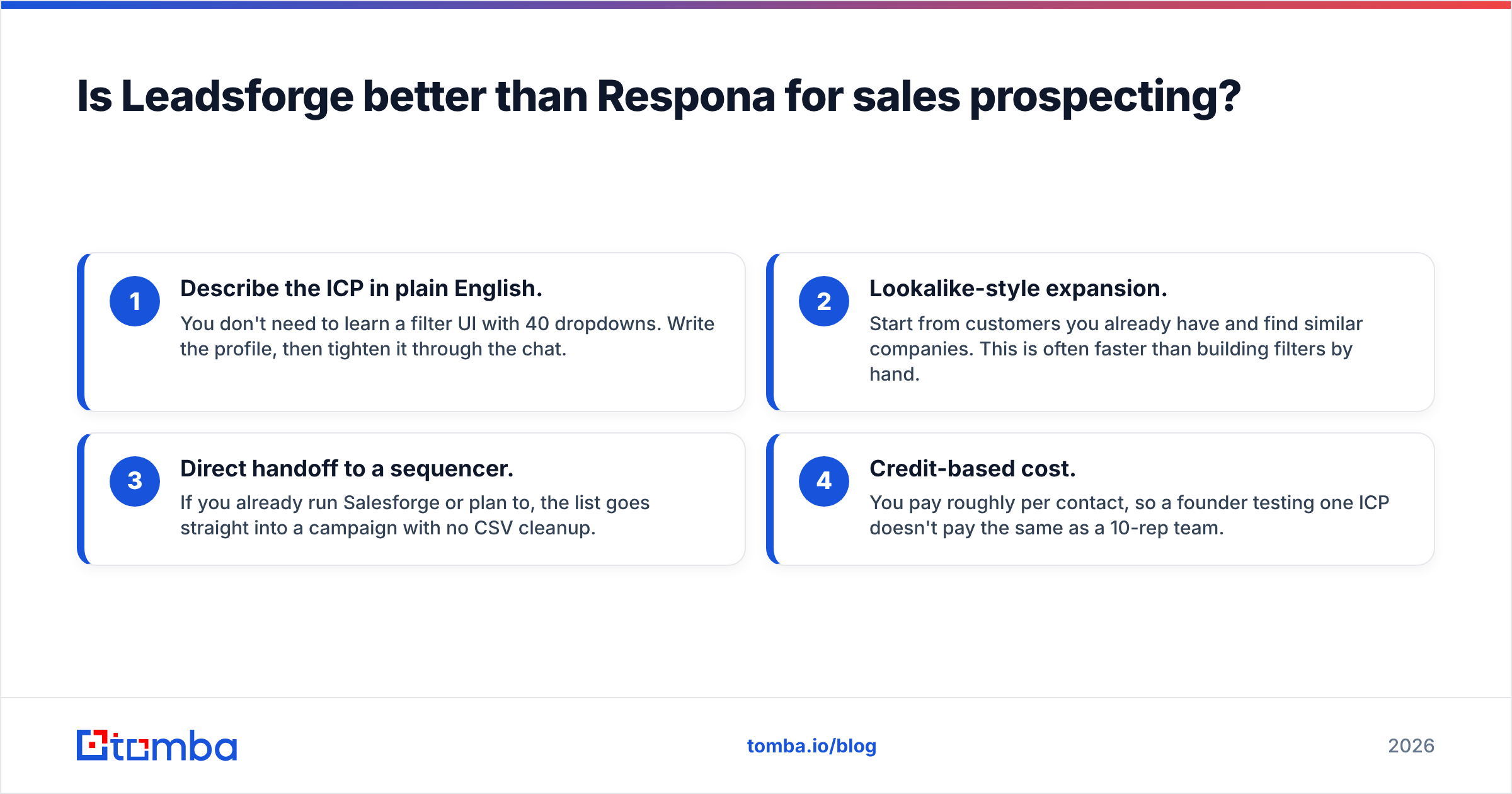
For sales prospecting, yes. It isn't close.
Respona can technically find emails at companies, but its whole search model is built around content. If you type "HR directors at 200-person SaaS companies in Germany" into Respona, you're using a hammer on a screw. Leadsforge was built for exactly that query.
Here is where Leadsforge fits outbound work:
- Describe the ICP in plain English. You don't need to learn a filter UI with 40 dropdowns. Write the profile, then tighten it through the chat.
- Lookalike-style expansion. Start from customers you already have and find similar companies. This is often faster than building filters by hand.
- Direct handoff to a sequencer. If you already run Salesforge or plan to, the list goes straight into a campaign with no CSV cleanup.
- Credit-based cost. You pay roughly per contact, so a founder testing one ICP doesn't pay the same as a 10-rep team.
The caveat with any AI list builder, Leadsforge included, is data freshness. Database emails get old: people change jobs, companies rebrand domains, and catch-all servers accept everything and bounce later. Before you load a new list into a sequencer, run it through an independent email verifier. Mark catch-all results separately, because they are exactly the addresses that look valid in a database and then bounce in production.

Is Respona better than Leadsforge for link building and PR?#
Yes, and for the same reason in reverse. Leadsforge doesn't know which blogs rank for your target keyword, who wrote the listicle you want to be in, or which podcasts cover your niche. Respona's product is built around those questions.
A typical Respona link-building workflow looks like this:
- Search: enter a keyword like "best CRM for real estate" and Respona pulls the ranking pages.
- Qualify: filter out competitors, low-authority sites, and pages you've already pitched.
- Find the person: Respona finds the article author or site owner and suggests an email.
- Personalize: reference the specific article, suggest where your resource fits, and let the AI help draft variations.
- Sequence and track: send, follow up, and track replies and won links in one place.
This is also where a dedicated contact-finding layer helps. Respona's built-in finder is good, but content outreach has an unusual failure mode. The "author" on a page is often a freelancer, a pen name, or an editor who left the publication two years ago. If Respona's suggestion looks shaky, cross-check it with an author finder that resolves the writer of a specific article URL, or run a domain search to see who is actually on the editorial team now.
How much do Leadsforge and Respona cost?#
Neither vendor keeps pricing static, so here are the cost structures rather than exact figures. Confirm current numbers on each vendor's site.
Leadsforge uses credit-based plans. Entry tiers are priced for individual founders and small SDR teams, and cost scales with the number of contacts you pull each month. If you already pay for a sequencer, your total monthly spend is the Leadsforge plan plus that tool. If you buy into the full Forge stack, add Salesforge and your mailbox infrastructure.
Respona uses plan-based pricing that historically started around $198/month for self-serve, with higher tiers for more seats, more email accounts, and more monthly contacts. It also sells done-for-you link-building services at a much higher price. Respona's sticker price is higher, but it replaces several tools: a SERP scraper, an email finder, a sequencer, and a lightweight outreach CRM.
So the fair comparison is not "Leadsforge plan vs Respona plan." It's this:
- Leadsforge + your sequencer + verification vs your current prospecting stack, for sales teams.
- Respona vs a SERP export + an email finder + a mail-merge tool + a spreadsheet, for SEO and PR teams.
On review sites like G2, reviewers tend to praise Respona for replacing that patchwork. The most common complaint is cost for small teams. Leadsforge reviews focus on how fast you can get from ICP to list, and on how much the data quality depends on your niche.
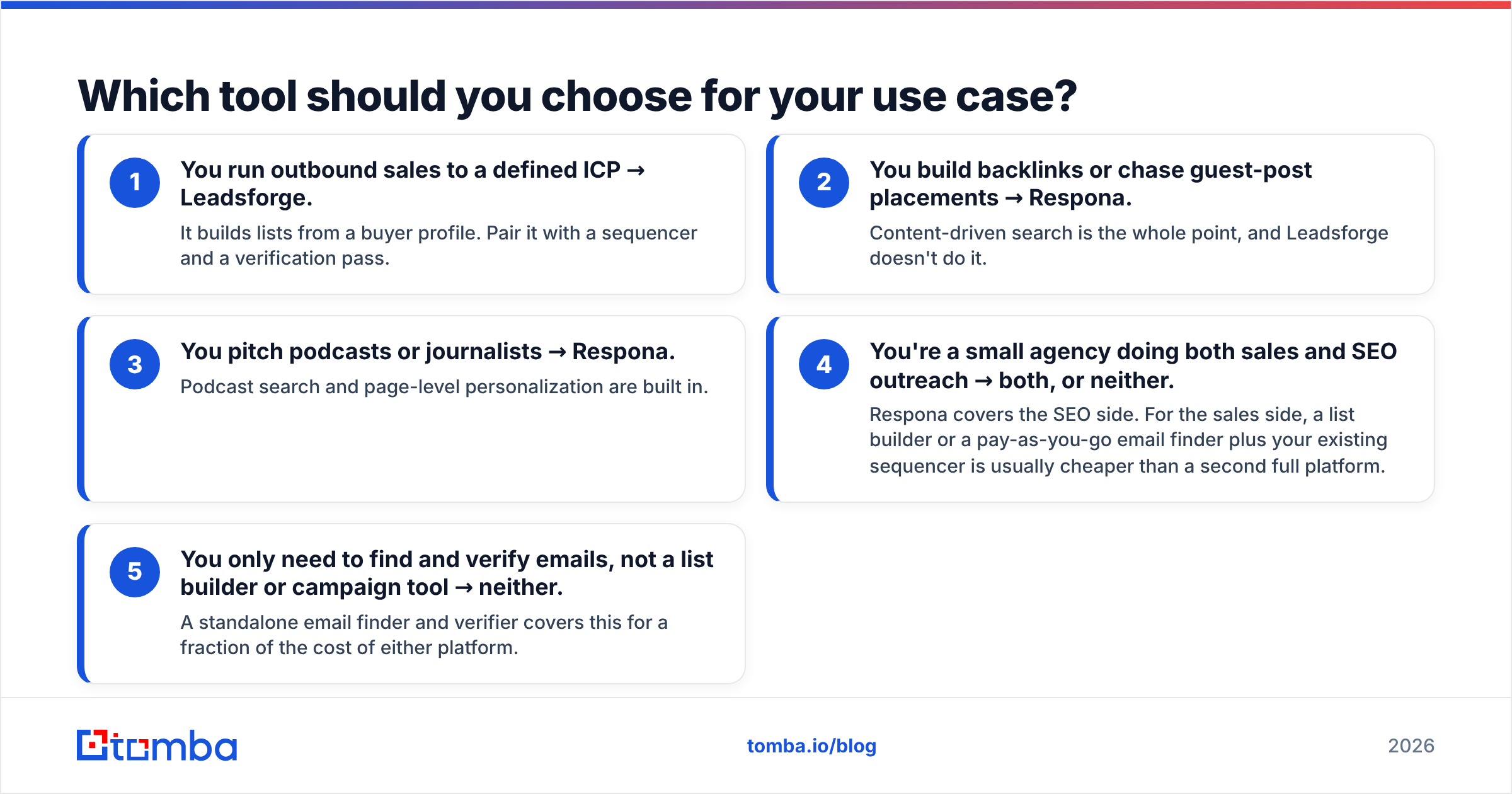
Which tool should you choose for your use case?#
Use this decision list. It's opinionated on purpose.
- You run outbound sales to a defined ICP → Leadsforge. It builds lists from a buyer profile. Pair it with a sequencer and a verification pass.
- You build backlinks or chase guest-post placements → Respona. Content-driven search is the whole point, and Leadsforge doesn't do it.
- You pitch podcasts or journalists → Respona. Podcast search and page-level personalization are built in.
- You're a small agency doing both sales and SEO outreach → both, or neither. Respona covers the SEO side. For the sales side, a list builder or a pay-as-you-go email finder plus your existing sequencer is usually cheaper than a second full platform.
- You only need to find and verify emails, not a list builder or campaign tool → neither. A standalone email finder and verifier covers this for a fraction of the cost of either platform.
Scenario 4 is the one that causes the most internal arguments. Marketing wants backlinks and sales wants meetings, and someone tries to buy one tool for both jobs. That rarely works. Link-building outreach and sales outreach have different targets (editors vs buyers), different messages (resource pitch vs problem pitch), and different success metrics (links won vs meetings booked). Separate the workflows even if they share a sending domain strategy.
What are the pros and cons of each tool?#
Leadsforge pros
- Fast path from "here's who we sell to" to a usable contact list
- Natural-language search lowers the learning curve for founders and new SDRs
- Tight integration with the rest of the Forge stack
- Credit pricing works well for low-volume or experimental ICPs
Leadsforge cons
- No native campaign execution, so you need a second tool
- Database data quality varies by region and industry, as with any B2B database
- Less useful for non-sales outreach (PR, partnerships, content)
Respona pros
- End-to-end workflow for link building and digital PR: search, find, pitch, follow up
- Page-aware personalization, so pitches reference the actual article
- Collaboration features that suit agencies managing several client campaigns
- Podcast and backlink-based prospect discovery that sales tools don't offer
Respona cons
- Higher entry price than most contact-data tools
- Not built for firmographic ICP list building
- Built-in email finding for content authors can miss freelancers or stale bylines, so plan for manual verification
How do you protect deliverability with either tool?#
This part is the same for both tools, and it's where most campaigns go wrong.
Both Leadsforge and Respona hand you email addresses you didn't collect yourself. Some will be wrong. If you send to them without checking, you get hard bounces, and hard bounces damage your sender reputation. It makes no difference whether the email was a sales pitch or a guest-post request.
A minimum hygiene routine:
- Verify every list before the first send, not after the first bounce report.
- Treat catch-all domains as a separate risk tier. Send to them in smaller batches or skip them.
- Use secondary sending domains for cold outreach so your main domain stays clean.
- Warm new mailboxes before you put volume through them. Respona and the Forge stack both support connected mailboxes, but warmup is on you.
- Re-verify lists older than 60-90 days. B2B contact data decays quickly.
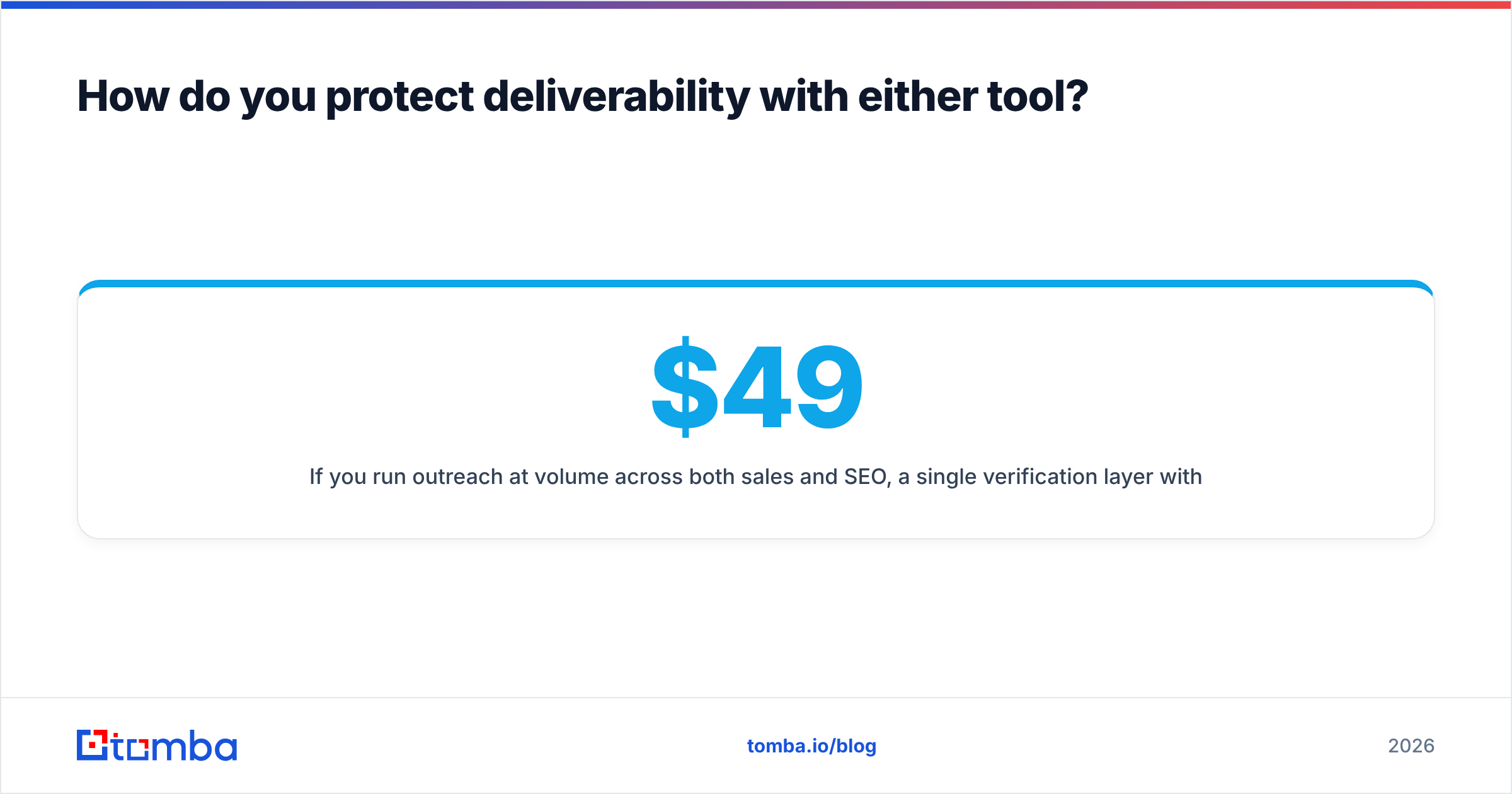
If you run outreach at volume across both sales and SEO, a single verification layer with a flat price keeps this manageable. For example, Tomba's plans start at $49/mo (Starter), with Growth at $99/mo and Pro at $249/mo; see Tomba pricing for credit limits. Put that layer in front of both tools and you get one consistent bounce standard no matter where a list came from.
What's the final verdict on Leadsforge vs Respona?#
The Leadsforge vs Respona question usually comes up because both show up in searches for "outreach tools." In practice they solve different problems:
- Choose Leadsforge if you measure success in booked meetings and pipeline, and you already have (or will add) a sequencer.
- Choose Respona if you measure success in links won, guest posts placed, or podcast appearances, and you want the whole campaign in one place.
- Choose neither if what you actually need is accurate contact data for people you've already identified. Buying a full platform for that is overkill.
Whichever you choose, the tool is only as good as the addresses it produces. Budget time for verification, and cross-check the contacts that matter most, such as the editor at your dream publication or the VP at your top-tier account, before you hit send.
If you already know the company, the article, or the person and just need a reliable address, Tomba Email Finder finds professional emails by domain, name, or company and verifies them in the same step. It works on its own, or it can sit in front of Leadsforge lists and Respona campaigns so every address is checked before it touches your sending domain. Start on the free tier with 25 searches a month and see how it compares with the addresses your current tool suggests.
Related guides#
// get started
Find, verify and enrich your first contacts today
Start on the free plan with 25 searches a month, then scale when your team is ready.
Free plan · No credit card required · GDPR & CCPA
// about the author