Leadsforge vs Salesbot (2026): Which AI Lead Tool Should You Pick?
Both tools let you describe your ideal customer in plain English and get a lead list back. The real differences are in pricing clarity, how far each one goes into outreach, and how much checking you still have to do before sending.
TL;DR
- Leadsforge is a focused AI lead search engine. You describe your ideal customer profile (ICP) in a chat box and get a list you can export. Pricing is public and simple: $49/mo for 2,000 credits, and unused credits roll over.
- Salesbot (salesbot.io) is a wider "AI copilot." It reads your website, builds an ICP-matched list, and drafts an outreach campaign. It says it has a 655M-contact database and lets you export up to 10,000 leads at a time.
- Pick Leadsforge if you already have a sending stack and only need clean, cheap lists. Pick Salesbot if you want one tool to handle list building and the first campaign draft.
- Neither one removes the need to verify. AI-built lists still contain catch-all domains and stale contacts, so run a separate verification pass before a big send.
- Our pick: Leadsforge for cost control and predictability. Salesbot for speed-to-first-campaign on a small team.
What are Leadsforge and Salesbot, and why are they compared?#
Both tools belong to a category that barely existed three years ago: conversational lead generation. You don't build filters in a 40-field search form. You type something like "Series A fintech companies in the UK with 50–200 employees, VP of Engineering or CTO" and the tool gives you a list back.
Leadsforge is part of the Forge product family, alongside Salesforge (sequencing) and Warmforge (inbox warmup). It calls itself a search engine for leads. Its job ends when you export a list or push it into Salesforge.
Salesbot is pitched more broadly as an AI sales enablement platform. It starts from your website, infers your ICP, builds the list, and drafts the outreach copy. It also talks a lot about deliverability and fits into sending tools like Instantly.
So the comparison isn't really "two identical databases." It's closer to a specialist list builder versus a generalist copilot. Once you see it that way, the right choice is usually obvious.
How does each tool actually build a lead list?#
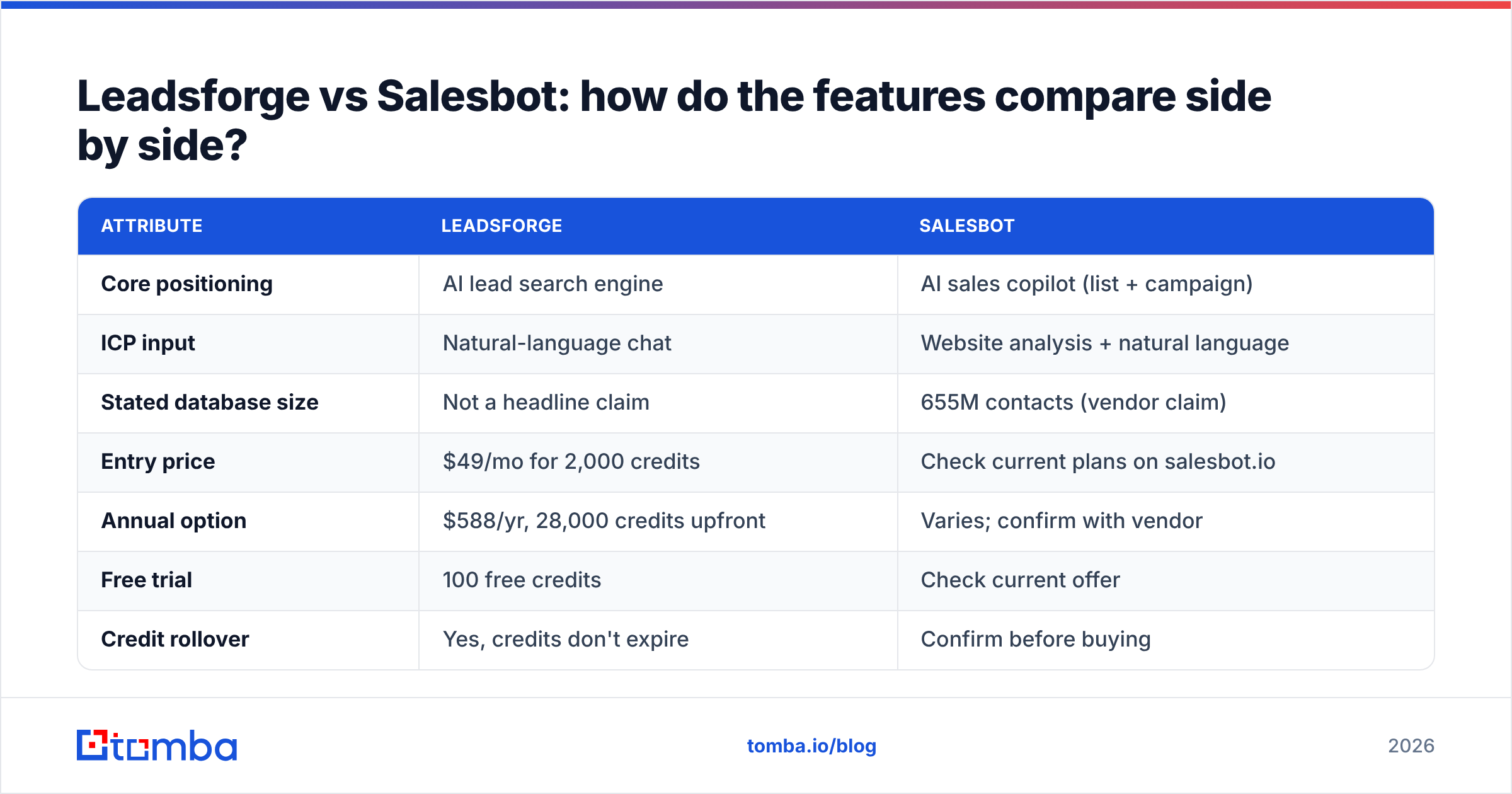
Here's how the workflows differ, step by step:
- ICP input. Leadsforge asks you to describe the ICP in natural language and refine it in chat. Salesbot can start from your website URL, work out who you probably sell to, and then let you adjust.
- Search and match. Both turn your description into structured filters (industry, headcount, role, geography) and run them against their contact data. Leadsforge shows you the matched list and its credit cost before export.
- Enrichment depth. On Leadsforge, you choose how much data you want per lead. An email lookup costs 1 credit and a phone lookup costs 10. Salesbot bundles verified emails and phone numbers into its export flow.
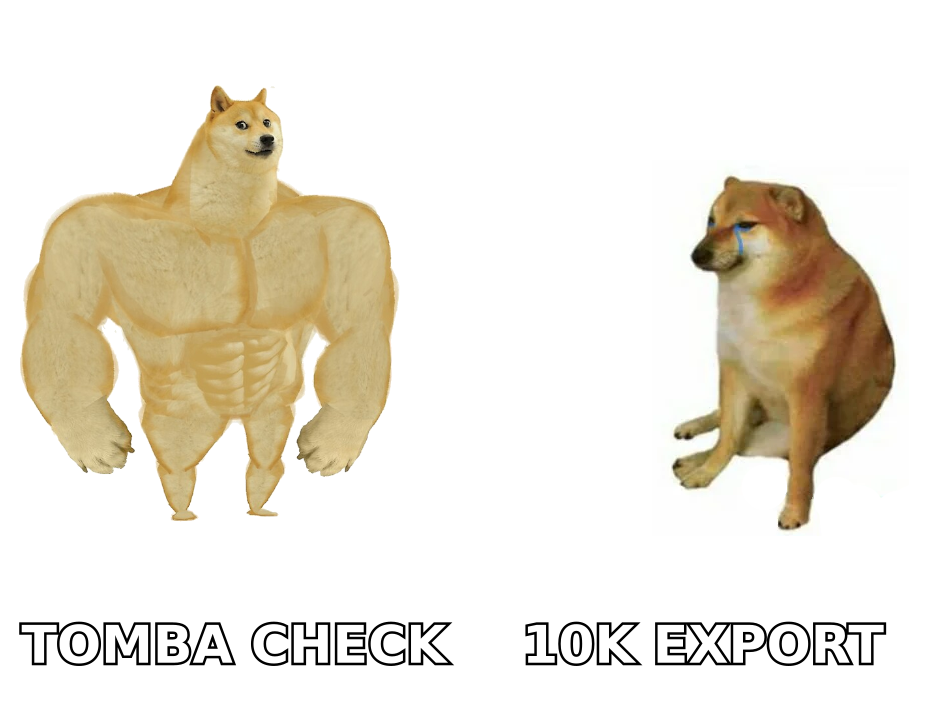
- Export size. Salesbot advertises exports of up to 10,000 leads per batch. Leadsforge exports are limited by your credit balance, not a hard batch limit.
- Handoff to outreach. Leadsforge hands off naturally to Salesforge. Salesbot generates a campaign draft itself and connects to external senders.
The key point: Leadsforge's output is a list. Salesbot's output is a list plus a campaign. That difference affects pricing, lock-in, and how much control you keep.
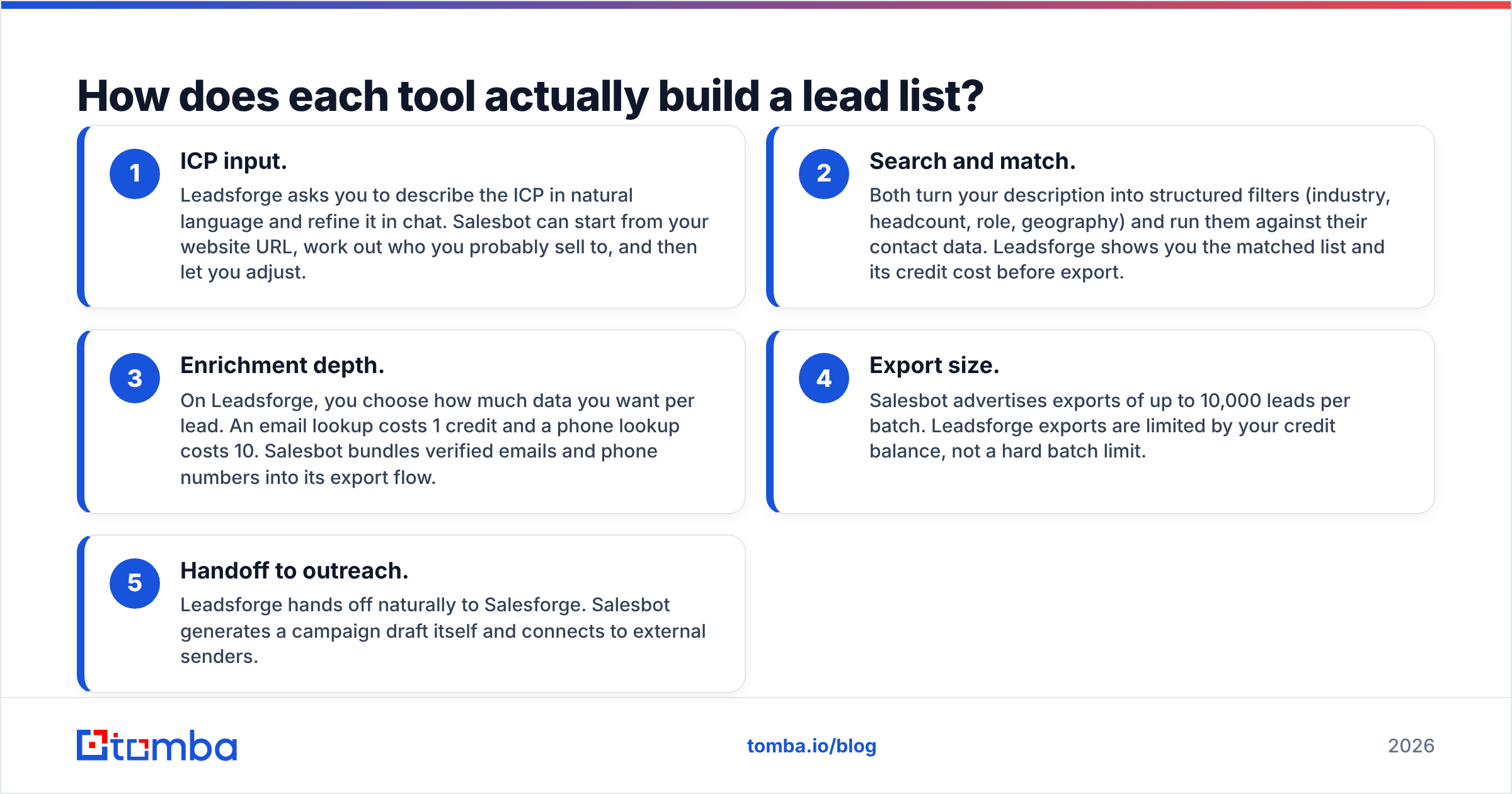
Leadsforge vs Salesbot: how do the features compare side by side?#
| Attribute | Leadsforge | Salesbot |
|---|---|---|
| Core positioning | AI lead search engine | AI sales copilot (list + campaign) |
| ICP input | Natural-language chat | Website analysis + natural language |
| Stated database size | Not a headline claim | 655M contacts (vendor claim) |
| Entry price | $49/mo for 2,000 credits | Check current plans on salesbot.io |
| Annual option | $588/yr, 28,000 credits upfront | Varies; confirm with vendor |
| Free trial | 100 free credits | Check current offer |
| Credit rollover | Yes, credits don't expire | Confirm before buying |
| Email lookup cost | 1 credit | Bundled in export flow |
| Phone lookup cost | 10 credits | Bundled in export flow |
| Max export per batch | Limited by credits | Up to 10,000 leads |
| Outreach copy generation | No (handled by Salesforge) | Yes, built in |
| Native sending ecosystem | Salesforge / Warmforge | Integrates with tools like Instantly |
| Seat pricing | No per-seat charge | Confirm with vendor |
| Best for | Teams with an existing sending stack | Small teams that want one-click campaigns |
A note on fairness: Leadsforge publishes its pricing clearly, and Salesbot's public pricing is harder to pin down. For Salesbot, treat the table as a list of things to confirm on a sales call, not as a gap in the product. Listings on Capterra are a useful second source for current plan details.
Which tool is cheaper in practice?#
On published numbers, Leadsforge is easier to budget for. For $49/mo you get 2,000 credits, which covers:
- 2,000 contacts with email only (1 credit each), or
- about 180 contacts with email + phone (11 credits each), or
- any mix of the two.
Two details make Leadsforge easy on the wallet. First, there's no per-seat charge, so a five-person SDR team doesn't pay five times. Second, credits don't expire, so a slow month doesn't waste money. You can see exactly what you'll spend before every export.
Salesbot's value is packaged differently. You pay for list building plus AI campaign generation plus deliverability guidance. If you would otherwise pay for a copywriting tool and spend hours on first drafts, that bundle can cost less overall even if the price per lead is higher. But if you already pay for Instantly, Smartlead, or Salesforge and have templates that work, a big part of what Salesbot charges for duplicates tools you already own.
The practical rule: work out your cost per sendable lead, not per exported lead. If 12% of an export bounces or sits on a risky catch-all domain, your real cost per usable contact is higher than the sticker price for both tools.
How accurate is the data from AI lead generators?#
This is where both tools deserve some healthy skepticism. It's not that either is bad. It's that the whole category has the same weak spot.
Conversational lead generators are very good at matching (finding the right companies and titles) and less reliable at reachability (confirming a specific mailbox exists today). A few reasons:
- Job changes. B2B contact data decays fast. Someone who was VP Engineering in March may have moved on by September.
- Catch-all domains. Many company mail servers accept every address during an SMTP check. A tool may mark the address "verified" when it has only confirmed that the domain accepts mail.
- Pattern guessing. When a direct match isn't in the database, some tools build the address from the company's email pattern (first.last@, flast@). That usually works, but not always.
- Batch scale. Exporting 10,000 leads at once is convenient, but 10,000 unchecked addresses sent from a new domain can hurt sender reputation within a week.
Both Leadsforge and Salesbot say they return verified emails, and that's a real step up from raw database dumps. Still, "verified at export time by the vendor" is not the same as "verified by you right before sending." For any campaign over a few hundred contacts, run the list through an independent email verifier and send catch-all results through a dedicated catch-all verifier. A second opinion catches what the first check missed, and it costs far less than a burned domain.
Is Salesbot better than Leadsforge for small teams?#
Often, yes, if "small team" means one founder or one SDR with no outbound stack yet.
Salesbot's pitch is time-to-first-campaign. Paste your website, review the ICP it proposes, export the list, accept or edit the draft sequence, and connect a sender. For a founder doing outbound between product meetings, cutting out the "blank page" step is valuable.
The trade-offs:
- Less control over copy style. AI-generated first drafts tend to sound alike. You'll still want to rewrite openers so they don't read like every other AI-drafted sequence in the prospect's inbox.
- Blurred responsibilities. When list building, copy, and deliverability advice all come from one tool, it's harder to tell which part is underperforming when reply rates drop.
- Pricing opacity. Without a clearly published plan, it's harder to predict cost as you scale.
If you're a team of one and speed matters more than fine control, Salesbot is a reasonable default. If you plan to grow to three or more reps, the modular approach usually wins.
Is Leadsforge better for agencies and scaling teams?#
For most agencies and multi-rep teams, yes.
Agencies care about three things Leadsforge handles well:
- Predictable unit costs. Credit-based pricing with no seat fees makes it easy to price client work. You know one email-only lead costs 1 credit and can mark it up.
- Stack neutrality. A plain list export drops into whatever sequencer the client already uses. You aren't forced to rebuild campaigns in a new tool.
- Rollover credits. Client work is lumpy. Credits that don't expire mean a quiet month doesn't waste budget.
The Forge ecosystem is also a real advantage if you commit to it. Leadsforge feeds Salesforge, and Warmforge handles mailbox warmup, so the handoffs are smooth. The flip side is the usual one with ecosystems: the more of it you use, the less appealing it is to switch.
Where Leadsforge falls short is the lack of built-in copy generation. If your team is weak at writing sequences, you'll need to fill that gap somewhere else.
What should you check before committing to either tool?#
Whichever tool you lean toward, run this test before you sign anything annual:
- Pull 200 leads from the same ICP in both tools. Use the same prompt, geography, and seniority, and compare overlap and relevance by hand.
- Verify both samples independently. Run both exports through the same third-party verifier and compare valid, invalid, and catch-all rates. This is the only fair accuracy test.
- Spot-check 20 contacts on LinkedIn. Confirm they still hold the title the tool says they do.
- Measure time-to-send. Time how long each workflow takes from ICP prompt to a campaign that's ready to launch. For Salesbot, include the time you spend rewriting the AI copy.
- Price out 12 months. Model your actual monthly volume, including phone lookups, which cost 10x more than emails on Leadsforge.
Independent review sites like G2 are useful for spotting consistent complaints, such as billing surprises, support delays, or data freshness. Weigh recent reviews more heavily, because this category changes fast.
What does a good workflow look like with either tool?#
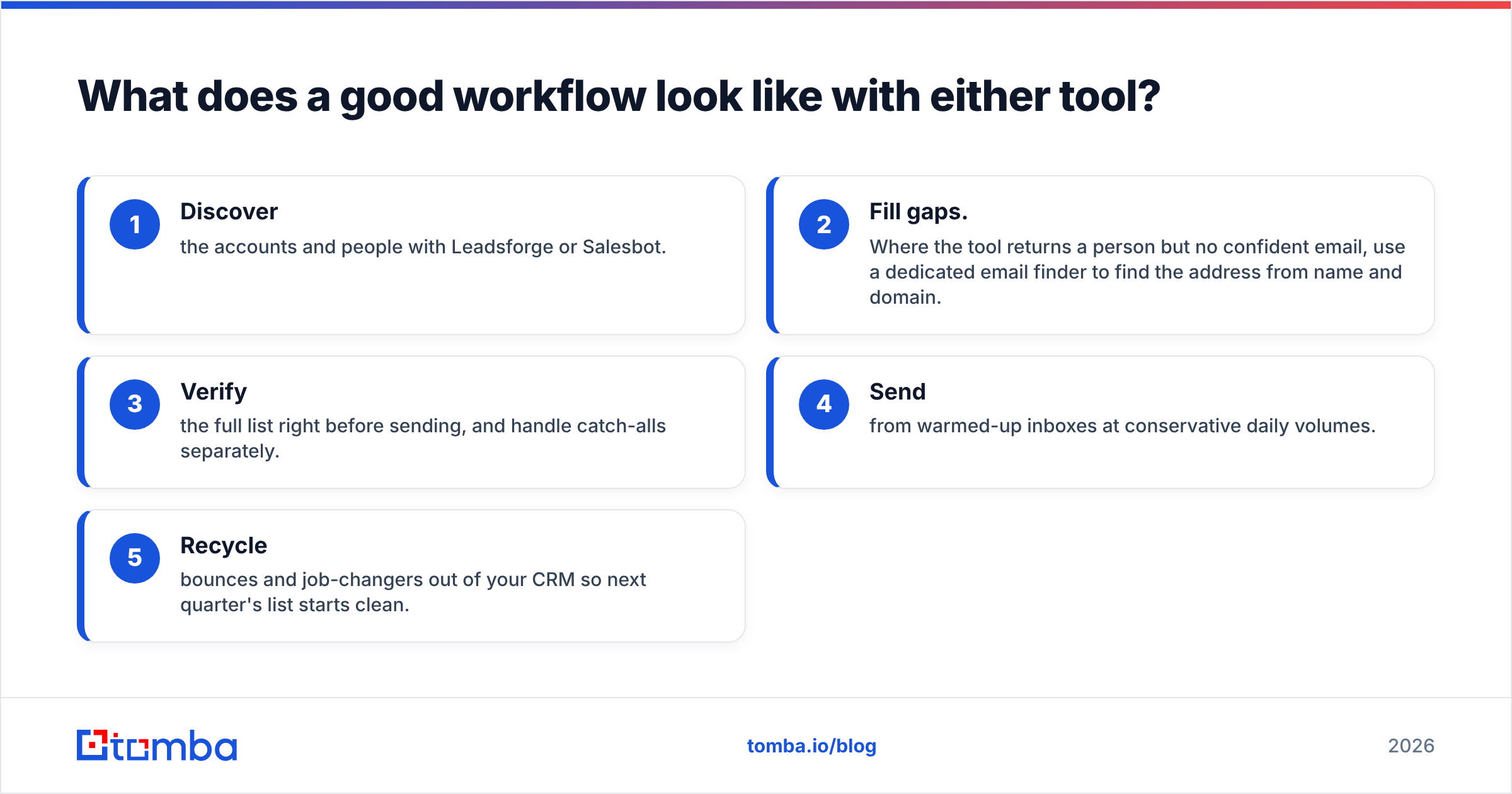
The strongest setup treats the AI lead generator as the discovery layer, not the final source of truth:
- Discover the accounts and people with Leadsforge or Salesbot.
- Fill gaps. Where the tool returns a person but no confident email, use a dedicated email finder to find the address from name and domain.
- Verify the full list right before sending, and handle catch-alls separately.
- Send from warmed-up inboxes at conservative daily volumes.
- Recycle bounces and job-changers out of your CRM so next quarter's list starts clean.
This workflow is tool-agnostic on purpose. The lead generator you choose matters less than whether you consistently check the data before it reaches a prospect's inbox.
So which should you choose: Leadsforge or Salesbot?#
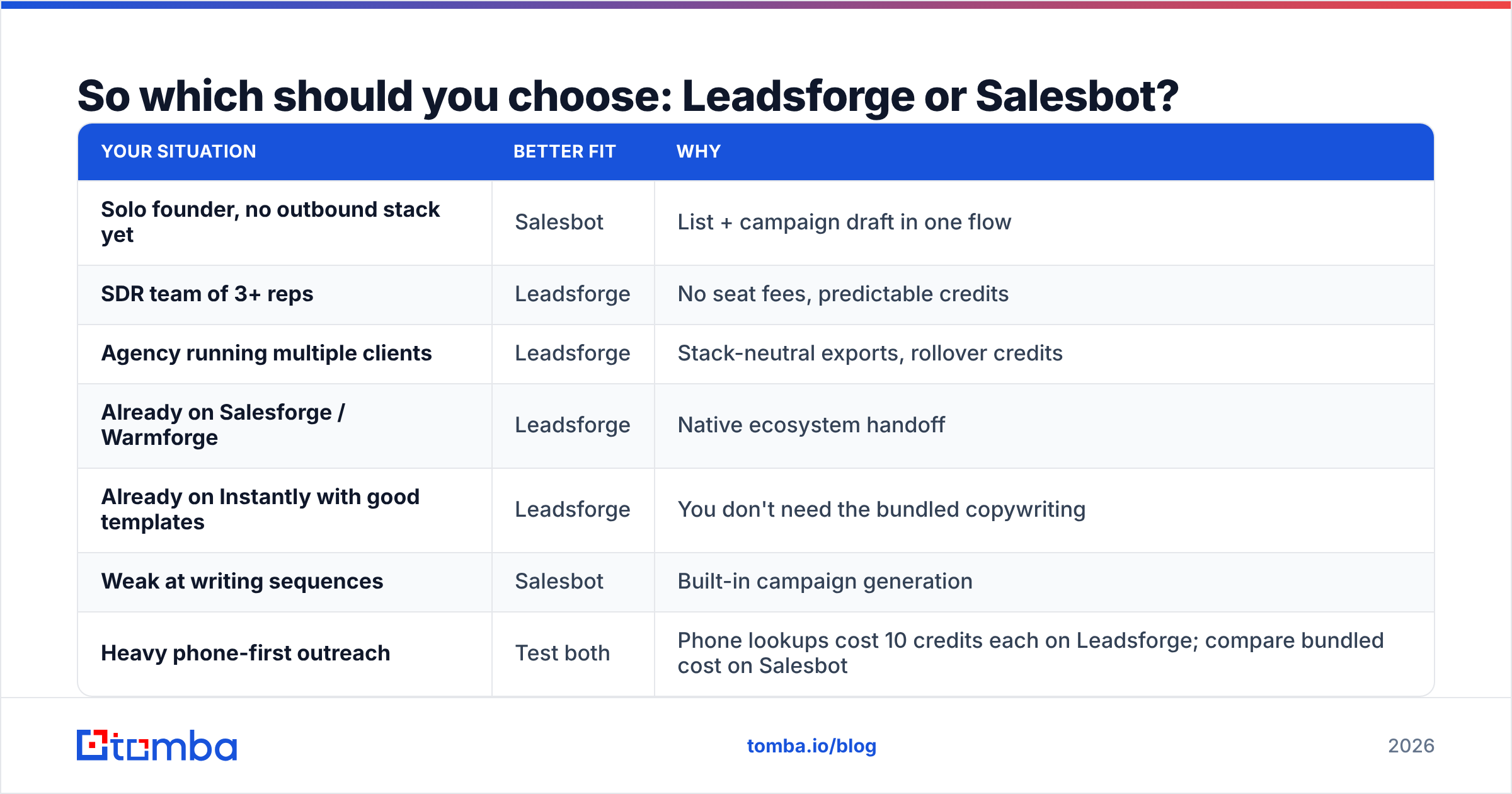
Here's the verdict, broken down by situation:
| Your situation | Better fit | Why |
|---|---|---|
| Solo founder, no outbound stack yet | Salesbot | List + campaign draft in one flow |
| SDR team of 3+ reps | Leadsforge | No seat fees, predictable credits |
| Agency running multiple clients | Leadsforge | Stack-neutral exports, rollover credits |
| Already on Salesforge / Warmforge | Leadsforge | Native ecosystem handoff |
| Already on Instantly with good templates | Leadsforge | You don't need the bundled copywriting |
| Weak at writing sequences | Salesbot | Built-in campaign generation |
| Heavy phone-first outreach | Test both | Phone lookups cost 10 credits each on Leadsforge; compare bundled cost on Salesbot |
Overall pick: Leadsforge, mainly because the pricing is transparent, credits roll over, and it doesn't lock you into its own copywriting. Salesbot is the better pick for a single operator who wants to go from "who should I email?" to "campaign ready" in one afternoon.
Both are real products worth trialing. Neither one replaces a final, independent check on every address before you hit send.
Where does Tomba fit alongside Leadsforge or Salesbot?#
Use Leadsforge or Salesbot to decide who to contact. Then make sure you can actually reach them. Tomba Email Finder finds professional addresses from a name and company domain. That covers the gap when an AI-built list gives you the right person but no confident email, and it lets you double-check contacts before a large send. The free tier includes 25 searches a month, and paid plans start at $49/mo. See Tomba pricing to match a plan to your monthly volume, then connect it to the lead generator you chose.
Related guides#
// get started
Find, verify and enrich your first contacts today
Start on the free plan with 25 searches a month, then scale when your team is ready.
Free plan · No credit card required · GDPR & CCPA
// about the author