Leadsforge vs Spherescout (2026): Which Lead Tool Fits Your ICP?
Leadsforge builds B2B lists from a plain-English ICP. Spherescout pulls local business leads from Google Maps. Here's which one fits your market, what each really costs, and where both need backup.
Leadsforge vs Spherescout is a common comparison, but the two tools solve different problems. This guide compares their data, pricing, and verification needs so you can pick the right one.
TL;DR
- Leadsforge fits B2B teams selling to companies with defined roles (VP Sales, Head of IT, founders). You describe your ICP in plain English and get a contact-level list with emails.
- Spherescout fits agencies, MSPs, and service businesses selling to local SMBs (dentists, roofers, restaurants). Its data comes mostly from Google Maps and business websites.
- Pricing works differently. Leadsforge starts at $49/mo for 2,000 credits. Spherescout advertises about $3 per 1,000 raw leads. "Raw" is doing a lot of work in that sentence.
- Neither tool removes the need for a verification pass before you send. Bounce rates decide whether your domain survives the campaign.
- Our pick: Leadsforge for persona-based outbound, Spherescout for geo-based local prospecting. Many teams will end up using one of them alongside a separate email finder and verifier.
What is Leadsforge?#
Leadsforge is an AI lead-generation tool from the Forge product family, which also includes Salesforge (sequencing) and Warmforge (warmup). The main idea is conversational list building. You don't click through 40 filter dropdowns. You type something like "Heads of RevOps at US SaaS companies, 50–500 employees, using HubSpot", and Leadsforge turns that into a filtered search.
What you get back is a contact-level B2B list: names, titles, companies, and work emails, with phone numbers available at a higher credit cost. It's designed to feed straight into an outbound sequence. It works best inside the Forge stack.
The key points:
- Search model: natural-language ICP prompt, which becomes filters, which become a list of people
- Target market: mid-market and enterprise B2B, where job titles matter
- Credit logic: 1 credit per email and 10 credits per phone number, according to the Leadsforge pricing page. Validation uses additional credits.
- Credit rollover: unused credits carry over to the next month, which is unusual in this category
What is Spherescout?#
Spherescout comes at prospecting from the opposite direction. It doesn't start from a persona. It starts from a place and a business category, for example "all HVAC contractors in Phoenix" or "every dental clinic in Lyon". Its data is pulled from Google Maps listings and the businesses' own websites. According to Spherescout's site, the result is a database of local business leads that you can filter by location and category and export to CSV or Excel.
That makes it a company-level local-business tool first. Contact details usually mean the business's listed email, phone, website, and social profiles. You won't get a named "Director of Procurement" at a 2,000-person company.
The key points:
- Search model: category plus geography, returning business listings
- Target market: SMBs and local service businesses
- Pricing hook: about $3 per 1,000 raw leads, plus 100 free credits to test
- Output: CSV or Excel exports you can import into HubSpot, Salesforce, or Pipedrive
Leadsforge vs Spherescout: how do they compare side by side?#
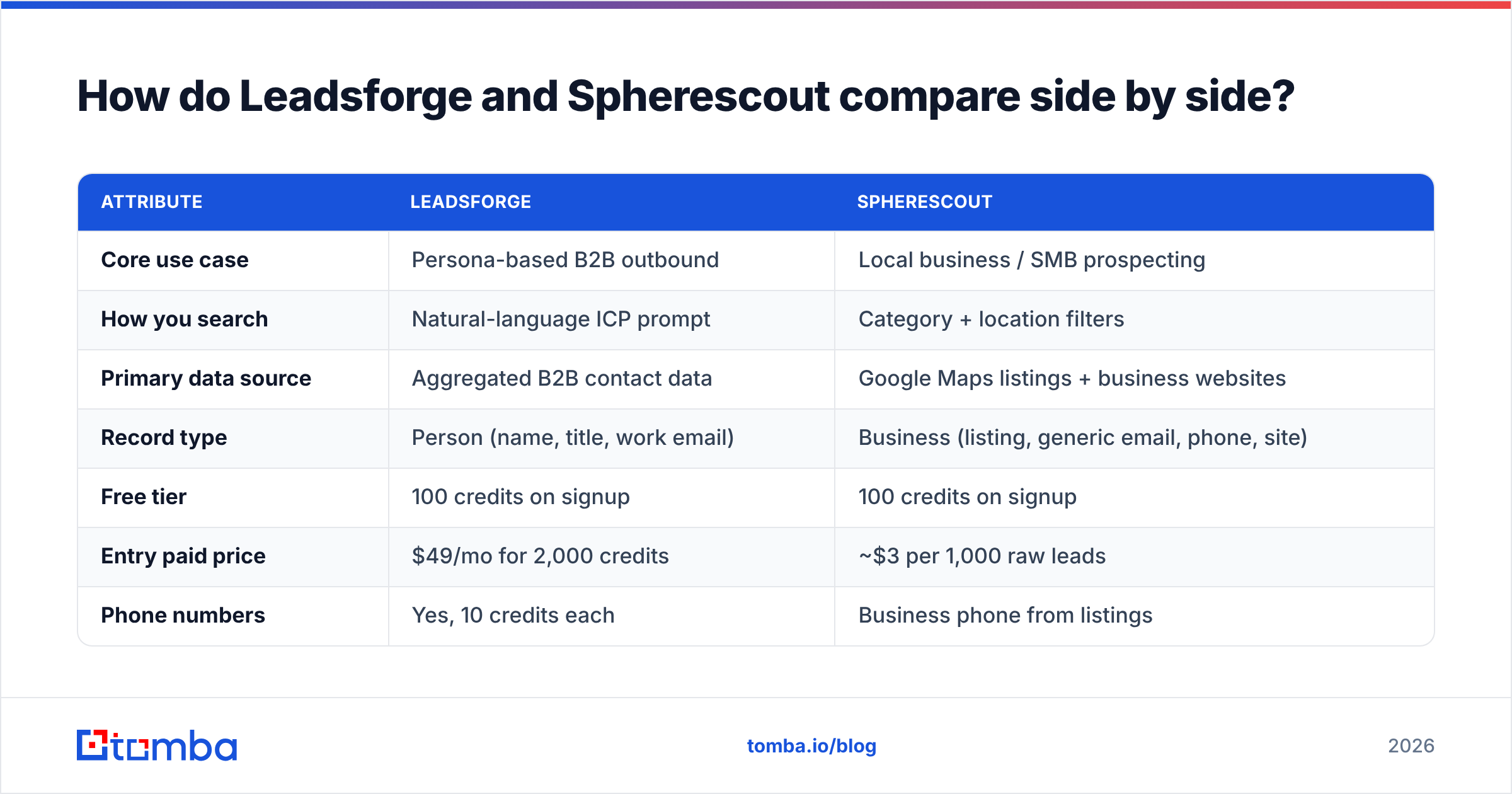
This is the core comparison. Pricing reflects publicly listed information at the time of writing. Check each vendor's page before you buy. Credit-based plans in this category change often.
| Attribute | Leadsforge | Spherescout |
|---|---|---|
| Core use case | Persona-based B2B outbound | Local business / SMB prospecting |
| How you search | Natural-language ICP prompt | Category + location filters |
| Primary data source | Aggregated B2B contact data | Google Maps listings + business websites |
| Record type | Person (name, title, work email) | Business (listing, generic email, phone, site) |
| Free tier | 100 credits on signup | 100 credits on signup |
| Entry paid price | $49/mo for 2,000 credits | ~$3 per 1,000 raw leads |
| Phone numbers | Yes, 10 credits each | Business phone from listings |
| Credit rollover | Yes | Check current plan terms |
| Native sequencing | Via Salesforge (same family) | No, export to CSV/CRM |
| Best for | SDR teams, SaaS, agencies with B2B clients | MSPs, local-service agencies, real estate, franchise sales |
The table points to one conclusion: these tools aren't really substitutes. Most "vs" posts treat them as if they compete directly. In practice you choose based on what kind of market you sell into, not on feature counts.
Which data model matches your market?#
Three questions decide this in most cases.
- Does a specific job title sign the contract? If your buyer is "the Head of Security" or "the VP of Marketing", you need person-level data. That favors Leadsforge. Emailing
info@at a 300-person company rarely reaches the person who decides. - Is the business owner the buyer? For a 6-person plumbing company, the owner reads
info@oroffice@. Spherescout's listing data works well here. It's often better than a B2B database, because many small local businesses simply don't exist in person-level B2B datasets. - Is geography part of your offer? Territory-based sales, local SEO agencies, MSPs covering a metro area, and field-sales routes all fit Spherescout's model, where location comes first.
If you answered "yes" to 1, start with Leadsforge. If you answered "yes" to 2 or 3, start with Spherescout. If you answered "yes" to all three, you're probably selling into both segments and should budget for both tools.
Is Leadsforge better than Spherescout for cold email?#
For multi-step persona-based cold email, yes. Leadsforge was built as the list layer of an outbound stack. The lists come out as named contacts with work emails, and the handoff to Salesforge sequencing is native. If your team already runs Salesforge and Warmforge, it reduces friction a lot.
The caveats:
- Credit maths on phones. Phone numbers cost 10 credits each, so a 500-contact list with phones can use 5,000+ credits. That's more than two months of the entry plan. If your motion depends on calls, work out the numbers before you commit.
- AI prompts still need checking. A natural-language search that interprets "mid-market" as 50–5,000 employees will give you a list that's technically on-prompt but commercially useless. Always check the filters the prompt generated before you export.
- Validation isn't free. Leadsforge's own pricing notes that validation uses extra credits on top of the export.
For local-business cold email, Spherescout usually wins. It returns the businesses that actually operate in a territory, and B2B contact databases tend to under-represent them.
Is Spherescout's $3 per 1,000 leads really cheaper?#
On the invoice, yes. Per useful contact, it depends.
"Raw leads" are listing records. Some share a generic inbox, some have no email, some are closed businesses that still show on Maps, and some are franchise locations routed to one corporate address. Before sending, you'll typically:
- Deduplicate by domain and phone
- Remove listings with no website or no email
- Verify every remaining address, because listing-scraped emails bounce more than you'd expect
- Enrich the best-fit accounts with an owner or manager name if you want personalization
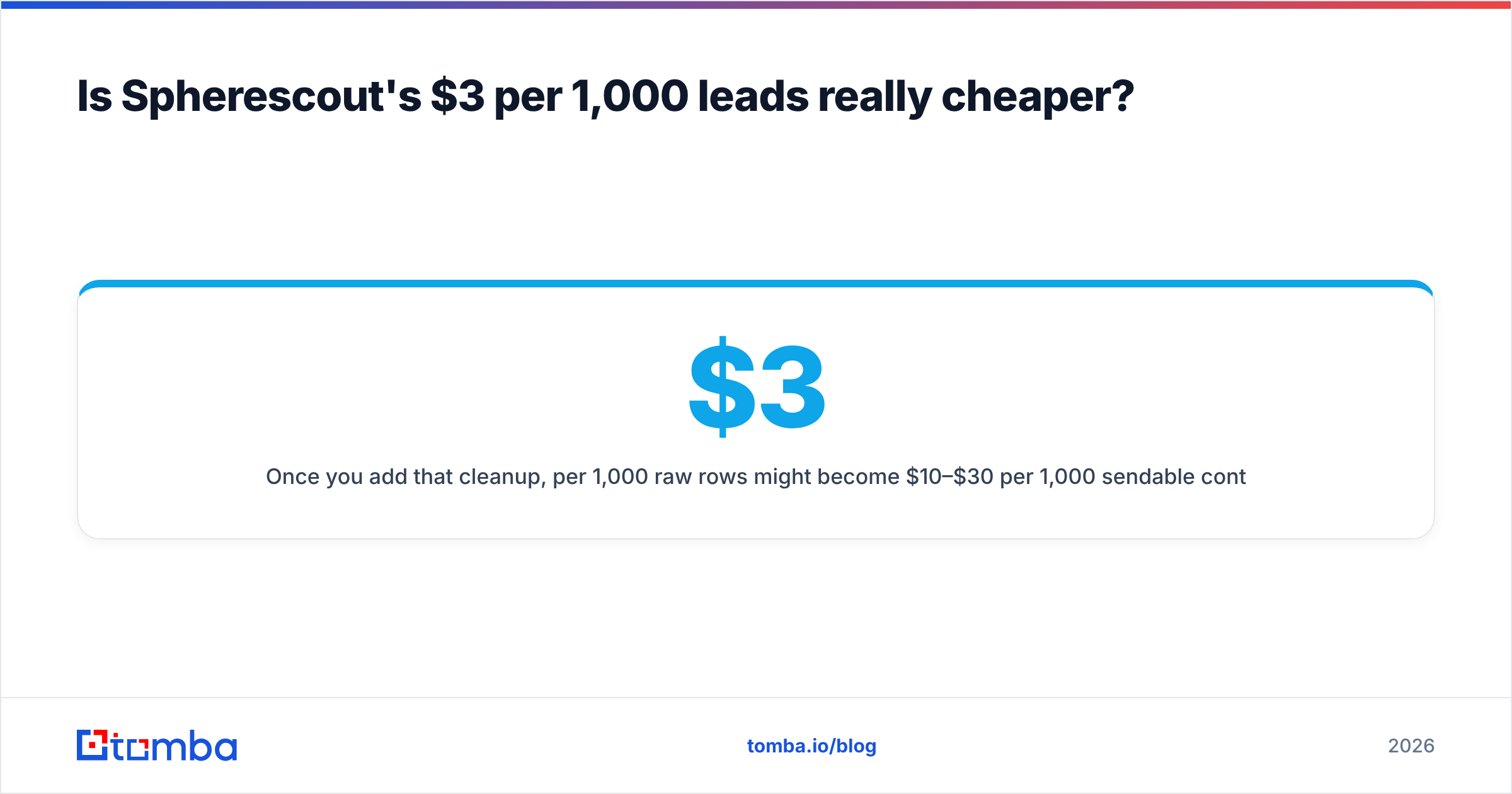
Once you add that cleanup, $3 per 1,000 raw rows might become $10–$30 per 1,000 sendable contacts, depending on the category and region. That's still cheap, often far cheaper than person-level B2B data. It just isn't $3.
The same applies in the other direction. Leadsforge's per-contact price is higher, but more of what you export is directly usable for persona outbound. The honest comparison is cost per verified, on-ICP contact, not cost per row.
Where do both tools need backup?#
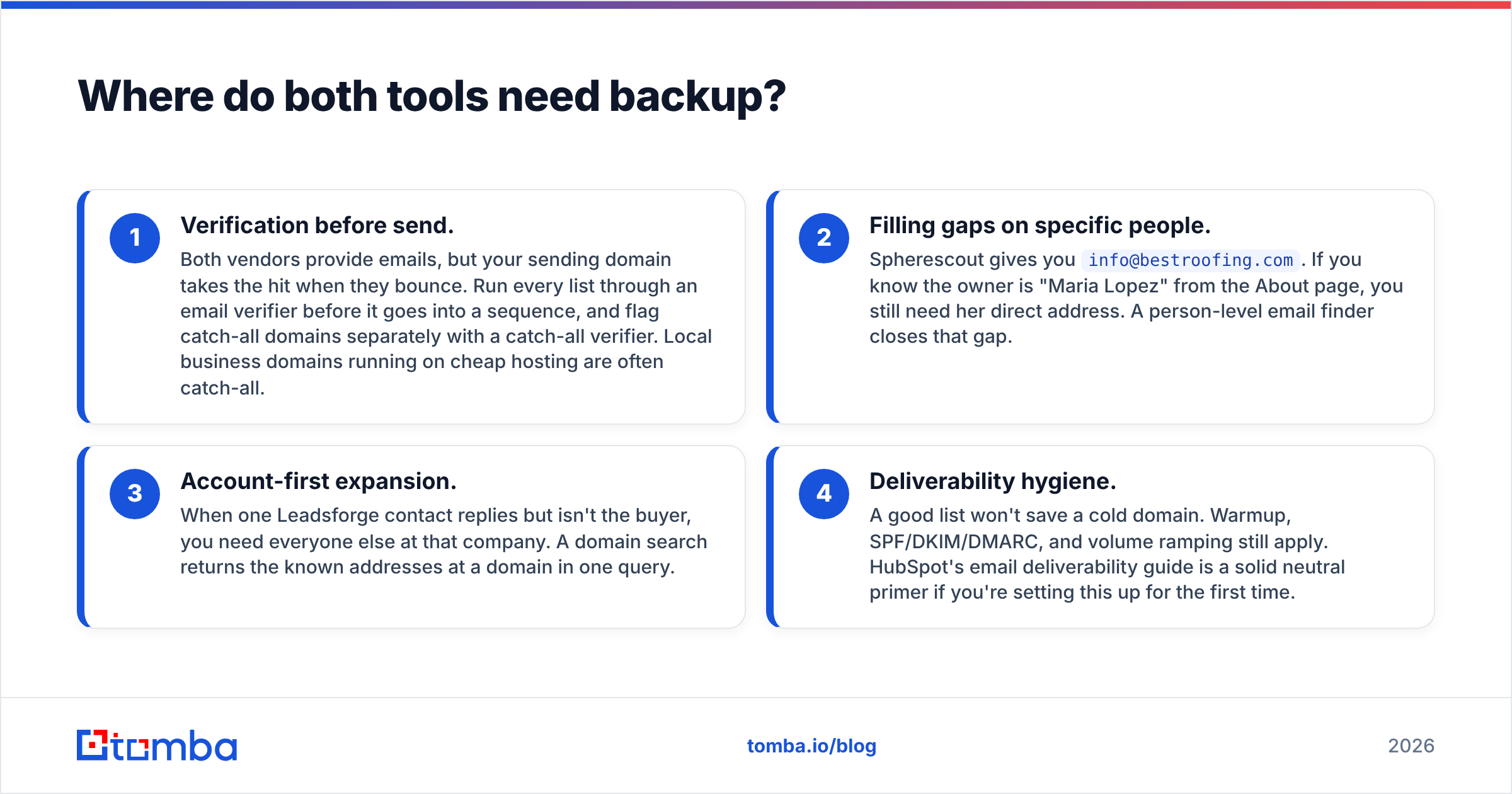
Neither tool is a complete prospecting stack. There are four gaps that come up no matter which one you choose:
- Verification before send. Both vendors provide emails, but your sending domain takes the hit when they bounce. Run every list through an email verifier before it goes into a sequence, and flag catch-all domains separately with a catch-all verifier. Local business domains running on cheap hosting are often catch-all.
- Filling gaps on specific people. Spherescout gives you
info@bestroofing.com. If you know the owner is "Maria Lopez" from the About page, you still need her direct address. A person-level email finder closes that gap. - Account-first expansion. When one Leadsforge contact replies but isn't the buyer, you need everyone else at that company. A domain search returns the known addresses at a domain in one query.
- Deliverability hygiene. A good list won't save a cold domain. Warmup, SPF/DKIM/DMARC, and volume ramping still apply. HubSpot's email deliverability guide is a solid neutral primer if you're setting this up for the first time.
What does a realistic workflow look like with each tool?#
Leadsforge workflow (SaaS SDR team, 2,000 contacts/month):
- Write the ICP prompt and check the generated filters (title seniority, headcount band, geography, tech stack).
- Export about 2,000 contacts, emails only, which uses about 2,000 credits on the entry plan.
- Verify the export. Suppress invalid and risky addresses and flag catch-alls.
- Push to Salesforge or your sequencer of choice.
- Add phone numbers only for accounts that engage, so the 10-credit phone cost goes on warm leads.
Spherescout workflow (local SEO agency, one metro, five verticals):
- Search "dentists", "chiropractors", "med spas", "law firms", and "HVAC" in the target city.
- Export raw listings and deduplicate by domain.
- Remove records with no email or website, and flag franchise locations.
- Verify the remaining emails, and use an email finder to add owner-level addresses for the top 20% of accounts.
- Sequence with local, specific hooks, for example: "Your Google profile shows 3.8 stars across 41 reviews..."
The second workflow involves more cleanup, but it reaches a market that most B2B databases barely cover.
What do reviewers say about each?#
Leadsforge has more third-party review coverage, largely because it belongs to the better-known Forge ecosystem. You can compare user sentiment on G2 before you commit. Common themes in reviews of AI list builders are that the prompt-based search is fast and that data accuracy varies by region and seniority. Test your own ICP with the free credits rather than trusting averages.
Spherescout is newer and more niche, so there are fewer independent reviews. That's normal for a vertical tool, but it means the 100 free credits are your main evaluation method. Pull a sample in your exact category and city, verify it, and count how many records are actually usable.
How should you test both before paying?#
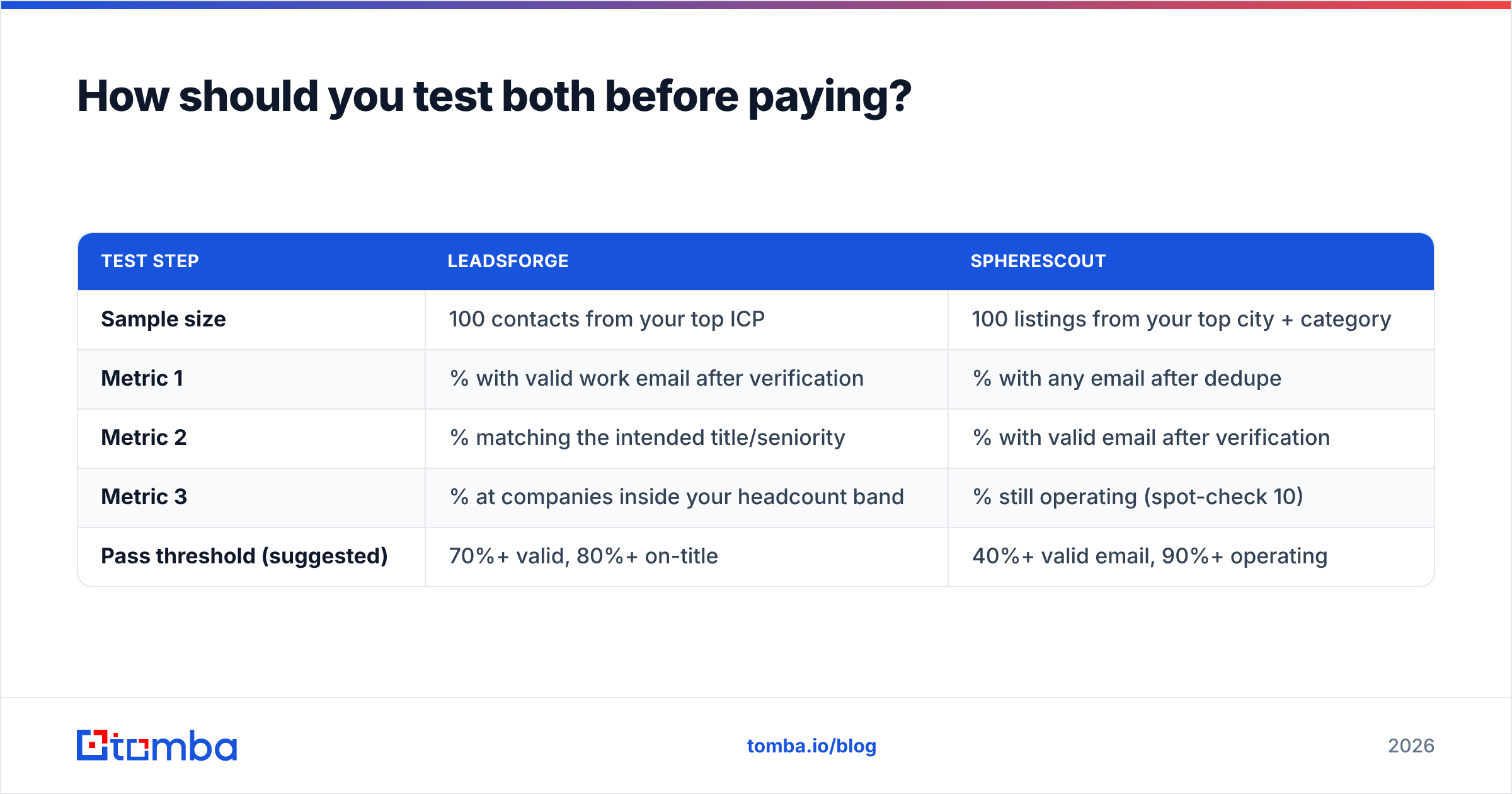
Both tools offer about 100 free credits, which is enough for a controlled test. Set it up like this:
| Test step | Leadsforge | Spherescout |
|---|---|---|
| Sample size | 100 contacts from your top ICP | 100 listings from your top city + category |
| Metric 1 | % with valid work email after verification | % with any email after dedupe |
| Metric 2 | % matching the intended title/seniority | % with valid email after verification |
| Metric 3 | % at companies inside your headcount band | % still operating (spot-check 10) |
| Pass threshold (suggested) | 70%+ valid, 80%+ on-title | 40%+ valid email, 90%+ operating |
The thresholds are rough starting points, not industry benchmarks. Adjust them to your margins. What matters is running both tools through the same verification step so you compare usable output, not vendor claims.
So which should you pick: Leadsforge or Spherescout?#
Pick Leadsforge if:
- You sell to defined roles at companies with 20+ employees
- You already use (or plan to use) Salesforge for sequencing
- You want an ICP-to-sequence loop your SDRs can run without a data specialist
- Credit rollover matters because your volume varies month to month
Pick Spherescout if:
- Your buyers are local SMB owners
- Territory and category are how you define your market
- You're price-sensitive and willing to do cleanup to get the lowest cost per contact
- B2B person-level databases keep returning thin results for your verticals
Use both if you're an agency serving mixed clients, for example a B2B SaaS client one month and a regional dental group the next. The tools overlap so little that running two subscriptions often costs less than trying to make one tool cover a market it wasn't built for.
For most readers, the Leadsforge vs Spherescout choice comes down to which market you sell into, not which tool is better. Answer that first and the decision is usually clear.
How does Tomba fit alongside either tool?#
Whichever list source you choose, the next layer stays the same. Find the right person's address, verify it, and send only what will land. That's the part Tomba handles.
Use Tomba Email Finder to turn a Spherescout listing into an owner-level address, or to fill the gaps a Leadsforge export leaves. Then run the whole list through verification before your sequencer sees it. The free plan includes 25 searches a month, which is enough to test on your own sample. Paid plans start at $49/mo. See Tomba pricing for the full tier breakdown. Build the list with the tool that fits your market, and use Tomba so it reaches real inboxes.
Related guides#
// get started
Find, verify and enrich your first contacts today
Start on the free plan with 25 searches a month, then scale when your team is ready.
Free plan · No credit card required · GDPR & CCPA
// about the author