LeadsGorilla vs Leadsforge: Local Leads or AI B2B Lists in 2026?
LeadsGorilla scrapes local businesses and turns their weak spots into agency pitches. Leadsforge builds B2B contact lists from a plain-English ICP. They solve different problems, so here is how to tell which one fits your pipeline.
TL;DR
- LeadsGorilla is a local lead finder built for marketing agencies. It pulls businesses from Google, Facebook and Yelp, scores how weak their online presence is, and produces a PDF audit you can pitch with.
- Leadsforge is an AI B2B list builder from the Forge stack (Salesforge, Warmforge, Infraforge). You describe your ideal customer in plain English and it returns contacts with emails you can export.
- On pricing, both look cheap at first. LeadsGorilla's advertised price leaves out the Google Maps API key you pay for yourself. Leadsforge charges more credits for phone numbers and validation than for emails.
- Our pick: if you sell SEO, reviews or web services to local SMBs, choose LeadsGorilla. If you sell to companies through job titles and firmographics, choose Leadsforge. Neither tool replaces a dedicated verification step before you send.
What is the real difference between LeadsGorilla and Leadsforge?#
Most people searching "LeadsGorilla vs Leadsforge" expect the two tools to compete for the same buyer. Mostly they don't. They sit at opposite ends of the prospecting market.
LeadsGorilla answers this question: which local businesses in this niche and city are doing a bad job online, and how do I show them? You type in something like "dentists in Austin". The tool collects matching listings, gives each one a lead score based on listing completeness, review count and optimisation gaps, and turns that into a branded audit report. The buyer it has in mind is a small agency or freelancer selling Google Business Profile work, reputation management, local SEO or website redesigns.
Leadsforge answers a different question: who are the decision-makers at companies that match my ICP, and what are their work emails? You write a prompt like "Heads of RevOps at US SaaS companies with 50–200 employees that raised a Series A in the last 18 months". Leadsforge turns that into filters, returns a list of people, and lets you export it or push it straight into Salesforge sequences. It also offers lookalike search from a seed company and enrichment on top.
So when you read this comparison, don't ask which tool is better overall. Ask which tool's data model matches the thing you sell.
How do LeadsGorilla and Leadsforge compare feature by feature?#
Here is the side-by-side, based on public product pages and third-party listings at the time of writing (September 2026). Vendors in this category change plans often, so check prices on each site before you buy.
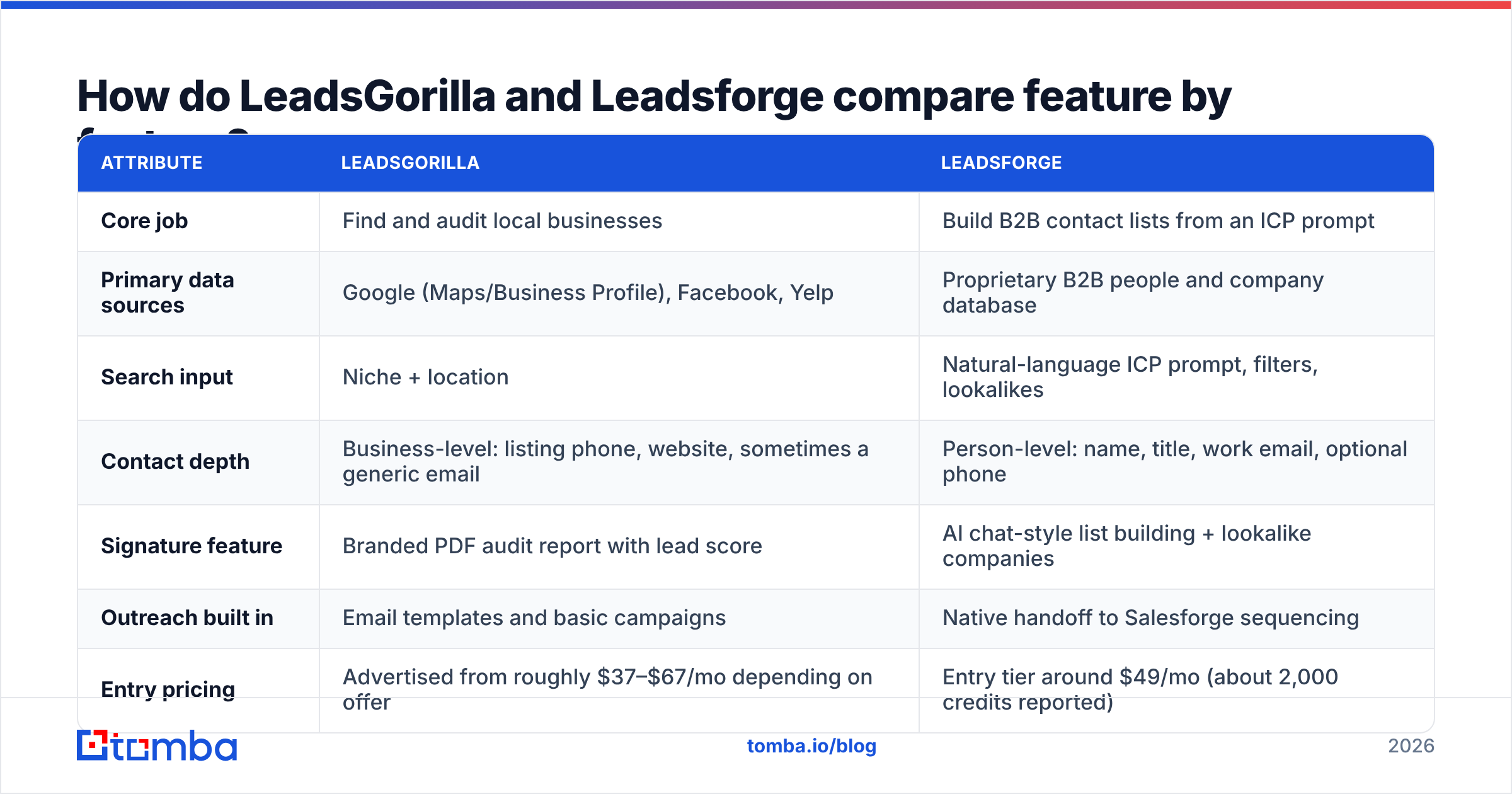
| Attribute | LeadsGorilla | Leadsforge |
|---|---|---|
| Core job | Find and audit local businesses | Build B2B contact lists from an ICP prompt |
| Primary data sources | Google (Maps/Business Profile), Facebook, Yelp | Proprietary B2B people and company database |
| Search input | Niche + location | Natural-language ICP prompt, filters, lookalikes |
| Contact depth | Business-level: listing phone, website, sometimes a generic email | Person-level: name, title, work email, optional phone |
| Signature feature | Branded PDF audit report with lead score | AI chat-style list building + lookalike companies |
| Outreach built in | Email templates and basic campaigns | Native handoff to Salesforge sequencing |
| Entry pricing | Advertised from roughly $37–$67/mo depending on offer | Entry tier around $49/mo (about 2,000 credits reported) |
| Hidden or variable costs | Your own Google Maps API key (commonly $50–$200+/mo at volume) | Phone lookups cost ~10 credits each; validation adds credits |
| Free trial | Promo-dependent | 100 free credits on signup |
| Credit rollover | Not applicable (search-based) | Credits reported not to expire |
| Best for | Local marketing agencies, freelancers | SDR teams, founders, outbound agencies selling B2B |
| Main weakness | Thin person-level data, API cost creep | Less useful for micro-businesses with no online org chart |
You can see the split in the "contact depth" row. LeadsGorilla hands you a business and a list of reasons to call it. Leadsforge hands you a person and an email address.
Which tool fits your use case?#
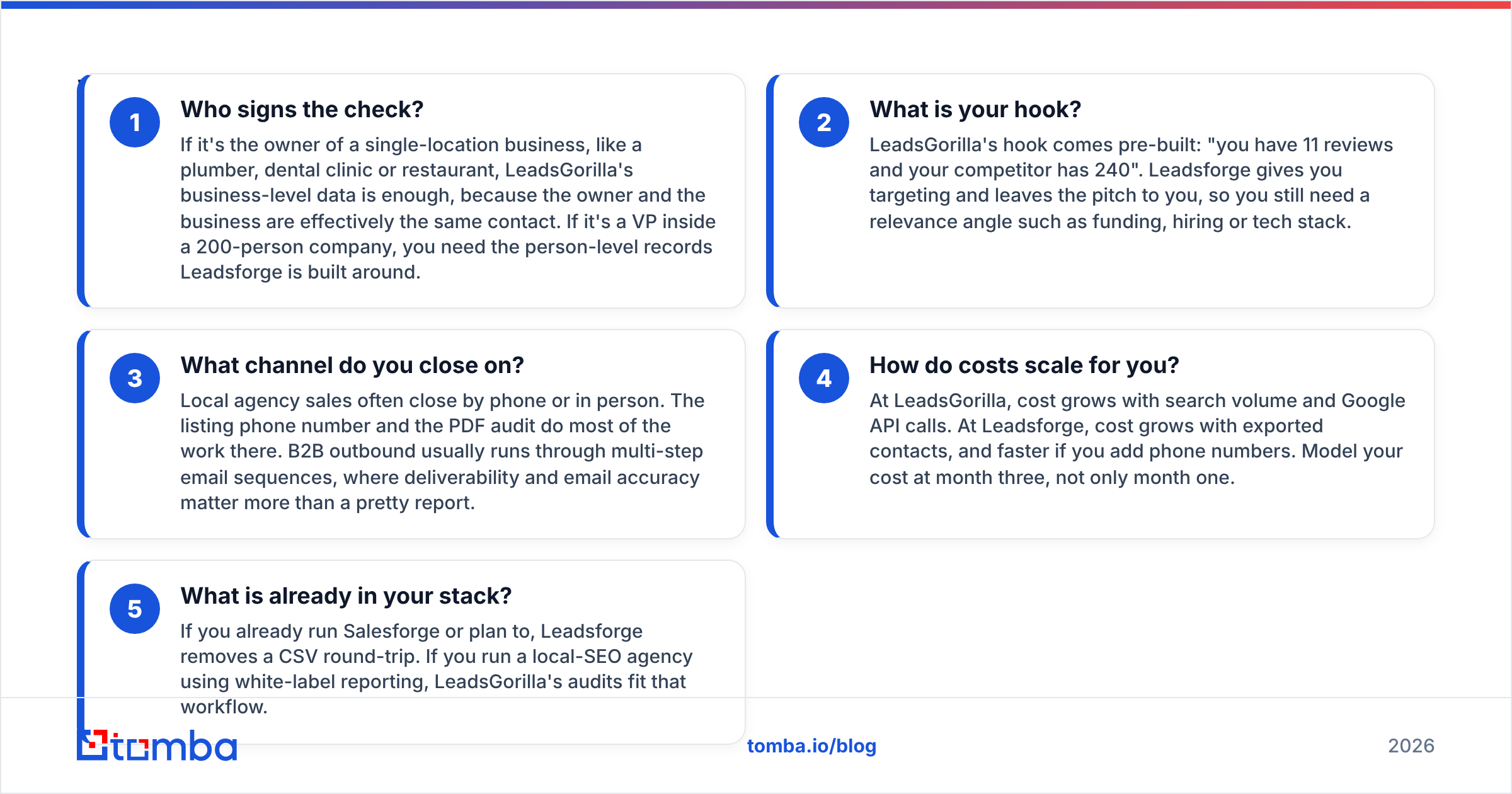
Before you pay for either tool, map your motion against these five checks.
- Who signs the check? If it's the owner of a single-location business, like a plumber, dental clinic or restaurant, LeadsGorilla's business-level data is enough, because the owner and the business are effectively the same contact. If it's a VP inside a 200-person company, you need the person-level records Leadsforge is built around.
- What is your hook? LeadsGorilla's hook comes pre-built: "you have 11 reviews and your competitor has 240". Leadsforge gives you targeting and leaves the pitch to you, so you still need a relevance angle such as funding, hiring or tech stack.
- What channel do you close on? Local agency sales often close by phone or in person. The listing phone number and the PDF audit do most of the work there. B2B outbound usually runs through multi-step email sequences, where deliverability and email accuracy matter more than a pretty report.
- How do costs scale for you? At LeadsGorilla, cost grows with search volume and Google API calls. At Leadsforge, cost grows with exported contacts, and faster if you add phone numbers. Model your cost at month three, not only month one.
- What is already in your stack? If you already run Salesforge or plan to, Leadsforge removes a CSV round-trip. If you run a local-SEO agency using white-label reporting, LeadsGorilla's audits fit that workflow.
If you answered "business owner, audit hook, phone" to most of these, you're a LeadsGorilla buyer. If you answered "VP, custom angle, email sequences", you're a Leadsforge buyer.
What does LeadsGorilla do well, and where does it fall short?#
Strengths
- The audit report is the product. For an agency, turning a scraped listing into a branded one-page "here's what you're losing" PDF saves hours per prospect. It also gives a cold call a concrete reason to exist.
- Lead scoring aimed at the right signal. LeadsGorilla scores businesses by how unoptimised they are. For a service provider, that's the signal that matters: a business with a perfect profile has little reason to hire you.
- Multi-platform view. Pulling Google, Facebook and Yelp together shows gaps you would miss by checking one platform, such as an unclaimed Yelp page or an inactive Facebook presence.
- Description writer. It can generate Google Business Profile, Facebook and Yelp descriptions, which is a quick "free value" asset for the first touch.
Weaknesses
- Bring-your-own API key. Independent reviews point out that the advertised monthly price doesn't include the Google Maps API usage you pay Google for directly. At agency volume this can cost more than the subscription.
- Generic inboxes. When LeadsGorilla finds an email at all, it's often info@ or contact@ taken from the website. Those inboxes are shared, filtered, and sometimes never read.
- Not built for B2B above SMB. If the prospect has departments, the tool can't tell you who runs marketing.
You can read user reviews on LeadsGorilla's Capterra listing and the current feature list on the official LeadsGorilla site.
What does Leadsforge do well, and where does it fall short?#
Strengths
- Prompt-to-list speed. Describing an ICP in a sentence and getting a filtered list back is faster than configuring many dropdowns in a classic database. It also lowers the skill needed for a founder doing outbound alone.
- Lookalike search. Give it your three best customers and it finds similar companies. This is one of the most useful features any list builder offers, because your best customers are better ICP definitions than any persona document.
- Credits that roll over. Reports indicate credits don't expire, which suits teams whose outbound comes in bursts.
- Tight ecosystem. If you use Salesforge for sequencing and Warmforge for warmup, Leadsforge completes the loop from list to send.
Weaknesses
- Credit math on phones. Phone numbers reportedly cost around 10 credits each against 1 for an email. If you run a calling motion, the $49 tier shrinks fast.
- Validation isn't free. Extra credits for validation mean the "cheap" per-contact price goes up if you want clean data.
- Coverage gaps for micro-businesses. A person-level B2B database has less to offer when the target is a two-person bakery with no LinkedIn footprint.
Leadsforge's product and current plans are listed on leadsforge.ai.
How much will each tool actually cost you?#
Sticker prices in this category mislead in both directions. Here is how a realistic month looks for a typical buyer of each tool.
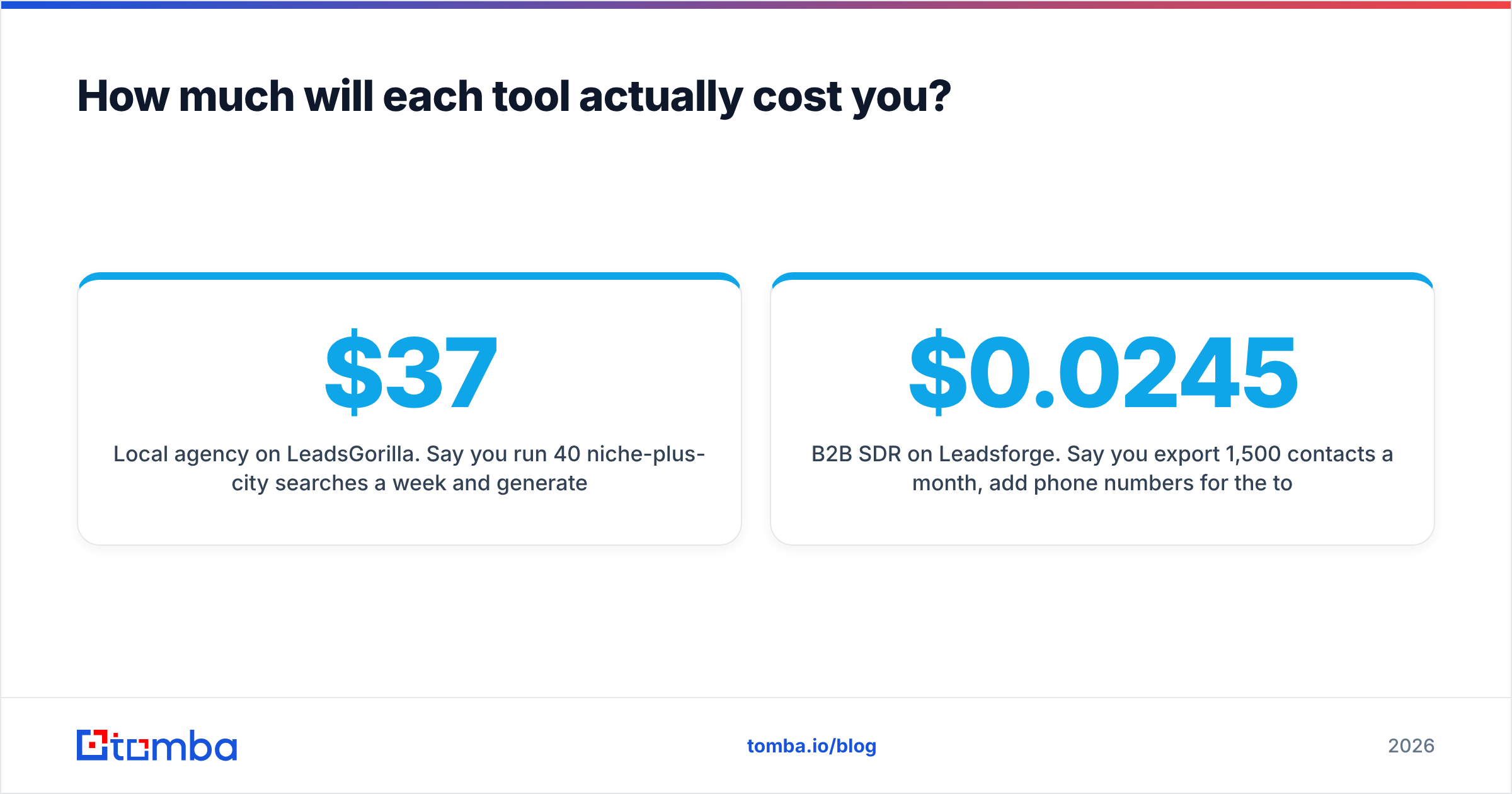
Local agency on LeadsGorilla. Say you run 40 niche-plus-city searches a week and generate 60 audit reports a month. You pay the subscription (roughly $37–$67/mo depending on the offer you land on) plus Google Maps API usage. Depending on search depth, that usage can add another $50–$200 or more. Budget about $100–$250 a month all-in, then add whatever you spend finding an actual owner's email when info@ goes nowhere.
B2B SDR on Leadsforge. Say you export 1,500 contacts a month, add phone numbers for the top 150, and validate everything. That's 1,500 email credits plus 1,500 phone credits (150 × 10), plus validation credits. You've already passed the roughly 2,000-credit entry tier, so plan for the next tier up or an annual plan. Annual billing is reported to lower the per-credit cost from about $0.0245 to about $0.021.
Neither bill is outrageous. The trap is choosing on month-one pricing and finding out in month three that your usage pattern hits exactly the thing each tool charges extra for.
Is the data accurate enough to email straight away?#
This part of the decision matters more than the feature list, and it's where both tools need backup.
LeadsGorilla's data is public listing data. The phone number and website are usually right because the business maintains them. The email, when there is one, is usually a role inbox. Sending cold outreach to role inboxes at scale tends to lower reply rates and can hurt your sender reputation, because those addresses are more likely to be spam-trapped or complained about.
Leadsforge's data is database data. That gives you real person-level emails, but any database decays: people change jobs, domains move, and catch-all servers accept everything and then bounce silently later. Even with a vendor's built-in validation, B2B contact data is commonly cited as decaying by 20–30% a year. A list pulled in January is noticeably worse by June.
What works in practice:
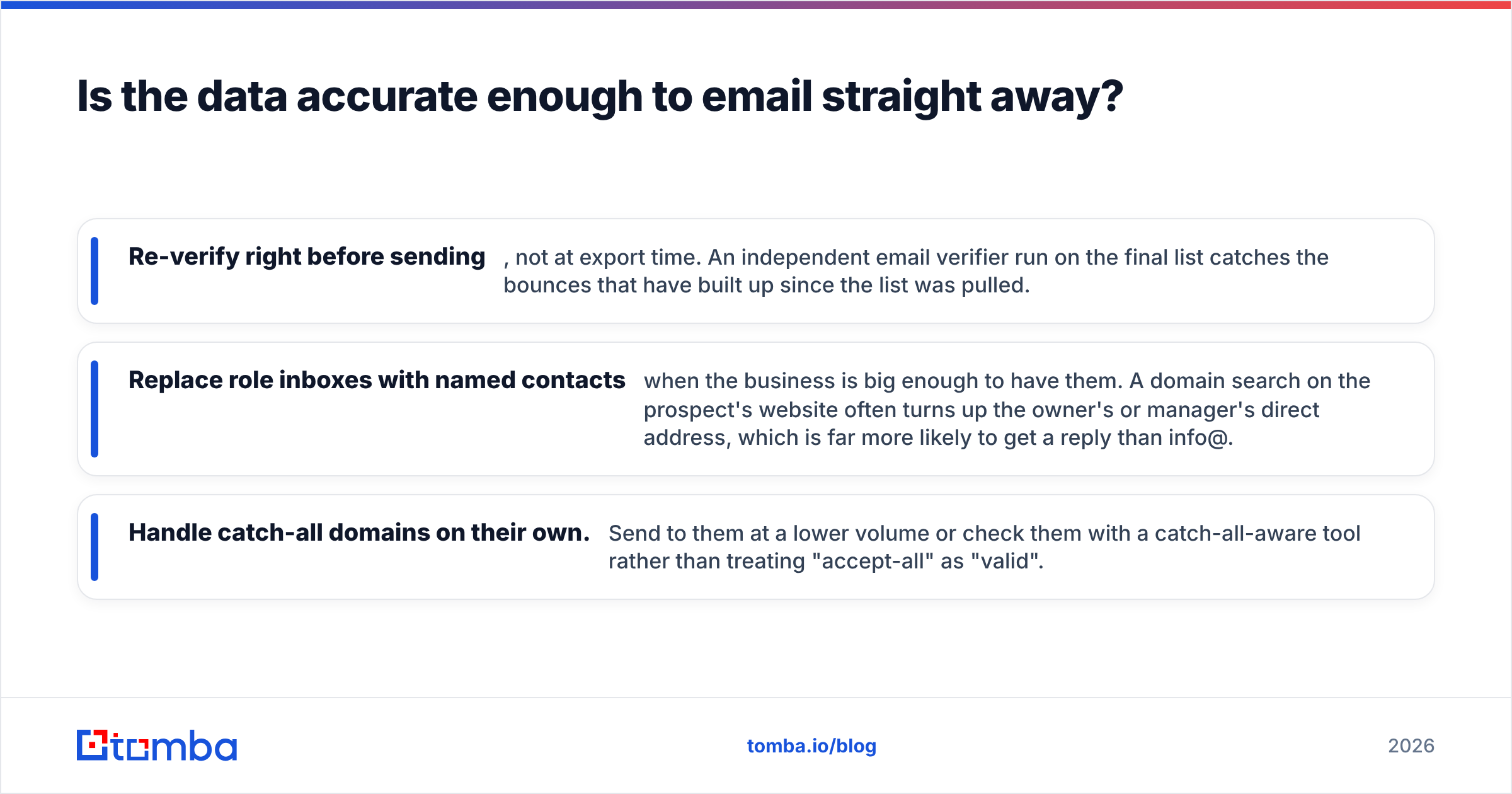
- Re-verify right before sending, not at export time. An independent email verifier run on the final list catches the bounces that have built up since the list was pulled.
- Replace role inboxes with named contacts when the business is big enough to have them. A domain search on the prospect's website often turns up the owner's or manager's direct address, which is far more likely to get a reply than info@.
- Handle catch-all domains on their own. Send to them at a lower volume or check them with a catch-all-aware tool rather than treating "accept-all" as "valid".
Can you use LeadsGorilla and Leadsforge together?#
Yes, if your agency serves both markets. A common pattern:
- LeadsGorilla for the local book. Use it to find and audit single-location businesses, then open with the audit.
- Leadsforge for multi-location and mid-market accounts. Franchise groups, regional chains and B2B companies have marketing leaders you can name and target directly.
- One verification and enrichment layer across both. Normalise both exports and run them through the same verification step, so your sending domains see the same data quality no matter where a lead came from.
Most teams don't need both, though. Running two lead sources means two credit systems, two sets of fields to map, and twice the risk of duplicates in your CRM. Choose the primary tool that matches most of your revenue and fill gaps some other way.
Which should you choose: LeadsGorilla or Leadsforge?#
Choose LeadsGorilla if:
- You sell local SEO, reviews, Google Business Profile management, ads or websites to small businesses.
- Your close happens on a call or in a meeting, and a visual audit helps you win it.
- You're fine managing a Google API key and watching that bill.
Choose Leadsforge if:
- You sell to companies and need named decision-makers by title, seniority and firmographics.
- You run email-first outbound and want the shortest path from ICP to sequence, especially inside the Salesforge ecosystem.
- You value lookalike search and credits that don't expire.
Choose neither as your only tool if you plan to send at volume without an independent verification step. Neither tool's export should go straight into a sending tool without a fresh check.
For a head-to-head verdict: Leadsforge is the stronger general-purpose B2B prospecting tool, and LeadsGorilla is the stronger niche tool for local agencies. If your prospects have an org chart, go with Leadsforge. If they have a storefront, go with LeadsGorilla.
What should you do before signing up for either?#
A short checklist to run on both free options before you commit money:
- Pull 50 records for your real ICP. Not a demo search, but your actual niche and geography or title and industry.
- Count usable contacts. How many have a named person, and how many have an email that isn't a role inbox?
- Verify the sample independently. Compare the vendor's "valid" count with an outside check. The gap tells you how much cleanup you'd be paying for.
- Price month three. Multiply your real weekly volume by the credit or API cost, including phones and validation.
- Test the handoff. Export into your CRM or sequencer and confirm the fields map cleanly.
An hour of this saves you from a year-long plan built on a demo.
Where does Tomba fit in?#
Whichever list builder you choose, the step that decides whether your campaign lands is getting a named, verified email for the right person. That's the job Tomba Email Finder is built for. Give it a name and a company domain, or a domain alone, and it returns professional email addresses with sources and a confidence signal, so you can upgrade LeadsGorilla's info@ inboxes to real owners and re-check Leadsforge exports before they reach your sending domain. There's a free tier with 25 searches a month for testing, and paid plans start at $49/mo. See the Tomba pricing page to pick the volume that fits your outbound.
Related guides#
// get started
Find, verify and enrich your first contacts today
Start on the free plan with 25 searches a month, then scale when your team is ready.
Free plan · No credit card required · GDPR & CCPA
// about the author