LeadsGorilla vs RocketReach: Local Leads or B2B Contact Data?
LeadsGorilla finds local businesses that need marketing help. RocketReach finds decision-makers inside B2B companies. They answer different questions, and picking the wrong one can cost you a year of subscription fees.
LeadsGorilla vs RocketReach is a common search, but the two tools do very different jobs. This guide compares them on data, accuracy, and price so you can pick the right one.
TL;DR
- LeadsGorilla is a local-lead tool for agencies. It pulls small businesses from maps and directories. Then it checks their online presence and grabs any public contact details.
- RocketReach is a B2B contact database. You search for people by title, company, or industry. You get their work emails and phone numbers.
- LeadsGorilla is usually sold as a one-time license with upsells. RocketReach charges a monthly or yearly plan with lookup credits.
- Choose LeadsGorilla if you sell SEO, reviews, or web design to local businesses. Choose RocketReach if you sell to named roles at larger companies.
- If you just need a verified work email for a known person, a dedicated email finder costs less than either tool.
LeadsGorilla vs RocketReach: what is the real difference?#
Searching "LeadsGorilla vs RocketReach" suggests the two compete. They mostly don't. They sit at opposite ends of the prospecting market. Most bad purchases come from treating them as the same thing.
LeadsGorilla starts with a place. You enter a niche and a city, for example "dentists in Austin". It pulls matching businesses from sources such as Google Maps and business directories. Then it scores each one on marketing gaps: no mobile-friendly site, weak reviews, no social presence, or missing ad pixels.
It is built for agencies that sell fixes for exactly those gaps. The contacts it returns are whatever the business publishes. That is often info@, contact@, or a front-desk phone line.
RocketReach starts with a person. You search by name, job title, company, industry, headcount, or location. It returns profiles with work emails, direct dials where it has them, and social links. It is built for SDRs, recruiters, and account executives. They need to reach one specific buyer, such as "VP of Finance at a 500-person logistics company."
In short, LeadsGorilla tells you which local businesses need help and gives you a generic inbox. RocketReach tells you who runs a department and gives you that person's inbox.
How do LeadsGorilla and RocketReach compare feature by feature?#
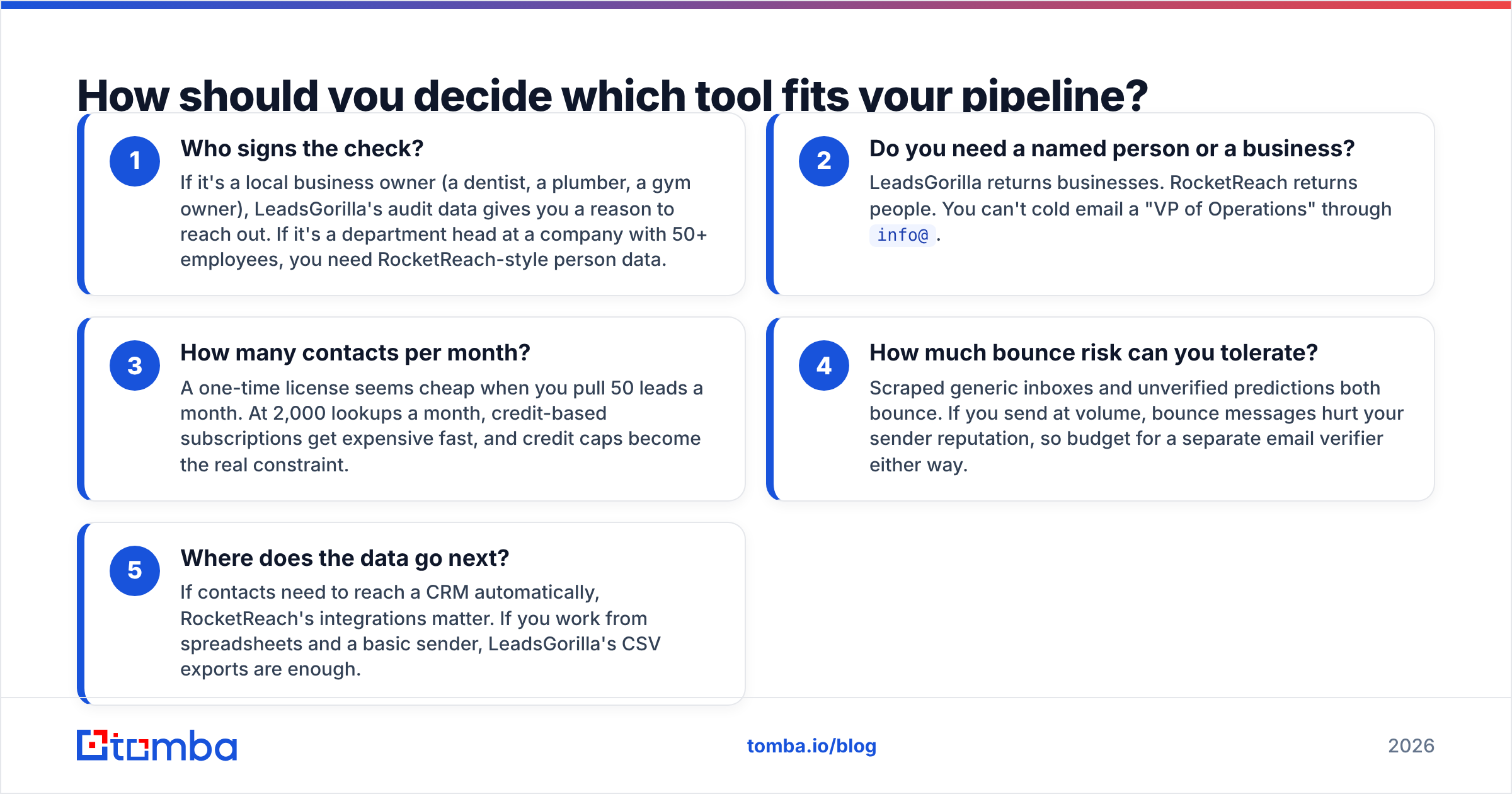
Here is the LeadsGorilla vs RocketReach side-by-side view. Pricing on both products changes often. LeadsGorilla is often sold in launch-style bundles. Check the current offer on each vendor's site before you buy.
| Attribute | LeadsGorilla | RocketReach |
|---|---|---|
| Core job | Find and audit local businesses | Find named B2B contacts |
| Primary user | Local marketing agencies, freelancers | SDRs, recruiters, AEs, RevOps |
| Search input | Niche + location | Name, title, company, industry, filters |
| Contact type | Generic business emails, main phone lines | Personal work emails, direct dials (varies) |
| Lead audit / scoring | Yes: SEO, mobile, reviews, social, ads | No marketing audit; firmographic filters instead |
| Pricing model | Historically one-time license plus upsells (OTOs) | Recurring subscription with lookup credits |
| Approx. entry cost | One-time fee (check current offer) | Paid plans start around $50-$100/mo depending on billing |
| Free option | No meaningful free tier | Limited free lookups |
| Email verification | Basic, not the core product | Built in, with confidence grades |
| Integrations | CSV export, basic outreach | Chrome extension, API, CRM integrations (Salesforce, HubSpot) |
| Best for | "Who in this city needs a better website?" | "Who is the Head of IT at Acme Corp?" |

RocketReach lists its current tiers on the RocketReach website. User reviews are collected on G2's sales intelligence category. LeadsGorilla has far fewer independent reviews because it sells mostly through affiliate launches. So trust hands-on testing more than its marketing pages.
How should you decide which tool fits your pipeline?#
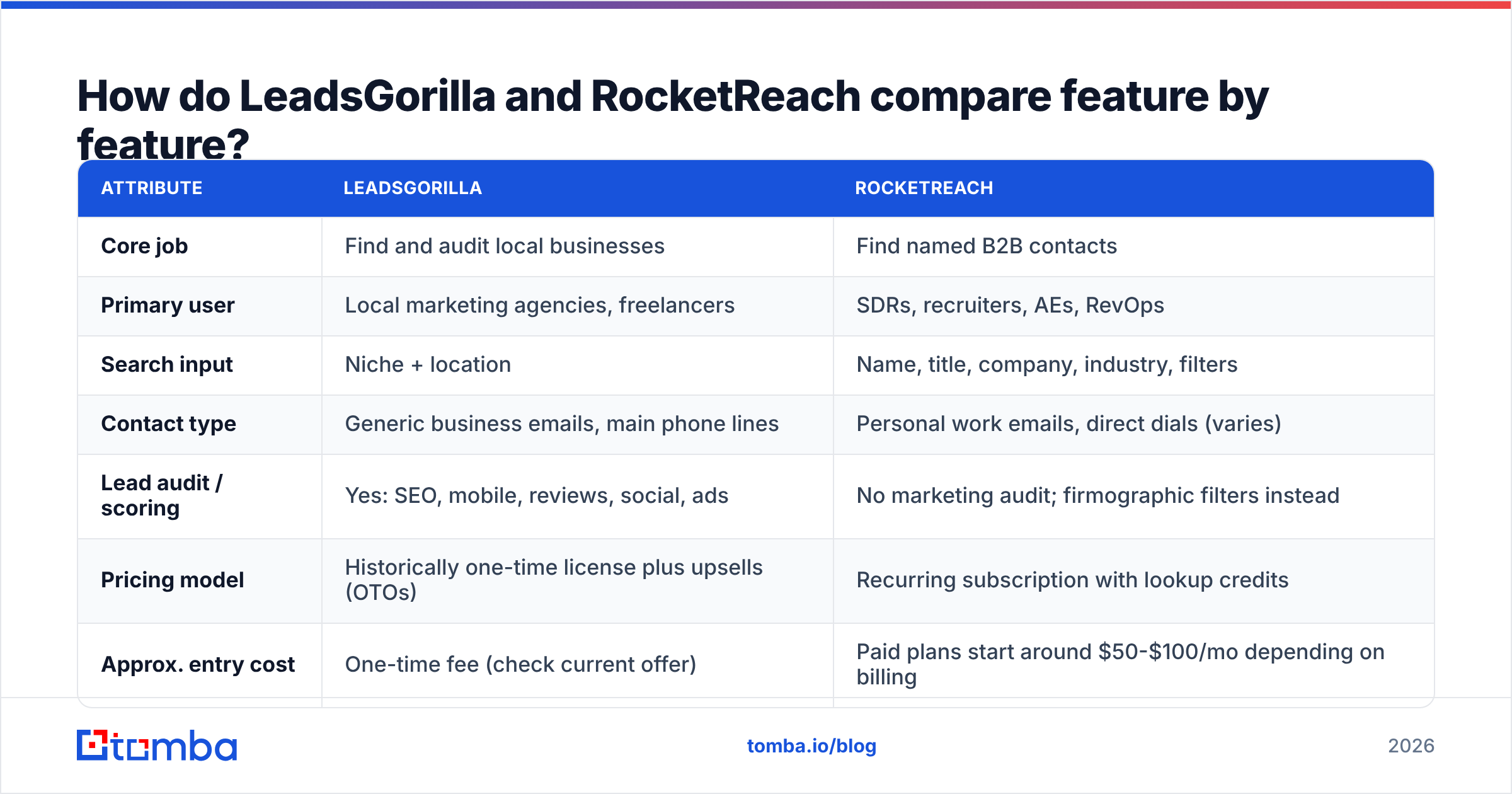
Before you compare features, answer five questions. Your answers will make the choice for you.
- Who signs the check? If it's a local owner, such as a dentist or plumber, LeadsGorilla's audit data gives you a reason to reach out. If it's a department head at a larger company, you need RocketReach-style person data.
- Do you need a person or a business? LeadsGorilla returns businesses. RocketReach returns people. You can't reach a "VP of Operations" through
info@. - How many contacts per month? A one-time license feels cheap at 50 leads a month. At 2,000 lookups a month, credit plans get expensive fast.
- How much bounce risk can you accept? Generic inboxes and unverified guesses both bounce. Bounce messages hurt your sender reputation. Budget for a separate email verifier either way.
- Where does the data go next? If contacts must flow into a CRM, RocketReach's integrations matter. If you work from spreadsheets, LeadsGorilla's CSV exports are enough.
Which tool has better data accuracy?#
In the LeadsGorilla vs RocketReach accuracy debate, each tool measures "accurate" differently. So a direct comparison needs care.
LeadsGorilla's accuracy depends on how current the public listings are. Maps and directories are usually right about name, address, and main phone number. They are much weaker for email.
Many small businesses publish no email at all. Others list an inbox nobody reads. When LeadsGorilla scrapes an email from a website, it is real but generic. Delivery is usually fine. Reply rates are often poor.
RocketReach's accuracy depends on how each email was guessed and checked. Its emails come with confidence grades. A-grade records are usually reliable. Lower grades are closer to educated guesses.
Reviewers often say coverage is strong for US tech and SaaS companies. It is thinner for small businesses, non-English markets, and fast-changing startups. That's typical of large B2B databases, not a flaw unique to RocketReach.

In practice:
- For finding a working inbox at a local business, LeadsGorilla gets there quickly. But that inbox is rarely the owner's.
- For finding a specific buyer's work email, RocketReach is far more useful. Still, check lower-confidence records before you send.
- For either tool, run the list through a verifier before a campaign. It's standard practice, not optional.
Is LeadsGorilla or RocketReach cheaper?#
This depends on how long you keep the tool and how many lookups you run.
LeadsGorilla usually launches with a low one-time price. Then comes a chain of upsells: agency licenses, extra lead sources, white-label reports, and outreach add-ons. The front-end price is cheap. Buying everything in the funnel can cost several times that.
Once you pay, though, you aren't charged per lookup. For high-volume local prospecting, the cost per lead can get very low. The trade-off is support and upkeep. When a directory changes its layout or blocks scraping, one-time tools can be slow to catch up.
RocketReach is a standard SaaS subscription. Entry plans include a limited number of lookups per year. Higher tiers add phone numbers, API access, bulk lookups, and integrations. Yearly billing lowers the monthly price, but you pay up front.
For one SDR running a few hundred lookups a month, it's fair. For a team that needs thousands of contacts a month, the price climbs fast. You'll likely need an enterprise contract.
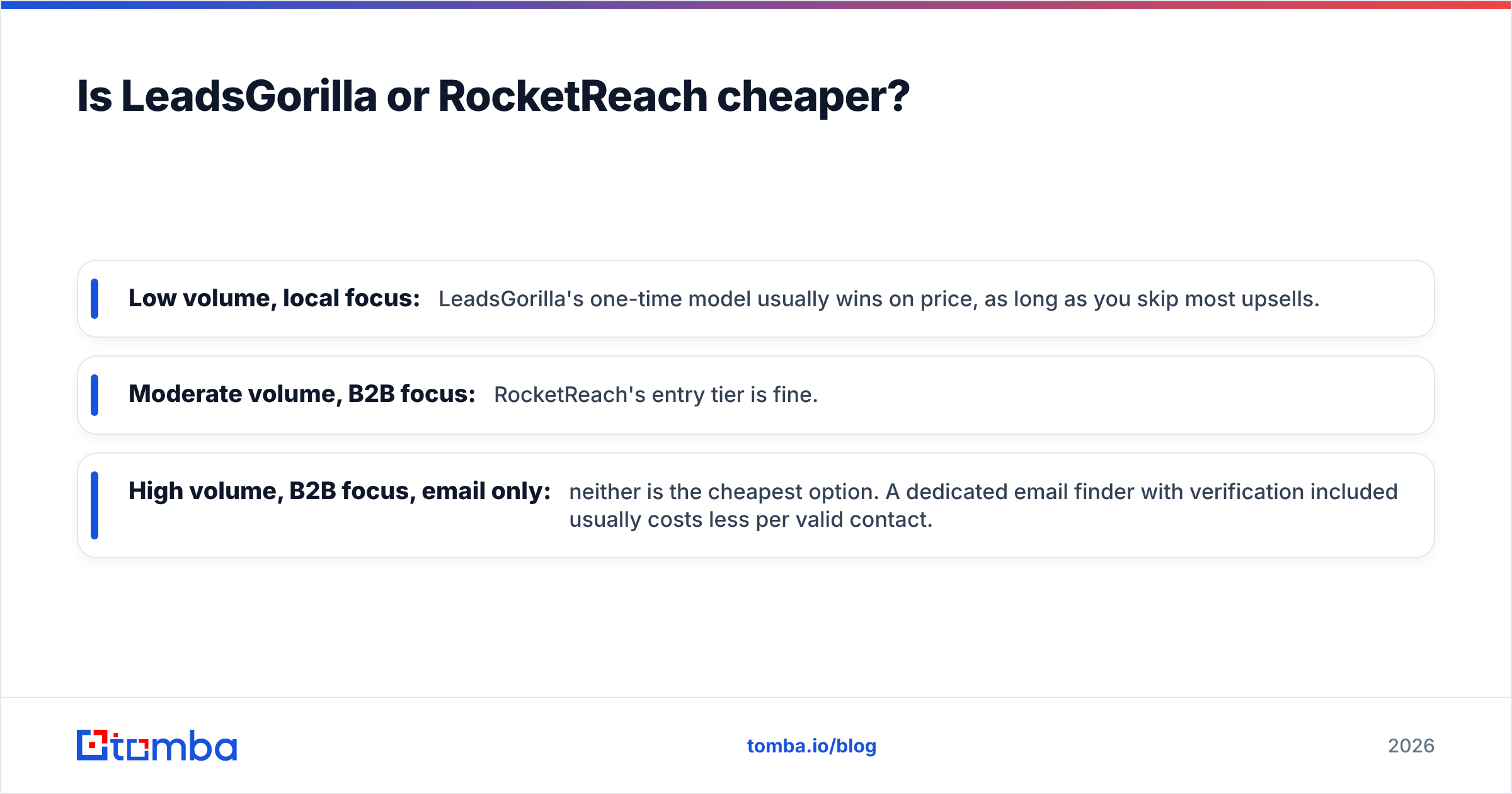
Simple rule of thumb:
- Low volume, local focus: LeadsGorilla's one-time model usually wins on price, as long as you skip most upsells.
- Moderate volume, B2B focus: RocketReach's entry tier is fine.
- High volume, B2B focus, email only: neither is the cheapest option. A dedicated email finder with built-in verification usually costs less per valid contact.
What are the pros and cons of each?#
LeadsGorilla pros
- Built for local-agency prospecting, with audit data that gives you a reason to call or email.
- One-time pricing can beat subscriptions for steady, long-term local use.
- Fast to learn: pick a niche, pick a city, export.
LeadsGorilla cons
- Contacts are mostly generic business inboxes and main phone lines.
- Upsell-heavy sales funnel makes the true total cost hard to predict.
- Limited integrations and few independent reviews.
- Not useful for B2B selling into companies with buying committees.
RocketReach pros
- Large person-level database with title, seniority, and company-size filters.
- Confidence grades on emails, plus phone numbers on higher tiers.
- Chrome extension, API, and CRM integrations that fit a modern sales stack.
- Widely reviewed, so it's easier to check claims before buying.
RocketReach cons
- Credit caps mean you ration lookups on lower tiers.
- Coverage is thinner for very small businesses and some non-US regions.
- Yearly commitments on the better tiers make switching costly.
- More than you need if you only want an email for a known name at a known domain.
Who should choose LeadsGorilla?#
Choose LeadsGorilla if all of these apply:
- You run or work at an agency that sells local SEO, review management, web design, or paid ads to small businesses.
- Your pitch starts with "I noticed your website isn't mobile-friendly" or "you have 3.2 stars on Google."
- You're fine calling or emailing the front desk and working your way to the owner.
- You'd rather pay once than keep another monthly subscription.
In that case, LeadsGorilla's audit-first workflow is useful. A person-level B2B database like RocketReach would mostly return records you don't need.
Who should choose RocketReach?#
Choose RocketReach if:
- You sell into companies large enough to have titled roles (Head of Marketing, IT Director, CFO).
- You need direct dials alongside emails for multichannel sequences.
- Your contacts need to sync into Salesforce or HubSpot automatically.
- You run account-based campaigns where reaching the right person matters more than raw volume.
Already using RocketReach? Our RocketReach alternative breakdown compares cost per verified email against leaner tools. For broader context on sales tools, HubSpot's sales resources are a solid starting point.
Is there a third option that fits between them?#
Often, yes. Many teams weighing LeadsGorilla vs RocketReach don't need a local audit tool or a full sales suite. They have a list of companies, maybe from a trade show, a CRM, or a LeadsGorilla pull. They just want the right person's verified email at each one.
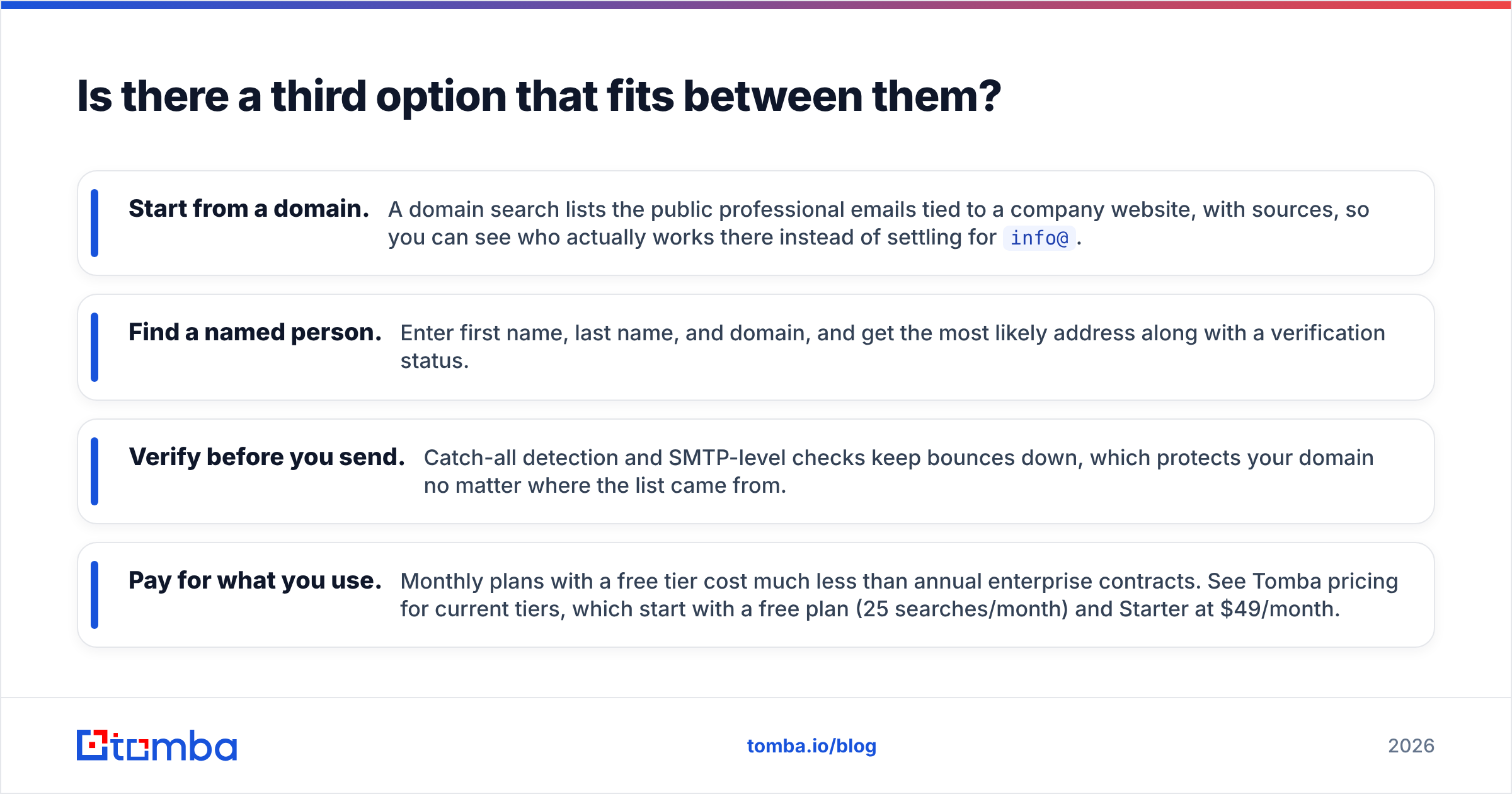
That's the gap a dedicated email finder fills:
- Start from a domain. A domain search lists the public work emails tied to a company website, with sources. You see who actually works there instead of settling for
info@. - Find a named person. Enter a first name, last name, and domain. You get the most likely address and its verification status.
- Verify before you send. Catch-all detection and SMTP checks keep bounces down. That protects your domain wherever the list came from.
- Pay for what you use. Monthly plans with a free tier cost far less than enterprise contracts. See Tomba pricing for current tiers: a free plan (25 searches/month) and Starter at $49/month.
This also pairs well with LeadsGorilla. Use LeadsGorilla to find local businesses with marketing gaps. Then run their domains through an email finder to reach the owner or manager, not the generic inbox. You keep the audit angle and get a much better reply rate.
What is the final verdict: LeadsGorilla vs RocketReach?#
The LeadsGorilla vs RocketReach verdict has no single winner, because these tools answer different questions.
- LeadsGorilla wins for local-agency prospecting. There, the business's weak spots are the pitch, and a one-time license keeps costs flat.
- RocketReach wins for B2B outbound to titled buyers. Person-level data, phone numbers, and CRM sync justify a recurring plan.
- Neither is the most efficient choice if your whole job is "get a verified work email for this person at this company." A focused email finder does that for less.
Before you commit, run a small LeadsGorilla vs RocketReach trial. Take 50 target accounts and pull contacts with each tool. Verify every address. Then measure cost per deliverable, correctly-targeted email. That number matters more than any feature list.
If you need verified work emails without an enterprise contract or a stack of upsells, try Tomba Email Finder. Search by domain, name, or company and get a verification status on every result. Start on the free plan, then move to Starter at $49/month as your volume grows.
Related guides#
// get started
Find, verify and enrich your first contacts today
Start on the free plan with 25 searches a month, then scale when your team is ready.
Free plan · No credit card required · GDPR & CCPA
// about the author