Leadsgorilla vs Saleshandy: Local Lead Gen or Cold Email Platform?
Leadsgorilla finds local businesses with obvious marketing gaps. Saleshandy sends cold email at scale. They do different jobs, and picking the wrong one costs you a quarter. Here's how to choose, or combine them.
TL;DR
- Leadsgorilla is a local lead-generation tool. It pulls small businesses from sources like Google Maps and social platforms, then flags gaps you can pitch, such as no website, a weak mobile experience, or poor reviews.
- Saleshandy is a cold email platform. It handles sequences, sender rotation, unlimited mailboxes, warmup, a unified inbox, and a B2B lead database.
- These two tools aren't really competitors. Leadsgorilla tells you who to pitch in a local market. Saleshandy handles how you reach prospects at volume.
- For agencies selling to local SMBs, Leadsgorilla is the faster start. For B2B outbound teams, Saleshandy is the better base.
- In either case, verify contacts before you send. Local business data usually gives you
info@addresses and stale emails, and those hurt deliverability quickly.
What is Leadsgorilla?#
Leadsgorilla is a lead-finding and audit tool built for marketing agencies and freelancers who sell services to local businesses: dentists, restaurants, plumbers, salons, gyms. You enter a niche and a location. The tool pulls matching businesses from public listing sources and returns a list with contact details and a quick marketing health check for each one.
That health check is what the product sells. Leadsgorilla doesn't just give you names. It points out why each business might buy from you: it has no website, its site isn't mobile-friendly, it has no Facebook page, it has few reviews, or it isn't running ads. For an agency owner, that turns cold prospecting into a problem-first pitch. "I noticed your site doesn't load properly on phones" gets a far better reply than "Do you need marketing?"
Leadsgorilla has usually been sold through software launch marketplaces as a license with optional upgrades (white-label reports, agency seats, extra templates), not as a classic per-seat SaaS subscription. Packaging has changed between versions, so check the current offer before you budget for it.
Where it's strong:
- Very fast list building for one city plus one niche
- Built-in "opportunity" signals you can use as your opening line
- Report and pitch templates made for agencies
- Low entry cost compared with B2B data platforms
Where it's weak:
- Data is limited to what public local listings expose, which is often a generic inbox or a phone number
- It doesn't target B2B decision makers at mid-market or enterprise companies
- Outreach and deliverability tooling is basic next to a dedicated sequencer
What is Saleshandy?#
Saleshandy is a cold email outreach platform. Its core job is sending personalized multi-step email sequences from many sender accounts without landing in spam. Over the past few years it has added a B2B Lead Finder database, AI-assisted sequence writing, a unified inbox for replies across all connected mailboxes, and built-in email warmup.
Saleshandy's main structural feature is unlimited email accounts on every plan. You pay for prospect volume and features, not for each connected inbox. That matters in 2026. After Google and Yahoo tightened their bulk-sender requirements, serious cold emailers spread volume across many domains and mailboxes, each sending a modest daily amount. With per-inbox pricing, that setup gets expensive. With Saleshandy it doesn't.
Where it's strong:
- Sender rotation across unlimited mailboxes
- Sequence logic, A/B testing, and reply detection
- Unified inbox for managing replies at scale
- Lead Finder for B2B contacts filtered by title, industry, and company size
- Reviews are consistently solid on G2 for value and ease of use
Where it's weak:
- Lead Finder credits are priced separately from outreach plans, so the real cost adds up
- It has no local-business "opportunity audit" like Leadsgorilla's
- Deliverability still depends on you: domain setup, warmup discipline, and list hygiene

How do Leadsgorilla and Saleshandy actually differ?#
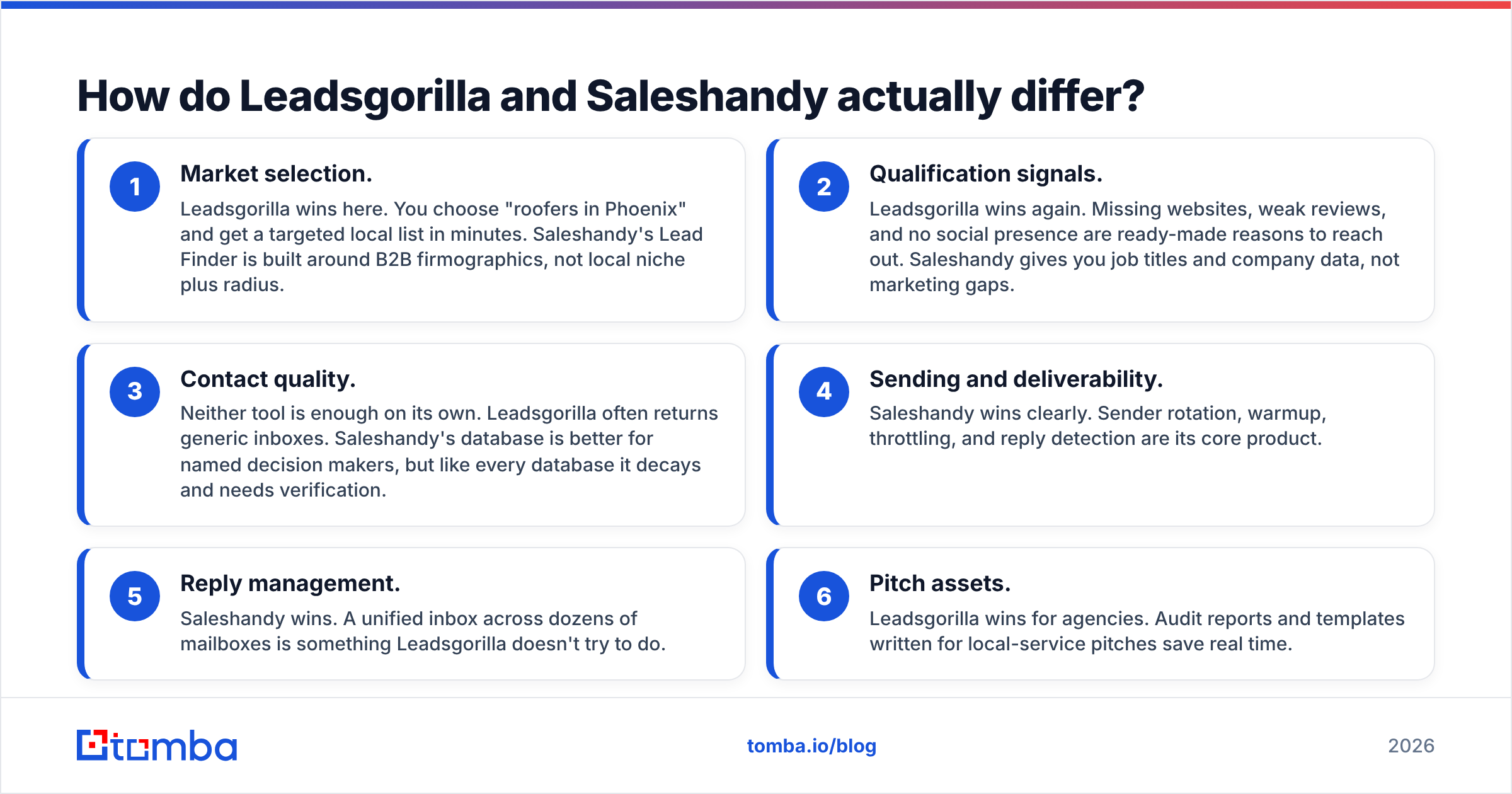
The quickest way to see it is to break the outbound workflow into its steps and check which tool covers each one.
- Market selection. Leadsgorilla wins here. You choose "roofers in Phoenix" and get a targeted local list in minutes. Saleshandy's Lead Finder is built around B2B firmographics, not local niche plus radius.
- Qualification signals. Leadsgorilla wins again. Missing websites, weak reviews, and no social presence are ready-made reasons to reach out. Saleshandy gives you job titles and company data, not marketing gaps.
- Contact quality. Neither tool is enough on its own. Leadsgorilla often returns generic inboxes. Saleshandy's database is better for named decision makers, but like every database it decays and needs verification.
- Sending and deliverability. Saleshandy wins clearly. Sender rotation, warmup, throttling, and reply detection are its core product.
- Reply management. Saleshandy wins. A unified inbox across dozens of mailboxes is something Leadsgorilla doesn't try to do.
- Pitch assets. Leadsgorilla wins for agencies. Audit reports and templates written for local-service pitches save real time.
In short, Leadsgorilla sits at the top of the funnel and Saleshandy covers the middle.
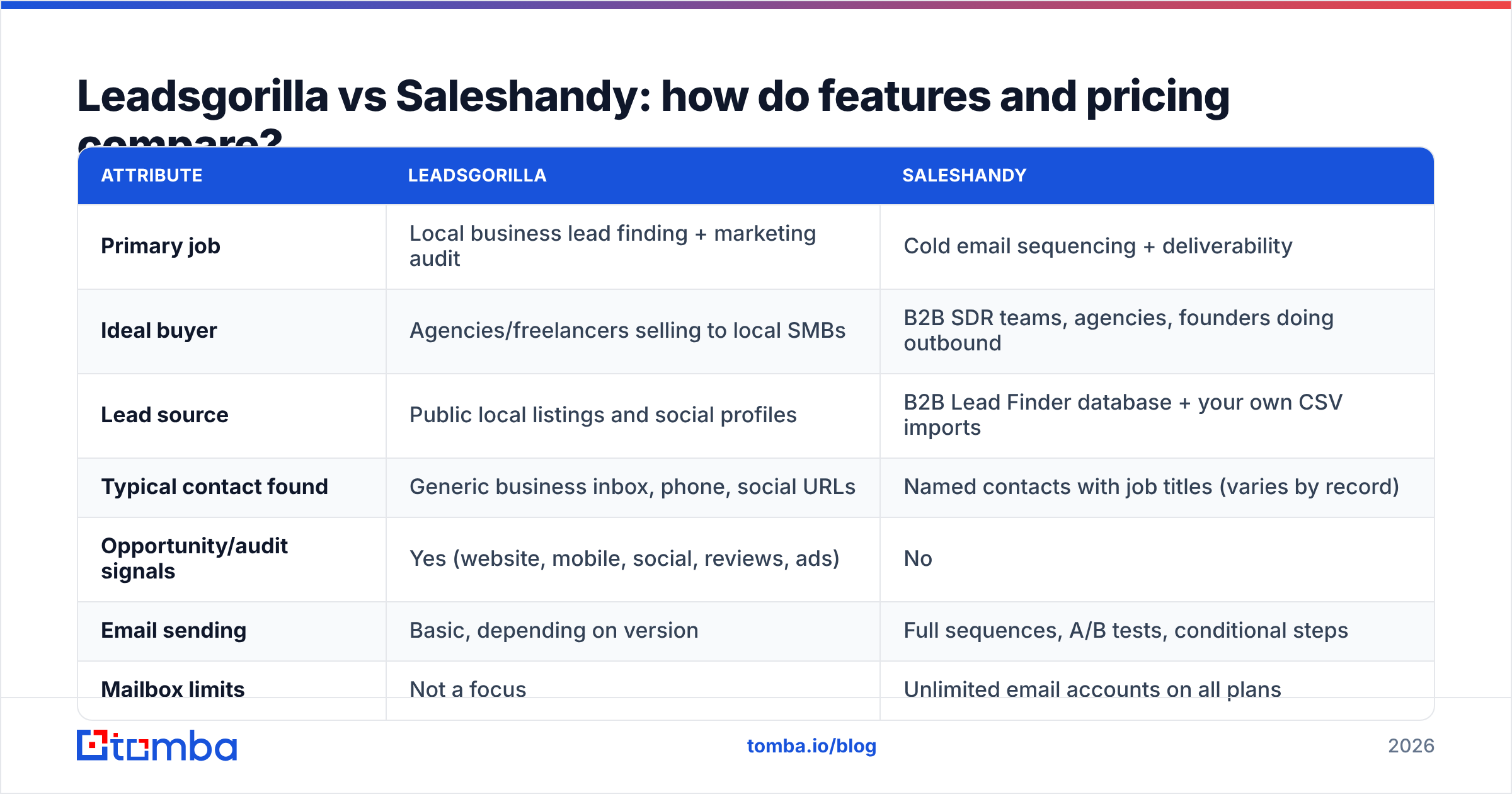
Leadsgorilla vs Saleshandy: how do features and pricing compare?#
| Attribute | Leadsgorilla | Saleshandy |
|---|---|---|
| Primary job | Local business lead finding + marketing audit | Cold email sequencing + deliverability |
| Ideal buyer | Agencies/freelancers selling to local SMBs | B2B SDR teams, agencies, founders doing outbound |
| Lead source | Public local listings and social profiles | B2B Lead Finder database + your own CSV imports |
| Typical contact found | Generic business inbox, phone, social URLs | Named contacts with job titles (varies by record) |
| Opportunity/audit signals | Yes (website, mobile, social, reviews, ads) | No |
| Email sending | Basic, depending on version | Full sequences, A/B tests, conditional steps |
| Mailbox limits | Not a focus | Unlimited email accounts on all plans |
| Warmup | No dedicated warmup | Included |
| Unified inbox | No | Yes |
| Pricing model | License-style with upgrades (check current offer) | Monthly/annual subscription; outreach and Lead Finder billed separately |
| Entry price (approx.) | Low one-time or low monthly, varies by launch | Outreach plans start around $25/mo billed annually (about $36 month-to-month) |
| Mid-tier (approx.) | Agency/white-label upgrades | Around $69/mo annual (about $99 monthly) for Pro-level outreach |
| Best for | "Who in this city needs my service?" | "How do I send 2,000 personalized emails a week safely?" |
Pricing for both tools changes often. Check the Saleshandy pricing page and Leadsgorilla's current sales page before you commit. Treat the figures above as a snapshot of the tier structure, not a quote.
Which tool gives you better contact data?#
Neither tool is a strong email finder, and that's where most buyers get caught out.
Leadsgorilla's data comes from local listings. A business owner who put info@smithplumbing.com on their Google profile three years ago may never check that inbox. Sometimes it forwards to a receptionist, sometimes nowhere. You'll often get the business, not the person. That works for a five-person plumbing company where the owner reads everything. It fails when you're trying to reach the marketing manager of a 40-location franchise.
Saleshandy's Lead Finder returns named contacts with titles, which is a clear improvement for B2B. But every B2B database decays. People change jobs, domains move, and catch-all servers accept anything and then silently drop it. Industry estimates put B2B contact decay at roughly 20 to 30 percent a year. A list pulled in January is noticeably worse by July.
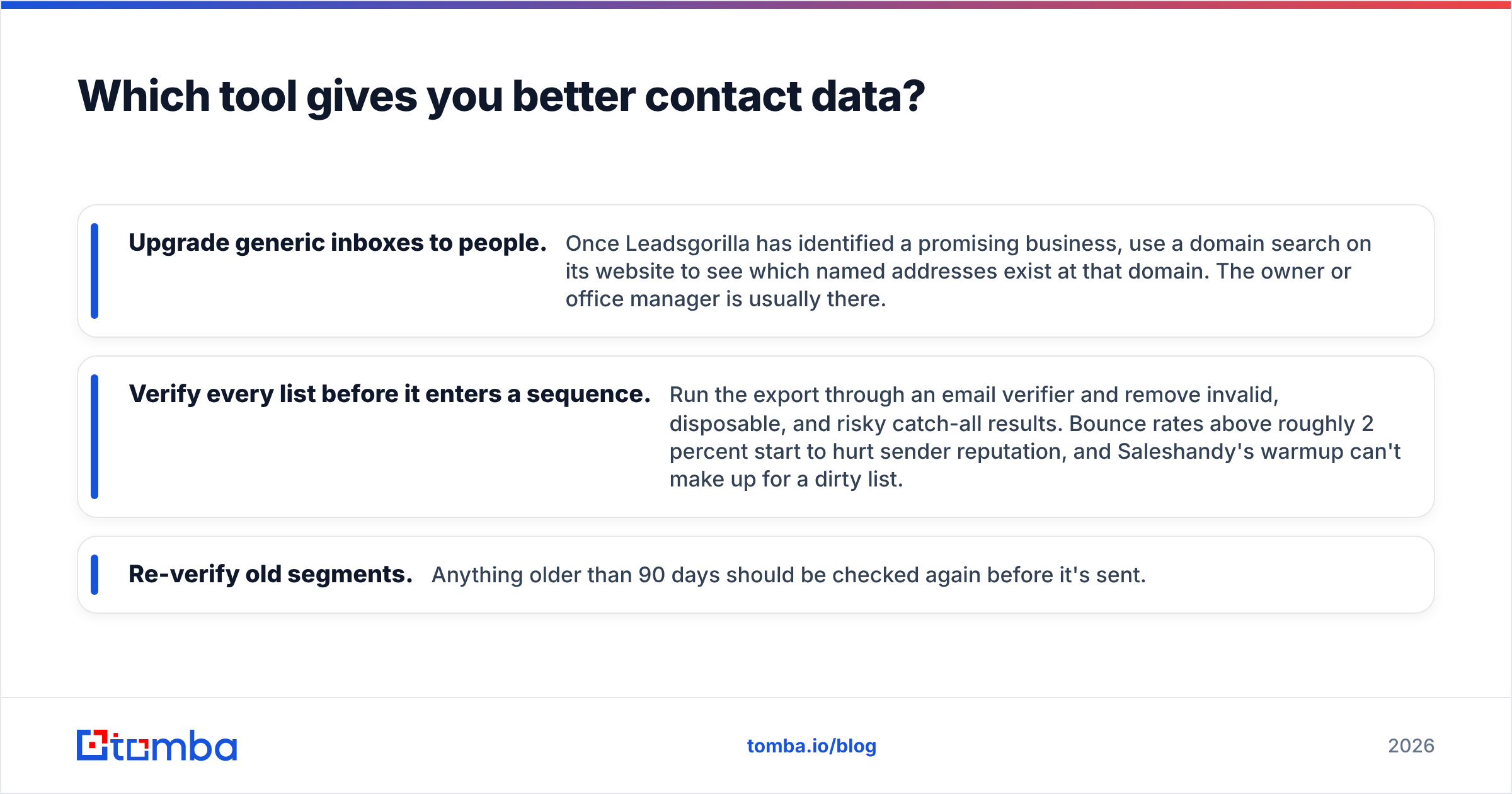
What to do about it in practice:
- Upgrade generic inboxes to people. Once Leadsgorilla has identified a promising business, use a domain search on its website to see which named addresses exist at that domain. The owner or office manager is usually there.
- Verify every list before it enters a sequence. Run the export through an email verifier and remove invalid, disposable, and risky catch-all results. Bounce rates above roughly 2 percent start to hurt sender reputation, and Saleshandy's warmup can't make up for a dirty list.
- Re-verify old segments. Anything older than 90 days should be checked again before it's sent.
Is Saleshandy better than Leadsgorilla for cold email deliverability?#
Yes, clearly, because deliverability is what Saleshandy is built around and Leadsgorilla wasn't designed for it.
Sending cold email at any real volume in 2026 means doing all of the following:
- Several secondary sending domains with SPF, DKIM, and DMARC configured
- Warmed-up mailboxes, each sending a conservative daily volume
- Throttling and randomized send windows
- Automatic pausing on replies and bounces
- Unsubscribe handling that complies with laws such as the CAN-SPAM Act in the US and GDPR/PECR in Europe
Saleshandy covers the sending-side mechanics natively. Leadsgorilla's outreach features work for a small agency sending a few dozen pitches a day from one inbox. Past that, you're risking your primary domain. If you're comparing Saleshandy against other sequencers instead, our Saleshandy alternative breakdown covers where it fits against the rest of the market.

Who should choose Leadsgorilla?#
Pick Leadsgorilla if most of these describe you:
- You run a small agency or freelance practice selling web design, SEO, local ads, review management, or social media to local businesses.
- Your deals are small and you need volume at low cost per lead.
- You pitch problem-first ("your site isn't mobile-friendly") rather than on role or firmographics.
- You send modest volume, tens of emails a day, and do a lot of phone and DM follow-up.
- You want white-label audit reports as a leave-behind.
In this setup, Leadsgorilla replaces hours of manual Google Maps browsing. The audit signals also improve reply rates because every opener is specific.
Who should choose Saleshandy?#
Pick Saleshandy if most of these describe you:
- You sell B2B, and your buyer is a role (Head of Ops, VP Marketing, IT Director) rather than a local business owner.
- You need to send hundreds or thousands of emails a week across many mailboxes.
- Several reps or clients need separate sequences and a shared reply view.
- You already have lead sources such as LinkedIn, event lists, a CRM, or intent data, and need an execution layer.
- Deliverability and reporting matter more to you than local audit signals.
Agencies that run outbound for B2B clients almost always end up on a Saleshandy-style platform, because the unlimited-mailbox model scales across client domains.
Can you use Leadsgorilla and Saleshandy together?#
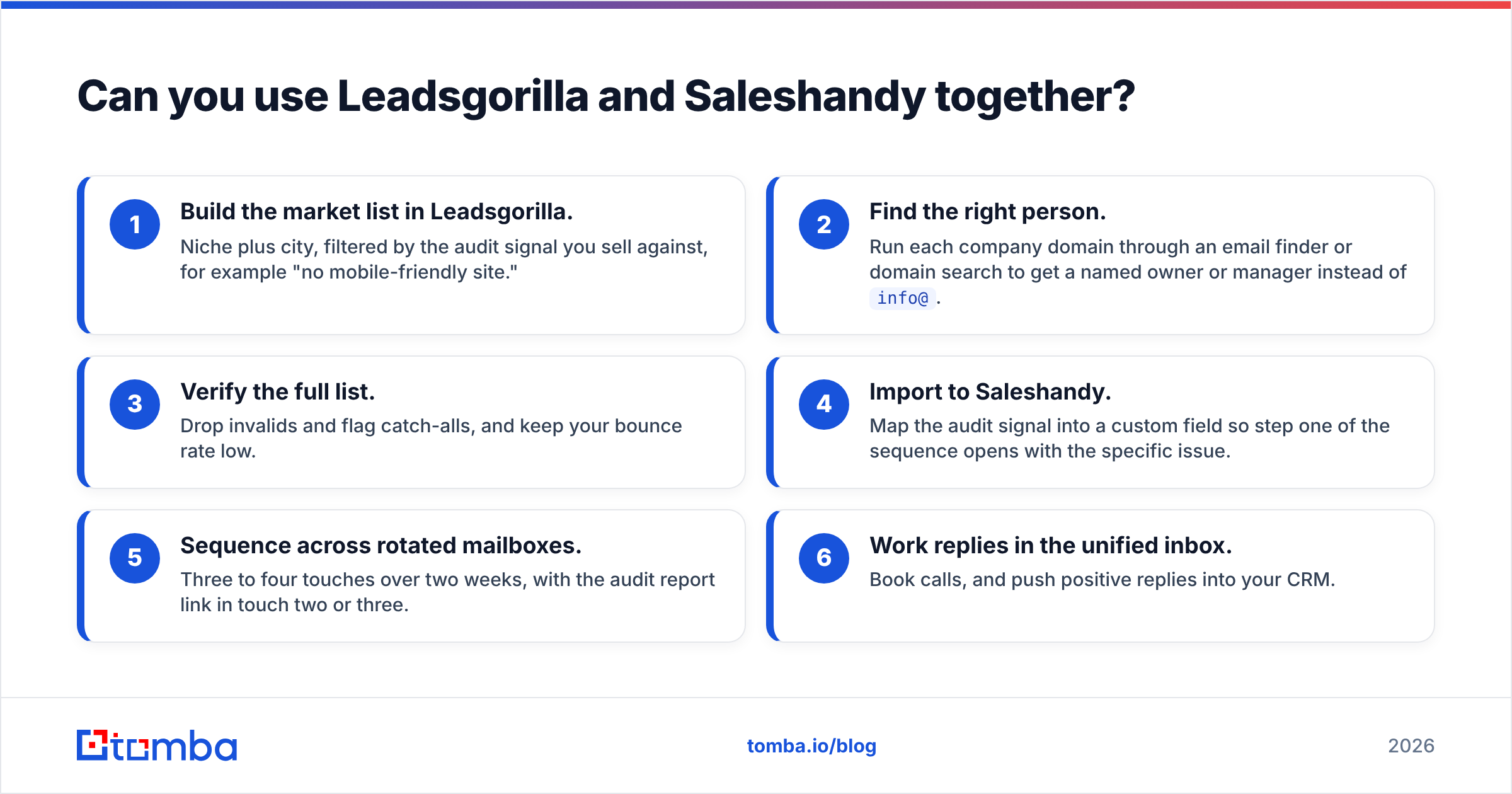
Yes. For local-market agencies, the combination often beats using either tool alone. A practical stack:
- Build the market list in Leadsgorilla. Niche plus city, filtered by the audit signal you sell against, for example "no mobile-friendly site."
- Find the right person. Run each company domain through an email finder or domain search to get a named owner or manager instead of
info@. - Verify the full list. Drop invalids and flag catch-alls, and keep your bounce rate low.
- Import to Saleshandy. Map the audit signal into a custom field so step one of the sequence opens with the specific issue.
- Sequence across rotated mailboxes. Three to four touches over two weeks, with the audit report link in touch two or three.
- Work replies in the unified inbox. Book calls, and push positive replies into your CRM.
This keeps Leadsgorilla's strength (knowing who to pitch and why) and Saleshandy's strength (sending safely at scale), and fills the contact-quality gap in the middle.
What are the hidden costs in each tool?#
Leadsgorilla:
- Upgrades for white-labeling, agency use, and extra features can cost more than the base license
- The time you spend upgrading generic inboxes to real contacts
- Risk to your primary domain if you send volume from the built-in tools
Saleshandy:
- Lead Finder credits are a separate line item from outreach plans
- Sending domains and mailboxes (Google Workspace or Microsoft 365 seats) are billed outside Saleshandy
- Prospect limits by tier: if you grow past them, you move up a plan
On both sides, the biggest hidden cost is list quality. A burned domain costs you weeks of warmup, and no sequencer feature brings it back quickly.
Leadsgorilla vs Saleshandy: what's the verdict?#
Choose Leadsgorilla if you're an agency selling marketing services to local businesses and want the fastest route from "pick a city" to "pitch a real problem."
Choose Saleshandy if you run B2B outbound and need reliable, scalable sending with good reply management. Its unlimited-mailbox pricing is hard to beat for multi-domain setups.
Use both if you're a local-market agency that has outgrown one-inbox outreach. Leadsgorilla finds the targets, Saleshandy sends the campaigns.
Whichever you choose, the weak point is the same: getting a verified email for the actual decision maker. Tomba Email Finder fills that gap. Give it a name plus a company domain, or just a domain, and it returns professional addresses with confidence scores and source data. It also has built-in verification, so the list you import into Saleshandy, or any sequencer, doesn't damage your sender reputation. You can start on the free tier with 25 searches a month, and paid plans start at $49/mo. See Tomba pricing for the full breakdown.
Related guides#
// get started
Find, verify and enrich your first contacts today
Start on the free plan with 25 searches a month, then scale when your team is ready.
Free plan · No credit card required · GDPR & CCPA
// about the author