Leadsrush vs Thomson Data: Self-Serve Finder or Custom List?
Leadsrush sells self-serve credits for finding and verifying emails. Thomson Data builds custom B2B lists on a quote. These are two different buying models, and choosing the wrong one wastes money. Here's how to pick.
TL;DR
- Leadsrush is a self-serve lead generation tool. You search, find, and verify emails yourself using monthly credits. There's a free plan, and paid plans start at $29/mo.
- Thomson Data is a B2B list provider and broker based in Plano, Texas. It builds custom email and mailing lists from 75+ selects, and pricing is by quote.
- Choose Leadsrush if you prospect every week in small, targeted batches. Choose Thomson Data if you need one large, pre-segmented list for a campaign, such as a technology-users list or a healthcare vertical.
- Whichever you choose, verify the data before you send. Bought lists and scraped results both decay, and bounces hurt your sender reputation.
- If you want real-time finding and verification with an API and a larger free-to-paid ladder, Tomba is also worth checking.
People searching "Leadsrush vs Thomson Data" usually expect two versions of the same product. They aren't. One is a software tool you run yourself. The other is a data vendor that builds a file for you. Once you see that difference, most of the decision is made. The sections below cover the details: pricing, data freshness, compliance, and the workflows each one suits.
What is Leadsrush?#
Leadsrush is lead generation software for finding B2B companies and their decision-makers on your own. The core features look like a typical email-finder stack:
- Domain Search: enter a company domain and get a list of employees with names and email addresses sourced from the public web.
- Email Finder: look up one person by name and company.
- Email Verifier: check whether an address is deliverable before you send to it.
- Local business search: enter a location and keywords to pull local companies, with address, phone, revenue, and contacts.
- Bulk workflows: upload a list of domains or import LinkedIn profile lists and enrich them in one batch.
Pricing is credit-based. Per the Leadsrush pricing page, the Free plan includes 50 searches and 100 verifications per month, Starter costs $29/mo, and Growth costs $59/mo. A higher Business tier raises the stored-prospect limit to 50,000. One search credit returns up to ten results. Verification credits are a separate pool. Credits reset each billing cycle and don't roll over. All plans include unlimited users, but the whole team draws from one credit pool.
The result is a cheap, fast tool for SDRs, founders, and small agencies who build lists a few dozen contacts at a time.
What is Thomson Data?#
Thomson Data is a B2B data solutions provider headquartered in Plano, Texas. It sells pre-built and custom-built lists. Its catalog includes industry email lists, technology-users lists (for example, companies running a specific CRM or ERP), state-by-state USA business lists, and list brokerage services.
The main things to know:
- Custom builds from 75+ selects: you filter by industry, job title, company size, geography, installed technology, and more.
- Scale: the company says it covers contacts across 62M+ companies.
- Stated refresh cadence: Thomson Data says its USA business email lists are updated every 60–90 days.
- Sources: yellow pages, B2B directories, events and conferences, surveys, government records, and trade shows.
- Services beyond lists: data append, list brokerage, and mailing (postal) lists.
Pricing isn't published as self-serve tiers. You request a quote, and the price depends on list size, selects, and licensing terms. This model is familiar to anyone who has bought from a traditional list broker.
How do the two buying models actually differ?#
This comparison mostly comes down to how you buy data, not which vendor has the bigger database. Five differences matter most:
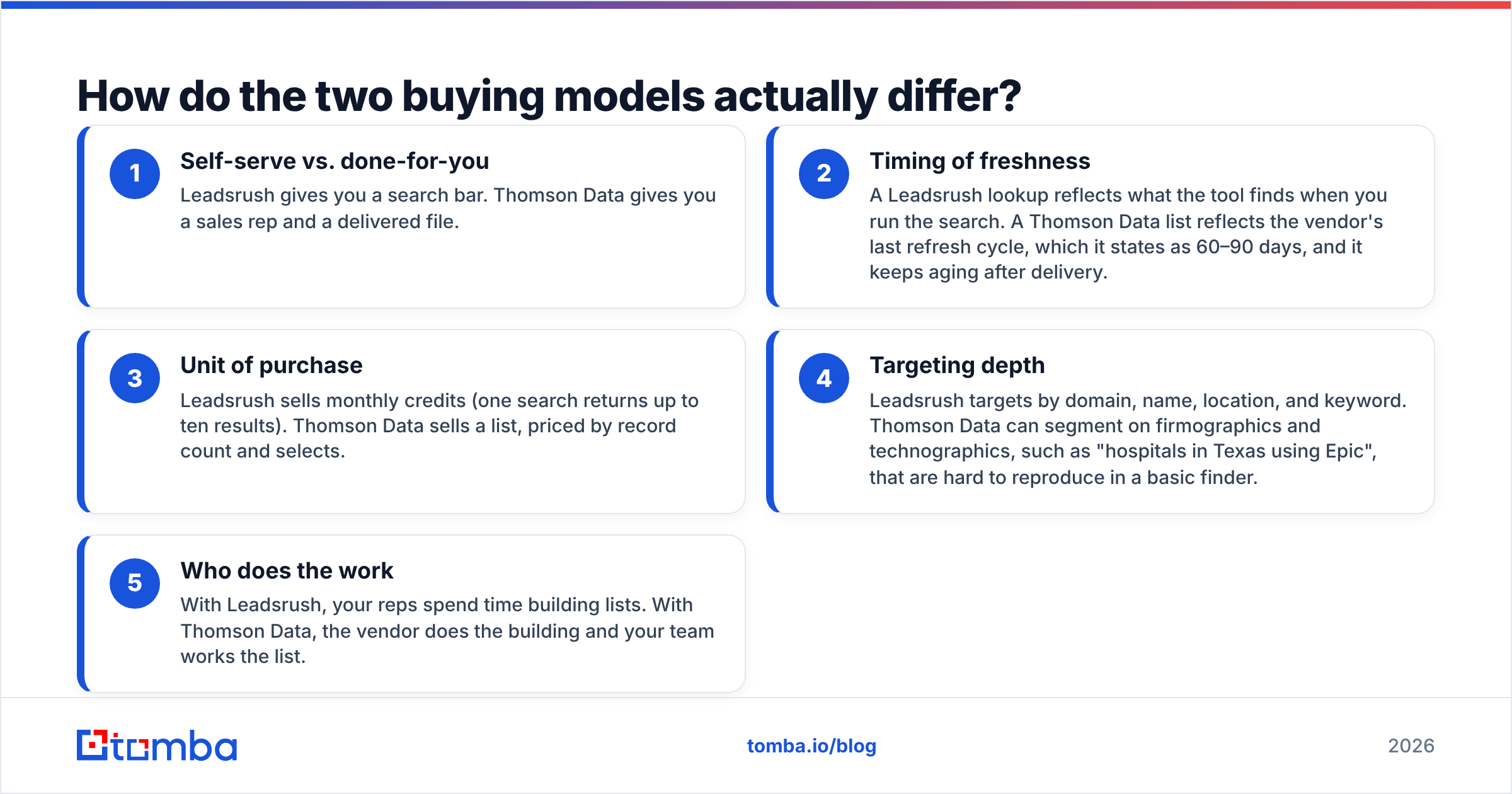
- Self-serve vs. done-for-you: Leadsrush gives you a search bar. Thomson Data gives you a sales rep and a delivered file.
- Timing of freshness: A Leadsrush lookup reflects what the tool finds when you run the search. A Thomson Data list reflects the vendor's last refresh cycle, which it states as 60–90 days, and it keeps aging after delivery.
- Unit of purchase: Leadsrush sells monthly credits (one search returns up to ten results). Thomson Data sells a list, priced by record count and selects.
- Targeting depth: Leadsrush targets by domain, name, location, and keyword. Thomson Data can segment on firmographics and technographics, such as "hospitals in Texas using Epic", that are hard to reproduce in a basic finder.
- Who does the work: With Leadsrush, your reps spend time building lists. With Thomson Data, the vendor does the building and your team works the list.
Neither model is better in every case. They answer different questions. Leadsrush answers "who is the right person at this company I already picked?" Thomson Data answers "give me every company and contact that fits this profile."

Leadsrush vs Thomson Data: how do they compare side by side?#
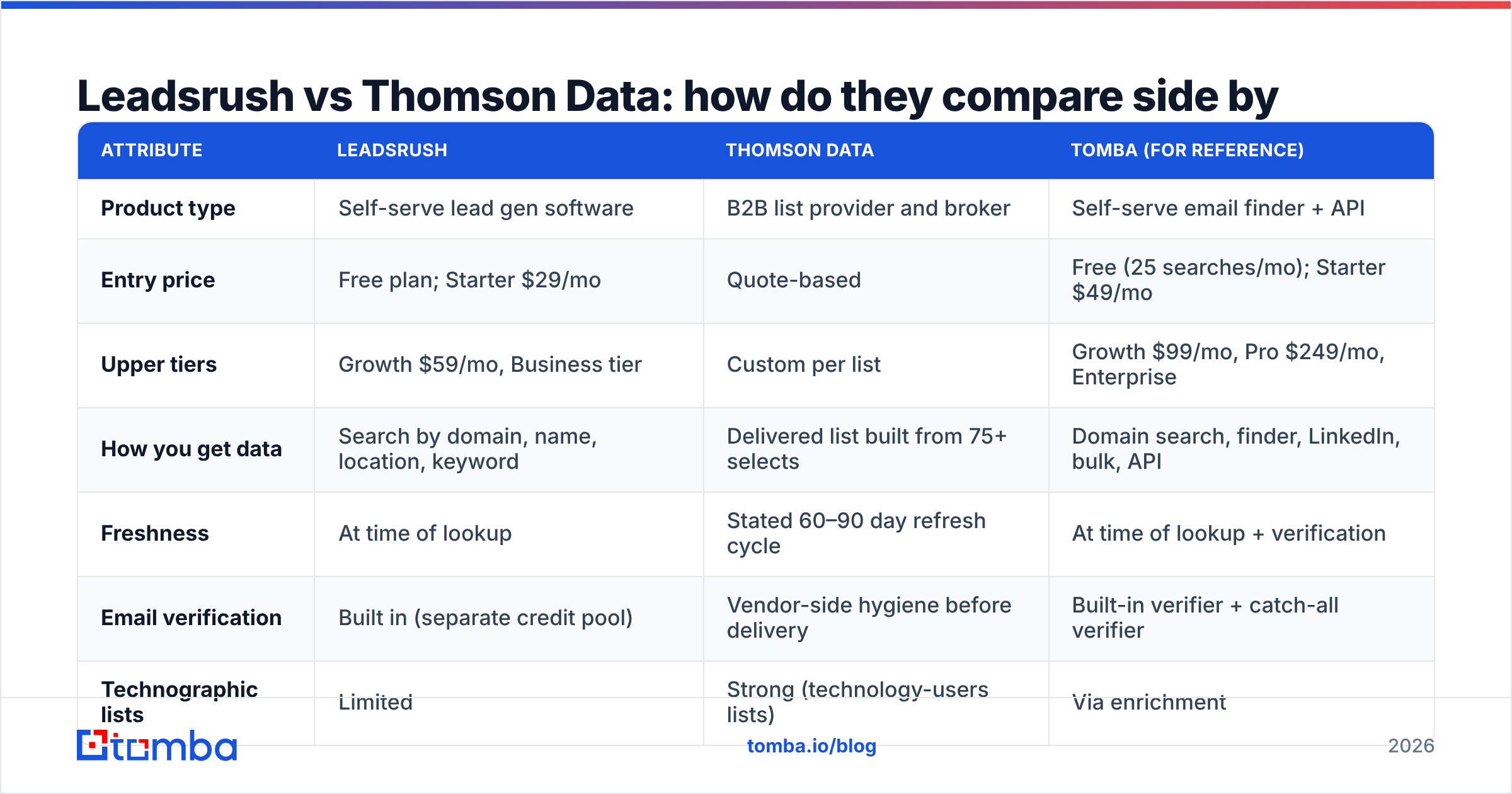
| Attribute | Leadsrush | Thomson Data | Tomba (for reference) |
|---|---|---|---|
| Product type | Self-serve lead gen software | B2B list provider and broker | Self-serve email finder + API |
| Entry price | Free plan; Starter $29/mo | Quote-based | Free (25 searches/mo); Starter $49/mo |
| Upper tiers | Growth $59/mo, Business tier | Custom per list | Growth $99/mo, Pro $249/mo, Enterprise |
| How you get data | Search by domain, name, location, keyword | Delivered list built from 75+ selects | Domain search, finder, LinkedIn, bulk, API |
| Freshness | At time of lookup | Stated 60–90 day refresh cycle | At time of lookup + verification |
| Email verification | Built in (separate credit pool) | Vendor-side hygiene before delivery | Built-in verifier + catch-all verifier |
| Technographic lists | Limited | Strong (technology-users lists) | Via enrichment |
| Postal / mailing lists | No | Yes | No |
| Team seats | Unlimited users, shared credits | N/A (file delivery) | Plan-based |
| Best for | SDRs and small teams prospecting weekly | Large campaigns, ABM lists, direct mail | Teams that want finding + verification in one workflow |
Three rows in that table do most of the deciding:
- Entry price. You can start Leadsrush today at no cost. Thomson Data requires a sales conversation first, so expect days before any data arrives, not minutes.
- Technographic lists. If your ICP is defined by installed software, list vendors like Thomson Data have an advantage. Most self-serve finders can't filter on "uses NetSuite" out of the box.
- Freshness. B2B contact data decays steadily as people change jobs and domains change. A list refreshed every 60–90 days can be solid on delivery day, but by the time your third email sequence goes out it may contain contacts who have left. Plan a re-verification step before every send.
Which is cheaper in practice?#
On sticker price, Leadsrush almost always wins for small volumes. $29/mo buys a steady flow of lookups, and the free plan is enough to test the tool on real accounts.
The comparison changes at larger volumes. Suppose you need 20,000 contacts in one vertical for a launch campaign. With a credit-based finder, that means hundreds of searches, rep time to build the list, and dedup work. A single custom list from a broker can cost less in total once you count labor, even with a higher invoice.
Costs to include in your math:
- Credit expiry. Leadsrush credits reset monthly and don't roll over. If you prospect in bursts, you pay for idle months.
- Shared pools. Unlimited seats are useful, but five reps sharing one Growth plan's credits will run out quickly.
- Licensing terms. With any purchased list, ask whether you own the records or have a single-use or time-limited license. That affects how much each contact really costs.
- Verification. A purchased list still needs verification before you send. Budget for an email verifier pass, especially on catch-all domains.
Which has better data quality?#
No independent, head-to-head accuracy benchmark covers these two vendors, so treat any number you see with skepticism, including numbers from the vendors themselves. Here is what the data sourcing tells you.
Leadsrush pulls from the public web at search time and pairs results with a verifier. That approach works well for companies with a public footprint: tech firms, agencies, SaaS. It works less well for traditional businesses with little online presence, where the local business search helps somewhat.
Thomson Data compiles from directories, events, surveys, trade shows, and government records. That mix usually gives broader coverage of offline-heavy industries such as healthcare, manufacturing, and construction, plus richer firmographic fields. The tradeoff is data age: records compiled from events and directories go stale in the gap between refresh cycles.
Whichever vendor you use, run your own test before you commit:
- Pull 200 contacts from your real ICP.
- Verify all of them with an independent tool.
- Send to only the valid ones and track hard bounces.
- Compare the cost per deliverable contact, not the cost per record.
A 5% hard-bounce rate on a cold campaign is enough to cause sender reputation problems, whoever supplied the data.
Is buying a list from Thomson Data compliant?#
It depends on where your recipients are and how you use the list. In the US, cold B2B email is generally allowed under the CAN-SPAM Act as long as you use accurate headers, a physical address, and a working opt-out. In the EU and UK, GDPR applies, and you need a documented legitimate-interest basis for each contact.
Before signing with any list broker, ask:
- How was consent or legitimate interest established for each source?
- Can you provide the data source for any given record on request?
- How are opt-outs and suppression requests handled across clients?
Self-serve finders like Leadsrush don't remove this responsibility. You are still the sender and the data controller for the contacts you pull. The difference is that you choose each contact one at a time, which makes a legitimate-interest case easier to document.
When should you choose Leadsrush?#
Choose Leadsrush if most of these apply:
- You already know your target accounts and need the right person's email at each one.
- You prospect continuously, a few dozen to a few hundred contacts a week.
- Your budget is under $100/mo and you want to start today without a sales call.
- Your ICP is mostly web-native companies with a clear domain footprint.
- You want several teammates in one tool without paying per seat.
This is the classic SDR or founder-led outbound setup. In that setup, a list built from scratch every week beats a large file that goes stale in a shared drive.
When should you choose Thomson Data?#
Choose Thomson Data if most of these apply:
- You need thousands of contacts in one go for a launch, event, or ABM push.
- Your ICP is defined by firmographics or technographics that a search bar can't express.
- You sell into offline-heavy verticals where public-web sourcing has gaps.
- You run multichannel campaigns that include postal direct mail.
- You'd rather pay a vendor than spend rep hours building lists.
Marketing teams and demand-gen agencies often fit here, especially when a campaign has a fixed launch date and needs a finished audience file.

Can you use both together?#
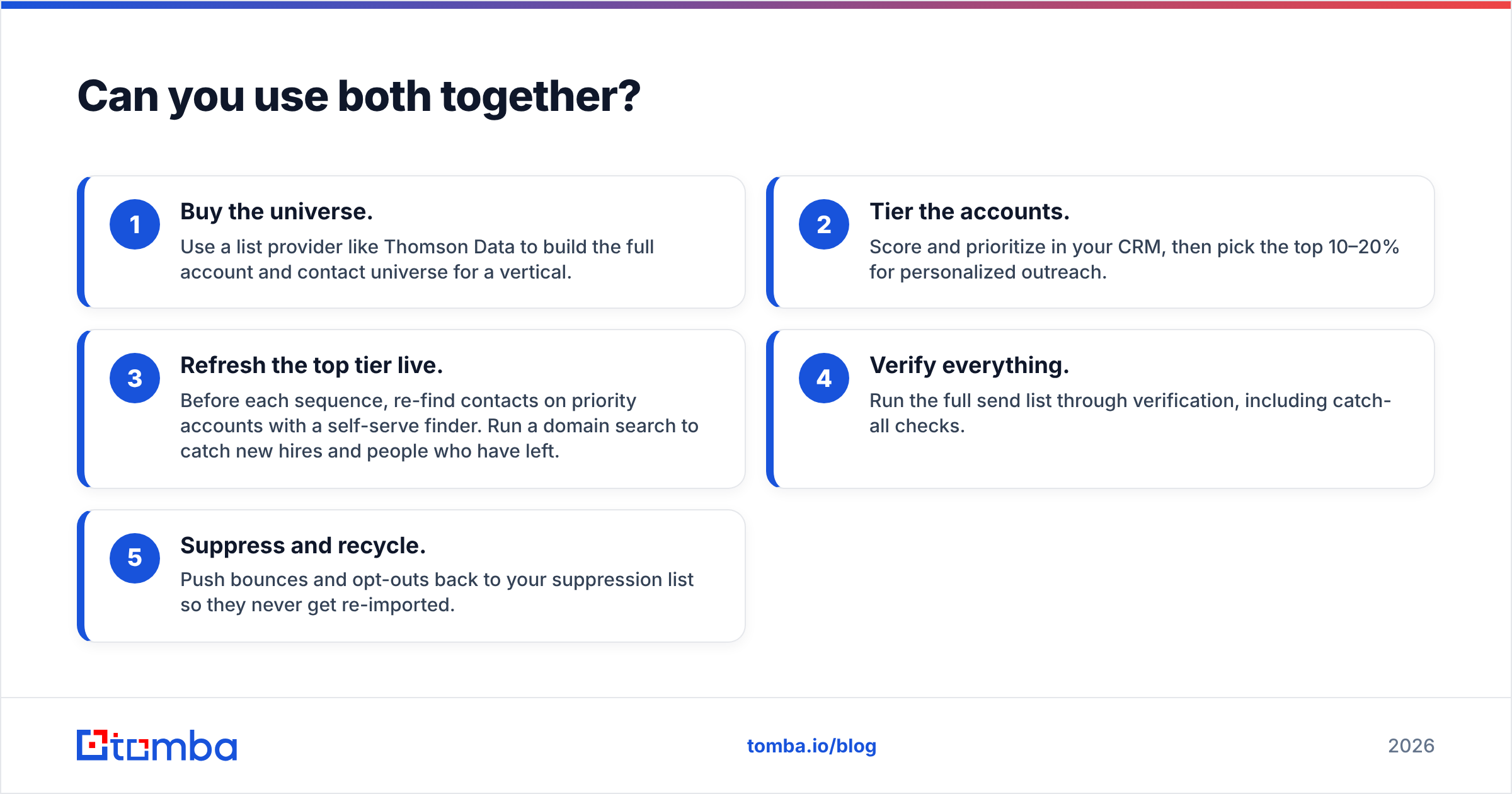
Yes, and mature teams often do. A common hybrid workflow:
- Buy the universe. Use a list provider like Thomson Data to build the full account and contact universe for a vertical.
- Tier the accounts. Score and prioritize in your CRM, then pick the top 10–20% for personalized outreach.
- Refresh the top tier live. Before each sequence, re-find contacts on priority accounts with a self-serve finder. Run a domain search to catch new hires and people who have left.
- Verify everything. Run the full send list through verification, including catch-all checks.
- Suppress and recycle. Push bounces and opt-outs back to your suppression list so they never get re-imported.
This way, the list gives you coverage and the finder keeps it current.
Where does Tomba fit in this comparison?#
Tomba is on the same side as Leadsrush: self-serve, real-time finding and verification. It covers more of the workflow. Beyond the core email finder, it includes a verifier, a catch-all verifier, a phone finder, data enrichment, a Chrome extension, Google Sheets and Excel add-ins, and a full API. That helps if you want to plug finding and verification into a CRM or an automated pipeline instead of exporting CSVs by hand.
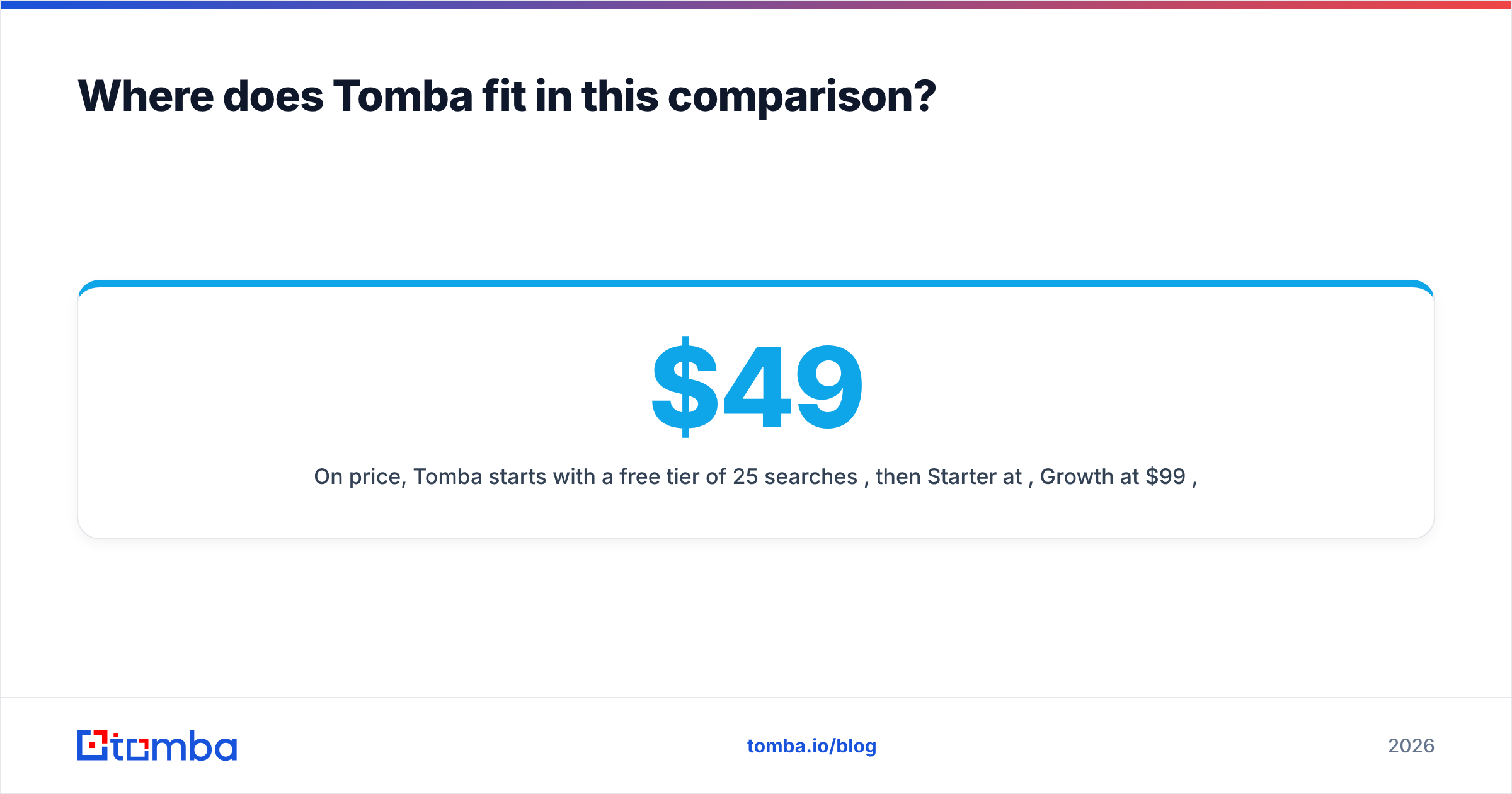
On price, Tomba starts with a free tier of 25 searches per month, then Starter at $49/mo, Growth at $99/mo, and Pro at $249/mo. See Tomba pricing for credit breakdowns. Leadsrush's entry price is lower, so if your only goal is the cheapest monthly lookup budget, Leadsrush is a fair pick. Tomba makes more sense when you need API access, catch-all handling, and enrichment together.
What's the final verdict on Leadsrush vs Thomson Data?#
- Pick Leadsrush for low-cost, always-on prospecting where reps build targeted lists account by account.
- Pick Thomson Data for large, heavily segmented, campaign-ready lists, especially technographic or offline-industry audiences, and when you're comfortable with quote-based pricing and a refresh cycle.
- Pick both if you run ABM at scale: buy the full universe, then keep the top tier current with a live finder.
Whichever you choose, the data is only worth what reaches the inbox. Test on a real sample, measure cost per deliverable contact, and re-verify before each send.
If you want a live, self-serve option with room to grow into an API workflow, try the Tomba Email Finder. Search by domain, name, or company, verify each result on the spot, and start on the free tier before paying anything.
Related guides#
// get started
Find, verify and enrich your first contacts today
Start on the free plan with 25 searches a month, then scale when your team is ready.
Free plan · No credit card required · GDPR & CCPA
// about the author