7 Best LeadSwift Alternatives for Finding B2B Leads in 2026
LeadSwift is good at pulling local business leads from maps and websites, but its email data and outreach aren't built for every team. Here are 7 LeadSwift alternatives, what each one does best, and how to choose.
TL;DR
- LeadSwift is built for agencies and freelancers who sell to local businesses. It finds companies by keyword and location, flags website gaps, and adds light outreach on top.
- Teams usually look for LeadSwift alternatives for one of three reasons: they need verified decision-maker emails rather than generic info@ inboxes, they sell to mid-market or enterprise accounts, or they want a cheaper setup built from separate tools.
- For finding and verifying emails by domain or name, Tomba (free tier, then $49/mo) and Hunter are the closest fits. For an all-in-one database with sequencing, Apollo is the default choice.
- For pure Google Maps scraping, Outscraper and D7 Lead Finder cover the same local-lead ground for less. BookYourData suits teams that want ready-made, verified lists without running searches themselves.
- Most teams end up combining two tools: one to source companies, one to find and verify the right person's email.
What is LeadSwift, and why do people look for alternatives?#
LeadSwift is a lead generation tool aimed mainly at marketing agencies, web designers, and consultants who sell services to local and small businesses. You search by niche and location, for example "dentists in Austin", and it returns a list of businesses with contact details it has pulled from their websites and public listings.
Its main selling point is prospect qualification by website signals. It can surface businesses that are missing things an agency could sell them, such as tracking pixels, SSL, or a mobile-friendly site. It also includes basic email outreach and lead management, so a small agency can go from search to first email in one place.
It's a good fit for that use case. The limits show up once your needs move beyond it:
- Email quality skews generic. Local-business scraping mostly returns inboxes like info@, contact@, or office@. That works for a five-person plumbing company. It falls short when you need to reach a VP of Marketing at a 300-person SaaS company.
- Coverage is local-first. If your ICP is B2B companies defined by headcount, industry, tech stack, or funding, a maps-based tool isn't the right source.
- Verification depth varies. Before you send at volume, you need a dedicated verification layer that handles catch-all domains. Without one, bounce rates rise and your sender reputation takes the damage.
- Workflow fit. Many teams already run sequencing in Instantly, Lemlist, or HubSpot. They want a data tool that feeds their stack, not another outreach module.
What should you look for in a LeadSwift alternative?#
Before you compare vendors, decide which job you're hiring the tool to do. The best LeadSwift alternative for a local SEO agency is a different tool from the best one for a SaaS SDR team. Score each option on these five criteria:
- Lead source type. Does the tool find companies (maps, directories, firmographic databases) or people (named contacts with roles)? LeadSwift mostly does the first. Many alternatives do the second.
- Email accuracy and verification. Does it return verified, role-specific emails, and does it handle catch-all domains? This matters more than database size.
- Pricing model. Monthly subscription, pay-as-you-go credits, or per-seat? A per-seat tool that costs $49 for one user can cost $500+ for a team.
- Integrations and export. CSV is the minimum. Native CRM sync, an API, and spreadsheet add-ons save hours every week.
- Outreach included or not. Built-in sequencing is convenient. A tool that stays in its lane and feeds your existing sender is often cleaner and easier on deliverability.
How do the top LeadSwift alternatives compare?#
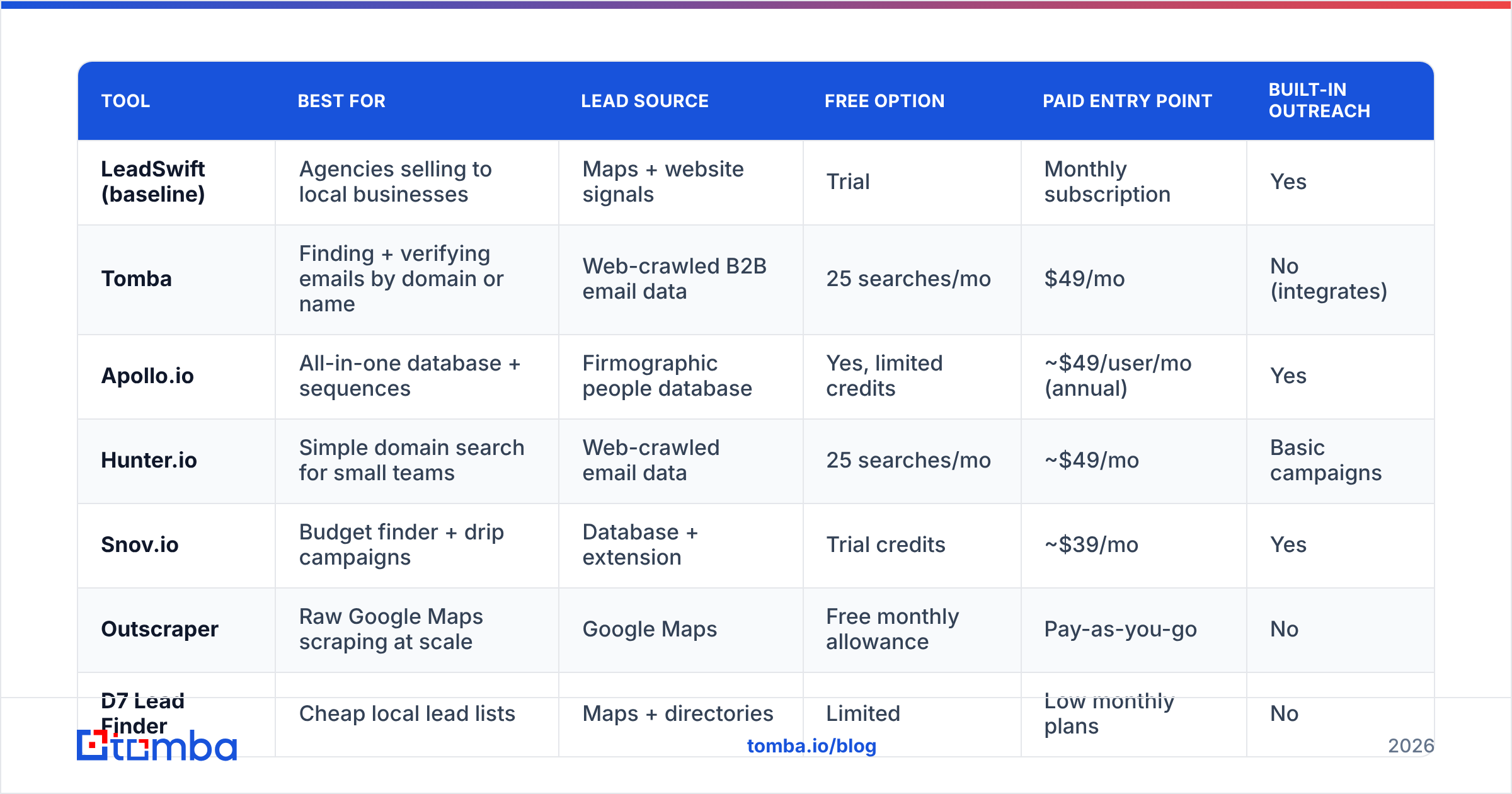
The table below summarizes the seven tools covered in this guide. Prices are entry-level public list prices at the time of writing. Vendors change plans often, so check each pricing page before you buy.
| Tool | Best for | Lead source | Free option | Paid entry point | Built-in outreach |
|---|---|---|---|---|---|
| LeadSwift (baseline) | Agencies selling to local businesses | Maps + website signals | Trial | Monthly subscription | Yes |
| Tomba | Finding + verifying emails by domain or name | Web-crawled B2B email data | 25 searches/mo | $49/mo | No (integrates) |
| Apollo.io | All-in-one database + sequences | Firmographic people database | Yes, limited credits | ~$49/user/mo (annual) | Yes |
| Hunter.io | Simple domain search for small teams | Web-crawled email data | 25 searches/mo | ~$49/mo | Basic campaigns |
| Snov.io | Budget finder + drip campaigns | Database + extension | Trial credits | ~$39/mo | Yes |
| Outscraper | Raw Google Maps scraping at scale | Google Maps | Free monthly allowance | Pay-as-you-go | No |
| D7 Lead Finder | Cheap local lead lists | Maps + directories | Limited | Low monthly plans | No |
| BookYourData | Ready-made verified B2B lists | Pre-built contact database | Sample credits | Pay-per-contact credits | No |
Which LeadSwift alternatives are worth your time?#
1. Tomba: best for verified emails at the domain level#
If your problem with LeadSwift is that it gives you companies but not the right person's email, Tomba handles that step. You can:
- enter a domain and use domain search to see every public email tied to that company, with names, roles, and sources
- enter a first name, last name, and domain in the email finder to get one verified address
- run lists through the email verifier, which includes a separate catch-all check, before anything reaches your sending tool
Tomba fits well as the second half of a local-lead workflow. Pull business websites from Outscraper or LeadSwift, then feed those domains into Tomba's bulk tools to find owner and manager emails in place of generic inboxes. It also works in Google Sheets, a Chrome extension, via API, and with HubSpot, Salesforce, Pipedrive, and Zapier.
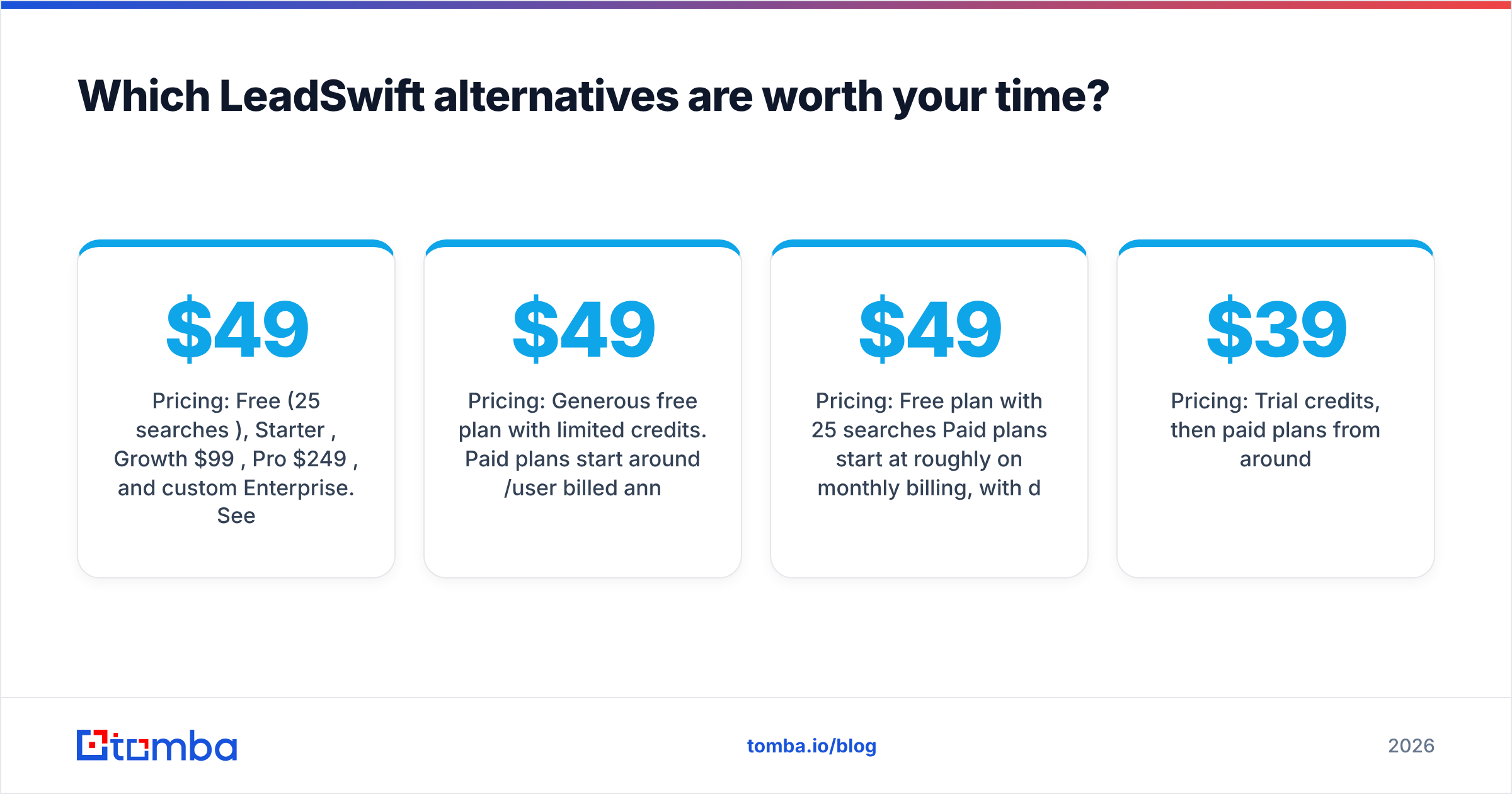
Pricing: Free (25 searches/mo), Starter $49/mo, Growth $99/mo, Pro $249/mo, and custom Enterprise. See Tomba pricing for credit breakdowns.
Watch out for: Tomba doesn't send emails. You pair it with your own sequencer.
2. Apollo.io: best all-in-one for B2B SDR teams#

Apollo combines a large people and company database with sequencing, a dialer, and basic intent data. If you're moving from selling to local SMBs to selling to defined B2B segments (for example, "Series A fintech, 50–200 employees, Head of Ops"), Apollo's filters are far richer than any maps-based tool's.
Pricing: Generous free plan with limited credits. Paid plans start around $49/user/month billed annually and rise per seat.
Watch out for: Email accuracy varies by region and segment, and per-seat pricing adds up fast. Many teams still run Apollo exports through a separate verifier before sending.
3. Hunter.io: best for simple domain lookups#
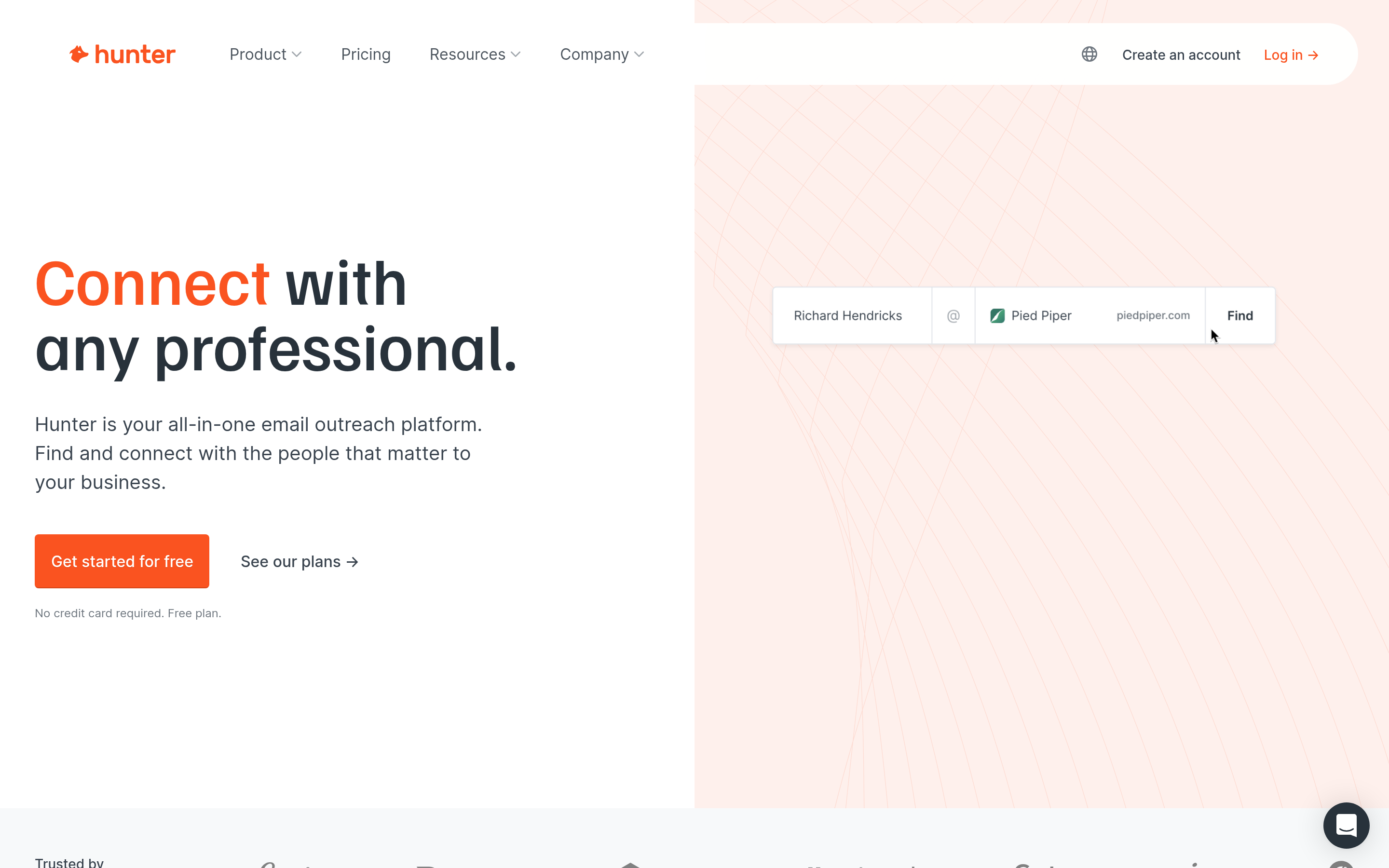
Hunter is the long-established name in domain-based email search. The interface is clean, the Chrome extension is easy to use, and it includes a lightweight campaign feature for small-volume outreach.
Pricing: Free plan with 25 searches/month. Paid plans start at roughly $49/month on monthly billing, with discounts for annual billing.
Watch out for: Credits run out quickly at higher tiers, and it has no local-business discovery. You need to bring your own domain list.
4. Snov.io: best budget finder with drip campaigns#
Snov.io covers a lot for the price: email finder, verifier, Chrome extension, LinkedIn prospecting, drip campaigns, and a basic CRM. For a solo consultant replacing LeadSwift's outreach module, it's a reasonable single-tool option.
Pricing: Trial credits, then paid plans from around $39/month.
Watch out for: Doing everything in one place means each piece is less deep than a specialist tool. Heavy senders usually move campaigns to a dedicated platform.
5. Outscraper: best for raw Google Maps data#
If you mostly used LeadSwift for its local search, Outscraper does that part directly and at scale. It scrapes Google Maps listings, reviews, and business details, and can run a basic email and contact scrape from each business website.
Pricing: Free monthly allowance, then pay-as-you-go per record.
Watch out for: It's a data utility, not a sales tool. There's no qualification layer like LeadSwift's website-gap filters and no outreach. Expect to clean and verify the output yourself.
6. D7 Lead Finder: best cheap local lead lists#
D7 Lead Finder is a simple search tool for local businesses: pick a keyword and a city, and get back names, phones, websites, and whatever emails it can find. It's popular with freelancers who want LeadSwift-style lists without the extra features.
Pricing: Low-cost monthly plans with daily search limits.
Watch out for: Email coverage is thinner and mostly generic. Treat the output as a list of domains to enrich, not a finished send list.
7. BookYourData: best for ready-made verified lists#
BookYourData takes a different approach. You don't run searches one at a time. You filter a pre-built B2B contact database by industry, title, location, and company size, then buy only the contacts you need. It's known for its accuracy guarantee and credit-based pricing with no required subscription, which suits agencies with uneven, project-based demand.
Pricing: Pay-per-contact credits. Volume discounts are available.
Watch out for: It's list-driven rather than search-driven, so it fits best when you know your segment in advance rather than reacting to individual websites.
Is LeadSwift better than these alternatives for local agencies?#
For some teams, yes. If you're a local SEO or web design agency and your pitch is "your site is missing X, we'll fix it," LeadSwift's website-signal filters save real time. Most alternatives here don't qualify prospects by website gaps. You'd have to combine a scraper with a tech-stack checker to get the same result.
Where LeadSwift is weaker is the step after discovery: finding the owner's or marketing lead's personal work email, verifying it, and keeping bounces low. That's where a dedicated email finder and verifier earns its cost.
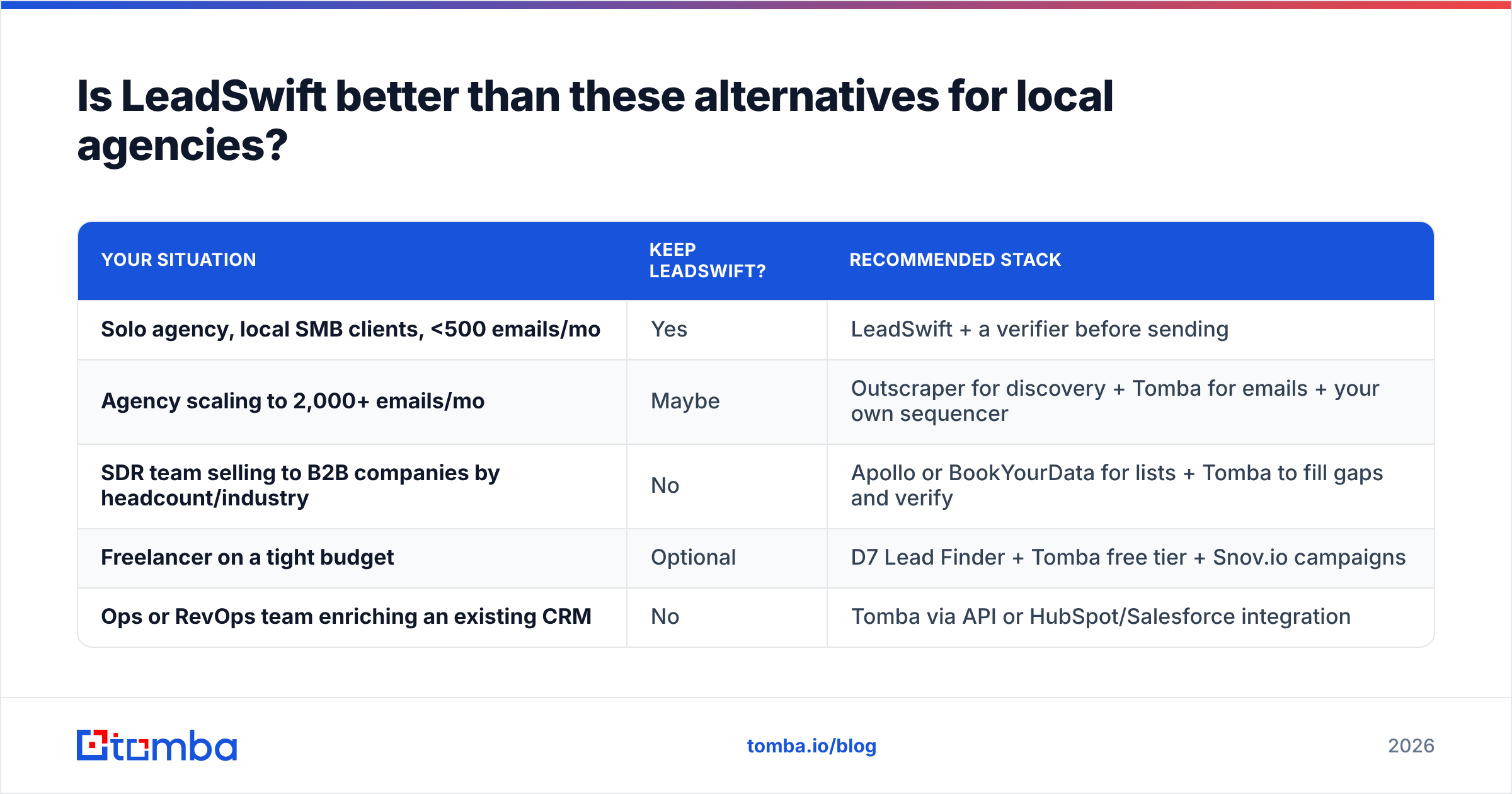
This is a practical way to decide:
| Your situation | Keep LeadSwift? | Recommended stack |
|---|---|---|
| Solo agency, local SMB clients, <500 emails/mo | Yes | LeadSwift + a verifier before sending |
| Agency scaling to 2,000+ emails/mo | Maybe | Outscraper for discovery + Tomba for emails + your own sequencer |
| SDR team selling to B2B companies by headcount/industry | No | Apollo or BookYourData for lists + Tomba to fill gaps and verify |
| Freelancer on a tight budget | Optional | D7 Lead Finder + Tomba free tier + Snov.io campaigns |
| Ops or RevOps team enriching an existing CRM | No | Tomba via API or HubSpot/Salesforce integration |

How do you build a LeadSwift-style workflow without LeadSwift?#
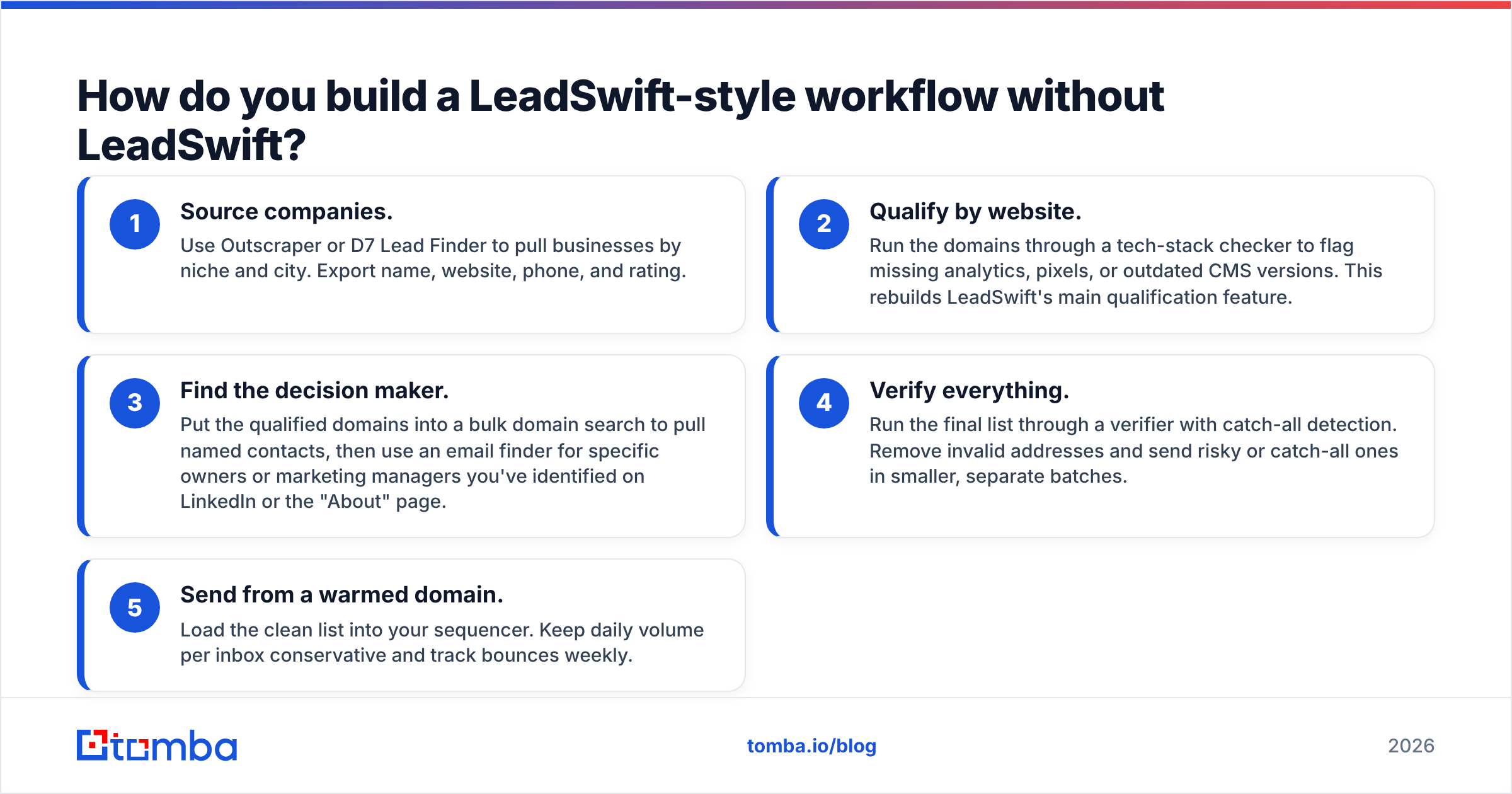
If you want LeadSwift's discover-then-contact loop but prefer specialist tools, this five-step setup works for most agencies:
- Source companies. Use Outscraper or D7 Lead Finder to pull businesses by niche and city. Export name, website, phone, and rating.
- Qualify by website. Run the domains through a tech-stack checker to flag missing analytics, pixels, or outdated CMS versions. This rebuilds LeadSwift's main qualification feature.
- Find the decision maker. Put the qualified domains into a bulk domain search to pull named contacts, then use an email finder for specific owners or marketing managers you've identified on LinkedIn or the "About" page.
- Verify everything. Run the final list through a verifier with catch-all detection. Remove invalid addresses and send risky or catch-all ones in smaller, separate batches.
- Send from a warmed domain. Load the clean list into your sequencer. Keep daily volume per inbox conservative and track bounces weekly.
This setup takes more work to put together than one all-in-one subscription. In return, each step uses a stronger tool, you can replace any single piece, and you usually pay less per usable contact.
What do real users say about LeadSwift and its alternatives?#
Review sites such as G2 are the best place to cross-check vendor claims. The recurring patterns across reviews of local-lead tools are consistent:
- Positive: fast list building for niche/location searches, useful website-gap filters, simple onboarding for non-technical users.
- Negative: high share of generic inboxes, varying data freshness for small businesses that change hands or close, and outreach features that lag behind dedicated sequencers.
For database-first tools like Apollo, the praise centers on filter depth and the free tier, and the complaints center on bounce rates in some segments and per-seat costs. Specialist email finders tend to get credit for accuracy and simplicity, and criticism for needing another tool to send.
Test before you commit. Take 100 prospects you already know well, run them through two or three tools, and compare the valid-email rate and how many named decision makers each returns. One afternoon of testing tells you more than any feature list.
Which LeadSwift alternative should you choose?#
- You sell to local businesses and like LeadSwift's filters: keep it, but add a verification step before every send.
- You need named, verified decision-maker emails: pair any discovery tool with Tomba.
- You're an SDR team selling to defined B2B segments: Apollo for search and sequencing, with a verifier behind it.
- You want the cheapest possible local list: D7 Lead Finder or Outscraper, then enrich and verify.
- You'd rather buy verified lists than build them: BookYourData's credit model is efficient for project-based agencies.
No single tool wins every scenario. The tools that last in a stack are the ones that do one job well and connect cleanly to the rest of it.
Ready to turn company lists into verified contacts?#
Whichever discovery tool you pick (LeadSwift, Outscraper, Apollo, or a list from BookYourData), your outbound results come down to getting the right person's email and making sure it won't bounce. Tomba Email Finder takes a domain or a name and returns verified professional emails with sources. It works in bulk, in Google Sheets, through the API, and inside your CRM. Start with 25 free searches a month, and upgrade to Starter at $49/mo once it's part of your weekly prospecting.
Related guides#
// get started
Find, verify and enrich your first contacts today
Start on the free plan with 25 searches a month, then scale when your team is ready.
Free plan · No credit card required · GDPR & CCPA
// about the author