LeadzenAI vs FindEmails.com (Toofr): Which Email Finder Wins?
LeadzenAI builds AI-assisted prospect lists. FindEmails.com, formerly Toofr, is a lookup tool that guesses and checks emails. We compare how each one finds emails, how it verifies them, what it costs and who it suits, so you can pick one before you spend a credit.
TL;DR
- LeadzenAI is a prospecting database with AI-assisted search. Use it when you need to build a list of people to contact, with emails and phone numbers attached.
- FindEmails.com (formerly Toofr) is a lookup and verification tool. Use it when you already know who you want to reach and only need their work email.
- The key difference is the input each tool expects. LeadzenAI starts from filters like role, industry and location. FindEmails.com starts from a name and a company domain.
- Both charge by credits, and both handle catch-all domains imperfectly. Budget for a separate verification step whichever one you pick.
- If you want lookup, verification and domain search in one plan with published pricing, Tomba sits between the two and is worth shortlisting.
What are LeadzenAI and FindEmails.com, in plain terms?#
Think of LeadzenAI as a map and FindEmails.com as a phone book. With a map you can explore a territory and find places you didn't know about. With a phone book you look up an entry when you already know the name. Both are useful, but they answer different questions, and most buying mistakes in this category come from mixing them up.
LeadzenAI sells itself as an AI-powered B2B lead generation platform. You describe your ideal buyer with filters such as job title, seniority, industry, company size and geography. It returns matching profiles with contact details where it has them. It also offers a browser extension that pulls contact data from professional profiles as you browse, plus bulk enrichment for lists you upload. It is well known in India, and it also covers other regions.
FindEmails.com is the current name of Toofr, one of the older email finders still running. Toofr's original method was simple: take a first name, last name and company domain, work out the company's likely email pattern, and return a best-guess address with a confidence score. FindEmails.com keeps that core and adds verification, bulk file processing and an API. It isn't a database you browse. You bring the names.
How does each tool actually find an email address?#
This matters more than the feature list, because the method determines the kind of errors you'll see.
LeadzenAI's approach is closer to a database-plus-enrichment model. Records come from its indexed profile data. When you request contact details, the platform tries to return an email (and often a phone number) tied to that person. Accuracy depends on how fresh the stored record is. People change jobs roughly every two to three years, so any stored database loses accuracy steadily unless it is refreshed often.
FindEmails.com's approach is pattern-first. It looks up how a company formats its addresses (for example first.last@, flast@ or first@), builds candidates for your contact, and checks them against the mail server where possible. Because it works out the address when you ask rather than reading it from storage, it can find emails for people who aren't in any database. The weak point is catch-all domains. A server that accepts every address won't confirm whether yours is real.

Each method fails in its own way:
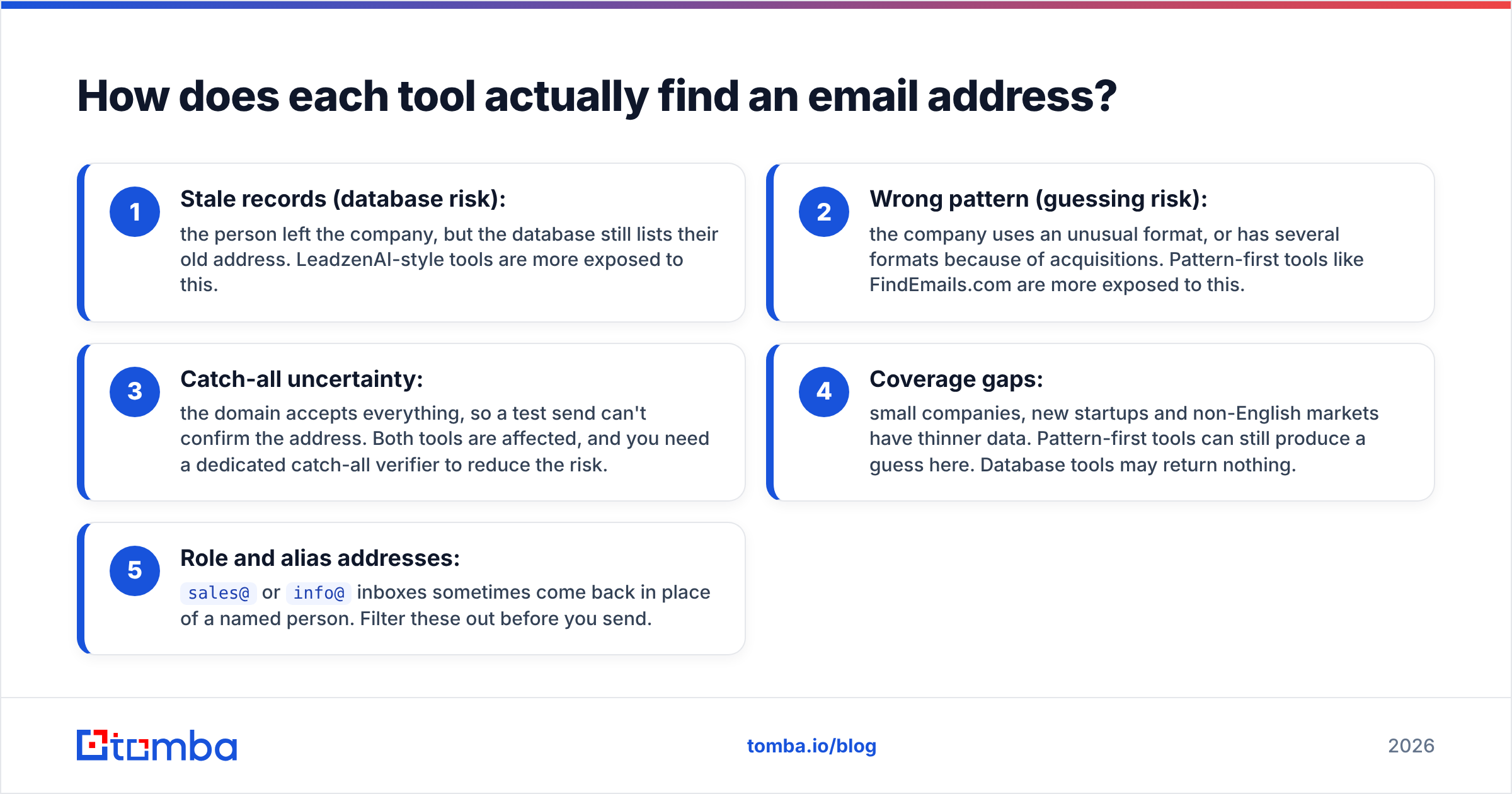
- Stale records (database risk): the person left the company, but the database still lists their old address. LeadzenAI-style tools are more exposed to this.
- Wrong pattern (guessing risk): the company uses an unusual format, or has several formats because of acquisitions. Pattern-first tools like FindEmails.com are more exposed to this.
- Catch-all uncertainty: the domain accepts everything, so a test send can't confirm the address. Both tools are affected, and you need a dedicated catch-all verifier to reduce the risk.
- Coverage gaps: small companies, new startups and non-English markets have thinner data. Pattern-first tools can still produce a guess here. Database tools may return nothing.
- Role and alias addresses:
sales@orinfo@inboxes sometimes come back in place of a named person. Filter these out before you send.

LeadzenAI vs FindEmails.com: how do the features compare?#
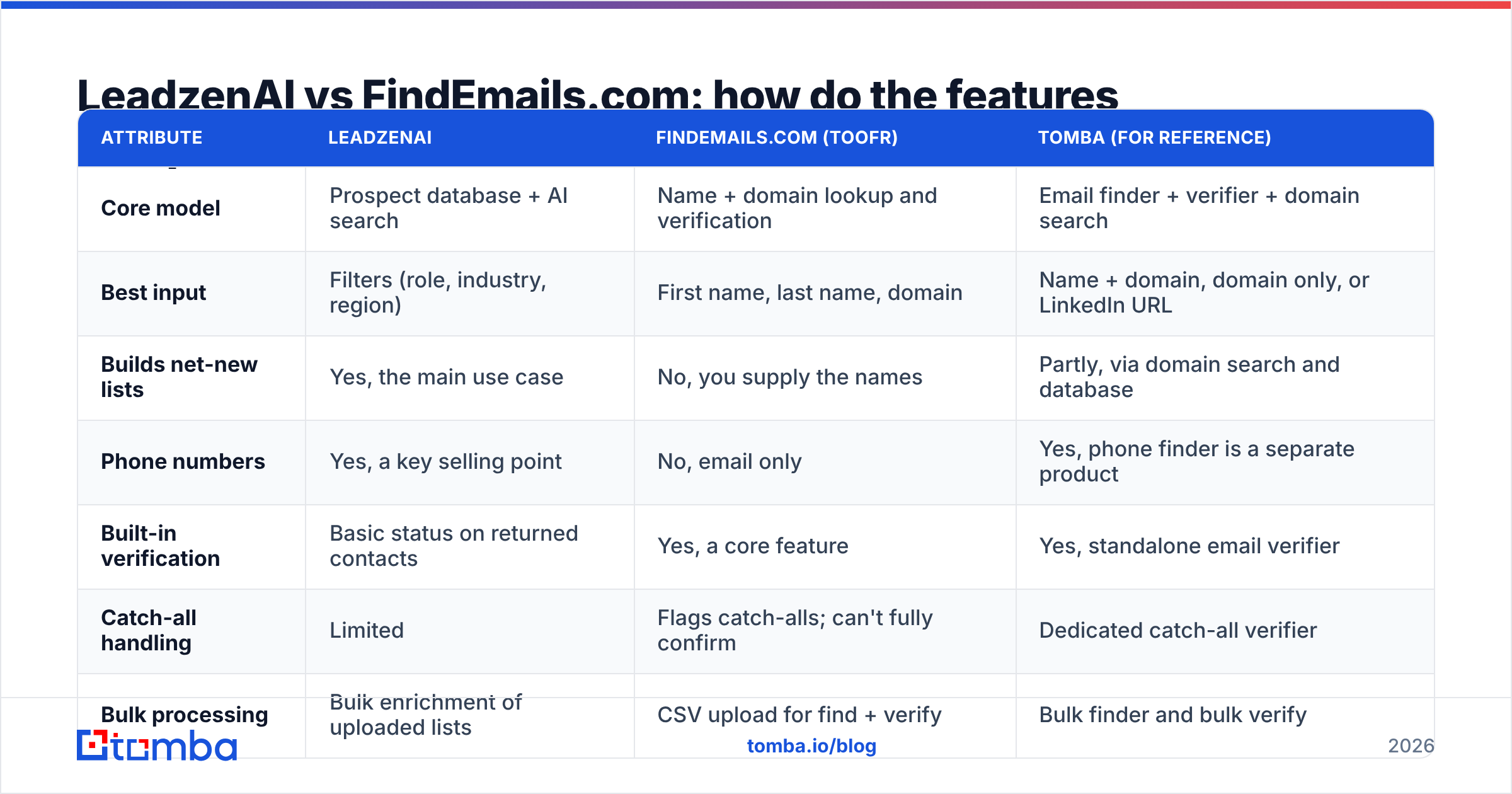
The table below is based on each vendor's public positioning at the time of writing (2026). Credit allowances and plan names change often, so check the vendor pricing pages before you buy.
| Attribute | LeadzenAI | FindEmails.com (Toofr) | Tomba (for reference) |
|---|---|---|---|
| Core model | Prospect database + AI search | Name + domain lookup and verification | Email finder + verifier + domain search |
| Best input | Filters (role, industry, region) | First name, last name, domain | Name + domain, domain only, or LinkedIn URL |
| Builds net-new lists | Yes, the main use case | No, you supply the names | Partly, via domain search and database |
| Phone numbers | Yes, a key selling point | No, email only | Yes, phone finder is a separate product |
| Built-in verification | Basic status on returned contacts | Yes, a core feature | Yes, standalone email verifier |
| Catch-all handling | Limited | Flags catch-alls; can't fully confirm | Dedicated catch-all verifier |
| Bulk processing | Bulk enrichment of uploaded lists | CSV upload for find + verify | Bulk finder and bulk verify |
| API | Available | Available (long-standing Toofr API) | Public REST API, CLI and MCP server |
| Browser extension | Yes | Limited compared with database tools | Chrome extension |
| Pricing model | Credit-based subscription tiers | Credit-based, per lookup | Free (25 searches/mo), $49 / $99 / $249 per month, Enterprise |
| Regional strength | Strong in India, broader global coverage | Wherever the company domain exists | Global, domain-based |
| Ideal buyer | SDR teams that need lists | Teams with existing target lists | Teams wanting find + verify in one place |

If you want independent user reviews on top of vendor claims, G2 is the most useful place to cross-check both tools. Look at reviews from the last 12 months only, because data quality in this category changes quickly.
Is LeadzenAI better than FindEmails.com for building prospect lists?#
Yes, and this isn't a close call. FindEmails.com doesn't do prospecting: you can't search for "VP of Finance at SaaS companies with 200 to 500 employees in Germany" and get a list back. LeadzenAI is designed for exactly that search.
LeadzenAI is strongest when:
- Your territory is new. You don't have names yet, and filtered search saves hours of manual profile browsing.
- You also want phone numbers. Outbound teams running call-plus-email sequences need both, and LeadzenAI returns both in one workflow.
- You sell into India. Coverage there is a real advantage over tools built mainly for the US and Western Europe.
- Your reps work from a browser. The extension fits a "browse profile, capture contact, push to CRM" routine.
LeadzenAI's limits are the usual ones for a stored database. Seniors and people who change jobs often go stale faster, contact coverage for niche roles can be patchy, and you pay credits to reveal records that may later bounce. Treat every revealed email as unverified until it passes a separate check.
Is FindEmails.com better than LeadzenAI for finding a specific person's email?#
Usually, yes. If your list is already built (from a conference attendee list, a CRM export, a list of target accounts, or LinkedIn Sales Navigator), FindEmails.com's pattern-first method is more direct. You upload names and domains, and it returns the most likely address with a verification status.
FindEmails.com is strongest when:
- You already have target lists. Account-based teams with a named-account list get straight to addresses without paying for database access they won't use.
- You need an API that behaves predictably. The Toofr API has been around for a long time, and a find-by-name-and-domain endpoint is easy to build into enrichment scripts.
- Your contacts aren't in any database. Startups, small agencies and local businesses often don't show up in prospecting databases, but a pattern-based guess still works.
- You want simple usage. No filter setup and no seat management: upload, process, download.
The downsides: no phone data, no list building, and results only as good as the pattern detection. Companies that use several email formats, or run catch-all mail servers, will produce low-confidence results you shouldn't send to without an extra check.
How do pricing and credits compare?#
Both tools use credits, but you spend them in different places.
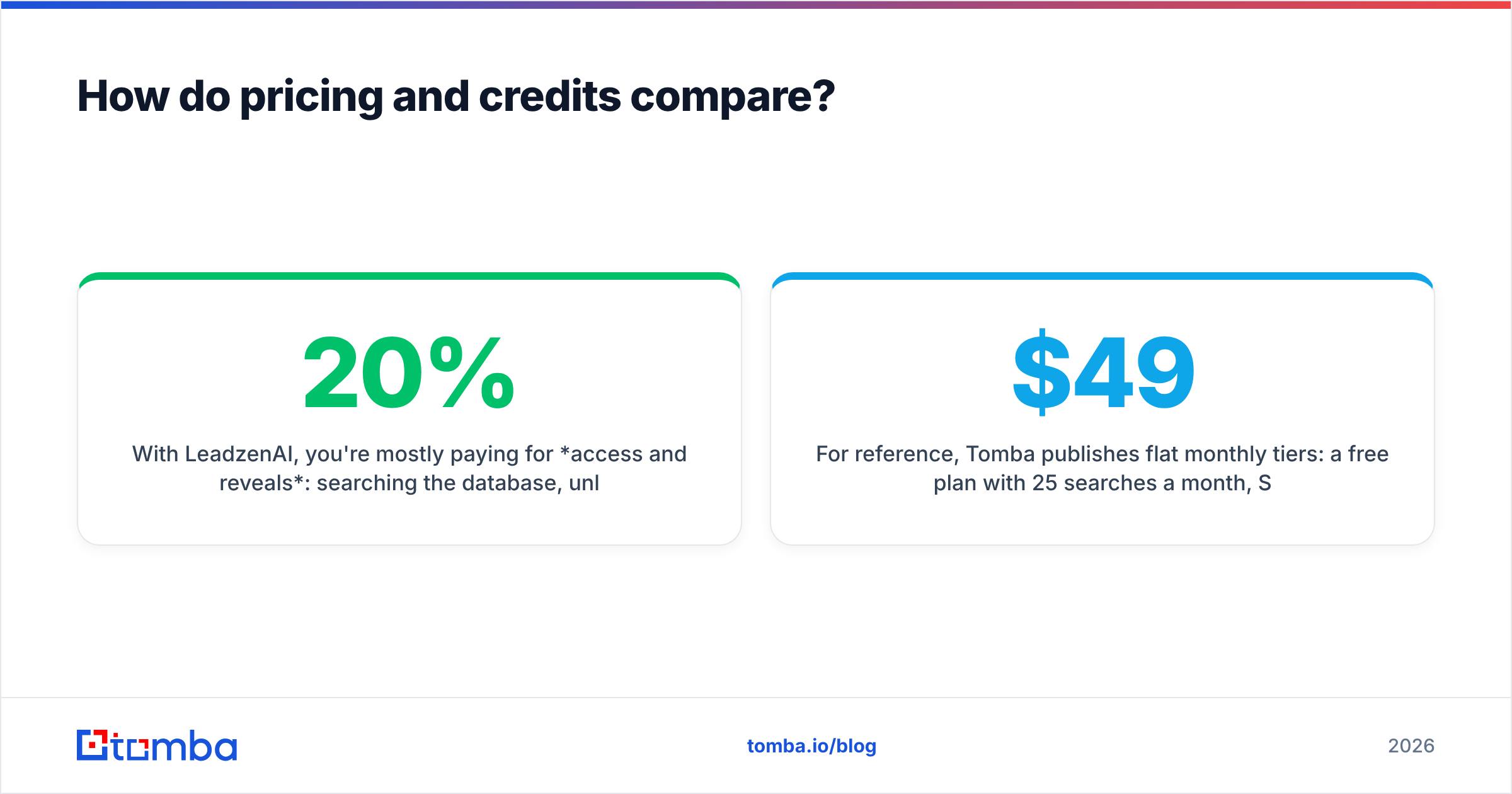
With LeadzenAI, you're mostly paying for access and reveals: searching the database, unlocking contact details and enriching lists. Your cost per usable contact depends heavily on how many revealed contacts turn out to be deliverable. If 20% of revealed emails bounce, your real cost per good contact is about 25% higher than the headline credit price.
With FindEmails.com, you're paying per lookup or verification. That's efficient when you have clean input data. Messy input (misspelled names, wrong domains, subsidiaries with separate mail servers) burns credits on lookups that return nothing.
Here's a simple way to compare the real cost:
- Take a sample of 200 contacts from your actual target market, not the vendor's demo list.
- Run them through each tool's free trial or smallest paid plan.
- Verify every returned address with an independent email verifier.
- Divide total spend by the number of valid, non-catch-all emails. That number is your real cost per contact.
- Repeat with a second segment (for example SMB vs enterprise). Accuracy often differs a lot by company size.
For reference, Tomba publishes flat monthly tiers: a free plan with 25 searches a month, Starter at $49/mo, Growth at $99/mo, Pro at $249/mo, and custom Enterprise. See Tomba pricing for what each tier includes. Run the same 200-contact test on Tomba too. A benchmark on your own data is more reliable than anyone's marketing chart, including ours.
Which one handles verification and deliverability better?#
FindEmails.com has the stronger verification story because verification is part of its core product. Every lookup comes back with a status, and you can verify lists you got elsewhere. LeadzenAI focuses on finding contacts, so its verification works more as a status indicator than a full deliverability check.
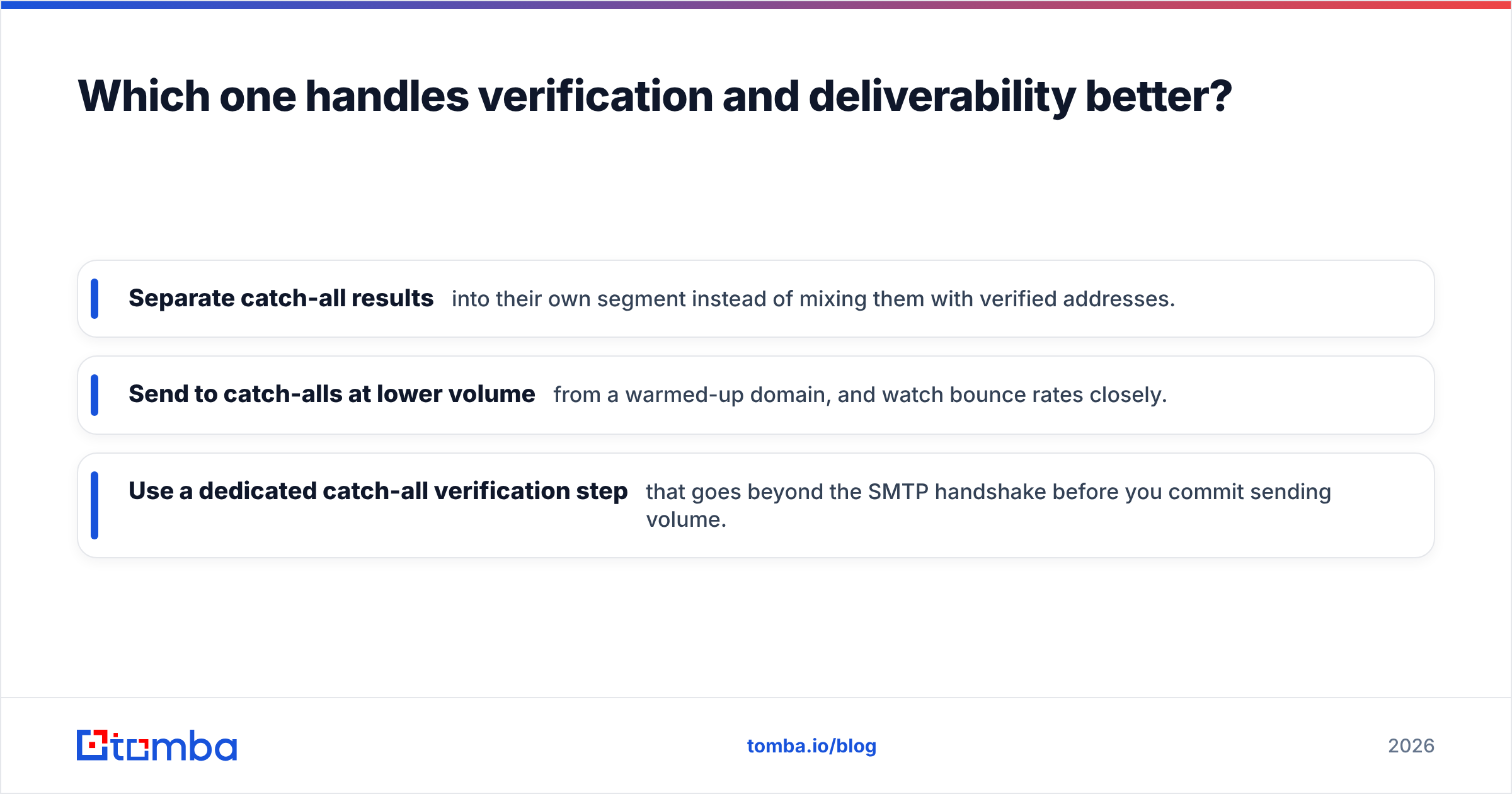
Neither tool solves catch-all domains, and no tool fully can. A catch-all server accepts every address during the SMTP handshake, so a basic check will pass anything@company.com. Enterprise domains running Microsoft 365 or Google Workspace with strict filtering often behave like this. Good practice is to:
- Separate catch-all results into their own segment instead of mixing them with verified addresses.
- Send to catch-alls at lower volume from a warmed-up domain, and watch bounce rates closely.
- Use a dedicated catch-all verification step that goes beyond the SMTP handshake before you commit sending volume.
Google's and Yahoo's bulk-sender requirements, in force since 2024, make this more than a nice-to-have. Bounce rates and spam complaints feed straight into your sender reputation. A few hundred bad addresses in one campaign can hurt deliverability for weeks.
Which tool fits which team?#
The honest answer depends on your workflow, not on which tool is "better" in general.
Pick LeadzenAI if:
- You're an SDR team building net-new lists every week
- You need phone numbers alongside emails
- A large share of your market is in India or South Asia
- Your reps prospect inside the browser and push contacts to a CRM
Pick FindEmails.com if:
- You already have named target accounts and contacts
- You need a simple, reliable email lookup API for internal scripts
- Your targets are small companies that databases don't cover well
- Email is your only outbound channel
Consider using both if:
- You build lists in LeadzenAI, then run the names through a pattern-based finder to fill gaps where the database returned nothing.
That combined workflow is common among agencies. It gives you database breadth plus lookup coverage for gaps, but you manage two vendors, two credit balances and two data formats.
Where does Tomba fit in this comparison?#
Tomba is also an email finder, so it competes with both tools, and it isn't a replacement for LeadzenAI's full prospecting database. It covers the finder-plus-verifier side that FindEmails.com targets, and adds domain search to list the known addresses at a company. That gets you part of the way toward list building without a full prospecting database.
Tomba makes the most sense if you want these in one account:
- Name + domain lookups like FindEmails.com
- Domain-wide email discovery for account-based campaigns
- Separate email and catch-all verification before you send
- An API, CLI, Google Sheets add-on and Chrome extension from the same credit pool
- Published flat pricing, so procurement doesn't need a sales call
If you need deep filtered prospecting with phone numbers in the Indian market, LeadzenAI is still the more specialised fit. Tomba doesn't replace that. It fits the verified-email part of the workflow.
Frequently asked questions#
Is FindEmails.com the same as Toofr?#
Yes. Toofr rebranded as FindEmails.com. The core lookup method and API heritage come from Toofr, so older integrations and tutorials that mention Toofr refer to the same product line.
Does LeadzenAI verify emails?#
It shows a status on returned contacts. Before you send large campaigns, run exported emails through a dedicated verifier, especially addresses on catch-all domains.
Which is cheaper, LeadzenAI or FindEmails.com?#
It depends on your input. If you already have names and domains, per-lookup pricing (FindEmails.com) usually costs less per valid email. If you need to discover contacts first, a database (LeadzenAI) saves research time that per-lookup pricing doesn't cover. Compare cost per valid email, not cost per credit.
Can I use either tool through an API?#
Both offer API access. FindEmails.com's API comes from the long-running Toofr API. LeadzenAI's API is aimed at enrichment workflows. Check current rate limits and credit use per endpoint in each vendor's documentation.
What's the verdict?#
LeadzenAI and FindEmails.com aren't really direct competitors. They cover opposite ends of the same workflow. LeadzenAI tells you who to contact and gives you their details. FindEmails.com assumes you know who, and gets you the email address. If you pick the tool that matches your starting point, filters or names, you'll waste far fewer credits than if you choose based on a feature checklist.
If your starting point is a list of companies or names and you want finding and verification under one plan, try the Tomba Email Finder. Run your own 200-contact sample on the free tier (25 searches a month), verify the results, and compare your real cost per valid email with whatever you're using now. Then decide based on those numbers.
Related guides#
// get started
Find, verify and enrich your first contacts today
Start on the free plan with 25 searches a month, then scale when your team is ready.
Free plan · No credit card required · GDPR & CCPA
// about the author