LeadzenAI vs LetsExtract: Lead Database or Email Extractor in 2026?
LeadzenAI sells an AI-assisted B2B lead database. LetsExtract sells a one-time-license email scraper. Here is how they compare on data, pricing, accuracy and compliance, and who should buy which.
TL;DR
- These tools solve different problems. LeadzenAI is a searchable B2B lead database with AI filters, a Chrome extension and outreach add-ons. LetsExtract is a desktop and cloud email extractor that scrapes addresses from search engines, websites and files.
- Pricing models differ. Third-party listings show LeadzenAI on subscriptions starting around $133/month per user. LetsExtract sells perpetual licenses in roughly the $39–$79 one-time range, plus a limited free version.
- LeadzenAI is strongest in India. Its coverage of Indian companies (MCA filings, directors, funding signals) is unusually deep. Outside India the data gets thinner.
- LetsExtract is cheap but unfiltered. You get volume, not qualified contacts. Plan to verify everything it collects and to think carefully about compliance.
- If you want named decision-makers at specific companies, a dedicated email finder with built-in verification usually costs less per usable contact than either tool.
What is the real difference between LeadzenAI and LetsExtract?#
The simplest analogy: LeadzenAI is a curated phone book, and LetsExtract is a metal detector. The phone book already has names, titles and companies in it, and you pay to look things up. The metal detector sweeps a territory you choose (a keyword, a website list, a folder of files) and gives you back whatever email-shaped strings it finds.
That difference decides nearly everything else in this comparison:
- LeadzenAI begins with a person or company. You filter by industry, location, company size, funding stage or job role, then reveal emails and phone numbers. It also has a Chrome extension for LinkedIn and company websites, bulk search, and outreach features across email, LinkedIn, WhatsApp and calling.
- LetsExtract begins with a source. You give it search-engine keywords, a list of URLs, social pages or local files, and it crawls them for addresses. The suite also includes an Email Verifier and an Email Sender, so you can scrape, clean and send from one place.
In short, LeadzenAI helps you decide who to contact. LetsExtract helps you collect whatever is publicly listed on the sources you point it at. Choosing between them is mostly a question of which of those two you actually need.
How do LeadzenAI and LetsExtract compare feature by feature?#
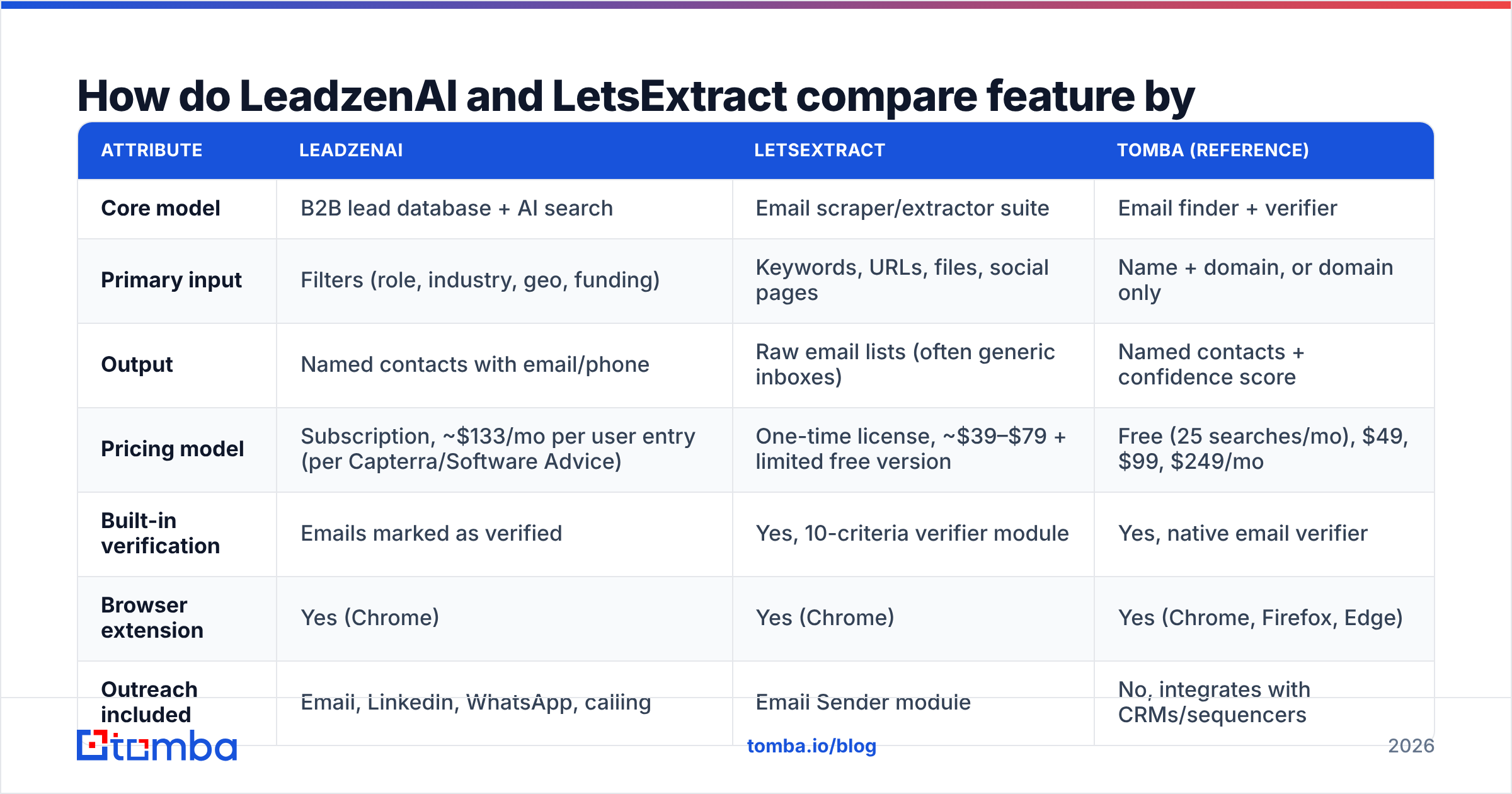
Here is a side-by-side view based on each vendor's public materials and third-party listings as of 2026. Pricing changes often, so check leadzen.ai and letsextract.com before you buy.
| Attribute | LeadzenAI | LetsExtract | Tomba (reference) |
|---|---|---|---|
| Core model | B2B lead database + AI search | Email scraper/extractor suite | Email finder + verifier |
| Primary input | Filters (role, industry, geo, funding) | Keywords, URLs, files, social pages | Name + domain, or domain only |
| Output | Named contacts with email/phone | Raw email lists (often generic inboxes) | Named contacts + confidence score |
| Pricing model | Subscription, ~$133/mo per user entry (per Capterra/Software Advice) | One-time license, ~$39–$79 + limited free version | Free (25 searches/mo), $49, $99, $249/mo |
| Built-in verification | Emails marked as verified | Yes, 10-criteria verifier module | Yes, native email verifier |
| Browser extension | Yes (Chrome) | Yes (Chrome) | Yes (Chrome, Firefox, Edge) |
| Outreach included | Email, LinkedIn, WhatsApp, calling | Email Sender module | No, integrates with CRMs/sequencers |
| Geographic strength | India (very deep), thinner elsewhere | Wherever your sources are | Global |
| Best for | Indian SDR teams, funded-startup prospecting | Local-business lists, niche directories, SEO outreach | Targeted B2B outbound at scale |
| Main risk | Coverage gaps outside India, pricing clarity | Low-intent contacts, compliance exposure | Catch-all domains need extra checks |
Two rows deserve a closer look.
Pricing model. A perpetual license looks far cheaper than a subscription on day one, and for a solo operator it usually is. But LetsExtract's one-time price covers the software, not the quality of what comes out of it. You still pay in hours spent filtering, and possibly in bounces. LeadzenAI's subscription pays for data someone else has already structured.
Output. Scraped lists skew heavily toward role inboxes such as info@, sales@ and contact@. They work for SMB and local-business outreach and do little for account-based B2B selling, where you need the VP of Finance, not the front desk.

How accurate is the data from each tool?#
Accuracy means something different for each tool, so it helps to split it into two questions: is the address deliverable? and is it the right person?

LetsExtract usually gets the first question right when the source is fresh. If an address is printed on a live website, it probably existed at some point. The trouble is age: directory listings, PDFs and cached pages can be years old. The built-in verifier checks syntax, domain, MX records and SMTP responses, which catches a lot of the dead addresses. What no verifier can do is turn info@company.com into a decision-maker.
LeadzenAI does better on the second question, at least in India. Because it cross-references company registries, public sources and web crawling, a result is tied to a role and a company record. Independent reviews note that coverage "thins out fast" in North America and Europe. If your ICP is a US mid-market SaaS company, test a sample of accounts before you commit to a paid plan.
A practical rule for either tool: run every exported list through a separate email verifier before it reaches your sending domain. Bounce rates above roughly 2–3% start to damage sender reputation, and scraped lists can go well past that.
Which tool is cheaper per usable lead?#
On sticker price, LetsExtract wins without contest. Sticker price is the wrong metric, though. What matters is cost per contact who fits your ICP and doesn't bounce.
Here is a rough way to compare the two:
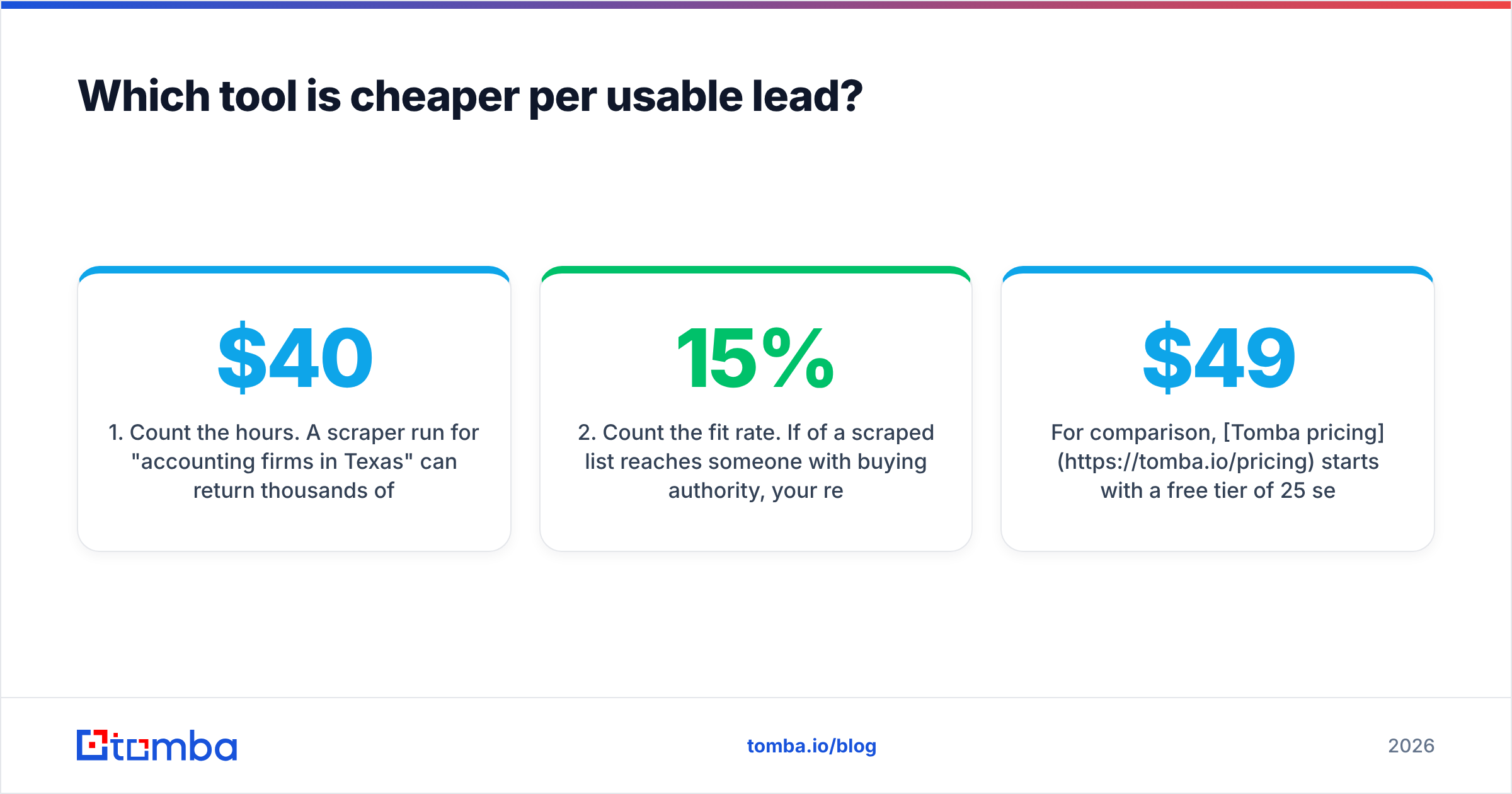
- Count the hours. A scraper run for "accounting firms in Texas" can return thousands of addresses in an afternoon. Then comes deduplication, removing generic inboxes, matching addresses to companies and verification. At a $40/hour SDR cost, one day of cleanup costs more than the license.
- Count the fit rate. If 15% of a scraped list reaches someone with buying authority, your real cost per lead is about seven times what the raw count suggests.
- Count the seats. LeadzenAI's per-user subscription grows with team size. A five-person SDR team on the entry tier is already a four-figure monthly line item.
- Count the regions. If most of your target accounts are outside India, part of every LeadzenAI search will come back empty, and that pushes up the effective price per result.
Pricing on subscription tools also changes often, and third-party sites list LeadzenAI editions over a very wide range. Treat the numbers here as a starting point. Software Advice's LeadzenAI profile and the vendor's own sales team are the places to confirm current tiers.
For comparison, Tomba pricing starts with a free tier of 25 searches a month, with paid plans at $49, $99 and $249 per month. It covers only email finding, verification and enrichment, not outreach.
Is LetsExtract legal and safe to use for cold email?#
Extracting publicly displayed emails is legal in many jurisdictions. Whether you can then email those people depends on where they are and how you contact them.
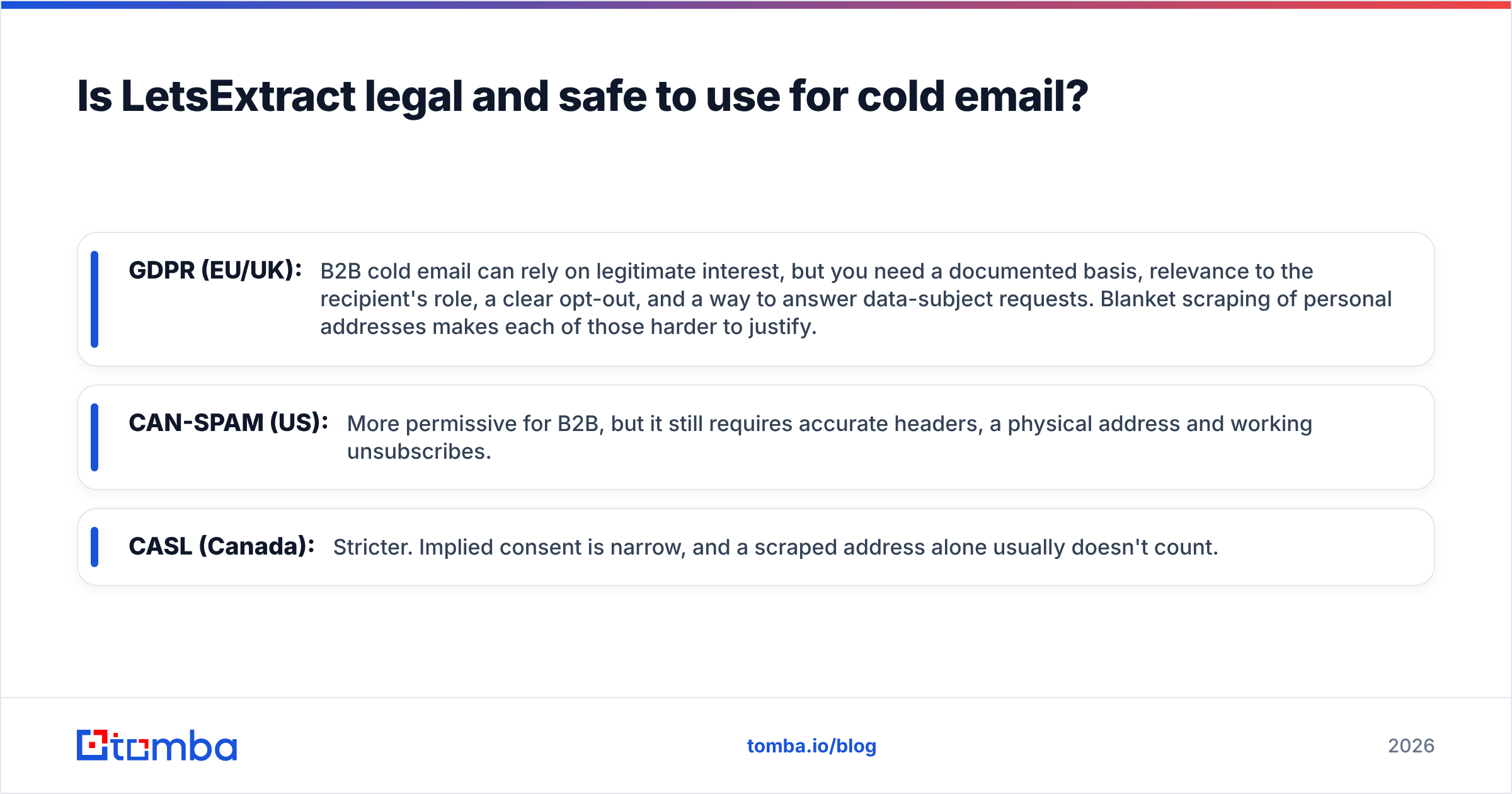
- GDPR (EU/UK): B2B cold email can rely on legitimate interest, but you need a documented basis, relevance to the recipient's role, a clear opt-out, and a way to answer data-subject requests. Blanket scraping of personal addresses makes each of those harder to justify.
- CAN-SPAM (US): More permissive for B2B, but it still requires accurate headers, a physical address and working unsubscribes.
- CASL (Canada): Stricter. Implied consent is narrow, and a scraped address alone usually doesn't count.
Neither vendor can take on this responsibility for you. With LeadzenAI, the data comes with company context, which makes a legitimate-interest case easier to document. With LetsExtract, you own the entire chain from source to send. If you use its built-in Email Sender, your deliverability depends on how clean the list is.
If you are building your own compliance checklist, HubSpot's guide to GDPR for email is a readable primer.
Who should choose LeadzenAI?#
Choose LeadzenAI if most of these apply:
- Your market is India or India-heavy. Its depth on Indian companies, directors, funding and registry data is its strongest advantage.
- You prospect funded startups. The trending-leads feed of recently funded companies and active investors is useful for founder-led sales and VC-adjacent outreach.
- You want search and outreach in one place. Email, LinkedIn, WhatsApp and calling all sit in the same workflow, and WhatsApp matters a lot in Indian B2B.
- You have budget per seat and would rather pay for structured data than for SDR cleanup time.
Skip it, or run a trial first, if your pipeline is mostly US or EU enterprise accounts.
Who should choose LetsExtract?#
Choose LetsExtract if most of these apply:
- You sell to local or SMB businesses that list a public contact inbox: agencies, clinics, contractors, restaurants, e-commerce stores.
- You do link-building or partnership outreach, where
editor@orhello@is the right recipient anyway. - You want to own the software instead of paying monthly, and you are comfortable running a desktop tool.
- You have time to clean data. The scraper is fast. The filtering after it is slow.
Skip it if your motion is account-based and needs named decision-makers, or if you operate mostly under GDPR/CASL and can't document why each contact is relevant.
Is there a better option than either LeadzenAI or LetsExtract?#
It depends on the job. Neither tool is built for the most common B2B outbound workflow: "I have a list of target accounts and job titles, and I need the right person's verified work email."
For that workflow, a dedicated email finder is usually the better fit:
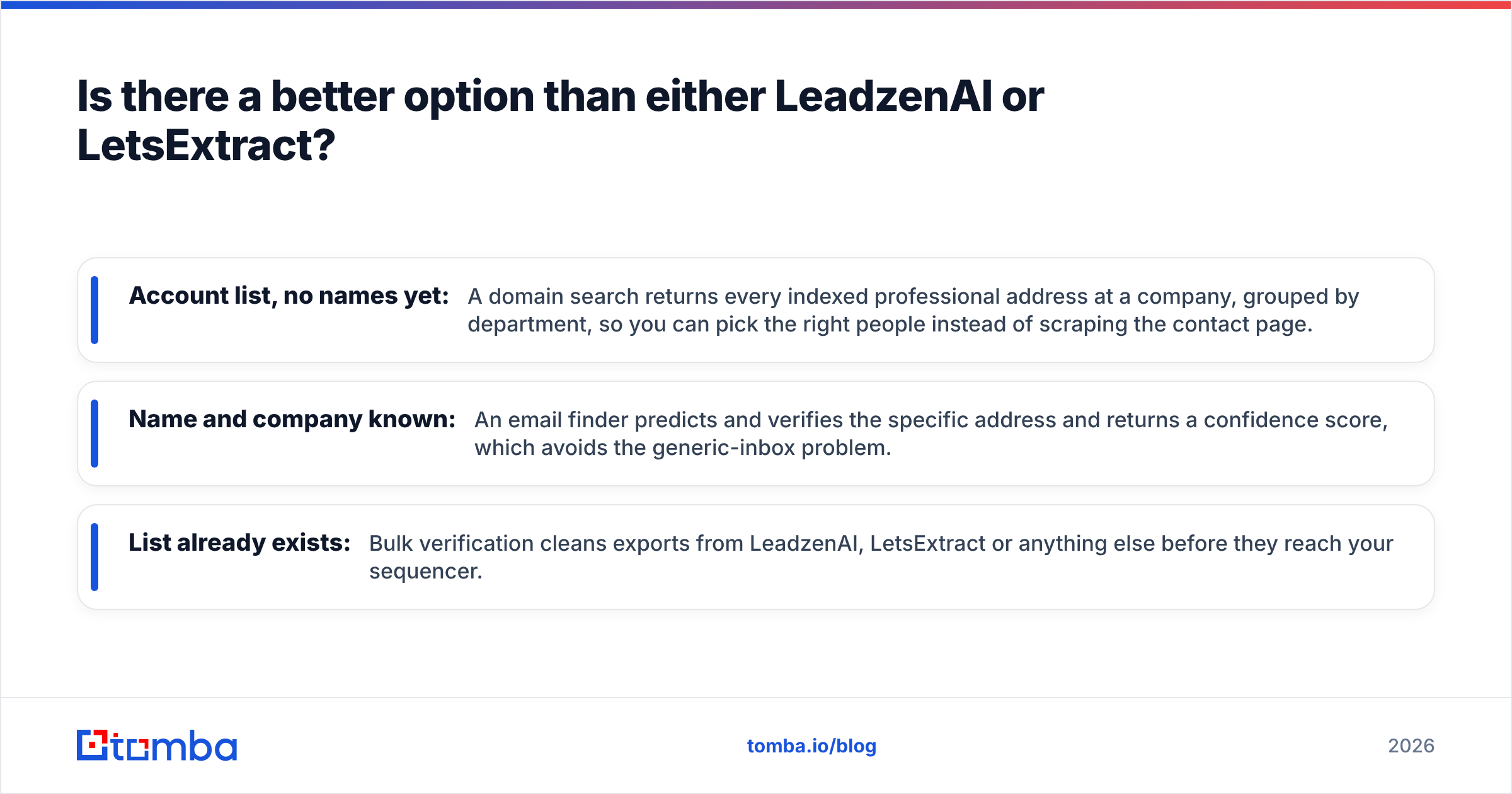
- Account list, no names yet: A domain search returns every indexed professional address at a company, grouped by department, so you can pick the right people instead of scraping the contact page.
- Name and company known: An email finder predicts and verifies the specific address and returns a confidence score, which avoids the generic-inbox problem.
- List already exists: Bulk verification cleans exports from LeadzenAI, LetsExtract or anything else before they reach your sequencer.

This doesn't make LeadzenAI or LetsExtract bad tools. LeadzenAI is a strong regional database with outreach built in, and LetsExtract is a capable, inexpensive scraper. The mistake is buying either one for a job it wasn't designed to do. Plenty of teams run a hybrid: LeadzenAI for Indian accounts, a scraper for local-business campaigns, and a finder-plus-verifier for everything account-based.
What is the final verdict on LeadzenAI vs LetsExtract?#
LeadzenAI wins if you prospect Indian companies or funded startups and want data plus multichannel outreach in one subscription.
LetsExtract wins if you need large lists of public contact inboxes cheaply, own the compliance side yourself, and have time to clean the output.
Neither wins for global, account-based B2B outbound aimed at named decision-makers. There, a specialised finder with verification built in gives you fewer contacts, and more of them reply.
Before committing, run both tools on the same 50 target accounts. Measure three things: how many results come back, how many pass verification, and how many are someone you'd actually want on a call. A one-afternoon test like this will tell you more than any feature table.
Ready to find the right person instead of the generic inbox?#
If your outbound depends on reaching specific decision-makers, not info@ addresses, try the Tomba Email Finder. Enter a name and company domain and get back a verified professional email with a confidence score. The free tier includes 25 searches a month, so you can run the same 50-account test described above before you pay. Paid plans start at $49/month when you need more volume.
Related guides#
// get started
Find, verify and enrich your first contacts today
Start on the free plan with 25 searches a month, then scale when your team is ready.
Free plan · No credit card required · GDPR & CCPA
// about the author