LeadzenAI vs LimeLeads: B2B Lead Data Compared for 2026
LeadzenAI sells AI-assisted prospecting. LimeLeads sells a filtered US lead database with verification at export. Here's how they differ on coverage, data freshness, pricing model and workflow fit, and how to choose between them.
TL;DR
- LeadzenAI is an AI-assisted prospecting platform. It helps you describe an ideal customer, surface matching companies and people, and enrich profiles, often starting from LinkedIn. Its strongest fit is teams that sell into India, APAC, and global mid-market accounts.
- LimeLeads is a filter-and-export B2B lead database with a strong US focus. Emails are verified in real time when you export, and you pay by the lead.
- Choose LeadzenAI if you want discovery help and enrichment on accounts you haven't named yet. Choose LimeLeads if you already know your US segment and want clean CSVs quickly.
- Neither tool replaces a dedicated verification step before a large send. Budget for one whichever you pick.
- If most of your work is finding the right email for a known person or domain, a focused email finder costs less per usable contact than either platform.
What is the real difference between LeadzenAI and LimeLeads?#
Both tools promise the same thing: a list of B2B contacts you can email. They get there in different ways.
LeadzenAI (leadzen.ai) positions itself as an AI lead-generation platform. You tell it who you sell to, and it recommends companies and decision-makers, enriches them with contact and firmographic data, and lets you pull profiles through a browser extension while you browse LinkedIn. You're paying for a discovery engine as much as for the data behind it.
LimeLeads (limeleads.com) works more like a classic list-building database. You filter by industry, location, company size, and job title, preview the results, and export. The main selling point is that LimeLeads checks email addresses at the moment you export them rather than serving whatever was cached months ago. You're paying for a filtered, verified spreadsheet.
That split drives every other difference below: AI discovery against deterministic filters, enrichment workflows against CSV exports, and global breadth against US depth.
How do the two tools compare feature by feature?#
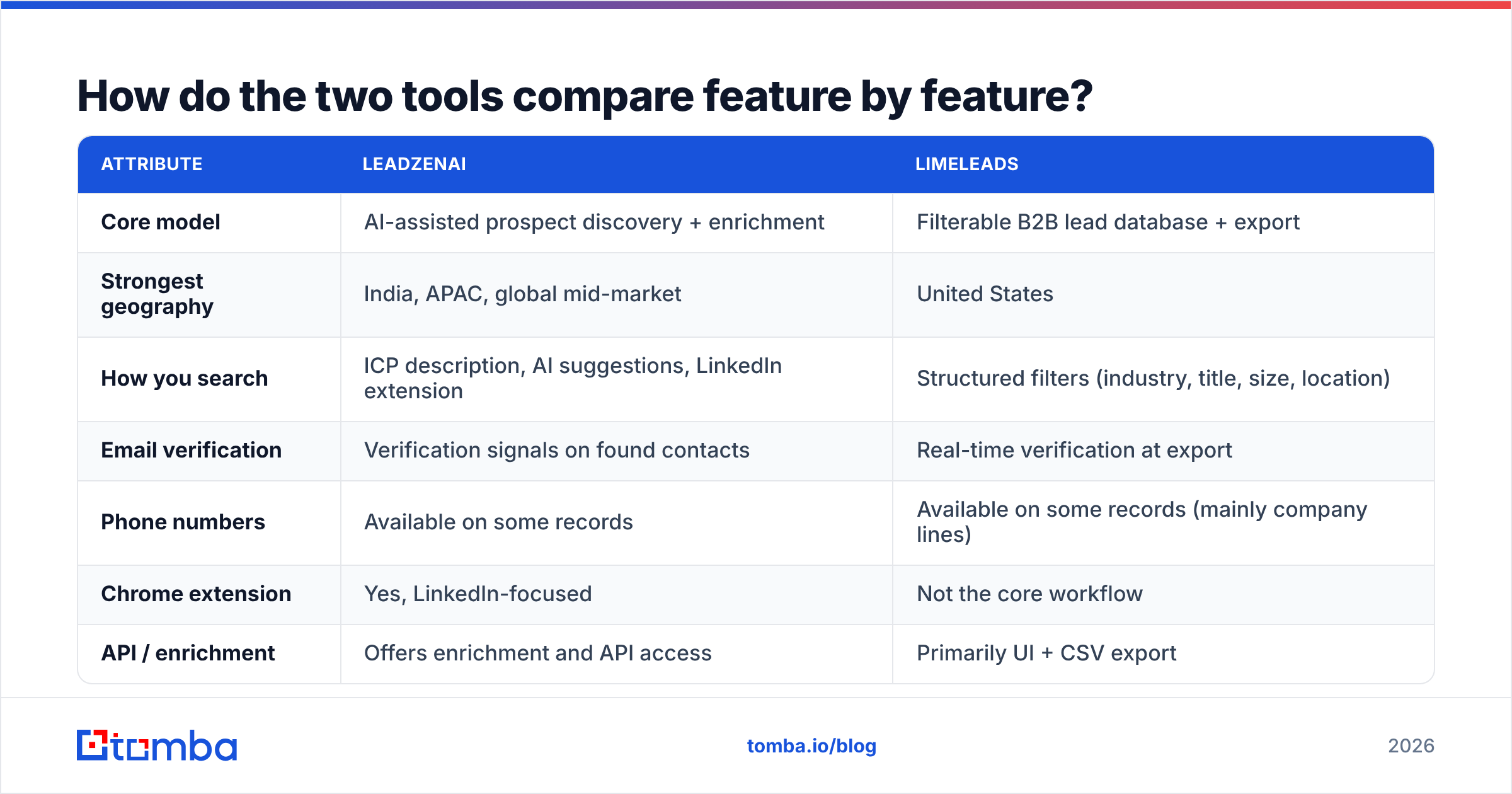
Here's a side-by-side view of the attributes that matter most in a buying decision. Vendors change plans often, so check the live pricing pages before you commit. Treat the pricing rows as a description of how each vendor charges, not as a quote.
| Attribute | LeadzenAI | LimeLeads |
|---|---|---|
| Core model | AI-assisted prospect discovery + enrichment | Filterable B2B lead database + export |
| Strongest geography | India, APAC, global mid-market | United States |
| How you search | ICP description, AI suggestions, LinkedIn extension | Structured filters (industry, title, size, location) |
| Email verification | Verification signals on found contacts | Real-time verification at export |
| Phone numbers | Available on some records | Available on some records (mainly company lines) |
| Chrome extension | Yes, LinkedIn-focused | Not the core workflow |
| API / enrichment | Offers enrichment and API access | Primarily UI + CSV export |
| Pricing model | Credit-based subscription tiers | Lead-based subscription tiers |
| Free option | Trial credits | Limited free leads to test |
| Best for | Discovering new accounts, enriching LinkedIn prospects | Bulk US lists for a known ICP |
| Main trade-off | AI suggestions need human QA | Thinner coverage outside the US |
Review aggregators like G2 are useful for a reality check on support quality and data accuracy complaints. Sort by the most recent reviews, though. Lead data quality can change a lot from one year to the next.
Which workflow does each tool actually fit?#
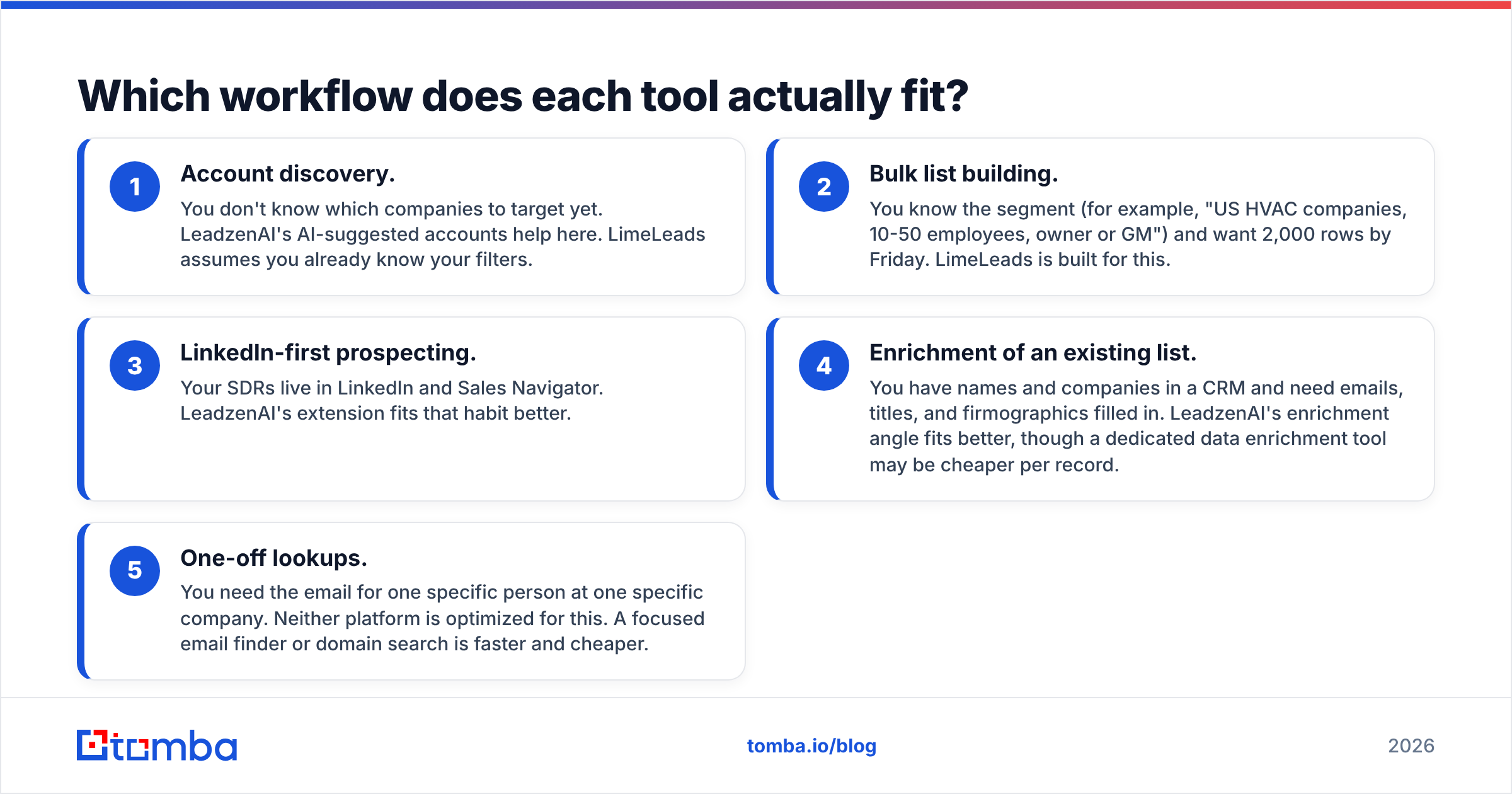
Most bad purchases in this category happen because the buyer compared databases when they really needed to compare workflows. Before you look at price, work out which of these five jobs you're hiring the tool for:
- Account discovery. You don't know which companies to target yet. LeadzenAI's AI-suggested accounts help here. LimeLeads assumes you already know your filters.
- Bulk list building. You know the segment (for example, "US HVAC companies, 10-50 employees, owner or GM") and want 2,000 rows by Friday. LimeLeads is built for this.
- LinkedIn-first prospecting. Your SDRs live in LinkedIn and Sales Navigator. LeadzenAI's extension fits that habit better.
- Enrichment of an existing list. You have names and companies in a CRM and need emails, titles, and firmographics filled in. LeadzenAI's enrichment angle fits better, though a dedicated data enrichment tool may be cheaper per record.
- One-off lookups. You need the email for one specific person at one specific company. Neither platform is optimized for this. A focused email finder or domain search is faster and cheaper.
If you're doing mostly jobs 2 and 5, the "AI" in LeadzenAI adds cost without adding much value. If you're mostly doing jobs 1 and 3, LimeLeads' filter-first interface will feel limiting.

Is LeadzenAI better than LimeLeads for data accuracy?#
Neither vendor wins across the board, and you should distrust any review that says otherwise without showing a test. Accuracy in B2B data depends on three things: how the record was sourced, how recently it was refreshed, and whether it was verified at the time you used it.
Where LimeLeads has an edge: verification at export means that the emails you download have just passed an SMTP-level check. That removes a whole class of "valid in 2023, bounced in 2026" problems. For US small and mid-sized businesses, where people move roles often, this matters a lot.
Where LeadzenAI has an edge: because its workflow often starts from a live LinkedIn profile, the person's current title and employer tend to be fresher. A correct email tied to the wrong job title still gets you a bad send, so fresh role data is a form of accuracy too.
Where both have limits:
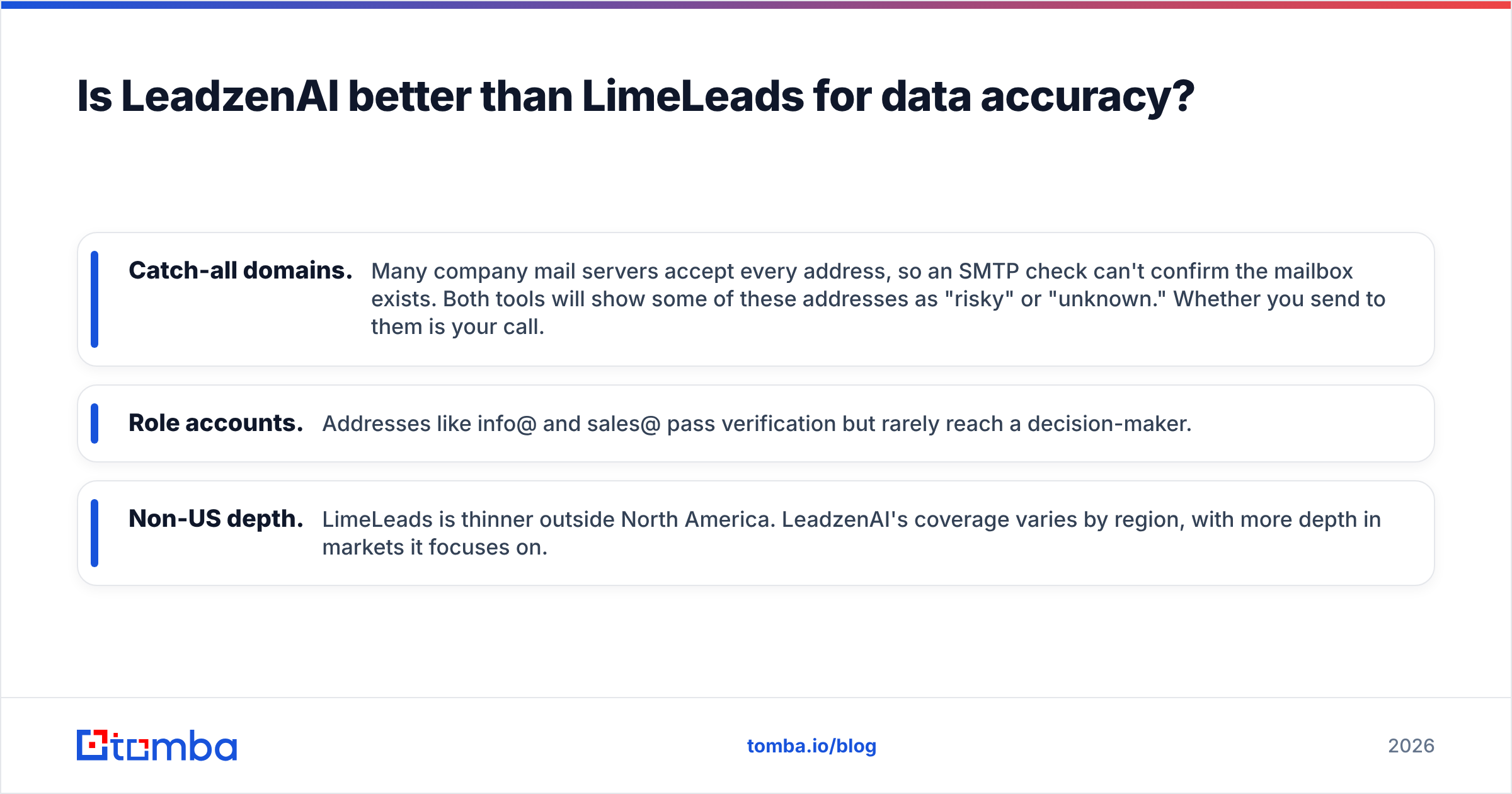
- Catch-all domains. Many company mail servers accept every address, so an SMTP check can't confirm the mailbox exists. Both tools will show some of these addresses as "risky" or "unknown." Whether you send to them is your call.
- Role accounts. Addresses like info@ and sales@ pass verification but rarely reach a decision-maker.
- Non-US depth. LimeLeads is thinner outside North America. LeadzenAI's coverage varies by region, with more depth in markets it focuses on.
The practical answer: run the same 200-contact test on both. Use one ICP, one export, and one independent email verifier pass. Compare valid rates, catch-all rates, and title accuracy. Two hours of testing beats any vendor claim.
How does pricing compare between LeadzenAI and LimeLeads?#
The two vendors charge in different ways, so comparing headline prices will mislead you.
LimeLeads charges per lead. Each plan gives you a monthly allowance of leads you can reveal or export, with a small free allowance for testing. This is easy to forecast. If you need 1,000 US contacts a month, you know which tier to buy. The risk is that allowances sized for exports can run out quickly if your team browses and exports without a plan.
LeadzenAI charges per credit. Credits are spent on actions such as revealing emails, phone numbers, or enrichment. Trial credits let you test before paying. This is more flexible when your work mixes discovery and enrichment. It's also harder to forecast, because a phone reveal and an email reveal may cost different amounts.
To compare the two fairly, calculate cost per usable contact:
(Monthly plan cost) ÷ (contacts that pass independent verification AND match your ICP title)
A plan that looks cheaper per record can easily cost more per usable contact if 30% of the records bounce or reach the wrong role. Run the cost-per-usable-contact math on your trial data, not on the vendor's advertised volumes.
What are the pros and cons of each?#
LeadzenAI: pros
- AI-assisted account and persona discovery when you don't have a fixed list
- LinkedIn extension that fits SDR habits
- Enrichment and API options for pushing data into your CRM
- Stronger fit for teams selling into India and APAC
LeadzenAI: cons
- AI suggestions need a human sanity check, because "similar companies" can drift away from your ICP
- Credit-based pricing is harder to forecast
- US SMB depth may trail US-first databases
LimeLeads: pros
- Fast, predictable filter-to-CSV workflow
- Real-time email verification at export
- Simple lead-based pricing
- Solid depth for US small and mid-sized businesses
LimeLeads: cons
- Limited value for non-US campaigns
- Little help with discovery. You need to know your filters going in
- Fewer native workflow features (extension, enrichment, automation) than platform-style tools
Which one should you pick?#
Match the decision to your motion, not to the feature list.
Pick LeadzenAI if:
- You sell globally, or specifically into India or APAC
- Your reps prospect from LinkedIn every day
- You need help finding which accounts to target, not just who works there
- You want enrichment on records already in your CRM
Pick LimeLeads if:
- Your TAM is mostly US small and mid-sized businesses
- You already have a clear ICP expressed as filters
- You want predictable monthly volume and clean CSVs for a sequencer
- Your team doesn't need an extension or AI suggestions
Pick neither, or add a third tool, if:
- Most of your lookups are for known people at known companies. A dedicated email finder will be cheaper and more precise.
- You send at volume and can't risk deliverability on vendor-side verification alone.

What should you do before your first campaign with either tool?#
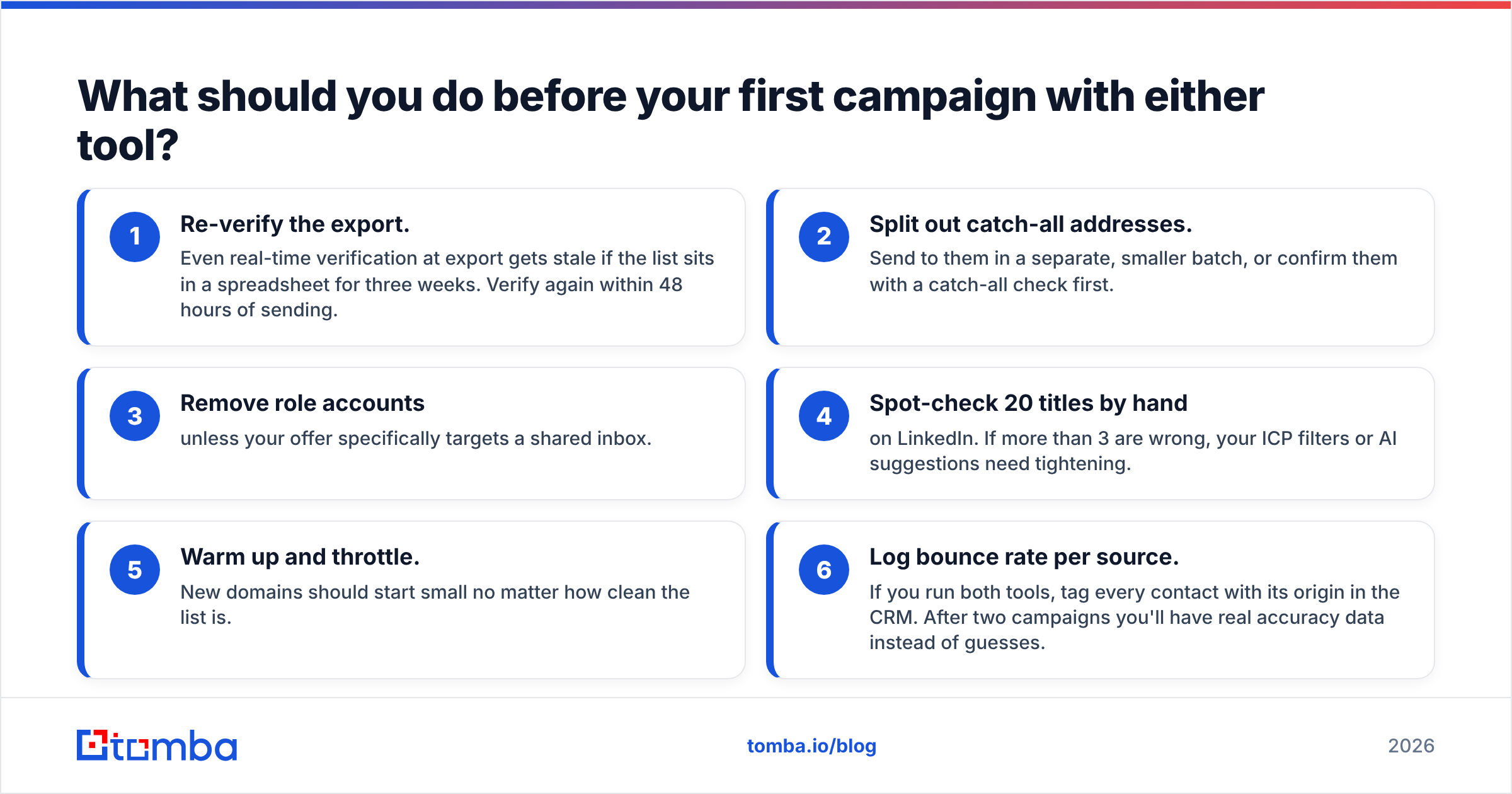
Whichever vendor you choose, the first send is where bad data costs you money in the form of damaged sender reputation. Run this short pre-flight checklist:
- Re-verify the export. Even real-time verification at export gets stale if the list sits in a spreadsheet for three weeks. Verify again within 48 hours of sending.
- Split out catch-all addresses. Send to them in a separate, smaller batch, or confirm them with a catch-all check first.
- Remove role accounts unless your offer specifically targets a shared inbox.
- Spot-check 20 titles by hand on LinkedIn. If more than 3 are wrong, your ICP filters or AI suggestions need tightening.
- Warm up and throttle. New domains should start small no matter how clean the list is.
- Log bounce rate per source. If you run both tools, tag every contact with its origin in the CRM. After two campaigns you'll have real accuracy data instead of guesses.
This checklist works for any vendor, which is the point. Data providers compete on coverage and interface, but deliverability is your responsibility once you click send.
Are there alternatives worth considering?#
If neither tool fits your workflow well, it helps to think in categories rather than brands:
- All-in-one sales platforms bundle database, sequencing, and dialer. They make sense when you want one invoice and one login, but you usually pay for modules you don't use.
- Filter-and-export databases like LimeLeads are best when your ICP is stable and your geography matches the vendor's.
- Email finders and verifiers work from a name plus a domain and return one best-guess address with a confidence score. They're the most cost-efficient choice when you already know who you want to reach.
- Waterfall enrichment tools query several providers in sequence to raise match rates, at a higher cost per record.
Many teams end up using one discovery or list source plus one finder/verifier. That combination is usually cheaper and more accurate than scaling up a single platform's plan.
Final verdict: LeadzenAI or LimeLeads?#
LeadzenAI and LimeLeads aren't really competing for the same buyer. LeadzenAI suits teams that need help deciding who to target, especially outside the US and especially from LinkedIn. LimeLeads suits teams that already know their US segment and want verified CSVs with predictable costs. Run the same 200-contact test on both, calculate cost per usable contact, and let your data decide.
Whichever you choose, you'll still hit gaps: the VP who isn't in the database, the prospect a colleague sent you on Slack, or the target account list from your AE with no emails attached. That's where Tomba Email Finder fits in. Enter a name and a company domain, and Tomba returns the most likely professional address with a confidence score and source data, ready to verify and send. You can test it on the free tier (25 searches a month) and move up to Starter at $49/mo or Growth at $99/mo when your volume grows. See Tomba pricing to compare plans.
Related guides#
// get started
Find, verify and enrich your first contacts today
Start on the free plan with 25 searches a month, then scale when your team is ready.
Free plan · No credit card required · GDPR & CCPA
// about the author