LeadzenAI vs ReachStream: Which B2B Contact Data Tool Wins in 2026?
LeadzenAI sells AI-built prospect profiles with phone numbers from $133/month. ReachStream sells high-volume verified email exports from $39/month. Here's which one fits your pipeline and where each falls short.
TL;DR
- ReachStream is a volume play. You get a free plan with 100 export credits, and paid plans start at $39/month for 5,000 export credits. Credits roll over, and you're only charged when an email is verified.
- LeadzenAI is a profile-depth play. It builds AI-assisted person profiles that include phone numbers. Listed pricing starts around $133/month for 300 credits per user, and there's no permanent free tier.
- If you need thousands of verified emails a month for cold email, ReachStream is far cheaper per contact.
- If your reps work on the phone and need deep single-person profiles, LeadzenAI's higher per-credit cost can make sense.
- If what you really need is to find and verify a named person's work email, a dedicated email finder like Tomba (free for 25 searches/month, Starter $49/month) is often the simpler fit.
What are LeadzenAI and ReachStream, in plain terms?#
Both tools sell B2B contact data, but the business models behind them are very different.
Think of ReachStream as a warehouse store. You come in, filter a large database of contacts by title, industry, company size and location, and leave with a large, cheap, verified list. According to its official pricing page, every plan includes unlimited contact and company views. Credits are only used when you reveal a verified email or export or sync records. The vendor claims 95% data accuracy.
LeadzenAI works more like a research assistant. You describe the kind of prospect you want, and it builds a detailed profile for each person: role, company context, social footprint and, importantly, phone numbers. Each reveal uses a credit, and credits cost a lot more because each one returns more data.
So the question isn't "which database is bigger?" It's "do I buy many shallow contacts or fewer deep ones?"
How do LeadzenAI and ReachStream compare side by side?#
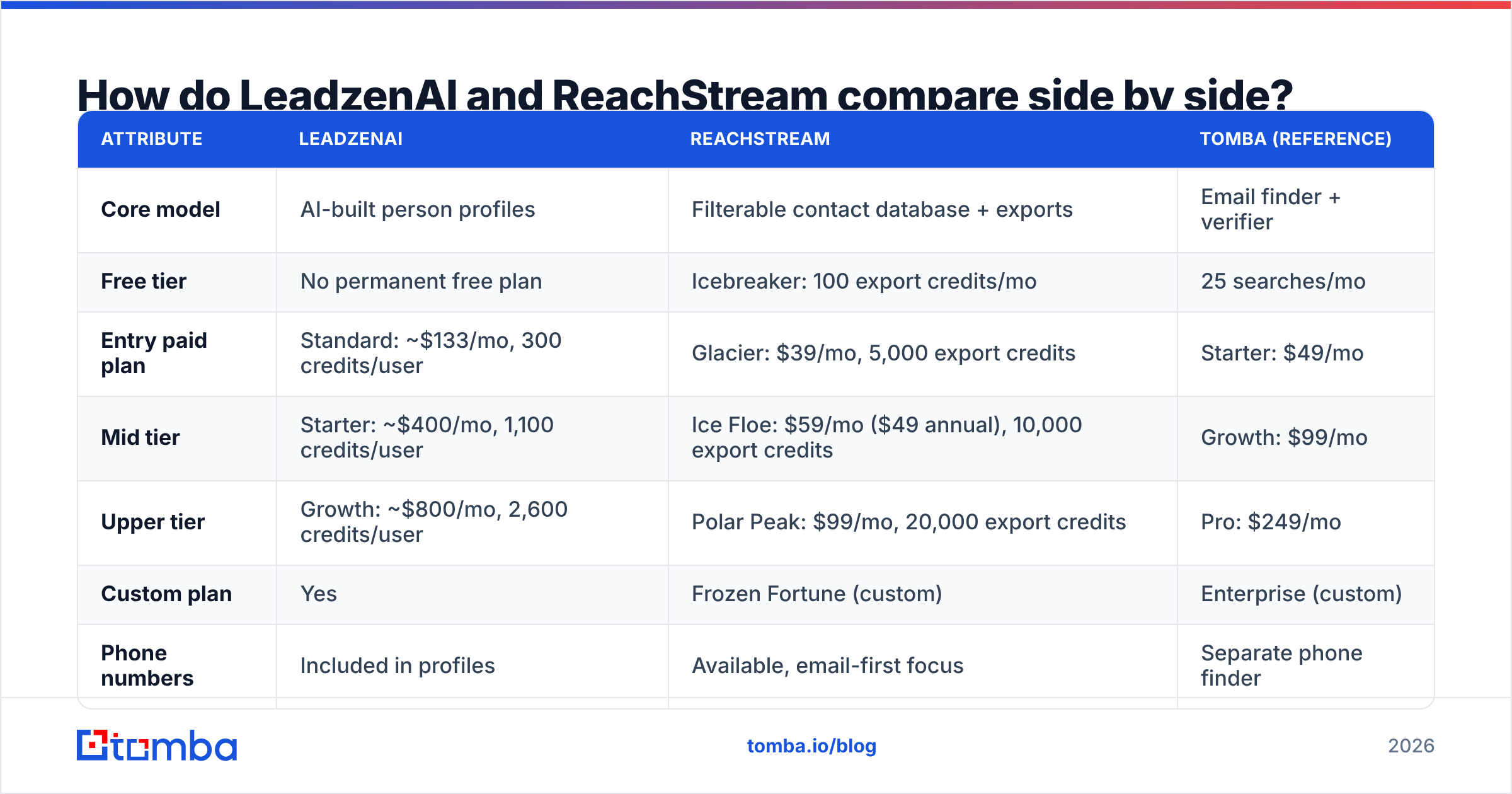
Here's the head-to-head, using publicly listed pricing at the time of writing. LeadzenAI figures come from its TrustRadius pricing listing, since the vendor usually asks for a demo before quoting.
| Attribute | LeadzenAI | ReachStream | Tomba (reference) |
|---|---|---|---|
| Core model | AI-built person profiles | Filterable contact database + exports | Email finder + verifier |
| Free tier | No permanent free plan | Icebreaker: 100 export credits/mo | 25 searches/mo |
| Entry paid plan | Standard: ~$133/mo, 300 credits/user | Glacier: $39/mo, 5,000 export credits | Starter: $49/mo |
| Mid tier | Starter: ~$400/mo, 1,100 credits/user | Ice Floe: $59/mo ($49 annual), 10,000 export credits | Growth: $99/mo |
| Upper tier | Growth: ~$800/mo, 2,600 credits/user | Polar Peak: $99/mo, 20,000 export credits | Pro: $249/mo |
| Custom plan | Yes | Frozen Fortune (custom) | Enterprise (custom) |
| Phone numbers | Included in profiles | Available, email-first focus | Separate phone finder |
| Credit rollover | Not advertised | Yes, on paid plans | Plan-dependent |
| Best for | Phone-heavy, account-based outreach | High-volume cold email lists | Finding and verifying specific emails |
The math at the entry tier is stark. At ~$133 for 300 credits, a LeadzenAI credit costs about $0.44. At $39 for 5,000 export credits, a ReachStream export credit costs under a cent. That isn't a like-for-like comparison, since a Leadzen credit returns a richer profile. It does show that the two tools are built for different jobs.

Is ReachStream more accurate than LeadzenAI?#
Neither vendor publishes an independently audited accuracy benchmark, so be skeptical of any single headline number, including ReachStream's "95%" claim. Here's what you can check:
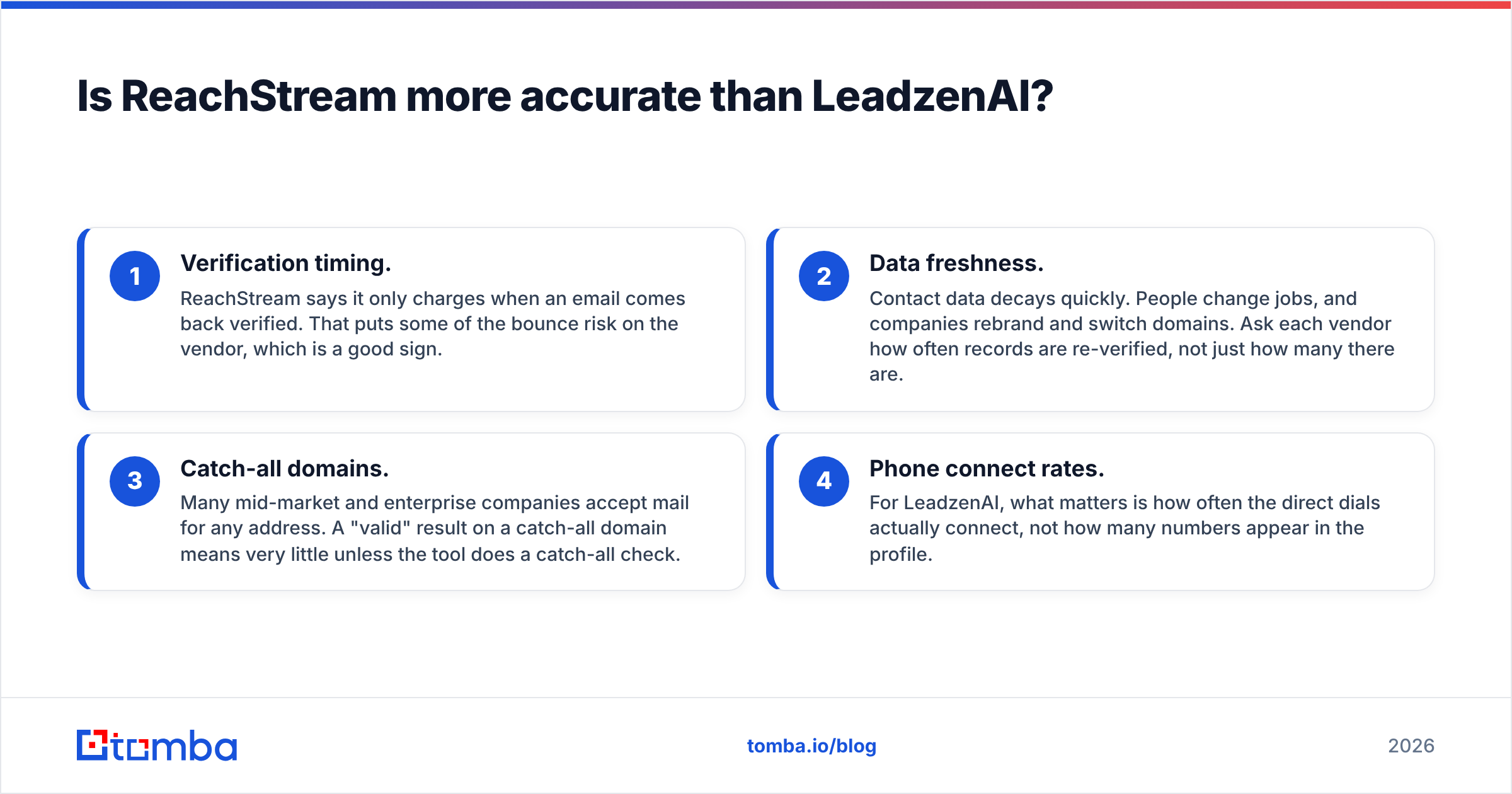
- Verification timing. ReachStream says it only charges when an email comes back verified. That puts some of the bounce risk on the vendor, which is a good sign.
- Data freshness. Contact data decays quickly. People change jobs, and companies rebrand and switch domains. Ask each vendor how often records are re-verified, not just how many there are.
- Catch-all domains. Many mid-market and enterprise companies accept mail for any address. A "valid" result on a catch-all domain means very little unless the tool does a catch-all check.
- Phone connect rates. For LeadzenAI, what matters is how often the direct dials actually connect, not how many numbers appear in the profile.
Run your own test before you commit. Pull 100 contacts from each tool that match your real ICP. Run them through an independent email verifier and compare the valid, invalid and catch-all rates. It takes an afternoon and tells you more than any vendor claim.

What is LeadzenAI actually good at?#
LeadzenAI is strongest when each prospect is worth a lot and your team talks to prospects more than it emails them.
Where it shines:
- Deep single-person profiles. Each reveal returns a detailed person profile with phone numbers, so an SDR can go from "name on a target list" to "ready to call" in one step.
- AI-assisted search. You describe the prospect in natural language instead of stacking many filters. Newer reps who don't know a database's taxonomy tend to like this.
- Account-based motions. If you're working 50 named accounts a quarter, paying about $0.44 per enriched profile is small compared with the value of one meeting.
Where it's weaker:
- Cost at volume. At 300 credits per user per month on the entry plan, it can't realistically power a 5,000-contact cold email campaign.
- Transparency. Pricing is mostly shared through sales conversations and third-party listings. It's harder to model costs before you buy.
- No real free tier. You can't test the data quality yourself before committing, although some listings mention limited trial features.
What is ReachStream actually good at?#
ReachStream is built for teams that measure outbound in thousands of sends, not dozens.
Where it shines:
- Price per contact. Even the $99 Polar Peak tier gives you 20,000 export credits. For agencies and lean outbound teams, this is the headline advantage.
- Unlimited views. You can browse and refine segments as much as you like and only spend credits on what you reveal or export. This helps you avoid paying for contacts you later filter out.
- Rollover credits. Unused credits on paid plans carry into the next month, so a quiet month doesn't waste your budget.
- Low-risk entry. The free Icebreaker plan lets you test real exports before paying.
Where it's weaker:
- Profile depth. You get a contact record, not a research dossier. Personalization still takes manual work or another enrichment tool.
- List-first thinking. Bulk exports make it easy to email too many people too fast. Mailbox providers watch bounce and complaint rates closely, and cheap data doesn't make up for poor email deliverability habits.
- Split credit types. Email credits and export credits are metered separately. Read the plan details carefully so you know which one runs out first.
Which tool fits which sales motion?#
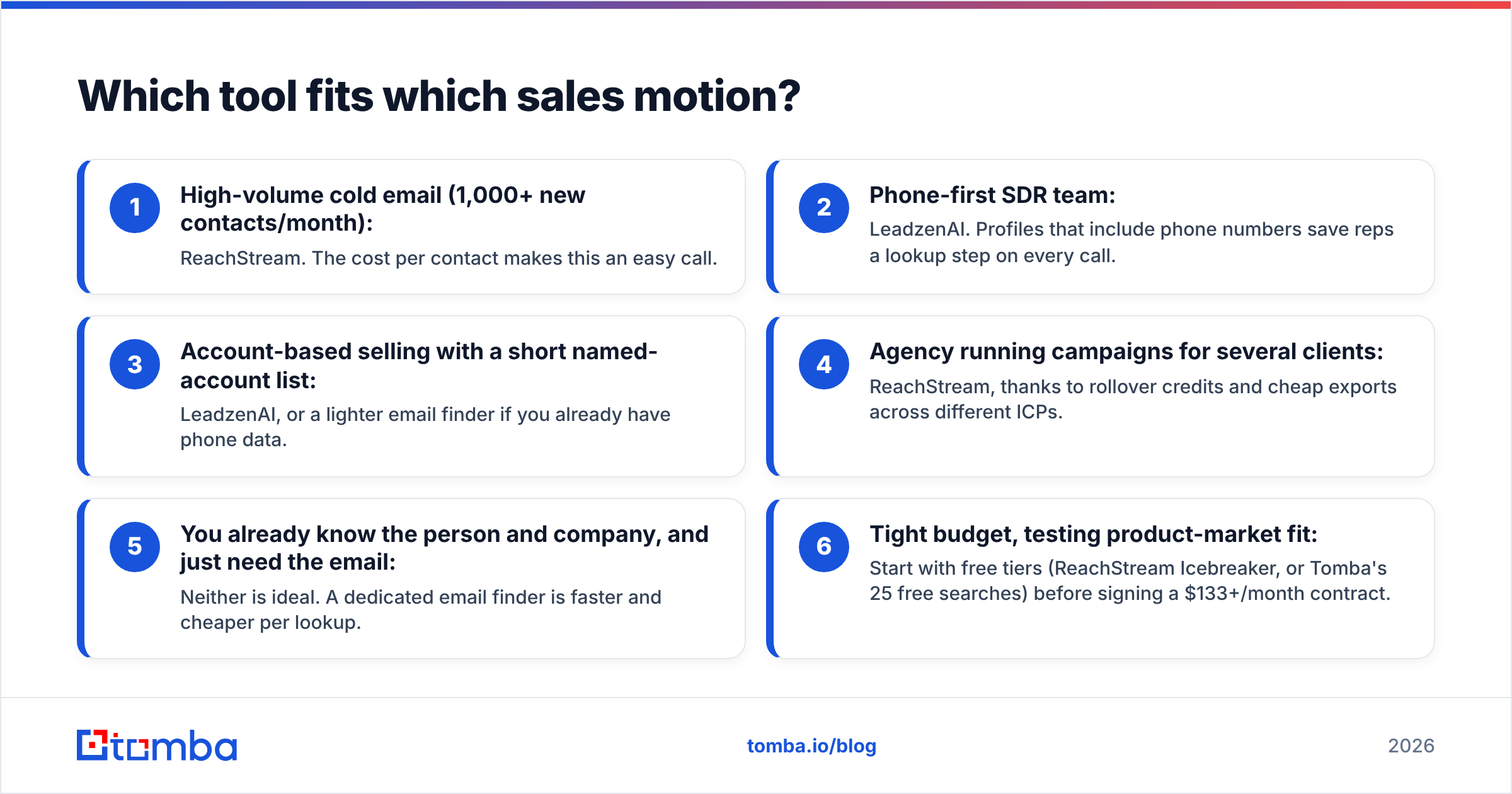
Use this decision guide instead of the feature list:
- High-volume cold email (1,000+ new contacts/month): ReachStream. The cost per contact makes this an easy call.
- Phone-first SDR team: LeadzenAI. Profiles that include phone numbers save reps a lookup step on every call.
- Account-based selling with a short named-account list: LeadzenAI, or a lighter email finder if you already have phone data.
- Agency running campaigns for several clients: ReachStream, thanks to rollover credits and cheap exports across different ICPs.
- You already know the person and company, and just need the email: Neither is ideal. A dedicated email finder is faster and cheaper per lookup.
- Tight budget, testing product-market fit: Start with free tiers (ReachStream Icebreaker, or Tomba's 25 free searches) before signing a $133+/month contract.
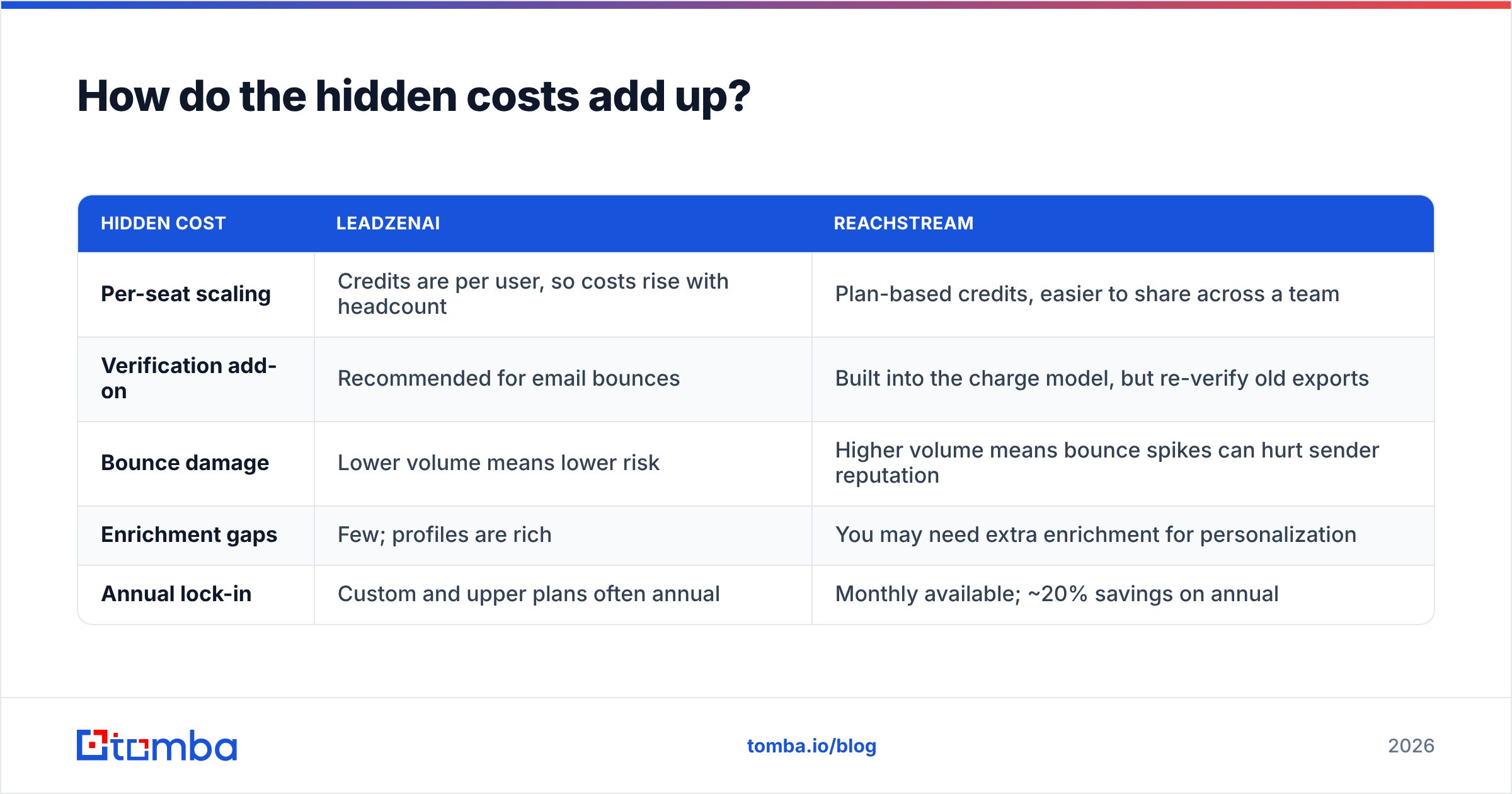
How do the hidden costs add up?#
Sticker price is only part of what you'll spend. Before you pick a winner in the LeadzenAI vs ReachStream decision, check these costs:
| Hidden cost | LeadzenAI | ReachStream |
|---|---|---|
| Per-seat scaling | Credits are per user, so costs rise with headcount | Plan-based credits, easier to share across a team |
| Verification add-on | Recommended for email bounces | Built into the charge model, but re-verify old exports |
| Bounce damage | Lower volume means lower risk | Higher volume means bounce spikes can hurt sender reputation |
| Enrichment gaps | Few; profiles are rich | You may need extra enrichment for personalization |
| Annual lock-in | Custom and upper plans often annual | Monthly available; ~20% savings on annual |
Per-seat pricing is the one that catches teams out most often. A five-rep team on LeadzenAI's Standard plan is spending about $665/month before anyone books a meeting. The same team could share a single ReachStream Polar Peak plan for $99/month. On the other hand, ReachStream's volume can lead a team to blast unverified lists, and one blocklisted domain costs more than a year of either subscription.
Where does a dedicated email finder fit in?#
Here's the honest caveat many comparison pages skip: a lot of teams shopping for LeadzenAI or ReachStream don't need a full contact database. They already have a target list from LinkedIn, a conference or their CRM, and what they're missing is the correct email address.
In that case, an email finder that works from a name plus a company domain is faster and cheaper. It also tends to be more accurate, because it looks up one specific person instead of relying on a pre-exported record that may be months old. Tomba also offers domain search to list the known emails at a company, and catch-all verification for the domains that trip up most tools.

A common stack in 2026 looks like this:
- A database tool (ReachStream for volume, or LeadzenAI for depth) to discover who to contact.
- An email finder and verifier to confirm the address right before sending.
- A sequencer to send, with warm mailboxes and tight bounce thresholds.
You can see how reviewers rate these tools on G2, but treat review scores as a signal of support quality and UX more than of data accuracy.
So, LeadzenAI vs ReachStream: which one wins?#
ReachStream wins for most outbound teams. It costs far less per contact, has a real free tier, rolls over unused credits and lets you view records without spending credits. If cold email is your main channel, the choice is straightforward.
LeadzenAI wins in one clear situation: phone-led, account-based selling, where each prospect justifies a rich profile and reps need direct dials without extra lookups. Budget for per-seat pricing and ask for a proper trial before you sign.
Whichever you choose, verify before you send. Database records go stale, and a verified email today can bounce next quarter.
Ready to find the emails your database missed?#
If you already know who you want to reach and just need their verified work email, try the Tomba Email Finder. Enter a name and company domain, and Tomba returns the professional email with a confidence score and its public sources. It pairs well with either tool above, or can replace them if you don't need a full database. The free plan covers 25 searches a month, and paid plans start at $49/month. See Tomba pricing for the full breakdown.
Related guides#
// get started
Find, verify and enrich your first contacts today
Start on the free plan with 25 searches a month, then scale when your team is ready.
Free plan · No credit card required · GDPR & CCPA
// about the author