Leadzenai vs The Org: Lead Data or Org Charts for B2B Sales?
Leadzenai sells AI-filtered contact data. The Org maps who reports to whom. They solve different prospecting problems, so here's how to tell which one your team is missing and when you need both.
TL;DR
- Leadzenai is an AI lead-generation database. You filter by industry, location, funding and role, then pull emails, phone numbers and company data in bulk. It's built for filling a pipeline.
- The Org is a public, crowdsourced org-chart platform. It shows who reports to whom and who holds which seat in the buying committee. It's built for mapping accounts.
- Pricing starts in different places. Review directories list Leadzenai's Standard plan at around $133/mo. The Org has a free tier for public charts, and its paid plans start near $29/mo. Check both vendors' pages before you buy, because tiers change.
- Choose Leadzenai if your problem is volume: "I need 2,000 contacts in fintech in Bangalore." Choose The Org if your problem is navigation: "I have the account, but I don't know who actually signs."
- Neither tool is primarily an email-verification engine. Whichever you pick, verify emails before sending.
What is Leadzenai?#
Leadzenai (leadzen.ai) is an AI-driven B2B lead-generation platform aimed at startups and small-to-mid-sized companies. You describe your ideal customer with filters, and it returns matching companies and people with contact details attached.
Its public feature set includes:
- Intelligent filtering and bulk search: segment by industry, company size, geography and role, then export in bulk.
- Contact details: professional emails, phone numbers and company firmographics.
- LinkedIn and Chrome extensions that pull data while you browse profiles.
- Geolocation filters that narrow down to specific postal codes, which is useful for regional sales territories.
- Trending leads: recently funded companies and active angel investors surfaced as intent signals.
- Broad sourcing: the company says it aggregates 100+ data points from 500+ sources.
You can see the current positioning on the Leadzenai homepage. The product has a strong following among Indian and APAC sales teams, particularly in fintech, IT services, consulting and marketing agencies.
In practice, Leadzenai works like a prospecting database with an AI layer on top. You go in with an ICP and come out with a list.
What is The Org?#
The Org (theorg.com) started as a public org-chart directory. Companies publish and maintain their own org charts there, and individuals claim and update their positions. Over time it added a sales-intelligence layer: you can search people across charts, track companies for team changes, and push org-chart context into your CRM or LinkedIn through a Chrome extension and HubSpot integration.
The main difference is structure. Most B2B databases give you a flat list of people with titles. The Org gives you the tree: the VP of Engineering, the three directors under them, and which director owns the platform team you're selling into.
That structure matters because B2B deals rarely close with one person. Gartner's research on B2B buying has repeatedly found that buying groups include multiple stakeholders, and reps who map them early lose fewer deals to "we went with the status quo."
The trade-off is freshness. Much of The Org's data is self-published or crowdsourced. A company that invests in its page stays accurate. A company that set up a page two years ago and forgot about it can lag a reorg by months.
How do Leadzenai and The Org compare side by side?#
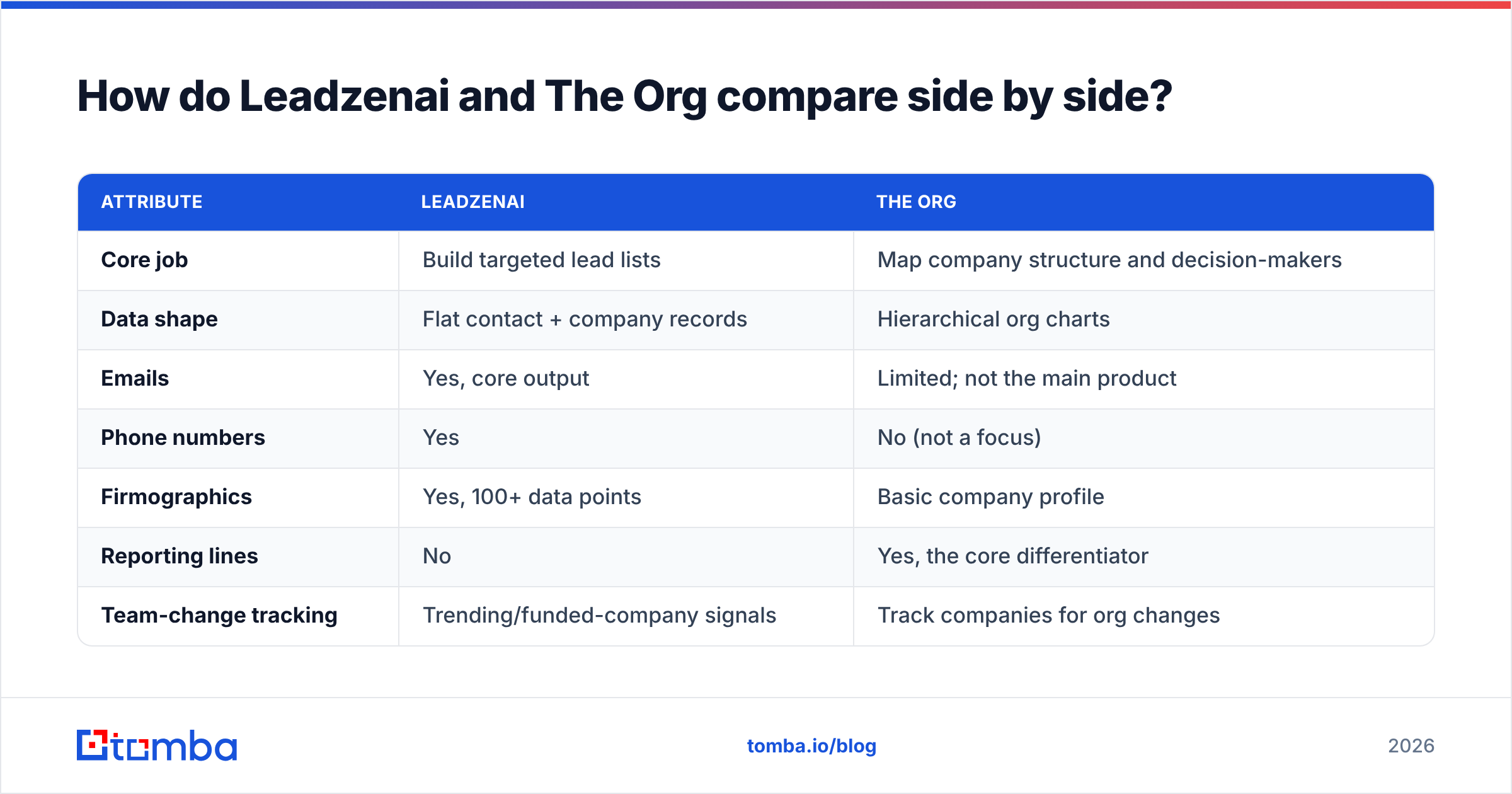
This table covers the attributes that actually change a buying decision. Pricing reflects publicly listed figures at the time of writing. Always confirm on The Org's pricing page and with Leadzenai's sales team.
| Attribute | Leadzenai | The Org |
|---|---|---|
| Core job | Build targeted lead lists | Map company structure and decision-makers |
| Data shape | Flat contact + company records | Hierarchical org charts |
| Emails | Yes, core output | Limited; not the main product |
| Phone numbers | Yes | No (not a focus) |
| Firmographics | Yes, 100+ data points | Basic company profile |
| Reporting lines | No | Yes, the core differentiator |
| Team-change tracking | Trending/funded-company signals | Track companies for org changes |
| Data source model | Aggregated from 500+ sources | Self-published + crowdsourced |
| Free tier | Free trial with limited features | Free public org-chart browsing |
| Entry paid price | ~$133/mo Standard (per review directories) | ~$29/mo |
| CRM tie-in | Exports + extensions | HubSpot integration, Chrome extension |
| Best for | SDR teams needing volume in APAC/SMB markets | AEs running account-based or enterprise deals |
The table shows that these aren't two versions of the same tool. They sit at different stages of the prospecting process.
Which prospecting problems does each tool solve?#
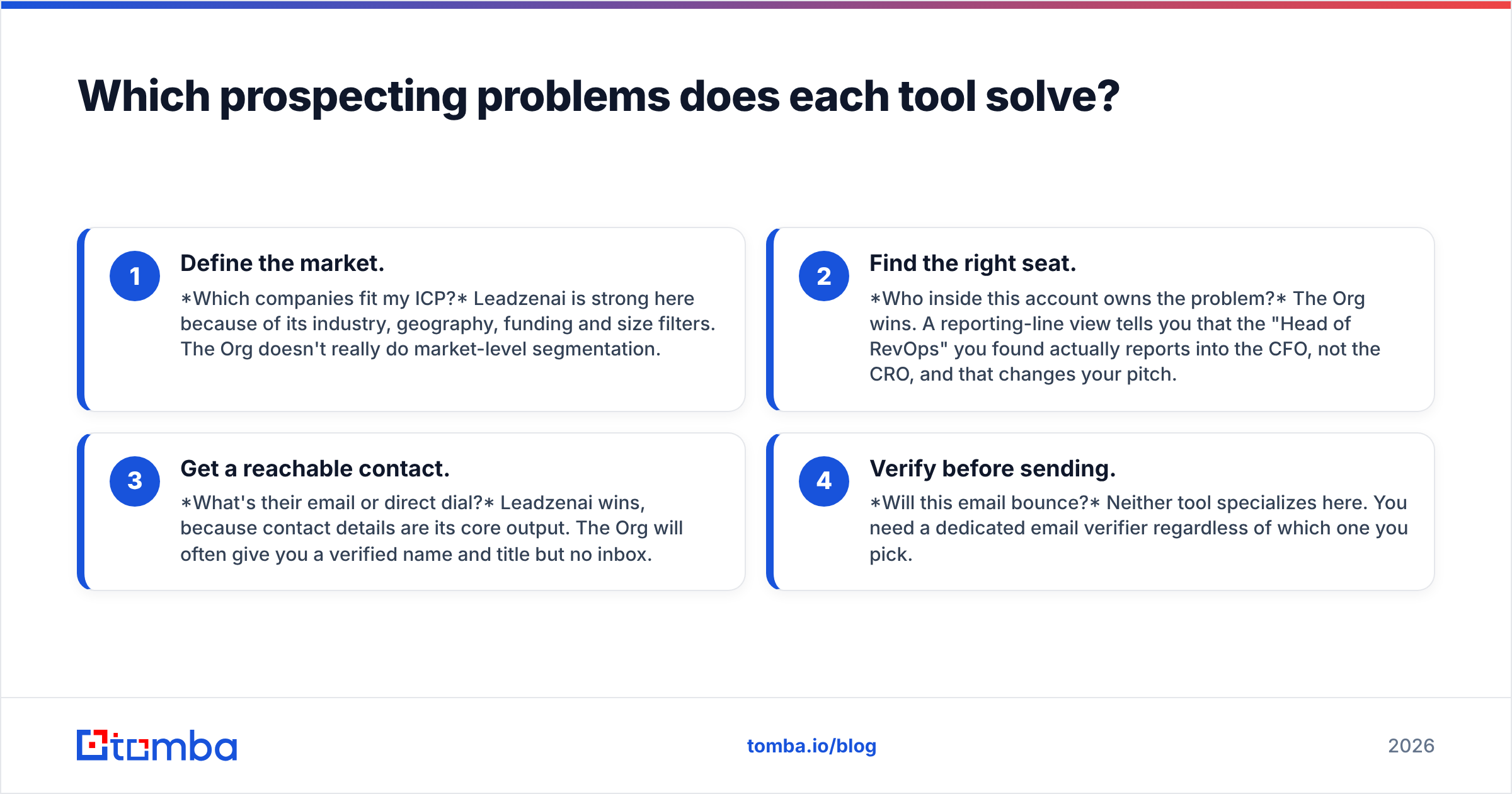
Think of it as a four-stage prospecting workflow. Each stage has a question you need answered, and the two tools answer different ones.
- Define the market. Which companies fit my ICP? Leadzenai is strong here because of its industry, geography, funding and size filters. The Org doesn't really do market-level segmentation.
- Find the right seat. Who inside this account owns the problem? The Org wins. A reporting-line view tells you that the "Head of RevOps" you found actually reports into the CFO, not the CRO, and that changes your pitch.
- Get a reachable contact. What's their email or direct dial? Leadzenai wins, because contact details are its core output. The Org will often give you a verified name and title but no inbox.
- Verify before sending. Will this email bounce? Neither tool specializes here. You need a dedicated email verifier regardless of which one you pick.
If your pipeline is empty, your bottleneck is stages 1 and 3, so start with Leadzenai. If your pipeline is full of accounts that stall because you're talking to the wrong person, your bottleneck is stage 2, so start with The Org.
Is Leadzenai better than The Org for building lead lists?#
Yes, and by a wide margin. List building is what Leadzenai is designed for. You can go from an ICP definition to an exportable CSV of named contacts with emails and phones in one session. The Org is not a list-building tool, and using it that way is slow. You'd browse charts company by company and still need to source contact details elsewhere.
Things to check before committing to Leadzenai:
- Regional coverage. Its reputation is strongest in India and wider APAC. If your territory is DACH or the US Midwest, run a sample export of 100 contacts in your exact ICP and hand-check them before you sign an annual plan.
- Pricing model. Directories list editions from around $133/mo up to several thousand per month for higher tiers, and some listings describe usage- or outcome-based pricing. Ask exactly what a credit buys, whether you pay per contact reveal or per export, and whether unused credits roll over.
- Email accuracy. Aggregated data from hundreds of sources is broad, but breadth brings decay. Budget for verification.
Is The Org better than Leadzenai for account-based selling?#
Yes. If you run account-based sales with a named list of 50 to 200 target accounts, The Org gives you something a flat database can't: the shape of the buying committee.
Here's a concrete example. You're selling a data-platform tool into a 3,000-person SaaS company. A flat database returns 40 people with "data" in their title. The Org shows that 12 of them sit under a VP of Data Platform, 20 sit under Analytics in the Finance org, and 8 are in a separate ML team under the CTO. Now you know there are three potential buying centers with three different budgets. You can multi-thread deliberately instead of spraying all 40.
Where The Org falls short:
- Contact reachability. You'll know who but often not how to reach them. Pair it with an email finder that takes a name plus a company domain and returns a verified address.
- Coverage skew. Well-known tech companies and startups keep their charts current. Traditional mid-market manufacturers, family businesses and regional firms are often thin or missing.
- Freshness. Crowdsourced charts can lag reorgs. For high-stakes enterprise deals, cross-check a chart against recent LinkedIn activity before you build a whole mutual action plan around it.
How do the costs compare in practice?#
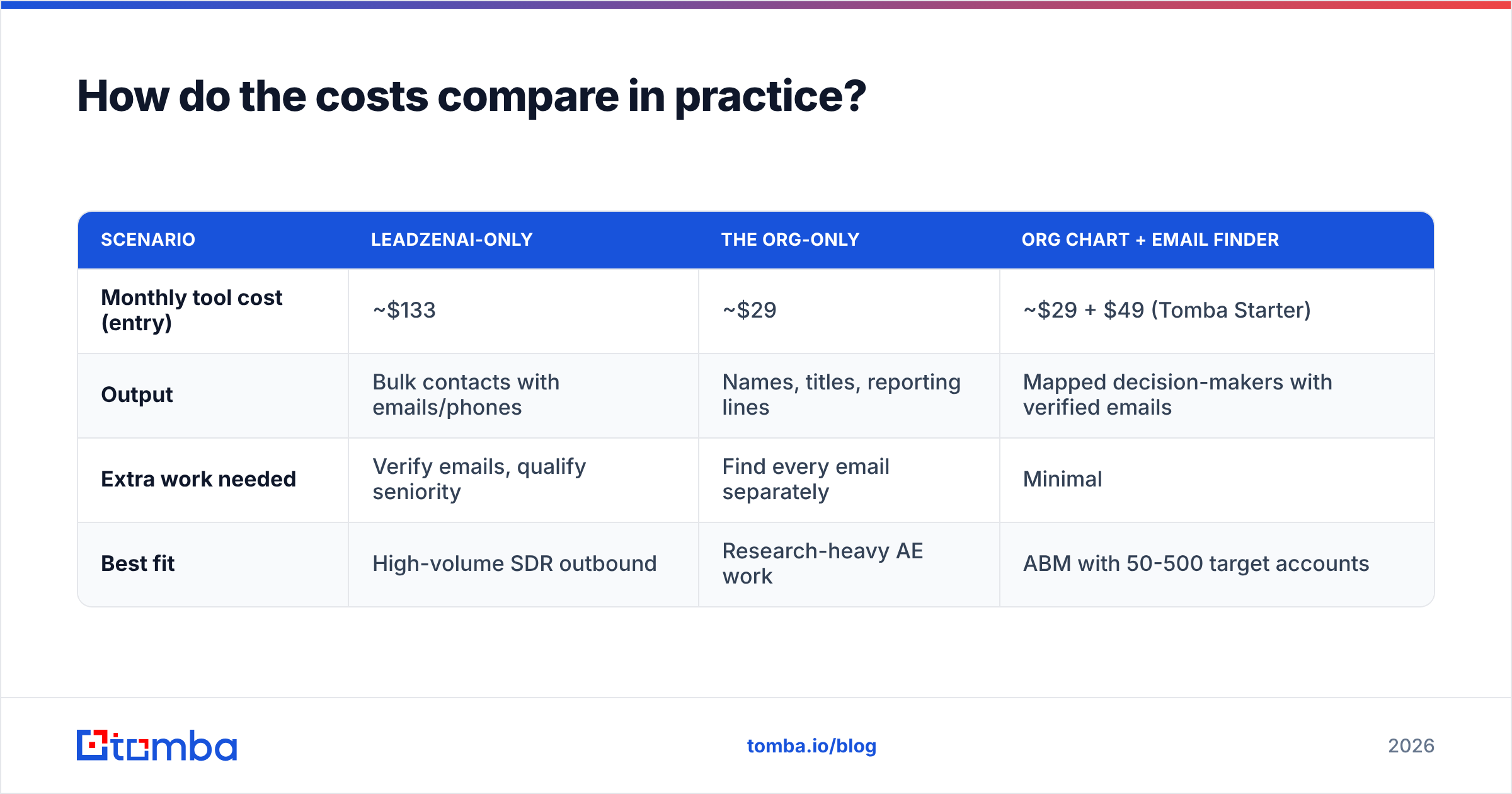
Sticker prices mislead, because the two tools deliver different units of value. A better way to compare is cost per usable, reachable decision-maker.
| Scenario | Leadzenai-only | The Org-only | Org chart + email finder |
|---|---|---|---|
| Monthly tool cost (entry) | ~$133 | ~$29 | ~$29 + $49 (Tomba Starter) |
| Output | Bulk contacts with emails/phones | Names, titles, reporting lines | Mapped decision-makers with verified emails |
| Extra work needed | Verify emails, qualify seniority | Find every email separately | Minimal |
| Best fit | High-volume SDR outbound | Research-heavy AE work | ABM with 50-500 target accounts |
For a small team doing true account-based work, an inexpensive org-chart tool paired with a dedicated email finder often costs less than a full lead database and produces better-targeted contacts. For a team that needs 5,000 net-new prospects a month, that combination doesn't scale, and a database like Leadzenai makes more sense.
What do reviewers say about each tool?#
Both products are listed on software review platforms such as G2, and the recurring themes are consistent with how each is built.
Leadzenai, common praise:
- Fast list building with useful filters
- Good coverage of Indian and APAC SMB markets
- Phone numbers included, which many email-first tools skip
Leadzenai, common complaints:
- Accuracy varies by region and seniority
- Pricing can be hard to decode across editions
The Org, common praise:
- Clear visualization of company structure
- Cheap entry point and a genuinely useful free tier
- Helpful for recruiting and competitive research as well as sales
The Org, common complaints:
- Missing or stale charts for less tech-forward companies
- Not a contact-data tool, so you need another product for emails
Take small-sample reviews with caution. Run your own pilot against your own ICP, because data quality is always local to your market.

Can you use Leadzenai and The Org together?#
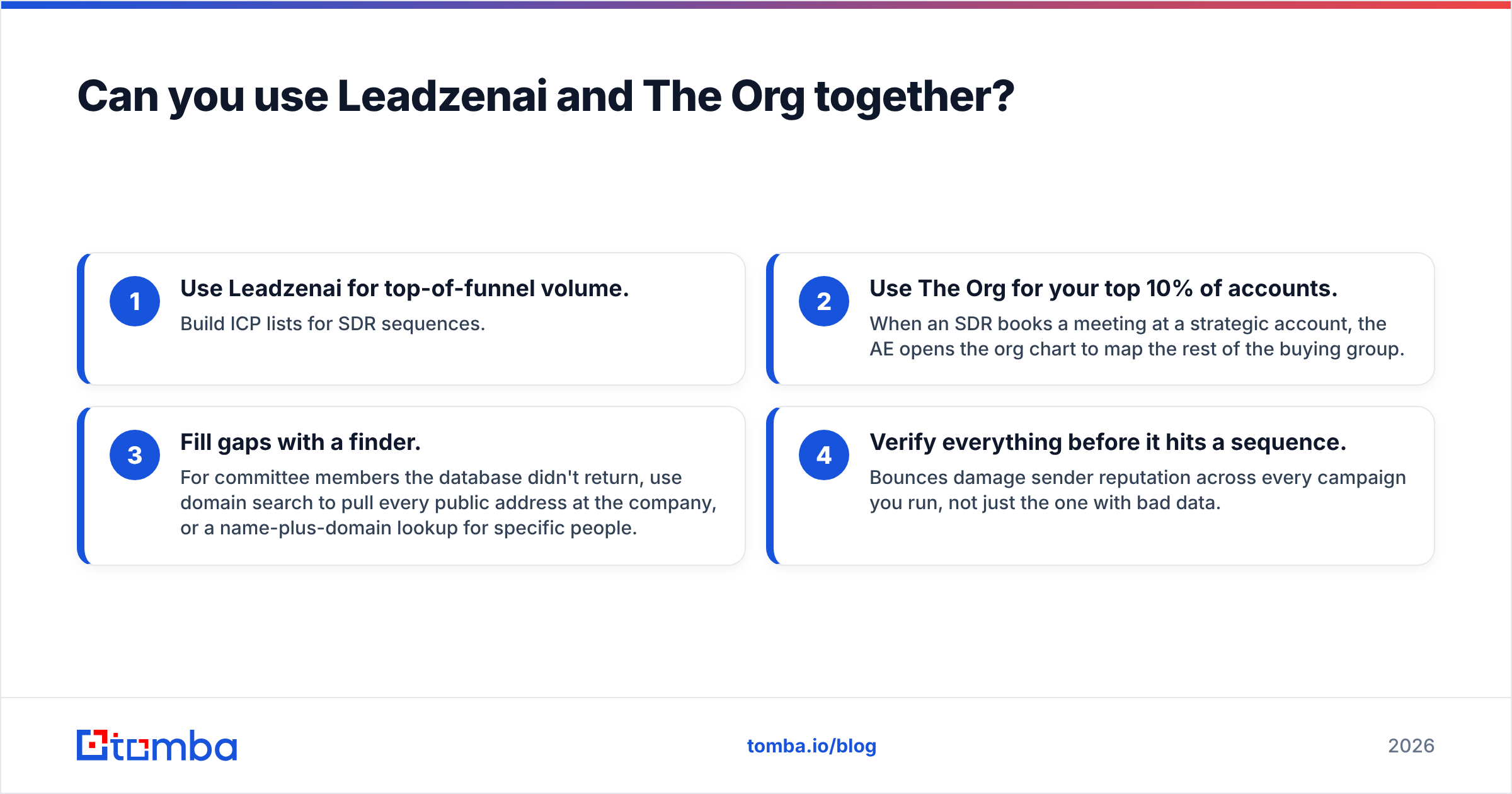
You can, and for teams running a mixed motion (SDR volume plus AE-led strategic accounts) the combination is reasonable:
- Use Leadzenai for top-of-funnel volume. Build ICP lists for SDR sequences.
- Use The Org for your top 10% of accounts. When an SDR books a meeting at a strategic account, the AE opens the org chart to map the rest of the buying group.
- Fill gaps with a finder. For committee members the database didn't return, use domain search to pull every public address at the company, or a name-plus-domain lookup for specific people.
- Verify everything before it hits a sequence. Bounces damage sender reputation across every campaign you run, not just the one with bad data.
The risk with stacking tools is paying twice for overlapping data. Before adding a second subscription, audit what share of contacts in your CRM came from each source and what share of those actually replied.
Which should you choose: Leadzenai or The Org?#
Here's the short version.
Choose Leadzenai if:
- Your pipeline is thin and you need net-new prospects at volume
- You sell into Indian or APAC SMB and mid-market companies
- Your SDRs need phone numbers as well as emails
- You want funding and trending-company signals to prioritize outreach
Choose The Org if:
- You already know your target accounts and need to navigate them
- Your deals involve buying committees of four or more people
- You're budget-constrained and want a free or low-cost starting point
- You also use org charts for recruiting or competitive intelligence
Choose neither, or add something else, if:
- Your real bottleneck is email accuracy and bounce rates. That's a finding-and-verification problem, and neither of these tools is specialized for it.
What's the smarter way to close the contact-data gap?#
Whether you pick Leadzenai for volume or The Org for account mapping, you'll hit the same wall: some decision-makers will have a name and title but no reliable email. If you use The Org, that happens on nearly every chart. If you use Leadzenai, it happens on the stale or unverified records.
Tomba Email Finder closes that gap. Give it a person's name and company domain, or just a domain, and it returns professional addresses with verification status, so you only sequence emails that will land. It works through the web app, a Chrome extension, Google Sheets and the API, so it fits alongside whichever tool you choose. There's a free tier of 25 searches a month to test it against your own account list, and paid plans start at $49/mo. See the full Tomba pricing when you're ready to scale.
Related guides#
// get started
Find, verify and enrich your first contacts today
Start on the free plan with 25 searches a month, then scale when your team is ready.
Free plan · No credit card required · GDPR & CCPA
// about the author