LeadzenAI vs Webbula: Prospect Data vs Email Hygiene Compared
LeadzenAI finds new B2B contacts. Webbula cleans the lists you already have. Here's which one fits your stack, and when you need both or a single tool that does both.
TL;DR
- LeadzenAI and Webbula do different jobs. LeadzenAI is a prospecting tool that surfaces new B2B contacts. Webbula is a data-hygiene and enrichment vendor that cleans and adds detail to lists you already own.
- Choose LeadzenAI if your problem is an empty pipeline: you need names, emails and phone numbers for accounts you haven't contacted yet, especially in India and APAC.
- Choose Webbula if your problem is a dirty list: spam traps, toxic addresses and old records that are hurting your sender reputation, or you need demographic and firmographic appends at scale.
- Plenty of teams end up paying for both, which means two contracts, two data formats and two places things can go wrong. A single finder-plus-verifier tool usually costs less for outbound teams with fewer than 20 reps.
- Our pick: LeadzenAI for sourcing, Webbula for enterprise-grade hygiene. If you want sourcing and verification together, look at an all-in-one tool.
What is the real difference between LeadzenAI and Webbula?#
Most "vs" posts compare two tools that compete for the same budget line. This one doesn't, and that's why people search for it. Both show up when a buyer types "B2B contact data" or "email accuracy," but they sit at opposite ends of the data lifecycle.
Think of a restaurant. LeadzenAI is the supplier who brings new ingredients to the kitchen door. Webbula is the health inspector and prep cook, checking what's already in the fridge, throwing out anything spoiled and labelling the rest. You need both functions. You don't necessarily need two separate companies to do them.
In practice:
- LeadzenAI is an AI-assisted B2B lead-generation and sales-intelligence platform. You search by role, industry, company size or location, or you use its browser extension on LinkedIn profiles, and it returns contact details such as work emails and phone numbers. It started in India and its coverage is strongest there.
- Webbula is a data-quality company. Its best-known product is email hygiene: verification that goes past "does this mailbox exist" to flag spam traps, honeypots, disposable domains, bot-generated addresses and other toxic records. It also sells data enrichment (appending demographic, firmographic and contact attributes) and audience products for marketers.
So the useful question isn't "which is better." It's "which part of my data problem is costing me more right now?"
How do LeadzenAI and Webbula compare feature by feature?#
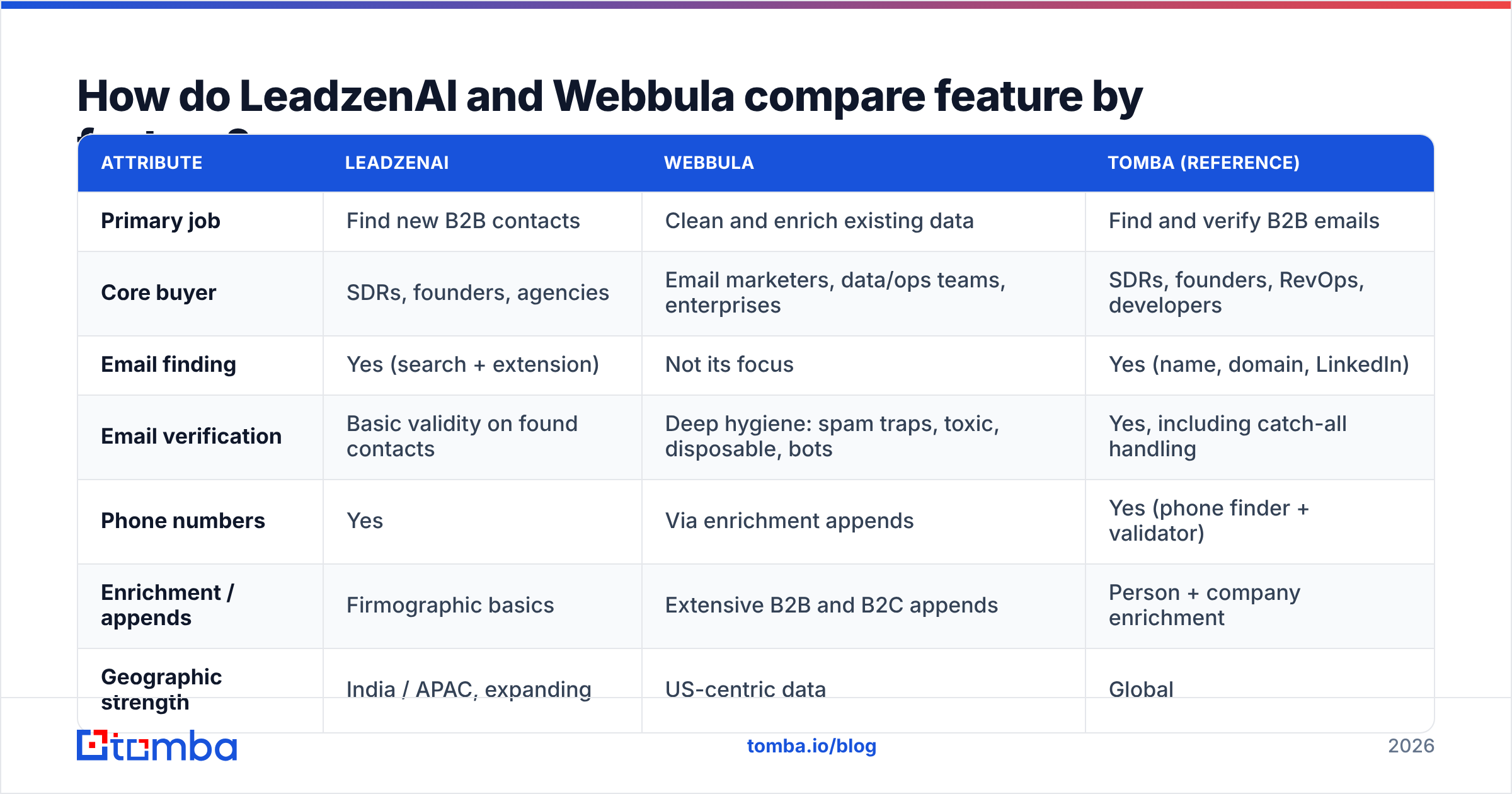
Here's the side-by-side, with Tomba included as a reference point for teams that want sourcing and verification in one tool.
| Attribute | LeadzenAI | Webbula | Tomba (reference) |
|---|---|---|---|
| Primary job | Find new B2B contacts | Clean and enrich existing data | Find and verify B2B emails |
| Core buyer | SDRs, founders, agencies | Email marketers, data/ops teams, enterprises | SDRs, founders, RevOps, developers |
| Email finding | Yes (search + extension) | Not its focus | Yes (name, domain, LinkedIn) |
| Email verification | Basic validity on found contacts | Deep hygiene: spam traps, toxic, disposable, bots | Yes, including catch-all handling |
| Phone numbers | Yes | Via enrichment appends | Yes (phone finder + validator) |
| Enrichment / appends | Firmographic basics | Extensive B2B and B2C appends | Person + company enrichment |
| Geographic strength | India / APAC, expanding | US-centric data | Global |
| Pricing model | Credit-based plans, free trial credits | Volume / quote-based, pay-as-you-go verification | Free (25 searches/mo), $49, $99, $249/mo, Enterprise |
| API | Available | Available | Yes, plus CLI and MCP |
| Best for | Filling the top of the funnel | Protecting deliverability on large lists | One tool for find + verify |
Pricing for both LeadzenAI and Webbula changes often and depends on volume, so check their pricing pages before you commit. Reviews on G2 are a useful way to see how current customers rate data freshness, which matters more than the headline price.
When does LeadzenAI make more sense?#
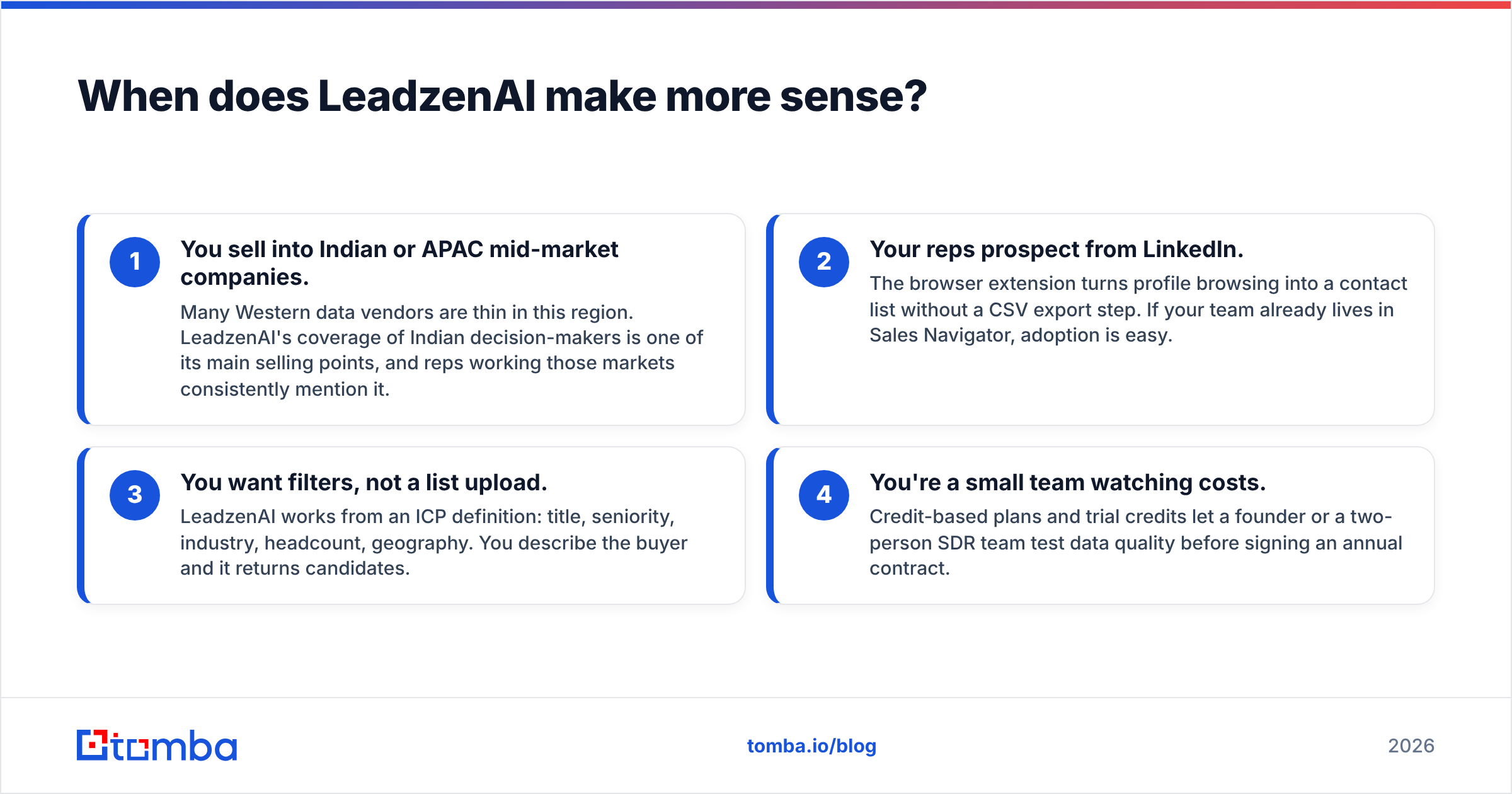
LeadzenAI is the right call when you don't yet have the contacts you want to reach. Pick it if these sound familiar:
- You sell into Indian or APAC mid-market companies. Many Western data vendors are thin in this region. LeadzenAI's coverage of Indian decision-makers is one of its main selling points, and reps working those markets consistently mention it.
- Your reps prospect from LinkedIn. The browser extension turns profile browsing into a contact list without a CSV export step. If your team already lives in Sales Navigator, adoption is easy.
- You want filters, not a list upload. LeadzenAI works from an ICP definition: title, seniority, industry, headcount, geography. You describe the buyer and it returns candidates.
- You're a small team watching costs. Credit-based plans and trial credits let a founder or a two-person SDR team test data quality before signing an annual contract.
Where it's weaker: a prospecting database won't match a dedicated hygiene vendor on spam-trap and toxic-address detection. It checks whether an email is likely valid. It doesn't give you the deeper risk profile a list-cleaning specialist does. It also isn't built to process a 500,000-record legacy CRM export.

When does Webbula make more sense?#
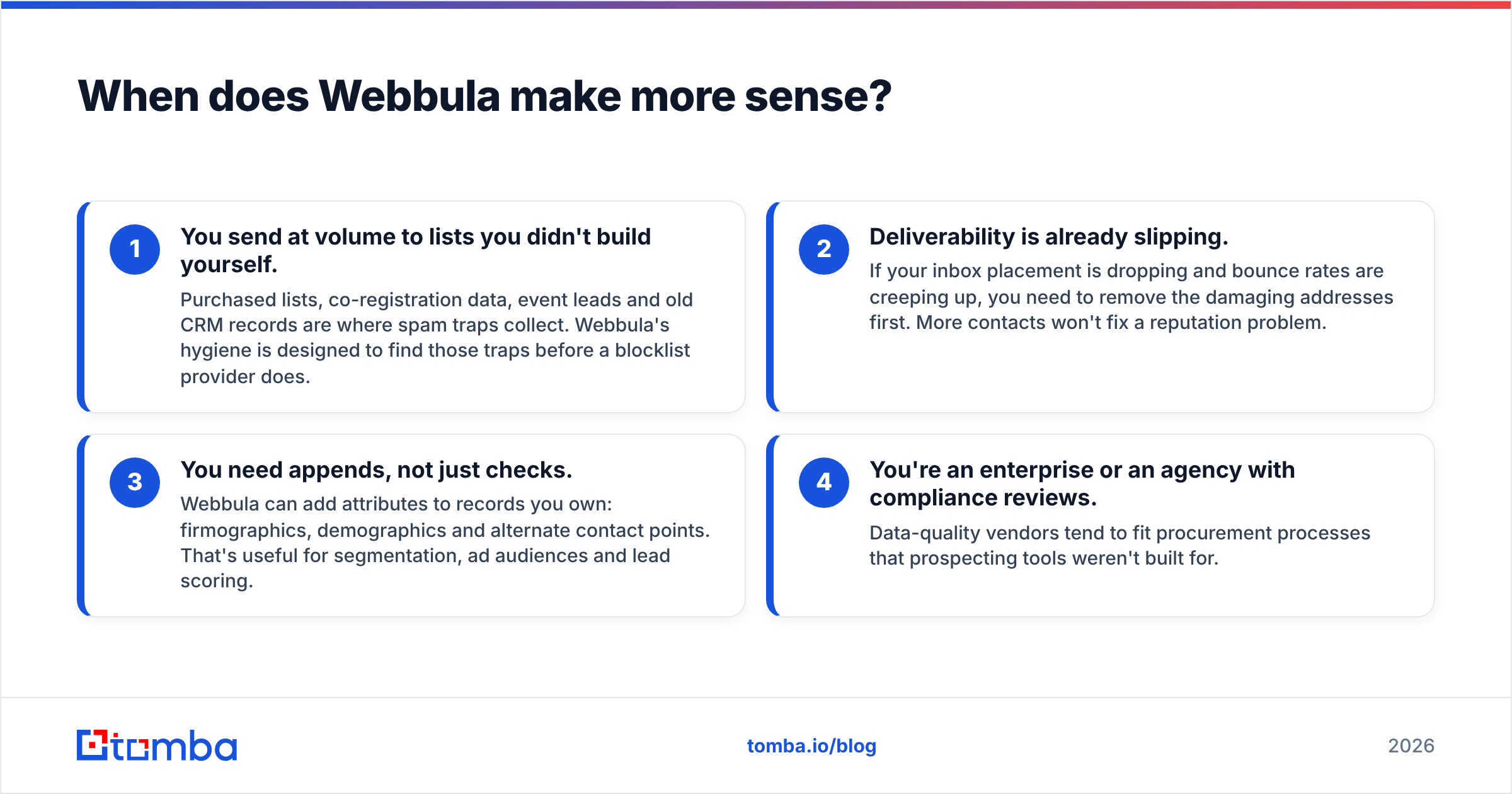
Webbula is the right call when your contacts already exist and the risk is in their quality. It fits these situations:
- You send at volume to lists you didn't build yourself. Purchased lists, co-registration data, event leads and old CRM records are where spam traps collect. Webbula's hygiene is designed to find those traps before a blocklist provider does.
- Deliverability is already slipping. If your inbox placement is dropping and bounce rates are creeping up, you need to remove the damaging addresses first. More contacts won't fix a reputation problem.
- You need appends, not just checks. Webbula can add attributes to records you own: firmographics, demographics and alternate contact points. That's useful for segmentation, ad audiences and lead scoring.
- You're an enterprise or an agency with compliance reviews. Data-quality vendors tend to fit procurement processes that prospecting tools weren't built for.
Where it's weaker: Webbula won't hand an SDR a list of 200 VPs of Finance at Series B fintechs. It's a data-quality layer, not a prospecting engine, so for outbound sales you'd still need a separate sourcing tool.
Which one is more accurate?#
This is the question most searchers actually care about, and it gets a misleading answer because the two vendors measure different kinds of accuracy.
- LeadzenAI's accuracy is about discovery. Is this the right person, is the email address the right one, and is it still active? Discovery accuracy degrades as people change jobs. B2B contact data decays by an estimated 20–30% a year, so a contact that was correct six months ago may bounce today.
- Webbula's accuracy is about risk. Is this address safe to send to? A mailbox can exist and still be a recycled spam trap that damages your domain. A basic validity check won't catch that. Hygiene-focused verification is built to.
In practice, run anything you discover through a verification step before it goes into a sequence. That's true whatever tool found it. Catch-all domains make it harder: the mail server accepts every address, so a standard SMTP check can't confirm the mailbox exists. A dedicated catch-all verifier scores these addresses, so you don't have to either drop them or risk the bounces.
For background on how mailbox providers judge senders, HubSpot's deliverability guide is a clear, vendor-neutral starting point.
How do pricing and total cost compare?#
Headline prices don't give you the full picture, because these tools are billed on different units.
- LeadzenAI charges per contact revealed (credits). Your cost goes up with the number of prospects you pull. Unused credits and data that bounces are the hidden costs.
- Webbula charges per record processed (verification or append), often on volume tiers or a quote. Your cost goes up with the size of your list. The hidden cost is running the same records through the service every quarter.
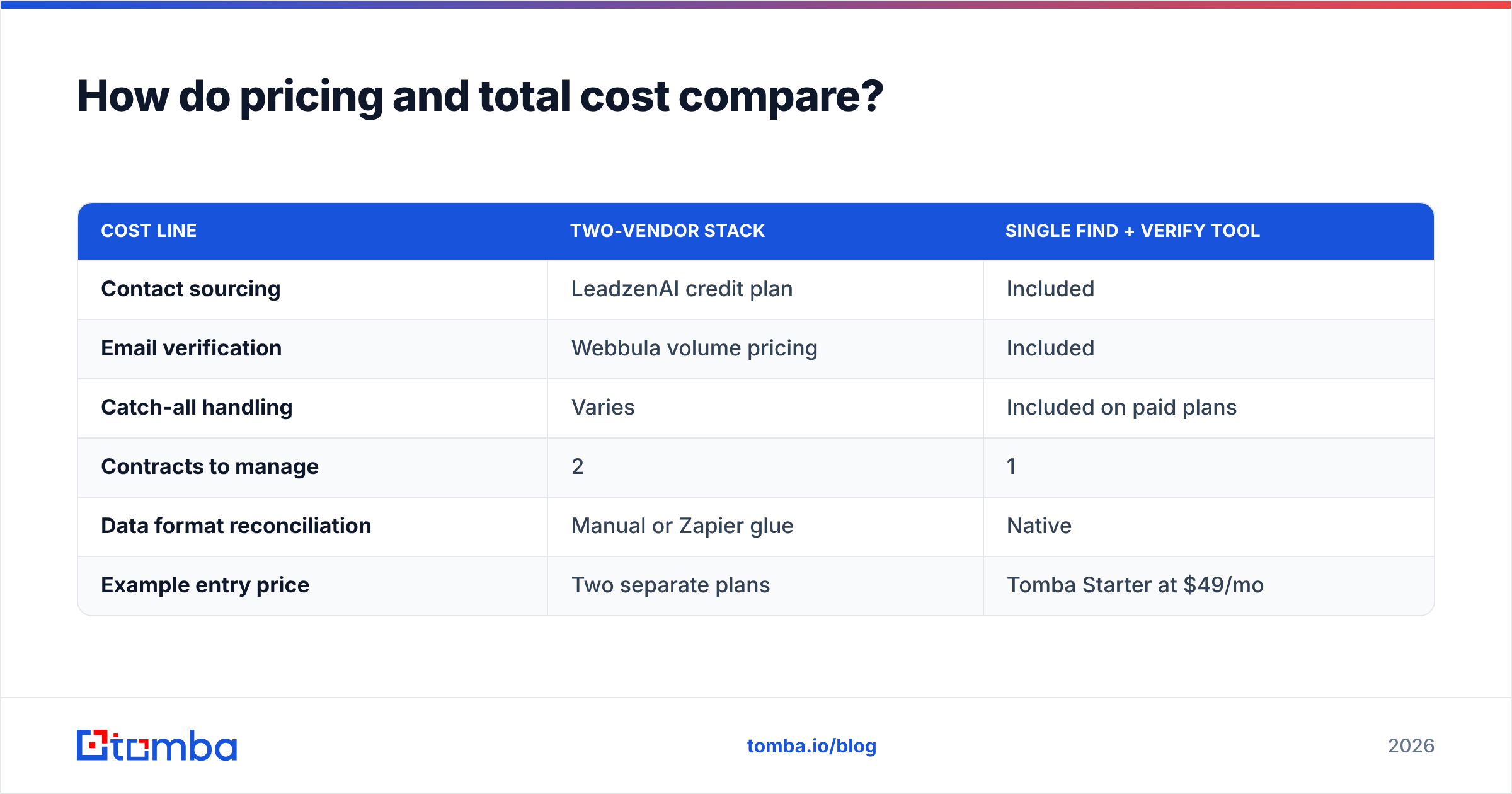
A realistic stack for a 5-rep outbound team that buys both usually looks like this:
| Cost line | Two-vendor stack | Single find + verify tool |
|---|---|---|
| Contact sourcing | LeadzenAI credit plan | Included |
| Email verification | Webbula volume pricing | Included |
| Catch-all handling | Varies | Included on paid plans |
| Contracts to manage | 2 | 1 |
| Data format reconciliation | Manual or Zapier glue | Native |
| Example entry price | Two separate plans | Tomba Starter at $49/mo |
That comparison doesn't mean one vendor is overpriced. It means the two-vendor setup comes with coordination costs that rarely show up on an invoice. At enterprise scale, with millions of records and heavy compliance review, a specialist like Webbula can easily justify its cost. For a lean outbound team, it usually can't.
What does a sensible workflow look like with either tool?#
Whatever you buy, clean contact data comes from the same five steps:
- Define the ICP first. Firmographics, titles and triggers. Tools can't fix a vague target.
- Source contacts. Use LeadzenAI, an email finder, or a domain search for account-based lists.
- Verify before sequencing. Run every new contact through validity and risk checks. Treat catch-alls separately.
- Enrich for personalization and scoring. Add company size, tech stack and role seniority so your copy and routing work.
- Re-verify on a schedule. Anything older than 90 days goes back through verification before you reuse it. This is where hygiene vendors like Webbula earn their fee on large lists.
Teams that skip step 3 usually learn about deliverability from their bounce rate. At that point the damage to domain reputation takes weeks to repair.

What do users typically praise and criticize?#
Across public reviews and practitioner discussions, the patterns are fairly consistent:
LeadzenAI
- Praised: strong coverage of Indian companies, simple interface, fast LinkedIn-to-contact workflow, accessible entry pricing.
- Criticized: thinner coverage in some Western and niche verticals, and data freshness that varies by segment. That's common across prospecting databases.
Webbula
- Praised: thorough toxic-email detection, reliable at high volume, useful enrichment appends, a good fit for marketing teams with reputation concerns.
- Criticized: not a sourcing tool, and quote-based pricing can feel opaque to small buyers who want a self-serve checkout.
Neither set of complaints is a dealbreaker. Most of them come down to a tool being used for a job it wasn't built for.
Is there a single tool that covers both jobs?#
For most outbound teams, yes. The alternative to LeadzenAI plus Webbula is one tool that finds a contact and verifies it in the same step, so a bad address never reaches your sequencer.
That's the category Tomba sits in. You can find emails by name and domain, pull every public address at a company with domain search, and verify the result, including catch-all scoring, before export. The free tier gives you 25 searches a month to test data quality against your own ICP. Paid plans start at $49/mo (see Tomba pricing). The trade-off is the same one described above: a combined tool is simpler and cheaper for sales teams, while a specialist hygiene vendor will still go deeper on spam-trap intelligence for very large marketing databases.
The honest breakdown:
- Pure prospecting, strong India/APAC focus → LeadzenAI.
- Large existing lists, deliverability risk, heavy appends → Webbula.
- Outbound team that wants find + verify in one workflow → an all-in-one tool like Tomba.
- Enterprise with both needs and a data team → a sourcing tool plus a hygiene specialist can still be the right setup.
Frequently asked questions#
Is Webbula an email finder?#
Not really. Webbula focuses on data hygiene (email verification and toxic-address detection) and on enrichment of records you already hold. If you need to discover new contacts, you'll need a prospecting tool or an email finder alongside it.
Does LeadzenAI verify emails?#
LeadzenAI checks the validity of the contacts it returns. It isn't a dedicated hygiene service, so if you send at high volume or to older data, add a separate verification step with catch-all handling.
Can I use LeadzenAI and Webbula together?#
Yes. The typical flow is: source with LeadzenAI, run the export through Webbula, then load clean records into your sequencer. It works, but you'll be managing two vendors and a hand-off between them.
Which is cheaper, LeadzenAI or Webbula?#
They bill on different units: LeadzenAI per contact revealed, Webbula per record processed. So the cheaper option depends on whether you mostly source new leads or mostly clean existing ones. Small outbound teams usually spend less with a single find-and-verify tool.
Which is better for cold email deliverability?#
Webbula, if you're protecting a large existing list. For new outbound lists, the most important thing is verifying every contact before the first send, whichever tool sourced it.
Which should you pick?#
If you need people to email, start with LeadzenAI. If you need to stop emailing the wrong addresses, start with Webbula. If you'd rather not pay two vendors to do one workflow, use a tool that does both.
Tomba Email Finder finds professional email addresses by name, domain or company and verifies them in the same pass, so your sequences start from a clean list. Try it on the free tier with 25 searches a month, run it against the accounts you're targeting this quarter, and compare the bounce rate with your current stack before you renew anything.
Related guides#
// get started
Find, verify and enrich your first contacts today
Start on the free plan with 25 searches a month, then scale when your team is ready.
Free plan · No credit card required · GDPR & CCPA
// about the author