LetsExtract vs ZoomInfo (2026): Cheap Scraper or Enterprise Database?
LetsExtract costs $39 once. ZoomInfo's median contract is over $30K a year. They are different kinds of tool, and picking the wrong one wastes either your budget or your sender domain. Here's how to choose.
TL;DR
- LetsExtract is a one-time-purchase desktop toolkit ($39–$79) that scrapes emails from websites, search results, social pages, and files, then verifies them and can send them mail. It crawls. It doesn't hold a database.
- ZoomInfo is an enterprise B2B intelligence platform with a curated contact and company database, intent data, and CRM sync. Contracts usually start near $15K a year, and the median deal is over $30K.
- If you run a solo operation, do local-business outreach, or need to harvest emails you can already see on public pages, LetsExtract is enough. If you run a funded sales team selling into mid-market or enterprise accounts, ZoomInfo is the better fit.
- Most teams sit between the two. They need named decision-makers with verified emails, and they don't need a five-figure annual contract. A credit-based email finder covers that range.
What is the real difference between LetsExtract and ZoomInfo?#
The short version is that LetsExtract finds the emails that already exist on the open web, and ZoomInfo sells you contacts that were researched, compiled, and maintained for you.
Here's an analogy. LetsExtract is a metal detector: you go to a beach (a list of websites or a keyword search), sweep it, and keep whatever turns up. ZoomInfo is a jeweller's catalogue: someone has already found, sorted, and labelled the items, and you pay a lot to browse it.
In practice, that plays out like this:
- LetsExtract crawls URLs, search engine results, and pages like Facebook, Twitter/X, and Yelp for anything that looks like an email address. It also pulls addresses out of local files. What you get depends on what was published. On a typical small-business site, that's
info@,sales@, and maybe the founder's address. - ZoomInfo works in the other direction. You filter by title, seniority, company size, industry, tech stack, or buying intent, and it returns named people with direct emails, direct dials, and org-chart context. Those people usually never posted their email anywhere.
These tools do different jobs, so asking which one is better only makes sense once you know which job you have.
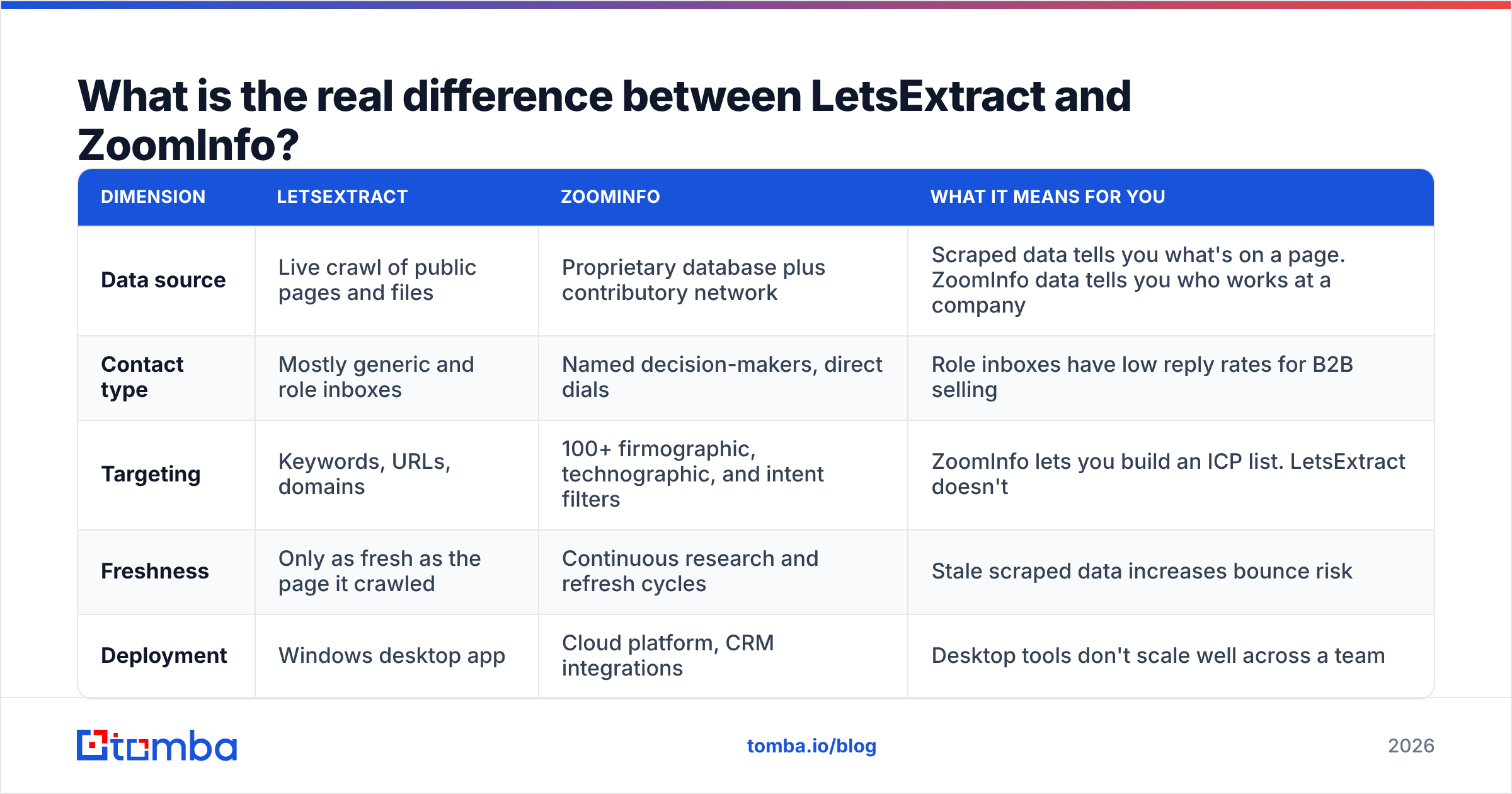
| Dimension | LetsExtract | ZoomInfo | What it means for you |
|---|---|---|---|
| Data source | Live crawl of public pages and files | Proprietary database plus contributory network | Scraped data tells you what's on a page. ZoomInfo data tells you who works at a company |
| Contact type | Mostly generic and role inboxes | Named decision-makers, direct dials | Role inboxes have low reply rates for B2B selling |
| Targeting | Keywords, URLs, domains | 100+ firmographic, technographic, and intent filters | ZoomInfo lets you build an ICP list. LetsExtract doesn't |
| Freshness | Only as fresh as the page it crawled | Continuous research and refresh cycles | Stale scraped data increases bounce risk |
| Deployment | Windows desktop app | Cloud platform, CRM integrations | Desktop tools don't scale well across a team |
How much do LetsExtract and ZoomInfo actually cost?#
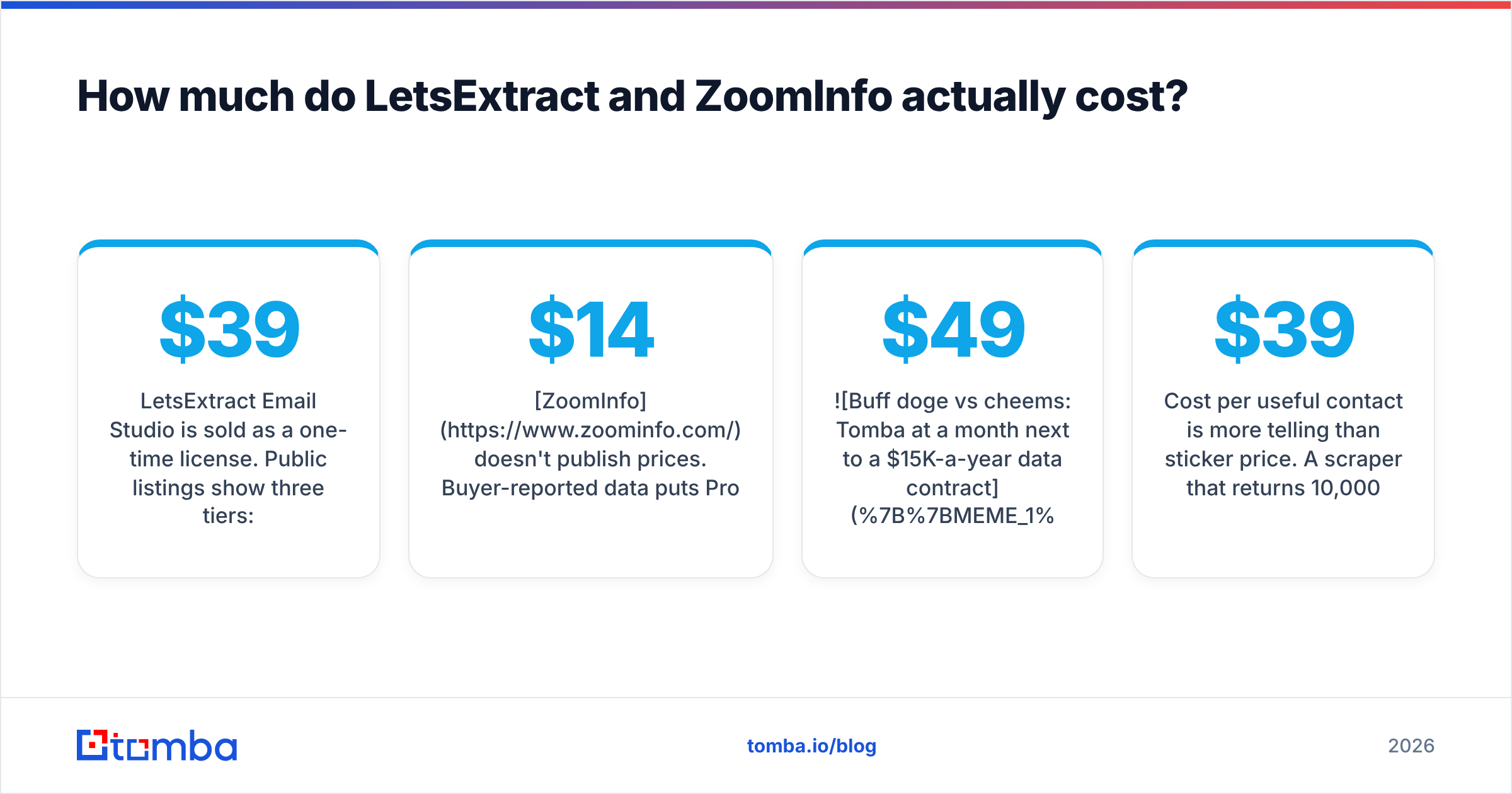
LetsExtract costs less than one hour of an SDR's time, and ZoomInfo costs about as much as a junior hire. That gap drives most buying decisions, so here are the numbers.
LetsExtract Email Studio is sold as a one-time license. Public listings show three tiers: roughly $39 (Basic: extractors), $59 (Pro: adds unlimited verifier), and $79 (Ultimate: adds unlimited email sender). Check LetsExtract's official site before you buy, because promotions and editions change.
ZoomInfo doesn't publish prices. Buyer-reported data puts Professional at around $14,995/year for three seats and 5,000 credits, Advanced at $25K–$30K, and Elite at $40K+. Annual contracts and seat minimums are standard. Vendr-reported medians land above $31K/year, and renewals often include price uplifts, so plan for your real cost to be well above the list starting point.
Cost per useful contact is more telling than sticker price. A $39 scraper that returns 10,000 addresses sounds cheap. If 70% of them are info@ inboxes or unreachable, and the rest reach the wrong person, your cost per real conversation can end up higher than with a database that costs 400x more. ZoomInfo has the opposite problem: if you only need 300 contacts a month, most of a $15K contract goes unused.
LetsExtract vs ZoomInfo: how do they compare feature by feature?#
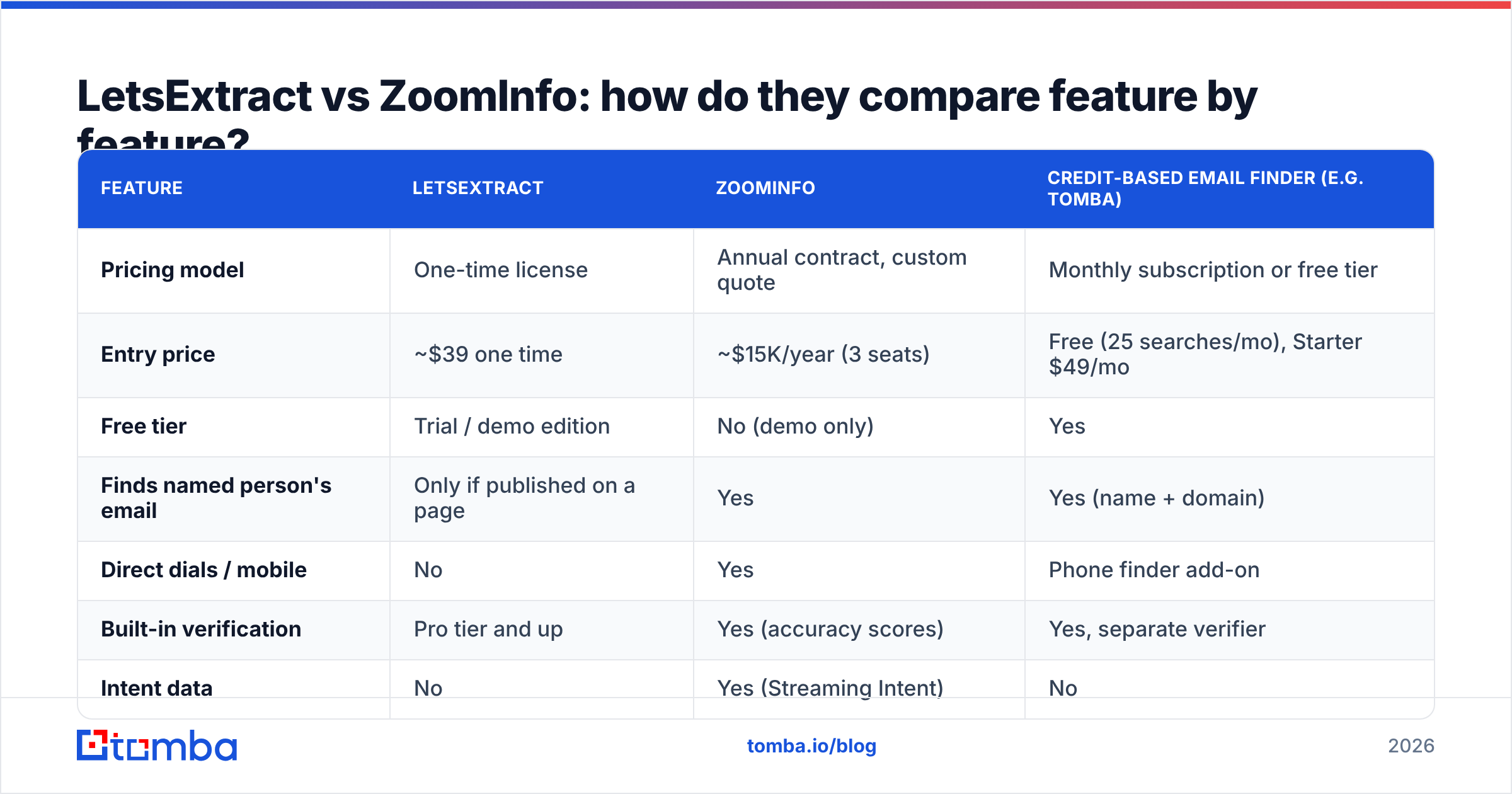
Here is the side-by-side, with a credit-based email finder included as a reference point because many teams end up choosing one.
| Feature | LetsExtract | ZoomInfo | Credit-based email finder (e.g. Tomba) |
|---|---|---|---|
| Pricing model | One-time license | Annual contract, custom quote | Monthly subscription or free tier |
| Entry price | ~$39 one time | ~$15K/year (3 seats) | Free (25 searches/mo), Starter $49/mo |
| Free tier | Trial / demo edition | No (demo only) | Yes |
| Finds named person's email | Only if published on a page | Yes | Yes (name + domain) |
| Direct dials / mobile | No | Yes | Phone finder add-on |
| Built-in verification | Pro tier and up | Yes (accuracy scores) | Yes, separate verifier |
| Intent data | No | Yes (Streaming Intent) | No |
| Org charts / hierarchy | No | Yes | No |
| CRM integration | CSV export | Native Salesforce, HubSpot, Dynamics | HubSpot, Salesforce, Pipedrive, Zapier |
| Platform | Windows desktop | Web + Chrome extension | Web, extension, API, Sheets |
| Best for | Local-biz lists, niche scraping | Enterprise sales orgs | SMB to mid-market outbound |
| Main risk | Low-quality data, compliance exposure | Cost, contract lock-in | Coverage gaps on very small firms |
Where LetsExtract wins#
- Price. You pay once and it runs as long as your machine does. Nothing in B2B data costs less.
- Long-tail and local coverage. Plumbers in Ohio, dental clinics in Lyon, Etsy-adjacent brands: big databases often don't cover businesses this small. A crawler finds whatever address they put in their footer.
- Custom sources. You can point it at any site list, forum, or directory you're allowed to crawl. ZoomInfo only shows what's in ZoomInfo.
Where ZoomInfo wins#
- Named decision-makers. If you need the VP of Finance at a 2,000-person manufacturer, a crawler won't find them. ZoomInfo probably will.
- Targeting depth. Firmographics, technographics, funding events, hiring signals, and intent topics can all be combined into one saved search.
- Workflow and governance. Native CRM enrichment, deduplication, compliance tooling, and admin controls matter once you have 20+ reps.
Is scraped data from LetsExtract accurate enough for cold email?#
Only if you verify everything and accept that most results will be role inboxes. Scraped data has three structural problems that verification can't fully fix:
- Wrong person.
info@orhello@reaches whoever triages the inbox, not your buyer. Reply rates on generic addresses are consistently far below those of named contacts. - Decay. A page can show an address for years after the person has left. The crawler has no way to tell.
- Traps and catch-alls. Scraping public pages is how spam traps get picked up. Sending to one can damage your sender reputation across your whole domain.
The LetsExtract Pro tier includes a verifier, which helps with the second and third problems. It can't fix the first. If you're running proper B2B outbound, run every scraped list through a dedicated email verifier that handles catch-all domains before it touches a sequence. And keep scraped sends on a separate domain from the one your AEs use.
ZoomInfo's data isn't perfect either. Users on review sites regularly mention bounce rates and outdated titles, especially at SMB accounts. But its baseline starts from named, researched contacts, which is a better place to begin.
What about GDPR and compliance?#
This is LetsExtract's biggest hidden cost, and it rarely shows up in comparisons.
When you scrape personal emails from websites and social profiles, you become the data controller for that information. Under the GDPR you need a lawful basis (usually legitimate interest), you need to tell people where you got their data, and you need to honor objections. Some sites' terms of service also forbid automated harvesting. None of this makes scraping illegal, but the compliance work falls entirely on you, and a desktop app doesn't give you an audit trail.
ZoomInfo puts real money into compliance programs, including notice-at-collection, opt-out handling, and certifications. It has still faced legal challenges over data practices (the ZoomInfo Wikipedia entry covers the company's history). The difference is that an enterprise vendor shares the burden with you. With a scraper, you carry it alone.
If you sell into the EU or UK, bring your legal or RevOps lead in before you buy either tool.
Which one should you choose?#
Decide based on who you're trying to reach and how many reps will use the tool:
- Choose LetsExtract if you're a freelancer, agency, or local-services seller targeting small businesses whose only public contact is a website address, your volume is modest, and you'll verify every list before sending.
- Choose ZoomInfo if you have a funded sales team of five or more reps, you sell to mid-market or enterprise accounts, you need direct dials and intent signals, and $15K–$40K a year is a rounding error next to your average deal size.
- Choose neither if you need named B2B contacts with verified emails for a small team and can't justify an annual contract. This is the most common situation, and it's where a pay-as-you-go email finder fits.
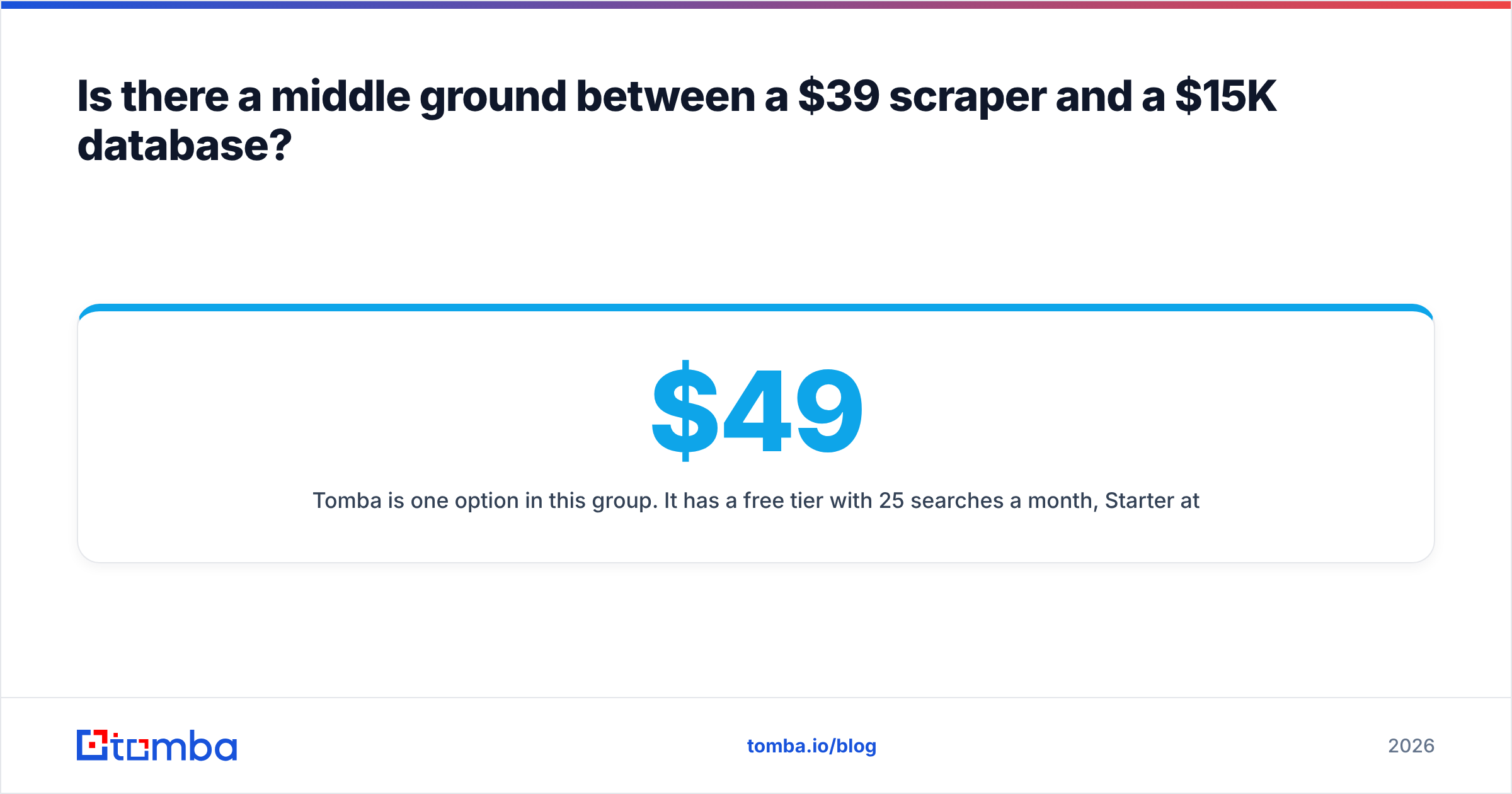
Is there a middle ground between a $39 scraper and a $15K database?#
Yes. Credit-based email finders sit between the two, both in price and in how they work.
Rather than crawling pages for any address or selling you a full database seat, an email finder takes a name and a company domain and returns that person's most likely address with a confidence score. It does this by combining known company email patterns, public sources, and SMTP-level verification. You get named-contact output like ZoomInfo, at a monthly cost closer to LetsExtract's one-time fee.
A typical workflow looks like this:
- Build the account list from LinkedIn Sales Navigator, a conference attendee list, or your CRM.
- Pull contacts per company with a domain search, which lists the public professional addresses tied to that domain along with their sources.
- Fill gaps by name with an email finder when you know who you want but not their address.
- Verify before sending, especially on catch-all domains.
- Push to your CRM or sequencer through native integrations or a CSV.
Tomba is one option in this group. It has a free tier with 25 searches a month, Starter at $49/mo, Growth at $99/mo, and Pro at $249/mo (full breakdown on the Tomba pricing page). It won't give you ZoomInfo's intent data or org charts, and it doesn't claim to. For most outbound teams under about 20 reps, though, what they need is the right person's working email, and that's the job this category handles.
LetsExtract vs ZoomInfo: what's the final verdict?#
These two aren't really competitors. They sit at opposite ends of the B2B data market.
- LetsExtract is a cheap, flexible harvesting tool. It's good at finding public addresses on small-business sites, weak at reaching named decision-makers, and it puts the compliance work on you.
- ZoomInfo is an expensive, deep intelligence platform. It's excellent for enterprise targeting, but too much tool, and too much contract, for most teams under 10 reps.
If you only need visible website addresses, the $39 option is fine. If your revenue depends on reaching specific buyers inside large accounts at scale, ZoomInfo's price can pay for itself. If you want named, verified contacts without an annual commitment, start with a credit-based finder and upgrade only when your pipeline shows you need more.
Frequently asked questions#
Is LetsExtract a ZoomInfo alternative?#
Not directly. LetsExtract scrapes addresses from pages you point it at. ZoomInfo is a researched contact database. LetsExtract can replace ZoomInfo only if your targets are small businesses whose contact details are posted publicly.
Does ZoomInfo offer a free plan?#
ZoomInfo has offered limited free access through its community edition in the past, but its sales platform is sold through custom annual contracts. Expect a demo and a quote, not a self-serve checkout.
Does LetsExtract work on Mac?#
LetsExtract Email Studio is built as a Windows desktop app. Mac users typically run it through a Windows virtual machine. Check the vendor's current system requirements before you buy.
Can I use both tools together?#
Yes, and some teams do: ZoomInfo for named enterprise contacts, and a scraper for long-tail local accounts that ZoomInfo doesn't cover. Keep the two data streams on separate sending domains and verify scraped data before it goes into sequences.
Ready to find named contacts without a five-figure contract?#
If what you need is somewhere between scraping info@ inboxes and signing a $30K database deal, try the Tomba Email Finder. Enter a name and company domain, and you get the person's professional email with a confidence score and the public sources it was found on. You can start on the free tier with 25 searches a month, and move to a paid plan once your volume needs it.
Related guides#
// get started
Find, verify and enrich your first contacts today
Start on the free plan with 25 searches a month, then scale when your team is ready.
Free plan · No credit card required · GDPR & CCPA
// about the author